Button RENAULT KADJAR 2018 Owner's Manual
[x] Cancel search | Manufacturer: RENAULT, Model Year: 2018, Model line: KADJAR, Model: RENAULT KADJAR 2018Pages: 310, PDF Size: 8.35 MB
Page 69 of 310
1.63
3
ON-BOARD COMPUTER: general information (2/2)
Interpreting some of the
values displayed after
resetting
The values showing average fuel con-
sumption and average speed will
become more stable and reliable the
further you have travelled since the last
time the Reset button was pressed.
The average fuel consumption may de-
crease when:
– the vehicle stops accelerating;
– the engine reaches its operating
temperature (if the engine was cold
when the reset key was pressed);
– when driving from an urban area
onto the open road.
Automatic resetting of the
journey parameters
Resetting occurs automatically when
the maximum value of any of the pa-
rameters is exceeded.
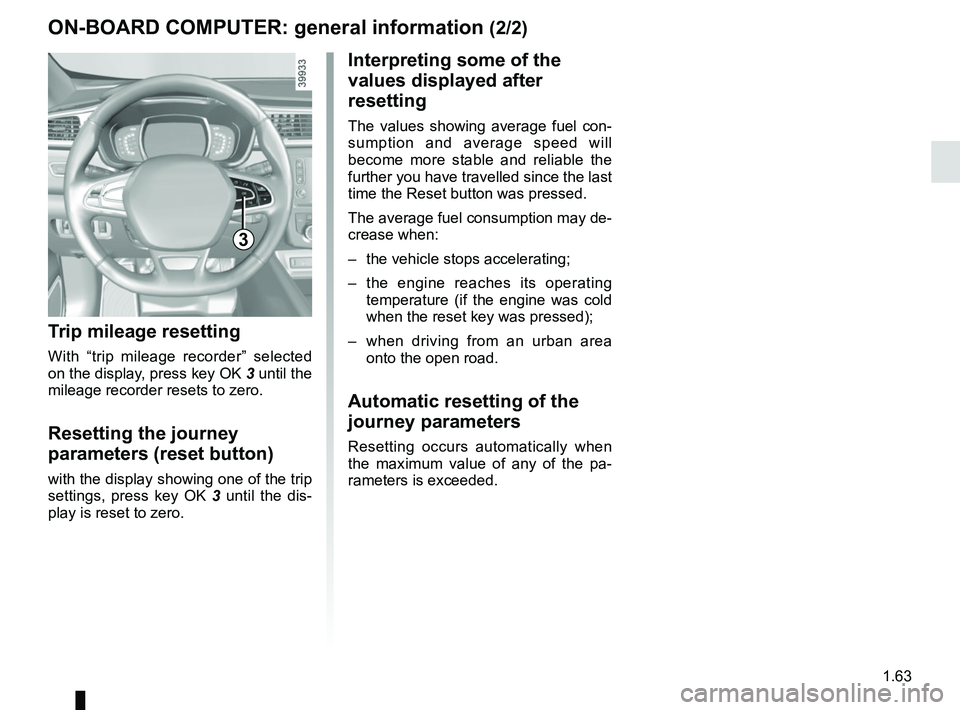
Trip mileage resetting
With “trip mileage recorder” selected
on the display, press key OK 3 until the
mileage recorder resets to zero.
Resetting the journey
parameters (reset button)
with the display showing one of the trip
settings, press key OK 3 until the dis-
play is reset to zero.
Page 72 of 310

The display of information shown below DEPENDS ON THE VEHICLE EQUIPMENT \
AND COUNTRY.
Examples of selectionsInterpreting the display selected
On-board comp")
1.66
ON-BOARD COMPUTER: trip settings (3/5)
The display of information shown below DEPENDS ON THE VEHICLE EQUIPMENT \
AND COUNTRY.
Examples of selectionsInterpreting the display selected
On-board computer with mileage-
before-service message
c) Mileage before service or oil change.Mileage before service
With the ignition switched on, the engine not running and
the display set to “Service Intervals”, press and hold the OK
button for approximately 5 seconds to display the mileage before
service (distance or time to the next service). When the distance
value approaches its limit, there are several possible scenarios:
– range less than 930 miles (1,500 km) or one month: the
message “Service due in” is displayed accompanied by the
nearest term (distance or time);
– range equal to 0 km/miles or service date reached: the
message “Service required” is displayed accompanied by
warning light
©.
The vehicle requires a service as soon as possible.
Service Intervals
Service in
30 000 km / 12 mo
Service due in
300 km / 24 days
Service required
Reset : to reset the distance before the next service, press and hold button 2 for approximately 10 seconds until the display
shows the mileage before service permanently.
NB: if a service is performed without changing the engine oil, only the mi\
leage before the next service should be reset. In the
event of an oil change, both the distance before the next service and th\
e next oil change should be reset.
Page 73 of 310

Examples of selectionsInterpreting the display selected
On-board computer")
1.67
The display of information shown below DEPENDS ON THE VEHICLE EQUIPMENT \
AND COUNTRY.
TRIP COMPUTER: trip settings (4/5)
Examples of selectionsInterpreting the display selected
On-board computer with distance before
next service message (cntd.)
c) Mileage before service or oil change.Mileage before service
With the ignition switched on, the engine not running and
the display set to “Mileage before service”, press and hold the
OK button for approximately 5 seconds to display the mileage
before the next service, then press the 2 button to view the
mileage before the next oil change (distance or time remaining
before the next service). When the distance value approaches its
limit, there are several possible scenarios:
– distance/time remaining less than 900 miles (1,500 km) or
one month : the message “Service due in” is displayed, ac-
companied by the nearest term (distance or time);
– range equal to 0 km/miles or service date reached: the
message “Service required” is displayed accompanied by
warning light
©.
The vehicle requires an oil change as soon as possible.
Service Intervals
Oil change in
30 000 km / 24 mo
Service due in
300 km / 24 days
Service required
Depending on the vehicle, the mileage before an oil change varies accord\
ing to the driving style (frequent driving at low speed ,
door-to-door journeys, extensive use at idling speed, towing a trailer, etc.). The distance remaining until the next oil change can
therefore decrease more quickly in some cases than the actual distance t\
ravelled.
Resetting: to reset the mileage before a service, press and hold button 2 for approximately 10 seconds until the display shows
the range permanently.
NB: if a service is performed without changing the engine oil, only the mi\
leage before the next service should be reset. In the
event of an oil change, both the distance before the next service and th\
e next oil change should be reset.
Page 75 of 310
1.69
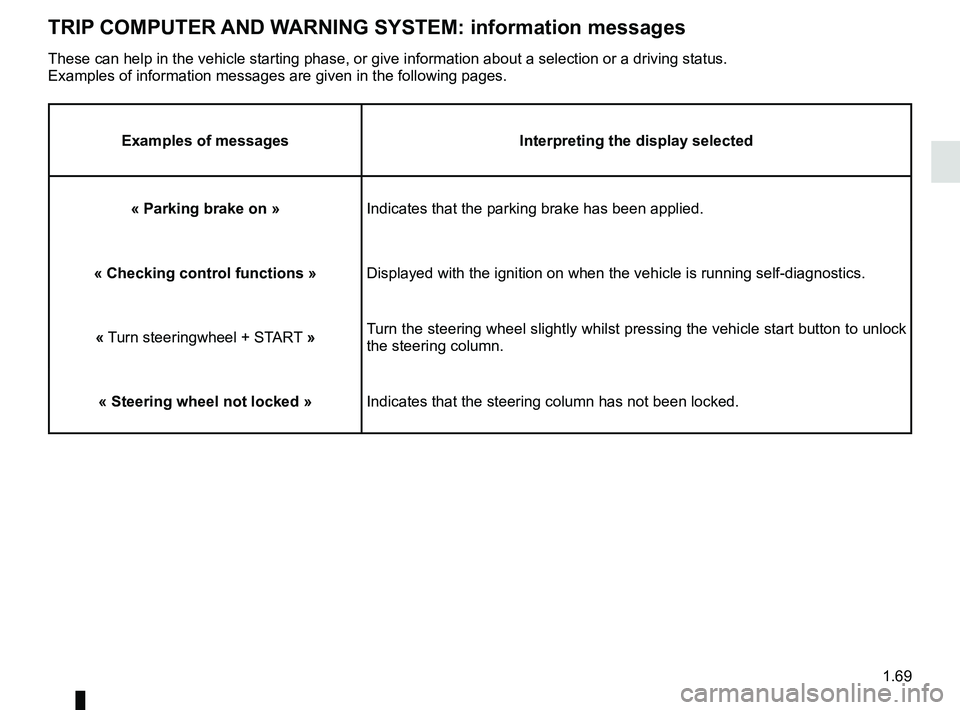
TRIP COMPUTER AND WARNING SYSTEM: information messages
Examples of messagesInterpreting the display selected
« Parking brake on » Indicates that the parking brake has been applied.
« Checking control functions » Displayed with the ignition on when the vehicle is running self-diagnost\
ics.
« Turn steeringwheel + START »Turn the steering wheel slightly whilst pressing the vehicle start button\
to unlock
the steering column.
« Steering wheel not locked » Indicates that the steering column has not been locked.
These can help in the vehicle starting phase, or give information about \
a selection or a driving status.
Examples of information messages are given in the following pages.
Page 83 of 310
1.77
REAR VIEW MIRRORS (2/2)
5
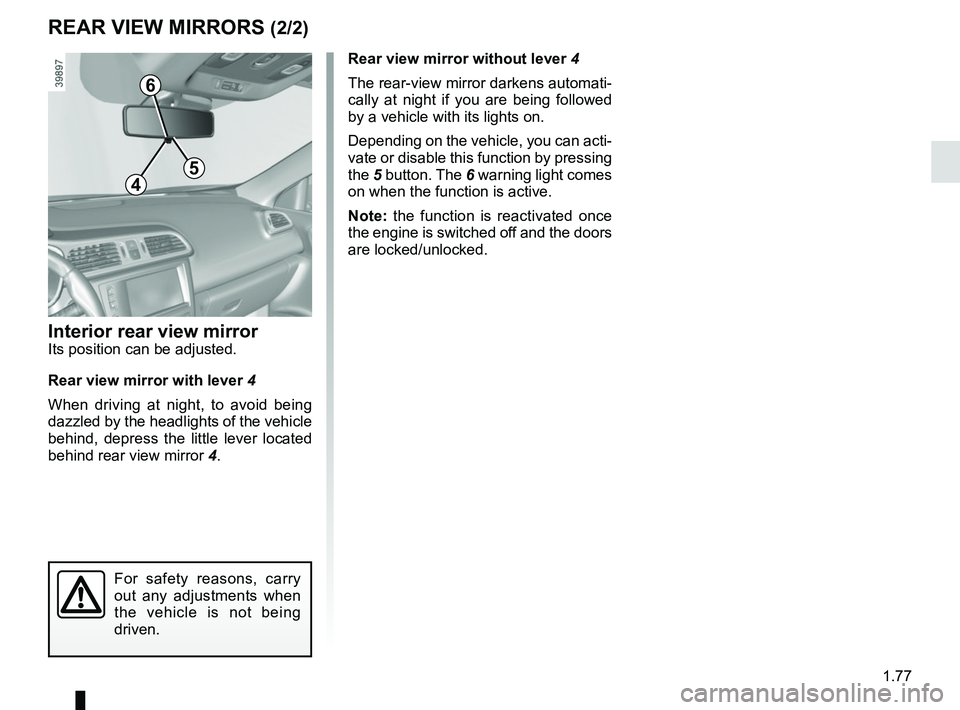
Interior rear view mirrorIts position can be adjusted.
Rear view mirror with lever 4
When driving at night, to avoid being
dazzled by the headlights of the vehicle
behind, depress the little lever located
behind rear view mirror 4.Rear view mirror without lever 4
The rear-view mirror darkens automati-
cally at night if you are being followed
by a vehicle with its lights on.
Depending on the vehicle, you can acti-
vate or disable this function by pressing
the
5 button. The 6 warning light comes
on when the function is active.
Note: the function is reactivated once
the engine is switched off and the doors
are locked/unlocked.
For safety reasons, carry
out any adjustments when
the vehicle is not being
driven.
4
6
Page 103 of 310
1.97
FUEL TANK (3/3)
Persistent fuel odour
If you notice a persistent
fuel odour you should:
– stop the vehicle as soon as traf- fic conditions allow and switch off
the ignition;
– switch on the hazard warning lights and ask your passengers to
leave the vehicle and stay clear
of the traffic;
– contact an approved Dealer.
No modifications what-
soever are permitted on
any part of the fuel supply
system (electronic units,
wiring, fuel circuit, injectors, pro-
tective covers, etc.) as this may be
dangerous (unless undertaken by
qualified Network personnel).Running out of fuel on diesel
versions
Vehicles with key/remote control
– Put the ignition key in “On” posi- tion M (please see the information
on the “Ignition switch” in Section
2) and wait for a few minutes before
starting, to enable the fuel circuit to
be primed;
– turn the key to position D . If the
engine does not start, repeat the pro-
cedure.
– If the engine does not start after sev- eral attempts, please contact an au-
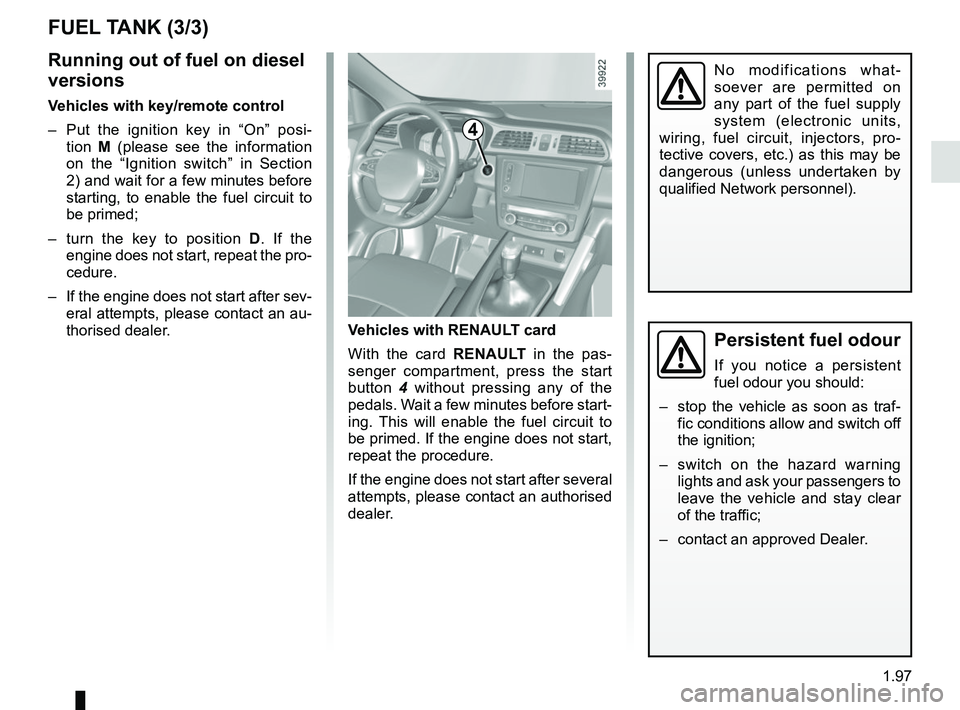
thorised dealer. Vehicles with RENAULT card
With the card RENAULT
in the pas-
senger compartment, press the start
button 4 without pressing any of the
pedals. Wait a few minutes before start-
ing. This will enable the fuel circuit to
be primed. If the engine does not start,
repeat the procedure.
If the engine does not start after several
attempts, please contact an authorised
dealer.
4
Page 113 of 310
2.5
STARTING, STOPPING THE ENGINE: vehicle with RENAULT CARD (1/3)
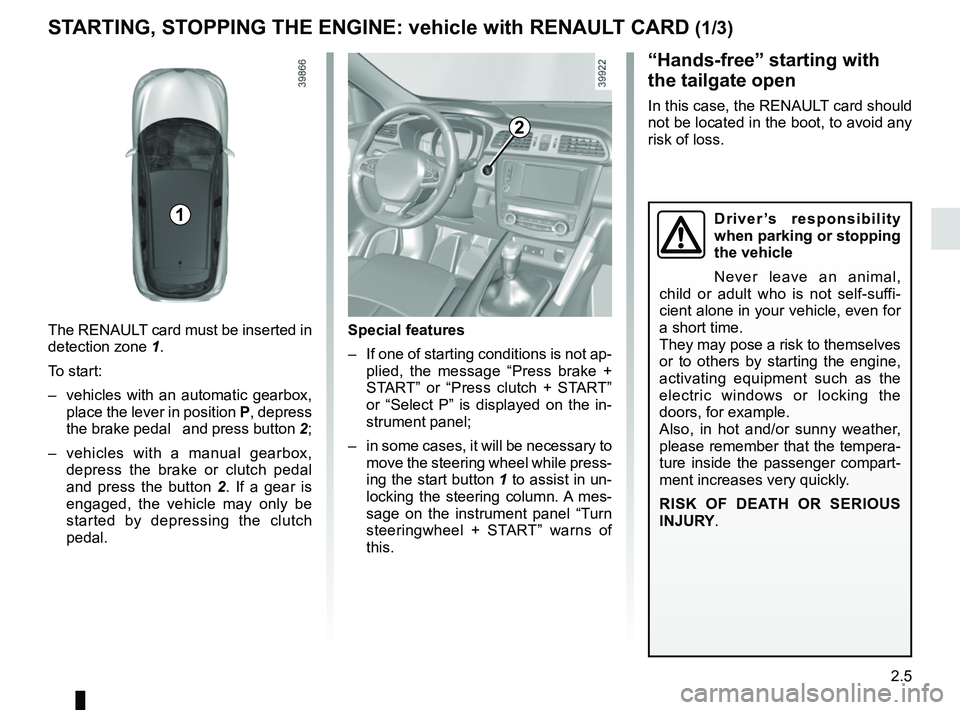
The RENAULT card must be inserted in
detection zone 1.
To start:
– vehicles with an automatic gearbox, place the lever in position P, depress
the brake pedal and press button 2;
– vehicles with a manual gearbox, depress the brake or clutch pedal
and press the button 2 . If a gear is
engaged, the vehicle may only be
started by depressing the clutch
pedal.
“Hands-free” starting with
the tailgate open
In this case, the RENAULT card should
not be located in the boot, to avoid any
risk of loss.
2
1
Special features
– If one of starting conditions is not ap- plied, the message “Press brake +
START” or “Press clutch + START”
or “Select P” is displayed on the in-
strument panel;
– in some cases, it will be necessary to move the steering wheel while press-
ing the start button 1 to assist in un-
locking the steering column. A mes-
sage on the instrument panel “Turn
steeringwheel + START” warns of
this.
Driver’s responsibility
when parking or stopping
the vehicle
Never leave an animal,
child or adult who is not self-suffi-
cient alone in your vehicle, even for
a short time.
They may pose a risk to themselves
or to others by starting the engine,
activating equipment such as the
electric windows or locking the
doors, for example.
Also, in hot and/or sunny weather,
please remember that the tempera-
ture inside the passenger compart-
ment increases very quickly.
RISK OF DEATH OR SERIOUS
INJURY.
Page 114 of 310
2.6
STARTING, STOPPING THE ENGINE: vehicle with RENAULT CARD (2/3)
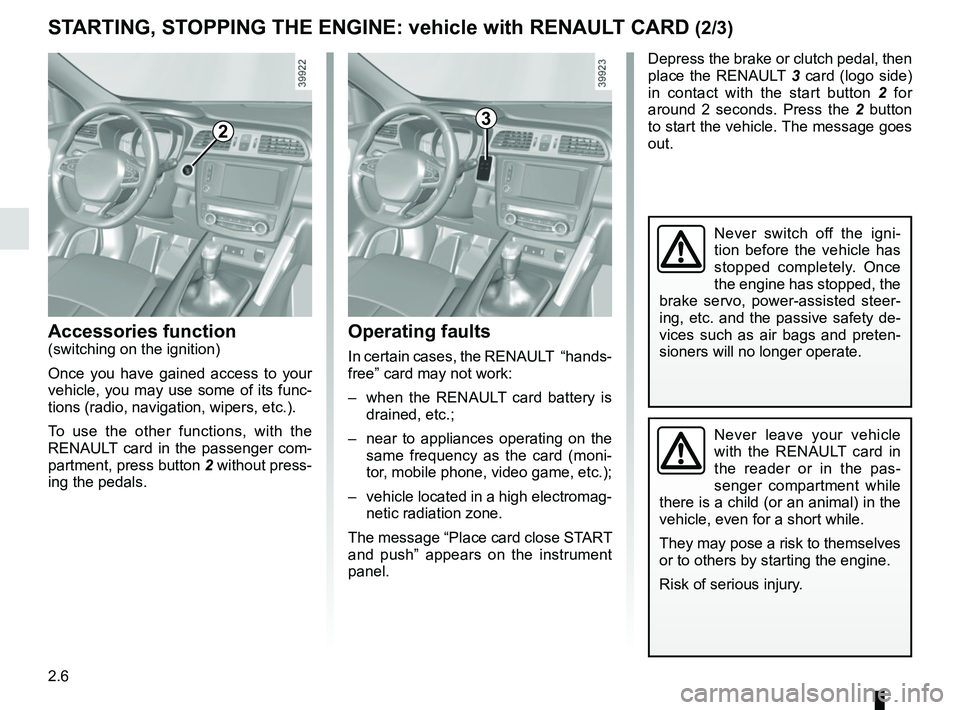
Operating faults
In certain cases, the RENAULT “hands-
free” card may not work:
– when the RENAULT card battery is drained, etc.;
– near to appliances operating on the same frequency as the card (moni-
tor, mobile phone, video game, etc.);
– vehicle located in a high electromag- netic radiation zone.
The message “Place card close START
and push” appears on the instrument
panel.
2
Accessories function(switching on the ignition)
Once you have gained access to your
vehicle, you may use some of its func-
tions (radio, navigation, wipers, etc.).
To use the other functions, with the
RENAULT card in the passenger com-
partment, press button 2 without press-
ing the pedals.
Depress the brake or clutch pedal, then
place the RENAULT 3 card (logo side)
in contact with the start button 2 for
around 2 seconds. Press the 2 button
to start the vehicle. The message goes
out.
3
Never leave your vehicle
with the RENAULT card in
the reader or in the pas-
senger compartment while
there is a child (or an animal) in the
vehicle, even for a short while.
They may pose a risk to themselves
or to others by starting the engine.
Risk of serious injury.
Never switch off the igni-
tion before the vehicle has
stopped completely. Once
the engine has stopped, the
brake servo, power-assisted steer-
ing, etc. and the passive safety de-
vices such as air bags and preten-
sioners will no longer operate.
Page 115 of 310
2.7
STARTING, STOPPING THE ENGINE: vehicle with RENAULT CARD (3/3)
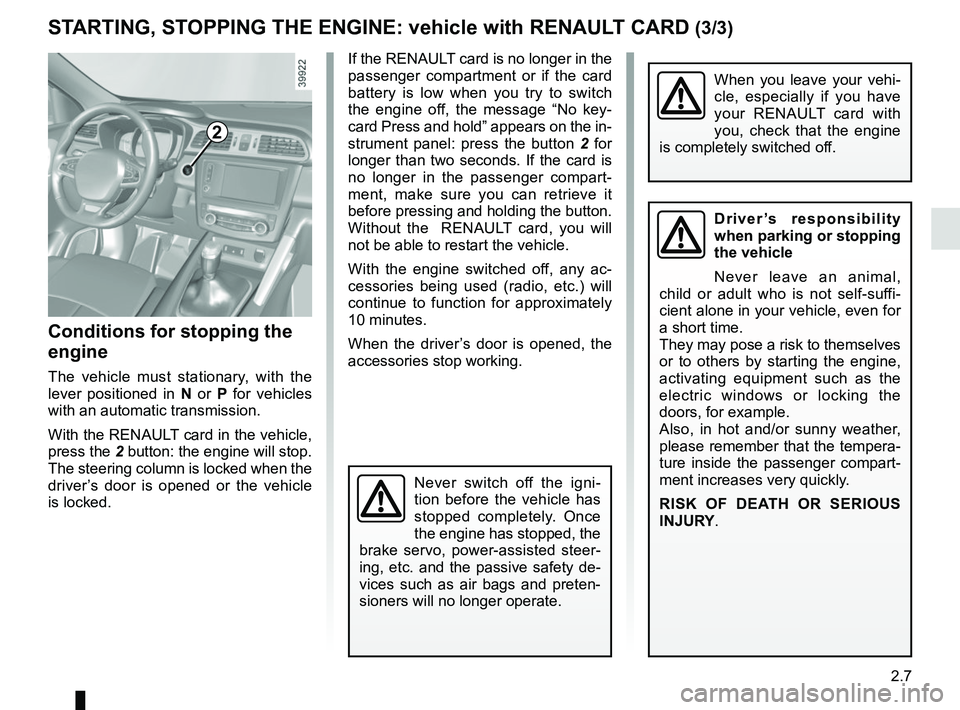
If the RENAULT card is no longer in the
passenger compartment or if the card
battery is low when you try to switch
the engine off, the message “No key-
card Press and hold” appears on the in-
strument panel: press the button 2 for
longer than two seconds. If the card is
no longer in the passenger compart-
ment, make sure you can retrieve it
before pressing and holding the button.
Without the RENAULT card, you will
not be able to restart the vehicle.
With the engine switched off, any ac-
cessories being used (radio, etc.) will
continue to function for approximately
10 minutes.
When the driver’s door is opened, the
accessories stop working.
Conditions for stopping the
engine
The vehicle must stationary, with the
lever positioned in N or P for vehicles
with an automatic transmission.
With the RENAULT card in the vehicle,
press the 2 button: the engine will stop. The steering column is locked when the
driver’s door is opened or the vehicle
is locked.
When you leave your vehi-
cle, especially if you have
your RENAULT card with
you, check that the engine
is completely switched off.
2
Driver’s responsibility
when parking or stopping
the vehicle
Never leave an animal,
child or adult who is not self-suffi-
cient alone in your vehicle, even for
a short time.
They may pose a risk to themselves
or to others by starting the engine,
activating equipment such as the
electric windows or locking the
doors, for example.
Also, in hot and/or sunny weather,
please remember that the tempera-
ture inside the passenger compart-
ment increases very quickly.
RISK OF DEATH OR SERIOUS
INJURY.
Never switch off the igni-
tion before the vehicle has
stopped completely. Once
the engine has stopped, the
brake servo, power-assisted steer-
ing, etc. and the passive safety de-
vices such as air bags and preten-
sioners will no longer operate.
Page 120 of 310
2.12
SPECIAL FEATURES OF PETROL VERSIONS (1/2)
The following operating conditions:
– driving for long periods when the low fuel level warning light is lit;
– using leaded petrol;
– using fuel or lubrication additives which are not approved.
Or operating faults such as:
– faulty ignition system, running out of fuel or disconnected spark plugs re-
sulting in the engine misfiring or cut-
ting out when driving;
– loss of power,
as they may cause the catalytic con-
verter to overheat and thus reduce its
efficiency, or damage it irreparably
and cause heat damage to the vehi-
cle. If you notice any of the above operating
faults, have the necessary repairs car-
ried out as soon as possible by an ap-
proved Dealer.
These faults may be avoided by regu-
larly taking your vehicle to an approved
Dealer at the intervals specified in the
Maintenance document.
Starting problems
To avoid damaging the catalytic con-
verter,
do not keep trying to start the
engine (using the start button, or by
pushing or towing the vehicle) without
having identified and corrected the
starting fault.
If the fault cannot be identified, do not
keep trying to start the engine, but con-
tact an approved Dealer.
Do not park the vehicle or
run the engine in locations
where combustible sub-
stances or materials such
as grass or leaves can come into
contact with the hot exhaust system.