display RENAULT SCENIC 2018 Owner's Manual
[x] Cancel search | Manufacturer: RENAULT, Model Year: 2018, Model line: SCENIC, Model: RENAULT SCENIC 2018Pages: 364, PDF Size: 10.43 MB
Page 87 of 364

The display of information shown below DEPENDS ON THE VEHICLE EQUIPMENT \
AND COUNTRY.
Examples of selectionsInterpreting the display selected
Range
b) Jou")
1.81
ON-BOARD COMPUTER: trip settings (2/5)
The display of information shown below DEPENDS ON THE VEHICLE EQUIPMENT \
AND COUNTRY.
Examples of selectionsInterpreting the display selected
Range
b) Journey parameters (continued):
Estimated range with remaining fuel.
The value is displayed after driving 400 metres.
541 km
Distance
Distance travelled since last reset.522 km
Average
Average speed since the last reset.
The value is displayed after driving 400 metres.
123.4 km/H
55.8 mph (90 km/h)c) Current speed.
Page 88 of 364

The display of information shown below DEPENDS ON THE VEHICLE EQUIPMENT \
AND COUNTRY.
Examples of selectionsInterpreting the display selected
On-board comp")
1.82
ON-BOARD COMPUTER: trip settings (3/5)
The display of information shown below DEPENDS ON THE VEHICLE EQUIPMENT \
AND COUNTRY.
Examples of selectionsInterpreting the display selected
On-board computer with mileage-
before-service message
d) Mileage before service or oil change.Mileage before service
With the ignition switched on, the engine not running and
the display set to “SERVICE INTERVALS”, press button OK for
approximately 5 seconds to display the mileage before service
(distance or time to the next service). When the distance value
approaches its limit, there are several possible scenarios:
– range less than 930 miles (1,500 km) or one month: the
message “Service due in” is displayed accompanied by the
nearest term (distance or time);
– range equal to 0 miles (0 km) or date of service reached:
the message “Service required” is displayed accompanied by
the warning light
©.
The vehicle requires a service as soon as possible.
SERVICE
INTERVALS
Service in
30 000 Kms / 12 mo
Service due in
300 Kms / 24 days
Service required
Resetting: to reset the distance before service, press and hold button 2 for approximately 10 seconds until the display shows
the mileage permanently.
NB: if a service is performed without changing the engine oil, only the mi\
leage before the next service should be reset. In the
event of an oil change, both the distance before the next service and th\
e next oil change should be reset.
Page 89 of 364

The display of information shown below DEPENDS ON THE VEHICLE EQUIPMENT \
AND COUNTRY.
Examples of selectionsInterpreting the display selected
On-board computer")
1.83
TRIP COMPUTER: trip settings (4/5)
The display of information shown below DEPENDS ON THE VEHICLE EQUIPMENT \
AND COUNTRY.
Examples of selectionsInterpreting the display selected
On-board computer with distance before
next service message (cntd.)
d) Mileage before service or oil change.Mileage before service
With the ignition on, the engine not running and the display
selected “SERVICE INTERVALS”, press button OK for about
5 seconds to display the mileage before the next service, then
press button 2 to view the mileage before the next oil change
(distance or time remaining before the next service). When the
distance value approaches its limit, there are several possible
scenarios:
– range less than 930 miles (1,500 km) or one month: the
message “Service due in” is displayed accompanied by the
nearest term (distance or time);
– range equal to 0 miles (0 km) or date of oil change reached:
the message “Service required” is displayed accompanied by
the warning light
©.
The vehicle requires an oil change as soon as possible.
SERVICE
INTERVALS
Oil change in
30 000 Kms / 24 mo
Service due in
300 Kms / 24 days
Service required
Depending on the vehicle, the mileage before an oil change varies accord\
ing to the driving style (frequent driving at low speed ,
door-to-door journeys, extensive use at idling speed, towing a trailer, etc.). The distance remaining until the next oil change can
therefore decrease more quickly in some cases than the actual distance t\
ravelled.
Resetting: to reset the mileage before a service, press and hold button 2 for approximately 10 seconds until the display shows
the range permanently.
NB: if a service is performed without changing the engine oil, only the mi\
leage before the next service should be reset. In the
event of an oil change, both the distance before the next service and th\
e next oil change should be reset.
Page 90 of 364

The display of information shown below DEPENDS ON THE VEHICLE EQUIPMENT \
AND COUNTRY.
Examples of selectionsInterpreting the display selected
e) Reset the")
1.84
ON-BOARD COMPUTER: trip settings (5/5)
The display of information shown below DEPENDS ON THE VEHICLE EQUIPMENT \
AND COUNTRY.
Examples of selectionsInterpreting the display selected
e) Reset the tyre pressure.
Refer to the information on the “Tyre pressure
monitoring system” in Section 2.
+ Tyre pressure
No message memorised
f) Trip log.
Successive display:
– information messages (passenger airbag OFF
etc.);
– operating fault messages (Check injection
system, etc.).
Page 91 of 364
1.85
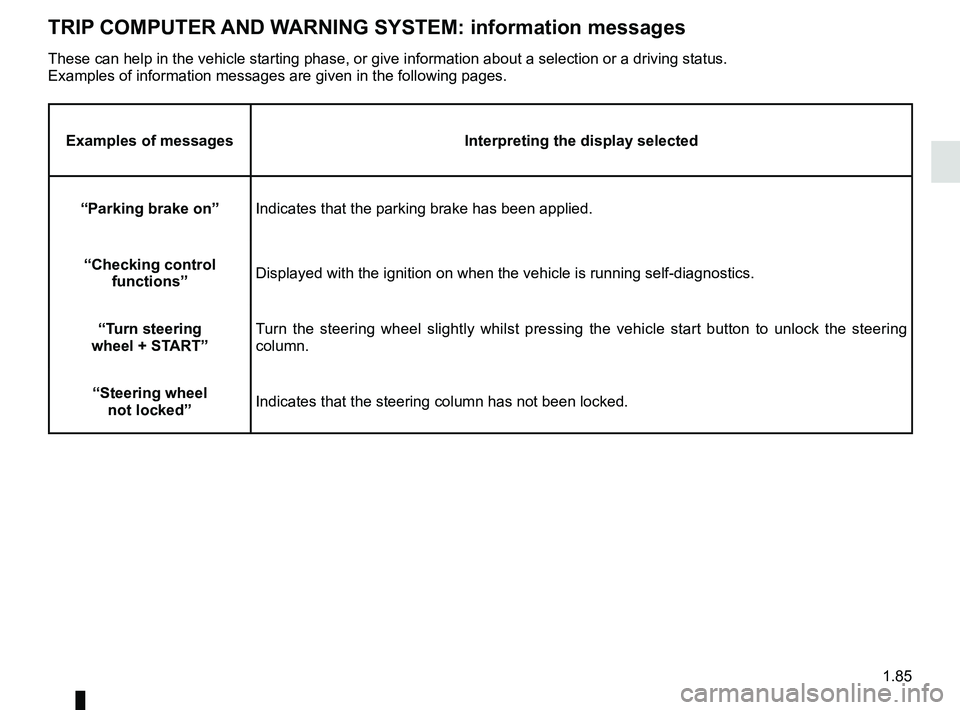
TRIP COMPUTER AND WARNING SYSTEM: information messages
Examples of messagesInterpreting the display selected
“Parking brake on” Indicates that the parking brake has been applied.
“Checking control functions” Displayed with the ignition on when the vehicle is running self-diagnost\
ics.
“Turn steering
wheel + START” Turn the steering wheel slightly whilst pressing the vehicle start button\
to unlock the steering
column.
“Steering wheel not locked” Indicates that the steering column has not been locked.
These can help in the vehicle starting phase, or give information about \
a selection or a driving status.
Examples of information messages are given in the following pages.
Page 92 of 364

1.86
TRIP COMPUTER AND WARNING SYSTEM: operating fault messages
These appear with the © warning light and mean that you should drive very carefully to an author\
ised dealer as
soon as possible. If you fail to follow this recommendation, you risk da\
maging your vehicle.
They disappear when the display selection key is pressed or after severa\
l seconds and are stored in the computer log. The
© warning light stays on. Examples of operating fault messages are given \
in the following pages.
Examples of messages Interpreting the display selected
“Clean diesel filter” Indicates the presence of water in the diesel filter; contact an approve\
d Dealer
as soon as possible.
“Check lighting” Indicates a fault in the headlights.
“Check vehicle” Indicates a fault in one of the pedal sensors, battery management system\
or oil
level sensor.
“Check airbag” Indicates a fault in the restraint system in addition to the seat belts.\
In the event
of an accident, it is possible that they may not be triggered.
“Check anti- pollution system” Indicates a fault in the vehicle’s particle filter system.
Page 93 of 364
1.87
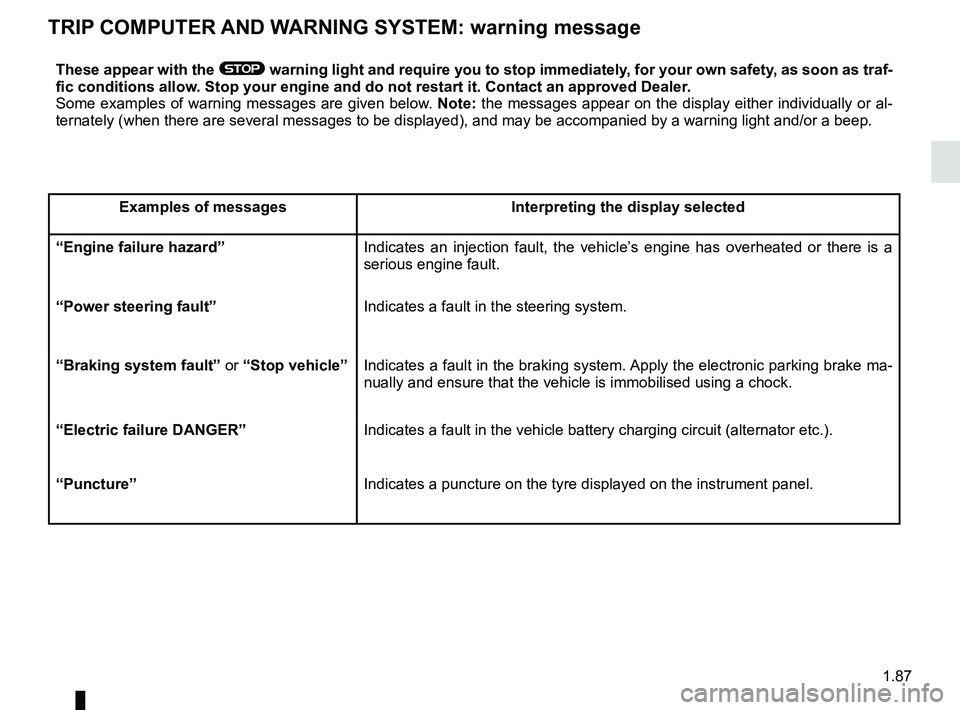
TRIP COMPUTER AND WARNING SYSTEM: warning message
These appear with the ® warning light and require you to stop immediately, for your own safety, as soon as traf-
fic conditions allow. Stop your engine and do not restart it. Contact an approved Dealer.
Some examples of warning messages are given below. Note: the messages appear on the display either individually or al-
ternately (when there are several messages to be displayed), and may b\
e accompanied by a warning light and/or a beep.
Examples of messages Interpreting the display selected
“Engine failure hazard” Indicates an injection fault, the vehicle’s engine has overheated or there is a
serious engine fault.
“Power steering fault” Indicates a fault in the steering system.
“Braking system fault” or “Stop vehicle” Indicates a fault in the braking system. Apply the electronic parking brake ma-
nually and ensure that the vehicle is immobilised using a chock.
“Electric failure DANGER” Indicates a fault in the vehicle battery charging circuit (alternator e\
tc.).
“Puncture” Indicates a puncture on the tyre displayed on the instrument panel.
Page 95 of 364
1.89
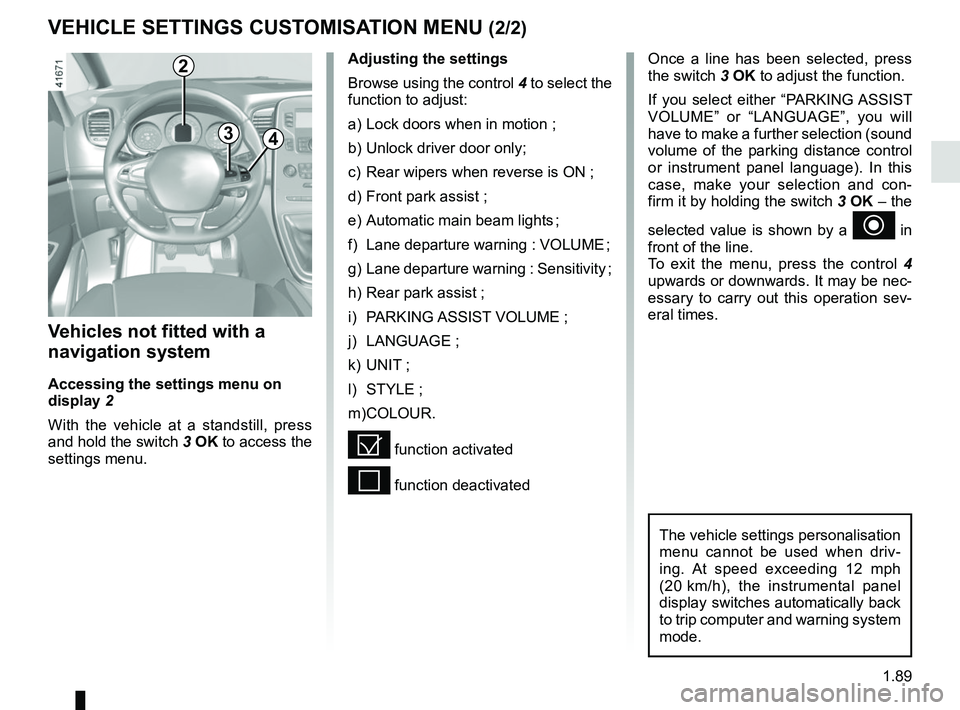
VEHICLE SETTINGS CUSTOMISATION MENU (2/2)
34
Once a line has been selected, press
the switch 3 OK to adjust the function.
If you select either “PARKING ASSIST
VOLUME” or “LANGUAGE”, you will
have to make a further selection (sound
volume of the parking distance control
or instrument panel language). In this
case, make your selection and con-
firm it by holding the switch 3 OK – the
selected value is shown by a
~ in
front of the line.
To exit the menu, press the control 4
upwards or downwards. It may be nec-
essary to carry out this operation sev-
eral times.
Vehicles not fitted with a
navigation system
Accessing the settings menu on
display 2
With the vehicle at a standstill, press
and hold the switch 3 OK to access the
settings menu.
Adjusting the settings
Browse using the control 4 to select the
function to adjust:
a) Lock doors when in motion ;
b) Unlock driver door only;
c) Rear wipers when reverse is ON ;
d) Front park assist ;
e) Automatic main beam lights ;
f) Lane departure warning : VOLUME ;
g) Lane departure warning : Sensitivity ;
h) Rear park assist ;
i) PARKING ASSIST VOLUME ;
j) LANGUAGE ;
k) UNIT ;
l) STYLE ;
m) COLOUR.
= function activated
< function deactivated
The vehicle settings personalisation
menu cannot be used when driv-
ing. At speed exceeding 12 mph
(20 km/h), the instrumental panel
display switches automatically back
to trip computer and warning system
mode.
2
Page 96 of 364
1.90
External temperature
indicator
Special note:
When the exterior temperature is - 3 °C
to + 3 °C, the °C characters flash (sig-
nalling a risk of ice on the road).
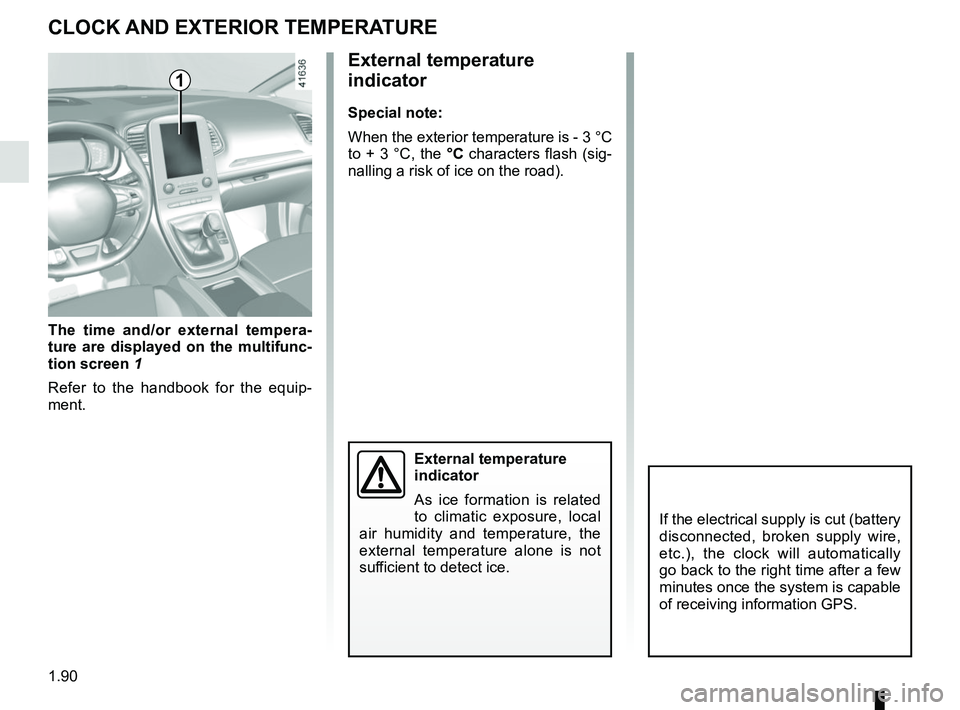
The time and/or external tempera-
ture are displayed on the multifunc-
tion screen 1
Refer to the handbook for the equip-
ment.
CLOCK AND EXTERIOR TEMPERATURE
External temperature
indicator
As ice formation is related
to climatic exposure, local
air humidity and temperature, the
external temperature alone is not
sufficient to detect ice.
1
If the electrical supply is cut (battery
disconnected, broken supply wire,
etc.), the clock will automatically
go back to the right time after a few
minutes once the system is capable
of receiving information GPS.
Page 99 of 364
1.93
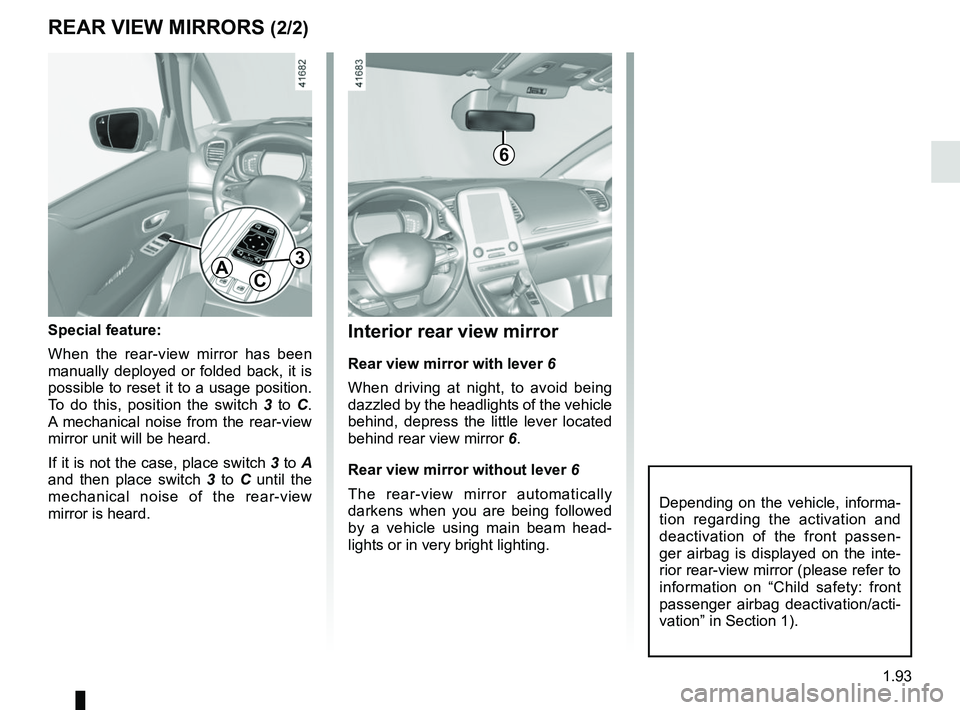
Interior rear view mirror
Rear view mirror with lever 6
When driving at night, to avoid being
dazzled by the headlights of the vehicle
behind, depress the little lever located
behind rear view mirror 6.
Rear view mirror without lever 6
The rear-view mirror automatically
darkens when you are being followed
by a vehicle using main beam head-
lights or in very bright lighting.
REAR VIEW MIRRORS (2/2)
Special feature:
When the rear-view mirror has been
manually deployed or folded back, it is
possible to reset it to a usage position.
To do this, position the switch 3 to C.
A mechanical noise from the rear-view
mirror unit will be heard.
If it is not the case, place switch 3 to A
and then place switch 3 to C until the
mechanical noise of the rear-view
mirror is heard.
AC
3
Depending on the vehicle, informa-
tion regarding the activation and
deactivation of the front passen-
ger airbag is displayed on the inte-
rior rear-view mirror (please refer to
information on “Child safety: front
passenger airbag deactivation/acti-
vation” in Section 1).
6