display RENAULT SCENIC 2018 Owner's Guide
[x] Cancel search | Manufacturer: RENAULT, Model Year: 2018, Model line: SCENIC, Model: RENAULT SCENIC 2018Pages: 364, PDF Size: 10.43 MB
Page 104 of 364
1.98
EXTERIOR LIGHTING AND SIGNALS (4/6)
Using the portable naviga-
tion system at night in the
windscreen area below the
camera may disturb the op-
eration of the “automatic main beam
headlights” system (risk of reflection
on the windscreen).
Automatic main beam
headlights (continued)
Operating faults
When the message “Check auto li-
ghting” appears on the instrument
panel, the system is deactivated.
Consult an approved dealer.
Operating faults
When the message “Check lighting”
with warning light
© is displayed
and warning light
k flashes on the
instrument panel, this indicates that
there is a lighting fault.
Consult an approved dealer.
Switching off the lights
There are two possibilities:
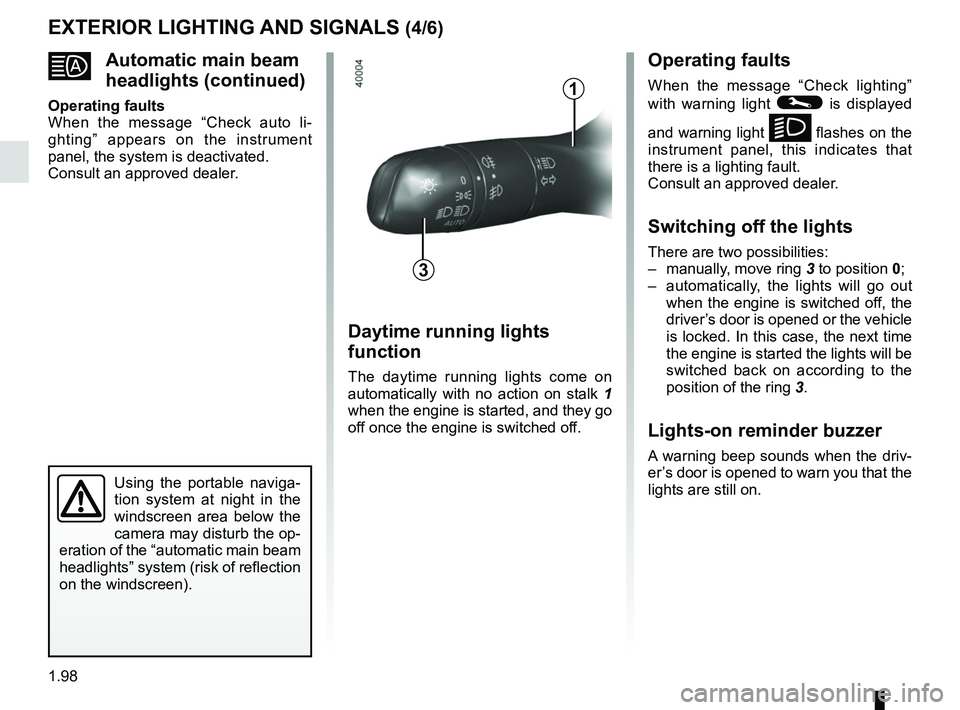
– manually, move ring 3 to position 0;
– automatically, the lights will go out when the engine is switched off, the
driver’s door is opened or the vehicle
is locked. In this case, the next time
the engine is started the lights will be
switched back on according to the
position of the ring 3.
Lights-on reminder buzzer
A warning beep sounds when the driv-
er’s door is opened to warn you that the
lights are still on.
Daytime running lights
function
The daytime running lights come on
automatically with no action on stalk 1
when the engine is started, and they go
off once the engine is switched off.
3
1
Page 105 of 364
1.99
EXTERIOR LIGHTING AND SIGNALS (5/6)
“See-me-home lighting”
function
This function allows you to briefly switch
on the dipped beam headlights (to pro-
vide light when opening a gate, etc.).
With the engine and lights switched
off and the ring 3 in position 0 or
AUTO, pull the stalk 1 towards you: the
dipped beam headlights come on for
approximately 30 seconds. To increase
this duration, you may pull the stalk up
to four times (total time restricted to ap-
proximately two minutes). The mes-
sage “Follow-me home for _ _ _” along
with the time the lights will be on for is
displayed on the instrument panel to
confirm this action. You can then lock
your vehicle.
To switch off the lights before they go
out automatically, turn ring 3 to any po-
sition, then return it to the AUTO posi-
tion .
Welcome and goodbye
function
(depending on the vehicle)
Once the function is activated, the day-
time running lights and the rear side
light light up automatically upon detect-
ing the RENAULT card or when the ve-
hicle is unlocked.
They switch off automatically:
– approximately one minute after li- ghting up;
– when starting the engine based on the position of the lighting stalk;
or
– upon locking the vehicle. Welcome lighting under the door
mirrors
With the function activated, the lights
located under the door mirrors come
on automatically upon detection of the
RENAULT card, upon unlocking the
vehicle or when opening a door.
They switch off automatically:
– approximately one minute after li-
ghting up;
– upon starting the engine;
or
– upon locking the vehicle.
Activating/deactivating the function
From the multifunction screen, select
menu “vehicle”, “User settings” then
“External welcome”. Choose “ ON”
or “OFF” to activate or deactivate the
function.
Page 114 of 364
1.108
WINDSCREEN WASH, WIPE (6/6)
Note:
To ensure the headlight washers op-
erate correctly in winter, remove snow
from the jet trims and de-ice the jet
trims using an aerosol de-icer.
You are recommended to regularly
remove dirt encrusted on the headlight
glass.
When the windscreen washer fluid level
reaches minimum:
– the message “Windscreen wash fluid shortage” is displayed on the instru-
ment panel;
– the headlight washer system may be deprimed.
Fill the windscreen washer fluid and
then activate the windscreen washer,
with the engine running , to reprime
the system.
Headlight washers
Headlights on
On vehicles fitted with this, with the
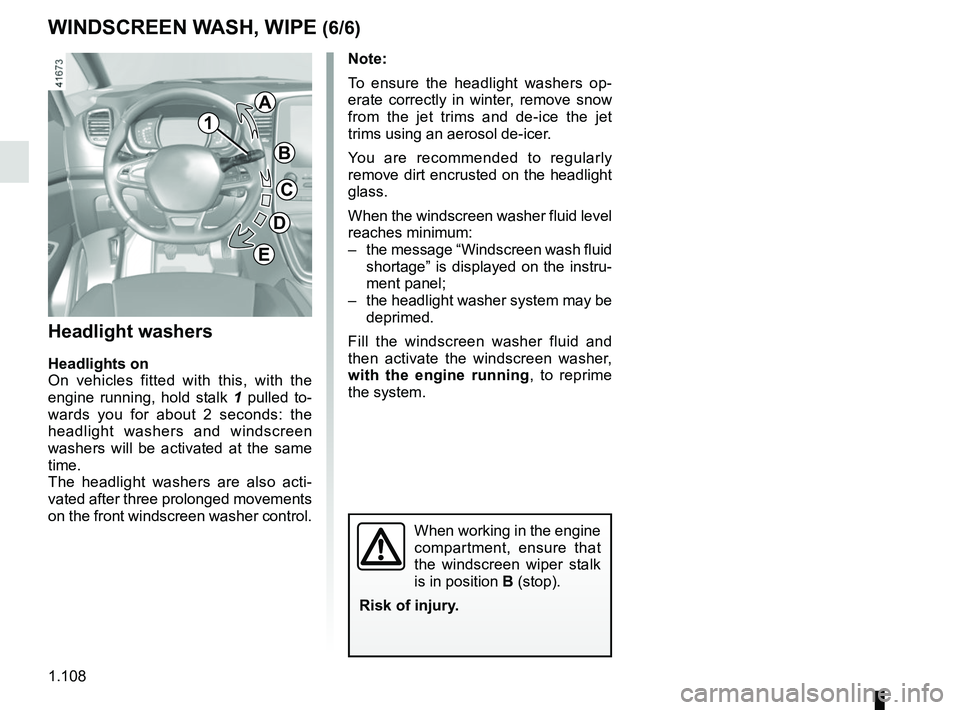
engine running, hold stalk 1 pulled to-
wards you for about 2 seconds: the
headlight washers and windscreen
washers will be activated at the same
time.
The headlight washers are also acti-
vated after three prolonged movements
on the front windscreen washer control.
When working in the engine
compartment, ensure that
the windscreen wiper stalk
is in position B (stop).
Risk of injury.
1
A
B
C
D
E
Page 125 of 364
2.5
STARTING, STOPPING THE ENGINE: vehicle with RENAULT card (1/3)
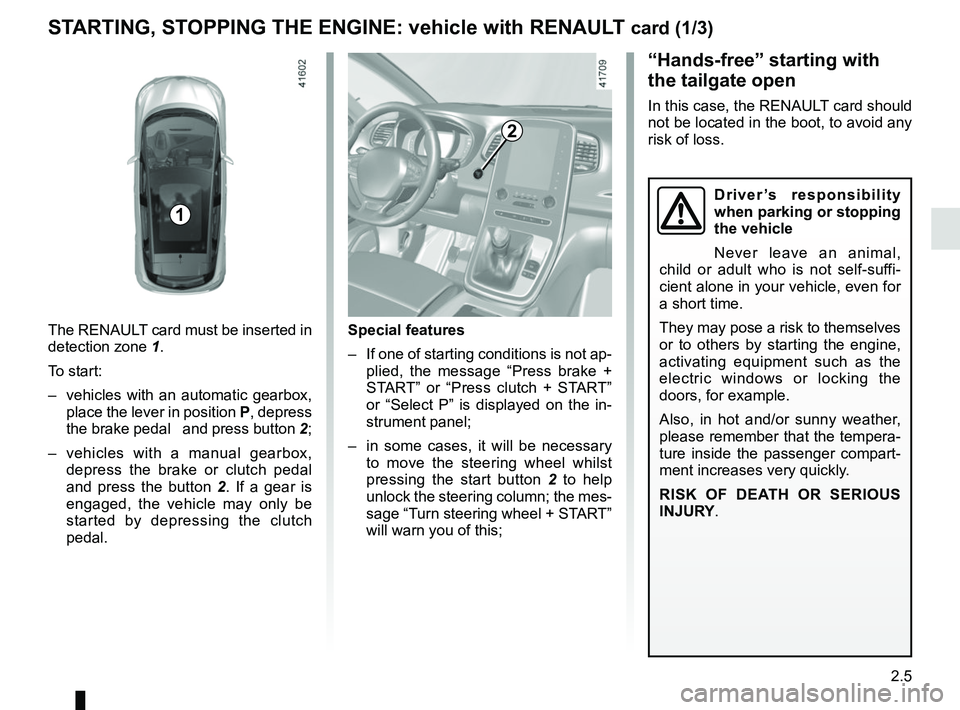
The RENAULT card must be inserted in
detection zone 1.
To start:
– vehicles with an automatic gearbox, place the lever in position P, depress
the brake pedal and press button 2;
– vehicles with a manual gearbox, depress the brake or clutch pedal
and press the button 2 . If a gear is
engaged, the vehicle may only be
started by depressing the clutch
pedal.
“Hands-free” starting with
the tailgate open
In this case, the RENAULT card should
not be located in the boot, to avoid any
risk of loss.
2
1
Special features
– If one of starting conditions is not ap- plied, the message “Press brake +
START” or “Press clutch + START”
or “Select P” is displayed on the in-
strument panel;
– in some cases, it will be necessary to move the steering wheel whilst
pressing the start button 2 to help
unlock the steering column; the mes-
sage “Turn steering wheel + START”
will warn you of this;
Driver’s responsibility
when parking or stopping
the vehicle
Never leave an animal,
child or adult who is not self-suffi-
cient alone in your vehicle, even for
a short time.
They may pose a risk to themselves
or to others by starting the engine,
activating equipment such as the
electric windows or locking the
doors, for example.
Also, in hot and/or sunny weather,
please remember that the tempera-
ture inside the passenger compart-
ment increases very quickly.
RISK OF DEATH OR SERIOUS
INJURY.
Page 129 of 364
2.9
To fill up with fuel, the engine must
be stopped (and not on standby):
switch the ignition off (please see
the information on “Starting, stop-
ping the engine” in Section 2).
FUNCTION STOP AND START (2/4)
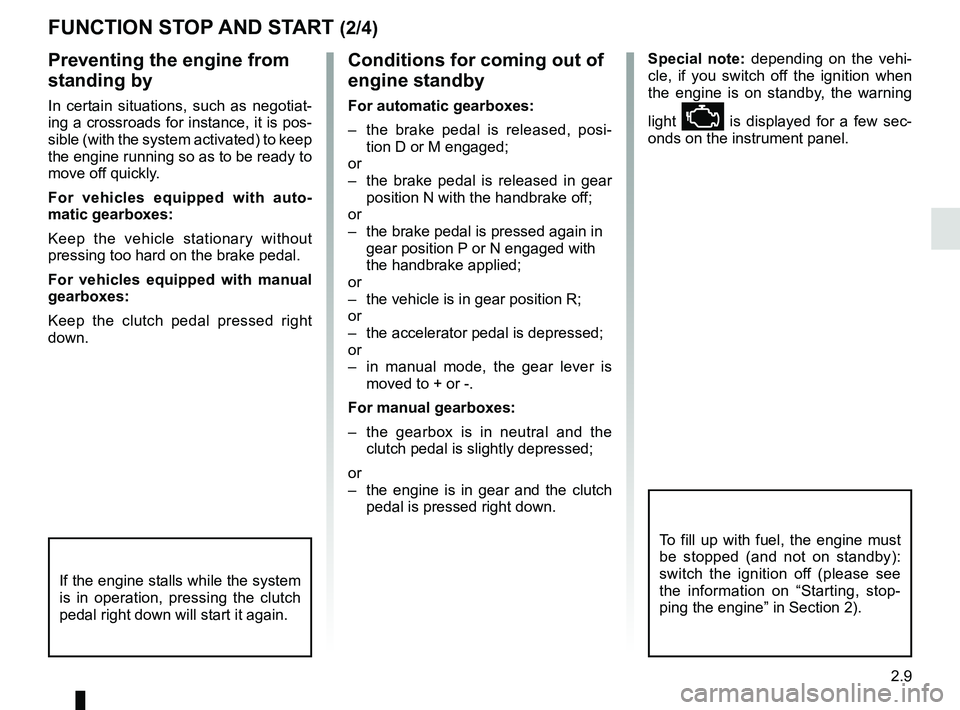
Preventing the engine from
standing by
In certain situations, such as negotiat-
ing a crossroads for instance, it is pos-
sible (with the system activated) to keep
the engine running so as to be ready to
move off quickly.
For vehicles equipped with auto-
matic gearboxes:
Keep the vehicle stationary without
pressing too hard on the brake pedal.
For vehicles equipped with manual
gearboxes:
Keep the clutch pedal pressed right
down.
Conditions for coming out of
engine standby
For automatic gearboxes:
– the brake pedal is released, posi-tion D or M engaged;
or
– the brake pedal is released in gear position N with the handbrake off;
or
– the brake pedal is pressed again in gear position P or N engaged with
the handbrake applied;
or
– the vehicle is in gear position R;
or
– the accelerator pedal is depressed;
or
– in manual mode, the gear lever is moved to + or -.
For manual gearboxes:
– the gearbox is in neutral and the clutch pedal is slightly depressed;
or
– the engine is in gear and the clutch pedal is pressed right down. Special note:
depending on the vehi-
cle, if you switch off the ignition when
the engine is on standby, the warning
light Ä is displayed for a few sec-
onds on the instrument panel.
If the engine stalls while the system
is in operation, pressing the clutch
pedal right down will start it again.
Page 130 of 364
2.10
FUNCTION STOP AND START (3/4)
Conditions preventing the
standby of the engine
Certain conditions prevent the system
from using the engine standby function,
including when:
for vehicles equipped with a
RENAULT card:
– the driver’s door is not closed;
– the driver’s seatbelt is not fastened.
for all vehicles:
– reverse gear is engaged;
– the bonnet is not locked;
– the outdoor temperature is too low or too high (less than around 5°C or
higher than around 35°C);
– one of the two batteries is not suffi- ciently charged;
– the difference between the vehicle interior temperature and the auto-
matic climate control instruction is
too high;
– parking distance control is in opera- tion; – for vehicles with automatic gear-
boxes, the gradient is steeper than
approximately 12%;
– the “Clear View” function is activated (please see “Automatic climate con-
trol” in Section 3);
– the engine temperature is too low;
– the emission control system is being regenerated;
– ...
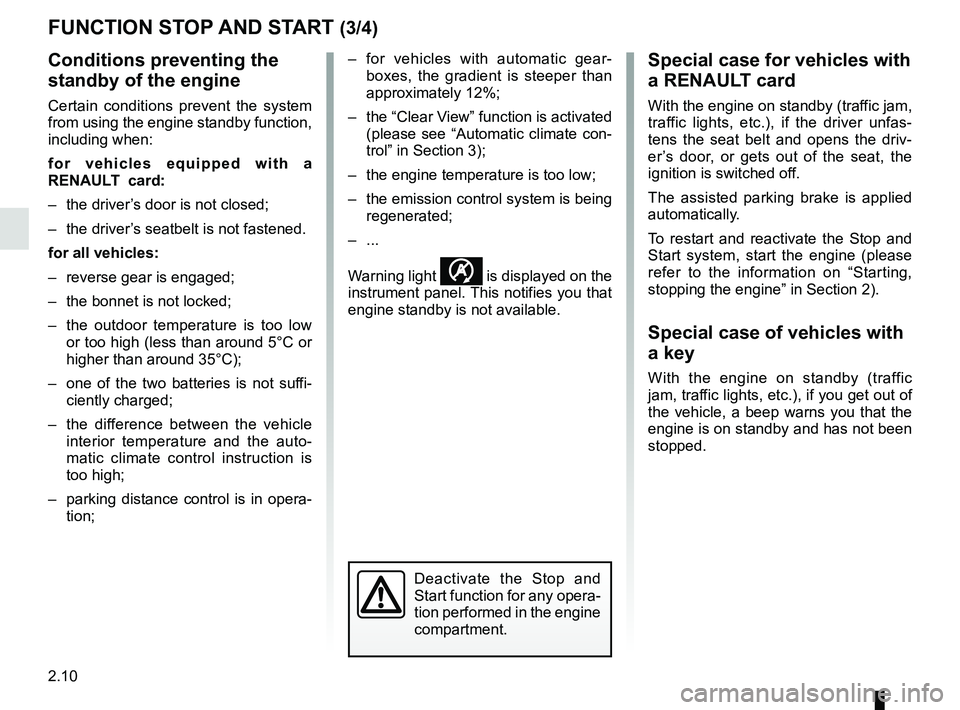
Warning light
is displayed on the
instrument panel. This notifies you that
engine standby is not available.
Deactivate the Stop and
Start function for any opera-
tion performed in the engine
compartment.
Special case for vehicles with
a RENAULT card
With the engine on standby (traffic jam,
traffic lights, etc.), if the driver unfas-
tens the seat belt and opens the driv-
er’s door, or gets out of the seat, the
ignition is switched off.
The assisted parking brake is applied
automatically.
To restart and reactivate the Stop and
Start system, start the engine (please
refer to the information on “Starting,
stopping the engine” in Section 2).
Special case of vehicles with
a key
With the engine on standby (traffic
jam, traffic lights, etc.), if you get out of
the vehicle, a beep warns you that the
engine is on standby and has not been
stopped.
Page 133 of 364
2.13
SPECIAL FEATURES OF DIESEL VERSIONS
Diesel engine speed
Diesel engines are fitted with injection
equipment which prevents the engine
speed being exceeded irrespective of
the gear selected.
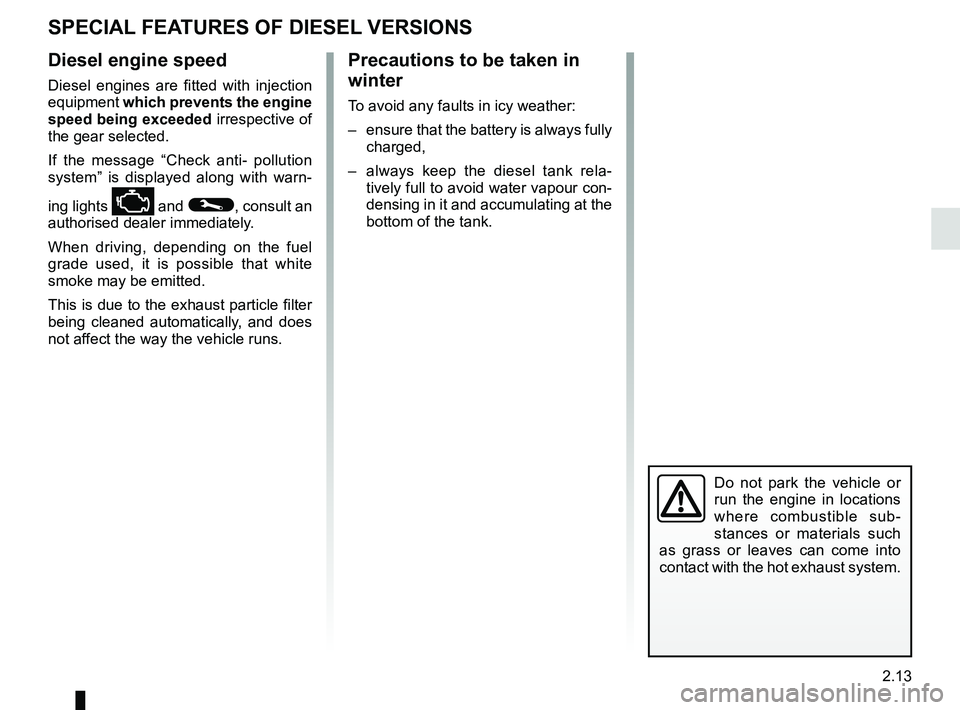
If the message “Check anti- pollution
system” is displayed along with warn-
ing lights
Ä and ©, consult an
authorised dealer immediately.
When driving, depending on the fuel
grade used, it is possible that white
smoke may be emitted.
This is due to the exhaust particle filter
being cleaned automatically, and does
not affect the way the vehicle runs.
Do not park the vehicle or
run the engine in locations
where combustible sub-
stances or materials such
as grass or leaves can come into
contact with the hot exhaust system.
Precautions to be taken in
winter
To avoid any faults in icy weather:
– ensure that the battery is always fully charged,
– always keep the diesel tank rela- tively full to avoid water vapour con-
densing in it and accumulating at the
bottom of the tank.
Page 137 of 364
2.17
“HYBRID ASSIST" SYSTEM: introduction (4/5)
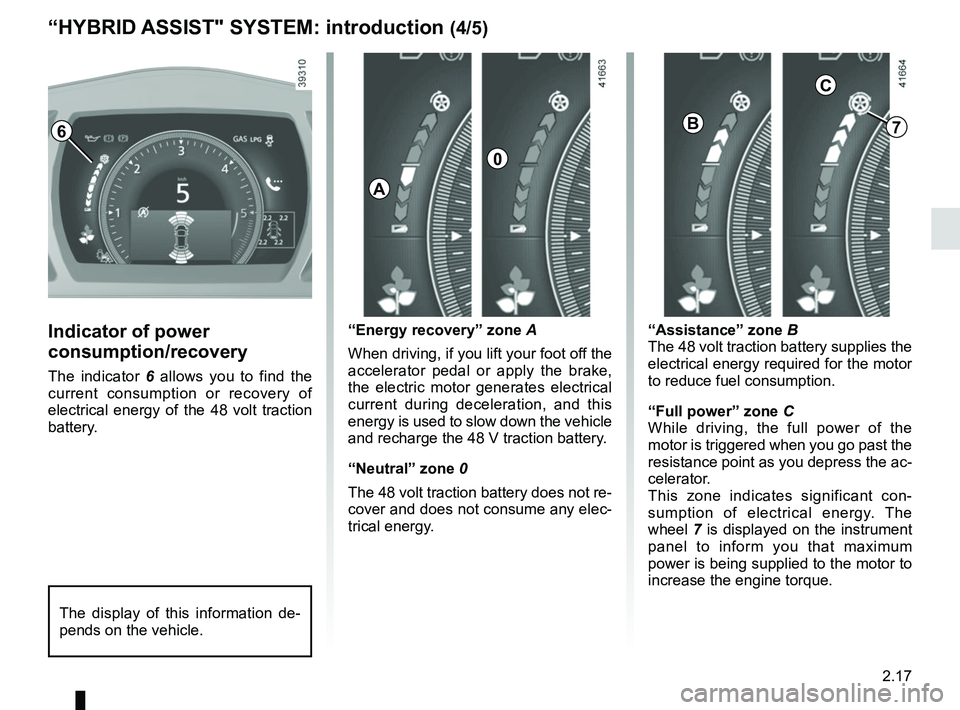
Indicator of power
consumption/recovery
The indicator 6 allows you to find the
current consumption or recovery of
electrical energy of the 48 volt traction
battery. “Energy recovery” zone A
When driving, if you lift your foot off the
accelerator pedal or apply the brake,
the electric motor generates electrical
current during deceleration, and this
energy is used to slow down the vehicle
and recharge the 48 V traction battery.
“Neutral” zone 0
The 48 volt traction battery does not re-
cover and does not consume any elec-
trical energy.
The display of this information de-
pends on the vehicle.
“Assistance” zone B
The 48 volt traction battery supplies the
electrical energy required for the motor
to reduce fuel consumption.
“Full power” zone
C
While driving, the full power of the
motor is triggered when you go past the
resistance point as you depress the ac-
celerator.
This zone indicates significant con-
sumption of electrical energy. The
wheel 7 is displayed on the instrument
panel to inform you that maximum
power is being supplied to the motor to
increase the engine torque.
6
A
0
B
C
7
Page 144 of 364
2.24
DRIVING ADVICE, ECO DRIVING (1/6)
Fuel consumption is accredited in ac-
cordance with a standard regulatory
method. Identical for all manufactur-
ers, this enables vehicles to be com-
pared with one another. Consumption
in real time depends on vehicle usage
conditions, the equipment fitted and the
user’s driving style. To optimise fuel
consumption, please refer to the follow-
ing advice.
Depending on the vehicle, you will have
various functions which enable you to
lower your fuel consumption:
– the rev counter with ECO zone;
– gear change indicator;
– the driving style indicator;
– the journey record and eco-driving advice via the multimedia screen;
– ECO mode.
If fitted on the vehicle, the navigation
system provides additional information.
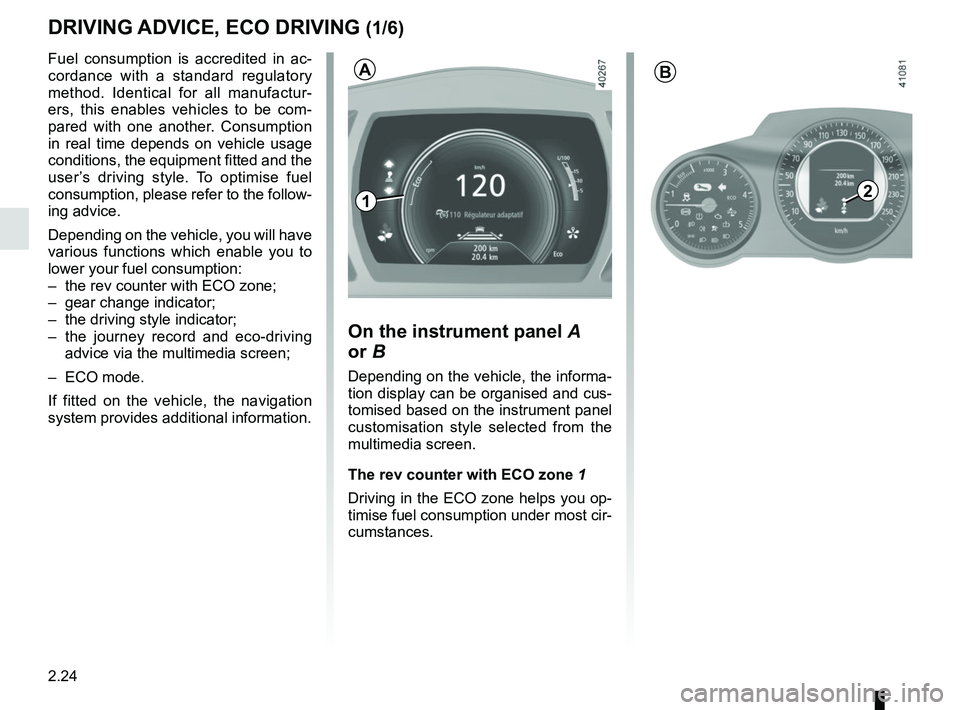
On the instrument panel A
or B
Depending on the vehicle, the informa-
tion display can be organised and cus-
tomised based on the instrument panel
customisation style selected from the
multimedia screen.
The rev counter with ECO zone 1
Driving in the ECO zone helps you op-
timise fuel consumption under most cir-
cumstances.
1
B
2
A
Page 145 of 364
2.25
DRIVING ADVICE, ECO-DRIVING (2/6)
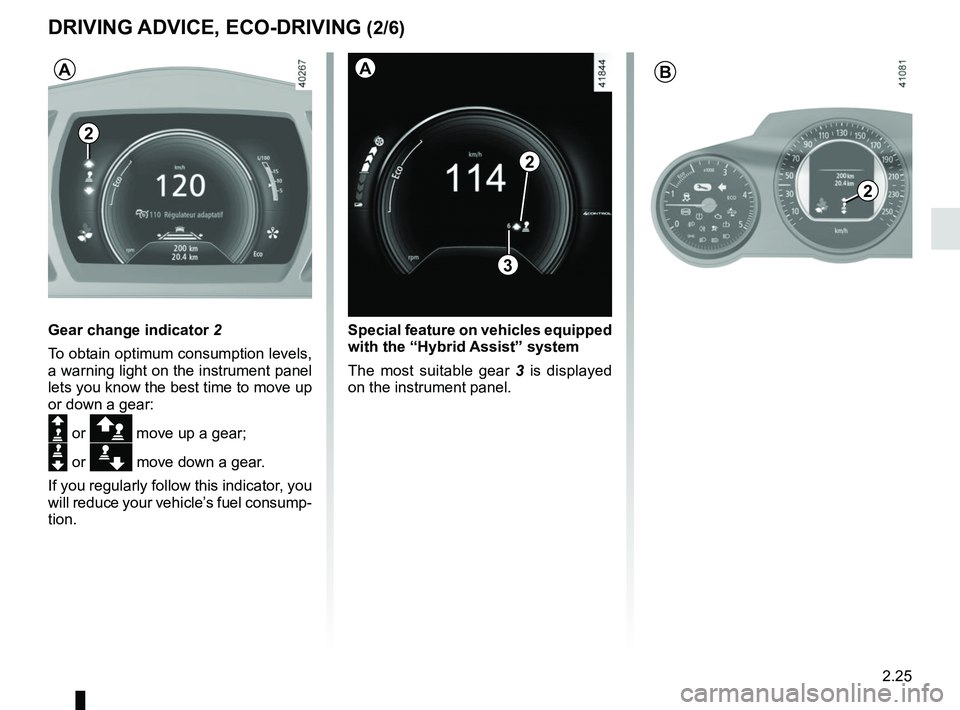
Gear change indicator 2
To obtain optimum consumption levels,
a warning light on the instrument panel
lets you know the best time to move up
or down a gear:
Š or ä move up a gear;
‰ or æ move down a gear.
If you regularly follow this indicator, you
will reduce your vehicle’s fuel consump-
tion.
2
B
2
A
Special feature on vehicles equipped
with the “Hybrid Assist” system
The most suitable gear 3 is displayed
on the instrument panel.
2
3
A