page 74 SAAB 9-3 2005 Service Manual
[x] Cancel search | Manufacturer: SAAB, Model Year: 2005, Model line: 9-3, Model: SAAB 9-3 2005Pages: 292, PDF Size: 23 MB
Page 88 of 292
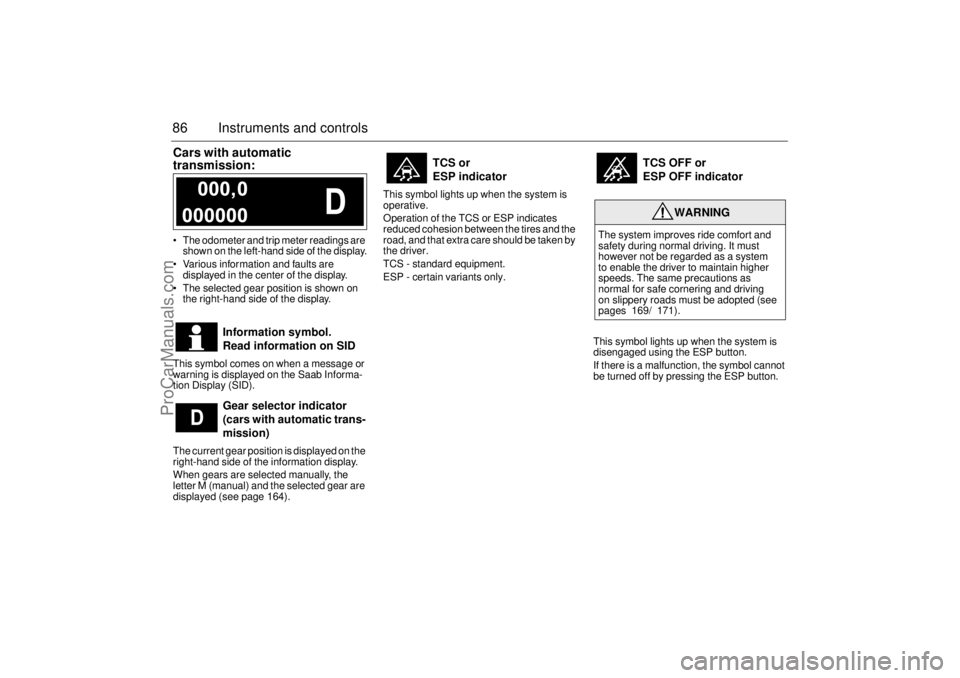
86 Instruments and controlsCars with automatic
transmission: The odometer and trip meter readings are
shown on the left-hand side of the display.
Various information and faults are
displayed in the center of the display.
The selected gear position is shown on
the right-hand side of the display.
This symbol comes on when a message or
warning is displayed on the Saab Informa-
tion Display (SID).
The current gear position is displayed on the
right-hand side of the information display.
When gears are selected manually, the
letter M (manual) and the selected gear are
displayed (see page 164).This symbol lights up when the system is
operative.
Operation of the TCS or ESP indicates
reduced cohesion between the tires and the
road, and that extra care should be taken by
the driver.
TCS - standard equipment.
ESP - certain variants only.
This symbol lights up when the system is
disengaged using the ESP button.
If there is a malfunction, the symbol cannot
be turned off by pressing the ESP button.
Information symbol.
Read information on SID
Gear selector indicator
(cars with automatic trans-
mission)
TCS or
ESP indicator
TCS OFF or
ESP OFF indicator
WARNING
The system improves ride comfort and
safety during normal driving. It must
however not be regarded as a system
to enable the driver to maintain higher
speeds. The same precautions as
normal for safe cornering and driving
on slippery roads must be adopted (see
pages 169/ 171).
ProCarManuals.com
Page 89 of 292
87 Instruments and controls
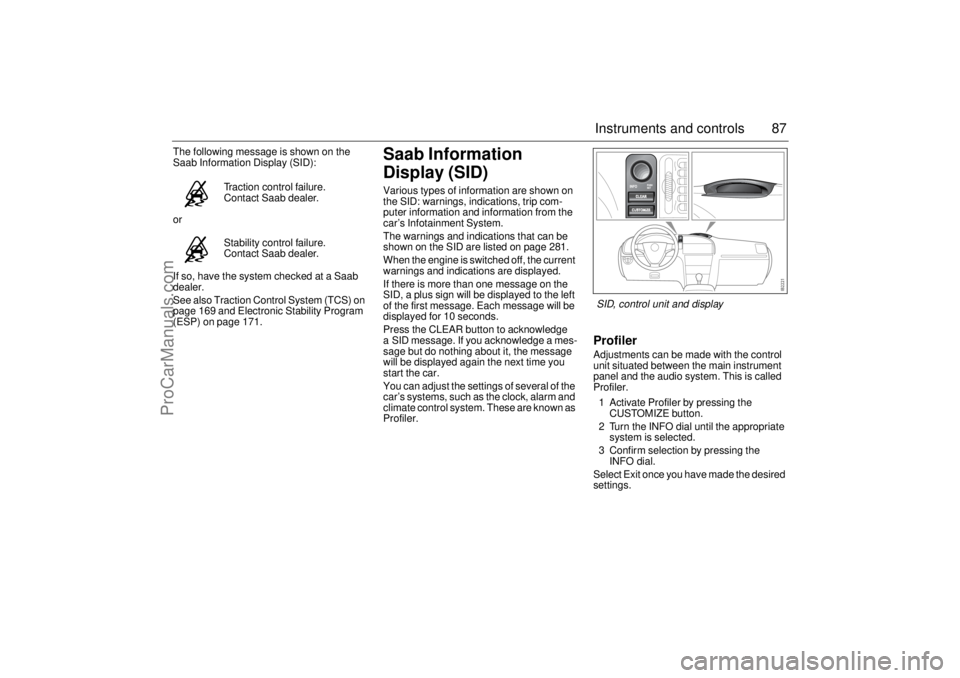
The following message is shown on the
Saab Information Display (SID):
or
If so, have the system checked at a Saab
dealer.
See also Traction Control System (TCS) on
page 169 and Electronic Stability Program
(ESP) on page 171.
Saab Information
Display (SID)Various types of information are shown on
the SID: warnings, indications, trip com-
puter information and information from the
car’s Infotainment System.
The warnings and indications that can be
shown on the SID are listed on page 281.
When the engine is switched off, the current
warnings and indications are displayed.
If there is more than one message on the
SID, a plus sign will be displayed to the left
of the first message. Each message will be
displayed for 10 seconds.
Press the CLEAR button to acknowledge
a SID message. If you acknowledge a mes-
sage but do nothing about it, the message
will be displayed again the next time you
start the car.
You can adjust the settings of several of the
car’s systems, such as the clock, alarm and
climate control system. These are known as
Profiler.
ProfilerAdjustments can be made with the control
unit situated between the main instrument
panel and the audio system. This is called
Profiler.
1 Activate Profiler by pressing the
CUSTOMIZE button.
2 Turn the INFO dial until the appropriate
system is selected.
3 Confirm selection by pressing the
INFO dial.
Select Exit once you have made the desired
settings. Traction control failure.
Contact Saab dealer.
Stability control failure.
Contact Saab dealer.SID, control unit and display
ProCarManuals.com
Page 90 of 292
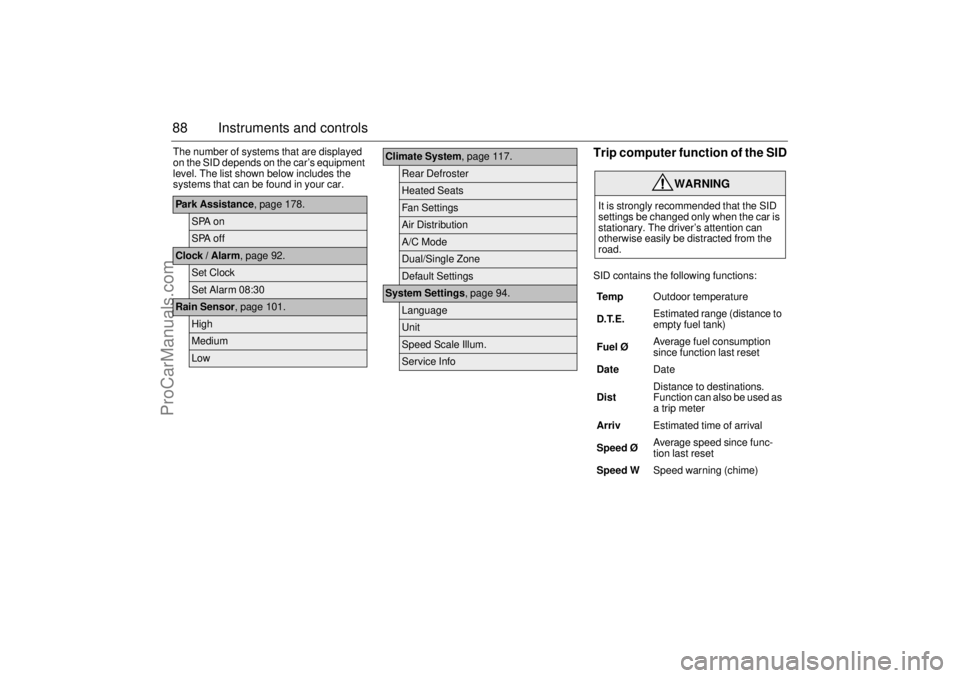
88 Instruments and controlsThe number of systems that are displayed
on the SID depends on the car’s equipment
level. The list shown below includes the
systems that can be found in your car.
Trip computer function of the SIDSID contains the following functions:
Park Assistance, page 178.
SPA onSPA off
Clock / Alarm, page 92.
Set ClockSet Alarm 08:30
Rain Sensor, page 101.
HighMediumLow
Climate System, page 117.
Rear DefrosterHeated SeatsFan SettingsAir DistributionA/C ModeDual/Single ZoneDefault Settings
System Settings, page 94.
LanguageUnitSpeed Scale Illum.Service Info
WARNING
It is strongly recommended that the SID
settings be changed only when the car is
stationary. The driver’s attention can
otherwise easily be distracted from the
road.
Te m pOutdoor temperature
D.T.E. Estimated range (distance to
empty fuel tank)
Fuel ØAverage fuel consumption
since function last reset
DateDate
DistDistance to destinations.
Function can also be used as
a trip meter
ArrivEstimated time of arrival
Speed Ø Average speed since func-
tion last reset
Speed WSpeed warning (chime)
ProCarManuals.com
Page 91 of 292
89 Instruments and controls
When the engine is started, the function that
was selected when the engine was
switched off is displayed, with the following
exceptions:
Te m p is displayed if the outside tempera-
ture is between 26 and 38°F (–3 and
+3°C).
D.T.E is displayed if less than or equal to
30 miles (50 km).
Outdoor temperature
The Temp function is always activated
(even in NIGHTPANEL mode) if the outdoor
temperature rises or falls to between 26 and
38°F (–3 and +3°C).
If the temperature sensor, located under the
front bumper, is covered by snow or ice,
temperature readings will be unreliable.
For how to set the year, month and day,
refer to Clock on page 92.Setting values
1 Select one of the functions using the
INFO dial.
Speed W (preset to 55 mph (90 km/h)
Dist (preset to 100 miles (100 km) if not
previously set)
Speed Ø
Arriv
2 Press and hold the INFO dial until given
audible confirmation.
3 Turn the INFO dial to change the value.
(Press CLEAR to reset the value.)
4 Press the INFO dial to finish setup.
Using DIST as a trip meter
1 Select Dist using the INFO dial.
2 Press and hold the CLEAR button for
approx. 1 second.
An arrow will now appear on the right-hand
side of the display, indicating that the trip
meter is running.Resetting a single function
1 Select the function you wish to reset with
the INFO dial.
Fuel Ø
Speed Ø
Tr i p (Dist used as trip meter)
2 Press and hold the CLEAR button for
approx. 1 second.
The selected function will now be reset.
Resetting the trip computer
1 Select one of the functions using the
INFO dial.
Fuel Ø
Speed Ø
D.T.E.
Arriv
Tr i p (Dist used as trip meter)
2 Press and hold the CLEAR button
(approx. 3 seconds) until audible confir-
mation is given.
WARNING
Remember that roads can be icy even at
temperatures of above 38°F (+3°C),
especially on bridges and stretches of
road that are sheltered from the sun.
ProCarManuals.com
Page 98 of 292
96 Instruments and controlsSwitchesThe parking lights and daytime running
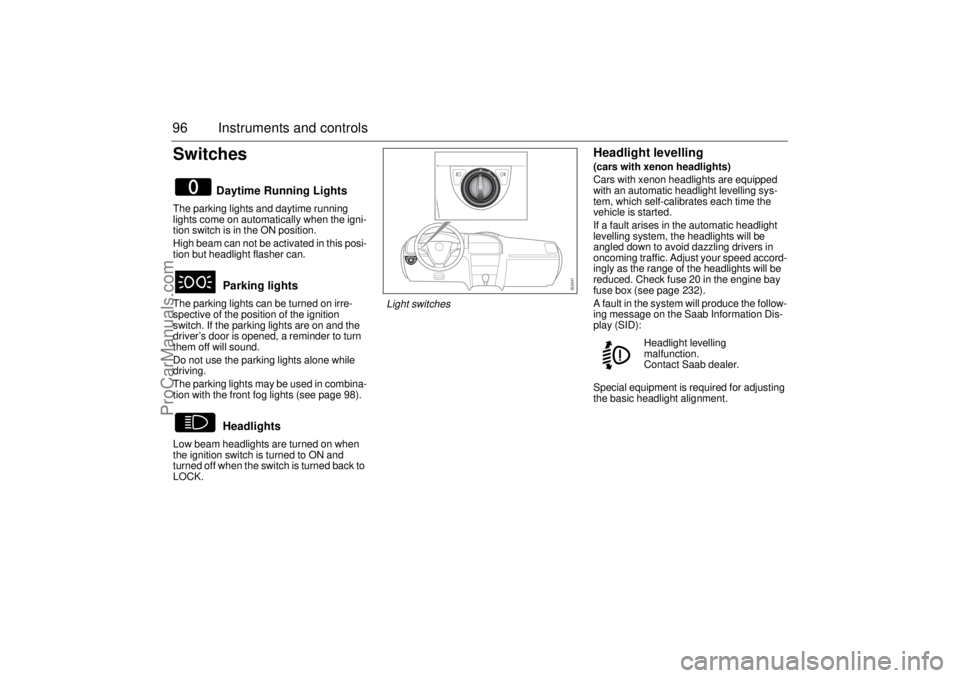
lights come on automatically when the igni-
tion switch is in the ON position.
High beam can not be activated in this posi-
tion but headlight flasher can.
The parking lights can be turned on irre-
spective of the position of the ignition
switch. If the parking lights are on and the
driver’s door is opened, a reminder to turn
them off will sound.
Do not use the parking lights alone while
driving.
The parking lights may be used in combina-
tion with the front fog lights (see page 98).
Low beam headlights are turned on when
the ignition switch is turned to ON and
turned off when the switch is turned back to
LOCK.
Headlight levelling(cars with xenon headlights)
Cars with xenon headlights are equipped
with an automatic headlight levelling sys-
tem, which self-calibrates each time the
vehicle is started.
If a fault arises in the automatic headlight
levelling system, the headlights will be
angled down to avoid dazzling drivers in
oncoming traffic. Adjust your speed accord-
ingly as the range of the headlights will be
reduced. Check fuse 20 in the engine bay
fuse box (see page 232).
A fault in the system will produce the follow-
ing message on the Saab Information Dis-
play (SID):
Special equipment is required for adjusting
the basic headlight alignment.
Daytime Running Lights
Parking lights
Headlights
Headlight levelling
malfunction.
Contact Saab dealer.
Light switches
ProCarManuals.com
Page 111 of 292
109 Instruments and controls
Temperature controlThe cabin is divided into two temperature
zones:
1 Driver’s zone.
2 Passenger zone.
The temperature in the rear seat will be a
mixture of the two zones.
If you choose the single zone setting, the
entire cabin is treated as one zone. If you
choose the dual zone setting, settings can
be made separately for the driver’s zone
and passenger zone.
Select between single and dual zone set-
tings under Profiler (see page 117).
The cabin temperature can be set to
between 58–82°F (15–27°C). In addition, HI
(maximum heating and high fan speed) and
LO (maximum cooling and maximum fan
speed) can be selected. HI and LO can only
be selected for the passenger zone if the
driver has selected the same setting.The displayed temperature is not the actual
air temperature but corresponds to the
comfort level normally experienced at that
temperature after allowance has been
made for the airflow, relative humidity, solar
radiation, and so on, currently prevailing
inside the car.
The most usual temperature setting is
between 66–74°F (19–23°C), depending
on personal preference and what clothing
is worn.
Change the temperature setting in 2°F
(1°C) steps.
Make sure the air vents are open when
cooling the cabin in warm weather.
Settings when HI is selected:
Maximum heat
Air distribution to windshield and floor
High fan speed (6 bars on the fan display).
Settings when LO is selected:
Maximum cooling
Air distribution to air vents in fascia
Maximum fan speed (8 bars on the fan
display).
Recirculation ON (depending on outside
temperature).
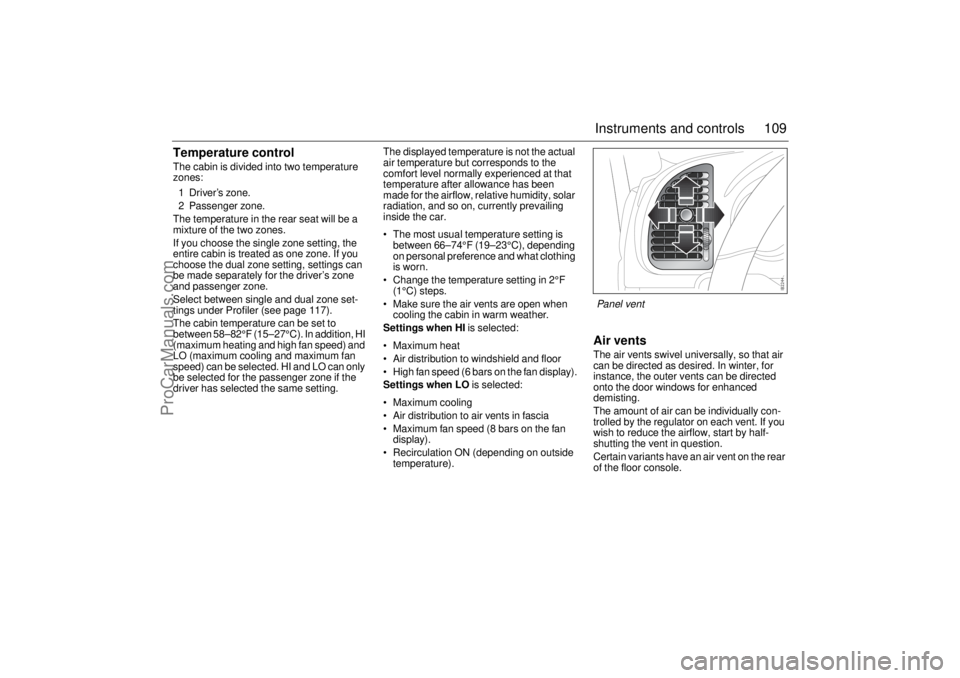
Air ventsThe air vents swivel universally, so that air
can be directed as desired. In winter, for
instance, the outer vents can be directed
onto the door windows for enhanced
demisting.
The amount of air can be individually con-
trolled by the regulator on each vent. If you
wish to reduce the airflow, start by half-
shutting the vent in question.
Certain variants have an air vent on the rear
of the floor console.Panel vent
ProCarManuals.com
Page 113 of 292
111 Instruments and controls
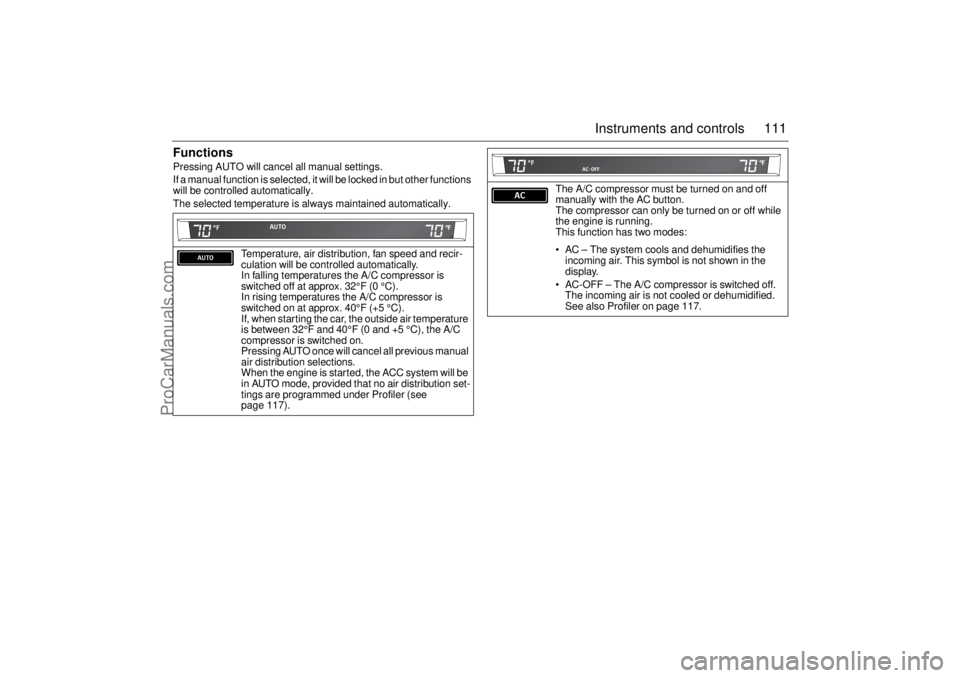
FunctionsPressing AUTO will cancel all manual settings.
If a manual function is selected, it will be locked in but other functions
will be controlled automatically.
The selected temperature is always maintained automatically.
Temperature, air distribution, fan speed and recir-
culation will be controlled automatically.
In falling temperatures the A/C compressor is
switched off at approx. 32°F (0 °C).
In rising temperatures the A/C compressor is
switched on at approx. 40°F (+5 °C).
If, when starting the car, the outside air temperature
is between 32°F and 40°F (0 and +5 °C), the A/C
compressor is switched on.
Pressing AUTO once will cancel all previous manual
air distribution selections.
When the engine is started, the ACC system will be
in AUTO mode, provided that no air distribution set-
tings are programmed under Profiler (see
page 117).
The A/C compressor must be turned on and off
manually with the AC button.
The compressor can only be turned on or off while
the engine is running.
This function has two modes:
AC – The system cools and dehumidifies the
incoming air. This symbol is not shown in the
display.
AC-OFF – The A/C compressor is switched off.
The incoming air is not cooled or dehumidified.
See also Profiler on page 117.
ProCarManuals.com
Page 115 of 292
113 Instruments and controls
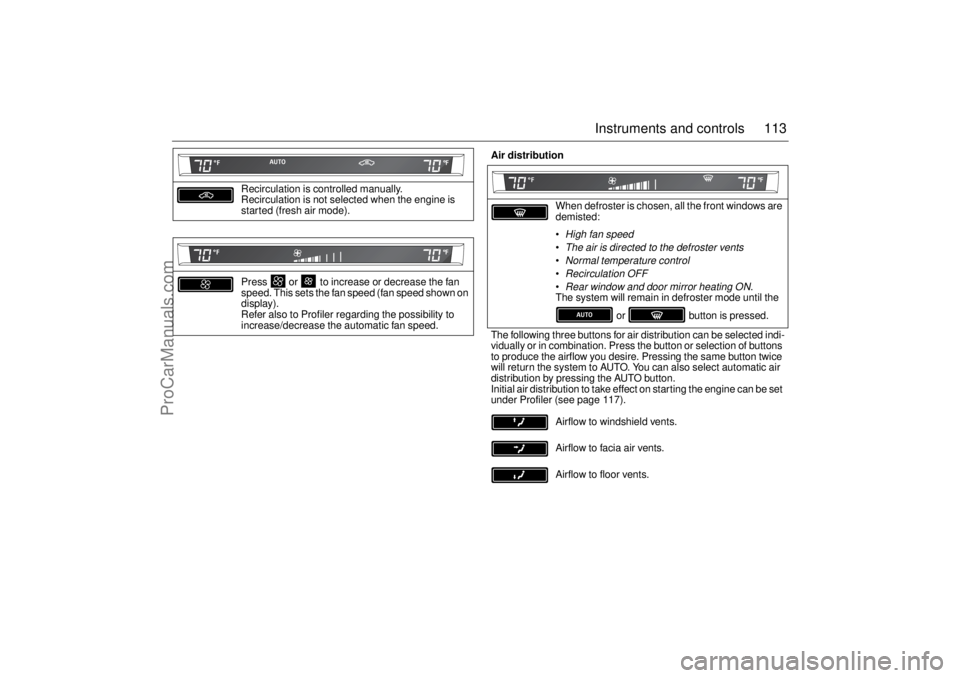
Recirculation is controlled manually.
Recirculation is not selected when the engine is
started (fresh air mode).
Press or to increase or decrease the fan
speed. This sets the fan speed (fan speed shown on
display).
Refer also to Profiler regarding the possibility to
increase/decrease the automatic fan speed.
Air distribution
When defroster is chosen, all the front windows are
demisted:
High fan speedThe air is directed to the defroster ventsNormal temperature controlRecirculation OFFRear window and door mirror heating ON
.
The system will remain in defroster mode until the
or button is pressed.
The following three buttons for air distribution can be selected indi-
vidually or in combination. Press the button or selection of buttons
to produce the airflow you desire. Pressing the same button twice
will return the system to AUTO. You can also select automatic air
distribution by pressing the AUTO button.
Initial air distribution to take effect on starting the engine can be set
under Profiler (see page 117).
Airflow to windshield vents.
Airflow to facia air vents.
Airflow to floor vents.
ProCarManuals.com
Page 118 of 292

116 Instruments and controlsThe seat cushions and backrests of the front
seats are heated.
Heating is thermostatically controlled.
Heating is controlled manually but can also
be automatic. Refer to Profiler on page 117.
Three heating levels are available. Pressing
the button once will turn the heating on at full
power. Pressing the button a total of 4 times
will turn the heating off.
= full.
= medium.
= low.
CalibrationCalibration is performed automatically
every fifth time the car is started after having
been switched off for more than 2 hours or
if the battery has been disconnected.ProgrammingA number of functions can be customized
under Profiler (see page 117). Further cus-
tomizations can be made at a Saab dealer.Tips(before contacting a Saab workshop)
If you feel that the ACC system is not func-
tioning satisfactorily, select "Default
Settings" under Profiler (see page 117.
To prevent the smell of washer fluid from
entering the car, recirculation can be acti-
vated automatically while the windshield
is washed. The recirculation symbol will
however not light up. This function is
optional; contact a Saab dealer. This
automatic recirculation is the factory
default setting as long as the system is
working in full "AUTO" model with no
customized settings.
Electric heating, front
seats (option)
ProCarManuals.com
Page 120 of 292
118 Instruments and controls
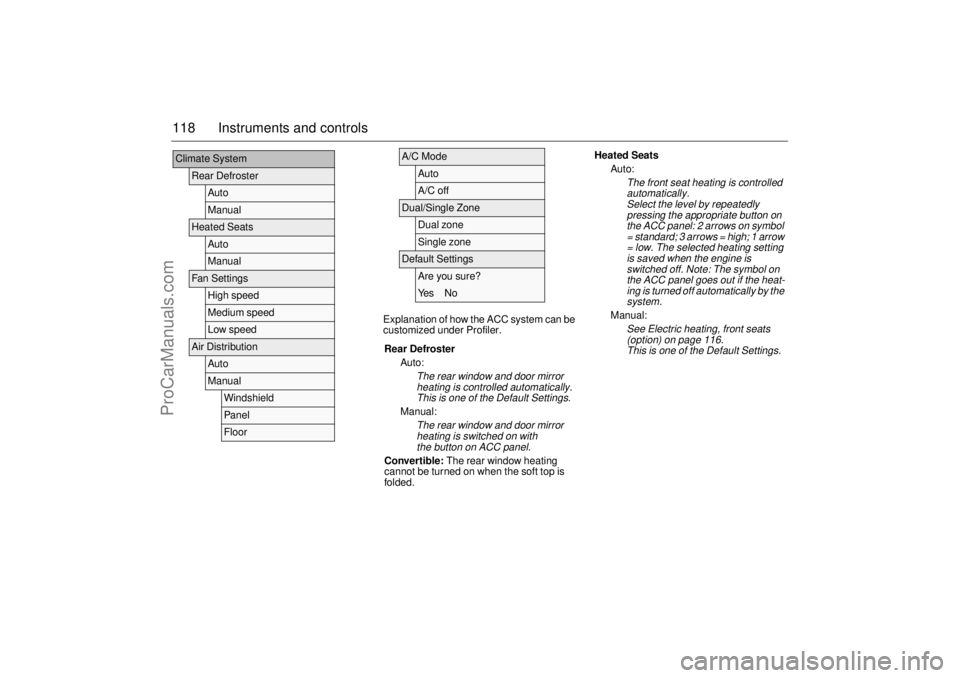
Explanation of how the ACC system can be
customized under Profiler.
Climate System
Rear Defroster
AutoManual
Heated Seats
AutoManual
Fan Settings
High speedMedium speedLow speed
Air Distribution
AutoManual
WindshieldPanelFloor
A/C Mode
AutoA/C off
Dual/Single Zone
Dual zoneSingle zone
Default Settings
Are you sure?Ye s N o
Rear Defroster
Auto:The rear window and door mirror
heating is controlled automatically.
This is one of the Default Settings.
Manual:
The rear window and door mirror
heating is switched on with
the button on ACC panel.
Convertible: The rear window heating
cannot be turned on when the soft top is
folded.
Heated Seats
Auto:
The front seat heating is controlled
automatically.
Select the level by repeatedly
pressing the appropriate button on
the ACC panel: 2 arrows on symbol
= standard; 3 arrows = high; 1 arrow
= low. The selected heating setting
is saved when the engine is
switched off. Note: The symbol on
the ACC panel goes out if the heat-
ing is turned off automatically by the
system.
Manual:
See Electric heating, front seats
(option) on page 116
.
This is one of the Default Settings.
ProCarManuals.com