wheel SAAB 9-5 2001 User Guide
[x] Cancel search | Manufacturer: SAAB, Model Year: 2001, Model line: 9-5, Model: SAAB 9-5 2001Pages: 272, PDF Size: 14.83 MB
Page 52 of 272
52 Instruments and controls
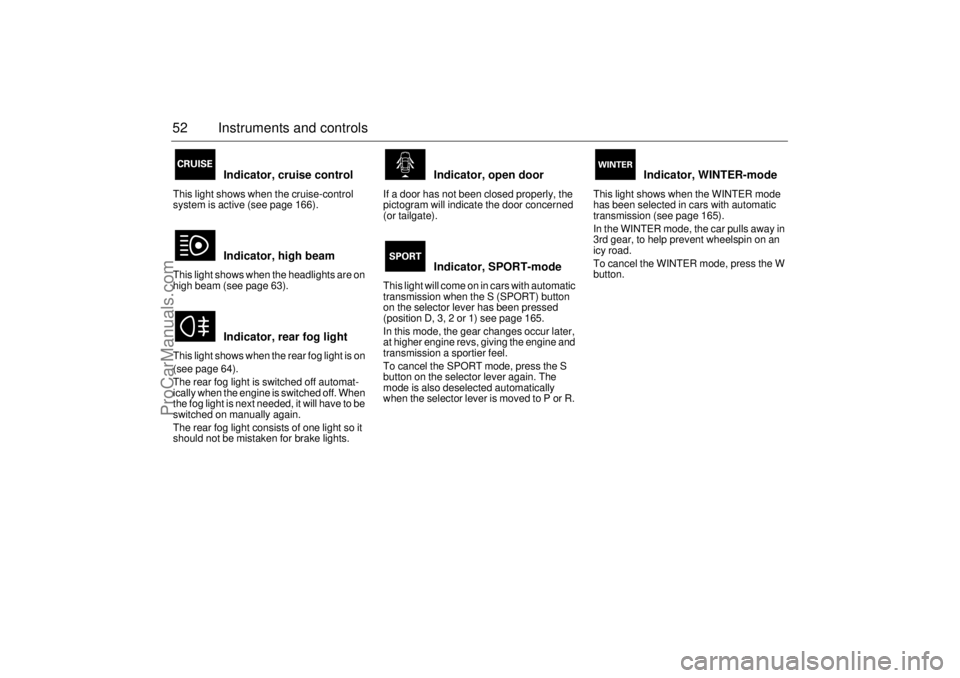
Indicator, cruise control
This light shows when the cruise-control
system is active (see page 166).
Indicator, high beam
This light shows when the headlights are on
high beam (see page 63).
Indicator, rear fog light
This light shows when the rear fog light is on
(see page 64).
The rear fog light is switched off automat-
ically when the engine is switched off. When
the fog light is next needed, it will have to be
switched on manually again.
The rear fog light consists of one light so it
should not be mistaken for brake lights.
Indicator, open door
If a door has not been closed properly, the
pictogram will indicate the door concerned
(or tailgate).
Indicator, SPORT-mode
This light will come on in cars with automatic
transmission when the S (SPORT) button
on the selector lever has been pressed
(position D, 3, 2 or 1) see page 165.
In this mode, the gear changes occur later,
at higher engine revs, giving the engine and
transmission a sportier feel.
To cancel the SPORT mode, press the S
button on the selector lever again. The
mode is also deselected automatically
when the selector lever is moved to P or R.
Indicator, WINTER-mode
This light shows when the WINTER mode
has been selected in cars with automatic
transmission (see page 165).
In the WINTER mode, the car pulls away in
3rd gear, to help prevent wheelspin on an
icy road.
To cancel the WINTER mode, press the W
button.
ProCarManuals.com
Page 55 of 272
55 Instruments and controls
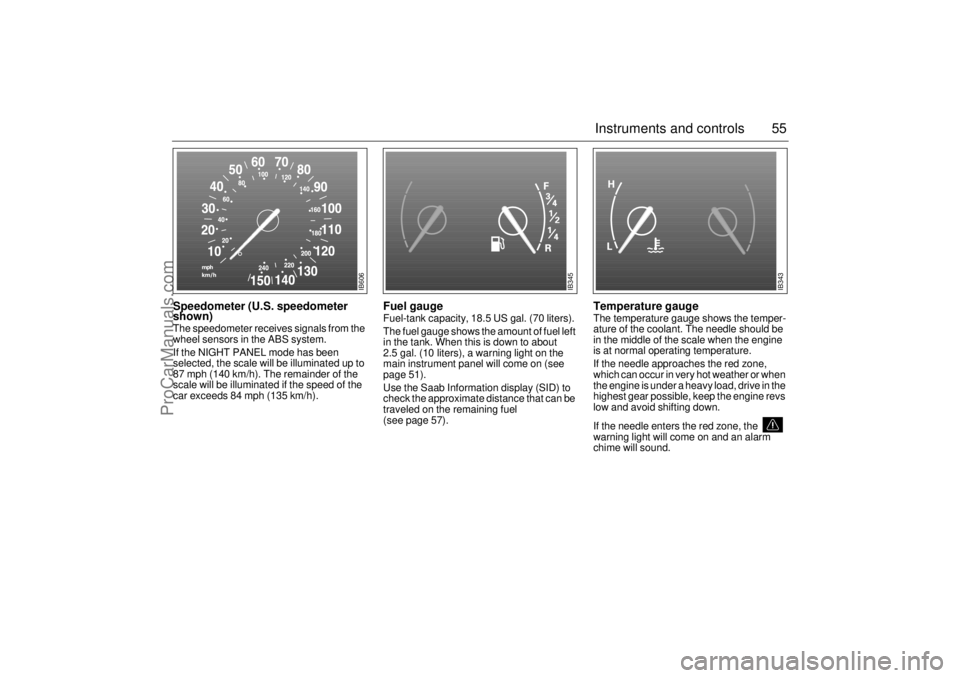
Speedometer (U.S. speedometer
shown)The speedometer receives signals from the
wheel sensors in the ABS system.
If the NIGHT PANEL mode has been
selected, the scale will be illuminated up to
87 mph (140 km/h). The remainder of the
scale will be illuminated if the speed of the
car exceeds 84 mph (135 km/h).
Fuel gauge Fuel-tank capacity, 18.5 US gal. (70 liters).
The fuel gauge shows the amount of fuel left
in the tank. When this is down to about
2.5 gal. (10 liters), a warning light on the
main instrument panel will come on (see
page 51).
Use the Saab Information display (SID) to
check the approximate distance that can be
traveled on the remaining fuel
(see page 57).
Temperature gauge The temperature gauge shows the temper-
ature of the coolant. The needle should be
in the middle of the scale when the engine
is at normal operating temperature.
If the needle approaches the red zone,
which can occur in very hot weather or when
the engine is under a heavy load, drive in the
highest gear possible, keep the engine revs
low and avoid shifting down.
If the needle enters the red zone, the
warning light will come on and an alarm
chime will sound.
IB606
IB345
IB343
ProCarManuals.com
Page 64 of 272
64 Instruments and controlsCourtesy Headlight FeatureA delay function allows the headlights to
remain on low beam for about 30 seconds
after the driver’s door has been closed.
To activate this function,
Switch off the ignition and remove the key
Open the driver’s door
Pull the high/low beam control stalk
towards the steering wheel like you are
flashing the high beam, see page 63. The
low beam headlights will now come on
immediately after the driver’s door has
been closed (within 30 seconds) and will
remain on for about 30 seconds.
The length of time for this function can be
adjusted by your authorized Saab dealer.
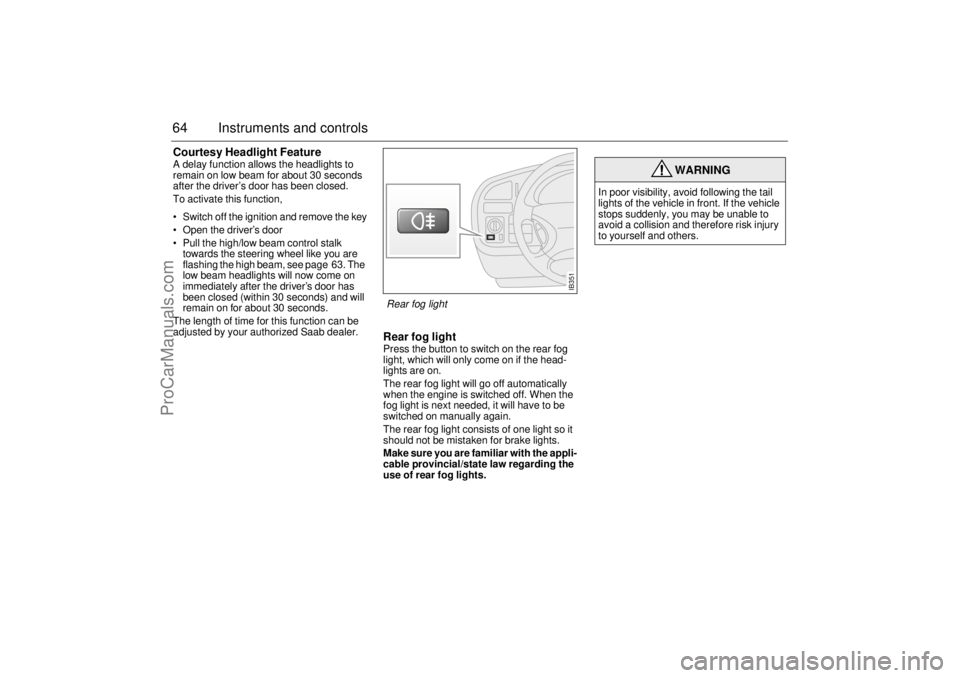
Rear fog lightPress the button to switch on the rear fog
light, which will only come on if the head-
lights are on.
The rear fog light will go off automatically
when the engine is switched off. When the
fog light is next needed, it will have to be
switched on manually again.
The rear fog light consists of one light so it
should not be mistaken for brake lights.
Make sure you are familiar with the appli-
cable provincial/state law regarding the
use of rear fog lights.
WARNING
In poor visibility, avoid following the tail
lights of the vehicle in front. If the vehicle
stops suddenly, you may be unable to
avoid a collision and therefore risk injury
to yourself and others.
IB351
Rear fog light
ProCarManuals.com
Page 81 of 272
81 Saab 9-5 Audio System
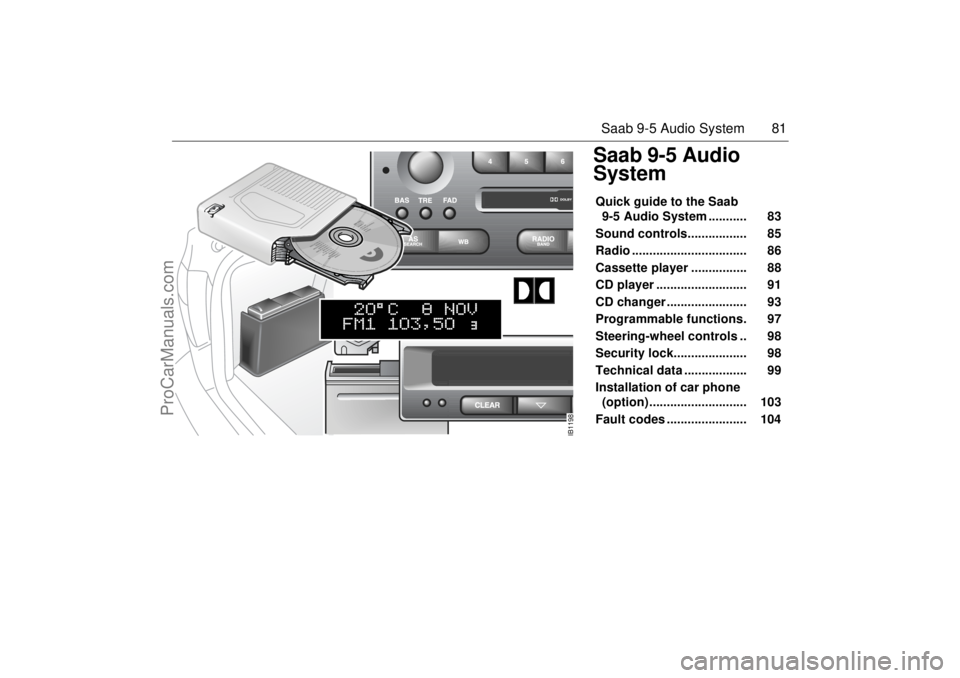
Saab 9-5 Audio
SystemQuick guide to the Saab
9-5 Audio System ........... 83
Sound controls................. 85
Radio ................................. 86
Cassette player ................ 88
CD player .......................... 91
CD changer ....................... 93
Programmable functions. 97
Steering-wheel controls .. 98
Security lock..................... 98
Technical data .................. 99
Installation of car phone
(option) ............................ 103
Fault codes ....................... 104
IB1198
ProCarManuals.com
Page 98 of 272
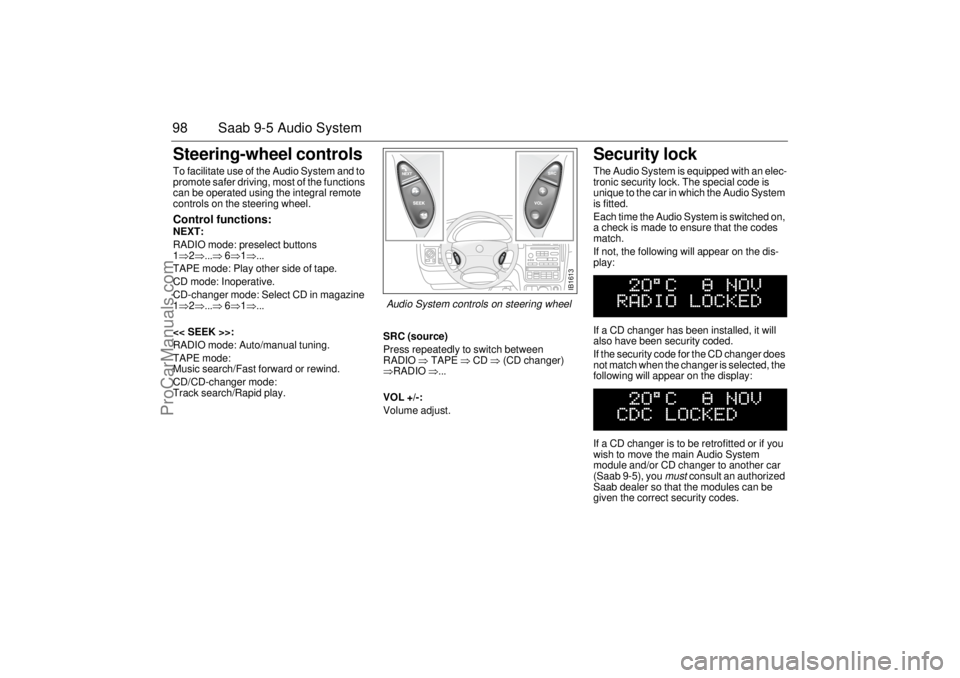
98 Saab 9-5 Audio SystemSteering-wheel controls To facilitate use of the Audio System and to
promote safer driving, most of the functions
can be operated using the integral remote
controls on the steering wheel. Control functions: NEXT:
RADIO mode: preselect buttons
1⇒2⇒...⇒ 6⇒1⇒...
TAPE mode: Play other side of tape.
CD mode: Inoperative.
CD-changer mode: Select CD in magazine
1⇒2⇒...⇒ 6⇒1⇒...
<< SEEK >>:
RADIO mode: Auto/manual tuning.
TAPE mode:
Music search/Fast forward or rewind.
CD/CD-changer mode:
Track search/Rapid play.SRC (source)
Press repeatedly to switch between
RADIO ⇒ TAPE ⇒ CD ⇒ (CD changer)
⇒RADIO ⇒...
VOL +/-:
Volume adjust.
Security lock The Audio System is equipped with an elec-
tronic security lock. The special code is
unique to the car in which the Audio System
is fitted.
Each time the Audio System is switched on,
a check is made to ensure that the codes
match.
If not, the following will appear on the dis-
play:
If a CD changer has been installed, it will
also have been security coded.
If the security code for the CD changer does
not match when the changer is selected, the
following will appear on the display:
If a CD changer is to be retrofitted or if you
wish to move the main Audio System
module and/or CD changer to another car
(Saab 9-5), you
must
consult an authorized
Saab dealer so that the modules can be
given the correct security codes.
IB1613
Audio System controls on steering wheel
ProCarManuals.com
Page 103 of 272
103 Saab 9-5 Audio System
Installation of car phone
(option)Provision has been made on the Saab 9-5
for the installation of a hands-free car
phone.
A car-phone mount is available as an acces-
sory.
Your Saab dealer has details of proper
phone installation procedures. Roof loads can negatively affect tele-
communication.
Provision for hands-free phone
Car phone connects to car’s circuitry.
External antenna is fitted.
Microphone for hands-free phone use
incorporated in overhead panel at front.
Audio System mute function when phone
activated.
Phone conversation amplified through
Audio System speakers.
TELEPHONE appears on the SID when
phone in use. Volume level for ongoing conversation
can be adjusted by volume controls on
steering wheel or on Audio System
module (see also ”Volume-preset mode”,
page 97).
If the sound is distorted, adjust by means
of the volume control on
telephone set
.
Phone battery charging when phone is in
its cradle.
Please refer to the instructions supplied with
the phone for details of how to make and
receive calls. In order to fully utilize the
hands-free function, certain circuits must be
available from the telephone to be installed.
Your authorized Saab dealer has this infor-
mation available.
WARNING
To prevent crashes while using a cell
phone:
Don’t use the phone in distracting traf-
fic situations. Turn it off if traffic is
heavy.
Dial sensibly, at a stoplight or safely off
the road.
Consider installing hands-free or
speaker phone.
Avoid stressful and intense phone
conversations.
Acquaint yourself with the legal provi-
sions governing the use of car phones
while driving.
Do not use the phone when refueling
the vehicle. Gasoline fumes are highly
explosive.
NOTEThe A-pillar area (area beside the wind-
shield) and the headlining of your Saab
contain padding designed to reduce head
injuries. No modifications to these areas
should be made unless done by your
authorized Saab dealer.
ProCarManuals.com
Page 111 of 272

111 OnStar - Telematics
Roadside assistance**There’s nothing worse than being stranded
on the road with car trouble. No matter what
the problem is (flat tire, out of gas, or engine
trouble), just call OnStar. We will contact the
help you need to get you quickly back on the
road.Stolen vehicle trackingOnStar doesn’t just protect you, it protects
your Saab, too. If your vehicle is ever stolen,
just contact OnStar by calling
1-888-4-ONSTAR. We will put you in touch
with the authorities and aid them in locating
your Saab. Ask your insurance carrier about
possible premium discounts.Accident Assist™Accident Assist™ provides step-by-step
guidance about what to do in case of an
accident. Working with leading insurance
companies we have developed a ”best
practices” list to assist you through most
accident situations. OnStar Accident
Assist™ can make the process of complet-
ing a police report and/or insurance claim
less stressful.
OnStar Med-Net***OnStar MED-NET securely stores your per-
sonal medical information (e.g., physician’s
name, emergency contacts, medications,
chronic conditions) and, in an emergency,
can quickly send it to a medical facility. This
important information can help assist with
diagnosis and treatment. **There will be no charge for Roadside Assistance as
long as your vehicle is under warranty.
***Requires activation and additional fee.Hands-free communicationTalking to an OnStar Advisor is easy and
hands-free. Simply press the OnStar but-
ton, and a small microphone picks up your
voice while the OnStar Advisor talks to you
through your stereo speakers. You can
even adjust the volume to your liking with
the steering wheel controls or the radio
volume knob. Your hands remain on the
steering wheel, while your eyes remain on
the road.Being safe on the road is important, but
there’s more to life than security. There’s liv-
ing. That’s why we have created the OnStar
Premium Plan. It gives you not only the
important protections of the Safety and
Security Plan, but also a whole range of ser-
vices which truly change driving from a
chore to a luxury. All new Saab models
come with a full year of the OnStar Premium
Service Plan.* * New retail deliveries only.
The OnStar Premium
Plan *Route supportWith OnStar Route Support, an Advisor can
help you find your way, no matter how far off
course you are. You can get exact street
directions, or guidance to nearby gas sta-
tions, restaurants, hotels or ATMs.Ride AssistIf you need a lift, anytime of the day or night,
just call OnStar. We’ll contact transportation
and send it right to you.Information and Convenience ser-
vicesOur Advisors have access to over five mil-
lion service listings including hotels, restau-
rants, gas stations, dealerships, hospitals,
ATMs and airports — more than 250 service
categories in all. Our Advisors can even
assist you with hotel and restaurant reser-
vations.*All Saab models come with a full year of Premium Ser-
vice. New retail deliveries only.
ProCarManuals.com
Page 112 of 272

112 OnStar - TelematicsConcierge servicesFrom the simple to the extraordinary,
OnStar Concierge is always ready to help.
Whether it’s tickets to that ”hard-to-get”
play, or even complete planning of your next
vacation, OnStar Concierge can make all
the arrangements you need — at home or
on the road. There is no additional cost to
you for the efforts of the OnStar Concierge.
You will not pay more than retail value for
goods and services, or current market value
for tickets, specialty items or unique ser-
vices. For your convenience, we will bill your
credit card for any purchases and/or ship-
ping you authorize.
Additional ServicesPersonal CallingAs an OnStar Safety and Security Plan or
Premium Plan subscriber, you have access
to OnStar Personal Calling. OnStar Per-
sonal Calling provides you with a nation-
wide wireless phone service in your Saab
that you can activate simply by pressing a
button and using your voice. You can use
Personal Calling in your Saab to place or to
receive calls. The voice-activated system
will dial the number. Your party will answer
through your stereo speakers.
With OnStar Personal Calling, you can
enjoy the simplicity of a one-touch wireless
connection. Whether you are placing or
receiving a call, once you press the button,
you never have to take your hands off the
wheel or your eyes off the road. The ease of
the hands-free communication service
allows you to enjoy an even greater level of
safety, security and convenience while driv-
ing.
This new service is not yet available in all
areas. Complete availability in the U.S. is
anticipated in the first quarter of 2001*. For
system limitations and details, call OnStar
at 1-800-ONSTAR-7.* Availability in Canada was undetermined at time of
publication. Please contact your local dealer in Canada.
Signing Up for Personal CallingAs an OnStar subscriber, the Personal Call-
ing capability is already built into your
Saab’s OnStar hardware. In order to use
this service, an OnStar Advisor must set up
your cellular account. You must also pro-
vide a credit card in order to establish your
prepaid cellular account. Usage charges
will be deducted from this prepaid account
of ”units.” Units are easily replenished using
the credit card on file at OnStar. Once you
sign up for OnStar Personal Calling, you will
be given your own personal phone number
that others can use to call into your Saab. To sign up for Personal Calling,
simply Press the OnStar button in your Saab.
Inform the Advisor that you would like to
sign up for Personal Calling.
The Advisor will set up your account.
You will need to provide account and
credit card information.
ProCarManuals.com
Page 115 of 272

115 OnStar - Telematics
Contact OnStar
You will need your OnStar Personal Identi-
fication Number (PIN) to authorize the
charge to your credit card on file.
If you are not in your Saab, you may call an
OnStar Advisor at 1-888-4-ONSTAR
(1-888-466-7827) to request unit replenish-
ment.
Security/Locking your SystemYou can set up a four-digit Personal Secu-
rity Code to ensure that unauthorized
people do not use the calling capability of
your system. With security set to ON, the
system will not allow any personal calls. You
must turn security OFF before calls can be
made.
Volume ControlIf your Saab is equipped with steering wheel
controls, the volume of the audio portion of
Personal Calling is controlled with your
steering wheel volume control. In vehicles
without steering wheel controls, and in
some other vehicles, you can control the
volume with the radio volume knob. 1Press the
OnStar DOT
buttonOnStar will respond
”Ready”
2 Say ”Units” OnStar will respond
”Verify or Add”
3 Say ”Add” You will be connected to
OnStar for replenish-
ment
1 Press the
OnStar DOT but-
tonOnStar will respond
”Ready”
2 Say ”Security” OnStar will respond
”Enter Four-Digit
Security Code”
3 Say the 1st Digit OnStar will repeat
the digit
4 Say the 2nd Digit OnStar will repeat
the digit
5 Say the 3rd Digit OnStar will repeat
the digit
6 Say the 4th Digit OnStar reply ”Secu-
rity (code # # # #) is
now ON/OFF”
ProCarManuals.com
Page 119 of 272
119 Interior equipment and trunk
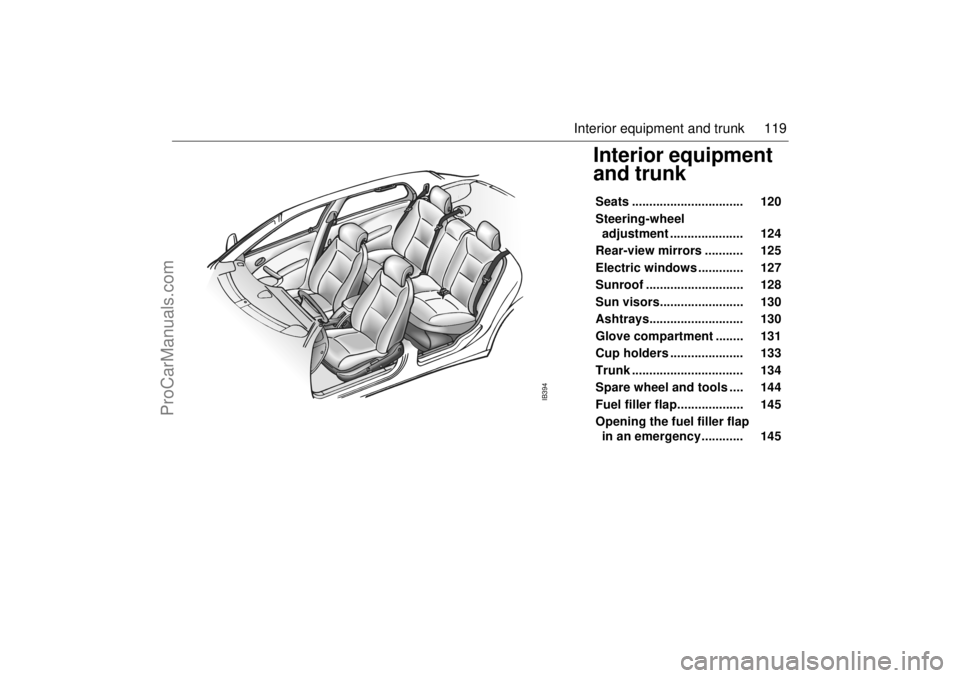
Interior equipment
and trunk Seats ................................ 120
Steering-wheel
adjustment ..................... 124
Rear-view mirrors ........... 125
Electric windows ............. 127
Sunroof ............................ 128
Sun visors........................ 130
Ashtrays........................... 130
Glove compartment ........ 131
Cup holders ..................... 133
Trunk ................................ 134
Spare wheel and tools .... 144
Fuel filler flap................... 145
Opening the fuel filler flap
in an emergency............ 145
IB394
ProCarManuals.com