instrument panel SATURN AURA 2010 Owners Manual
[x] Cancel search | Manufacturer: SATURN, Model Year: 2010, Model line: AURA, Model: SATURN AURA 2010Pages: 428, PDF Size: 2.78 MB
Page 1 of 428

In Brief........................................................... 1-1
Instrument Panel
........................................ 1-2
Initial Drive Information
............................... 1-3
Vehicle Features
......................................1-15
Performance and Maintenance
...................1-20
Seats and Restraint System............................. 2-1
Head Restraints
......................................... 2-2
Front Seats
............................................... 2-4
Rear Seats
..............................................2-10
Safety Belts
.............................................2-12
Child Restraints
.......................................2-32
Airbag System
.........................................2-58
Restraint System Check
............................2-75
Features and Controls..................................... 3-1
Keys
........................................................ 3-2
Doors and Locks
....................................... 3-8
Windows
.................................................3-13
Theft-Deterrent Systems
............................3-15
Starting and Operating Your Vehicle
...........3-19
Mirrors
....................................................3-32Universal Home Remote System
................3-34
Storage Areas
.........................................3-41
Sunroof
..................................................3-42
Instrument Panel............................................. 4-1
Instrument Panel Overview
.......................... 4-3
Climate Controls
......................................4-16
Warning Lights, Gages, and Indicators
........4-24
Driver Information Center (DIC)
..................4-39
Audio System(s)
.......................................4-50
Driving Your Vehicle....................................... 5-1
Your Driving, the Road, and the Vehicle
....... 5-2
Towing
...................................................5-24
Service and Appearance Care.......................... 6-1
Service
..................................................... 6-3
Fuel
......................................................... 6-5
Checking Things Under the Hood
...............6-12
Headlamp Aiming
.....................................6-40
Bulb Replacement
....................................6-41
Windshield Wiper Blade Replacement
.........6-44
Tires
......................................................6-44
2010 Saturn AURA Owner ManualM
ProCarManuals.com
Page 7 of 428
Instrument Panel..............................................1-2
Initial Drive Information....................................1-3
Remote Keyless Entry (RKE) System................1-4
Remote Vehicle Start......................................1-4
Door Locks....................................................1-5
Trunk Release...............................................1-5
Windows.......................................................1-5
Seat Adjustment.............................................1-6
Second Row Seats.........................................1-8
Safety Belt....................................................1-9
Sensing System for Passenger Airbag...............1-9
Mirror Adjustment.........................................1-10
Steering Wheel Adjustment............................1-11
Interior Lighting............................................1-11
Exterior Lighting...........................................1-12
Windshield Wiper/Washer...............................1-12
Climate Controls...........................................1-13
Transmission................................................1-14Vehicle Features.............................................1-15
Radio(s)......................................................1-15
Satellite Radio..............................................1-17
Portable Audio Devices (Auxiliary Input or
USB Port)................................................1-17
Steering Wheel Controls................................1-17
Bluetooth
®...................................................1-18
Driver Information Center (DIC).......................1-18
Cruise Control..............................................1-19
Power Outlets..............................................1-20
Performance and Maintenance.........................1-20
Traction Control System (TCS).......................1-20
Electronic Stability Control (ESC)....................1-21
Tire Pressure Monitor....................................1-21
Tire Sealant and Compressor Kit....................1-22
Engine Oil Life System..................................1-22
Fuel E85 (85% Ethanol)................................1-22
Driving for Better Fuel Economy.....................1-23
Roadside Assistance Program........................1-23
OnStar
®......................................................1-24
Section 1 In Brief
1-1
ProCarManuals.com
Page 8 of 428

Instrument Panel
1-2
ProCarManuals.com
Page 9 of 428
A.Outlet Adjustment on page 4-23.
B.Turn Signal/Multifunction Lever on page 4-4.
C. Driver Shift Control (If Equipped).Automatic
Transmission Operation (Six Speed Transmission)
on page 3-23.
D.Instrument Panel Cluster on page 4-25.
E.Windshield Wipers on page 4-5andWindshield
Washer on page 4-6.
F.Hazard Warning Flashers on page 4-3.
G.Passenger Airbag Status Indicator on page 4-29.
H.Instrument Panel Brightness on page 4-13.
I.Fog Lamps on page 4-12.
J.Cruise Control on page 4-7.Driver Information
Center (DIC) on page 4-39.
K.Tilt and Telescopic Steering Wheel on page 4-3.
L.Horn on page 4-3.
M.Audio Steering Wheel Controls on page 4-82
(If Equipped).N.Ignition Positions on page 3-19.
O.Climate Control System on page 4-16orAutomatic
Climate Control System on page 4-19.
P.Traction Control System (TCS) on page 5-7.
Q. Shift Lever. SeeAutomatic Transmission Operation
(Six Speed Transmission) on page 3-23.
R.Audio System(s) on page 4-50.
S.Glove Box on page 3-41.
Initial Drive Information
This section provides a brief overview about some of
the important features that may or may not be on your
specific vehicle.
For more detailed information, refer to each of the
features which can be found later in this owner manual.
1-3
ProCarManuals.com
Page 15 of 428

Safety Belt
Refer to the following sections for important information
on how to use safety belts properly.
•Safety Belts: They Are for Everyone on page 2-12.
•How to Wear Safety Belts Properly on page 2-17.
•Lap-Shoulder Belt on page 2-25.
•Lower Anchors and Tethers for Children (LATCH)
on page 2-44.
Sensing System for Passenger
Airbag
The passenger sensing system will turn off the right
front passenger frontal airbag and seat-mounted
side impact airbag under certain conditions. The driver
airbags and roof-rail airbags are not affected by this.
The passenger airbag status indicator will be visible on
the instrument panel when the vehicle is started.
SeePassenger Sensing System on page 2-68for
important information.
United StatesCanada
1-9
ProCarManuals.com
Page 17 of 428
Steering Wheel Adjustment
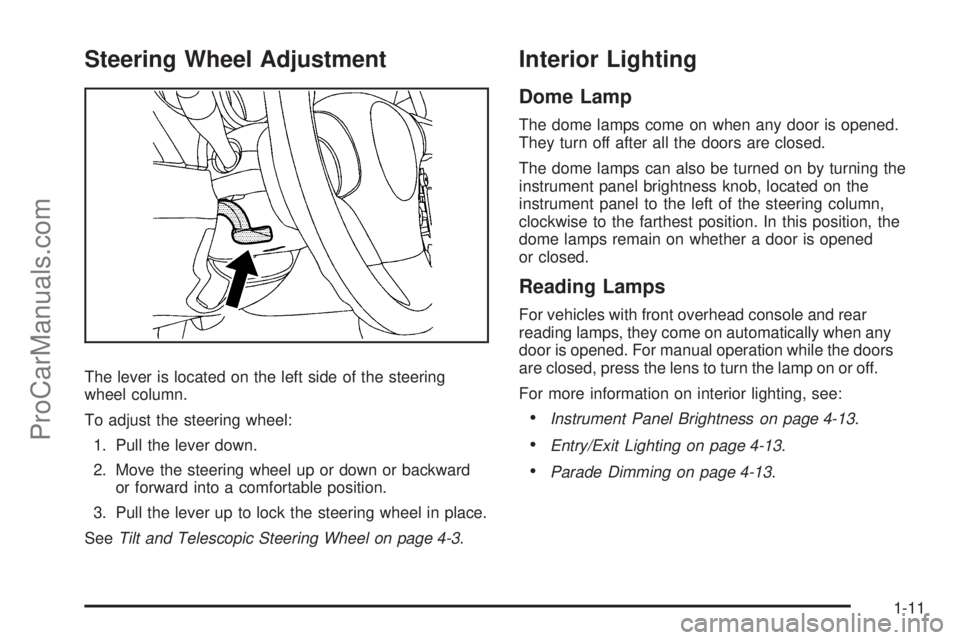
The lever is located on the left side of the steering
wheel column.
To adjust the steering wheel:
1. Pull the lever down.
2. Move the steering wheel up or down or backward
or forward into a comfortable position.
3. Pull the lever up to lock the steering wheel in place.
SeeTilt and Telescopic Steering Wheel on page 4-3.
Interior Lighting
Dome Lamp
The dome lamps come on when any door is opened.
They turn off after all the doors are closed.
The dome lamps can also be turned on by turning the
instrument panel brightness knob, located on the
instrument panel to the left of the steering column,
clockwise to the farthest position. In this position, the
dome lamps remain on whether a door is opened
or closed.
Reading Lamps
For vehicles with front overhead console and rear
reading lamps, they come on automatically when any
door is opened. For manual operation while the doors
are closed, press the lens to turn the lamp on or off.
For more information on interior lighting, see:
•Instrument Panel Brightness on page 4-13.
•Entry/Exit Lighting on page 4-13.
•Parade Dimming on page 4-13.
1-11
ProCarManuals.com
Page 24 of 428
bg:Press to silence the vehicle speakers only. Press
again to turn the sound on. Press and hold longer
than two seconds to interact with the OnStar
®or
Bluetooth systems.
c:Press to reject an incoming call, or to end a call.
For more information, seeAudio Steering Wheel
Controls on page 4-82.
Bluetooth®
For vehicles with an in-vehicle Bluetooth system, it
allows users with a Bluetooth enabled cell phone
to make and receive hands-free calls using the vehicle’s
audio system and controls.
The Bluetooth enabled cell phone must be paired with
the in-vehicle Bluetooth system before it can be used in
the vehicle. Not all phones will support all functions.
For more information visit www.gm.com/bluetooth.
For more information, seeBluetooth
®on page 4-68.
Driver Information Center (DIC)
The DIC display is located at the bottom of the
instrument panel cluster. It shows the status of
many vehicle systems and enables access to the
personalization menu.
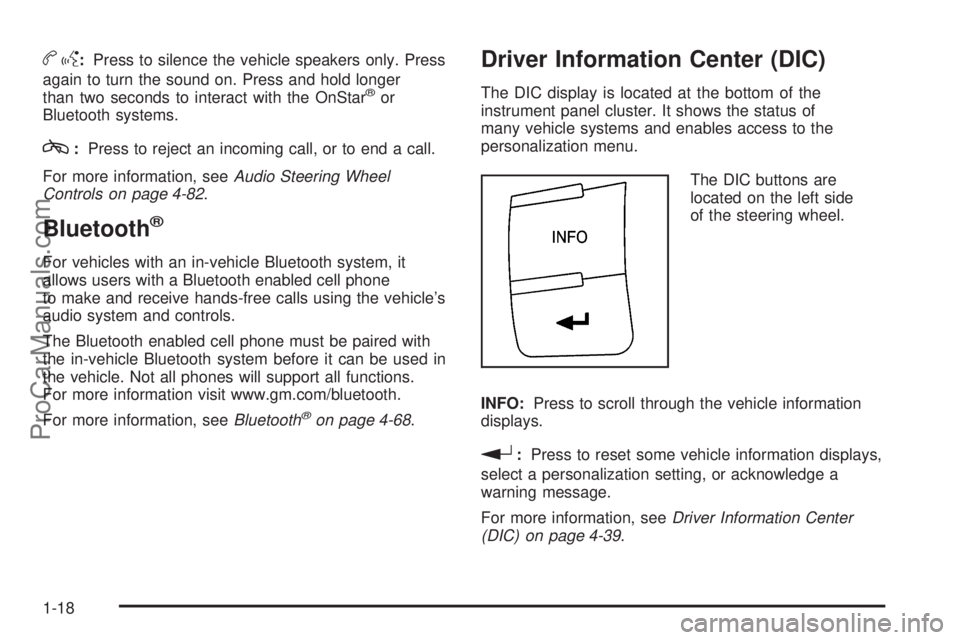
The DIC buttons are
located on the left side
of the steering wheel.
INFO:Press to scroll through the vehicle information
displays.
r:Press to reset some vehicle information displays,
select a personalization setting, or acknowledge a
warning message.
For more information, seeDriver Information Center
(DIC) on page 4-39.
1-18
ProCarManuals.com
Page 47 of 428
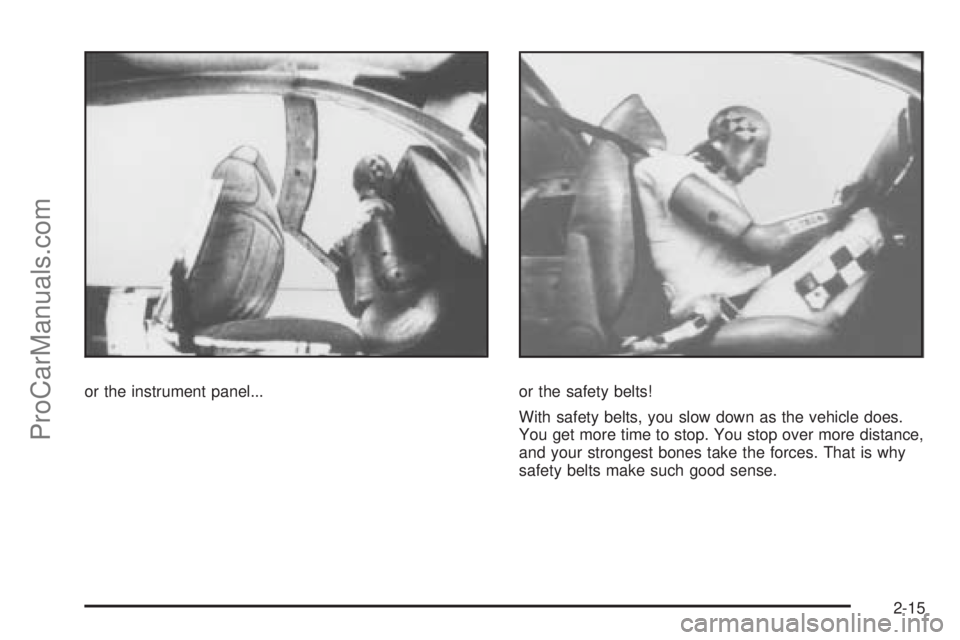
or the instrument panel... or the safety belts!
With safety belts, you slow down as the vehicle does.
You get more time to stop. You stop over more distance,
and your strongest bones take the forces. That is why
safety belts make such good sense.
2-15
ProCarManuals.com
Page 90 of 428
Airbag System
The vehicle has the following airbags:
•A frontal airbag for the driver.
•A frontal airbag for the right front passenger.
•A seat-mounted side impact airbag for the driver.
•A seat-mounted side impact airbag for the right front
passenger.
•A roof-rail airbag for the driver and the passenger
seated directly behind the driver.
•A roof-rail airbag for the right front passenger and
the passenger seated directly behind the right
front passenger.All of the airbags in your vehicle will have the word
AIRBAG embossed in the trim or on an attached label
near the deployment opening.
For frontal airbags, the word AIRBAG will appear on the
middle part of the steering wheel for the driver and
on the instrument panel for the right front passenger.
With seat-mounted side impact airbags, the word
AIRBAG will appear on the side of the seatback
closest to the door.
With roof-rail airbags, the word AIRBAG will appear
along the headliner or trim.
Airbags are designed to supplement the protection
provided by safety belts. Even though today’s airbags
are also designed to help reduce the risk of injury
from the force of an inflating bag, all airbags must inflate
very quickly to do their job.
2-58
ProCarManuals.com
Page 92 of 428
{WARNING:
Children who are up against, or very close to, any
airbag when it inflates can be seriously injured or
killed. Airbags plus lap-shoulder belts offer
protection for adults and older children, but not for
young children and infants. Neither the vehicle’s
safety belt system nor its airbag system is
designed for them. Young children and infants
need the protection that a child restraint system
can provide. Always secure children properly in
your vehicle. To read how, seeOlder Children on
page 2-32orInfants and Young Children on
page 2-35.There is an airbag readiness light on the instrument
panel cluster, which shows the airbag symbol.
The system checks the airbag electrical system for
malfunctions. The light tells you if there is an electrical
problem. SeeAirbag Readiness Light on page 4-28
for more information.
2-60
ProCarManuals.com