interior Seat Alhambra 2008 User Guide
[x] Cancel search | Manufacturer: SEAT, Model Year: 2008, Model line: Alhambra, Model: Seat Alhambra 2008Pages: 295, PDF Size: 7.83 MB
Page 97 of 295
Unlocking and locking95
Safety First
Operating instructions
Tips and Maintenance
Te c h n i c a l D a t a
WARNING
•
Never leave children or disabled persons in the vehicle; in case of emer-
gency they may not be able to leave the vehicle or look after themselves.
•
Always take you car keys with you when you leave the vehicle. Misuse
of the keys, for example, by children, may result in serious damage and
accident.
−The engine may accidentally be started and be out of control.
− If the ignition is switched on, the electric equipment could be acti-
vated with risk of injury, for example, in the electric windows.
− The doors can be locked using the remote control key. This could
result in people being trapped in the vehicle in an emergency.
− Always take the key with you when you leave the vehicle.
•
Never remove the key from the ignition if the vehicle is in motion. Risk
of accident. The steering lock could engage suddenly, and you would not be
able to steer the vehicle.Note
•
An Authorised SEAT Service Centre can programme the individual
opening of doors. In this case, when the unlock button on the remote
control is pressed once, only the driver's door is unlocked ⇒page 89. When
the button is pressed once more, all doors and the tailgate will be unlocked.
Seat Service will be happy to provide more information on the activation of
this function.
•
The remote control transmitter and the batteries are integrated in the
remote control. The receiver is in the interior of the vehicle. Obstacles
between the remote control and the vehicle, bad weather conditions and
discharged batteries can considerably reduce the range of the remote control.
•
The remote control only locks and unlocks the vehicle when it is used
within range.
•
The vehicle will be locked again automatically if you do not open one of
the doors or the tailgate 30 seconds after unlocking the car. This function prevents the vehicle from remaining unlocked if the unlocking button is
pressed by mistake.
•
If it is not possible to open or close the vehicle using the remote control,
this should be re-synchronised ⇒page 95 or change the battery ⇒page 95.
•
The working of the remote control may be momentarily affected if there is
transmitter using the same waveband (e.g. radiotelephone, mobile tele-
phone, etc) in the vicinity of the vehicle.
Synchronising the remote control keySynchronising the remote control key
– Briefly press the open button ⇒page 94, fig. 61 once.
– Then open or close the vehicle using the key bit within one minute ⇒page 89.The vehicle can no longer be opened and closed with the remote control if you
press button ⇒page 94, fig. 61 a long way outside the effective range
of the radio wave remote control. The remote control key will have to be resyn-
chronised.
Spare remote control keys are available from SEAT Service. They must be
matched to the locking system.
Up to four remote control keys can be used.Replacing the batteryIf the battery indicator on the remote control ⇒page 94, fig. 61 does not
flash when the buttons are pushed, the battery must be replaced.
A1
A1
A4
alhambra_ingles_0708 Seite 95 Mittwoch, 10. September 2008 10:55 10
Page 98 of 295
Unlocking and locking
96We recommend having the batteries changed by a qualified workshop if
required.
Caution
Use of inappropriate batteries may damage the remote control. For this
reason, always replace the dead battery with another of the same size and
power.
For the sake of the environment
The flat batteries must be disposed of in accordance with regulations
governing the protection of the environment.
Anti-theft alarm systemDescription of anti-theft alarm system
The anti-theft alarm triggers an alarm if unauthorised move-
ments are detected around the vehicle.Activating the anti-theft alarm
– Blocking the engine.
Deactivating the alarm
– Unblock the vehicle using the unlock button on the remote
control or switch on ignition.
Opening the doors mechanically (emergency opening)
– If the remote control function fails, you will have to use the key to unlock the car. This is done as follows:
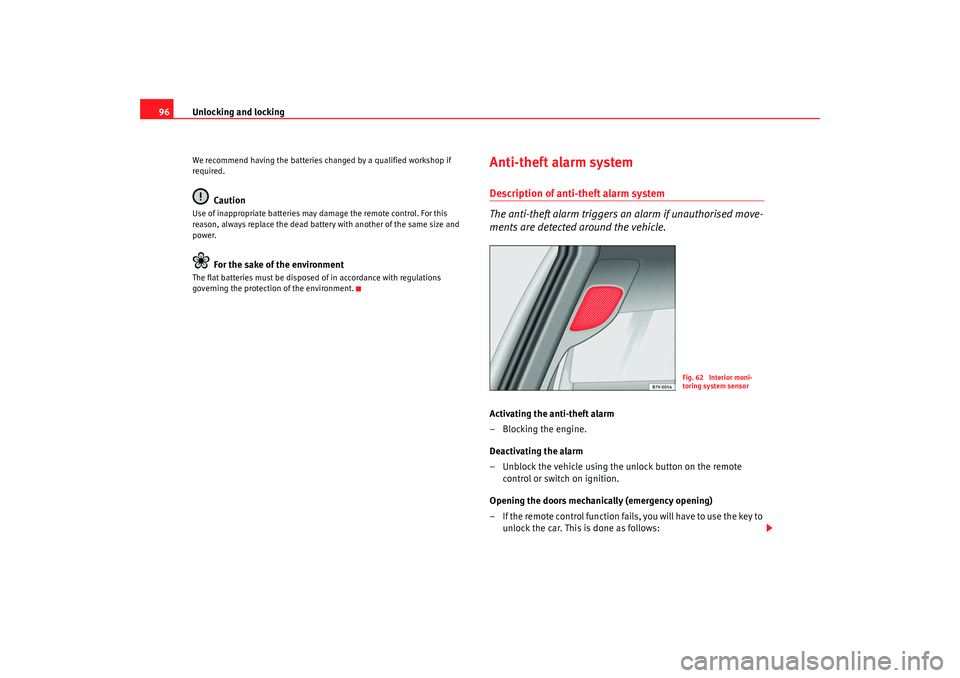
Fig. 62 Interior moni-
toring system sensor
alhambra_ingles_0708 Seite 96 Mittwoch, 10. September 2008 10:55 10
Page 99 of 295
Unlocking and locking97
Safety First
Operating instructions
Tips and Maintenance
Te c h n i c a l D a t a
– Press button ⇒page 94, fig. 61 to fold out the key bit.
– Use the lock on the driver door to unlock the vehicle. The anti- theft alarm system remains active, but an alarm is not triggered
immediately.
– Switch on the ignition within 15 seconds. When the ignition is switched on, the electronic immobiliser recognises a valid
vehicle key and deactivates the anti-theft alarm system. If you do
not switch on the ignition within 15 seconds, the alarm is trig-
gered.The anti-theft alarm makes it more difficult to break into the vehicle or steal
it. Audible and visible alarms
13) are triggered if the car is opened using the
mechanical key, or if unauthorised access is gained to the vehicle.
When does the system trigger an alarm?
The system triggers an alarm if the following unauthorised actions are carried
out when the car is locked:
•
Opening of vehicle using mechanical key without switching on ignition
within the next 15 seconds
•
Opening a door
•
Opening the bonnet
•
Opening the tailgate
•
Switching on the ignition
•
Movement inside the vehicle (in vehicles with interior monitoring).
The acoustic signals sound and the indicators flash for approx. 30 seconds. Interior monitoring system
The sensors for the interior monitoring system are located at the top of the
door post between the front and rear door
⇒page 96, fig. 62 The sensors
must not be covered, as they will otherwise not be able to function properly.
The windows must be closed when the interior monitoring system is active as
the anti-theft alarm could be triggered by a draft of air.
Note
•
If, after the alarm goes off, access is gained to a second secured zone
(e.g. the tailgate is opened after a door has been opened), the warning signal
is triggered again.
•
Vehicle monitoring remains active even if the battery is disconnected or
not working for any reason.
13)Optional equipment
A3
alhambra_ingles_0708 Seite 97 Mittwoch, 10. September 2008 10:55 10
Page 100 of 295
Unlocking and locking
98Ta i l g a t eOpening the tailgateUnlocking the tailgate
– Make sure that the key slot is vertical.
– Operate the handle and pull up the tailgate ⇒.
Closing the tailgate
– Take hold of one of the recessed handles in the interior trim of the tailgate.
– Close the tailgate hard ⇒ in “Safety instructions for the tail-
gate” on page 100.A warning appears on the instrument panel
14) if the tailgate is open or not
properly closed. Depending on the level of equipment fitted, an audible warning
14) will be given either while the vehicle is stationary or when you
drive.
Locking and unlocking the tailgate
•
The doors and the tailgate will be locked by turning the vehicle key to
position ⇒fig. 63 .
•
The doors and the tailgate will be unlocked by turning the vehicle key to
position .
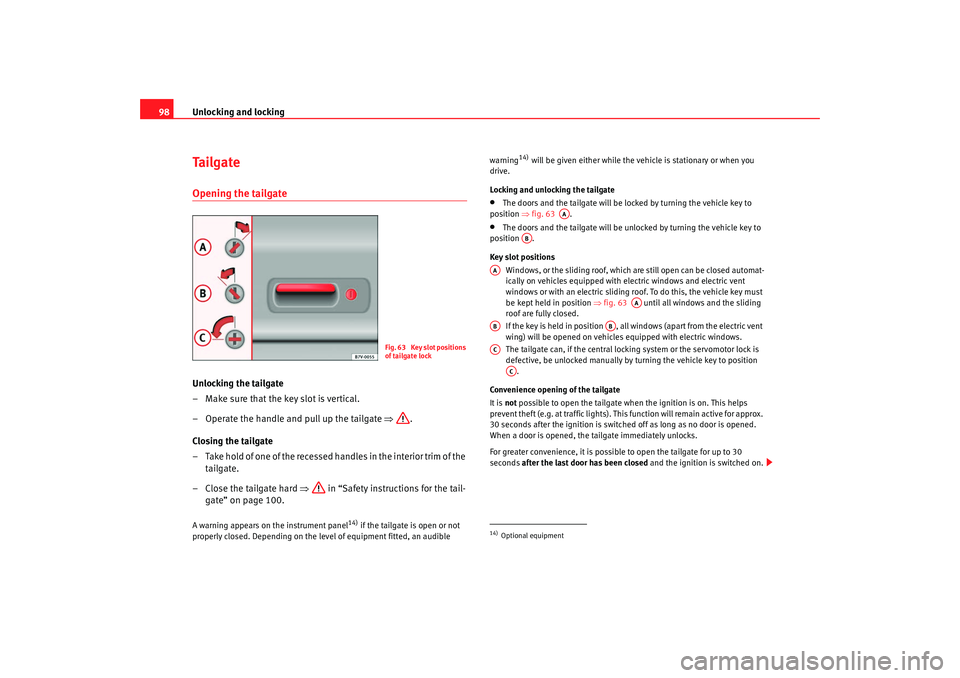
Key slot positions
Windows, or the sliding roof, which are still open can be closed automat-
ically on vehicles equipped with electric windows and electric vent
windows or with an electric sliding roof. To do this, the vehicle key must
be kept held in position ⇒ fig. 63 until all windows and the sliding
roof are fully closed.
If the key is held in position , all windows (apart from the electric vent
wing) will be opened on vehicles equipped with electric windows.
The tailgate can, if the central locking system or the servomotor lock is
defective, be unlocked manually by turning the vehicle key to position
.
Convenience opening of the tailgate
It is not possible to open the tailgate when the ignition is on. This helps
prevent theft (e.g. at traffic lights). This function will remain active for approx.
30 seconds after the ignition is switched off as long as no door is opened.
When a door is opened, the tailgate immediately unlocks.
For greater convenience, it is possible to open the tailgate for up to 30
seconds after the last door has been closed and the ignition is switched on.
Fig. 63 Key slot positions
of tailgate lock
14)Optional equipment
AA
AB
AA
AA
AB
AB
AC
AC
alhambra_ingles_0708 Seite 98 Mittwoch, 10. September 2008 10:55 10
Page 101 of 295
Unlocking and locking99
Safety First
Operating instructions
Tips and Maintenance
Te c h n i c a l D a t a
Driving with the tailgate open
If the tailgate is open or incorrectly closed, the following warning may be
appear on the display
14). Please note that theft of your cargo is more likely if
the tailgate is open.
WARNING
If you have to drive with the tailgate open, please observe the following
warnings:•
Observe the following points to reduce the danger of poisoning from
exhaust fumes entering the vehicle interior:
−Close all windows.
− Close the sliding/tilting roof,
− Switch off air recirculation.
− Open the air outlets in the dash panel,
− Set the fresh air blower to the highest speed.
•
Drive particularly carefully and think ahead. If possible, avoid sudden
braking and driving manoeuvres as this could cause the open tailgate to
move unpredictably. Risk of injury.
•
When carrying objects that protrude from the boot, the correct signals
should be used; otherwise there is a risk of accident. Observe legal require-
ments when doing so.
•
Always secure objects in the boot. Loose items could fall out of the
vehicle and injure other road users.
•
If a baggage rack is fitted on the tailgate, it should be removed before
travelling with the tailgate open.
•
Read and always observe the safety information concerning the use of
the tailgate ⇒page 100.
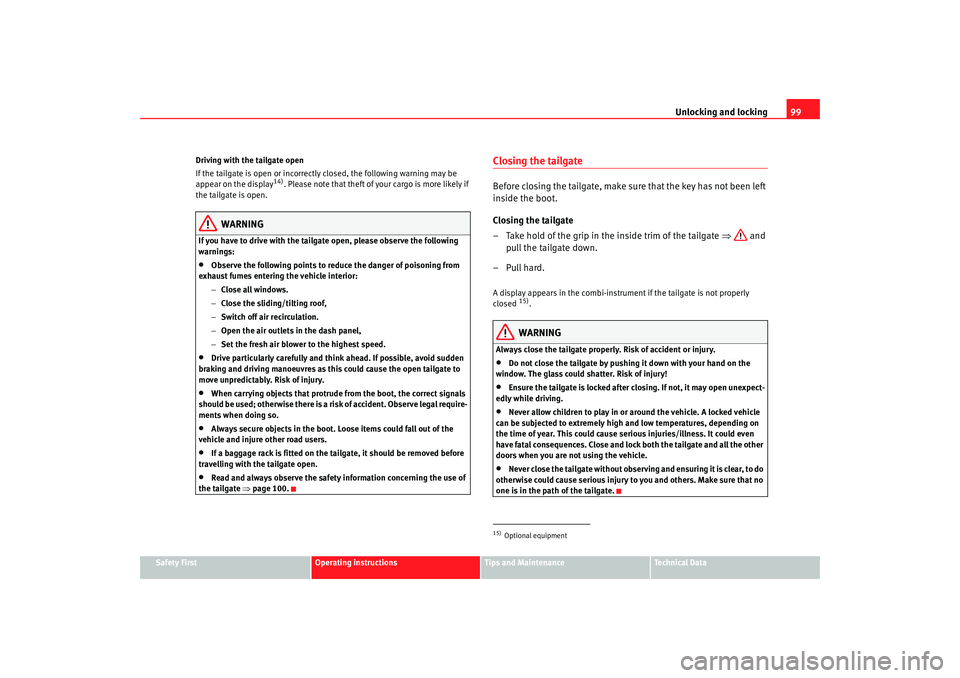
Closing the tailgateBefore closing the tailgate, make sure that the key has not been left
inside the boot.
Closing the tailgate
– Take hold of the grip in the inside trim of the tailgate ⇒ and
pull the tailgate down.
– Pull hard.A display appears in the combi-instrument if the tailgate is not properly
closed
15).WARNING
Always close the tailgate properly. Risk of accident or injury.•
Do not close the tailgate by pushing it down with your hand on the
window. The glass could shatter. Risk of injury!
•
Ensure the tailgate is locked after closing. If not, it may open unexpect-
edly while driving.
•
Never allow children to play in or around the vehicle. A locked vehicle
can be subjected to extremely high and low temperatures, depending on
the time of year. This could cause serious injuries/illness. It could even
have fatal consequences. Close and lock both the tailgate and all the other
doors when you are not using the vehicle.
•
Never close the tailgate without observing and ensuring it is clear, to do
otherwise could cause serious injury to you and others. Make sure that no
one is in the path of the tailgate.
15)Optional equipment
alhambra_ingles_0708 Seite 99 Mittwoch, 10. September 2008 10:55 10
Page 106 of 295
Unlocking and locking
104Mechanical vent wings
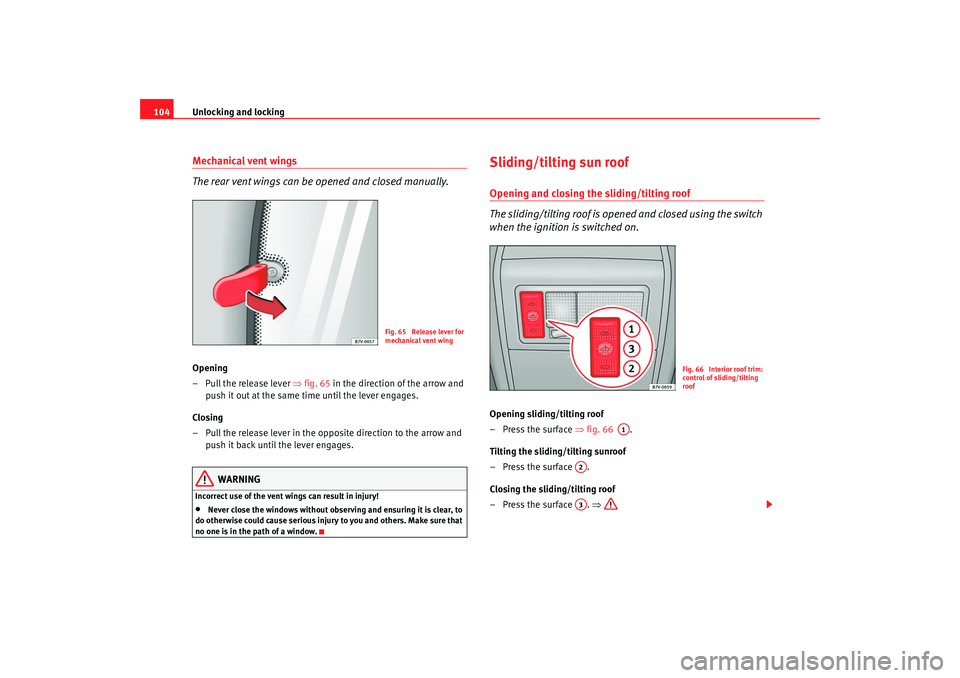
The rear vent wings can be opened and closed manually.Opening
– Pull the release lever ⇒fig. 65 in the direction of the arrow and
push it out at the same time until the lever engages.
Closing
– Pull the release lever in the opposite direction to the arrow and push it back until the lever engages.
WARNING
Incorrect use of the vent wings can result in injury!•
Never close the windows without observing and ensuring it is clear, to
do otherwise could cause serious injury to you and others. Make sure that
no one is in the path of a window.
Sliding/tilting sun roof Opening and closing the sliding/tilting roof
The sliding/tilting roof is opened and closed using the switch
when the ignition is switched on.Opening sliding/tilting roof
– Press the surface ⇒fig. 66 .
Tilting the sliding/tilting sunroof
– Press the surface .
Closing the sliding/tilting roof
– Press the surface . ⇒
Fig. 65 Release lever for
mechanical vent wing
Fig. 66 Interior roof trim:
control of sliding/tilting
roof
A1
A2A3
alhambra_ingles_0708 Seite 104 Mittwoch, 10. September 2008 10:55 10
Page 108 of 295
Unlocking and locking
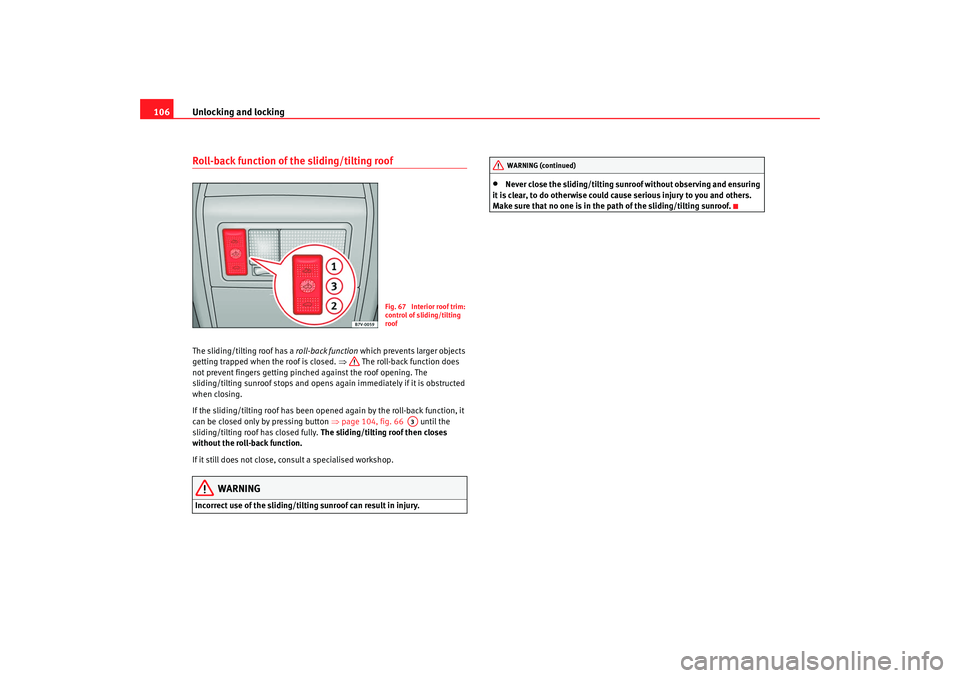
106Roll-back function of the sliding/tilting roofThe sliding/tilting roof has a roll-back function which prevents larger objects
getting trapped when the roof is closed. ⇒ The roll-back function does
not prevent fingers getting pinched against the roof opening. The
sliding/tilting sunroof stops and opens again immediately if it is obstructed
when closing.
If the sliding/tilting roof has been opened again by the roll-back function, it
can be closed only by pressing button ⇒page 104, fig. 66 until the
sliding/tilting roof has closed fully. The sliding/tilting roof then closes
without the roll-back function.
If it still does not close, consult a specialised workshop.
WARNING
Incorrect use of the sliding/tilting sunroof can result in injury.
•
Never close the sliding/tilting sunr oof without observing and ensuring
it is clear, to do otherwise could cause serious injury to you and others.
Make sure that no one is in the path of the sliding/tilting sunroof.
Fig. 67 Interior roof trim:
control of sliding/tilting
roof
A3
WARNING (continued)
alhambra_ingles_0708 Seite 106 Mittwoch, 10. September 2008 10:55 10
Page 109 of 295
Unlocking and locking107
Safety First
Operating instructions
Tips and Maintenance
Te c h n i c a l D a t a
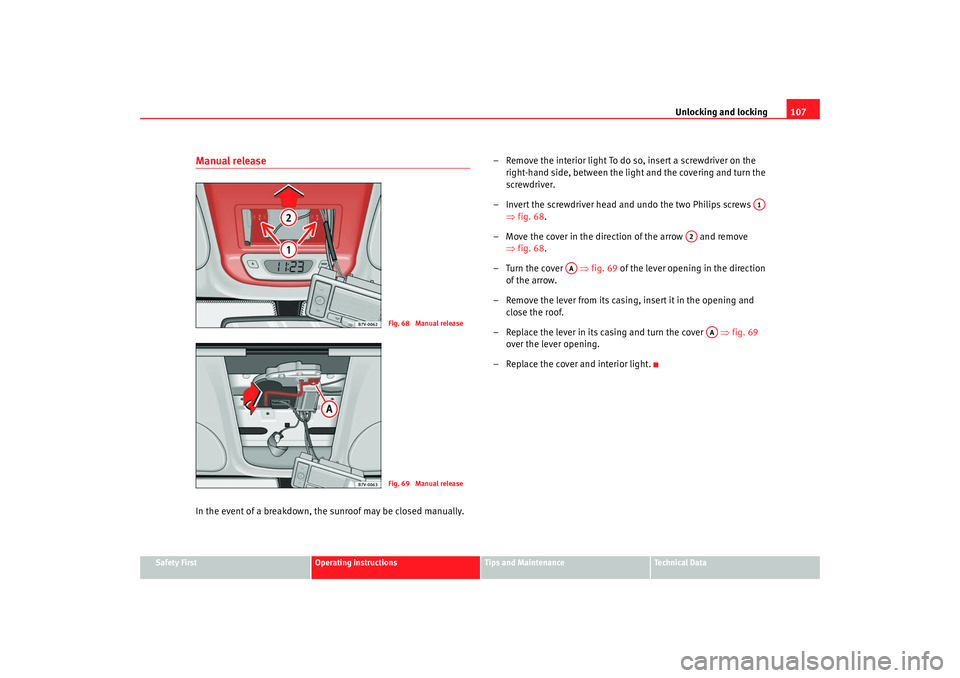
Manual releaseIn the event of a breakdown, the sunroof may be closed manually. – Remove the interior light To do so, insert a screwdriver on the
right-hand side, between the light and the covering and turn the
screwdriver.
– Invert the screwdriver head and undo the two Philips screws ⇒fig. 68 .
– Move the cover in the direction of the arrow and remove ⇒fig. 68 .
–Turn the cover ⇒ fig. 69 of the lever opening in the direction
of the arrow.
– Remove the lever from its casing, insert it in the opening and close the roof.
– Replace the lever in its casing and turn the cover ⇒fig. 69
over the lever opening.
– Replace the cover and interior light.
Fig. 68 Manual releaseFig. 69 Manual release
A1
A2
AA
AA
alhambra_ingles_0708 Seite 107 Mittwoch, 10. September 2008 10:55 10
Page 115 of 295
Lights and visibility113
Safety First
Operating instructions
Tips and Maintenance
Te c h n i c a l D a t a
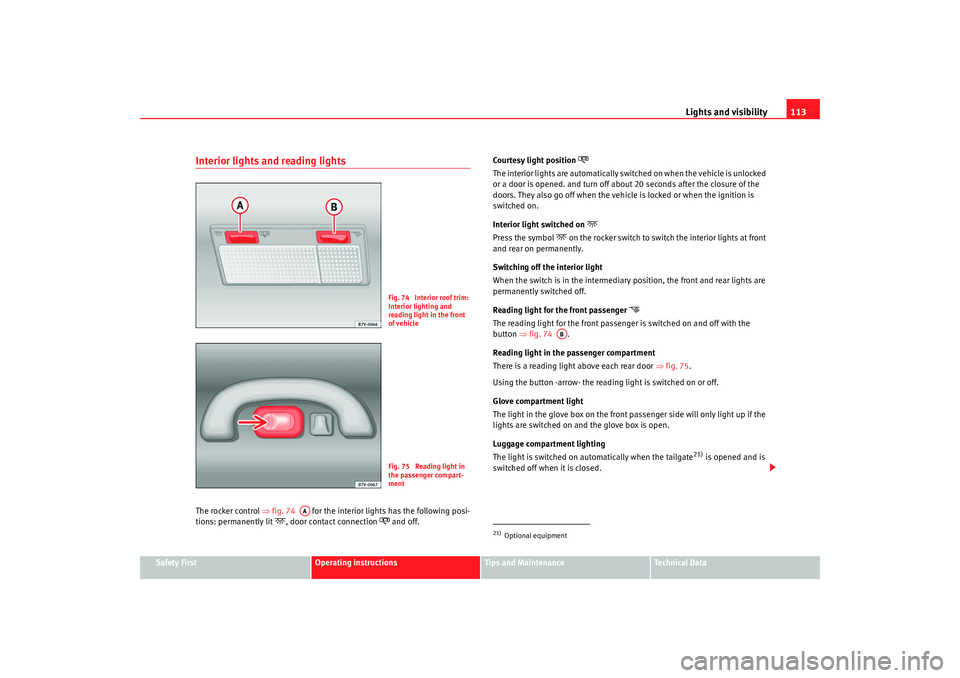
Interior lights and reading lightsThe rocker control ⇒fig. 74 for the interior lights has the following posi-
tions: permanently lit
, door contact connection
and off. Co ur tes y l ight posit ion
The interior lights are automatically switched on when the vehicle is unlocked
or a door is opened. and turn off about 20 seconds after the closure of the
doors. They also go off when the vehicle is locked or when the ignition is
switched on.
Interior light switched on
Press the symbol
on the rocker switch to switch the interior lights at front
and rear on permanently.
Switching off the interior light
When the switch is in the intermediary position, the front and rear lights are
permanently switched off.
Reading light for the front passenger
The reading light for the front passenger is switched on and off with the
button ⇒ fig. 74 .
Reading light in the passenger compartment
There is a reading light above each rear door ⇒fig. 75 .
Using the button -arrow- the reading light is switched on or off.
Glove compartment light
The light in the glove box on the front passenger side will only light up if the
lights are switched on and the glove box is open.
Luggage compartment lighting
The light is switched on automatically when the tailgate
21) is opened and is
switched off when it is closed.
Fig. 74 Interior roof trim:
Interior lighting and
reading light in the front
of vehicleFig. 75 Reading light in
the passenger compart-
ment
AA
21)Optional equipment
AB
alhambra_ingles_0708 Seite 113 Mittwoch, 10. September 2008 10:55 10
Page 116 of 295
Lights and visibility
114
Note•
If not all the vehicle doors are closed, the interior lights will be switched
off after approx. 10 minutes, providing the key has been removed and the
courtesy light position selected. This prevents the battery discharging.
•
Reading lights function independently of the interior lights and must be
switched off manually to prevent the battery being drained when the engine
is switched off.
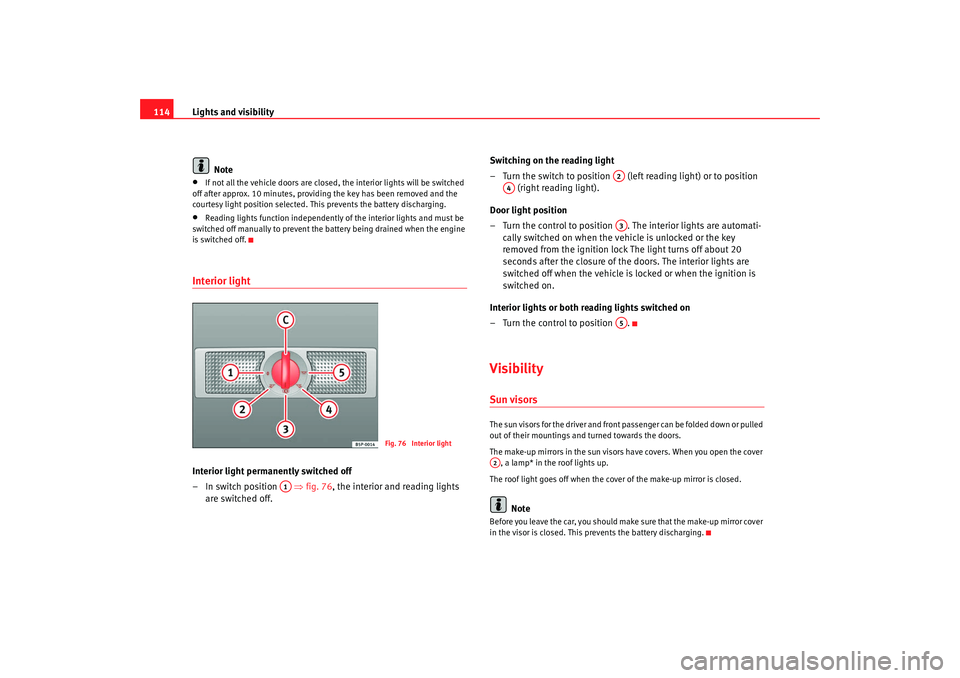
Interior light Interior light permanently switched off
– In switch position ⇒fig. 76 , the interior and reading lights
are switched off. Switching on the reading light
– Turn the switch to position (left reading light) or to position
(right reading light).
Door light position
– Turn the control to position . The interior lights are automati- cally switched on when the vehicle is unlocked or the key
removed from the ignition lock The light turns off about 20
seconds after the closure of the doors. The interior lights are
switched off when the vehicle is locked or when the ignition is
switched on.
Interior lights or both reading lights switched on
– Turn the control to position .
VisibilitySun visorsThe sun visors for the driver and front passenger can be folded down or pulled
out of their mountings and turned towards the doors.
The make-up mirrors in the sun visors have covers. When you open the cover , a lamp* in the roof lights up.
The roof light goes off when the cover of the make-up mirror is closed.
Note
Before you leave the car, you should make sure that the make-up mirror cover
in the visor is closed. This prevents the battery discharging.
Fig. 76 Interior light
A1
A2
A4
A3A5
A2
alhambra_ingles_0708 Seite 114 Mittwoch, 10. September 2008 10:55 10