tow Seat Alhambra 2011 User Guide
[x] Cancel search | Manufacturer: SEAT, Model Year: 2011, Model line: Alhambra, Model: Seat Alhambra 2011Pages: 385, PDF Size: 7.92 MB
Page 99 of 385
97
Lights and visibility
The control turn signals are switched on and off from the menu Lights & Visi-
bility on the instrument panel display ⇒ page 62. This function can be dis-
connected at a specialised workshop for those vehicles which do not have
the menu Lights & Visibility .WARNING
Incorrect use of the headlamps may cause accidents and serious injury,
as the m
ain beam may distract or dazzle other drivers. Note
● The turn signal only works when the ignition is switched on. The hazard
w arnin
g lights also work when the ignition is switched off ⇒ page 312.
● If a turn signal on the vehicle or trailer is faulty, the warning lamp flash-
es tw
ice as fast as usual.
● The main beam headligh
ts can only be switched on if the dipped beam
headlights are already on.
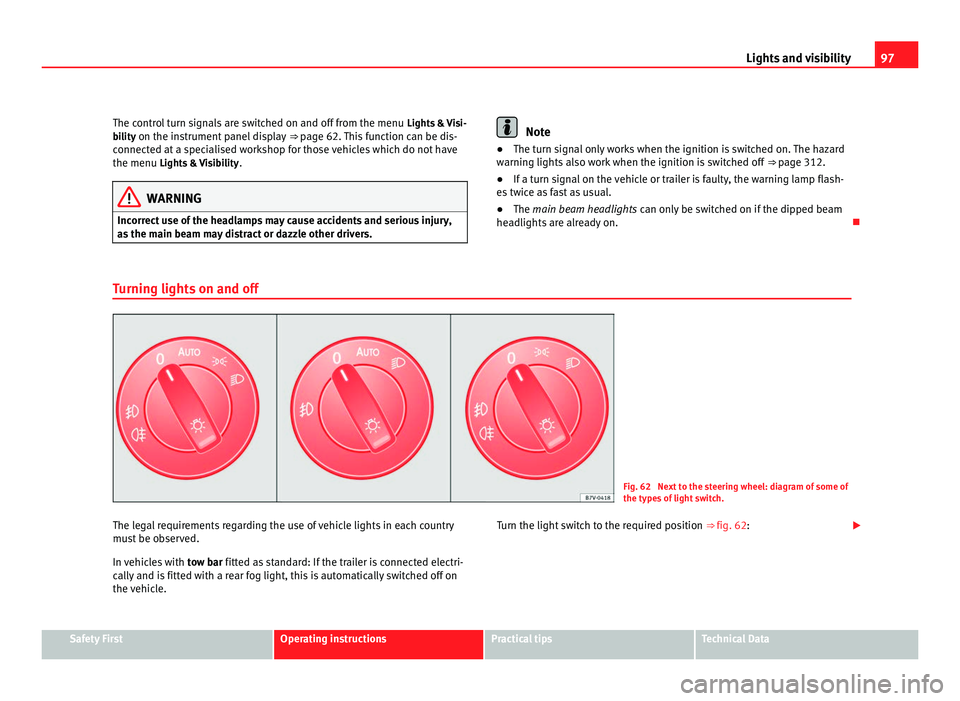
Turning lights on and off Fig. 62 Next to the steering wheel: diagram of some of
the type
s
of light switch.
The legal requirements regarding the use of vehicle lights in each country
mus t
be observed.
In vehicles with tow bar fitted as standard: If the trailer is connected electri-
cally and is fitted with a rear fog light, this is automatically switched off on
the vehicle. Turn the light switch to the required position
⇒ fig. 62:Safety First Operating instructions Practical tips Technical Data
Page 105 of 385
103
Lights and visibility Button /
Swit c
h Function
Switches door contact control on (central position).
The interior lights
c
ome on automatically when the vehicle is
unlocked, a door is opened or the key is removed from the ig-
nition.
The lights go off a few seconds after all the doors are closed,
the vehicle is locked or the ignition is switched on. Turning the reading light on and off
Storage and luggage compartment lighting
When the glov
e bo
x and the tailgate are opened and closed, a light auto-
matically switches on or off.
Background lighting
The background lighting in the front covering of the ceiling lights up the
controls on the central console from above when the side or dipped lights
are on.
In addition, the lever on the door moulding can also be illuminated. Note
The reading lights go out when the vehicle is locked, or a few minutes after
the key i
s removed from the ignition. This prevents the battery from dis-
charging. Sun blind
Introduction WARNING
Sun visors and sun blinds may reduce visibility when open.
● Always roll or fold sun blinds and visors away when not in use.
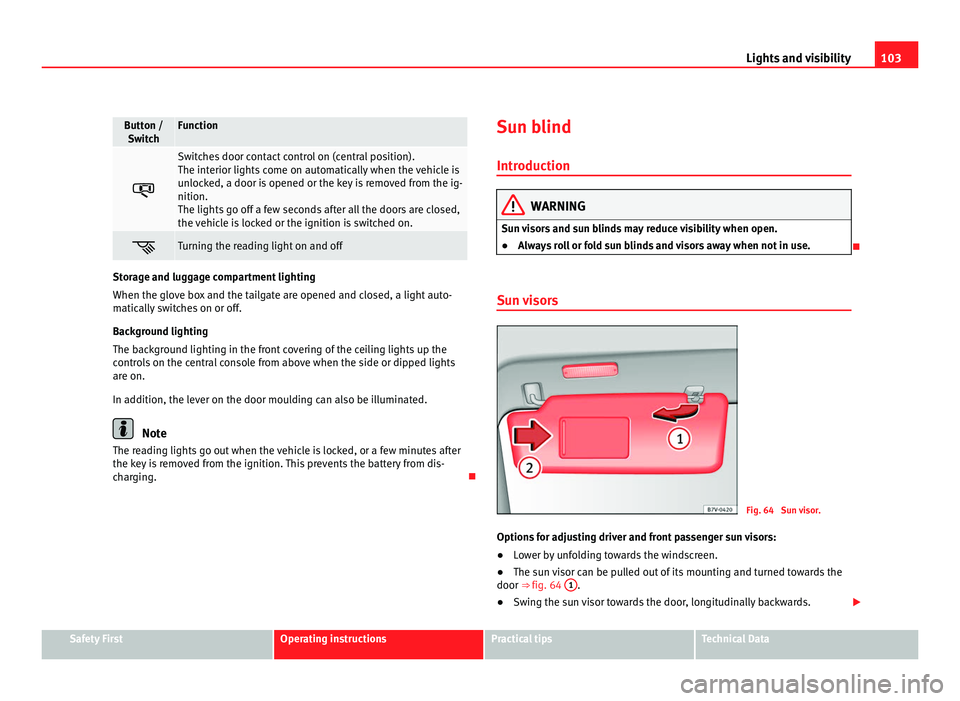
Sun visors Fig. 64 Sun visor.
Options for adjusting driver and front passenger sun visors:
● Lower by unfolding towards the windscreen.
● The sun visor can be pulled out of its mounting and turned towards the
door ⇒ fig. 64 1 .
● Swing the sun visor towards the door, longitudinally backwards. Safety First Operating instructions Practical tips Technical Data
Page 109 of 385
107
Lights and visibility
Windscreen wiper functions Windscreen wiper performance in different situations:
If the vehicle is at a stand-
sti
l
l: The activated position provisionally changes
to the pr
ev
ious position. During the automatic wipe: The air conditioning comes on for approxi-
mat
ely
30 seconds in air recirculation mode
to prevent the smell of the windscreen wash-
er fluid entering the inside of the vehicle. For the intermittent wipe: The intervals between wipes vary according
to the s
peed of
the vehicle. The higher the
vehicle speed the shorter the intervals. Heated windscreen washer jets
The heatin
g on
ly thaws the frozen jets, it does not thaw the water in the
washer hoses. The heated windscreen washer jets automatically adjust the
heat depending on the ambient temperature, when the ignition is switched
on.
Headlight wash /wipe system
The headlight washers/wipers clean the headlight lenses.
After the ignition is switched on, the first and every fifth time the wind-
screen washer is switched on, the headlights are also washed. Therefore,
the windscreen wiper lever should be pulled towards the steering wheel
when the dipped beam or main beam are on. Any incrusted dirt (such as in-
sects) should be cleaned regularly (e.g. when refuelling).
To ensure the headlight washers work correctly in winter, any snow which
has got into the bumper jet supports should be cleaned away. If necessary,
remove snow with an anti-icing spray. Note
The wiper will try to wipe away any obstacles that are on the windscreen.
The wiper w i
ll stop moving if the obstacle blocks its path. Remove the ob-
stacle and switch the wiper back on again.
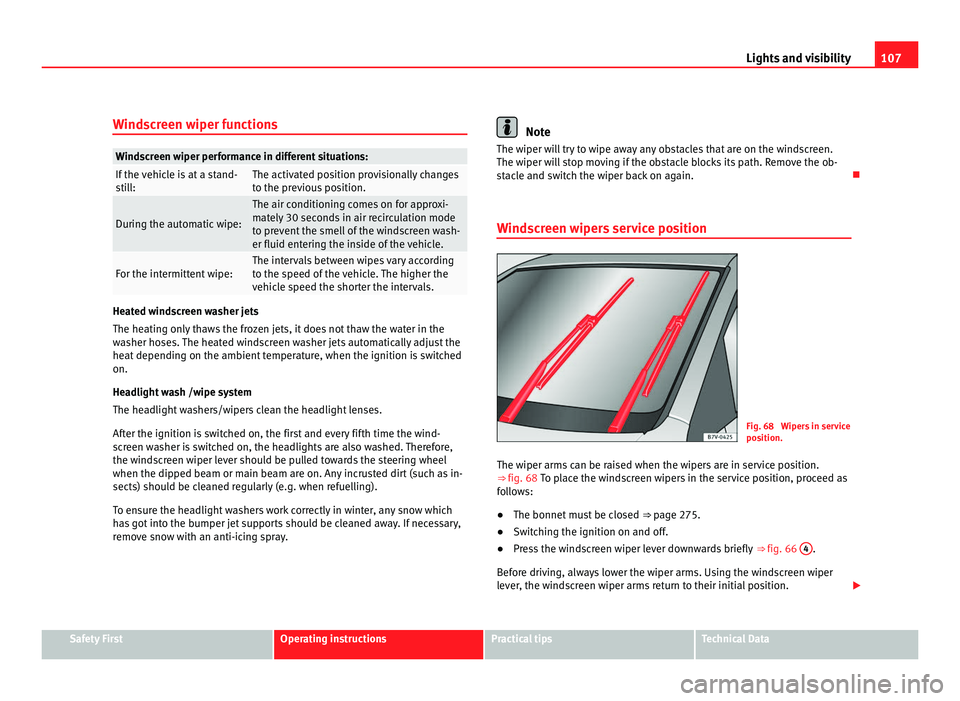
Windscreen wipers service position Fig. 68 Wipers in service
pos
ition.
The w
iper arms can be raised when the wipers are in service position.
⇒ fig. 68 To p l
ace the windscreen wipers in the service position, proceed as
follows:
● The bonnet must be closed ⇒ page 275.
● Sw
itching the ignition on and off.
● Press the windscreen wiper lever downwards briefly ⇒ fig. 66 4 .
Bef or
e driving, always lower the wiper arms. Using the windscreen wiper
lever, the windscreen wiper arms return to their initial position. Safety First Operating instructions Practical tips Technical Data
Page 142 of 385
140
Seats and storage compartments
The position holes are located on the inner side of the rail ⇒ fig. 101.WARNING
If the base supports and the roof carrier system are incorrectly fitted or
used in an u n
suitable manner, the entire system could break free causing
accident and injury.
● Always take the manufacturer assembly instructions into account.
● Only use base supports and roof carrier systems that are not dam-
aged and are c
orrectly fitted.
● The base support should only be fitted to the points indicated in the
diagram
⇒ fig. 101.
● Secure the base supports and roof carrier system correctly.
● Check the screw fittings and attachments before driving and after a
short di
stance. During each long journey, check the attachments during
every break.
● Always fit the roof carrier system correctly for wheels, skis and surf-
board
s.
● Never change or repair the basic supports or roof carrier system. Note
Read and take into account the instructions included with the roof carrier
sys t
em fitted and keep them in the vehicle.
Loading the roof carrier system Loads can only be correctly secured when the roof carrier system is correctly
fitted
⇒ .
Max imum authori
sed roof load
The maximum authorised roof load is 100 kg (about 220 lbs). The roof load
includes the roof carrier system and the load being transported ⇒ .Always check the roof carrier system weight and the weight of the load to be
tran
s
ported and, if necessary, weigh them. Never exceed the maximum au-
thorised roof load.
If you are using a roof carrier with a lower weight rating, you cannot trans-
port the maximum roof load. Do not exceed the maximum weight limit for
the roof carrier given in the fitting instructions.
Distributing a load
Uniformly distribute loads and secure them correctly ⇒ .
Check att
achments
After fitting the base supports and the roof carrier system, always check the
attachments after a short trip or at regular intervals. WARNING
Exceeding the maximum authorised roof load can result in accidents
and/or v ehic
le damage.
● Always respect the maximum authorised weight for the roof, the max-
imum authorised weight
on the axles and the total maximum authorised
weight of the vehicle.
● Never exceed the capacity of the roof carrier system even if this is
les
s than the maximum authorised roof load.
● Secure heavy objects towards the front and distribute the load even-
ly. WARNING
Loose and incorrectly secured loads can fall from the roof carrier system
cau s
ing accidents and injury.
● Always use suitable ropes and straps in good condition.
● Always secure loads correctly.
Page 160 of 385
158
Heating, Ventilation and Air conditioning
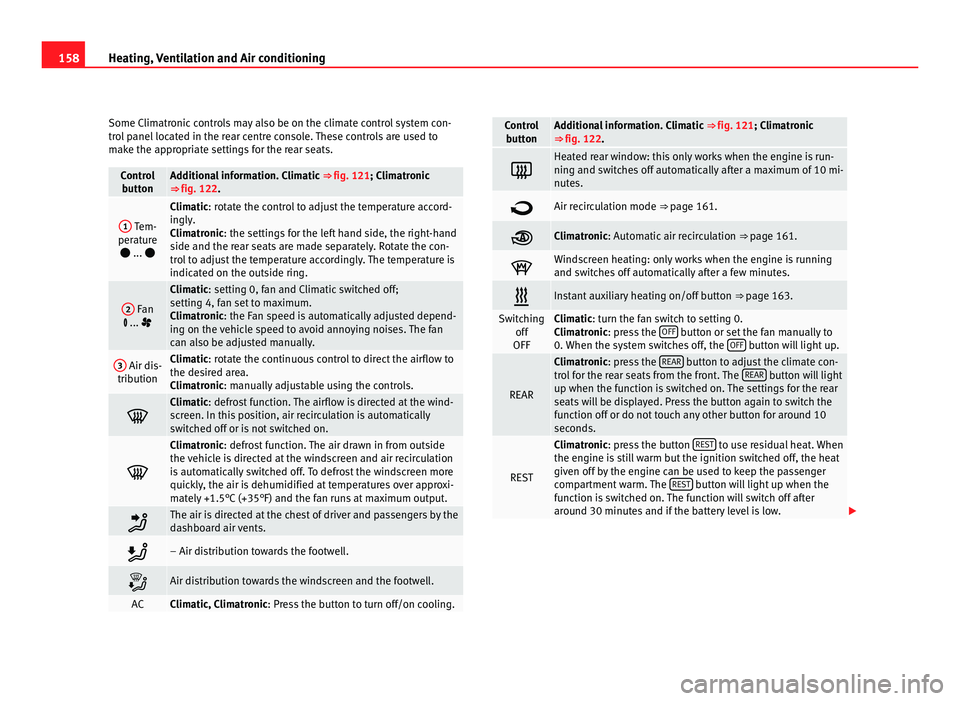
Some Climatronic controls may also be on the climate control system con-
tro l
panel located in the rear centre console. These controls are used to
make the appropriate settings for the rear seats. Control
butt on Additional information. Climatic
⇒ fig. 121; Climatr
onic
⇒ fig. 122. 1
Tem-
perat ur
e
... Climatic: rotate the control to adjust the temperature accord-
in
gly
.
Climatronic: the settings for the left hand side, the right-hand
side and the rear seats are made separately. Rotate the con-
trol to adjust the temperature accordingly. The temperature is
indicated on the outside ring. 2
Fan
... Climatic: setting 0, f
an and C
limatic switched off;
setting 4, fan set to maximum.
Climatronic: the Fan speed is automatically adjusted depend-
ing on the vehicle speed to avoid annoying noises. The fan
can also be adjusted manually. 3
Air dis-
tribution Climatic: rotate the continuous control to direct the airflow to
the de
s
ired area.
Climatronic: manually adjustable using the controls. Climatic: defro
s
t function. The airflow is directed at the wind-
screen. In this position, air recirculation is automatically
switched off or is not switched on. Climatronic: defro
s
t function. The air drawn in from outside
the vehicle is directed at the windscreen and air recirculation
is automatically switched off. To defrost the windscreen more
quickly, the air is dehumidified at temperatures over approxi-
mately +1.5°C (+35°F) and the fan runs at maximum output. The air is directed at the chest of driver and passengers by the
da
shbo
ard air vents. – Air distribution towards the footwell.
Air distribution towards the windscreen and the footwell.
AC Climatic, Climatronic: Pre
s
s the button to turn off/on cooling. Control
butt on Additional information. Climatic
⇒ fig. 121; Climatr
onic
⇒ fig. 122. Heated rear window: this only works when the engine is run-
ning and sw
it
ches off automatically after a maximum of 10 mi-
nutes. Air recirculation mode ⇒ pag
e 161. Climatronic: Autom
atic
air recirculation ⇒ page 161. Windscreen heating: only works when the engine is running
and swit
c
hes off automatically after a few minutes. Instant auxiliary heating on/off button
⇒ page 163. Switching
off
OFF Climatic: turn the fan switch to setting 0.
C
lim
atronic: press the OFF button or set the fan manually to
0. When the sy s
tem switches off, the OFF button will light up.
REAR Climatronic: pre
s
s the REAR button to adjust the climate con-
tro l
for the rear seats from the front. The REAR button will light
up when the fu nction i
s switched on. The settings for the rear
seats will be displayed. Press the button again to switch the
function off or do not touch any other button for around 10
seconds. REST Climatronic: pre
s
s the button REST to use residual heat. When
the engine i s
still warm but the ignition switched off, the heat
given off by the engine can be used to keep the passenger
compartment warm. The REST button will light up when the
fu nction i
s switched on. The function will switch off after
around 30 minutes and if the battery level is low.
Page 169 of 385
167
Driving
Driving SteeringIntroduction The power steering is not hydraulic but electromechanical. The advantage
of thi
s
steering system is that it disposes of hydraulic tubes, hydraulic oil,
the pump, filter and other components. The electromechanical system
saves fuel. While a hydraulic system requires oil pressure to be maintained,
electromechanical steering only requires energy when the steering wheel is
turned.
With the power steering system, the assisted steering function automatical-
ly adjusts according to the vehicle speed, the steering torque and the wheel
turning angle. The power steering only works when the engine is running.
Additional information and warnings:
● Start and stop the engine ⇒ page 170
● V
ehicle battery ⇒ page 288
● T
ow-starting and towing away ⇒ page 340WARNING
If the power steering is not working then the steering wheel is much
more diffic u
lt to turn and the vehicle more difficult to control.
● The power steering only works when the engine is running.
● Never allow the vehicle to move when the engine is switched off.
● Never remove the key from the ignition if the vehicle is in motion. The
steerin
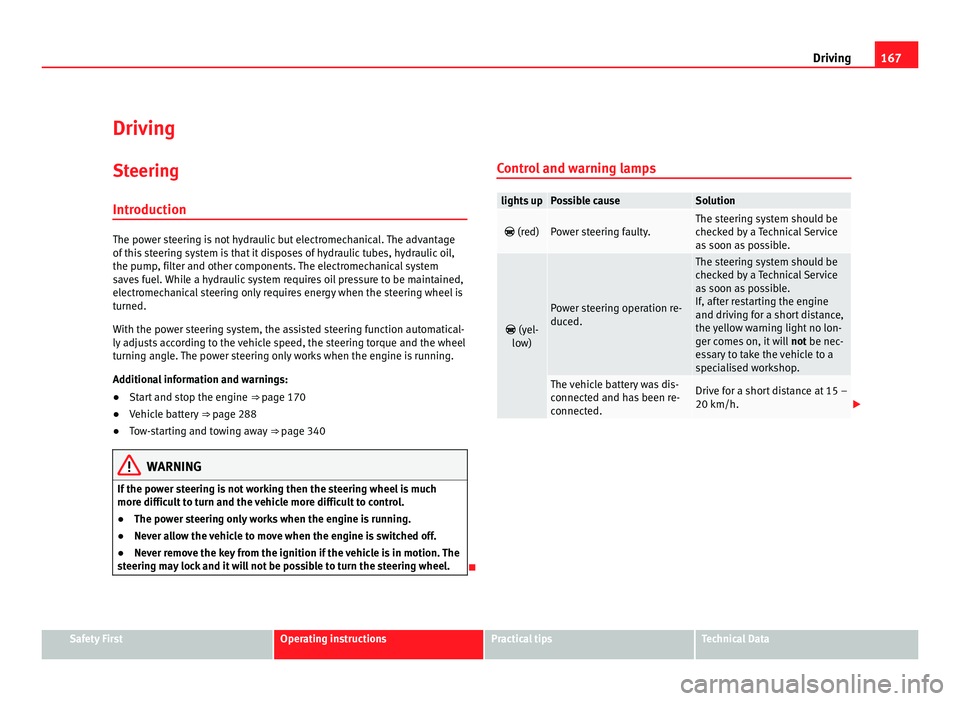
g may lock and it will not be possible to turn the steering wheel. Control and warning lamps lights up Possible cause Solution
(red) Power steering faulty. The steering system should be
chec
k
ed by a Technical Service
as soon as possible.
(yel-
lo w) Power steering operation re-
duced. The steering system should be
chec
k
ed by a Technical Service
as soon as possible.
If, after restarting the engine
and driving for a short distance,
the yellow warning light no lon-
ger comes on, it will not be nec-
essary to take the vehicle to a
specialised workshop. The vehicle battery was dis-
connect
ed and h
as been re-
connected. Drive for a short distance at 15 –
20 km/h.
Safety First Operating instructions Practical tips Technical Data
Page 172 of 385
170
Driving
Stopping and starting the engine
Introduction Immobiliser display
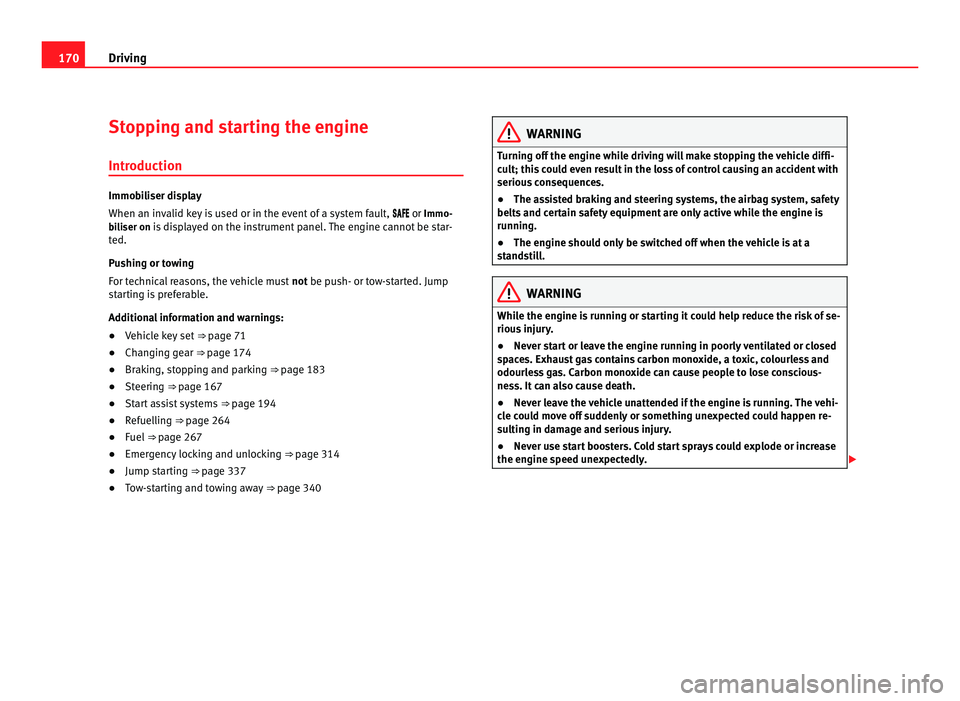
When an inv
alid k
ey is used or in the event of a system fault, or Immo-
biliser on is displayed on the instrument panel. The engine cannot be star- ted.
Pushing or towing
For technical reasons, the vehicle must not be push- or tow-started. Jump
starting is preferable.
Additional information and warnings:
● Vehicle key set ⇒ pag
e 71
● Changing gear ⇒ pag
e 174
● Braking, stopping and parking ⇒ page 183
● St
eering ⇒ pag
e 167
● Start assist systems ⇒ pag
e 194
● Refuelling ⇒ pag
e 264
● Fuel ⇒ page 267
● Emer
gency locking and unlocking ⇒ page 314
● Jump s
tarting ⇒ pag
e 337
● Tow-starting and towing away ⇒ pag
e 340 WARNING
Turning off the engine while driving will make stopping the vehicle diffi-
cu lt; thi
s could even result in the loss of control causing an accident with
serious consequences.
● The assisted braking and steering systems, the airbag system, safety
belts and c
ertain safety equipment are only active while the engine is
running.
● The engine should only be switched off when the vehicle is at a
stand
still. WARNING
While the engine is running or starting it could help reduce the risk of se-
rious injur
y.
● Never start or leave the engine running in poorly ventilated or closed
spac
es. Exhaust gas contains carbon monoxide, a toxic, colourless and
odourless gas. Carbon monoxide can cause people to lose conscious-
ness. It can also cause death.
● Never leave the vehicle unattended if the engine is running. The vehi-
cle c
ould move off suddenly or something unexpected could happen re-
sulting in damage and serious injury.
● Never use start boosters. Cold start sprays could explode or increase
the engine speed u
nexpectedly.
Page 175 of 385
173
Driving WARNING
Cold start sprays could explode or cause a sudden increase in the engine
speed.
● Nev er u
se start boosters. CAUTION
● An attempt to start the engine while driving or starting the engine imme-
di at
ely after turning it off can cause damage to the engine or starter motor.
● When the engine is cold, avoid high revs and heavy acceleration and do
not mak
e the engine work hard.
● Do not push or tow start the engine. Sunburnt fuel could damage the
catalytic
converter. For the sake of the environment
Do not warm the engine at idle speed; start driving immediately if the visi-
bi lity
is OK. This helps the engine reach operating temperature faster and
reduces emissions. Note
● For example, if the key battery is very worn or flat, the engine cannot be
s t
arted with the starter button. In this case, remove the ignition button from
the lock and insert the key.
● Electrical components with a high power consumption are switched off
temporari
ly when the engine starts.
● When the engine is started cold, there may be strong vibrations for a few
moments for t
echnical reasons. This is quite normal, and no cause for con-
cern.
● At temperatures below +5°C (+41°F), smoke may be given off below the
vehicl
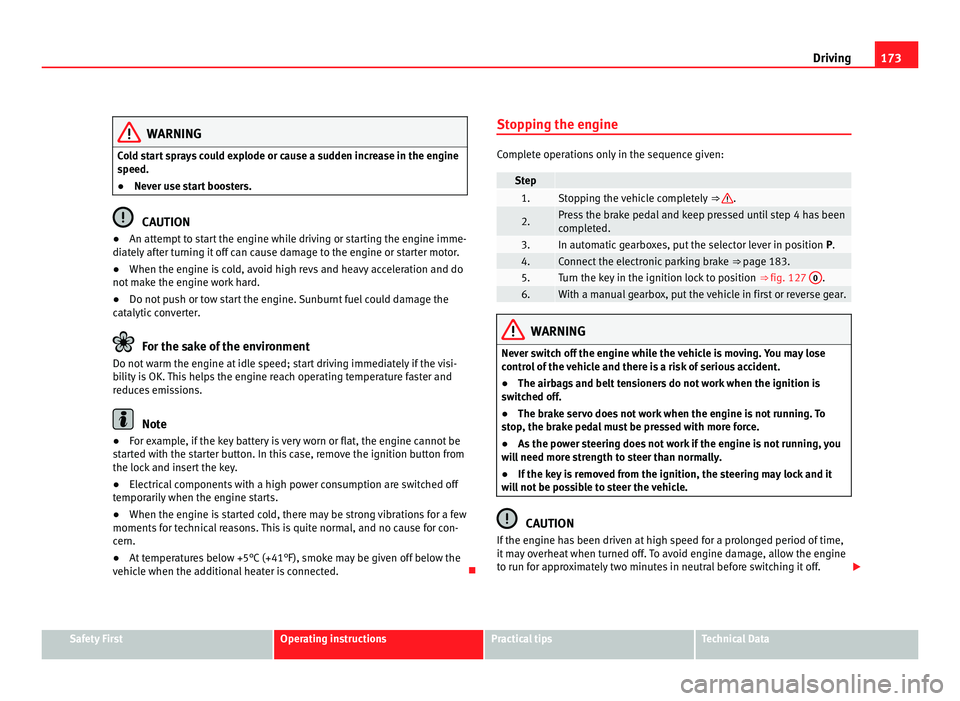
e when the additional heater is connected. Stopping the engine Complete operations only in the sequence given:
Step
1. Stopping the vehicle completely
⇒ .
2. Press the brake pedal and keep pressed until step 4 has been
comp
l
eted. 3. In automatic gearboxes, put the selector lever in position
P. 4. Connect the electronic parking brake
⇒ page 183. 5. Turn the key in the ignition lock to position
⇒ fig. 127 0 .
6. With a manual gearbox, put the vehicle in first or reverse gear.
WARNING
Never switch off the engine while the vehicle is moving. You may lose
contr o
l of the vehicle and there is a risk of serious accident.
● The airbags and belt tensioners do not work when the ignition is
switc
hed off.
● The brake servo does not work when the engine is not running. To
stop
, the brake pedal must be pressed with more force.
● As the power steering does not work if the engine is not running, you
wil
l need more strength to steer than normally.
● If the key is removed from the ignition, the steering may lock and it
wil
l not be possible to steer the vehicle. CAUTION
If the engine has been driven at high speed for a prolonged period of time,
it m a
y overheat when turned off. To avoid engine damage, allow the engine
to run for approximately two minutes in neutral before switching it off. Safety First Operating instructions Practical tips Technical Data
Page 184 of 385
182
Driving
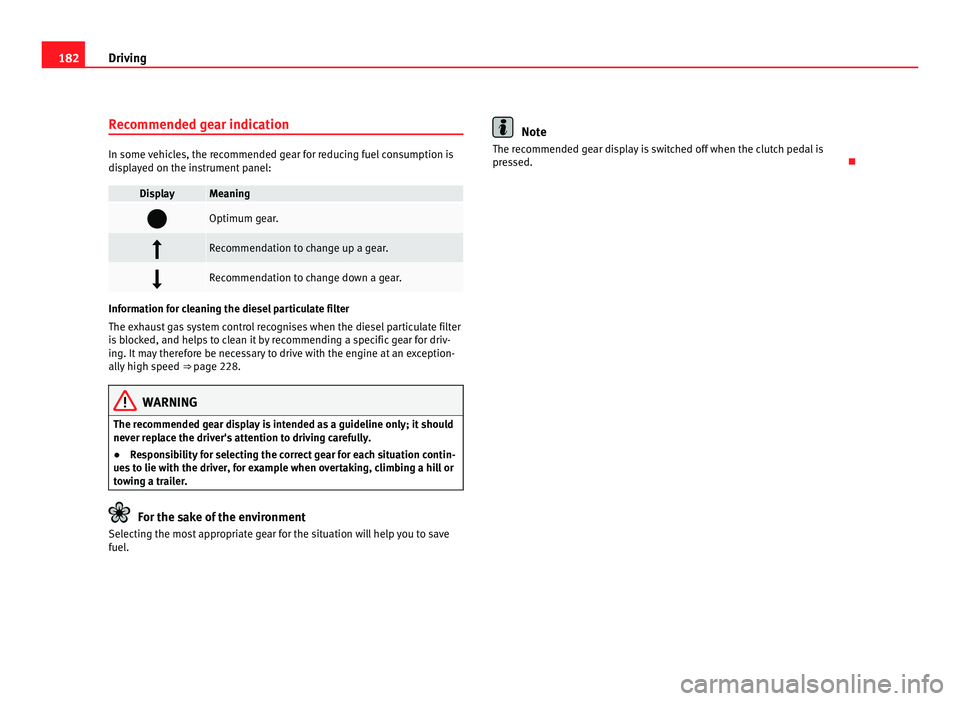
Recommended gear indication In some vehicles, the recommended gear for reducing fuel consumption is
dis
p
layed on the instrument panel: Display Meaning
Optimum gear.
Recommendation to change up a gear.
Recommendation to change down a gear.
Information for cleaning the diesel particulate filter
The exh
au
st gas system control recognises when the diesel particulate filter
is blocked, and helps to clean it by recommending a specific gear for driv-
ing. It may therefore be necessary to drive with the engine at an exception-
ally high speed ⇒ page 228. WARNING
The recommended gear display is intended as a guideline only; it should
never r ep
lace the driver's attention to driving carefully.
● Responsibility for selecting the correct gear for each situation contin-
ues t
o lie with the driver, for example when overtaking, climbing a hill or
towing a trailer. For the sake of the environment
Selecting the most appropriate gear for the situation will help you to save
fuel . Note
The recommended gear display is switched off when the clutch pedal is
pre s
sed.
Page 185 of 385
183
Driving
Braking, stopping and parking
Introduction The assisted braking systems include the anti-lock braking system (ABS),
the br
ak
e assist system (BAS), the electronic differential system (EDS), the
ASR traction control system (TCS) and the ESC electronic stabilisation pro-
gram (ESP).
Additional information and warnings:
● Towing mode ⇒ page 233
● St
art assist systems ⇒ page 194
● Wheel
s and tyres ⇒ page 293
● A
ccessories, parts replacement, repairs and modifications ⇒ page 257WARNING
Driving with worn brake pads or a faulty brake system may lead to seri-
ous ac
cident.
● If lights, alone or accompanied by a warning message on the in-
strument
panel, please go immediately to a specialist workshop to check
the brake pads and to replace them if they are worn. WARNING
Careless parking can cause serious injury.
● Never remove the key from the ignition if the vehicle is in motion. The
st eerin
g lock may engage and locked the steering wheel making the vehi-
cle impossible to control. WARNING (Continued)
● Always park your vehicle so that no part of the exhaust system can
c ome in c
ontact with flammable materials (such as wood, leaves, spilled
fuel, dried grass, etc).
● Always apply the electronic parking brake when you leave your vehi-
cle and when
you park.
● Never leave children or disabled people alone in the vehicle. They
coul
d release the electronic parking brake, activate the selector lever or
gear stick and start the vehicle moving. This could result in serious acci-
dent.
● Always take all the keys with you whenever you leave the vehicle. The
engine cou
ld accidentally be started and electrical equipment such as
the windows could accidentally be operated resulting in serious injury.
● Never leave children or disabled people alone in the car. They could
be trapped in the c
ar in an emergency and will not be able to get them-
selves to safety. For example, depending on the time of the year, temper-
atures inside a locked and closed vehicle can be extremely high or ex-
tremely low resulting in serious injuries and illness or even death, partic-
ularly for young children. CAUTION
● Special care should be taken when parking in areas with high kerbs or
fi x
ed barriers. Objects protruding from the ground may damage the bumper
or other parts of the vehicle during manoeuvres. To avoid damage, stop be-
fore the wheels touched the barrier or kerb.
● Special attention is required when driving through entrances, over
ramps, k
erbs or other objects. The vehicle underbody, bumpers, mudguards
and running gear, and the engine and exhaust system could be damaged as
you drive over these objects. Safety First Operating instructions Practical tips Technical Data