battery Seat Alhambra 2012 Owner's Guide
[x] Cancel search | Manufacturer: SEAT, Model Year: 2012, Model line: Alhambra, Model: Seat Alhambra 2012Pages: 388, PDF Size: 6.72 MB
Page 171 of 388
169
Driving
Driving SteeringIntroduction
The power steering is not hydraulic but electromechanical. The advantage
of this steering system is that it disposes of hydraulic tubes, hydraulic oil,
the pump, filter and other components. The electromechanical system
saves fuel. While a hydraulic system requires oil pressure to be maintained,
electromechanical steering only requires energy when the steering wheel is
turned.
With the power steering system, the assisted steering function automatical-
ly adjusts according to the vehicle speed, the steering torque and the wheel
turning angle. The power steering only works when the engine is running.
Additional information and warnings:
● Start and stop the engine ⇒ page 172
● Vehicle battery ⇒ page 292
● Tow-starting and towing away ⇒ page 344
WARNING
If the power steering is not working then the steering wheel is much
more difficult to turn and the vehicle more difficult to control.
● The power steering only works when the engine is running.
● Never allow the vehicle to move when the engine is switched off.
● Never remove the key from the ignition if the vehicle is in motion. The
steering may lock and it will not be possible to turn the steering wheel.
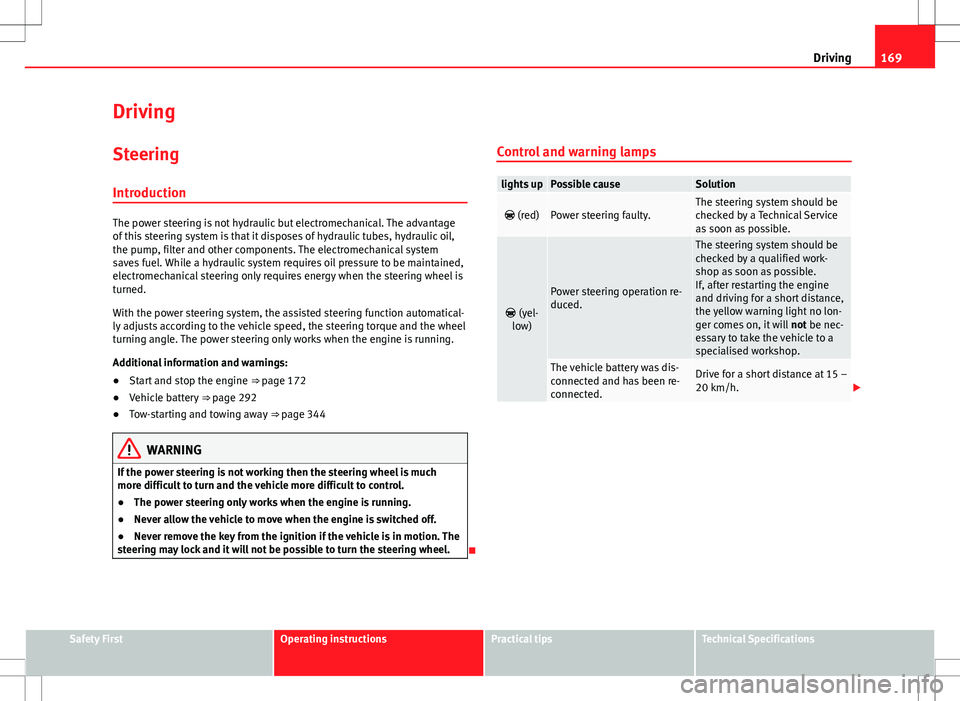
Control and warning lamps
lights upPossible causeSolution
(red)Power steering faulty.The steering system should be
checked by a Technical Service
as soon as possible.
(yel-
low)
Power steering operation re-
duced.
The steering system should be
checked by a qualified work-
shop as soon as possible.
If, after restarting the engine
and driving for a short distance,
the yellow warning light no lon-
ger comes on, it will not be nec-
essary to take the vehicle to a
specialised workshop.
The vehicle battery was dis-
connected and has been re-
connected.Drive for a short distance at 15 –
20 km/h.
Safety FirstOperating instructionsPractical tipsTechnical Specifications
Page 176 of 388
174Driving
Key not authorised for the vehicle
If a key which is not authorised for this vehicle is inserted in the ignition
lock, it can be removed as follows:
● Automatic gearbox: the key cannot be removed from the ignition lock.
Press and release the selector lever locking button. Key can be removed
from the vehicle.
● Manual gearbox: Remove the key from the ignition.
WARNING
Unsuitable or careless use of the vehicle key could result in serious in-
jury.
● Always take all the keys with you whenever you leave the vehicle. The
engine could accidentally be started and electrical equipment such as
the windows could accidentally be operated resulting in serious injury.
● Never leave children or disabled people alone in the car. They could
be trapped in the car in an emergency and will not be able to get them-
selves to safety. For example, depending on the time of the year, temper-
atures inside a locked and closed vehicle can be extremely high or ex-
tremely low resulting in serious injuries and illness or even death, partic-
ularly for young children.
● Never remove the key from the ignition if the vehicle is in motion. The
steering may lock and it will not be possible to turn the steering wheel.
Note
● If the key is left in the ignition lock with the engine off for long periods,
the vehicle battery will run flat.
● For automatic gearbox vehicles the key can only be removed from the ig-
nition lock if the gear selector lever is in position P. In this case, press and
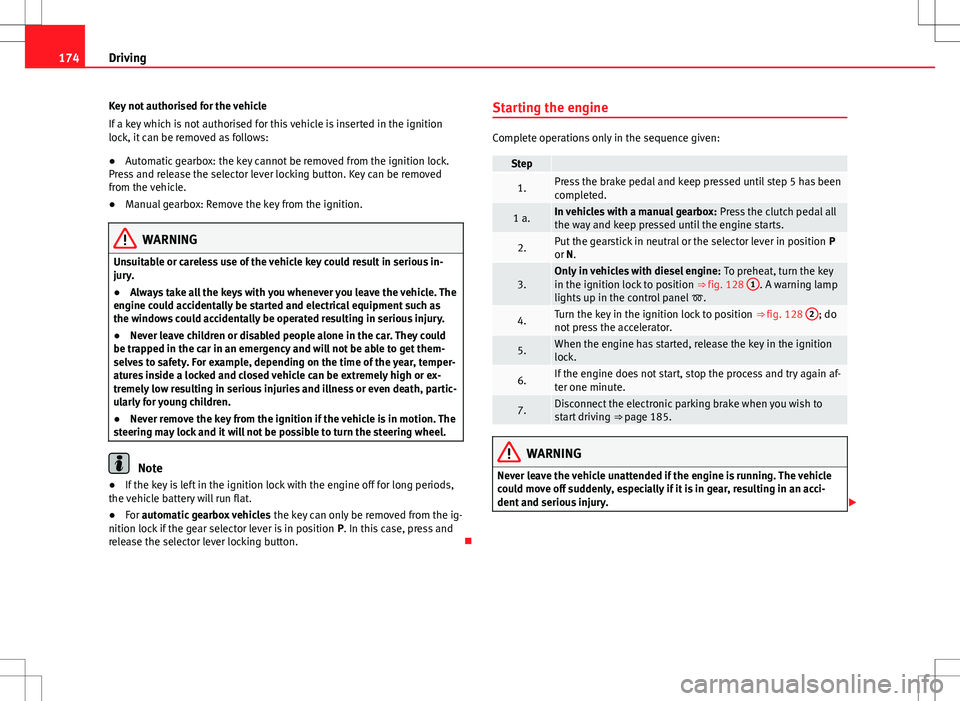
release the selector lever locking button. Starting the engine
Complete operations only in the sequence given:
Step
1.Press the brake pedal and keep pressed until step 5 has been
completed.
1 a.In vehicles with a manual gearbox:
Press the clutch pedal all
the way and keep pressed until the engine starts.
2.Put the gearstick in neutral or the selector lever in position P
or N.
3.Only in vehicles with diesel engine: To preheat, turn the key
in the ignition lock to position ⇒ fig. 128 1. A warning lamp
lights up in the control panel .
4.Turn the key in the ignition lock to position ⇒ fig. 128 2; do
not press the accelerator.
5.When the engine has started, release the key in the ignition
lock.
6.If the engine does not start, stop the process and try again af-
ter one minute.
7.Disconnect the electronic parking brake when you wish to
start driving ⇒ page 185.
WARNING
Never leave the vehicle unattended if the engine is running. The vehicle
could move off suddenly, especially if it is in gear, resulting in an acci-
dent and serious injury.
Page 177 of 388
175
Driving
WARNING
Cold start sprays could explode or cause a sudden increase in the engine
speed.
● Never use start boosters.
CAUTION
● An attempt to start the engine while driving or starting the engine imme-
diately after turning it off can cause damage to the engine or starter motor.
● When the engine is cold, avoid high revs and heavy acceleration and do
not make the engine work hard.
● Do not push or tow start the engine. Sunburnt fuel could damage the
catalytic converter.
For the sake of the environment
Do not warm the engine at idle speed; start driving immediately if the visi-
bility is OK. This helps the engine reach operating temperature faster and
reduces emissions.
Note
● For example, if the key battery is very worn or flat, the engine cannot be
started with the starter button. In this case, remove the ignition button from
the lock and insert the key.
● Electrical components with a high power consumption are switched off
temporarily when the engine starts.
● When the engine is started cold, there may be strong vibrations for a few
moments for technical reasons. This is quite normal, and no cause for con-
cern.
● At temperatures below +5 °C (+41 °F), smoke may be given off below the
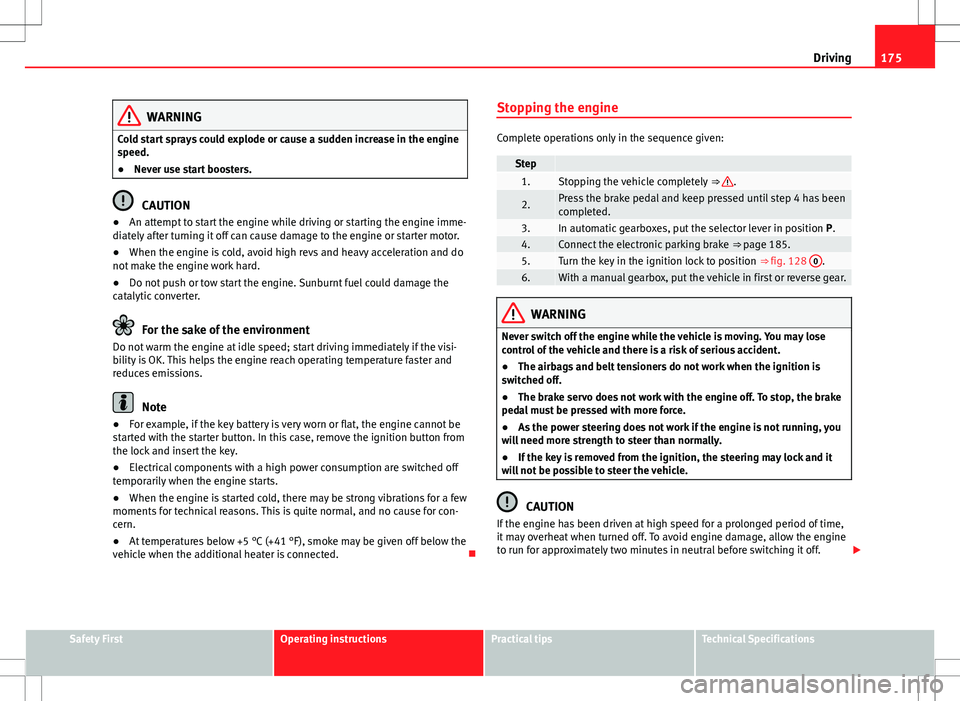
vehicle when the additional heater is connected. Stopping the engine
Complete operations only in the sequence given:
Step 1.Stopping the vehicle completely
⇒ .
2.Press the brake pedal and keep pressed until step 4 has been
completed.
3.In automatic gearboxes, put the selector lever in position P.4.Connect the electronic parking brake ⇒ page 185.5.Turn the key in the ignition lock to position ⇒ fig. 128 0.6.With a manual gearbox, put the vehicle in first or reverse gear.
WARNING
Never switch off the engine while the vehicle is moving. You may lose
control of the vehicle and there is a risk of serious accident.
● The airbags and belt tensioners do not work when the ignition is
switched off.
● The brake servo does not work with the engine off. To stop, the brake
pedal must be pressed with more force.
● As the power steering does not work if the engine is not running, you
will need more strength to steer than normally.
● If the key is removed from the ignition, the steering may lock and it
will not be possible to steer the vehicle.
CAUTION
If the engine has been driven at high speed for a prolonged period of time,
it may overheat when turned off. To avoid engine damage, allow the engine
to run for approximately two minutes in neutral before switching it off.
Safety FirstOperating instructionsPractical tipsTechnical Specifications
Page 188 of 388
186Driving
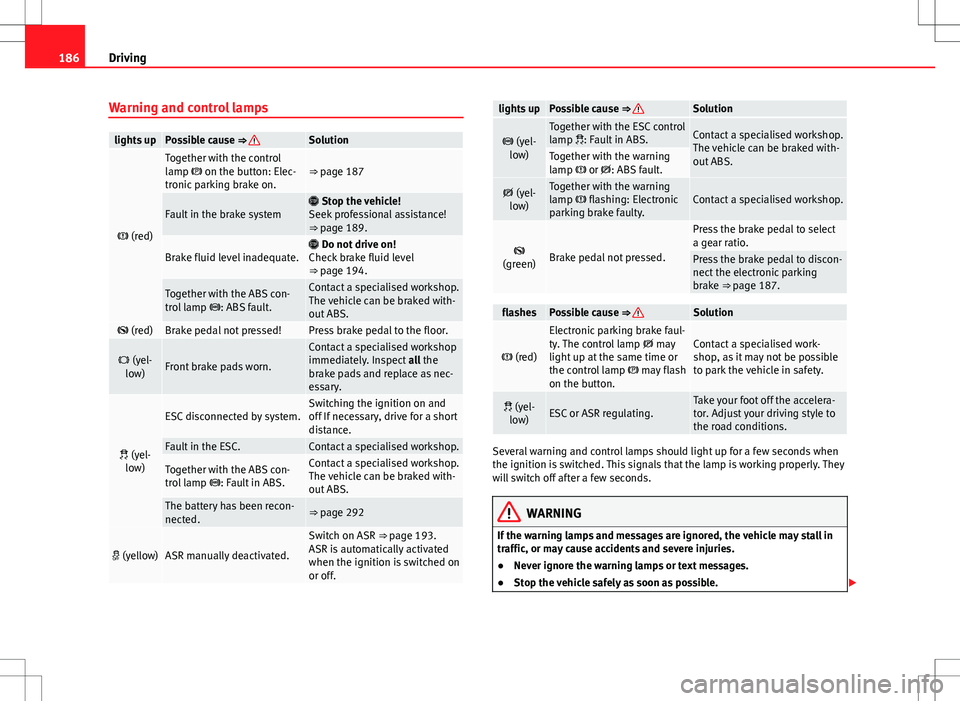
Warning and control lamps
lights upPossible cause ⇒ Solution
(red)
Together with the control
lamp on the button: Elec-
tronic parking brake on.⇒ page 187
Fault in the brake system Stop the vehicle!
Seek professional assistance!
⇒ page 189.
Brake fluid level inadequate. Do not drive on!
Check brake fluid level
⇒ page 194.
Together with the ABS con-
trol lamp : ABS fault.Contact a specialised workshop.
The vehicle can be braked with-
out ABS.
(red)Brake pedal not pressed!Press brake pedal to the floor.
(yel-
low)Front brake pads worn.
Contact a specialised workshop
immediately. Inspect all the
brake pads and replace as nec-
essary.
(yel-
low)
ESC disconnected by system.Switching the ignition on and
off If necessary, drive for a short
distance.
Fault in the ESC.Contact a specialised workshop.
Together with the ABS con-
trol lamp : Fault in ABS.Contact a specialised workshop.
The vehicle can be braked with-
out ABS.
The battery has been recon-
nected.⇒ page 292
(yellow)ASR manually deactivated.
Switch on ASR ⇒ page 193.
ASR is automatically activated
when the ignition is switched on
or off.
lights upPossible cause ⇒ Solution
(yel-
low)Together with the ESC control
lamp : Fault in ABS.Contact a specialised workshop.
The vehicle can be braked with-
out ABS.
Together with the warning
lamp or : ABS fault.
(yel-
low)Together with the warning
lamp flashing: Electronic
parking brake faulty.Contact a specialised workshop.
(green)Brake pedal not pressed.
Press the brake pedal to select
a gear ratio.
Press the brake pedal to discon-
nect the electronic parking
brake ⇒ page 187.
flashesPossible cause ⇒ Solution
(red)
Electronic parking brake faul-
ty. The control lamp may
light up at the same time or
the control lamp may flash
on the button.Contact a specialised work-
shop, as it may not be possible
to park the vehicle in safety.
(yel- low)ESC or ASR regulating.Take your foot off the accelera-
tor. Adjust your driving style to
the road conditions.
Several warning and control lamps should light up for a few seconds when
the ignition is switched. This signals that the lamp is working properly. They
will switch off after a few seconds.
WARNING
If the warning lamps and messages are ignored, the vehicle may stall in
traffic, or may cause accidents and severe injuries.
● Never ignore the warning lamps or text messages.
● Stop the vehicle safely as soon as possible.
Page 190 of 388
188Driving
Automatic release of the electronic parking brake on starting the engine
The electronic parking brake is automatically released when the vehicle
starts moving, if the driver's door is closed and the driver is wearing his/her
seat belt. In vehicles with a manual gearbox the clutch pedal should also be
pressed to the floor before starting the engine so that the system recogni-
ses that the parking brake should be released.
Emergency braking function
Only use the emergency braking function if the vehicle cannot be stopped
with the brake pedal ⇒
!
● Pull button
hard to stop the vehicle. The warning display will be ac-
companied by the corresponding warning chime.
● To stop the braking process, release the button or press the accelerator.
WARNING
The incorrect use of the electronic parking brake may result in serious ac-
cident.
● Never use the electronic parking brake to brake the vehicle except in
an emergency. The braking distance is considerably longer, because
braking is only applied to the rear wheels. Always use the foot brake.
● Never accelerate from the engine compartment with the engine run-
ning and a gear or a gear range engaged. The vehicle could move, even if
the parking brake is applied.
Note
● In vehicles with a manual gearbox: When the clutch pedal is released
and the accelerator pressed at the same time, the electronic parking brake
is automatically released.
● If the vehicle battery is flat, it will not be possible to disconnect the elec-
tronic parking brake. Use the jump-start ⇒ page 341. ●
When the electronic parking brake is applied or released, noises may be
heard.
● If the electronic parking brake has not been used for a long while, the
system sometimes performs automatic and audible checks while the vehi-
cle is at a standstill.
Parking
When parking your vehicle, all legal requirements should be observed.
To park the vehicle
Complete operations only in the sequence given.
● Park the vehicle on a suitable surface ⇒
.
● Press and hold the brake pedal until the vehicle comes to a standstill.
● Connect the electronic parking brake ⇒ page 187.
● For an automatic gearbox, move the selector lever to position P.
● Switch off the engine and release the brake pedal.
● Remove the key from the ignition.
● If necessary, turn the steering wheel slightly to lock the steering.
● With a manual gearbox, engage the 1st gear on flat ground and slopes,
or even the reverse gear on hills, and release the clutch pedal.
● Ensure that all passengers leave the vehicle, especially children.
● When leaving the vehicle, take all keys with you.
● Lock the vehicle.
Additional information for steep slopes and hills
Before switching off the engine, rotate the steering wheel so that if the vehi-
cle should move then it will be held by the kerb.
Page 198 of 388
196Driving
Start assist systems
Introduction
Additional information and warnings:
● SEAT information system ⇒ page 62
● Braking, stopping and parking ⇒ page 185
● Vehicle battery ⇒ page 292
● Wheels and tyres ⇒ page 297
● Accessories, parts replacement, repairs and modifications ⇒ page 261
● Jump starting ⇒ page 341
WARNING
The intelligent technology in the start assist systems cannot change the
laws of physics. The improved comfort provided by start assist systems
should not prompt you to take risks.
● Unintentional movements of the vehicle could cause serious injury.
● The start assist systems are not a replacement for driver awareness.
● Always try to adapt the speed of the vehicle and your style of driving
to the condition of the ground or the road and to weather and traffic con-
ditions.
● The start assist system cannot keep the vehicle stationary in all con-
ditions on a gradient or cause it to brake on steep downhill gradients,
e.g. if the road is slippery or icy.
Auto Hold function*
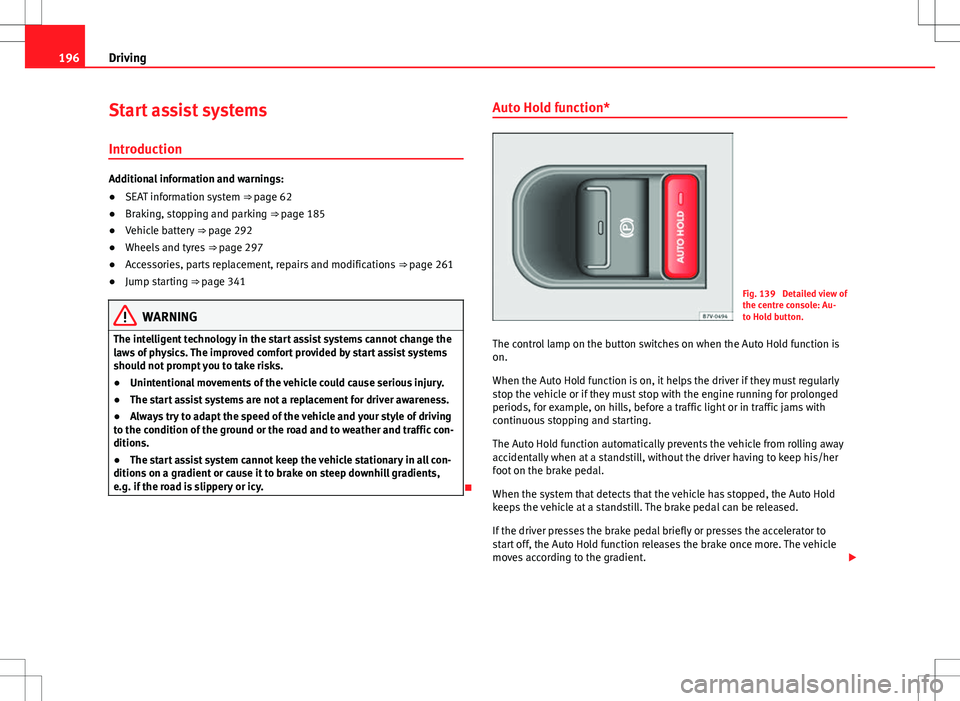
Fig. 139 Detailed view of
the centre console: Au-
to Hold button.
The control lamp on the button switches on when the Auto Hold function is
on.
When the Auto Hold function is on, it helps the driver if they must regularly
stop the vehicle or if they must stop with the engine running for prolonged
periods, for example, on hills, before a traffic light or in traffic jams with
continuous stopping and starting.
The Auto Hold function automatically prevents the vehicle from rolling away
accidentally when at a standstill, without the driver having to keep his/her
foot on the brake pedal.
When the system that detects that the vehicle has stopped, the Auto Hold
keeps the vehicle at a standstill. The brake pedal can be released.
If the driver presses the brake pedal briefly or presses the accelerator to
start off, the Auto Hold function releases the brake once more. The vehicle
moves according to the gradient.
Page 200 of 388
198Driving
Start-Stop Function*
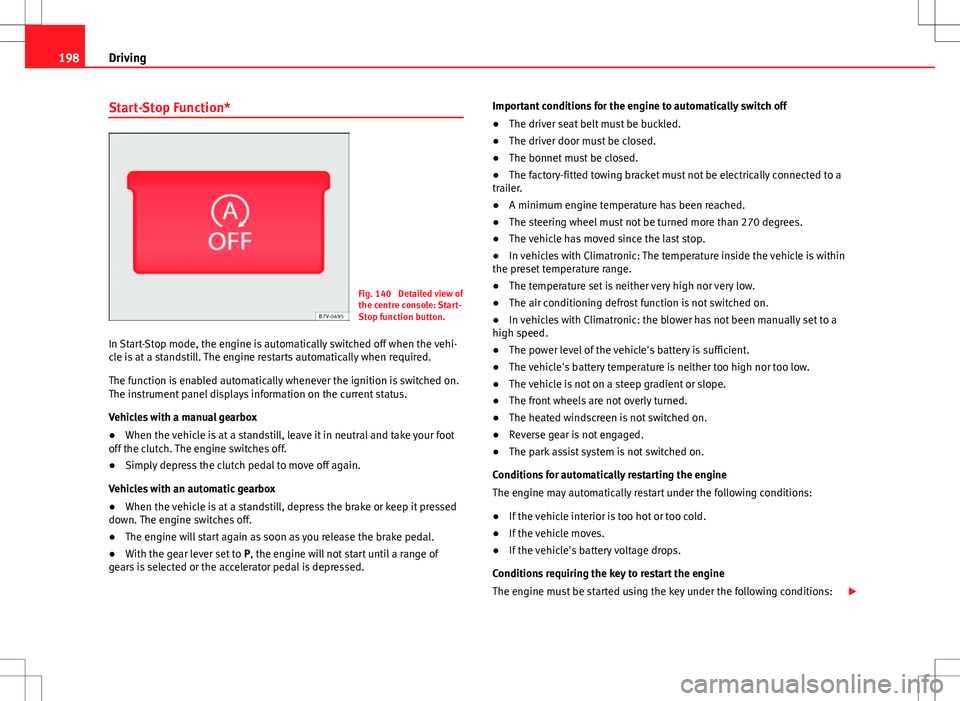
Fig. 140 Detailed view of
the centre console: Start-
Stop function button.
In Start-Stop mode, the engine is automatically switched off when the vehi-
cle is at a standstill. The engine restarts automatically when required.
The function is enabled automatically whenever the ignition is switched on.
The instrument panel displays information on the current status.
Vehicles with a manual gearbox
● When the vehicle is at a standstill, leave it in neutral and take your foot
off the clutch. The engine switches off.
● Simply depress the clutch pedal to move off again.
Vehicles with an automatic gearbox
● When the vehicle is at a standstill, depress the brake or keep it pressed
down. The engine switches off.
● The engine will start again as soon as you release the brake pedal.
● With the gear lever set to P, the engine will not start until a range of
gears is selected or the accelerator pedal is depressed. Important conditions for the engine to automatically switch off
●
The driver seat belt must be buckled.
● The driver door must be closed.
● The bonnet must be closed.
● The factory-fitted towing bracket must not be electrically connected to a
trailer.
● A minimum engine temperature has been reached.
● The steering wheel must not be turned more than 270 degrees.
● The vehicle has moved since the last stop.
● In vehicles with Climatronic: The temperature inside the vehicle is within
the preset temperature range.
● The temperature set is neither very high nor very low.
● The air conditioning defrost function is not switched on.
● In vehicles with Climatronic: the blower has not been manually set to a
high speed.
● The power level of the vehicle's battery is sufficient.
● The vehicle's battery temperature is neither too high nor too low.
● The vehicle is not on a steep gradient or slope.
● The front wheels are not overly turned.
● The heated windscreen is not switched on.
● Reverse gear is not engaged.
● The park assist system is not switched on.
Conditions for automatically restarting the engine
The engine may automatically restart under the following conditions:
● If the vehicle interior is too hot or too cold.
● If the vehicle moves.
● If the vehicle's battery voltage drops.
Conditions requiring the key to restart the engine
The engine must be started using the key under the following conditions:
Page 201 of 388
199
Driving
● If the driver unbuckles his/her seat belt.
● If the driver's door is opened.
● If the bonnet is opened.
● In vehicles with a manual gearbox: If a gear has been selected.
Switching Start-Stop mode on and off manually
● Press the
button on the centre console ⇒
fig. 140.
● The button will light up when the Start-Stop function is switched off.
The engine will start immediately if the vehicle is in Stop mode when it is
switched off manually.
WARNING
The brake servo and the power steering do not work when the engine is
switched off.
● Never allow the vehicle to move when the engine is switched off.
CAUTION
Using the Start-Stop function for a long period at very high outdoor temper-
atures could damage the vehicle's battery.
Note
● In some cases, you may have to restart the vehicle using the key. Ob-
serve the corresponding message on the instrument panel display.
● If the steering wheel is turned more than 270°, Stop will not function;
however, the angle of steering wheel turn does not affect starting the vehi-
cle.
Safety FirstOperating instructionsPractical tipsTechnical Specifications
Page 234 of 388
232Driving and the environment
Avoid carrying unnecessary loads
The lighter the vehicle, the more economical and ecological the driving
style. For example, an additional weight of 100 kg will increase fuel con-
sumption up to 0.3 l/100 km.
Remove any unnecessary objects or loads from the vehicle.
Remove optional equipment and unnecessary accessories
The more aerodynamic the vehicle, the lower the fuel consumption. Option-
al equipment and accessories (such as roof racks or bike carriers) reduce
the aerodynamic benefits of the vehicle.
Therefore, we recommend you remove all optional and unnecessary equip-
ment and racks, especially if you intend to drive at high speeds.
Engine management and exhaust gas
purification system Introduction
Additional information and warnings:
● Changing gear ⇒ page 176
● Refuelling ⇒ page 268
● Fuel ⇒ page 271
● Engine oil ⇒ page 283
● Vehicle battery ⇒ page 292
● Information stored in the control units ⇒ page 261
● Tow-starting and towing away ⇒ page 344
WARNING
The components of the exhaust system reach very high temperatures.
This could cause a fire.
● Always park your vehicle so that no part of the exhaust system can
come in contact with flammable materials (such as dried grass).
● Do not apply additional underseal or anti-corrosion coatings to the
exhaust pipes, catalytic converter, heat shields or the diesel particulate
filter.
Warning lamps
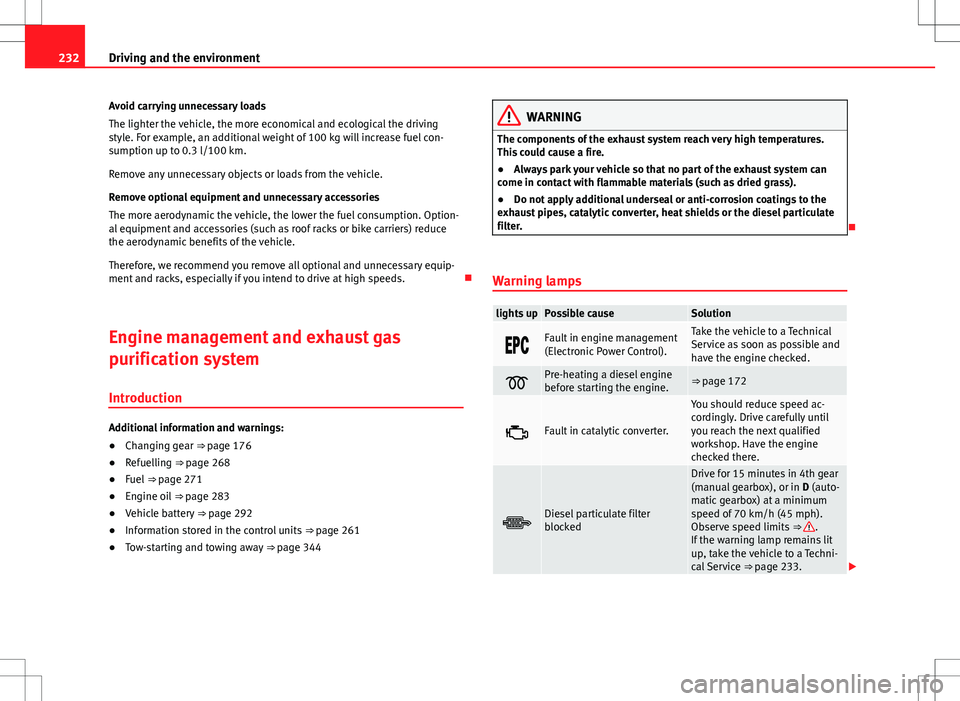
lights upPossible causeSolution
Fault in engine management
(Electronic Power Control).Take the vehicle to a Technical
Service as soon as possible and
have the engine checked.
Pre-heating a diesel engine
before starting the engine.⇒ page 172
Fault in catalytic converter.
You should reduce speed ac-
cordingly. Drive carefully until
you reach the next qualified
workshop. Have the engine
checked there.
Diesel particulate filter
blocked
Drive for 15 minutes in 4th gear
(manual gearbox), or in D (auto-
matic gearbox) at a minimum
speed of 70 km/h (45 mph).
Observe speed limits ⇒
.
If the warning lamp remains lit
up, take the vehicle to a Techni-
cal Service ⇒ page 233.
Page 242 of 388
240Trailer towing
Trailer electric socket
The electric connection between vehicle and trailer is a 13-pin socket. If the
trailer plug has seven pins, an adapter cable must be used.
Trailer rear lights
Check the trailer rear lights to ensure they work correctly and remain legal.
Ensure that the trailer does not use more than the maximum power
⇒ page 237.
Trailer connected to the anti-theft alarm:
● When a vehicle comes from the factory fitted with an anti-theft alarm
and tow hitch.
● When the trailer is connected to the vehicle using the socket.
● When the vehicle and trailer electrical systems work correctly and are
not damaged.
● When the vehicle is locked using the vehicle key and the anti-theft alarm
is turned on.
When the vehicle is locked, the alarm is triggered when the electrical con-
nection between the vehicle and the trailer is removed.
Always turn off the anti-theft alarm system before connecting or disconnect-
ing a trailer. Otherwise, the tilt sensor may erroneously activate the alarm.
WARNING
Erroneous or unsuitable connection of electric cables may supply energy
to the trailer causing an anomaly in the vehicle electronics that could re-
sult in an accident with serious consequences.
● All work on the electrical system must be carried out only by a speci-
alised workshop.
● Never connect the trailer's electric system to the electrical connec-
tions of the rear lights or any other power sources.
CAUTION
Do not leave the trailer connected to the vehicle when parked; places on its
support wheel or its supports. For example, when changing the load or a
puncture, the vehicle will be pushed up or down. The force acting on the
tow hitch and the trailer could damage the vehicle or the trailer.
Note
● In case of a fault in the vehicle or trailer electrical system or in case of
problems with the anti-theft alarm system, have the system checked by a
specialised workshop.
● If the trailer accessories use energy from the socket when the engine is
stopped, the battery will be discharged.
● For technical reasons, trailers fitted with rear LED lights cannot be con-
nected to the anti-theft alarm system.
● If the vehicle battery is running low, the electrical connection with the
trailer is automatically cut.
● With the engine running, the electrical equipment on the trailer will con-
sume power.
Loading the trailer
Trailer weight / drawbar load
The trailer weight is the load that the vehicle can pull ⇒ . The drawbar
load is the vertical weight of the trailer hitch on the tow hitch ball
⇒ page 244.
The figures for trailer weights and draw bar weights given on the data plate
of the towing bracket are for values of this model only. The correct figures
for your specific vehicle, which may be lower than these figures for the tow
hitch, are given in the registration documents. The instructions in the offi-
cial vehicle documents take precedence.