display Seat Alhambra 2012 Owner's Guide
[x] Cancel search | Manufacturer: SEAT, Model Year: 2012, Model line: Alhambra, Model: Seat Alhambra 2012Pages: 388, PDF Size: 6.72 MB
Page 86 of 388
84Unlocking and locking
Tailgate
Introduction
Additional information and warnings:
● Central locking ⇒ page 74
● Transporting ⇒ page 13
● Emergency locking and unlocking ⇒ page 318
WARNING
Careless and unsuitable locking, opening and closing of the tailgate can
cause accidents and serious injury.
● Open and close the tailgate only when nobody is in the way.
● Do not close the tailgate by pushing it down with your hand on the
rear window. The rear window could break and cause injury.
● Ensure the tailgate is locked after closing, otherwise, it may open un-
expectedly while driving. A closed tailgate should be flush with the cor-
responding parts of the bodywork.
● Always keep the tailgate closed while driving to avoid toxic gases en-
tering the passenger compartment.
● Do not open the tailgate when there is a load carrier installed. Like-
wise, the tailgate cannot be opened when a load is attached to it, for ex-
ample bicycles. An open tailgate could close itself if there is an addition-
al weight on it. If necessary, press down on the tailgate and remove the
load.
● Close and lock both the tailgate and all the other doors when you are
not using the vehicle. Ensure that nobody remains inside the vehicle.
● Never allow children to play inside or around the vehicle without su-
pervision, especially if the tailgate is open. Children could enter the lug-
gage compartment, close the tailgate and become trapped. Depending
WARNING (Continued)
on the time of the year, temperatures inside a locked and closed vehicle
can be extremely high or extremely low resulting in serious injuries and
illness or even death, particularly for young children.
● Never leave children or disabled people alone in the vehicle. If the ve-
hicle key or the central locking button is used, they may be locked in the
vehicle.
CAUTION
Before opening the tailgate, ensure that there is sufficient free space to
open and close it, for example if you are towing a trailer or in a garage.
Warning indicator
lights upPossible causeSolution
The tailgate is open or not
correctly shut. Stop driving immediately!
Open the tailgate and close it
again.
Several warning and control lamps should light up for a few seconds when
the ignition is switched. This signals that the lamp is working properly. They
will switch off after a few seconds.
A warning appears on the instrument panel if the tailgate is open or not
properly closed.
Depending on the vehicle equipment, a symbol may be displayed on the in-
strument panel screen instead of the warning lamp. The indication is also
visible when the ignition is switched off. The indication disappears around
15 seconds after the vehicle has been locked.
Page 99 of 388
97
Lights and visibility
The control turn signals are switched on and off from the menu Lights & Visi-
bility on the instrument panel display ⇒ page 62. This function can be dis-
connected at a specialised workshop for those vehicles which do not have
the menu Lights & Visibility .
WARNING
Incorrect use of the headlamps may cause accidents and serious injury,
as the main beam may distract or dazzle other drivers.
Note
● The turn signal only works when the ignition is switched on. The hazard
warning lights also work when the ignition is switched off ⇒ page 316.
● If a turn signal on the vehicle or trailer is faulty, the warning lamp flash-
es twice as fast as usual.
● The main beam headlights can only be switched on if the dipped beam
headlights are already on.
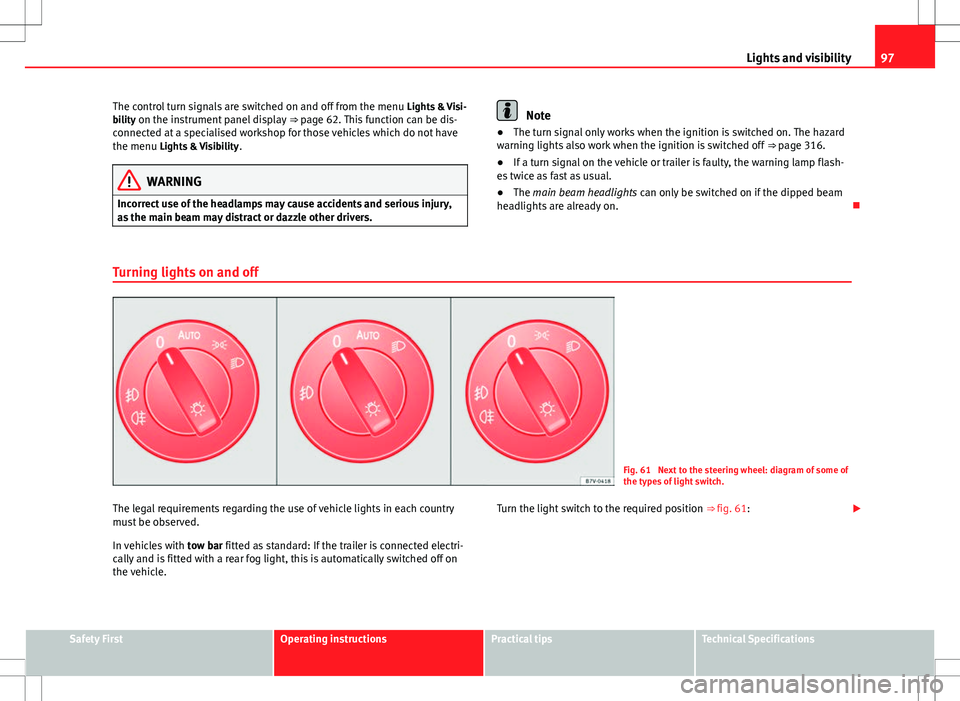
Turning lights on and off
Fig. 61 Next to the steering wheel: diagram of some of
the types of light switch.
The legal requirements regarding the use of vehicle lights in each country
must be observed.
In vehicles with tow bar fitted as standard: If the trailer is connected electri-
cally and is fitted with a rear fog light, this is automatically switched off on
the vehicle. Turn the light switch to the required position
⇒ fig. 61:
Safety FirstOperating instructionsPractical tipsTechnical Specifications
Page 102 of 388
100Lights and visibility
Switching on and off
How it worksSwitching
on:– With the ignition on, turn the lights control to the position
and put the turn signal and main beam lever in the
main beam position ⇒ page 96. When the headlight adjust-
ment (automatic also) is activated, the warning lamp lights
up in the instrument panel display .
Switching
off:– Disconnect the on button.
– OR: turn the lights control to a different position to
⇒ page 97.
– OR: place the turn signal and main beam lever in the
headlight flasher or main beam position ⇒ page 96.
The following conditions can cause the headlight adjustment to fail to turn
off the main beam or fail to do so in time:
●On roads with insufficient lighting with very reflective signs
● If road users are insufficiently lit up, e.g. pedestrians or cyclists
● On closed curves, when the traffic in the opposite direction is partially
hidden, on pronounced slopes
● On roads with traffic in the opposite direction and with a central reserva-
tion barrier when the driver can see through gaps or over it e.g. lorry drivers
● If the camera is damaged or if the power supply has been cut off
● In the event of fog, snow or heavy rain
● In the event of dust or sand storms
● If the windscreen is damaged by the impact from a stone in the camera's
field of vision
● If the camera's field of vision is misted up, dirty or covered by a sticker,
snow or ice.
WARNING
The greater comfort that the headlight adjustment provides (automatic
also) must not cause you to take risks. The system is not a replacement
for driver awareness.
● Always monitor the lights yourself and adjust them depending on the
light, visibility and traffic conditions.
● The headlight adjustment (automatic also) may not correctly detect
all situations and in certain situations may only provide limited function.
● If the windscreen is damaged or modifications are made to the vehi-
cle lighting, this may harm the functioning of the headlight adjustment
(automatic also), for example, if additional headlight are fitted.
Note
Main beam and flashed headlights can be turned on and off manually at
any time with the turn signal and main beam lever ⇒ page 96.
Adhesive strips for headlights or adjusting headlights
In those countries where vehicles drive on the other side of the road to the
home country, the asymmetric dipped beam may dazzle drivers of oncom-
ing vehicles. Therefore, when driving abroad, adhesive strips should be at-
tached to the headlights or the headlights should be adjusted accordingly.
The direction of the headlights can be adjusted from the instrument panel,
in the Tourist light submenu of the Configuration menu
⇒ page 67.
For those vehicles in which it is not possible to adjust the headlights from
the menu, adhesive strips are used to cover certain parts of the headlamp
cover or the headlights may be adjusted at a specialised workshop. For fur-
ther information, please refer to a specialised workshop. SEAT recommends
visiting a Technical Service.
Page 159 of 388
157
Air conditioning
Air conditioning Climate Control
Introduction
Viewing Climatronic information
The factory-fitted radio or navigation system screen briefly displays informa-
tion relating to Climatronic.
The units of temperature measurement is displayed on the factory-installed
radio or navigation system and, depending on the vehicle equipment, can
be set using the Configuration menu on the instrument panel.
Additional information and warnings:
● SEAT information system ⇒ page 62
● Windscreen wash system ⇒ page 105
● Auxiliary heating ⇒ page 165
● Caring for and cleaning the vehicle exterior ⇒ page 246
WARNING
Reduced visibility through the windows increases the risk of serious acci-
dents.
● Ensure that all windows are free of ice and snow and that they are not
fogged up preventing a clear view of everything outside.
● The maximum heat output required to defrost windows quickly is only
available when the engine has reached its normal running temperature.
Only drive when you have good visibility.
WARNING (Continued)
● Always ensure that you use the climate control and heated rear win-
dow to maintain good visibility.
● Never leave the air recirculation on for a long period of time. If the
cooling mode is switched off and air recirculation mode switched on, the
windows can mist over very quickly, considerably limiting visibility.
● Switch air recirculation mode off when it is not required.
WARNING
Stuffy or used air will increase fatigue and reduce driver concentration
possibly resulting in a serious accident.
● Never leave the fresh air fan turned off or use the air recirculation for
long periods of time; the air inside the passenger compartment will not
be refreshed.
CAUTION
● Switch the climate control system off if you think it may be broken. This
will avoid additional damage. Have the air conditioner checked by a special-
ised workshop.
● Repairs to the air conditioner require specialist knowledge and special
tools. SEAT recommends visiting a Technical Service.
● Do not smoke when air recirculation is switched on in vehicles with a cli-
mate control system. The smoke taken in could lie on the cooling system va-
poriser and on the activated charcoal cartridge of the dust and pollen filter,
leading to a permanently unpleasant smell.
Safety FirstOperating instructionsPractical tipsTechnical Specifications
Page 162 of 388
160Air conditioning
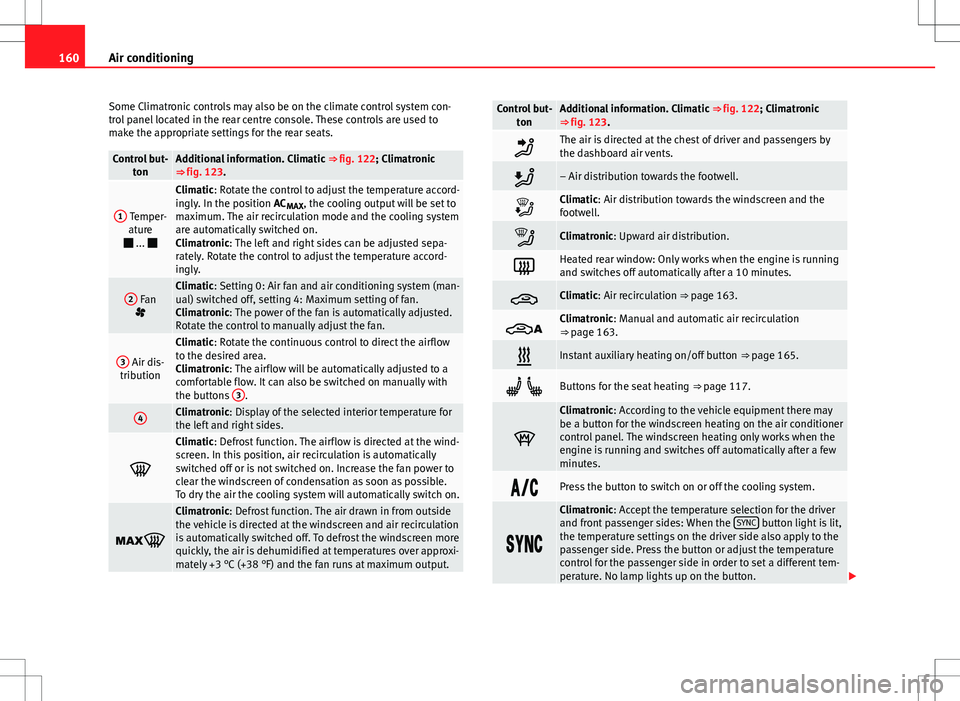
Some Climatronic controls may also be on the climate control system con-
trol panel located in the rear centre console. These controls are used to
make the appropriate settings for the rear seats.
Control but- tonAdditional information. Climatic ⇒ fig. 122; Climatronic
⇒ fig. 123.
1 Temper- ature
...
Climatic: Rotate the control to adjust the temperature accord-
ingly. In the position AC MAX, the cooling output will be set to
maximum. The air recirculation mode and the cooling system
are automatically switched on.
Climatronic: The left and right sides can be adjusted sepa-
rately. Rotate the control to adjust the temperature accord-
ingly.
2 Fan
Climatic: Setting 0: Air fan and air conditioning system (man-
ual) switched off, setting 4: Maximum setting of fan.
Climatronic: The power of the fan is automatically adjusted.
Rotate the control to manually adjust the fan.
3 Air dis-
tribution
Climatic: Rotate the continuous control to direct the airflow
to the desired area.
Climatronic: The airflow will be automatically adjusted to a
comfortable flow. It can also be switched on manually with
the buttons 3
.
4Climatronic: Display of the selected interior temperature for
the left and right sides.
Climatic: Defrost function. The airflow is directed at the wind-
screen. In this position, air recirculation is automatically
switched off or is not switched on. Increase the fan power to
clear the windscreen of condensation as soon as possible.
To dry the air the cooling system will automatically switch on.
Climatronic: Defrost function. The air drawn in from outside
the vehicle is directed at the windscreen and air recirculation
is automatically switched off. To defrost the windscreen more
quickly, the air is dehumidified at temperatures over approxi-
mately +3 °C (+38 °F) and the fan runs at maximum output.
Control but-
tonAdditional information. Climatic ⇒ fig. 122; Climatronic
⇒ fig. 123.
The air is directed at the chest of driver and passengers by
the dashboard air vents.
– Air distribution towards the footwell.
Climatic: Air distribution towards the windscreen and the
footwell.
Climatronic: Upward air distribution.
Heated rear window: Only works when the engine is running
and switches off automatically after a 10 minutes.
Climatic: Air recirculation ⇒ page 163.
Climatronic: Manual and automatic air recirculation
⇒ page 163.
Instant auxiliary heating on/off button ⇒ page 165.
Buttons for the seat heating ⇒ page 117.
Climatronic: According to the vehicle equipment there may
be a button for the windscreen heating on the air conditioner
control panel. The windscreen heating only works when the
engine is running and switches off automatically after a few
minutes.
Press the button to switch on or off the cooling system.
Climatronic: Accept the temperature selection for the driver
and front passenger sides: When the SYNC button light is lit,
the temperature settings on the driver side also apply to the
passenger side. Press the button or adjust the temperature
control for the passenger side in order to set a different tem-
perature. No lamp lights up on the button.
Page 163 of 388
161
Air conditioning
Control but-
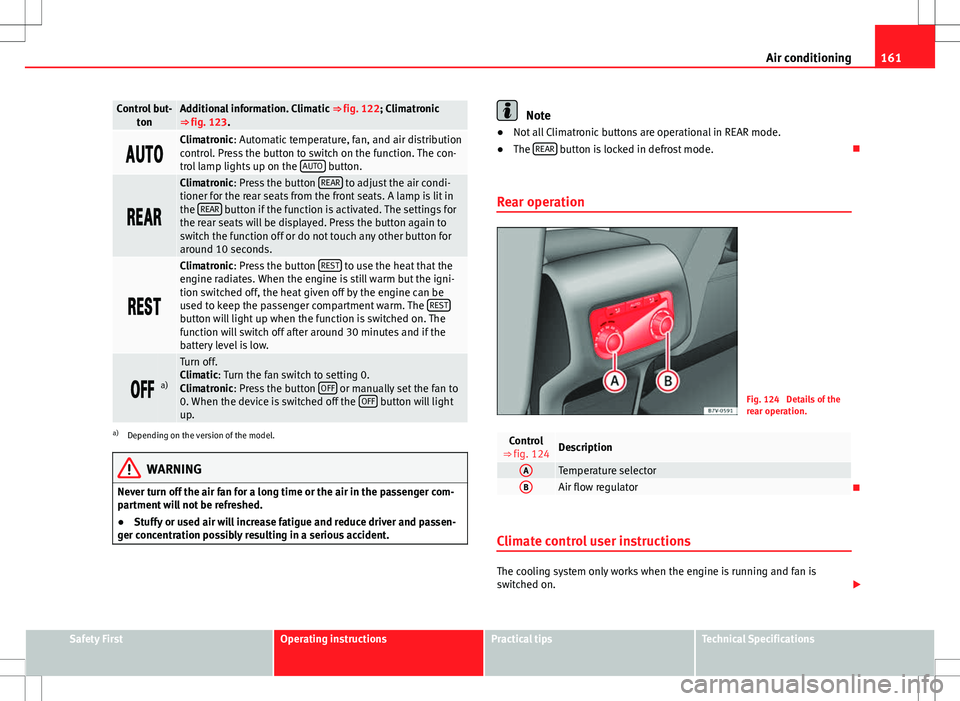
tonAdditional information. Climatic ⇒ fig. 122; Climatronic
⇒ fig. 123.
Climatronic: Automatic temperature, fan, and air distribution
control. Press the button to switch on the function. The con-
trol lamp lights up on the AUTO
button.
Climatronic: Press the button REAR to adjust the air condi-
tioner for the rear seats from the front seats. A lamp is lit in
the REAR
button if the function is activated. The settings for
the rear seats will be displayed. Press the button again to
switch the function off or do not touch any other button for
around 10 seconds.
Climatronic: Press the button REST to use the heat that the
engine radiates. When the engine is still warm but the igni-
tion switched off, the heat given off by the engine can be
used to keep the passenger compartment warm. The REST
button will light up when the function is switched on. The
function will switch off after around 30 minutes and if the
battery level is low.
a)
Turn off.
Climatic: Turn the fan switch to setting 0.
Climatronic: Press the button OFF
or manually set the fan to
0. When the device is switched off the OFF button will light
up.
a) Depending on the version of the model.
WARNING
Never turn off the air fan for a long time or the air in the passenger com-
partment will not be refreshed.
● Stuffy or used air will increase fatigue and reduce driver and passen-
ger concentration possibly resulting in a serious accident.
Note
● Not all Climatronic buttons are operational in REAR mode.
● The REAR
button is locked in defrost mode.
Rear operation
Fig. 124 Details of the
rear operation.
Control
⇒ fig. 124Description
ATemperature selectorBAir flow regulator
Climate control user instructions
The cooling system only works when the engine is running and fan is
switched on.
Safety FirstOperating instructionsPractical tipsTechnical Specifications
Page 164 of 388
162Air conditioning
The climate control system operates most effectively with the windows and
the electric sliding panoramic roof closed. However, if the vehicle has heat-
ed up after standing in the sun for some time, the air inside can be cooled
more quickly by opening the windows and the sliding electric panoramic
sunroof briefly.
Setting for conditions of optimal visibility
When the air conditioning is switched on, the temperature and the air hu-
midity in the vehicle interior drop. Hence, when the outside air humidity is
high, the windows do not mist over and comfort for the vehicle occupants is
improved:
In the air conditioning unit (Climatic)
● Switch off the air recirculation ⇒ page 163.
● Set the fan to the required setting.
● Turn the temperature control to the centre position.
● Open and direct all the air outlets in the dash panel ⇒ page 163.
● Turn the air distribution control to the required position.
With Climatronic
● Press the AUTO
button.
● Set the temperature to +22 °C (+72 °F).
● Open and direct all the air outlets in the dash panel ⇒ page 163.
Climatronic: Switching the measuring units for temperature on the radio
display or the navigation system installed with the default settings
Switching the temperature indication from Celsius to Fahrenheit on the ra-
dio display or the navigation system is carried out in the menu on the in-
strument panel ⇒ page 67. The cooling system does not switch on
If the air conditioning system cannot be switched on, this may be caused by
the following:
●
The engine is not running.
● The fan is switched off.
● The air conditioning fuse is blown.
● The outside temperature is lower than approximately +3 °C (+38 °F).
● The climate control system compressor has been temporarily switched
off because the engine coolant temperature is too high.
● Another fault in the vehicle. Have the air conditioner checked by a speci-
alised workshop.
Things to note
If the humidity and temperature outside the vehicle are high, condensation
can drip off the vaporiser in the cooling system and form a pool underneath
the vehicle. This is normal and does not indicate a leak!Note
After starting the engine, any residual humidity in the air conditioner could
mist over the windscreen. Switch on the defrost function as soon as possi-
ble to clear the windscreen of condensation.
Page 169 of 388
167
Air conditioning
Range
The receiver is in the interior of the vehicle. The remote control, when fitted
with new batteries, has a range of several hundred metres. Obstacles be-
tween the remote control and the vehicle, bad weather conditions and dis-
charged batteries can considerably reduce the range of the remote control.
An optimum range is obtained by keeping the remote control vertical, with
the aerial A
pointing upwards. When doing so, do not cover the aerial with
your fingers or with the palm of your hand.
There must be a minimum distance of two metres between the remote con-
trol and the vehicle.
CAUTION
● The radiofrequency remote control contains electronic components.
Therefore, avoid getting the remote control wet and from being knocked
and protect it from direct sunlight.
● Use of inappropriate batteries may damage the remote control. For this
reason, always replace the dead battery with another of the same voltage,
size and specifications.
For the sake of the environment
● Please dispose of old batteries so that they do not harm the environ-
ment.
● The remote control battery may contain perchlorate. Observe the legal
requirements for their disposal.
Programming the auxiliary heater
The heater or ventilation inside the vehicle can be programmed for a certain
period. Before programming, check that the day is correctly set in the
Auxiliary heat-
er - day of the week menu ⇒
.
Enabling the Auxiliary heater menu on the instrument panel
● From the main menu, select the Auxiliary heater submenu and press the
OK
button on the windscreen wiper lever.
● ALTERNATIVELY: press the or arrow buttons on the multi-function
steering wheel until the Auxiliary heater menu is displayed.
Menu optionsDescription
Switching on
Switching off
The auxiliary heater can be set to come on automati-
cally if required. To do so, select a timer:
– The timer is displayed marked with a .
– Only one timer can be selected. If a timer has been
selected, Prog. ON will be displayed on the screen. If
no timer has been selected, the instrument panel
screen will display Prog. OFF.
– To modify the programmed timer, select another tim-
er or select the Off option.
Timer 1
Timer 2
Timer 3Three different timers (hh.mm) can later be selected
using the On option. If the auxiliary heater is to be
switched on for just a certain day of the week, select
the day of the week and the time for the auxiliary heat-
er to come on.
DurationThe operating time may vary between 10 and 60 mi-
nutes and can be set to 5-minute intervals.
Operating modeSet to heat or ventilate the vehicle interior when the
auxiliary heater is switched on.
DaySet the current day of the week.
Factory settingsThe predefined factory values for the functions of this
menu are restored.
BackThis returns to the main menu
Safety FirstOperating instructionsPractical tipsTechnical Specifications
Page 172 of 388
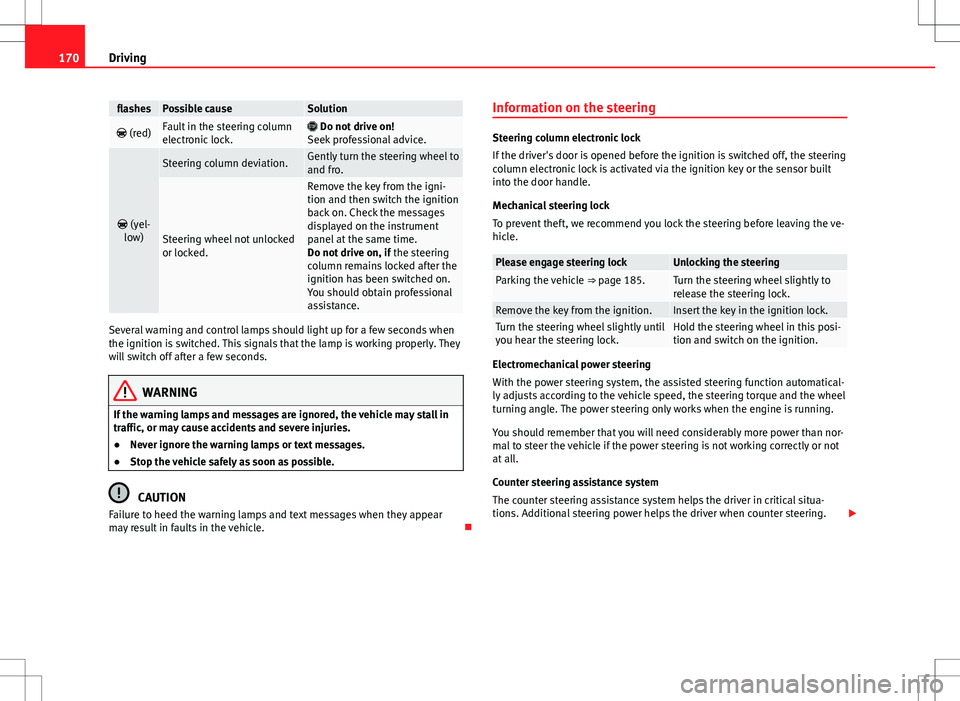
170Driving
flashesPossible causeSolution
(red)Fault in the steering column
electronic lock. Do not drive on!
Seek professional advice.
(yel-
low)
Steering column deviation.Gently turn the steering wheel to
and fro.
Steering wheel not unlocked
or locked.
Remove the key from the igni-
tion and then switch the ignition
back on. Check the messages
displayed on the instrument
panel at the same time.
Do not drive on, if the steering
column remains locked after the
ignition has been switched on.
You should obtain professional
assistance.
Several warning and control lamps should light up for a few seconds when
the ignition is switched. This signals that the lamp is working properly. They
will switch off after a few seconds.
WARNING
If the warning lamps and messages are ignored, the vehicle may stall in
traffic, or may cause accidents and severe injuries.
● Never ignore the warning lamps or text messages.
● Stop the vehicle safely as soon as possible.
CAUTION
Failure to heed the warning lamps and text messages when they appear
may result in faults in the vehicle. Information on the steering
Steering column electronic lock
If the driver's door is opened before the ignition is switched off, the steering
column electronic lock is activated via the ignition key or the sensor built
into the door handle.
Mechanical steering lock
To prevent theft, we recommend you lock the steering before leaving the ve-
hicle.
Please engage steering lockUnlocking the steeringParking the vehicle
⇒ page 185.Turn the steering wheel slightly to
release the steering lock.
Remove the key from the ignition.Insert the key in the ignition lock.Turn the steering wheel slightly until
you hear the steering lock.Hold the steering wheel in this posi-
tion and switch on the ignition.
Electromechanical power steering
With the power steering system, the assisted steering function automatical-
ly adjusts according to the vehicle speed, the steering torque and the wheel
turning angle. The power steering only works when the engine is running.
You should remember that you will need considerably more power than nor-
mal to steer the vehicle if the power steering is not working correctly or not
at all.
Counter steering assistance system
The counter steering assistance system helps the driver in critical situa-
tions. Additional steering power helps the driver when counter steering.
Page 174 of 388
172Driving
Stopping and starting the engine
Introduction
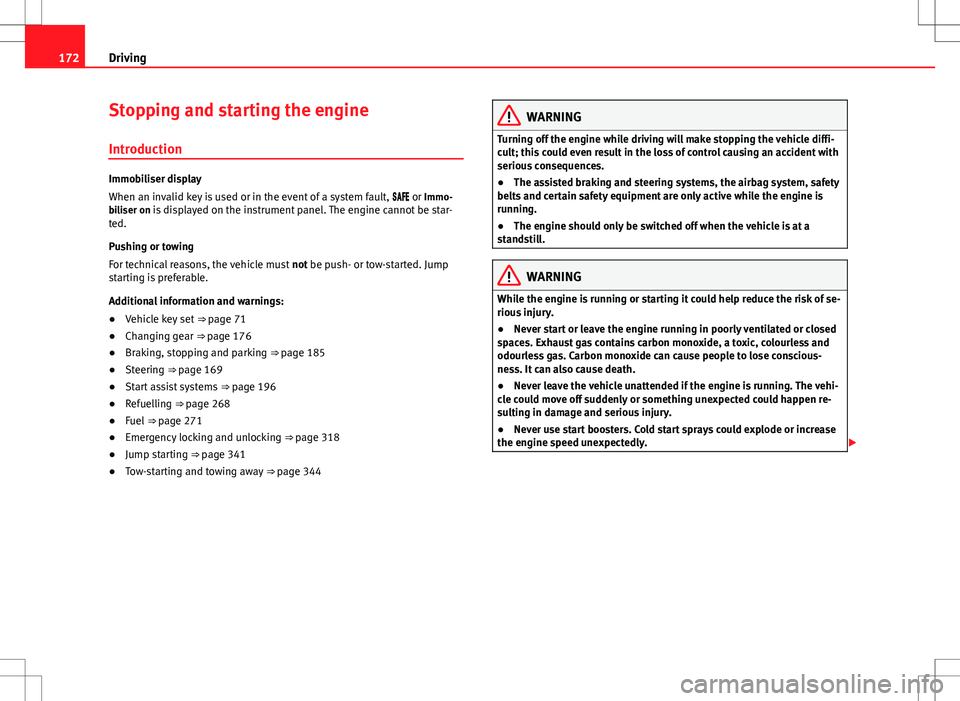
Immobiliser display
When an invalid key is used or in the event of a system fault, or Immo-
biliser on is displayed on the instrument panel. The engine cannot be star- ted.
Pushing or towing
For technical reasons, the vehicle must not be push- or tow-started. Jump
starting is preferable.
Additional information and warnings:
● Vehicle key set ⇒ page 71
● Changing gear ⇒ page 176
● Braking, stopping and parking ⇒ page 185
● Steering ⇒ page 169
● Start assist systems ⇒ page 196
● Refuelling ⇒ page 268
● Fuel ⇒ page 271
● Emergency locking and unlocking ⇒ page 318
● Jump starting ⇒ page 341
● Tow-starting and towing away ⇒ page 344
WARNING
Turning off the engine while driving will make stopping the vehicle diffi-
cult; this could even result in the loss of control causing an accident with
serious consequences.
● The assisted braking and steering systems, the airbag system, safety
belts and certain safety equipment are only active while the engine is
running.
● The engine should only be switched off when the vehicle is at a
standstill.
WARNING
While the engine is running or starting it could help reduce the risk of se-
rious injury.
● Never start or leave the engine running in poorly ventilated or closed
spaces. Exhaust gas contains carbon monoxide, a toxic, colourless and
odourless gas. Carbon monoxide can cause people to lose conscious-
ness. It can also cause death.
● Never leave the vehicle unattended if the engine is running. The vehi-
cle could move off suddenly or something unexpected could happen re-
sulting in damage and serious injury.
● Never use start boosters. Cold start sprays could explode or increase
the engine speed unexpectedly.