ESP Seat Alhambra 2012 Workshop Manual
[x] Cancel search | Manufacturer: SEAT, Model Year: 2012, Model line: Alhambra, Model: Seat Alhambra 2012Pages: 388, PDF Size: 6.72 MB
Page 186 of 388
184Driving
Recommended gear display
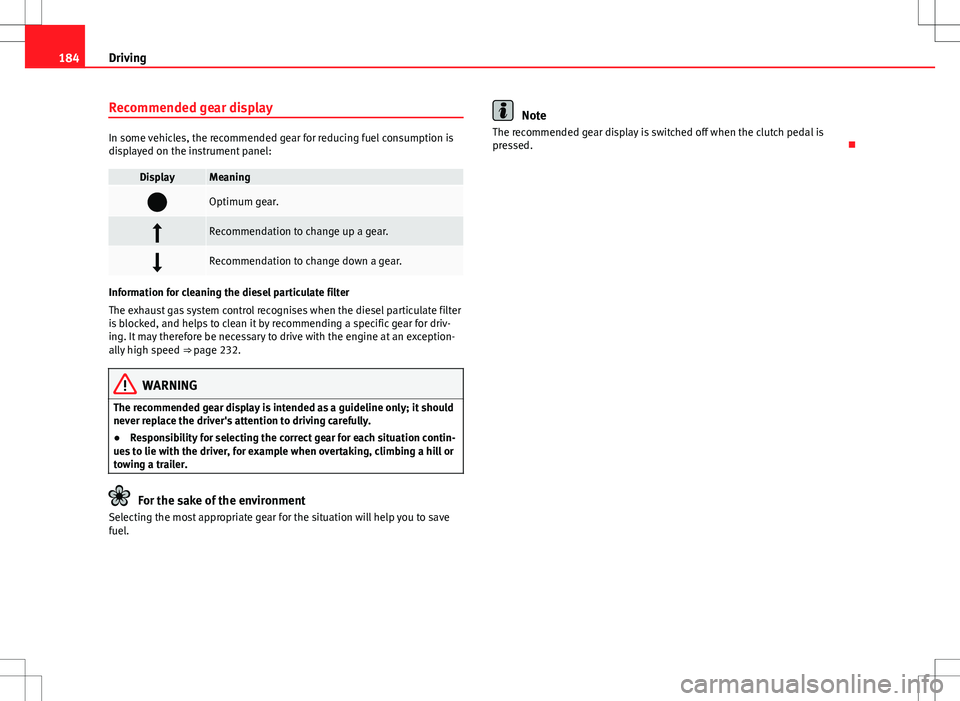
In some vehicles, the recommended gear for reducing fuel consumption is
displayed on the instrument panel:
DisplayMeaning
Optimum gear.
Recommendation to change up a gear.
Recommendation to change down a gear.
Information for cleaning the diesel particulate filter
The exhaust gas system control recognises when the diesel particulate filter
is blocked, and helps to clean it by recommending a specific gear for driv-
ing. It may therefore be necessary to drive with the engine at an exception-
ally high speed ⇒ page 232.
WARNING
The recommended gear display is intended as a guideline only; it should
never replace the driver's attention to driving carefully.
● Responsibility for selecting the correct gear for each situation contin-
ues to lie with the driver, for example when overtaking, climbing a hill or
towing a trailer.
For the sake of the environment
Selecting the most appropriate gear for the situation will help you to save
fuel.
Note
The recommended gear display is switched off when the clutch pedal is
pressed.
Page 188 of 388
186Driving
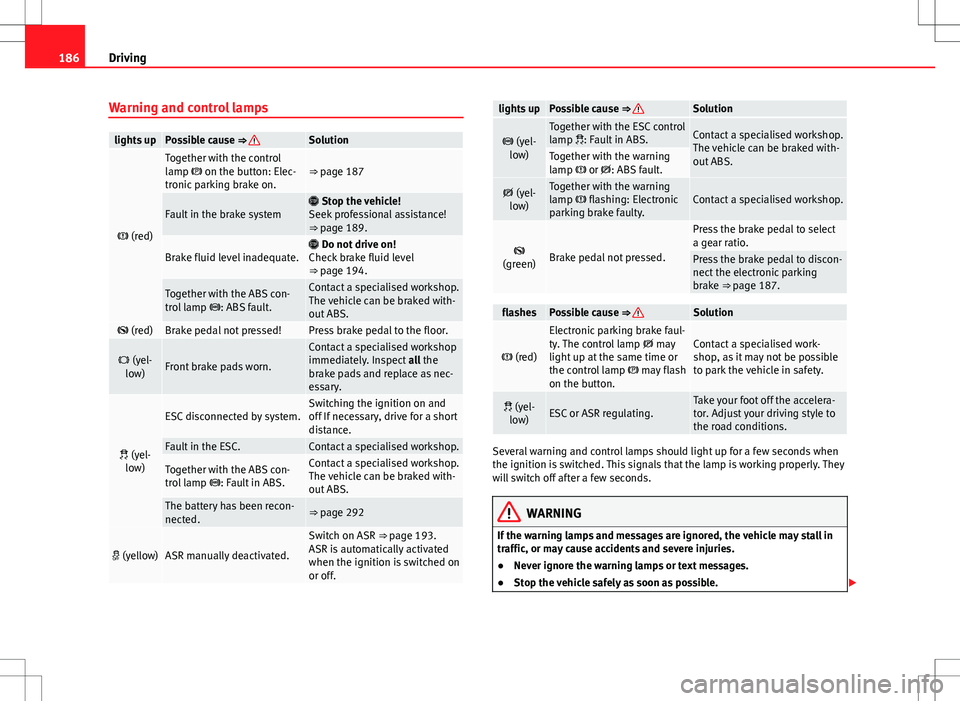
Warning and control lamps
lights upPossible cause ⇒ Solution
(red)
Together with the control
lamp on the button: Elec-
tronic parking brake on.⇒ page 187
Fault in the brake system Stop the vehicle!
Seek professional assistance!
⇒ page 189.
Brake fluid level inadequate. Do not drive on!
Check brake fluid level
⇒ page 194.
Together with the ABS con-
trol lamp : ABS fault.Contact a specialised workshop.
The vehicle can be braked with-
out ABS.
(red)Brake pedal not pressed!Press brake pedal to the floor.
(yel-
low)Front brake pads worn.
Contact a specialised workshop
immediately. Inspect all the
brake pads and replace as nec-
essary.
(yel-
low)
ESC disconnected by system.Switching the ignition on and
off If necessary, drive for a short
distance.
Fault in the ESC.Contact a specialised workshop.
Together with the ABS con-
trol lamp : Fault in ABS.Contact a specialised workshop.
The vehicle can be braked with-
out ABS.
The battery has been recon-
nected.⇒ page 292
(yellow)ASR manually deactivated.
Switch on ASR ⇒ page 193.
ASR is automatically activated
when the ignition is switched on
or off.
lights upPossible cause ⇒ Solution
(yel-
low)Together with the ESC control
lamp : Fault in ABS.Contact a specialised workshop.
The vehicle can be braked with-
out ABS.
Together with the warning
lamp or : ABS fault.
(yel-
low)Together with the warning
lamp flashing: Electronic
parking brake faulty.Contact a specialised workshop.
(green)Brake pedal not pressed.
Press the brake pedal to select
a gear ratio.
Press the brake pedal to discon-
nect the electronic parking
brake ⇒ page 187.
flashesPossible cause ⇒ Solution
(red)
Electronic parking brake faul-
ty. The control lamp may
light up at the same time or
the control lamp may flash
on the button.Contact a specialised work-
shop, as it may not be possible
to park the vehicle in safety.
(yel- low)ESC or ASR regulating.Take your foot off the accelera-
tor. Adjust your driving style to
the road conditions.
Several warning and control lamps should light up for a few seconds when
the ignition is switched. This signals that the lamp is working properly. They
will switch off after a few seconds.
WARNING
If the warning lamps and messages are ignored, the vehicle may stall in
traffic, or may cause accidents and severe injuries.
● Never ignore the warning lamps or text messages.
● Stop the vehicle safely as soon as possible.
Page 190 of 388
188Driving
Automatic release of the electronic parking brake on starting the engine
The electronic parking brake is automatically released when the vehicle
starts moving, if the driver's door is closed and the driver is wearing his/her
seat belt. In vehicles with a manual gearbox the clutch pedal should also be
pressed to the floor before starting the engine so that the system recogni-
ses that the parking brake should be released.
Emergency braking function
Only use the emergency braking function if the vehicle cannot be stopped
with the brake pedal ⇒
!
● Pull button
hard to stop the vehicle. The warning display will be ac-
companied by the corresponding warning chime.
● To stop the braking process, release the button or press the accelerator.
WARNING
The incorrect use of the electronic parking brake may result in serious ac-
cident.
● Never use the electronic parking brake to brake the vehicle except in
an emergency. The braking distance is considerably longer, because
braking is only applied to the rear wheels. Always use the foot brake.
● Never accelerate from the engine compartment with the engine run-
ning and a gear or a gear range engaged. The vehicle could move, even if
the parking brake is applied.
Note
● In vehicles with a manual gearbox: When the clutch pedal is released
and the accelerator pressed at the same time, the electronic parking brake
is automatically released.
● If the vehicle battery is flat, it will not be possible to disconnect the elec-
tronic parking brake. Use the jump-start ⇒ page 341. ●
When the electronic parking brake is applied or released, noises may be
heard.
● If the electronic parking brake has not been used for a long while, the
system sometimes performs automatic and audible checks while the vehi-
cle is at a standstill.
Parking
When parking your vehicle, all legal requirements should be observed.
To park the vehicle
Complete operations only in the sequence given.
● Park the vehicle on a suitable surface ⇒
.
● Press and hold the brake pedal until the vehicle comes to a standstill.
● Connect the electronic parking brake ⇒ page 187.
● For an automatic gearbox, move the selector lever to position P.
● Switch off the engine and release the brake pedal.
● Remove the key from the ignition.
● If necessary, turn the steering wheel slightly to lock the steering.
● With a manual gearbox, engage the 1st gear on flat ground and slopes,
or even the reverse gear on hills, and release the clutch pedal.
● Ensure that all passengers leave the vehicle, especially children.
● When leaving the vehicle, take all keys with you.
● Lock the vehicle.
Additional information for steep slopes and hills
Before switching off the engine, rotate the steering wheel so that if the vehi-
cle should move then it will be held by the kerb.
Page 192 of 388
190Driving
If the brake servo does not operate or the vehicle must be towed, then the
brake pedal will have to be pressed with more force given that the braking
distance will be increased when the brake servo does not operate ⇒
.
WARNING
New brake pads do not brake to full efficiency.
● For the first 320 km (200 miles), new brake pads have not yet reached
their maximum braking capacity, and need to be run in first. For this, to
compensate for reduced braking efficiency the brake pedal will have to
be pressed with more force.
● To avoid losing control of the vehicle and causing serious accidents,
always take great care when driving with new brake pads.
● When running in new brake pads, always respect the safety distances
between you and other vehicles and do not cause situations requiring ex-
treme braking performance.
WARNING
When brakes overheat, braking is less efficient and braking distances in-
crease.
● When driving on slopes, brakes can be overloaded and overheat
quickly.
● Reduce speed, move down a gear or select a shorter range of gears
before long steep slopes. This allows you to use the engine braking ef-
fect and to reduce the strain on the brake system.
● Non-standard or damaged front spoilers could restrict the airflow to
the brakes and cause them to overheat.
WARNING
Wet, frozen or salt-covered brakes take time to brake and this increases
braking distances.
● Test the brakes carefully.
● Dry the brakes, free them of ice and salt by braking gently several
times, when weather, road and traffic conditions permit.
WARNING
Driving without the brake servo may significantly increase the braking
distance and result in a severe accident.
● Never allow the vehicle to move forwards when the engine is switched
off.
● If the brake servo does not operate or the vehicle must be towed,
then the brake pedal will have to be pressed with more force given that
the braking distance will be increased when the brake servo does not op-
erate.
CAUTION
● Never make the brakes slip by pressing the pedal gently, if it is not really
necessary to brake. Continuously pressing on the brake pedal will heat the
brakes. This could significantly reduce braking power, increase braking dis-
tance or even result in the total failure of the brake system.
● Reduce speed, move down a gear or select a shorter range of gears be-
fore long steep slopes. This allows you to use the engine braking effect and
to reduce the strain on the brake system. Otherwise, the brakes may over-
heat and fail. Only use the brakes to reduce speed or to stop.
Page 194 of 388
192Driving
intervenes when driving in a straight line. When the front wheels are turned,
the normal ABS is activated.
Brake assist system (BAS)
The brake assist system may reduce the required braking distance. The
brake assist system boosts the braking force if you press the brake pedal
quickly in an emergency. As a result, the braking pressure increases rapidly,
the braking force is multiplied and the braking distance is reduced. This en-
ables the ABS to be activated more quickly and efficiently.
¡Do not lift your foot off the brake pedal! When the brake pedal is released
or when the brake force is reduced, braking assist automatically turns off
the brake servo.
Traction control when accelerating (ASR)
In the event of wheelspin, the traction control system reduces the engine
torque to match the amount of grip available. The ASR makes some situa-
tions easier, for example, when starting, accelerating or going uphill, even
in unfavourable road conditions.
The ASR can be switched on or off manually ⇒ page 193.
Electronic differential lock system (EDL and XDS)
EDL is available when driving in straight lines under normal conditions.
When the EDL detects wheelspin, it brakes the spinning wheel and directs
the power to the other drive wheels. To prevent the disc brake of the braked
wheel from overheating, the EDL cuts out automatically if subjected to ex-
cessive loads. The EDL will switch on again automatically when the brake
has cooled down.
The XDS function is an extension of the electronic differential lock. The XDS
does not react to the traction of the driving wheels, but to the adherence of
the front wheel on the inside of the curve whilst gripping rapidly in corners.
The XDS gives pressure to the brakes of the wheel on the interior of the cor-
ner to prevent skidding. This improves traction, which assists the vehicle in
continuing the required line.
WARNING
Driving at high speed on icy, slippery wet ground can result in loss of ve-
hicle control and serious injury to the driver and passengers.
● Adjust your speed and driving style to visibility, road, traffic and
weather conditions. Even though the brake assist systems, ABS, BAS,
EDL, ASR and ESC, provide more security, do not take unnecessary risks
while driving.
● Braking assist systems can not overcome the laws of physics. Even
with ESC and other systems, slippery and wet roads will always be dan-
gerous.
● Driving to quickly on wet ground can result in the wheels losing con-
tact with the ground in an effect known as aquaplaning. Without adher-
ence, it is impossible to brake, steer or control the vehicle.
● Brake assist systems cannot avoid accidents if, for example, the driv-
er does not respect safety distances or drives to quickly in difficult condi-
tions.
● Even though brake assist systems are extremely effective and help
control the vehicle in difficult situations, remember that the vehicle sta-
bility depends on tyre grip.
● When accelerating on a slippery surface, for example on ice and
snow, press the accelerator carefully. The wheels can still slip even with
brake assist systems resulting in loss of vehicle control.
WARNING
The effectiveness of the ESC can be considerably reduced if other compo-
nents and systems affecting driving dynamics are not maintained or are
not functioning correctly. This includes, among others, brakes, tyres and
other systems already mentioned.
● Remember that changing and fitting other components to the vehicle
can affect operation of the ABS, BAS, ASL EDL and ESC.
Page 201 of 388
199
Driving
● If the driver unbuckles his/her seat belt.
● If the driver's door is opened.
● If the bonnet is opened.
● In vehicles with a manual gearbox: If a gear has been selected.
Switching Start-Stop mode on and off manually
● Press the
button on the centre console ⇒
fig. 140.
● The button will light up when the Start-Stop function is switched off.
The engine will start immediately if the vehicle is in Stop mode when it is
switched off manually.
WARNING
The brake servo and the power steering do not work when the engine is
switched off.
● Never allow the vehicle to move when the engine is switched off.
CAUTION
Using the Start-Stop function for a long period at very high outdoor temper-
atures could damage the vehicle's battery.
Note
● In some cases, you may have to restart the vehicle using the key. Ob-
serve the corresponding message on the instrument panel display.
● If the steering wheel is turned more than 270°, Stop will not function;
however, the angle of steering wheel turn does not affect starting the vehi-
cle.
Safety FirstOperating instructionsPractical tipsTechnical Specifications
Page 206 of 388
204Driving
Park Assist system*
Introduction
The Park Assist system helps the driver to find a suitable place to park, to
insert the vehicle into parallel and perpendicular parking places and to
leave parallel parking places.
The Park Assist system is limited to the system abilities and requires that
the driver is especially attentive ⇒
.
The parking sensor system is a component of the Park Assist system that
helps to park the vehicle.
For vehicles with the optical parking system, the radio navigation systems
screen displays the detected zones in front of and behind the vehicle, indi-
cating - within the limits of the system - the position of obstacles compared
to the vehicle.
The park assist system cannot be switched on if the factory-fitted towing
bracket is electrically connected to a trailer.
Additional information and warnings:
● Braking, stopping and parking ⇒ page 185
● Parking sensor system ⇒ page 200
● Caring for and cleaning the vehicle exterior ⇒ page 246
● Accessories, parts replacement, repairs and modifications ⇒ page 261
WARNING
Despite the assistance provided by the park assist system, do not run
any risks when parking. The system is not a replacement for driver
awareness.
● Unintentional movements of the vehicle could cause serious injury.
● Adjust your speed and driving style to visibility, road, traffic and
weather conditions.
● The surface of certain objects and items of clothing and external
sound sources may have a negative affect on the park assist signals or on
the system sensors or may not reflect its signals.
● The sensors have blind spots in which obstacles and people are not
registered.
● Always observe the area around the vehicle, as the sensors do not al-
ways detect small children, animals or objects.
CAUTION
● The park assist system aims exclusively at other parked vehicles, with-
out taking curbs or other circumstances into account. Make sure you do not
damage the tyres and wheel rims when parking. Where necessary, stop ma-
noeuvring to avoid damaging the vehicle.
● The sensors may not always be able to detect objects such as trailer
draw bars, thin rails, fences, posts and trees, etc. This could result in dam-
age to your car.
● Although the parking sensor system detects and warns of the presence
of an obstacle, the obstacle could disappear from the angle of measure-
ment of the sensors if it is too high or low and the system would no longer
indicate it. Therefore, it will not warn you of these objects. Ignoring the
warnings of the parking sensor system could cause considerable damage to
the vehicle. This is also valid when using the park assist (e.g. to park be-
hind a truck or motorcycle). Therefore, always keep a close watch on the
area in front of and behind the vehicle while parking, and intervene prompt-
ly if necessary.
Page 207 of 388
205
Driving
● To ensure that the system works properly, the bumper sensors must be
kept clean, free of ice and snow and uncovered.
● The bumper sensors may become damaged or misaligned, for example,
when parking.
● When cleaning the sensors with high-pressure or steam cleaning equip-
ment, spray the sensors briefly at a distance of no less than 10 cm.
Note
Contact a specialised workshop with any system faults. SEAT recommends
visiting a Technical Service.
Parking using the park assist system
Fig. 145 Detailed view of
the centre console: but-
ton to switch the park as-
sist system on manually.
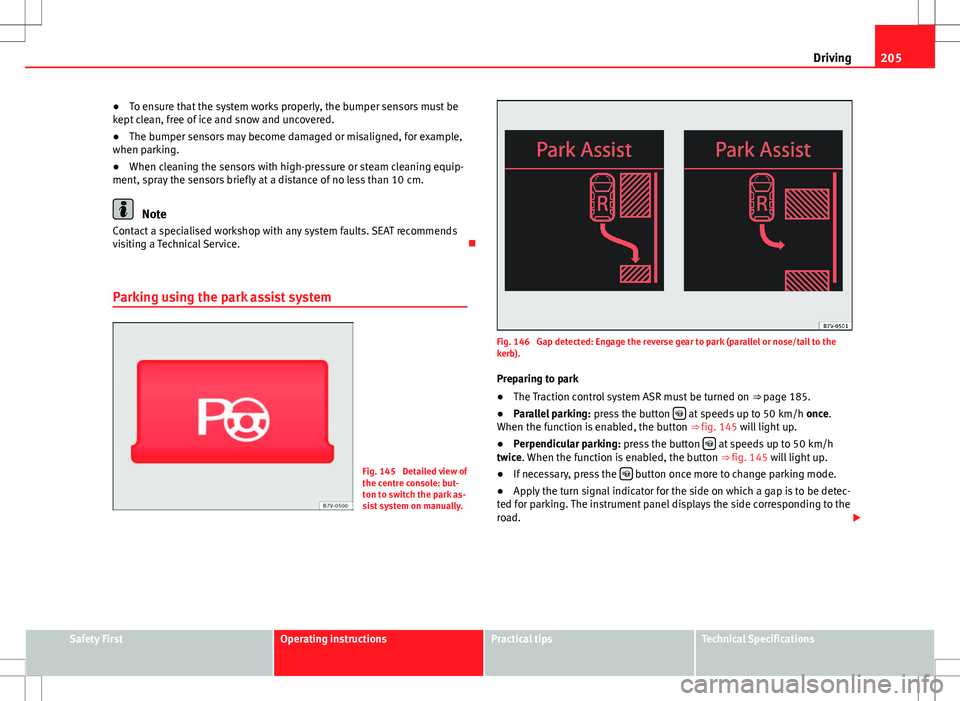
Fig. 146 Gap detected: Engage the reverse gear to park (parallel or nose/tail to the
kerb). Preparing to park
● The Traction control system ASR must be turned on ⇒ page 185.
● Parallel parking: press the button
at speeds up to 50 km/h once.
When the function is enabled, the button ⇒ fig. 145 will light up.
● Perpendicular parking: press the button
at speeds up to 50 km/h
twice. When the function is enabled, the button ⇒ fig. 145 will light up.
● If necessary, press the
button once more to change parking mode.
● Apply the turn signal indicator for the side on which a gap is to be detec-
ted for parking. The instrument panel displays the side corresponding to the
road.
Safety FirstOperating instructionsPractical tipsTechnical Specifications
Page 208 of 388
206Driving
Parking
● Parking parallel to the road: Drive next to the gap at a speed of no more
than 40 km/h and at a distance of between 0.5 m and 2 m.
● Parking perpendicular to the road: Drive next to the gap at a speed of no
more than 20 km/h and at a distance of between 0.5 m and 2 m.
● The best parking results will be achieved if you position the vehicle as
parallel as possible to the line of parked cars or the kerb.
● When a suitable parking place is displayed on the instrument panel,
stop and select reverse gear.
● Follow the instructions given on the instrument panel display
● Then, release the steering wheel when the warning signal sounds ⇒
:
The system will move the steering wheel! Observe the surrounding area.
● Observe the surrounding area and accelerate carefully at a maximum of
up to 7 km/h.
● The park assist system is only responsible for moving the steering wheel
during the manoeuvre. The driver applies the accelerator, the clutch, the
gears and the brake.
● Follow the instructions given by the park assist system until the ma-
noeuvre is completed.
● The park assist system steers the vehicle forwards and backwards until
it is in a straight position in the parking space.
● The manoeuvre is complete when the corresponding indication is given
on the instrument panel display.
Stopping the parking manoeuvre
The park assist system stops the manoeuvre in the event of one of the fol-
lowing:
● Press button
.
● Driving faster than 7 km/h.
● The driver moves the steering wheel.
● The parking manoeuvre has not been completed after six minutes since
the park assist system was activated. ●
A sliding door is opened. To restart the manoeuvre, close the sliding
door and press the button
again.
● There is a system malfunction (system temporarily unavailable).
● The ASR system is switched off or the ASR or ESC is working.
WARNING
The steering wheel turns quickly by itself when parking using the park
assist system. Placing your hand between the steering wheel spokes
could lead to injuries.
Note
● The park assist system has its limitations. For example, it is not possible
to park on tight bends using the park assist system.
● Even if the park assist system recognises that there is not enough space
for parking the vehicle, the display screen on the instrument panel will still
display this place. In this case, the parking manoeuvre should not be re-
quested.
● Changing gears between forward and reverse gears before indicated
(that is, before the signal from the parking sensor system) the parking re-
sults may not be ideal.
● For parallel parking (parallel to the road), a sound will tell the driver
when they must change from forward gears to reverse; the signal from the
parking sensor system does not indicate changes of direction.
● The park assist can also be activated afterwards, if you pass close to a
parallel parking space at a maximum of 40 km an hour or close to be per-
pendicular parking space at about 20 km an hour then press the button
.
● The progress bar on the screen of the instrument panel shows a display
of the relative distance to be covered.
● When the Park Assist system is turning the steering wheel of the stop-
ped vehicle the symbol is also displayed. Press on the brake pedal so
that the steering can turn with the vehicle at a standstill and thus reduce
the number of manoeuvres.
Page 209 of 388
207
Driving
● A suitable parking space length is at least 1.1 m greater than the length
of the vehicle.
● If the results of the park assist system are not as good after changing
the wheels, the system must memorise the perimeter of the new wheels.
This process is performed automatically while the vehicle is in motion. To
help this process, turn slowly (at less than 20 km/h), e.g. in an empty car
park.
Leaving a parking space using the Park Assist system
Driving off
● Switch on the engine.
● Press button
. When the function is enabled, the button
⇒ fig. 145
will light up.
● Apply the turn signal indicator for the side on which you want to leave
the parking space.
● Select reverse gear.
● Follow the instructions given by the park assist system.
● When the next indication appears, release the steering wheel ⇒
in
Parking using the park assist system on page 206: The system will move the
steering wheel! Observe the surrounding area.
● Observe the surrounding area and accelerate carefully at a maximum of
up to 7 km/h.
● The park assist system is only responsible for moving the steering wheel
during the manoeuvre. The driver applies the accelerator, the clutch, the
gears and the brake.
● When it is possible to leave the parking space, the Park Assist system
will stop. Take control of the steering and when traffic conditions permit,
leave the parking space. Automatic stoppage of the manoeuvre
The park assist system stops the manoeuvre in the event of one of the fol-
lowing:
●
Driving faster than 7 km/h.
● The driver moves the steering wheel.
● A sliding door is opened. To restart the manoeuvre, close the sliding
door and press the button
again.
● There is a system malfunction (system temporarily unavailable).
● The ASR system is switched off or the ASR or ESC is working.
WARNING
The steering wheel turns quickly automatically when leaving a parking
space using the park assist system. Placing your hand between the steer-
ing wheel spokes could lead to injuries.
Park Assist brake operation
The Park Assist system helps the driver by braking automatically. Automatic
braking does not relieve the driver of responsibility for controlling the accel-
erator, brake and clutch ⇒
.
Braking to avoid damage at excess speed
It is possible that the system operates the brakes to reduce excess speed.
The parking manoeuvre can then continue. The brakes will intervene during
each parking process.
Braking to minimise damage
When approaching an obstacle, the vehicle may brake automatically. In cer-
tain circumstances (for example, storm, detection of ultrasounds, vehicle
status, load, inclination), the Park Assist system may stop the vehicle com-
pletely before an object.
Safety FirstOperating instructionsPractical tipsTechnical Specifications