ESP Seat Alhambra 2012 User Guide
[x] Cancel search | Manufacturer: SEAT, Model Year: 2012, Model line: Alhambra, Model: Seat Alhambra 2012Pages: 388, PDF Size: 6.72 MB
Page 42 of 388
40Child safety
WARNING
An empty or loose child seat could fly uncontrollably around the vehicle
interior and cause injuries in the event of an accident or sudden braking.
● When not in use while the vehicle is in motion, always safely secure it
or store it in the luggage compartment.
Note
Replace the child seat after an accident, as it may have invisible damage.
General information on transporting children in the vehicle
Legal regulations and provisions will always take priority over the descrip-
tions of this instruction manual. There are different regulations and provi-
sions for the use of child seats and their mountings ( ⇒ table on page 41).
In some countries, for example, the use of child seats on certain seats in the
vehicle may be forbidden.
The physical principles and the forces acting on the vehicle in the event of a
collision or other type of accidents also apply to children ⇒ page 21. Howev-
er, unlike adults and youngsters, children do not have fully developed mus-
cle and bone structures. In the event of an accident, children are subject to
a greater risk than adults of sustaining severe injuries.
Given that children's bodies are not yet fully developed, child restraint sys-
tems must be used that are especially adapted to their height, weight and
constitution. There are laws in force in many countries that determine the
use of approved seat systems for transporting babies and children.
Only used authorised, approved child seats that are suitable for the vehicle.
Always consult with a Technical Service or a specialised workshop should
you have any doubts. Checklist
To transport children in the vehicle
⇒
:
● Observe the legal requirements specific to each country.
● For safety reasons, SEAT recommends that children under 12 years of
age are transported on the rear seats.
● Only if you have no alternative should a child travel on the front passen-
ger seat ⇒ page 42. The safest place in the vehicle is on the rear seat be-
hind the front passenger seat.
● Child must always use a child restraint system when travelling in the ve-
hicle. The child restraint system must be suitable for the height, weight and
constitution of the child.
● Only one child may occupy a child seat.
● Follow the user instructions from the child seat manufacturer and always
keep them in the vehicle.
● If the child seat is secured using the seat belt, guide the seat belt
through or around the child seat according to the instructions of the child
seat manufacturer.
● Make sure the belt webbing is correctly positioned and that the child is
sitting properly.
● The child seat should be installed on the rear seat behind the front pas-
senger seat so that the child can exit the car on the kerb side.
● Do not leave toys or other loose objects on the child seat or on the seat
while the vehicle is in motion.
Specific child seat regulations for each country (selection)
RegulationFurther informationECE-R 44 a)Technical Service or qualified work-
shop
a)
ECE-R: Economic Comission for Europe Regulation.
Page 44 of 388
42Child safety
Always secure child seats properly and safely in the vehicle according to the
child seat manufacturer's installation instructions.
Mounted child seats must rest correctly on the vehicle's seat and must not
move or rock more than 2.5 cm (1 inch).
Child seats equipped for a Top Tether strap must also be secured using the
Top Tether retaining strap in the vehicle ⇒ page 45. Only secure the re-
taining belt to the rings fitted for this purpose and identified as Top Tether.
Not all rings can be used with the Top Tether system. Always tighten the Top
Tether retaining strap so that the child seat fits snugly against the corre-
sponding seat in the vehicle.
Specific mounting systems for each country
Europe: ISOFIX retaining rings and upper retaining strap ⇒ page 44
and ⇒ page 45.
Three-point seat belt and upper retaining strap ⇒ page 44.
The systems include the child restraint system mounting with an upper re-
taining strap (Top Tether) and lower anchoring points on the seat.
Use of the child seat on the front passenger seat
Transporting children on the front passenger seat is not permitted in all
countries. Furthermore, not all child seats are approved for use on the front
passenger seat. Your Technical Service has an updated list of all approved
child seats. Only used child seats that are approved for each vehicle.
The frontal airbag on the front passenger side is highly dangerous for a
child. The front passenger seat is life-threatening to a child if he or she is
transported in a rear-facing child seat.
If a rear-facing child seat is secured to the front passenger seat, an inflating
airbag can strike it with such great force that severe or fatal injuries may re-
sult ⇒
. Therefore, rear-facing child seats must never be used on the front
passenger seat when the front passenger airbag is enabled. A
B
Only use a rear-facing child seat on the front passenger seat if the front pas-
senger airbag is disabled. When it is disabled, the yellow
PASSENGER
AIR BAG control lamp on the instrument panel will be lit ⇒ page 31. If
you cannot disable the front passenger airbag and it remains enabled, it is
forbidden to transport children on the front passenger seat ⇒
.
Things to note if using a child seat on the front passenger seat:
● The front passenger airbag must be disabled if using a rear-facing
child seat ⇒ page 35.
● The backrest of the front passenger seat must be upright.
● The front passenger seat must be moved as far back as possible.
● The backrest of the front passenger seat must be upright.
● The seat belt height adjustment must be as high as possible.
Suitable child seats
The child seat must be authorised by the manufacturer especially for use on
a front passenger seat with a frontal or side airbag.
If the front passenger seat is equipped with retaining rings, the child seat
can be secured using the approved retaining system provided it is approved
for this type of vehicle in accordance with current regulations in the country
in question.
Universal seats for children in groups 0, 0+, 1, 2 or 3 according to the ECE-
R 44 regulation.
WARNING
If a child seat is mounted on the front passenger seat, the risk of the
child sustaining severe or fatal injuries in the event of an accident increa-
ses. Rear-facing child seats must never be mounted on the front passen-
ger seat when the front passenger airbag is enabled. This is life-threaten-
ing to the child should the frontal airbag deploy, as the child seat would
be struck by the inflated airbag and thrown against the backrest.
Page 47 of 388

45
Child safety
● Tighten the straps evenly using the corresponding adjustment device.
The child seat must sit flush against the vehicle seat.
● Pull on both sides of the child seat to ensure that it is secure.
WARNING
The lower anchor points for child seats do not include rings. Only secure
booster seats to lower anchor points.
Securing a child seat using a Top Tether retaining strap
Fig. 28 Upper retaining
strap hooked in the lug-
gage compartment
● Observe the manufacturer's instructions when installing and removing
the child seat ⇒
.
● Raise the head restraint behind the child seat until it engages.
● Secure the child seat to the lower anchor points ⇒ page 44.
● Pull the upper child seat retaining strap back to the backrest of the rear
seat, below or on both sides of the head restraint (depending on the child
seat model). ●
Hook the upper retaining strap to the corresponding retaining ring (for
TOP TETHER) on the back of the backrest on the rear seat ⇒ fig. 28.
● Push the head restraint down as far as it will go. Ensure that it does not
interfere with the seatbelt from the upper attachment.
● Tighten the strap so that the top of the child seat rests on the backrest.
WARNING
Child seats with lower anchor points and with an upper retaining strap
must be installed in line with the manufacturer's instructions. Failure to
comply could result in severe injuries.
● Always secure just one retaining strap from a child seat to a retaining
ring (for TOP TETHER) on backrest on the rear seat in the luggage com-
partment.
● Never secure a child seat to the retaining rings.
● Never secure a child seat to the movable attachment elements for ve-
hicles with an attachment element and rail system .
Integrated child seat Introduction
The integrated child seat is only suitable for children in Group 2 (15-25 kg)
and Group 3 (22-36 kg), according to the ECE-R 44 regulation.
Additional information and warnings:
● Seat belts ⇒ page 21
Safety FirstOperating instructionsPractical tipsTechnical Specifications
Page 50 of 388
48Child safety
Lifting the cushion
● Pull the unlock lever ⇒ fig. 29 A
on the cushion in the direction of the
arrow 1.
● Fold both sides B up in the direction of the arrow 2.
● Push the cushion C back in the direction of the arrow 3 until it engag-
es.
Fitting the side head restraint
● Fold the backrest of the rear seat forwards ⇒ page 117.
● Remove the head restraint.
● Make sure the belt guide handle on the window side is on the side head
restraint ⇒ page 48.
● Insert the guide rods ⇒ fig. 30 1
of the head restraint into the guides
on the side head restraint 2.
● Insert the head restraint and the side head restraint into the guides on
the corresponding backrest B
.
● Push the head restraint down as far as it will go.
● Fold the backrest of the rear seat back.
● Pull the rear seat and the backrest to check whether they are engaged
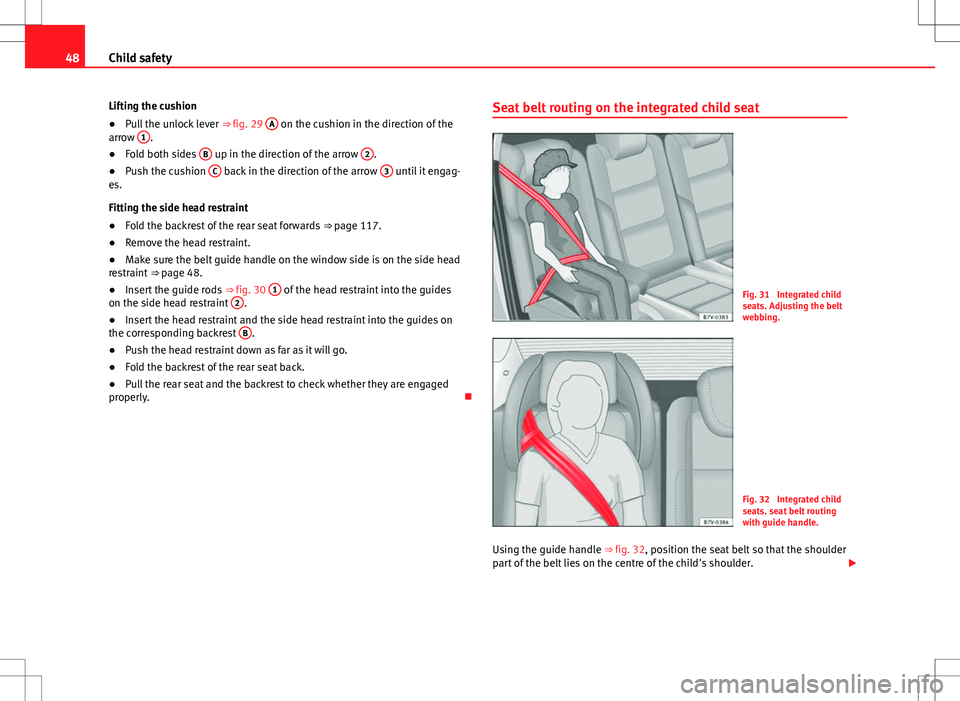
properly. Seat belt routing on the integrated child seat
Fig. 31 Integrated child
seats. Adjusting the belt
webbing.
Fig. 32 Integrated child
seats. seat belt routing
with guide handle.
Using the guide handle ⇒ fig. 32, position the seat belt so that the shoulder
part of the belt lies on the centre of the child's shoulder.
Page 56 of 388
54Cockpit
Radio or navigation system (fitted at factory) ⇒ Booklet Ra-
dio or ⇒ Booklet Navigation system
Storage compartment . . . . . . . . . . . . . . . . . . . . . . . . . . . . . . . . . . . . . 142
Hazard warning lights switch . . . . . . . . . . . . . . . . . . . . . . . . . . . . 316
Switches for:
– Climatic . . . . . . . . . . . . . . . . . . . . . . . . . . . . . . . . . . . . . . . . . . . . . . . . 157
– Climatronic . . . . . . . . . . . . . . . . . . . . . . . . . . . . . . . . . . . . . . . . . . . . . 157
Right seat heating controls . . . . . . . . . . . . . . . . . . . . . . . . . . . . . . 117
Button for:
– Anti-slip regulation (ASR) . . . . . . . . . . . . . . . . . . . . . . . . . . 185
– Start/stop operation . . . . . . . . . . . . . . . . . . . . . . . . . . . . . . . . . 196
– Parking distance warning system (Park Pilot) . . . . . . . . . . 200
– Park Assist system . . . . . . . . . . . . . . . . . . . . . . . . . . . . . . . . . . . 204
– Tyre pressure monitor . . . . . . . . . . . . . . . . . . . . . . . . . . . . . 225
– Opening the tailgate . . . . . . . . . . . . . . . . . . . . . . . . . . . . . . . . . 84
– Opening and closing of electric sliding doors . . . . . . . . . 80
Locking lever to open glove compartment . . . . . . . . . . . . . . . . . .142
Position of passenger front airbag on the instrument panel . .31
Key-operated switch in glove box for deactivating front pas-
senger's airbag . . . . . . . . . . . . . . . . . . . . . . . . . . . . . . . . . . . . . . . . . . . 31
Passenger front airbag off warning lamp . . . . . . . . . . . . . . . . . . .31
Lever for:
– Manual gearbox . . . . . . . . . . . . . . . . . . . . . . . . . . . . . . . . . . . . . . . . 176
– Automatic gearbox . . . . . . . . . . . . . . . . . . . . . . . . . . . . . . . . . . . . . 176
12 Volt socket . . . . . . . . . . . . . . . . . . . . . . . . . . . . . . . . . . . . . . . . . . . . . 153
Auto Hold Switch - . . . . . . . . . . . . . . . . . . . . . . . . . . . . . . . . . 196
Electronic parking brake switch . . . . . . . . . . . . . . . . . . . . . . . . . 185
Ignition lock . . . . . . . . . . . . . . . . . . . . . . . . . . . . . . . . . . . . . . . . . . . . . . 172
Pedals . . . . . . . . . . . . . . . . . . . . . . . . . . . . . . . . . . . . . . . . . . . . . . . . . . . . 176
Steering column adjustment lever . . . . . . . . . . . . . . . . . . . . . . . . . . 10
13
141516
1718
192021
2223
242526272829
Fuse box cover
. . . . . . . . . . . . . . . . . . . . . . . . . . . . . . . . . . . . . . . . . . . . 326
Lever for:
– Cruise control system (GRA) – – – / -
- / -- . . . . . . . . . . . . . . . . . . . . . . . . . . . . . . . . . . . . . . . . . . . . . 214
Open bonnet lever . . . . . . . . . . . . . . . . . . . . . . . . . . . . . . . . . . . . . . . . 279
Controls for:
– Electric windows . . . . . . . . . . . . . . . . . . . . . . . . . . . . . . . . . . . . . 88
– Childproof locks . . . . . . . . . . . . . . . . . . . . . . . . . . . . . . . . . . . . . 80
Note
● Some of the items of equipment listed here are fitted only on certain
model versions or are optional extras.
● In versions with the steering wheel on the right, the layout of the control
elements is somewhat different. But the symbols assigned to the controls
correspond to the symbols used in the versions with the steering wheel on
the left
Instrument panel Control and warning lamps
The control and warning lamps are indicators of warnings, ⇒ , faults ⇒ or certain functions. Some control and warning lamps come on when the ig-
nition is switched on, and go out when the engine starts running, or while
driving.
Depending on the model, additional text messages may be viewed on the
instrument panel display. These may be purely informative or they may be
advising of the need for action ⇒ page 57, Instruments.
30
31
3233
Page 61 of 388
59
Cockpit
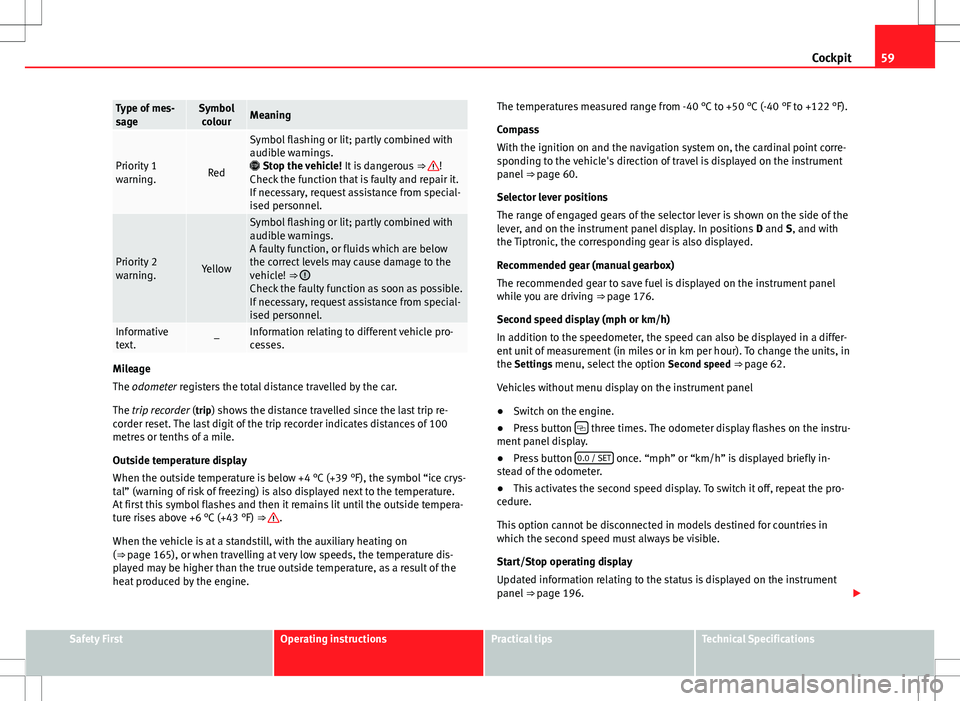
Type of mes-
sageSymbol
colourMeaning
Priority 1
warning.Red
Symbol flashing or lit; partly combined with
audible warnings.
Stop the vehicle! It is dangerous ⇒
!
Check the function that is faulty and repair it.
If necessary, request assistance from special-
ised personnel.
Priority 2
warning.Yellow
Symbol flashing or lit; partly combined with
audible warnings.
A faulty function, or fluids which are below
the correct levels may cause damage to the
vehicle! ⇒
Check the faulty function as soon as possible.
If necessary, request assistance from special-
ised personnel.
Informative
text.–Information relating to different vehicle pro-
cesses.
Mileage
The odometer registers the total distance travelled by the car.
The trip recorder (trip) shows the distance travelled since the last trip re- corder reset. The last digit of the trip recorder indicates distances of 100
metres or tenths of a mile.
Outside temperature display
When the outside temperature is below +4 °C (+39 °F), the symbol “ice crys-
tal” (warning of risk of freezing) is also displayed next to the temperature.
At first this symbol flashes and then it remains lit until the outside tempera-
ture rises above +6 °C (+43 °F) ⇒
.
When the vehicle is at a standstill, with the auxiliary heating on
(⇒ page 165), or when travelling at very low speeds, the temperature dis-
played may be higher than the true outside temperature, as a result of the
heat produced by the engine. The temperatures measured range from -40 °C to +50 °C (-40 °F to +122 °F).
Compass
With the ignition on and the navigation system on, the cardinal point corre-
sponding to the vehicle's direction of travel is displayed on the instrument
panel
⇒ page 60.
Selector lever positions
The range of engaged gears of the selector lever is shown on the side of the
lever, and on the instrument panel display. In positions D and S, and with
the Tiptronic, the corresponding gear is also displayed.
Recommended gear (manual gearbox)
The recommended gear to save fuel is displayed on the instrument panel
while you are driving ⇒ page 176.
Second speed display (mph or km/h)
In addition to the speedometer, the speed can also be displayed in a differ-
ent unit of measurement (in miles or in km per hour). To change the units, in
the Settings menu, select the option Second speed ⇒ page 62.
Vehicles without menu display on the instrument panel
● Switch on the engine.
● Press button
three times. The odometer display flashes on the instru-
ment panel display.
● Press button 0.0 / SET
once. “mph” or “km/h” is displayed briefly in-
stead of the odometer.
● This activates the second speed display. To switch it off, repeat the pro-
cedure.
This option cannot be disconnected in models destined for countries in
which the second speed must always be visible.
Start/Stop operating display
Updated information relating to the status is displayed on the instrument
panel ⇒ page 196.
Safety FirstOperating instructionsPractical tipsTechnical Specifications
Page 62 of 388
60Cockpit
WARNING
If the warning lamps and messages are ignored, the vehicle may stall in
traffic, or may cause accidents and severe injuries.
● Never ignore the warning lamps or text messages.
● Stop the vehicle safely as soon as possible.
● A faulty vehicle represents a risk of accident for the driver and for oth-
er road users. If necessary, switch on the hazard warning lamps and put
out the warning triangle to advise other drivers.
● Park the vehicle away from the traffic, ensuring that there are no easi-
ly inflammable materials under the vehicle which could come into contact
with the exhaust system (e.g. dry grass, fuel).
WARNING
Although the outside temperature is above freezing, some roads and
bridges may be frozen.
● At an outside temperature of above +4 °C (+39 °F), even when the
“ice crystal” is not visible, there may still be ice on the road.
● Never rely totally on the outside temperature display!
CAUTION
Failure to heed the warning lamps and text messages when they appear
may result in faults in the vehicle.
Note
● Different versions of the instrument panel are available and therefore
the versions and instructions on the display may vary. In the case of dis-
plays without warning or information texts, faults are indicated exclusively
by the warning lamps.
● When several warnings are active at the same time, the symbols are
shown successively for a few seconds. The symbols will stay on until the
fault is rectified. Compass*
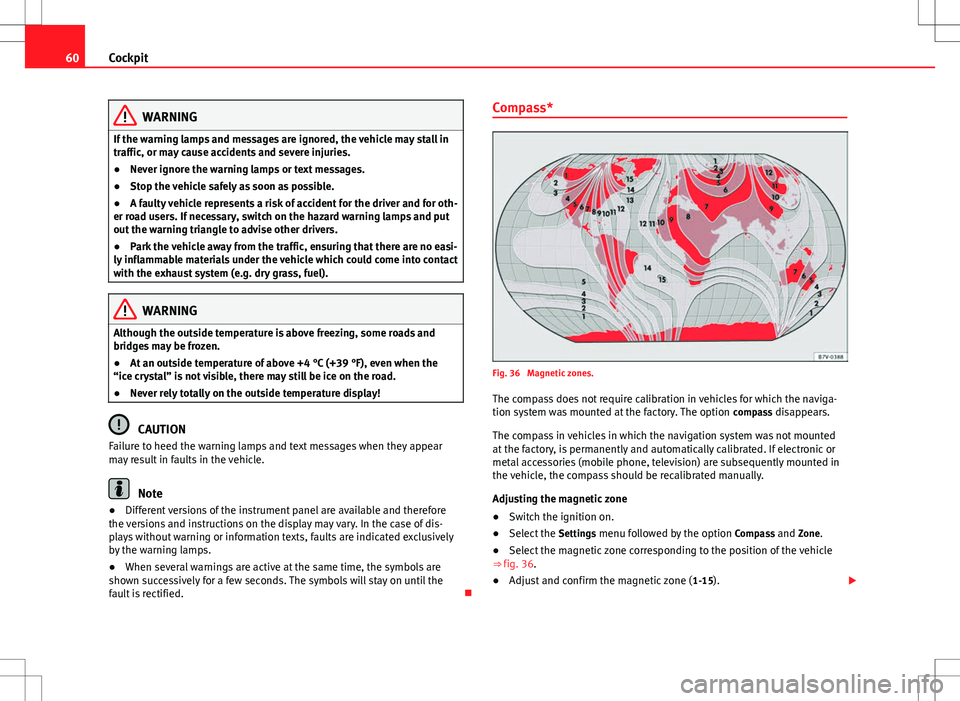
Fig. 36 Magnetic zones.
The compass does not require calibration in vehicles for which the naviga-
tion system was mounted at the factory. The option compass disappears.
The compass in vehicles in which the navigation system was not mounted
at the factory, is permanently and automatically calibrated. If electronic or
metal accessories (mobile phone, television) are subsequently mounted in
the vehicle, the compass should be recalibrated manually.
Adjusting the magnetic zone
● Switch the ignition on.
● Select the Settings menu followed by the option Compass and Zone.
● Select the magnetic zone corresponding to the position of the vehicle
⇒ fig. 36.
● Adjust and confirm the magnetic zone ( 1-15).
Page 63 of 388
61
Cockpit
Calibrating compass
To calibrate the compass you must be in one of the valid magnetic zones
with sufficient space to be able to trace a circumference with the vehicle.
● Switch the ignition on.
● Select the Settings menu followed by the option Compass and Calibrate.
● Confirm the message Describe a complete circumference to calibrate the
compass with OK
and then trace a complete circumference driving at ap-
proximately 10 km/h (6 mph).
When the corresponding cardinal point is displayed, the calibration is com-
plete.
Service interval display
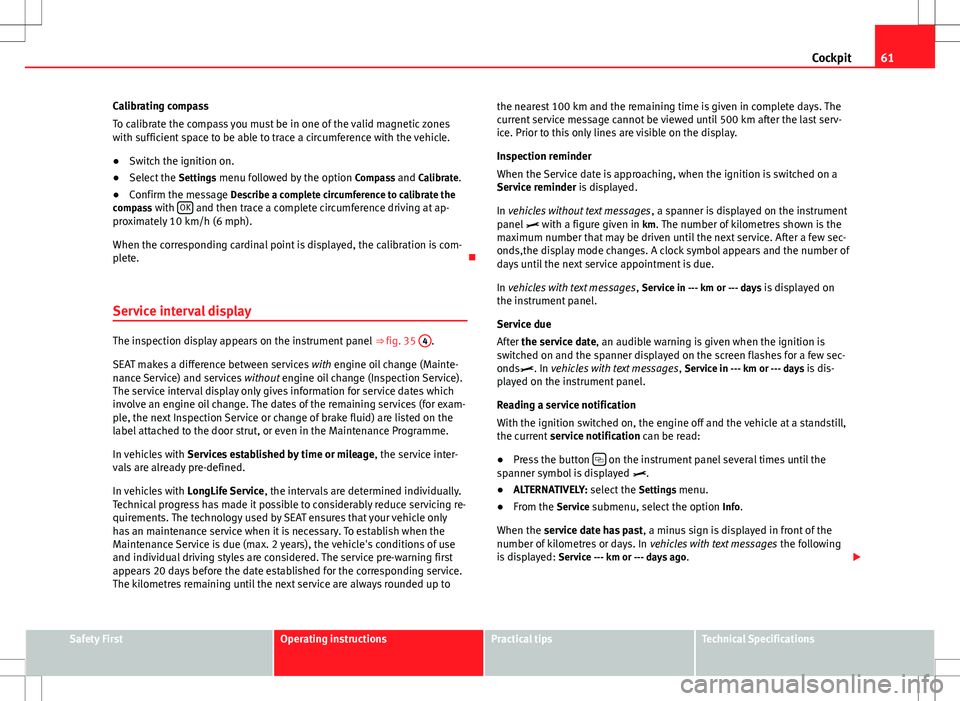
The inspection display appears on the instrument panel ⇒ fig. 35 4.
SEAT makes a difference between services with engine oil change (Mainte-
nance Service) and services without engine oil change (Inspection Service).
The service interval display only gives information for service dates which
involve an engine oil change. The dates of the remaining services (for exam-
ple, the next Inspection Service or change of brake fluid) are listed on the
label attached to the door strut, or even in the Maintenance Programme.
In vehicles with Services established by time or mileage , the service inter-
vals are already pre-defined.
In vehicles with LongLife Service , the intervals are determined individually.
Technical progress has made it possible to considerably reduce servicing re-
quirements. The technology used by SEAT ensures that your vehicle only
has an maintenance service when it is necessary. To establish when the
Maintenance Service is due (max. 2 years), the vehicle's conditions of use
and individual driving styles are considered. The service pre-warning first
appears 20 days before the date established for the corresponding service.
The kilometres remaining until the next service are always rounded up to the nearest 100 km and the remaining time is given in complete days. The
current service message cannot be viewed until 500 km after the last serv-
ice. Prior to this only lines are visible on the display.
Inspection reminder
When the Service date is approaching, when the ignition is switched on a
Service reminder is displayed.
In vehicles without text messages
, a spanner is displayed on the instrument
panel with a figure given in km. The number of kilometres shown is the
maximum number that may be driven until the next service. After a few sec-
onds,the display mode changes. A clock symbol appears and the number of
days until the next service appointment is due.
In vehicles with text messages , Service in --- km or --- days is displayed on
the instrument panel.
Service due
After the service date, an audible warning is given when the ignition is
switched on and the spanner displayed on the screen flashes for a few sec-
onds. In vehicles with text messages , Service in --- km or --- days is dis-
played on the instrument panel.
Reading a service notification
With the ignition switched on, the engine off and the vehicle at a standstill,
the current service notification can be read:
● Press the button
on the instrument panel several times until the
spanner symbol is displayed .
● ALTERNATIVELY: select the Settings menu.
● From the Service submenu, select the option Info.
When the service date has past , a minus sign is displayed in front of the
number of kilometres or days. In vehicles with text messages the following
is displayed: Service --- km or --- days ago .
Safety FirstOperating instructionsPractical tipsTechnical Specifications
Page 70 of 388
68Cockpit
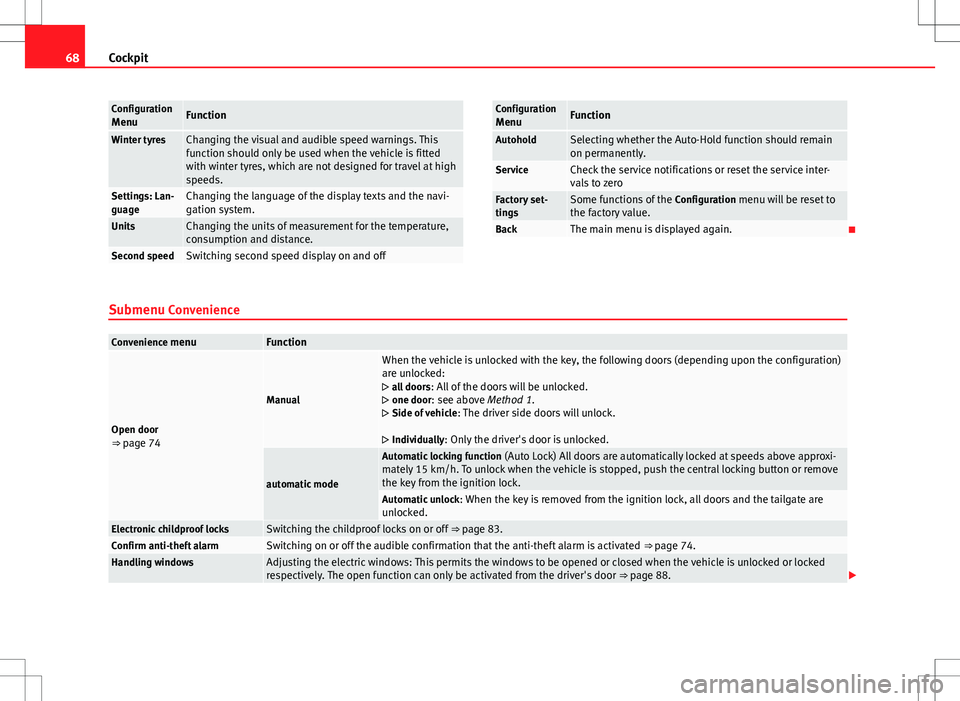
Configuration
MenuFunction
Winter tyresChanging the visual and audible speed warnings. This
function should only be used when the vehicle is fitted
with winter tyres, which are not designed for travel at high
speeds.
Settings: Lan-
guageChanging the language of the display texts and the navi-
gation system.
UnitsChanging the units of measurement for the temperature,
consumption and distance.
Second speedSwitching second speed display on and off
Configuration
MenuFunction
AutoholdSelecting whether the Auto-Hold function should remain
on permanently.
ServiceCheck the service notifications or reset the service inter-
vals to zero
Factory set-
tingsSome functions of the Configuration menu will be reset to
the factory value.
BackThe main menu is displayed again.
Submenu Convenience
Convenience menuFunction
Open door
⇒ page 74
Manual
When the vehicle is unlocked with the key, the following doors (depending upon the configuration)
are unlocked:
all doors : All of the doors will be unlocked.
one door: see above Method 1.
Side of vehicle : The driver side doors will unlock.
Individually: Only the driver's door is unlocked.
automatic mode
Automatic locking function (Auto Lock) All doors are automatically locked at speeds above approxi-
mately 15 km/h. To unlock when the vehicle is stopped, push the central locking button or remove
the key from the ignition lock.
Automatic unlock : When the key is removed from the ignition lock, all doors and the tailgate are
unlocked.
Electronic childproof locksSwitching the childproof locks on or off ⇒ page 83.Confirm anti-theft alarmSwitching on or off the audible confirmation that the anti-theft alarm is activated ⇒ page 74.Handling windowsAdjusting the electric windows: This permits the windows to be opened or closed when the vehicle is unlocked or locked
respectively. The open function can only be activated from the driver's door ⇒ page 88.
Page 74 of 388
72Unlocking and locking
Vehicle keys
With the vehicle key ⇒ fig. 39 or ⇒ fig. 40 the vehicle may be locked or un-
locked remotely.
The vehicle key includes an emitter and batteries. The receiver is in the inte-
rior of the vehicle. The range of the vehicle key with remote control and new
batteries is several metres around the vehicle.
If it is not possible to open or close the vehicle using the remote control key,
this should be re-synchronised ⇒ page 74 or the battery changed
⇒ page 73.
Different keys belonging to the vehicle may be used.
Folding the key shaft in and out
When the button is pressed, the key shaft is released and unfolds.
To fold it press the button and fold the key shaft in until it locks in place.
Duplicate keys
To obtain a spare key and other vehicle keys, the vehicle chassis number is
required.
Each new key must contain a microchip and be coded with the data from the
electronic vehicle immobiliser. In vehicle key will not work if it does not con-
tain microchip or the microchip has not been encoded. This is also true for
keys cut for the vehicle.
The vehicle keys or new spare keys can be obtained from an authorised
technical service, a specialised workshop or approved key service qualified
to create this kind of key.
New keys or spare keys must be synchronised before use ⇒ page 74.
CAUTION
All of the vehicle keys contain electronic components. Protect the vehicle
keys from damage, impacts and humidity.
Note
● Only use the key button when you require the corresponding function.
Pushing the button unnecessarily could accidentally unlock the vehicle or
trigger the alarm. It is also possible even when you are outside the radius of
action.
● Key operation can be greatly influenced by overlapping radio signals
around the vehicle working in the same range of frequencies (for example,
radio transmitters, mobile telephones).
● Obstacles between the remote control and the vehicle, bad weather con-
ditions and discharged batteries can considerably reduce the range of the
remote control.