ECO mode Seat Alhambra 2013 Owner's Guide
[x] Cancel search | Manufacturer: SEAT, Model Year: 2013, Model line: Alhambra, Model: Seat Alhambra 2013Pages: 387, PDF Size: 6.13 MB
Page 210 of 387
208Driving
Rear Assist system*
Introduction
The camera fitted to the rear lid helps drivers during parking or reversing
manoeuvres. The camera image and certain orientation points generated by
the system are indicated on the factory-fitted radio or navigation system
screen.
Two types of location point (modes) can be selected:
● Mode 1: reverse parking perpendicular to the road (e.g. in a car park).
● Mode 2: reverse parking parallel to the curb.
The mode can be changed by pressing the button on the radio or navigation
system screen. Only the mode to which the points can be changed will be
displayed.
Additional information and warnings:
● Accessories, parts replacement, repairs and modifications ⇒ page 260
WARNING
Use of the camera to calculate the distance from obstacles (people, vehi-
cles, etc.) is inaccurate and may cause accidents and severe injuries.
● The camera lens expands and distorts the field of vision and displays
the objects on the screen in a different, vague manner.
● Some objects may not be displayed or may not be very clear (e.g. very
thin posts or fences), due to the resolution of the monitor or if the light is
dim.
● The camera has blind spots in which obstacles and people are not
registered.
● Keep the camera lens clean and clear of snow and ice. Do not cover it.
WARNING
The intelligent technology in the rear assist system cannot change the
limits imposed by the laws of physics and by the system itself. Careless
or uncontrolled use of the rear assist system may result in severe injuries
and accidents. The system is not a replacement for driver awareness.
● Adjust your speed and driving style to visibility, road, traffic and
weather conditions.
● Always keep a close eye on the area around the vehicle and always
look towards where you are parking. The display shows the path of the
rear end of the vehicle using the current steering angle. The front of the
vehicle turns more in comparison with the rear.
● Do not be distracted from the traffic when looking at the screen.
● Always observe the area around the vehicle, as the cameras do not al-
ways detect children, animals or objects.
● The system might not show all areas clearly.
● Only use the rear assist system when the rear lid is completely
closed.
CAUTION
● The camera only displays 2D images on the screen. Due to the lack of
depth, it might be difficult or impossible to recognise protruding objects or
cracks in the road.
● The cameras may not always be able to detect objects such as thin rails,
fences, posts and trees, etc. This could result in damage to your car.
Page 211 of 387
209
Driving
User instructions
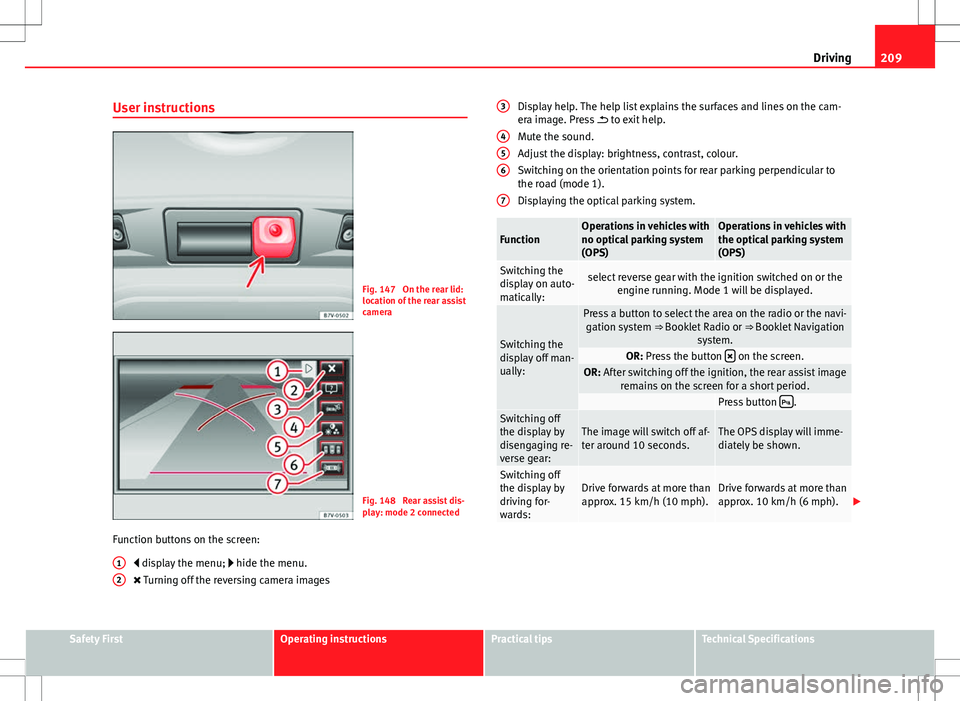
Fig. 147 On the rear lid:
location of the rear assist
camera
Fig. 148 Rear assist dis-
play: mode 2 connected
Function buttons on the screen: display the menu; hide the menu.
Turning off the reversing camera images
1
2
Display help. The help list explains the surfaces and lines on the cam-
era image. Press
to exit help.
Mute the sound.
Adjust the display: brightness, contrast, colour.
Switching on the orientation points for rear parking perpendicular to
the road (mode 1).
Displaying the optical parking system.
FunctionOperations in vehicles with
no optical parking system
(OPS)Operations in vehicles with
the optical parking system
(OPS)
Switching the
display on auto-
matically:select reverse gear with the ignition switched on or the engine running. Mode 1 will be displayed.
Switching the
display off man-
ually:
Press a button to select the area on the radio or the navi-gation system ⇒ Booklet Radio or ⇒ Booklet Navigation
system.
OR: Press the button on the screen.OR: After switching off the ignition, the rear assist image
remains on the screen for a short period.
Press button .Switching off
the display by
disengaging re-
verse gear:The image will switch off af-
ter around 10 seconds.The OPS display will imme-
diately be shown.
Switching off
the display by
driving for-
wards:Drive forwards at more than
approx. 15 km/h (10 mph).Drive forwards at more than
approx. 10 km/h (6 mph).
3
456
7
Safety FirstOperating instructionsPractical tipsTechnical Specifications
Page 212 of 387
210Driving
Things to note
1) Do not use the rear assist system in the following cases:– If there is a fault in the dynamic chassis control (DCC).– If the image displayed is not very clear or reliable (low visibility or dirty
lens).
– If the space behind the vehicle cannot be clearly or completely recog-
nised.
– If the vehicle has been overloaded at the rear.– If the driver is not familiar with the system.– If the rear lid is open.– If the position and installation angle of the camera have been changed,
e.g. in a rear-end collision. Have a specialised workshop check the system.
2) Optical illusions of the camera (examples)The rear assist camera produces two-dimensional images. Any cracks in or
objects protruding from the ground or from other vehicles are more diffi-
cult to spot or cannot be seen due to a lack of depth in the image dis-
played.
Objects or other vehicles may seem to be closer or further away than what
they really are:
– On changing from a flat surface to a slope or gradient.– On changing from a slope or gradient to a flat surface.– If the vehicle has been overloaded at the rear.– On approaching protruding objects. These objects may be outside the
angle of vision of the camera when reversing.
Cleaning the camera lens
Keep the camera lens clean and clear of snow and ice:
● Moisten the lens using a commercially available, alcohol-based glass
cleaning agent and clean the lens with a dry cloth ⇒
.
● Remove snow using a small brush.
● Use de-icing spray to remove any ice ⇒
.
CAUTION
● Never use abrasive cleaners to clean the camera lens.
● Never remove snow or ice from the camera lens using warm or hot water.
This could damage the lens.
Note
● SEAT recommends that you practise parking with the rear assist system
in a quiet location or in a car park to become familiar with the system, in-
cluding the orientation lines and their function.
● The orientation lines will not be displayed on the screen if the rear lid is
open or the factory-fitted towing bracket is electrically connected to a trailer.
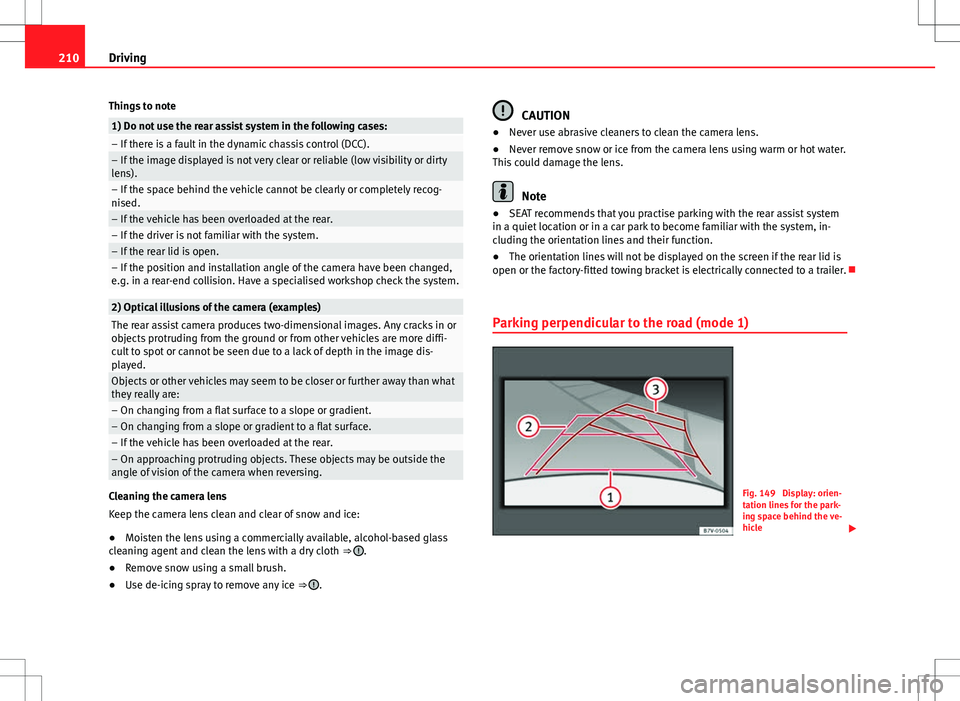
Parking perpendicular to the road (mode 1)
Fig. 149 Display: orien-
tation lines for the park-
ing space behind the ve-
hicle
Page 219 of 387
217
Driving
Control lamps
Blinks or
lights upPossible causeSolution
(yellow)Lane assist system connec-
ted but inactive.
The system cannot clearly de-
tect the lane. See and
page 218, The lane assist sys-
tem is inactive (control lamp lit
in yellow).
(green)Lane assist system connec-
ted and active.–
Several warning and control lamps should light up for a few seconds when
the ignition is switched on, signalling that the function is being verified.
They will switch off after a few seconds.
WARNING
If the warning lamps and messages are ignored, the vehicle may stall in
traffic, or may cause accidents and severe injuries.
● Never ignore the warning lamps or text messages.
● Stop the vehicle safely as soon as possible.
CAUTION
Failure to heed the control lamps and text messages when they appear may
result in faults in the vehicle. Operation mode
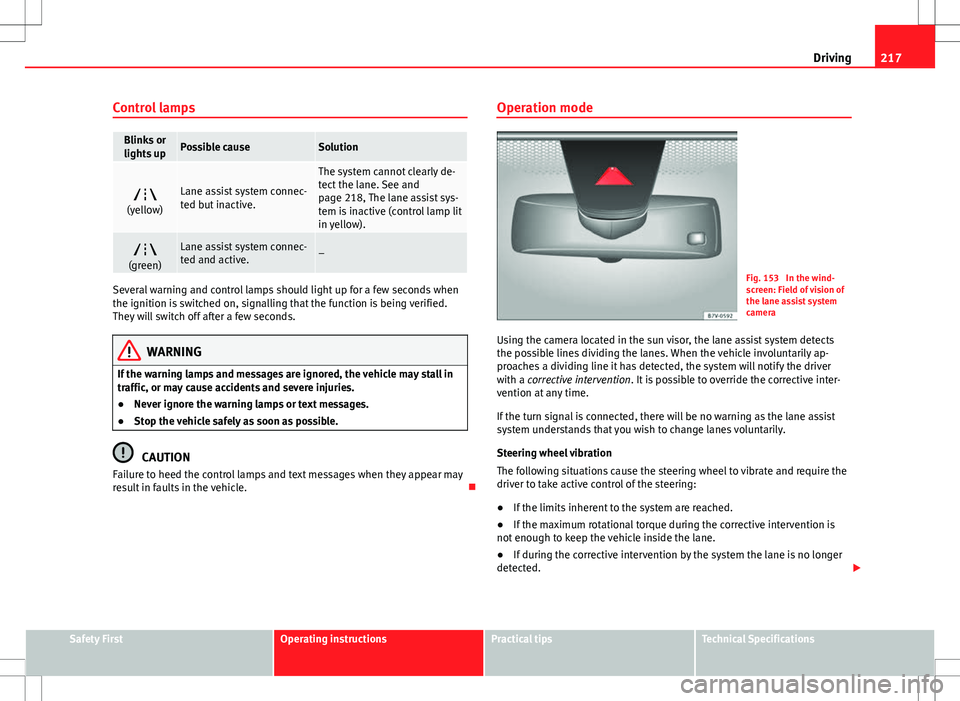
Fig. 153 In the wind-
screen: Field of vision of
the lane assist system
camera
Using the camera located in the sun visor, the lane assist system detects
the possible lines dividing the lanes. When the vehicle involuntarily ap-
proaches a dividing line it has detected, the system will notify the driver
with a corrective intervention. It is possible to override the corrective inter-
vention at any time.
If the turn signal is connected, there will be no warning as the lane assist
system understands that you wish to change lanes voluntarily.
Steering wheel vibration
The following situations cause the steering wheel to vibrate and require the
driver to take active control of the steering:
● If the limits inherent to the system are reached.
● If the maximum rotational torque during the corrective intervention is
not enough to keep the vehicle inside the lane.
● If during the corrective intervention by the system the lane is no longer
detected.
Safety FirstOperating instructionsPractical tipsTechnical Specifications
Page 222 of 387
220Driving
Indication on display
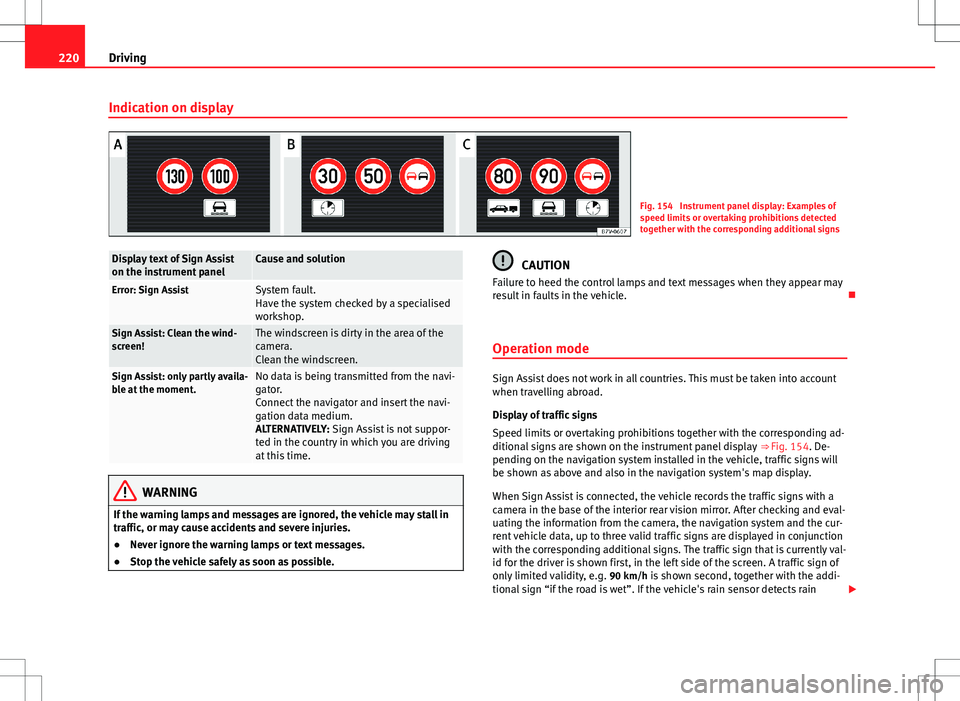
Fig. 154 Instrument panel display: Examples of
speed limits or overtaking prohibitions detected
together with the corresponding additional signs
Display text of Sign Assist
on the instrument panelCause and solution
Error: Sign AssistSystem fault.
Have the system checked by a specialised
workshop.
Sign Assist: Clean the wind-
screen!The windscreen is dirty in the area of the
camera.
Clean the windscreen.
Sign Assist: only partly availa-
ble at the moment.No data is being transmitted from the navi-
gator.
Connect the navigator and insert the navi-
gation data medium.
ALTERNATIVELY: Sign Assist is not suppor-
ted in the country in which you are driving
at this time.
WARNING
If the warning lamps and messages are ignored, the vehicle may stall in
traffic, or may cause accidents and severe injuries.
● Never ignore the warning lamps or text messages.
● Stop the vehicle safely as soon as possible.
CAUTION
Failure to heed the control lamps and text messages when they appear may
result in faults in the vehicle.
Operation mode
Sign Assist does not work in all countries. This must be taken into account
when travelling abroad.
Display of traffic signs
Speed limits or overtaking prohibitions together with the corresponding ad-
ditional signs are shown on the instrument panel display ⇒ Fig. 154. De-
pending on the navigation system installed in the vehicle, traffic signs will
be shown as above and also in the navigation system's map display.
When Sign Assist is connected, the vehicle records the traffic signs with a
camera in the base of the interior rear vision mirror. After checking and eval-
uating the information from the camera, the navigation system and the cur-
rent vehicle data, up to three valid traffic signs are displayed in conjunction
with the corresponding additional signs. The traffic sign that is currently val-
id for the driver is shown first, in the left side of the screen. A traffic sign of
only limited validity, e.g. 90 km/h is shown second, together with the addi- tional sign “if the road is wet”. If the vehicle's rain sensor detects rain
Page 223 of 387
221
Driving
during travel, the traffic sign valid at this moment will move to the first posi-
tion along the additional sign “if the road is wet”.
The permanent display on the instrument panel screen is shown as you
pass the real traffic signs. The signs for entering and leaving towns activate
the display of the usual speed limits for that country on roads in populated
areas and national highways, even if the speed is not limited by an actual
traffic sign.
The end of a prohibition or limitation is not displayed. If you exceed the
speed limits shown, a warning will not appear. The system does not detect
areas with little traffic. The current legal provisions apply.
Connection and disconnection
● Connect or disconnect the assist system in the Settings menu in the
SEAT information system ⇒ page 62.
● OR: Press the button for the driver assist systems on the main beam lev-
er.
Trailer
Connect or disconnect the secondary display for speed limits and overtak-
ing bans that apply to trailers (trailer mode) in the Settings menu in the
SEAT information system ⇒ page 62.
Safety FirstOperating instructionsPractical tipsTechnical Specifications
Page 228 of 387
226Driving
WARNING (Continued)
● If tyres are inflated at different pressures or a tyre pressure is too low,
a tyre may be damaged and burst resulting in a loss of control of the ve-
hicle.
● The driver is responsible for ensuring that all of the vehicle tyres are
correctly inflated to the right pressure. The recommended tyre pressure
is indicated on the label ⇒ Fig. 178.
● The tyre monitoring system can only operate correctly if all of the
tyres are inflated to the correct pressure when cold.
● Driving with tyres at the wrong pressure can cause them damage and
result in an accident. Ensure that the tyre pressures of all the tyres corre-
spond to the vehicle load.
● Before starting a journey, always inflate tyres to the correct pressure.
● If tyre pressure is too low then the tyre is subject to greater forces
and it may be heated to such an extent that the tread can rupture and the
tyre will burst.
● With an overloaded vehicle at high speed, the tyres can overheat and
burst resulting in a loss of vehicle control.
● Tyre pressures which are too high or too low reduce the useful life of
the tyre, affecting vehicle performance.
● If a tyre has not been punctured then it does not have to be changed
immediately; drive to the nearest specialised workshop at a moderate
speed and have the tyre checked and inflated to the correct pressure.
WARNING
If the warning lamps and messages are ignored, the vehicle may stall in
traffic, or may cause accidents and severe injuries.
● Never ignore the warning lamps or text messages.
● Stop the vehicle safely as soon as possible.
CAUTION
Failure to heed the control lamps and text messages when they appear may
result in faults in the vehicle.
Tyre monitoring indicator
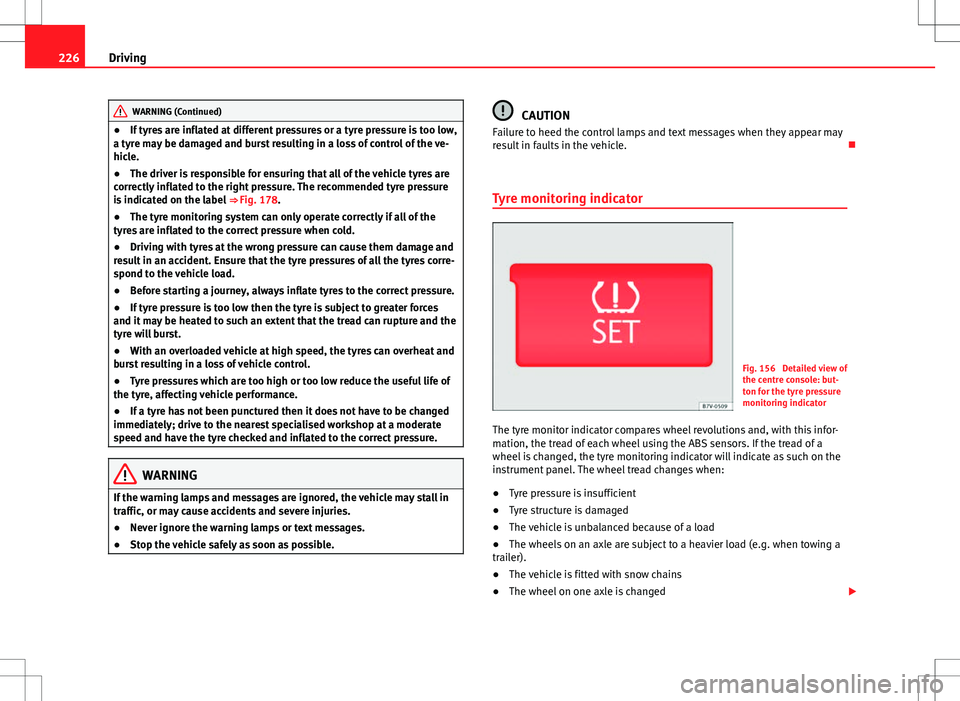
Fig. 156 Detailed view of
the centre console: but-
ton for the tyre pressure
monitoring indicator
The tyre monitor indicator compares wheel revolutions and, with this infor-
mation, the tread of each wheel using the ABS sensors. If the tread of a
wheel is changed, the tyre monitoring indicator will indicate as such on the
instrument panel. The wheel tread changes when:
● Tyre pressure is insufficient
● Tyre structure is damaged
● The vehicle is unbalanced because of a load
● The wheels on an axle are subject to a heavier load (e.g. when towing a
trailer).
● The vehicle is fitted with snow chains
● The wheel on one axle is changed
Page 230 of 387
228Driving and the environment
Practical tips
Driving and the environment
Running-in
Please observe the instructions for running-in new components.
Running-in the engine
The engine needs to be run-in over the first 1500 km (1000 miles). During
its first few hours of running, the internal friction in the engine is greater
than later on when all the moving parts have bedded down.
How the vehicle is driven for the first 1500 km (1000 miles) influences the
future engine performance. Throughout the life of the vehicle, it should be
driven at a moderate speed – especially when the engine is cold – this will
reduce engine wear and increase its useful life. Never drive at extremely low
engine speeds. Always engage a lower gear when the engine works “irregu-
larly”. For the first 1000 km or 600 miles, please note:
● Do not use full throttle.
● Do not force the engine above two thirds of its maximum speed.
● Do not tow a trailer.
Between 1000 and 1500 kilometres (600 to 1000 miles), gradually in-
crease power until reaching the maximum speed and high engine speeds.
Running in new tyres and brake pads
● Replacement of new tyres and wheel rims ⇒ page 296
● Notes on the brakes ⇒ page 188
For the sake of the environment
If the engine is run in gently, the life of the engine will be increased and the
engine oil consumption reduced.
Ecological driving Introduction
Fuel consumption, environmental impact and engine, brake and tyre wear
depend largely on three factors:
● Personal driving style.
● Conditions of use (weather, road surface).
● Technical requirements.
Savings of up to 25% in fuel consumption are possible with an appropriate
driving style and the adoption of certain simple tips.
WARNING
Always adapt your speed and the distance to the vehicles ahead in line
with visibility, weather conditions, the condition of the road and the traf-
fic situation.
Page 231 of 387
229
Driving and the environment
Economic driving style
Changing gear early
General instructions: The highest gear is always the most economical gear.
As a guideline, for the majority of vehicles: At a speed of 30 km/h (20 mph),
drive in third gear, at 40 km/h (25 mph) in fourth gear and at 50 km/h
(30 mph) in fifth gear.
In addition, skipping gears when shifting up helps to save fuel, weather and
traffic conditions permitting.
Do not wait until the last moment before changing gear. Only use first gear
when you move off and change to second gear quickly. Avoid the kick-down
function in vehicles with automatic gearbox.
Vehicles with a gear display help to achieve an economical driving style as
the display indicates the best moment to change gear.
Let the vehicle roll
If you take your foot off the accelerator, the fuel supply is stopped and con-
sumption is reduced.
Allow the vehicle to roll without accelerating, for example when approach-
ing a red traffic light. However, if the vehicle is rolling too slowly or the dis-
tance is too long, the clutch pedal should be pressed to declutch. The en-
gine will then operate at idle speed.
If the vehicle is going to be at a standstill for a period of time, switch off the
engine; for example, while waiting at a level crossing. In vehicles which
have the Start-Stop function on, the engine switches off automatically when
the vehicle is not moving.
Think ahead and “flow” with the traffic
Frequent acceleration and braking considerably increase fuel consumption.
If you think ahead as you drive and keep a safe distance from the vehicle in
front, it is possible to slow down by simply lifting your foot off the accelera-
tor. This eliminates the need for constant braking and acceleration. Calm and steady driving
Constancy is more important than speed: The more you drive at a constant
speed, the lower the fuel consumption.
When driving on the motorway, it is more efficient to drive at a constant and
more moderate speed than to be continuously accelerating and braking. As
a general rule, you will reach your destination just as quickly when you drive
at a constant speed.
The cruise control function helps you to achieve a constant style of driving.
Moderate use of additional electrical appliances
It is important to travel in comfort, but convenience systems should be used
in an ecological manner.
Some equipment, when connected, increase fuel consumption considera-
bly, for example:
●
Air conditioning cooling system: If the air conditioning system is re-
quired to cool to significantly lower temperatures than the true outside tem-
perature, it will require a large quantity of energy from the engine. There-
fore, we recommend that the selected temperature for the vehicle is not too
different to the outside temperature. It is a good idea to open all the win-
dows of the car before starting your journey, and to drive a short distance
with all the windows open to allow the vehicle to cool down slightly. Only
then should you close all the windows and switch on the air conditioning.
Keep windows closed when travelling at high speeds. Driving with the win-
dows open increases fuel consumption.
● Switch off the seat heating when the seats have warmed up.
● Switch off the heated rear window and the windscreen heating when the
windows have demisted and are free of ice.
● Do not leave the auxiliary heater switched on when the vehicle is mov-
ing ⇒ page 164.
Safety FirstOperating instructionsPractical tipsTechnical Specifications
Page 237 of 387
235
Trailer towing
WARNING (Continued)
● Trailers with a high centre of gravity can overturn more easily than
trailers with a low centre of gravity.
● Avoid brusque manoeuvres and sudden braking.
● Always take the following precautions seriously.
● Reduce your speed immediately if you observe the trailer rocking
from side to side.
● Never drive at more than 80 km an hour (50 mph) when towing a trail-
er (or 100 km an hour (60 mph) in exceptional circumstances). This also
applies in countries where higher speeds are permitted. Always take the
speed limits for vehicles with and without trailers in each country into ac-
count.
● Never try to stop the “snaking” by increasing speed.
WARNING
When driving with a trailer and using a tow hitch that was not installed
by SEAT, the Start-Stop function must be manually deactivated. Other-
wise, this could cause a braking anomaly that could result in an accident
with serious consequences.
● Always manually deactivate the Start-Stop function when a trailer is
being used on a tow hitch that has not been installed by SEAT.
Note
● Always turn off the anti-theft alarm system before connecting or discon-
necting a trailer ⇒ page 78. Otherwise, the tilt sensor may erroneously acti-
vate the alarm.
● Never use a trailer with a new engine (for the first 1000 km or 600 miles)
⇒ page 260. ●
At SEAT, we recommend folding in the tow hitch ball when a trailer is not
being used. In case of a rear collision, the damage caused to the vehicle
with the extended tow hitch ball could be more extensive.
● In some models, a tow hitch is necessary for towing vehicles. For this
reason, you should store the tow hitch in the vehicle at all times.
Safety FirstOperating instructionsPractical tipsTechnical Specifications