service Seat Alhambra 2014 User Guide
[x] Cancel search | Manufacturer: SEAT, Model Year: 2014, Model line: Alhambra, Model: Seat Alhambra 2014Pages: 381, PDF Size: 5.75 MB
Page 44 of 381
42Child safety
Always secure child seats properly and safely in the vehicle according to the
child seat manufacturer's installation instructions.
Mounted child seats must rest correctly on the vehicle's seat and must not
move or rock more than 2.5 cm (1 inch).
Child seats equipped for a Top Tether strap must also be secured using the
Top Tether retaining strap in the vehicle ⇒ page 45. Only secure the re-
taining belt to the rings fitted for this purpose and identified as Top Tether.
Not all rings can be used with the Top Tether system. Always tighten the Top
Tether retaining strap so that the child seat fits snugly against the corre-
sponding seat in the vehicle.
Specific mounting systems for each country
Europe: ISOFIX retaining rings and upper retaining strap ⇒ page 44
and ⇒ page 45.
Three-point seat belt and upper retaining strap ⇒ page 44.
The systems include the child restraint system mounting with an upper re-
taining strap (Top Tether) and lower anchoring points on the seat.
Use of the child seat on the front passenger seat
Transporting children on the front passenger seat is not permitted in all
countries. Furthermore, not all child seats are approved for use on the front
passenger seat. Your Technical Service has an updated list of all approved
child seats. Only used child seats that are approved for each vehicle.
The front airbag on the front passenger side is highly dangerous for a child.
The front passenger seat is life-threatening to a child if he or she is trans-
ported in a rear-facing child seat.
If a rear-facing child seat is secured to the front passenger seat, an inflating
front airbag can strike it with such great force that severe or fatal injuries
may result ⇒
. Therefore, rear-facing child seats must never be used on
the front passenger seat when the front passenger front airbag is enabled. A
B
Only use a rear-facing child seat on the front passenger seat if the front pas-
senger front airbag is disabled. When it is disabled, the yellow
PASSENGER
AIR BAG control lamp on the dash panel will be lit ⇒ page 31. If you
cannot disable the front passenger front airbag and it remains activated, it
is forbidden to transport children on the front passenger seat ⇒
.
Things to note if using a child seat on the front passenger seat:
● The front passenger front airbag must be disabled when using a rear-
facing child seat ⇒ page 35.
● The seat backrest of the front passenger seat must be upright.
● The front passenger seat must be moved as far back as possible.
● The seat backrest of the front passenger seat must be upright.
● The seat belt height adjustment must be as high as possible.
Suitable child seats
The child seat must be authorised by the manufacturer especially for use on
a front passenger seat with a front or side airbag.
If the front passenger seat is equipped with retaining rings, the child seat
can be secured using the approved retaining system provided it is approved
for this type of vehicle in accordance with current regulations in the country
in question.
Universal seats for children of groups 0, 0+, 1, 2 or 3 according to the
standard ECE-R 44 can be mounted in the front passenger seat and the rear
seats.
WARNING
If a child seat is mounted on the front passenger seat, the risk of the
child sustaining severe or fatal injuries in the event of an accident increa-
ses. Rear-facing child seats must never be mounted on the front passen-
ger seat when the front passenger front airbag is enabled. This is life-
threatening to the child should the front airbag deploy, as the child seat
would be struck by the inflated airbag and thrown against the seat back-
rest.
Page 58 of 381
56Cockpit
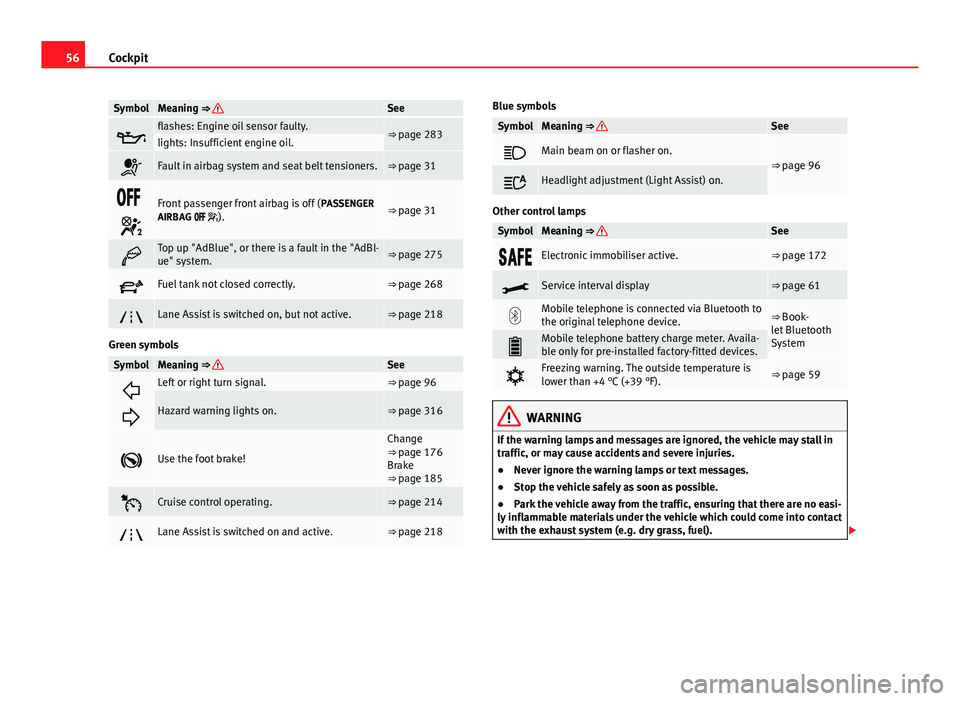
SymbolMeaning ⇒ See
flashes: Engine oil sensor faulty.⇒ page 283lights: Insufficient engine oil.
Fault in airbag system and seat belt tensioners.⇒ page 31
Front passenger front airbag is off ( PASSENGER
AIRBAG ).⇒ page 31
Top up "AdBlue", or there is a fault in the "AdBl-
ue" system.⇒ page 275
Fuel tank not closed correctly.⇒ page 268
Lane Assist is switched on, but not active.⇒ page 218
Green symbols
SymbolMeaning ⇒ See
Left or right turn signal.⇒ page 96
Hazard warning lights on.⇒ page 316
Use the foot brake!
Change
⇒ page 176
Brake
⇒ page 185
Cruise control operating.⇒ page 214
Lane Assist is switched on and active.⇒ page 218
Blue symbols
SymbolMeaning ⇒ See
Main beam on or flasher on.⇒ page 96
Headlight adjustment (Light Assist) on.
Other control lamps
SymbolMeaning ⇒ See
Electronic immobiliser active.⇒ page 172
Service interval display⇒ page 61
Mobile telephone is connected via Bluetooth to
the original telephone device.⇒ Book-
let Bluetooth
System
Mobile telephone battery charge meter. Availa-
ble only for pre-installed factory-fitted devices.
Freezing warning. The outside temperature is
lower than +4 °C (+39 °F).⇒ page 59
WARNING
If the warning lamps and messages are ignored, the vehicle may stall in
traffic, or may cause accidents and severe injuries.
● Never ignore the warning lamps or text messages.
● Stop the vehicle safely as soon as possible.
● Park the vehicle away from the traffic, ensuring that there are no easi-
ly inflammable materials under the vehicle which could come into contact
with the exhaust system (e.g. dry grass, fuel).
Page 60 of 381
58Cockpit
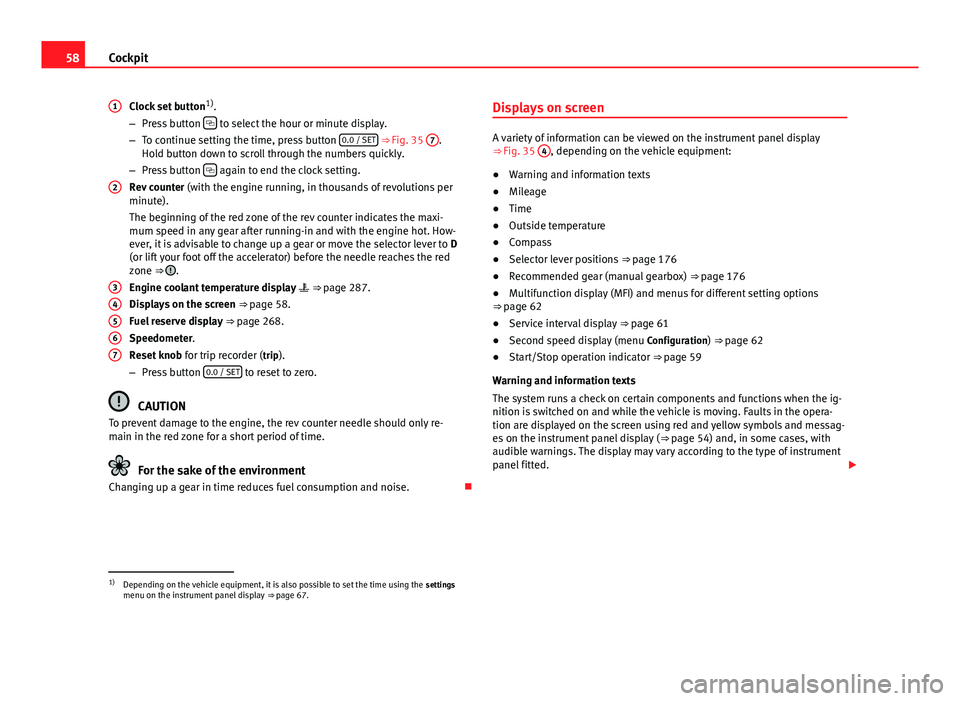
Clock set button 1)
.
– Press button
to select the hour or minute display.
– To continue setting the time, press button 0.0 / SET ⇒
Fig. 35 7.
Hold button down to scroll through the numbers quickly.
– Press button
again to end the clock setting.
Rev counter (with the engine running, in thousands of revolutions per
minute).
The beginning of the red zone of the rev counter indicates the maxi-
mum speed in any gear after running-in and with the engine hot. How-
ever, it is advisable to change up a gear or move the selector lever to D
(or lift your foot off the accelerator) before the needle reaches the red
zone ⇒
.
Engine coolant temperature display ⇒ page 287.
Displays on the screen ⇒ page 58.
Fuel reserve display ⇒ page 268.
Speedometer.
Reset knob for trip recorder (trip).
– Press button 0.0 / SET
to reset to zero.
CAUTION
To prevent damage to the engine, the rev counter needle should only re-
main in the red zone for a short period of time.
For the sake of the environment
Changing up a gear in time reduces fuel consumption and noise.
1
2
34567
Displays on screen
A variety of information can be viewed on the instrument panel display
⇒
Fig. 35 4, depending on the vehicle equipment:
● Warning and information texts
● Mileage
● Time
● Outside temperature
● Compass
● Selector lever positions ⇒ page 176
● Recommended gear (manual gearbox) ⇒ page 176
● Multifunction display (MFI) and menus for different setting options
⇒ page 62
● Service interval display ⇒ page 61
● Second speed display (menu Configuration) ⇒ page 62
● Start/Stop operation indicator ⇒ page 59
Warning and information texts
The system runs a check on certain components and functions when the ig-
nition is switched on and while the vehicle is moving. Faults in the opera-
tion are displayed on the screen using red and yellow symbols and messag-
es on the instrument panel display ( ⇒ page 54) and, in some cases, with
audible warnings. The display may vary according to the type of instrument
panel fitted.
1)
Depending on the vehicle equipment, it is also possible to set the time using the settings
menu on the instrument panel display ⇒ page 67.
Page 63 of 381
61
Cockpit
Calibrating compass
To calibrate the compass you must be in one of the valid magnetic zones
with sufficient space to be able to trace a circumference with the vehicle.
● Switch the ignition on.
● Select the Settings menu followed by the option Compass and Calibrate.
● Confirm the message Describe a complete circumference to calibrate the
compass with OK
and then trace a complete circumference driving at ap-
proximately 10 km/h (6 mph).
When the corresponding cardinal point is displayed, the calibration is com-
plete.
Service interval display
The service indication is shown on the instrument panel display ⇒ Fig. 35
4.
SEAT makes a difference between services with engine oil change (Interval
Service) and services without engine oil change (Inspection Service). The
service interval display only gives information for service dates which in-
volve an engine oil change. The dates of the remaining services (for exam-
ple, the next Inspection Service or change of brake fluid) are listed on the
label attached to the door strut, or even in the Maintenance Programme.
In vehicles with Services established by time or mileage , the service inter-
vals are already pre-defined.
In vehicles with LongLife Service , the intervals are determined individually.
Technical progress has made it possible to considerably reduce servicing re-
quirements. The technology used by SEAT ensures that your vehicle only
has an Interval Service when it is necessary. To establish when the Interval
Service is due (max. 2 years), the vehicle's conditions of use and individual
driving styles are considered. The service pre-warning first appears 20 days
before the date established for the corresponding service. The kilometres remaining until the next service are always rounded up to the nearest 100
km (miles) and the remaining time is given in complete days. The current
service message cannot be viewed until 500 km (miles) after the last serv-
ice. Prior to this only lines are visible on the display.
Inspection reminder
When the Service date is approaching, when the ignition is switched on a
Service reminder is displayed.
In vehicles without text messages
, a spanner is displayed on the instrument
panel with a figure given in km. The number of kilometres shown is the
maximum number that may be driven until the next service. After a few sec-
onds, the display mode changes. A clock symbol appears and the number
of days until the next service appointment is due.
In vehicles with text messages , Service in --- km (miles) or --- days is dis-
played on the instrument panel.
Service due
After the service date, an audible warning is given when the ignition is
switched on and the spanner displayed on the screen flashes for a few sec-
onds . In vehicles with text messages , Service in --- km or --- days is dis-
played on the instrument panel.
Reading a service notification
With the ignition switched on, the engine off and the vehicle at a standstill,
the current service notification can be read:
● Press the button
on the instrument panel several times until the
spanner symbol is displayed .
● OR: select the Settings menu.
● From the Service submenu, select the option Info.
When the service date has past , a minus sign is displayed in front of the
number of kilometres or days. In vehicles with text messages the following
is displayed: Service --- km (miles) or --- days ago .
Safety FirstOperating instructionsPractical TipsTechnical Specifications
Page 64 of 381
62Cockpit
The service interval display is reset
If the service was not carried out by a Technical Service, the display can be
reset as follows:
In vehicles with text messages:Select the Settings menu.In the submenu Service, select the option Reset.Confirm with OK when requested to do so by the system.
In vehicles without text messages:Switch the ignition off.Press and hold the 0.0 / SET button.Switch the ignition back on.Release the 0.0 / SET button and, press for the next 20 seconds.
Do not reset the indicator to zero between two intervals, otherwise the dis-
play will be incorrect.
If, while the LongLife service is valid, the service interval display is reset to
zero, the “service will be activated by time or mileage”. The service interval
is no longer calculated individually
⇒ Booklet Maintenance Programme.
Note
● The service message disappears after a few seconds, when the engine is
started or when OK
is pressed.
● In vehicles with the LongLife system in which the battery has been dis-
connected for a long period of time, it is not possible to calculate the date
of the next service. Therefore the service interval display may not be correct.
In this case, please check the maximum permitted service intervals ⇒ Book-
let Maintenance Programme. SEAT information system
Introduction
With the ignition switched on, it is possible to read the different functions of
the display by scrolling through the menus.
In vehicles with a multifunction steering wheel, there are no buttons on the
windscreen wiper lever. The multifunction display can only be controlled
from the buttons on the multifunction steering wheel.
The number of menus displayed on the instrument panel will vary according
to the vehicle electronics and equipment.
A specialised dealer will be able to programme or modify additional func-
tions, according to the vehicle equipment. SEAT recommends visiting a
Technical Service.
Some menu options can only be read when the vehicle is at a standstill.
As long as a priority 1 warning is displayed, it will not be possible to read
the menus. To display the menus, confirm the warning by pressing OK
.
Additional information and warnings:
● Exterior mirrors ⇒ page 111
● Auxiliary heating ⇒ page 165
WARNING
Any distraction may lead to an accident, with the risk of injury.
● Do not read the instrument panel menus when driving.
Page 66 of 381
64Cockpit
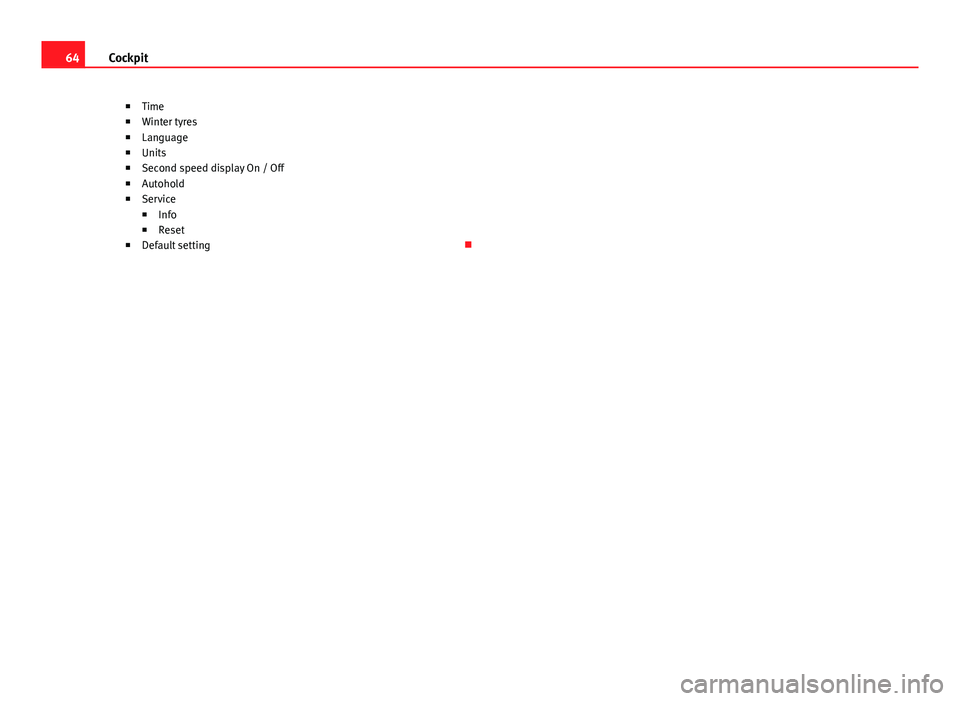
■Time
■ Winter tyres
■ Language
■ Units
■ Second speed display On / Off
■ Autohold
■ Service
■ Info
■ Reset
■ Default setting
Page 70 of 381
68Cockpit
Configuration
Menueffect
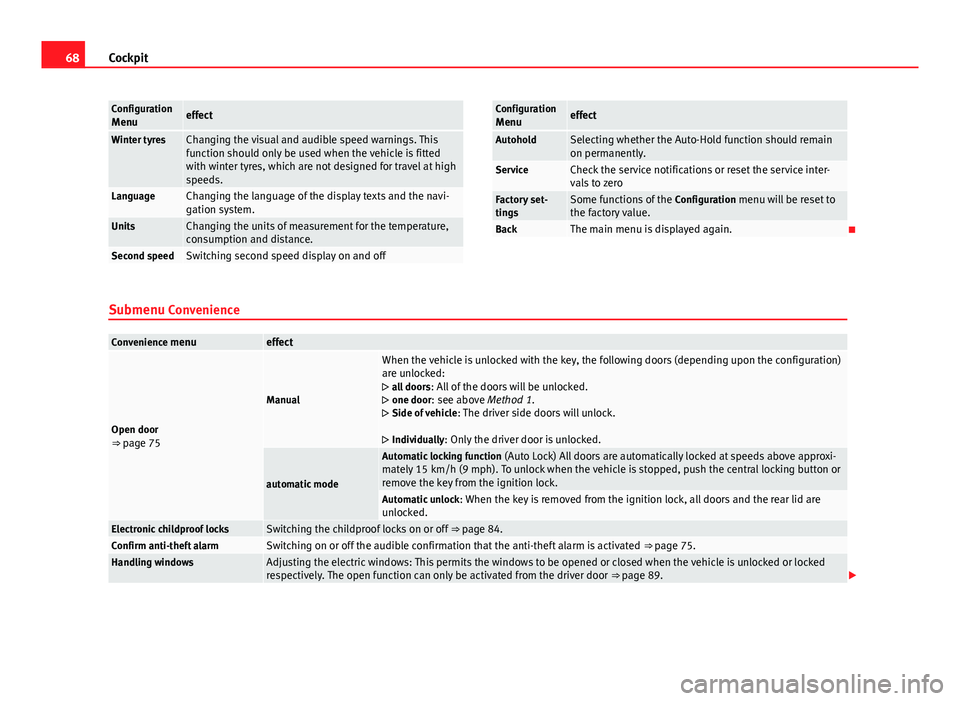
Winter tyresChanging the visual and audible speed warnings. This
function should only be used when the vehicle is fitted
with winter tyres, which are not designed for travel at high
speeds.
LanguageChanging the language of the display texts and the navi-
gation system.
UnitsChanging the units of measurement for the temperature,
consumption and distance.
Second speedSwitching second speed display on and off
Configuration
Menueffect
AutoholdSelecting whether the Auto-Hold function should remain
on permanently.
ServiceCheck the service notifications or reset the service inter-
vals to zero
Factory set-
tingsSome functions of the Configuration menu will be reset to
the factory value.
BackThe main menu is displayed again.
Submenu Convenience
Convenience menueffect
Open door
⇒ page 75
Manual
When the vehicle is unlocked with the key, the following doors (depending upon the configuration)
are unlocked:
all doors : All of the doors will be unlocked.
one door: see above Method 1.
Side of vehicle : The driver side doors will unlock.
Individually: Only the driver door is unlocked.
automatic mode
Automatic locking function (Auto Lock) All doors are automatically locked at speeds above approxi-
mately 15 km/h (9 mph). To unlock when the vehicle is stopped, push the central locking button or
remove the key from the ignition lock.
Automatic unlock : When the key is removed from the ignition lock, all doors and the rear lid are
unlocked.
Electronic childproof locksSwitching the childproof locks on or off ⇒ page 84.Confirm anti-theft alarmSwitching on or off the audible confirmation that the anti-theft alarm is activated ⇒ page 75.Handling windowsAdjusting the electric windows: This permits the windows to be opened or closed when the vehicle is unlocked or locked
respectively. The open function can only be activated from the driver door ⇒ page 89.
Page 72 of 381
70Cockpit
The stored settings are automatically activated, at the latest when the igni-
tion is switched on. Please refer to the information and tips relating to the
seat memory ⇒ page 118.
Three button unit in headliner Three button unit*
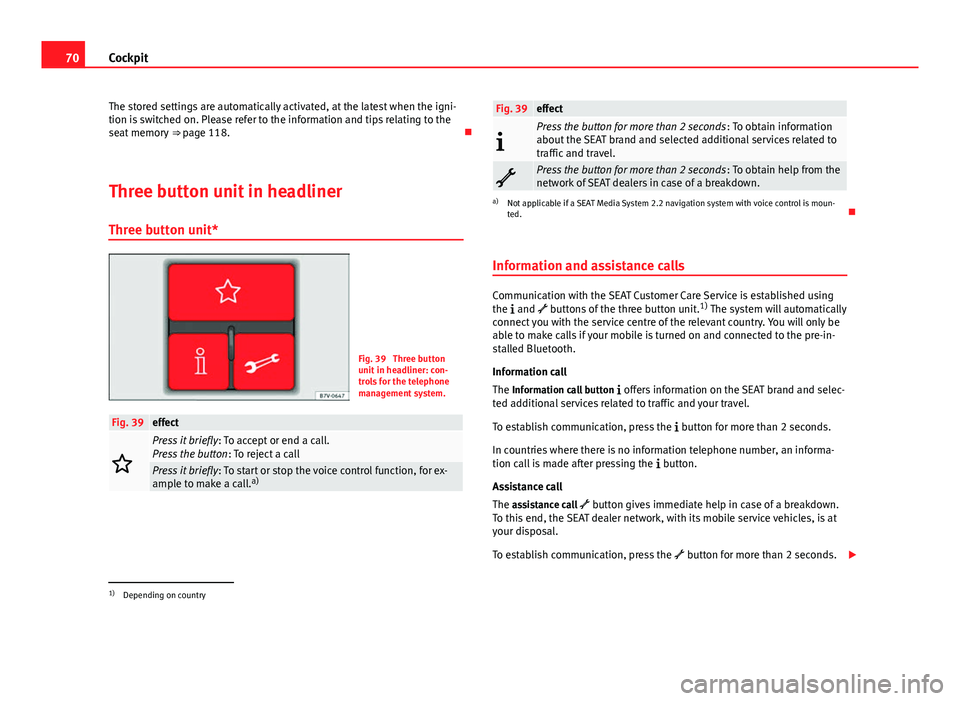
Fig. 39 Three button
unit in headliner: con-
trols for the telephone
management system.
Fig. 39effect
Press it briefly : To accept or end a call.
Press the button : To reject a call
Press it briefly: To start or stop the voice control function, for ex-
ample to make a call. a)
Fig. 39effect
Press the button for more than 2 seconds
: To obtain information
about the SEAT brand and selected additional services related to
traffic and travel.
Press the button for more than 2 seconds : To obtain help from the
network of SEAT dealers in case of a breakdown.
a) Not applicable if a SEAT Media System 2.2 navigation system with voice control is moun-
ted.
Information and assistance calls
Communication with the SEAT Customer Care Service is established using
the and buttons of the three button unit. 1)
The system will automatically
connect you with the service centre of the relevant country. You will only be
able to make calls if your mobile is turned on and connected to the pre-in-
stalled Bluetooth.
Information call
The Information call button offers information on the SEAT brand and selec-
ted additional services related to traffic and your travel.
To establish communication, press the button for more than 2 seconds.
In countries where there is no information telephone number, an informa-
tion call is made after pressing the button.
Assistance call
The assistance call button gives immediate help in case of a breakdown.
To this end, the SEAT dealer network, with its mobile service vehicles, is at
your disposal.
To establish communication, press the button for more than 2 seconds.
1)
Depending on country
Page 73 of 381
71
Cockpit
Note
Calls made with the and buttons take priority over normal calls. If the or
button is pressed during a normal telephone call, this call will be cut off
and a connection will be made to the information or assistance centre.
Note
Any call made to the information service will be interrupted if the assistance
button is pressed. The connection to the assistance service will then be
made (and vice versa).
Note
Mobile phone coverage must be available to place a call to the information
and assistance services. This service might not be available in some coun-
tries.
Activating and deactivating voice control
Switching on the speech control system
● Press the button on the multi-function steering wheel.
● OR: Press the button in the three button unit in the headliner.
● Wait for the acoustic signal.
● Speak the command.
● Follow the dialogue instructions (extended dialogue).
Ending voice control
● Press the button on the multi-function steering wheel.
● OR: Press the button in the three button unit in the headliner. Interrupting the instructions
●
During the instructions, press the button on the multi-function steer-
ing wheel.
● OR: Press the button in the three button unit in the headliner.
● You will be able to speak a command immediately after.
Safety FirstOperating instructionsPractical TipsTechnical Specifications
Page 75 of 381
73
Opening and closing
Vehicle keys
With the vehicle key ⇒ Fig. 40 or ⇒ Fig. 41 the vehicle may be locked or un-
locked remotely.
The vehicle key includes an emitter and batteries. The receiver is in the inte-
rior of the vehicle. The range of the vehicle key with remote control and new
batteries is several metres around the vehicle.
If it is not possible to open or close the vehicle using the remote control key,
this should be re-synchronised ⇒ page 75 or the battery changed
⇒ page 74.
Different keys belonging to the vehicle may be used.
Folding the key shaft in and out
When the button A
is pressed, the key shaft is released and unfolds.
To fold it press the button A
and fold the key shaft in until it locks in place.
Duplicate keys
To obtain a spare key and other vehicle keys, the vehicle chassis number is
required.
Each new key must contain a microchip and be coded with the data from the
vehicle electronic immobiliser. A vehicle key will not work if it does not con-
tain microchip or the microchip has not been encoded. This is also true for
keys cut for the vehicle.
The vehicle keys or new spare keys can be obtained from a Technical Serv-
ice, a specialised workshop or approved key service qualified to create this
kind of key.
New keys or spare keys must be synchronised before use ⇒ page 75.
CAUTION
All of the vehicle keys contain electronic components. Protect the vehicle
keys from damage, impacts and humidity.
Note
● Only use the key button when you require the corresponding function.
Pushing the button unnecessarily could accidentally unlock the vehicle or
trigger the alarm. It is also possible even when you are outside the radius of
action.
● Key operation can be greatly influenced by overlapping radio signals
around the vehicle working in the same range of frequencies (for example,
radio transmitters, mobile telephones).
● Obstacles between the remote control and the vehicle, bad weather con-
ditions and discharged batteries can considerably reduce the range of the
remote control.
Safety FirstOperating instructionsPractical TipsTechnical Specifications