lights Seat Alhambra 2014 Workshop Manual
[x] Cancel search | Manufacturer: SEAT, Model Year: 2014, Model line: Alhambra, Model: Seat Alhambra 2014Pages: 381, PDF Size: 5.75 MB
Page 216 of 381
214Driving
Cruise control system*
Introduction
The cruise control system (CCS) is able to maintain the set speed when driv-
ing forwards from approx. 20 km/h (12 mph).
The CCS only slows down by reducing the accelerator but not by braking
⇒
.
Additional information and warnings:
● Changing gear ⇒ page 176
● Accessories, parts replacement, repairs and modifications ⇒ page 261
WARNING
Use of the cruise control could cause accidents and severe injuries if it is
not possible to drive at a constant speed maintaining the safety distance.
● Do not use the cruise control in heavy traffic, if the distance from the
vehicle in front is insufficient, on steep roads, with several bends or in
slippery circumstances (snow, ice, rain or loose gravel), or on flooded
roads.
● Never use the CCS when driving off-road or on unpaved roads.
● Always adapt your speed and the distance to the vehicles ahead in
line with visibility, weather conditions, the condition of the road and the
traffic situation.
● To avoid unexpected operation of the cruise control system, turn it off
every time you finish using it.
● It is dangerous to use a set speed which is too high for the prevailing
road, traffic or weather conditions.
● When travelling down hills, the CCS cannot maintain a constant
speed. The vehicle tends to accelerate under its own weight. Select a
lower gear or use the foot brake to slow the vehicle.
Warning and control lamp
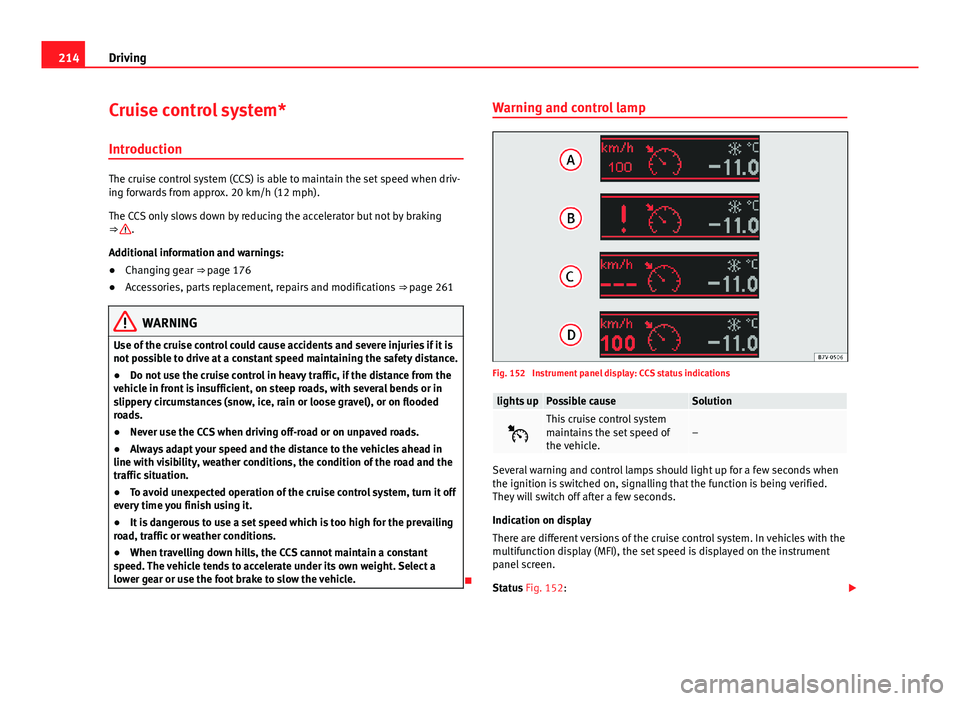
Fig. 152 Instrument panel display: CCS status indications
lights upPossible causeSolution
This cruise control system
maintains the set speed of
the vehicle.–
Several warning and control lamps should light up for a few seconds when
the ignition is switched on, signalling that the function is being verified.
They will switch off after a few seconds.
Indication on display
There are different versions of the cruise control system. In vehicles with the
multifunction display (MFI), the set speed is displayed on the instrument
panel screen.
Status Fig. 152:
Page 220 of 381
218Driving
Control lamps
Blinks or
lights upPossible causeSolution
(yellow)Lane assist system connec-
ted but inactive.
The system cannot clearly de-
tect the lane. See and
page 219, The lane assist sys-
tem is inactive (control lamp lit
in yellow).
(green)Lane assist system connec-
ted and active.–
Several warning and control lamps should light up for a few seconds when
the ignition is switched on, signalling that the function is being verified.
They will switch off after a few seconds.
WARNING
If the warning lamps and messages are ignored, the vehicle may stall in
traffic, or may cause accidents and severe injuries.
● Never ignore the warning lamps or text messages.
● Stop the vehicle safely as soon as possible.
CAUTION
Failure to heed the control lamps and text messages when they appear may
result in faults in the vehicle. Operation mode
Fig. 154 In the wind-
screen: Field of vision of
the lane assist system
camera
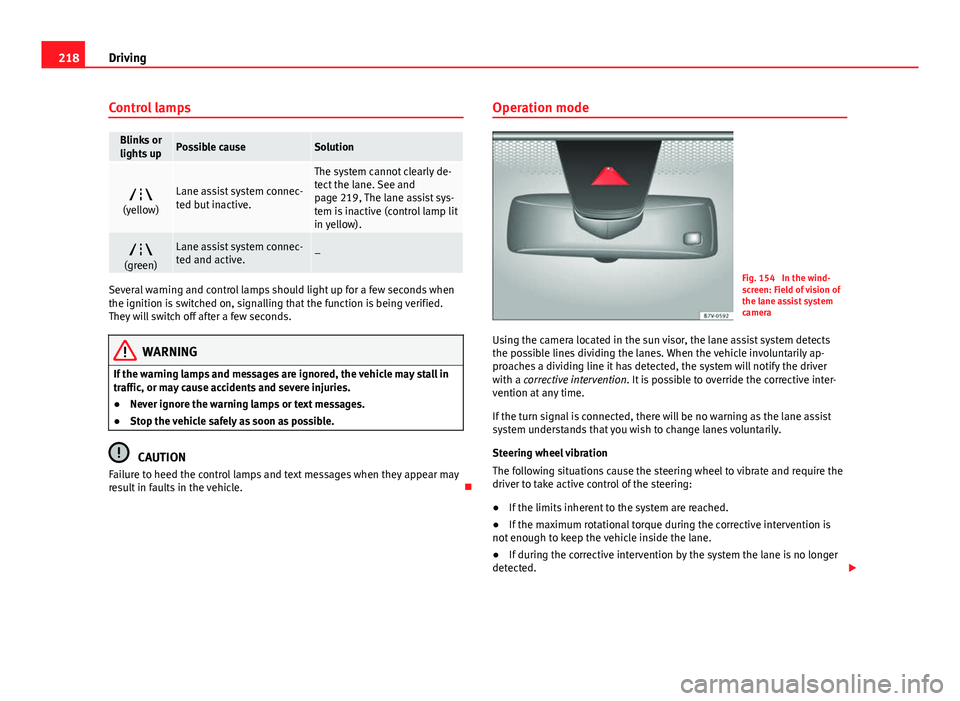
Using the camera located in the sun visor, the lane assist system detects
the possible lines dividing the lanes. When the vehicle involuntarily ap-
proaches a dividing line it has detected, the system will notify the driver
with a corrective intervention. It is possible to override the corrective inter-
vention at any time.
If the turn signal is connected, there will be no warning as the lane assist
system understands that you wish to change lanes voluntarily.
Steering wheel vibration
The following situations cause the steering wheel to vibrate and require the
driver to take active control of the steering:
● If the limits inherent to the system are reached.
● If the maximum rotational torque during the corrective intervention is
not enough to keep the vehicle inside the lane.
● If during the corrective intervention by the system the lane is no longer
detected.
Page 228 of 381
226Driving
Note
● Do not only rely on the tyre monitoring system. Regularly check your
tyres to ensure that the tyre pressure is correct and that the tyres are not
damaged due to puncture, cuts, tears and impacts/dents. Remove objects
from the tyres only when the tyres have not been pierced by these.
● The tyre monitoring system is set to the tyre pressure recommended by
the manufacturer and indicated on the label ⇒ Fig. 179.
Elements of the tyre monitoring indicator
Tyre monitoring indicator with button.See ⇒ page 227. Control lamp on the instrument panel. SET button on the centre console.
Monitoring the tread of all tyres using ABS sensors (indirect measure-
ment).
Adjustable medium and full-load tyre pressures. Button to update the system when the tyre pressure is changed. Control lamp
Lights
up or
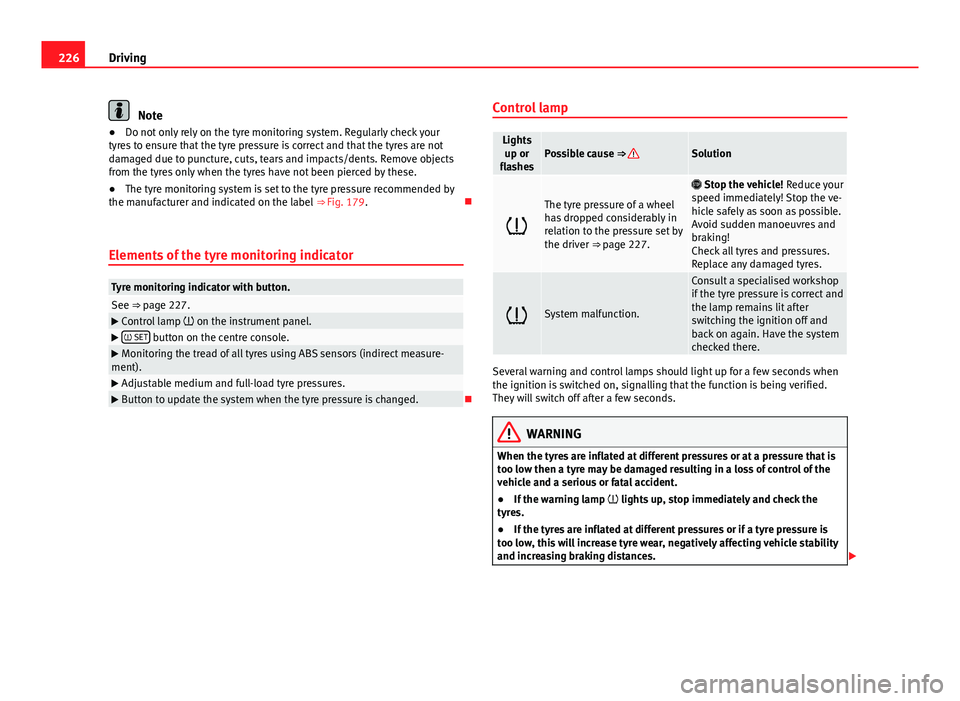
flashesPossible cause ⇒ Solution
The tyre pressure of a wheel
has dropped considerably in
relation to the pressure set by
the driver ⇒ page 227.
Stop the vehicle! Reduce your
speed immediately! Stop the ve-
hicle safely as soon as possible.
Avoid sudden manoeuvres and
braking!
Check all tyres and pressures.
Replace any damaged tyres.
System malfunction.
Consult a specialised workshop
if the tyre pressure is correct and
the lamp remains lit after
switching the ignition off and
back on again. Have the system
checked there.
Several warning and control lamps should light up for a few seconds when
the ignition is switched on, signalling that the function is being verified.
They will switch off after a few seconds.
WARNING
When the tyres are inflated at different pressures or at a pressure that is
too low then a tyre may be damaged resulting in a loss of control of the
vehicle and a serious or fatal accident.
● If the warning lamp lights up, stop immediately and check the
tyres.
● If the tyres are inflated at different pressures or if a tyre pressure is
too low, this will increase tyre wear, negatively affecting vehicle stability
and increasing braking distances.
Page 233 of 381
231
Driving and the environment
Other factors which increase fuel consumption (examples):
● Fault in engine management.
● Driving on hills.
● Trailer towing.
Saving fuel while driving
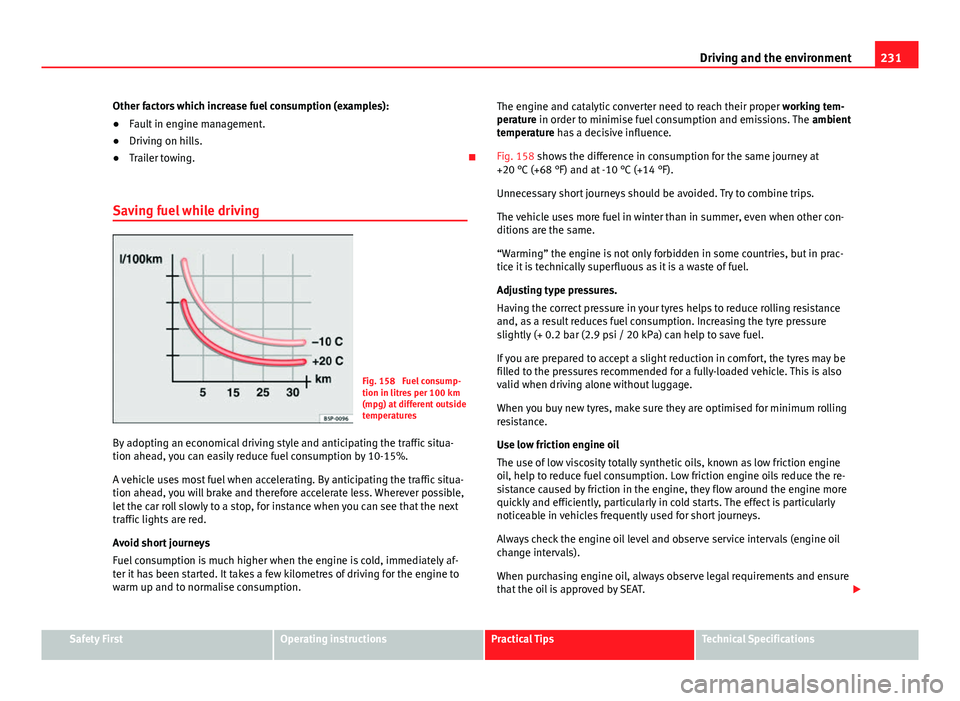
Fig. 158 Fuel consump-
tion in litres per 100 km
(mpg) at different outside
temperatures
By adopting an economical driving style and anticipating the traffic situa-
tion ahead, you can easily reduce fuel consumption by 10-15%.
A vehicle uses most fuel when accelerating. By anticipating the traffic situa-
tion ahead, you will brake and therefore accelerate less. Wherever possible,
let the car roll slowly to a stop, for instance when you can see that the next
traffic lights are red.
Avoid short journeys
Fuel consumption is much higher when the engine is cold, immediately af-
ter it has been started. It takes a few kilometres of driving for the engine to
warm up and to normalise consumption. The engine and catalytic converter need to reach their proper
working tem-
perature in order to minimise fuel consumption and emissions. The ambient
temperature has a decisive influence.
Fig. 158 shows the difference in consumption for the same journey at
+20 °C (+68 °F) and at -10 °C (+14 °F).
Unnecessary short journeys should be avoided. Try to combine trips.
The vehicle uses more fuel in winter than in summer, even when other con-
ditions are the same.
“Warming” the engine is not only forbidden in some countries, but in prac-
tice it is technically superfluous as it is a waste of fuel.
Adjusting type pressures.
Having the correct pressure in your tyres helps to reduce rolling resistance
and, as a result reduces fuel consumption. Increasing the tyre pressure
slightly (+ 0.2 bar (2.9 psi / 20 kPa) can help to save fuel.
If you are prepared to accept a slight reduction in comfort, the tyres may be
filled to the pressures recommended for a fully-loaded vehicle. This is also
valid when driving alone without luggage.
When you buy new tyres, make sure they are optimised for minimum rolling
resistance.
Use low friction engine oil
The use of low viscosity totally synthetic oils, known as low friction engine
oil, help to reduce fuel consumption. Low friction engine oils reduce the re-
sistance caused by friction in the engine, they flow around the engine more
quickly and efficiently, particularly in cold starts. The effect is particularly
noticeable in vehicles frequently used for short journeys.
Always check the engine oil level and observe service intervals (engine oil
change intervals).
When purchasing engine oil, always observe legal requirements and ensure
that the oil is approved by SEAT.
Safety FirstOperating instructionsPractical TipsTechnical Specifications
Page 235 of 381
233
Driving and the environment
● Information stored in the control units ⇒ page 261
● Tow starting and towing away ⇒ page 344
WARNING
The components of the exhaust system reach very high temperatures.
This could cause a fire.
● Always park your vehicle so that no part of the exhaust system can
come in contact with flammable materials (such as dried grass).
● Do not apply additional underseal or anti-corrosion coatings to the
exhaust pipes, catalytic converter, heat shields or the diesel particulate
filter.
Control lamps
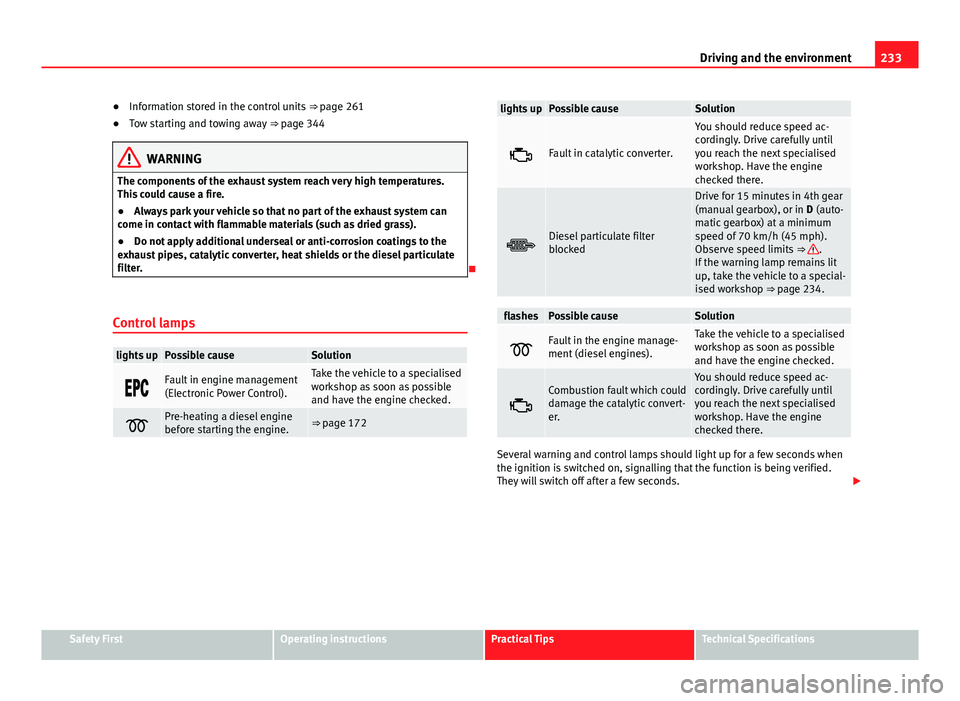
lights upPossible causeSolution
Fault in engine management
(Electronic Power Control).Take the vehicle to a specialised
workshop as soon as possible
and have the engine checked.
Pre-heating a diesel engine
before starting the engine.⇒ page 172
lights upPossible causeSolution
Fault in catalytic converter.
You should reduce speed ac-
cordingly. Drive carefully until
you reach the next specialised
workshop. Have the engine
checked there.
Diesel particulate filter
blocked
Drive for 15 minutes in 4th gear
(manual gearbox), or in D (auto-
matic gearbox) at a minimum
speed of 70 km/h (45 mph).
Observe speed limits ⇒
.
If the warning lamp remains lit
up, take the vehicle to a special-
ised workshop ⇒ page 234.
flashesPossible causeSolution
Fault in the engine manage-
ment (diesel engines).Take the vehicle to a specialised
workshop as soon as possible
and have the engine checked.
Combustion fault which could
damage the catalytic convert-
er.You should reduce speed ac-
cordingly. Drive carefully until
you reach the next specialised
workshop. Have the engine
checked there.
Several warning and control lamps should light up for a few seconds when
the ignition is switched on, signalling that the function is being verified.
They will switch off after a few seconds.
Safety FirstOperating instructionsPractical TipsTechnical Specifications
Page 239 of 381
237
Trailer towing
Driving with a trailer Technical requirements
If the car is supplied with a factory-fitted towing bracket it will already have
the necessary technical modifications and meet the statutory requirements
for towing a trailer.
Only use an approved tow hitch for the gross trailer weight rating. The tow
hitch must be suitable for both the vehicle and trailer and must be securely
fitted to the vehicle chassis. Only use a tow hitch with a removable ball
joint. Always check and take into account the tow hitch manufacturer's in-
structions. Never fit a trailer tow hitch “that distributes the load” or “balan-
ces the load”.
Bumper mounted tow hitch
Never fit a tow hitch or its attachments to the bumper. A tow hitch should
never interfere with the bumper performance. Do not modify the exhaust
system and brake system. Regularly check the tow hitch to ensure it is firmly
fitted.
Engine cooling system
Driving with a trailer increases the load on the engine and cooling system.
The cooling system should always have sufficient coolant and to be able to
cope with the vehicle and trailer.
Electric trailer brake
If the trailer has its own braking system, please note the relevant legal re-
quirements. The trailer braking system should never be connected to the ve-
hicle braking system.
Trailer cable
Always use a cable between the vehicle and the trailer ⇒ page 239.Trailer rear lights
The rear lights of a trailer must fulfil the corresponding standards
⇒ page 239.
Never connect the trailer's rear lights directly to the vehicle electric system.
In case of any doubt about the electrical connection of the trailer, ask a spe-
cialised workshop. SEAT recommends visiting a Technical Service.
Wing mirrors
When the field of vision behind the trailer cannot be seen using the stand-
ard wing mirrors of the towing vehicle, additional wing mirrors are required
according to the legal requirements of each country. The wing mirrors must
be fitted before driving and must provide a sufficient field of vision behind.
Trailer electricity consumption
Never exceed the specifications:
Electrical consumerMaximum powerSide lights and rear lights50 WattsTurn signal (each side)54 WattsBrake lights (total)84 WattsReversing lights (total)42 WattsRear fog light42 Watts
WARNING
If the tow hitch is badly fitted or unsuitable, the trailer may separate from
the vehicle causing an accident with serious consequences.
Safety FirstOperating instructionsPractical TipsTechnical Specifications
Page 240 of 381
238Trailer towing
CAUTION
● If the rear lights of the trailer are not correctly connected, the vehicle
electronics may be damaged.
● If the trailer absorbs excessive electric current, the vehicle electronics
may be damaged.
● Never connect the trailer's electric system to the electrical connections
of the rear lights or any other power sources. Only use suitable connections
for providing electric current to the trailer.
Note
● Towing a trailer places additional demands on the vehicle. At SEAT, we
recommend additional services between the normal inspection intervals if
the vehicle is used frequently for towing a trailer.
● In some countries, an additional fire extinguisher is required if the trailer
weight is more than 2500 kg.
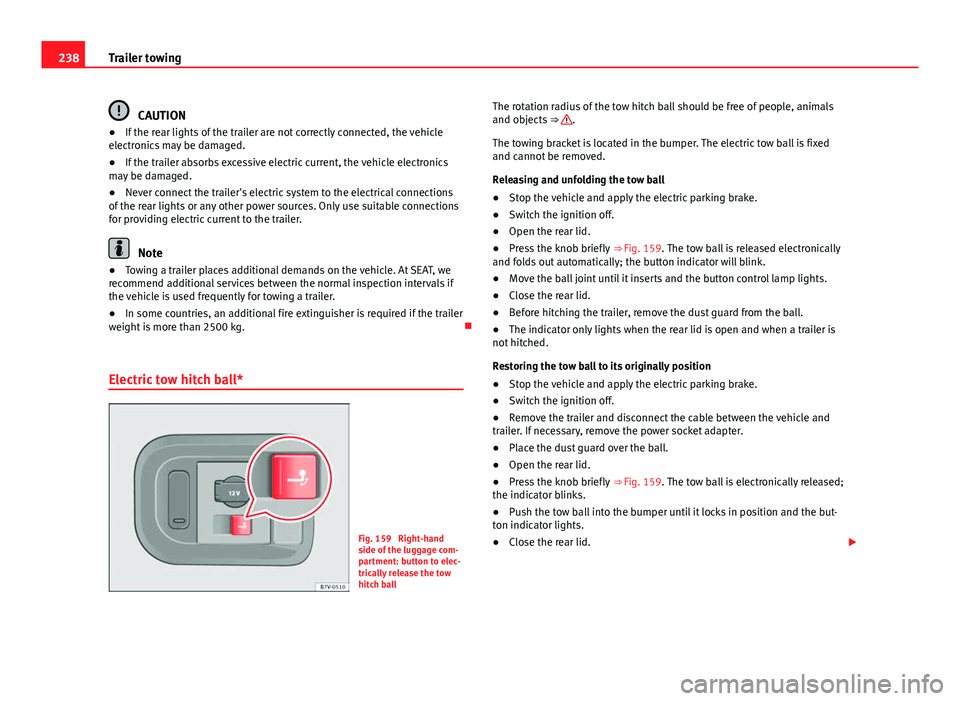
Electric tow hitch ball*
Fig. 159 Right-hand
side of the luggage com-
partment: button to elec-
trically release the tow
hitch ball The rotation radius of the tow hitch ball should be free of people, animals
and objects
⇒
.
The towing bracket is located in the bumper. The electric tow ball is fixed
and cannot be removed.
Releasing and unfolding the tow ball
● Stop the vehicle and apply the electric parking brake.
● Switch the ignition off.
● Open the rear lid.
● Press the knob briefly ⇒ Fig. 159. The tow ball is released electronically
and folds out automatically; the button indicator will blink.
● Move the ball joint until it inserts and the button control lamp lights.
● Close the rear lid.
● Before hitching the trailer, remove the dust guard from the ball.
● The indicator only lights when the rear lid is open and when a trailer is
not hitched.
Restoring the tow ball to its originally position
● Stop the vehicle and apply the electric parking brake.
● Switch the ignition off.
● Remove the trailer and disconnect the cable between the vehicle and
trailer. If necessary, remove the power socket adapter.
● Place the dust guard over the ball.
● Open the rear lid.
● Press the knob briefly ⇒ Fig. 159. The tow ball is electronically released;
the indicator blinks.
● Push the tow ball into the bumper until it locks in position and the but-
ton indicator lights.
● Close the rear lid.
Page 242 of 381
240Trailer towing
Trailer power socket
The electric connection between vehicle and trailer is a 13-pin socket. If the
trailer plug has seven pins, an adapter cable must be used.
Trailer rear lights
Check the trailer rear lights to ensure they work correctly and remain legal.
Ensure that the trailer does not use more than the maximum power
⇒ page 237.
Trailer connected to the anti-theft alarm:
● When a vehicle comes from the factory fitted with an anti-theft alarm
and tow hitch.
● When the trailer is connected to the vehicle using the socket.
● When the vehicle and trailer electrical systems work correctly and are
not damaged.
● When the vehicle is locked using the vehicle key and the anti-theft alarm
is turned on.
When the vehicle is locked, the alarm is triggered when the electrical con-
nection between the vehicle and the trailer is removed.
Always turn off the anti-theft alarm system before connecting or disconnect-
ing a trailer. Otherwise, the tilt sensor may erroneously activate the alarm.
WARNING
Erroneous or unsuitable connection of electric cables may supply energy
to the trailer causing an anomaly in the vehicle electronics that could re-
sult in an accident with serious consequences.
● All work on the electrical system must be carried out only by a speci-
alised workshop.
● Never connect the trailer's electric system to the electrical connec-
tions of the rear lights or any other power sources.
CAUTION
Do not leave the trailer connected to the vehicle when parked; places on its
support wheel or its supports. For example, when changing the load or a
puncture, the vehicle will be pushed up or down. The force acting on the
tow hitch and the trailer could damage the vehicle or the trailer.
Note
● In case of a fault in the vehicle or trailer electrical system or in case of
problems with the anti-theft alarm system, have the system checked by a
specialised workshop.
● If the trailer accessories use energy from the power socket when the en-
gine is stopped, the battery will be discharged.
● For technical reasons, trailers fitted with rear LED lights cannot be con-
nected to the anti-theft alarm system.
● If the vehicle battery is running low, the electrical connection with the
trailer is automatically cut.
● With the engine running, the electrical equipment on the trailer will con-
sume power.
Loading the trailer
Trailer weight / drawbar load
The trailer weight is the load that the vehicle can pull ⇒ . The drawbar
load is the vertical weight of the tow hitch on the tow hitch ball
⇒ page 244.
The figures for trailer weights and drawbar load weights given on the data
plate of the tow hitch are for values of this model only. The correct figures
for your specific vehicle, which may be lower than these figures for the tow
hitch, are given in the vehicle documentation. The instructions in the official
vehicle documents take precedence.
Page 243 of 381
241
Trailer towing
For the sake of road safety, SEAT recommends using the maximum allowed
drawbar load. The handling of the combined vehicle and trailer will be poor
if the drawbar load is too low.
The drawbar load increases the weight on the rear axle, reducing the vehicle
carrying capacity.
Gross combination weight
This figure refers to the combined weight of the loaded vehicle and loaded
trailer.
Loading the trailer
The combined vehicle and trailer must be balanced. Use the maximum
drawbar load authorised and do not overload the front or the rear of the
trailer:
● Distribute loads in the trailer so that heavy objects are as near to the
axle as possible or even above it.
● Correctly secure the trailer load.
Tyre pressure
Inflate the trailer tyres according to the manufacturer's instructions.
Inflate the towing vehicles tyres to the maximum ⇒ page 297.
WARNING
Exceeding the maximum authorised axle load, drawbar load or the gross
combination weight of the towing vehicle and trailer could cause a seri-
ous accident with severe consequences.
● Never exceed the specifications.
● With the actual load on the front and rear axles, the maximum axle
load should never be exceeded. The weight on the front and rear should
never exceed the gross vehicle weight.
WARNING
If the load moves, the stability and safety of the vehicle and trailer com-
bination will be seriously affected and this could result in a serious acci-
dent.
● Always correctly load the trailer.
● Always secure loads correctly with suitable and undamaged attach-
ment rope or straps.
Driving with a trailer
Adjusting the headlights
When towing a trailer, the front of the vehicle may rise and so the dipped
beam headlights may blind other drivers. Use the headlight range control to
lower the cone of light. If you do not have headlight range control, have the
headlights adjusted by a specialised workshop. Vehicles with high-intensity
discharge lamps adapt automatically and do not require adjustment.
Details of driving with a trailer
● If the trailer has an overrun brake, apply the brakes gently at first and
then, firmly. This will prevent the jerking that can be caused by the trailer
wheels locking.
● As of the combined vehicle and trailer mass, braking distances will be
greater.
● Select a low gear before driving down a steep hill to use the engine
braking effect to slow down the vehicle. Otherwise, the braking system
could overheat and fail.
Safety FirstOperating instructionsPractical TipsTechnical Specifications
Page 245 of 381
243
Trailer towing
● The trailer must have a fixed drawbar.
● Trailers with brakes must be equipped with a mechanical inertia brake.
WARNING
Do not let the extra safety afforded by the stabilisation system tempt you
into taking any risks when driving.
● Adjust your speed and driving style to visibility, road, traffic and
weather conditions.
● If the road surface is slippery, take care when accelerating.
● When a system is operating, lift your foot off the accelerator.
WARNING
It is possible that the combination stabilisation system does not correct-
ly recognised all driving situations.
● It is possible that the stabilisation system does not detect snaking of
a light trailer and thus does not intervene.
● When driving on slippery ground, the trailer could jack-knife despite
the stabilisation system.
● Trailers with a high centre of gravity may even tip over before they
start to rock sideways.
● If a trailer is not used and the trailer power socket is connected (for
example, installation of a bicycle carrier with lights), repeated automatic
braking may occur in extreme driving conditions.
Retrofitting a tow hitch
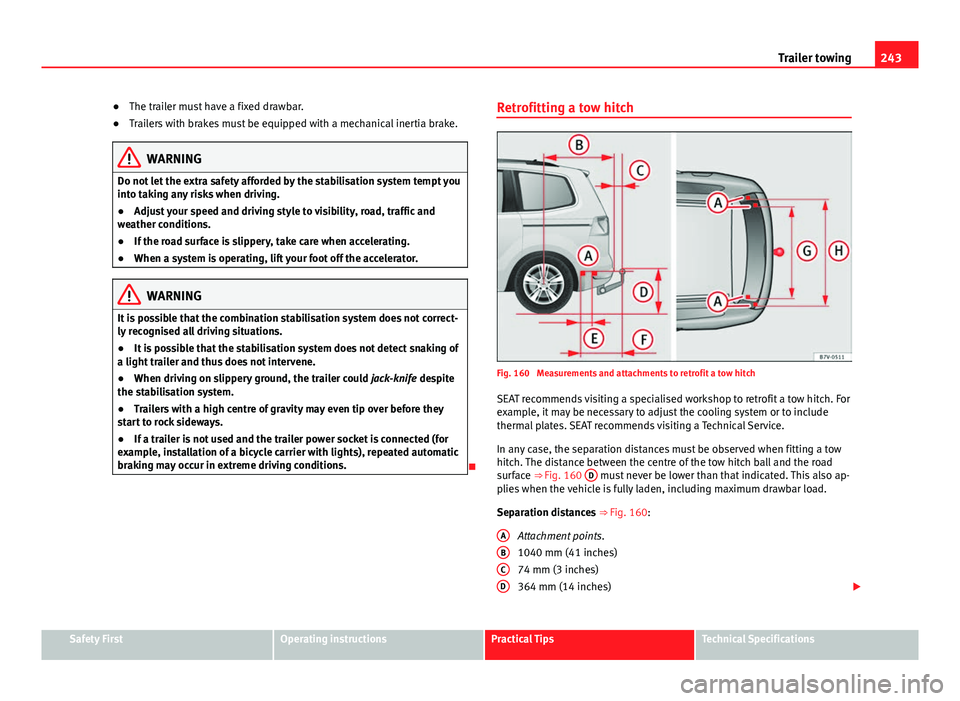
Fig. 160 Measurements and attachments to retrofit a tow hitch
SEAT recommends visiting a specialised workshop to retrofit a tow hitch. For
example, it may be necessary to adjust the cooling system or to include
thermal plates. SEAT recommends visiting a Technical Service.
In any case, the separation distances must be observed when fitting a tow
hitch. The distance between the centre of the tow hitch ball and the road
surface ⇒ Fig. 160 D
must never be lower than that indicated. This also ap-
plies when the vehicle is fully laden, including maximum drawbar load.
Separation distances ⇒ Fig. 160:
Attachment points.
1040 mm (41 inches)
74 mm (3 inches)
364 mm (14 inches)
A
BCD
Safety FirstOperating instructionsPractical TipsTechnical Specifications