radio Seat Alhambra 2014 Owner's Manual
[x] Cancel search | Manufacturer: SEAT, Model Year: 2014, Model line: Alhambra, Model: Seat Alhambra 2014Pages: 381, PDF Size: 5.75 MB
Page 55 of 381
53
Cockpit
Operating instructions Cockpit
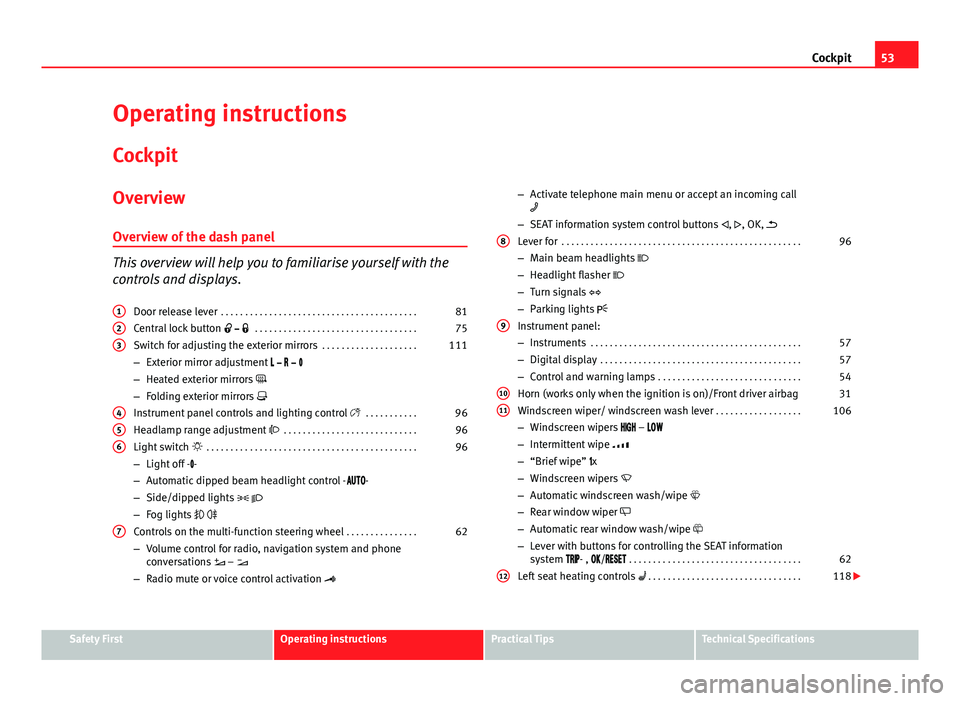
Overview Overview of the dash panel
This overview will help you to familiarise yourself with the
controls and displays. Door release lever . . . . . . . . . . . . . . . . . . . . . . . . . . . . . . . . . . . . . . . . . 81
Central lock button . . . . . . . . . . . . . . . . . . . . . . . . . . . . . . . . . . 75
Switch for adjusting the exterior mirrors . . . . . . . . . . . . . . . . . . . .111
– Exterior mirror adjustment
– Heated exterior mirrors
– Folding exterior mirrors
Instrument panel controls and lighting control . . . . . . . . . . .96
Headlamp range adjustment . . . . . . . . . . . . . . . . . . . . . . . . . . . . 96
Light switch . . . . . . . . . . . . . . . . . . . . . . . . . . . . . . . . . . . . . . . . . . . . 96
– Light off - -
– Automatic dipped beam headlight control - -
– Side/dipped lights
– Fog lights
Controls on the multi-function steering wheel . . . . . . . . . . . . . . .62
– Volume control for radio, navigation system and phone
conversations –
– Radio mute or voice control activation
1
23
456
7
–
Activate telephone main menu or accept an incoming call
– SEAT information system control buttons , , OK,
Lever for . . . . . . . . . . . . . . . . . . . . . . . . . . . . . . . . . . . . . . . . . . . . . . . . . . 96
– Main beam headlights
– Headlight flasher
– Turn signals
– Parking lights
Instrument panel:
– Instruments . . . . . . . . . . . . . . . . . . . . . . . . . . . . . . . . . . . . . . . . . . . . 57
– Digital display . . . . . . . . . . . . . . . . . . . . . . . . . . . . . . . . . . . . . . . . . . 57
– Control and warning lamps . . . . . . . . . . . . . . . . . . . . . . . . . . . . . . 54
Horn (works only when the ignition is on)/Front driver airbag 31
Windscreen wiper/ windscreen wash lever . . . . . . . . . . . . . . . . . .106
– Windscreen wipers –
– Intermittent wipe
– “Brief wipe” x
– Windscreen wipers
– Automatic windscreen wash/wipe
– Rear window wiper
– Automatic rear window wash/wipe
– Lever with buttons for controlling the SEAT information
system - , / . . . . . . . . . . . . . . . . . . . . . . . . . . . . . . . . . . . . 62
Left seat heating controls . . . . . . . . . . . . . . . . . . . . . . . . . . . . . . . . 118
8
9
1011
12
Safety FirstOperating instructionsPractical TipsTechnical Specifications
Page 56 of 381
54Cockpit
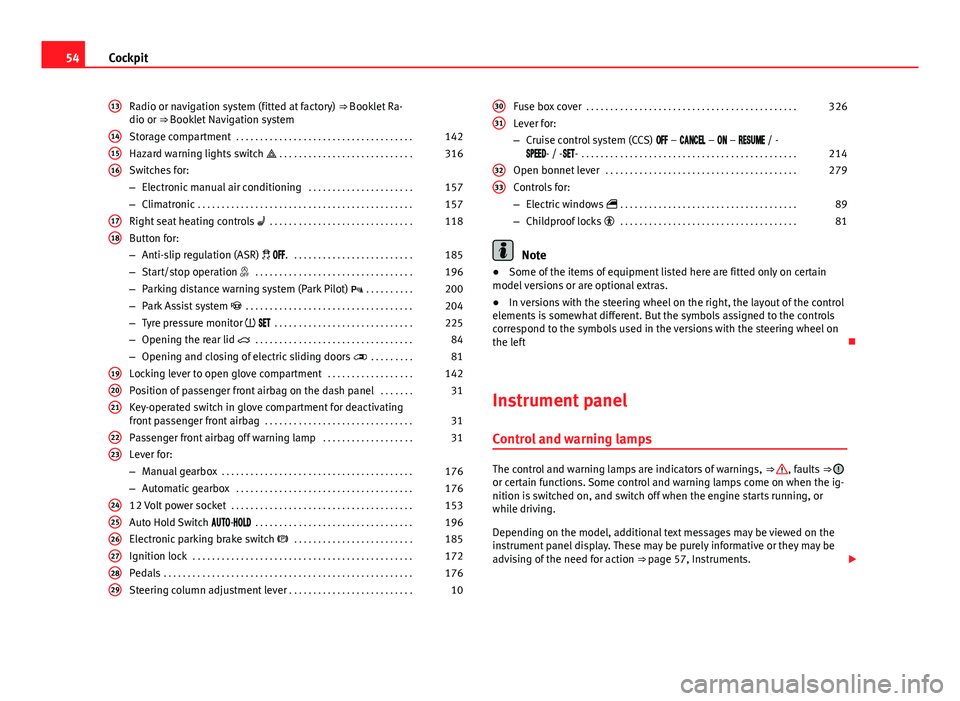
Radio or navigation system (fitted at factory) ⇒ Booklet Ra-
dio or ⇒ Booklet Navigation system
Storage compartment . . . . . . . . . . . . . . . . . . . . . . . . . . . . . . . . . . . . . 142
Hazard warning lights switch . . . . . . . . . . . . . . . . . . . . . . . . . . . . 316
Switches for:
– Electronic manual air conditioning . . . . . . . . . . . . . . . . . . . . . .157
– Climatronic . . . . . . . . . . . . . . . . . . . . . . . . . . . . . . . . . . . . . . . . . . . . . 157
Right seat heating controls . . . . . . . . . . . . . . . . . . . . . . . . . . . . . . 118
Button for:
– Anti-slip regulation (ASR) . . . . . . . . . . . . . . . . . . . . . . . . . . 185
– Start/stop operation . . . . . . . . . . . . . . . . . . . . . . . . . . . . . . . . . 196
– Parking distance warning system (Park Pilot) . . . . . . . . . . 200
– Park Assist system . . . . . . . . . . . . . . . . . . . . . . . . . . . . . . . . . . . 204
– Tyre pressure monitor . . . . . . . . . . . . . . . . . . . . . . . . . . . . . 225
– Opening the rear lid . . . . . . . . . . . . . . . . . . . . . . . . . . . . . . . . . 84
– Opening and closing of electric sliding doors . . . . . . . . . 81
Locking lever to open glove compartment . . . . . . . . . . . . . . . . . .142
Position of passenger front airbag on the dash panel . . . . . . .31
Key-operated switch in glove compartment for deactivating
front passenger front airbag . . . . . . . . . . . . . . . . . . . . . . . . . . . . . . . 31
Passenger front airbag off warning lamp . . . . . . . . . . . . . . . . . . .31
Lever for:
– Manual gearbox . . . . . . . . . . . . . . . . . . . . . . . . . . . . . . . . . . . . . . . . 176
– Automatic gearbox . . . . . . . . . . . . . . . . . . . . . . . . . . . . . . . . . . . . . 176
12 Volt power socket . . . . . . . . . . . . . . . . . . . . . . . . . . . . . . . . . . . . . . 153
Auto Hold Switch - . . . . . . . . . . . . . . . . . . . . . . . . . . . . . . . . . 196
Electronic parking brake switch . . . . . . . . . . . . . . . . . . . . . . . . . 185
Ignition lock . . . . . . . . . . . . . . . . . . . . . . . . . . . . . . . . . . . . . . . . . . . . . . 172
Pedals . . . . . . . . . . . . . . . . . . . . . . . . . . . . . . . . . . . . . . . . . . . . . . . . . . . . 176
Steering column adjustment lever . . . . . . . . . . . . . . . . . . . . . . . . . . 10
13
141516
1718
192021
2223
242526272829
Fuse box cover
. . . . . . . . . . . . . . . . . . . . . . . . . . . . . . . . . . . . . . . . . . . . 326
Lever for:
– Cruise control system (CCS) – – – / -
- / -- . . . . . . . . . . . . . . . . . . . . . . . . . . . . . . . . . . . . . . . . . . . . . 214
Open bonnet lever . . . . . . . . . . . . . . . . . . . . . . . . . . . . . . . . . . . . . . . . 279
Controls for:
– Electric windows . . . . . . . . . . . . . . . . . . . . . . . . . . . . . . . . . . . . . 89
– Childproof locks . . . . . . . . . . . . . . . . . . . . . . . . . . . . . . . . . . . . . 81
Note
● Some of the items of equipment listed here are fitted only on certain
model versions or are optional extras.
● In versions with the steering wheel on the right, the layout of the control
elements is somewhat different. But the symbols assigned to the controls
correspond to the symbols used in the versions with the steering wheel on
the left
Instrument panel Control and warning lamps
The control and warning lamps are indicators of warnings, ⇒ , faults ⇒ or certain functions. Some control and warning lamps come on when the ig-
nition is switched on, and switch off when the engine starts running, or
while driving.
Depending on the model, additional text messages may be viewed on the
instrument panel display. These may be purely informative or they may be
advising of the need for action ⇒ page 57, Instruments.
30
31
3233
Page 65 of 381
63
Cockpit
Summary of the menu structure
■ Multifunction display (MFI) ⇒ page 66
■ Journey duration
■ Current fuel consumption
■ Average fuel consumption
■ Operating range
■ Distance covered
■ Average speed
■ Digital display of speed
■ Oil temperature digital display
■ Speed warning
■ Audio ⇒ Booklet Radio or ⇒ Booklet navigation system
■ Navigation ⇒ Booklet Navigation system
■ Auxiliary heating ⇒ page 165
■ Activation
■ Programme On / Off
■ Disconnection
■ Timer 1-3
■ Day
■ Time
■ Minute
■ Activate
■ Duration
■ Operating mode
■ Heat
■ Ventilation
■ Day
■ Default setting
■ Vehicle condition ⇒ page 66 ■
Configuration ⇒ page 67
■ Multifunction display data
■ Journey duration
■ Current fuel consumption
■ Average fuel consumption
■ Distance covered
■ Operating range
■ Average speed
■ Digital display of speed
■ Speed warning
■ Compass
■ Convenience ⇒ page 68
■ Open door
■ Manual
■ automatic mode
■ Anti-theft alarm confirmation On / Off
■ Handling windows
■ Off
■ All
■ Driver
■ Mirror adjustment On / Off
■ Rear vision mirror adjustment
■ Synchronised
■ Individual
■ Default setting
■ Lights & visibility ⇒ page 69
■ Coming Home
■ Leaving Home
■ Footwell light
■ Convenience turn signals On / Off
■ Default setting
■ Tourist light On / Off
Safety FirstOperating instructionsPractical TipsTechnical Specifications
Page 68 of 381
66Cockpit
Main menu
MenueffectSeeMFIInformation and possible configurations of
the multifunction display (MFD).⇒ page 66
AudioIf the radio is on, the station is displayed.
In CD mode, the current CD is played.⇒ Booklet Ra-
dio or ⇒ Book- let navigation system
NavigationNavigation system information:
when the navigation to destination is on,
change of direction arrows and a proximity
bar are displayed. These symbols are similar
to those used in the navigation system.
If navigation to destination is not on, the di-
rection of travel (compass) and the name of
the street on which you are driving are dis-
played.⇒ Book-
let Navigation system
Parking
heatingInformation and configurations of the park-
ing heating:
switching the parking heating on or off. Se-
lect the operating mode and duration.⇒ page 165
Vehicle con-
ditionCurrent warning or information texts.
This option only appears when one of the
following texts is available. The number of
available messages is displayed. Example
1/1 or 2/2.⇒ page 57
SettingsDifferent setting options, for example, the
Convenience, Lighting & Visibility menus,
and the time, speed warning with winter
tyres, language, units of measurement, or
“Display off”.⇒ page 67
MFI (multifunction display) menu
The multifunction display (MFI) has two automatic memories:
1 - Partial
memory and 2 - Total memory . The selected memory will be shown in the
upper right-hand corner of the display.
With the ignition switched on, and memory 1 or 2 displayed, briefly press OK to change from one memory to another.
1
Trip memo-
ry (for a
single jour-
ney).
The memory stores the values for the journey and the con-
sumption from the moment the ignition is switched on un-
til it is switched off again.
If the journey is broken for more than two hours, the mem-
ory is automatically erased. If the journey is continued in
less than two hours after the ignition is switched off, the
new data is added to the data already stored in the memo-
ry.
2Total mem-
ory (for all
journeys).
The memory records the values for a specific number of
partial trips, up to a total of 19 hours and 59 minutes or 99
hours and 59 minutes, or 1,999.9 km (or miles) for
9,999 km (or miles), depending on the model of instru-
ment panel. On reaching either of these limits, the memo-
ry is automatically erased and starts to count from 0 again.
Possible displays
MenueffectJourney durationThis indicates the hours (h) and minutes (min) since
the ignition was switched on.
Current fuel con-
sumptionThe current fuel consumption while driving is dis-
played in l/100 km (or miles per gallon, mpg); when
the engine is running but the vehicle is not moving,
in l/h (or gallons per hour).
Page 75 of 381
73
Opening and closing
Vehicle keys
With the vehicle key ⇒ Fig. 40 or ⇒ Fig. 41 the vehicle may be locked or un-
locked remotely.
The vehicle key includes an emitter and batteries. The receiver is in the inte-
rior of the vehicle. The range of the vehicle key with remote control and new
batteries is several metres around the vehicle.
If it is not possible to open or close the vehicle using the remote control key,
this should be re-synchronised ⇒ page 75 or the battery changed
⇒ page 74.
Different keys belonging to the vehicle may be used.
Folding the key shaft in and out
When the button A
is pressed, the key shaft is released and unfolds.
To fold it press the button A
and fold the key shaft in until it locks in place.
Duplicate keys
To obtain a spare key and other vehicle keys, the vehicle chassis number is
required.
Each new key must contain a microchip and be coded with the data from the
vehicle electronic immobiliser. A vehicle key will not work if it does not con-
tain microchip or the microchip has not been encoded. This is also true for
keys cut for the vehicle.
The vehicle keys or new spare keys can be obtained from a Technical Serv-
ice, a specialised workshop or approved key service qualified to create this
kind of key.
New keys or spare keys must be synchronised before use ⇒ page 75.
CAUTION
All of the vehicle keys contain electronic components. Protect the vehicle
keys from damage, impacts and humidity.
Note
● Only use the key button when you require the corresponding function.
Pushing the button unnecessarily could accidentally unlock the vehicle or
trigger the alarm. It is also possible even when you are outside the radius of
action.
● Key operation can be greatly influenced by overlapping radio signals
around the vehicle working in the same range of frequencies (for example,
radio transmitters, mobile telephones).
● Obstacles between the remote control and the vehicle, bad weather con-
ditions and discharged batteries can considerably reduce the range of the
remote control.
Safety FirstOperating instructionsPractical TipsTechnical Specifications
Page 145 of 381

143
Seats and storage
Additional information and warnings:
● Child seats (accessories) ⇒ page 39
● Luggage compartment ⇒ page 127
● Care and cleaning of the vehicle interior ⇒ page 253
● ⇒ Booklet Radio or ⇒ Booklet navigation system
WARNING
In the event of sudden braking movements or turns, loose objects may be
thrown around the vehicle interior. This could cause serious injuries to
passengers and cause the driver to lose control of the vehicle.
● Do not transport animals or place hard, heavy or sharp objects inside
the vehicle in: open storage compartments, dash panel, rear shelf, items
of clothing or bags.
● While driving, always keep object compartments closed.
WARNING
Objects falling into the driver's footwell could prevent use of the pedals.
This could lead the driver to lose control of the vehicle, increasing the
risk of a serious accident.
● Make sure the pedals can be used at all times, with no objects rolling
underneath them.
● The floor mat should always be secured to the floor.
● Never place other mats or rugs on top of the original mat supplied by
the factory.
● Make sure that no objects can fall into the driver's footwell while the
vehicle is in motion.
CAUTION
● Objects on the shelf could chafe against the wires of the heating ele-
ment in the heated rear window and cause damage.
● Do not keep heat-sensitive objects, food or medicines inside the vehi-
cle. Heat and cold could damage them or render them useless.
● Light-transparent objects placed inside the vehicle, such as lenses,
magnifying glasses or transparent suction caps on the windows, could con-
centrate the sun's rays and cause damage to the vehicle.
Note
The ventilating slits between the heated rear window and the shelf must not
be covered so that used air can escape from the vehicle.
Spectacle case in the roof console
Fig. 103 On the roof
console: Sunglasses stor-
age compartment
To open, press and release the button ⇒ Fig. 103 (arrow).
To close, press the cover upwards until it clicks into place.
Safety FirstOperating instructionsPractical TipsTechnical Specifications
Page 156 of 381
154Seats and storage
WARNING
Improper use of the power sockets or electrical devices could lead to a
fire and cause serious injuries.
● Never leave children unsupervised in the vehicle. The power sockets
and equipment connected to them can be used when the ignition is
switched on.
● Should a connected electrical device overheat, switch it off and un-
plug it immediately.
CAUTION
● To avoid damage to the vehicle's electrical system, never connect equip-
ment that generates electrical current, such as solar panels or battery charg-
ers, to the 12 Volt power sockets in order to charge the vehicle's battery.
● Only use accessories with approved electromagnetic compatibility ac-
cording to current regulations.
● To avoid damage due to voltage variations, switch off all appliances con-
nected to the 12 V power sockets before switching the ignition on or off and
before starting the engine.
● Never connect an appliance to the 12 Volt power socket that consumes
more than the power indicated in watts. Exceeding the maximum power ab-
sorption could damage the vehicle's electrical system.
For the sake of the environment
Do not leave the engine running when the vehicle is at a standstill.
Note
● Using electrical appliances with the engine stopped and the ignition
switched on will drain the battery.
● Unshielded equipment can cause interference on the radio equipment
and the vehicle's electrical system.
● Interference can occur on the radio's AM waveband if electrical applian-
ces are used near the rear window aerial.
Page 159 of 381
157
Air conditioning
Air conditioning Air conditioner
Introduction
Viewing Climatronic information
The factory-fitted radio or navigation system screen briefly displays informa-
tion relating to Climatronic.
The units of temperature measurement is displayed on the factory-installed
radio or navigation system and, depending on the vehicle equipment, can
be set using the Configuration menu on the instrument panel.
Additional information and warnings:
● SEAT information system ⇒ page 62
● Windscreen wash system ⇒ page 106
● Auxiliary heating ⇒ page 165
● Caring for and cleaning the vehicle exterior ⇒ page 246
WARNING
Reduced visibility through the windows increases the risk of serious acci-
dents.
● Ensure that all windows are free of ice and snow and that they are not
fogged up preventing a clear view of everything outside.
● The maximum heat output required to defrost windows quickly is only
available when the engine has reached its normal running temperature.
Only drive when you have good visibility.
WARNING (Continued)
● Always ensure that you use the air conditioner and heated rear win-
dow to maintain good visibility.
● Never leave the air recirculation on for a long period of time. If the
cooling system is switched off and air recirculation mode switched on,
the windows can mist over very quickly, considerably limiting visibility.
● Switch air recirculation mode off when it is not required.
WARNING
Stuffy or used air will increase fatigue and reduce driver concentration
possibly resulting in a serious accident.
● Never leave the fresh air fan turned off or use the air recirculation for
long periods of time; the air in the vehicle interior will not be refreshed.
CAUTION
● Switch the air conditioner off if you think it may be broken. This will
avoid additional damage. Have the air conditioner checked by a specialised
workshop.
● Repairs to the air conditioner require specialist knowledge and special
tools. SEAT recommends visiting a Technical Service.
● Do not smoke when air recirculation is switched on in vehicles with an
air conditioner. The smoke taken in could lie on the cooling system vaporis-
er and on the activated charcoal cartridge of the dust and pollen filter, lead-
ing to a permanently unpleasant smell.
Safety FirstOperating instructionsPractical TipsTechnical Specifications
Page 164 of 381
162Air conditioning
Air conditioner user instructions
The interior cooling system only works when the engine is running and fan
is switched on.
The air conditioner operates most effectively with the windows and the elec-
tric sliding panoramic roof closed. However, if the vehicle has heated up af-
ter standing in the sun for some time, the air inside can be cooled more
quickly by opening the windows and the sliding electric panoramic sunroof
briefly.
Setting for conditions of optimal visibility
When the air conditioning is switched on, the temperature and the air hu-
midity in the vehicle interior drop. Hence, when the outside air humidity is
high, the windows do not mist over and comfort for the vehicle occupants is
improved:
Electronic manual air conditioning
●Switch off the air recirculation ⇒ page 163.
● Set the fan to the required setting.
● Turn the temperature control to the centre position.
● Open and direct all the air outlets in the dash panel ⇒ page 163.
● Turn the air distribution control to the required position.
With Climatronic
● Press the AUTO
button.
● Set the temperature to +22 °C (+72 °F).
● Open and direct all the air outlets in the dash panel ⇒ page 163.
Climatronic: Switching the measuring units for temperature on the radio
display or the navigation system installed with the default settings
Switching the temperature indication from Celsius to Fahrenheit on the ra-
dio display or the navigation system is carried out in the menu on the in-
strument panel ⇒ page 67. The cooling system does not switch on
If the air conditioning system cannot be switched on, this may be caused by
the following:
●
The engine is not running.
● The fan is switched off.
● The air conditioning fuse is blown.
● The outside temperature is lower than approximately +3 °C (+38 °F).
● The air conditioner compressor has been temporarily switched off be-
cause the engine coolant temperature is too high.
● Another fault in the vehicle. Have the air conditioner checked by a speci-
alised workshop.
Things to note
If the humidity and temperature outside the vehicle are high, condensation
can drip off the vaporiser in the cooling system and form a pool underneath
the vehicle. This is normal and does not indicate a leak!
Note
After starting the engine, any residual humidity in the air conditioner could
mist over the windscreen. Switch on the defrost function as soon as possi-
ble to clear the windscreen of condensation.
Page 169 of 381
167
Air conditioning
Range
The receiver is in the interior of the vehicle. The remote control, when fitted
with new batteries, has a range of several hundred metres. Obstacles be-
tween the remote control and the vehicle, bad weather conditions and dis-
charged batteries can considerably reduce the range of the remote control.
An optimum range is obtained by keeping the remote control vertical, with
the aerial ⇒ Fig. 127 A
pointing upwards. When doing so, do not cover the
aerial with your fingers or with the palm of your hand.
There must be a minimum distance of two metres between the remote con-
trol and the vehicle.
CAUTION
● The radio frequency remote control contains electronic components.
Therefore, avoid getting the remote control wet and from being knocked
and protect it from direct sunlight.
● Use of inappropriate batteries may damage the remote control. For this
reason, always replace the dead battery with another of the same voltage,
size and specifications.
For the sake of the environment
● Please dispose of old batteries so that they do not harm the environ-
ment.
● The remote control battery may contain perchlorate. Observe the legal
requirements for their disposal.
Programming the auxiliary heater
The heater or ventilation inside the vehicle can be programmed for a certain
period. Before programming, check that the day is correctly set in the
Auxiliary heat-
er - day of the week menu ⇒
.
Enabling the Auxiliary heater menu on the instrument panel
● From the main menu, select the Auxiliary heater submenu and press the
OK
button on the windscreen wiper lever.
● OR: press the or arrow buttons on the multi-function steering
wheel until the Auxiliary heater menu is displayed.
Menu optionsDescription
Switching on
Switching off
The auxiliary heater can be set to come on automati-
cally if required. To do so, select a timer:
– The timer is displayed marked with a .
– Only one timer can be selected. If a timer has been
selected, Prog. ON will be displayed on the screen. If
no timer has been selected, the instrument panel dis-
play will show Prog. OFF.
– To modify the programmed timer, select another tim-
er or select the Off option.
Timer 1
Timer 2
Timer 3Three different timers (hh.mm) can later be selected
using the On option. If the auxiliary heater is to be
switched on for just a certain day of the week, select
the day of the week and the time for the auxiliary heat-
er to come on.
DurationThe operating time may vary between 10 and 60 mi-
nutes and can be set to 5-minute intervals.
Operating modeSet to heat or ventilate the vehicle interior when the
auxiliary heater is switched on.
DaySet the current day of the week.
Factory settingsThe predefined factory values for the functions of this
menu are restored.
BackThis returns to the main menu.
Safety FirstOperating instructionsPractical TipsTechnical Specifications