clutch Seat Alhambra 2017 User Guide
[x] Cancel search | Manufacturer: SEAT, Model Year: 2017, Model line: Alhambra, Model: Seat Alhambra 2017Pages: 320, PDF Size: 6.88 MB
Page 195 of 320
Driving
Flashes green
The selector lever
locking button has
not engaged. The
vehicle does not
start to move.
Engage the selector lever lock
››› page 194. Several warning and control lamps light up
for a f
ew sec
onds when the ignition is switch-
ed on, signalling that the function is being
verified. They will switch off after a few sec-
onds. WARNING
Observe the safety warnings ›››
in Control
and warnin g l
amps on page 105. Manual gear change
Read the additional information carefully
› ›
›
page 34
In some countries, it is necessary to press the
clutch pedal to the floor to start the engine.
Selecting reverse gear
Engage reverse gear only when the vehicle is
stopped. WARNING
When the engine is running, the vehicle will
st ar
t to move as soon as a gear is engaged and the clutch released. This is also the case
with the el
ectr
onic parking brake on.
● Never engage the reverse gear when a vehi-
cle i
s moving forward. CAUTION
To prevent damage and avoid premature
w ear
, please observe the following:
● While driving, do not leave your hand rest-
ing on the ge
ar stick. The pressure applied by
your hand is transmitted to the gearbox se-
lector forks.
● Always ensure that the vehicle is complete-
ly st
opped before engaging the reverse gear.
● When changing gear, always make sure the
clutc
h pedal is pushed right to the floor.
● Never hold the vehicle “on the clutch” on
hill
s with the engine on. Automatic gearbox*
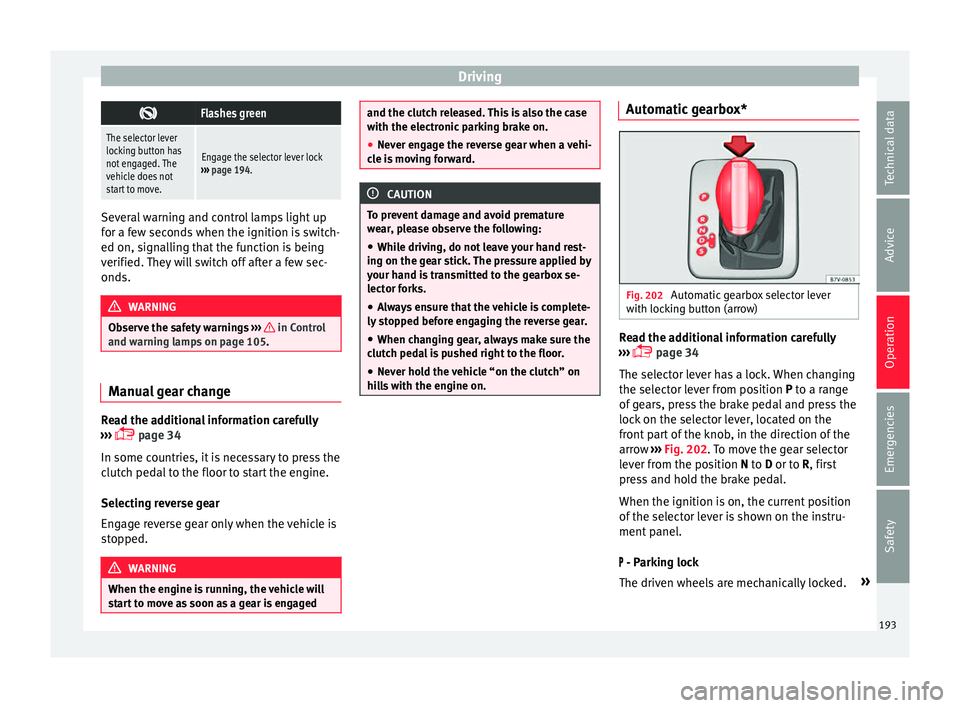
Fig. 202
Automatic gearbox selector lever
w ith loc
k
ing button (arrow) Read the additional information carefully
› ›
›
page 34
The selector lever has a lock. When changing
the selector lever from position P to a range
of gears, press the brake pedal and press the
lock on the selector lever, located on the
front part of the knob, in the direction of the
arrow ››› Fig. 202. To move the gear selector
lever from the position N to D or to R, first
press and hold the brake pedal.
When the ignition is on, the current position
of the selector lever is shown on the instru-
ment panel.
- Parking lock
The driven wheels are mechanically locked. »
193
Technical data
Advice
Operation
Emergencies
Safety
Page 198 of 320
Operation
● Gently p
u
ll the selector lever back to
change down a gear.
● OR: reduce using the steering wheel pad-
dle
s ››› Fig. 204 ››› page 195.
Back-up mode
If all the selector lever positions on the in-
strument panel display are shown with a
light-coloured background, this means there
is a fault in the system. The automatic gear-
box will operate in back-up mode. When the
backup programme is activated, it is possible
to drive the vehicle, however, at low speeds
and within a selected range of gears.
For the DSG ®
dual clutch gearbox, in some
cases, this may mean that the reverse gear
does not engage . The gearbox should be
checked by a specialised workshop as soon
as possible.
Protection against overloading the DSG ®
6-
gear automatic gearbox
When the clutch is overloaded, the vehicle
begins to jerk and the selector lever position
indicator begins to flash. To prevent damage
to the clutch, this interrupts the power trans-
mission between the engine and the gear-
box. There is no more traction and it is not
possible to accelerate. If the clutch is opened
automatically due to overloading, press the
brake pedal. Wait a few seconds before start-
ing to move again. Kick-down
The kick
-down system provides maximum ac-
celeration when the gear selector lever is in
the positions D, S or in the Tiptronic position.
When the accelerator pedal is pressed right
down, the automatic gearbox will shift down
to a lower gear, depending on road speed
and engine speed. This takes advantage of
the maximum acceleration of the vehicle
››› .
When the ac c
el
erator is pressed to the floor,
the automatic gearbox shifts to the next gear
only after the engine reaches the specified
maximum engine speed.
Launch-Control Programme
The Launch-Control programme enables max-
imum acceleration while at a standstill.
● Switch off the ASR ›››
page 187.
● Press and hold the brake pedal with your
left
foot.
● Place the selector lever in position S or Tip-
tronic
.
● Press the accelerator with the right foot un-
til the
vehicle reaches an engine speed of ap-
proximately 3200 rpm.
● Lift the left foot off the brake ›››
. The ve-
hic l
e s
tarts with maximum acceleration.
● Turn on the ASR after accelerating! WARNING
Rapid acceleration can cause loss of traction
and skid din
g, especially on slippery ground.
This could cause loss of control of the vehicle
resulting in an accident and considerable
damage.
● Only use kick-down and rapid acceleration
when weather c
onditions, surface conditions
and traffic conditions permit; accelerate and
drive in a manner that does not endanger
other road users.
● Please remember that the driven wheels
can slip and the
vehicle can skid if the ASR is
turned off, especially on slippery ground.
● Turn on the ASR after accelerating! CAUTION
● If y
ou stop on a hill with a gear range en-
gaged, do not try to prevent the vehicle from
rolling back by pressing on the accelerator.
This could cause overheating and damage the
automatic gearbox.
● Never allow the vehicle to move with the
gear sel
ector lever in N, especially with the
engine turned off. The automatic gearbox will
not be lubricated and could be damaged. Recommended gear display
In some vehicles, the recommended gear for
r
educ
in
g fuel consumption is displayed on
the instrument panel:
196
Page 200 of 320
Operation
● Pla
s
tic parts and elastomers are marked in
accordance with ISO 1043, ISO 11469 and
ISO 1629.
Choice of materials
● Use of recycled materials.
● Use of compatible plastics in the same part
if its c
omponents are not easily separated.
● Use of recycled materials and/or materials
originating fr
om renewable sources.
● Reduction of volatile components, includ-
ing odour, in p
lastic materials.
● Use of CFC-free coolants.
Ban on heavy
metals, with the exceptions
dictated by law (Annex II of ELV Directive
2000/53/EC): cadmium, lead, mercury, hexa-
valent chromium.
Manufacturing methods
● Reduction of the quantity of thinner in the
protectiv
e wax for cavities.
● Use of plastic film as protection during ve-
hicle tr
ansport.
● Use of solvent-free adhesives.
● Use of CFC-free coolants in cooling sys-
tems.
● Recy
cling and energy recovery from resi-
dues (RDF).
● Impr
ovement in the quality of waste water. ●
Use of sy
stems for the recovery of residual
heat (thermal recovery, enthalpy wheels,
etc.).
● The use of water-soluble paints.
Economical and environmentally
friendly drivin
g Fuel consumption, environmental impact and
engine, br
ak
e and tyre wear depend largely
on three factors:
● Personal driving style.
● Conditions of use (weather, road surface).
● Technical requirements.
Savin g
s of up to 25% in fuel consumption
are possible with an appropriate driving style
and the adoption of certain simple tips.
Changing gear early
General instructions: The highest gear is al-
ways the most economical. As a guideline,
for the majority of vehicles: at a speed of
30 km/h (19 mph), drive in third gear, at
40 km/h (25 mph) in fourth gear and at
50 km/h (31 mph) in fifth gear.
In addition, “skipping” gears when shifting
up helps to save fuel, weather and traffic
conditions permitting. Do not wait until the last moment before
chan
ging gear. Only use first gear when you
move off and change to second gear quickly.
Avoid the kick-down function in vehicles with
automatic gearbox.
Vehicles with a gear display help to achieve
an economical driving style as the display in-
dicates the best moment to change gear.
Let the vehicle roll
If you take your foot off the accelerator, the
fuel supply is stopped and consumption is
reduced.
Allow the vehicle to roll without accelerating,
for example when approaching a red traffic
light. However, if the vehicle is rolling too
slowly or the distance is too long, the clutch
pedal should be pressed to declutch. The en-
gine will then operate at idle speed.
If the vehicle is going to be at a standstill for
a period of time, switch off the engine; for ex-
ample, while waiting at a level crossing. In
vehicles which have the Start-Stop function
on, the engine switches off automatically
when the vehicle is not moving.
Think ahead and “flow” with the traffic
Frequent acceleration and braking considera-
bly increase fuel consumption. If you think
ahead as you drive and keep a safe distance
from the vehicle in front, it is possible to slow
down by simply lifting your foot off the
198
Page 208 of 320
Operation
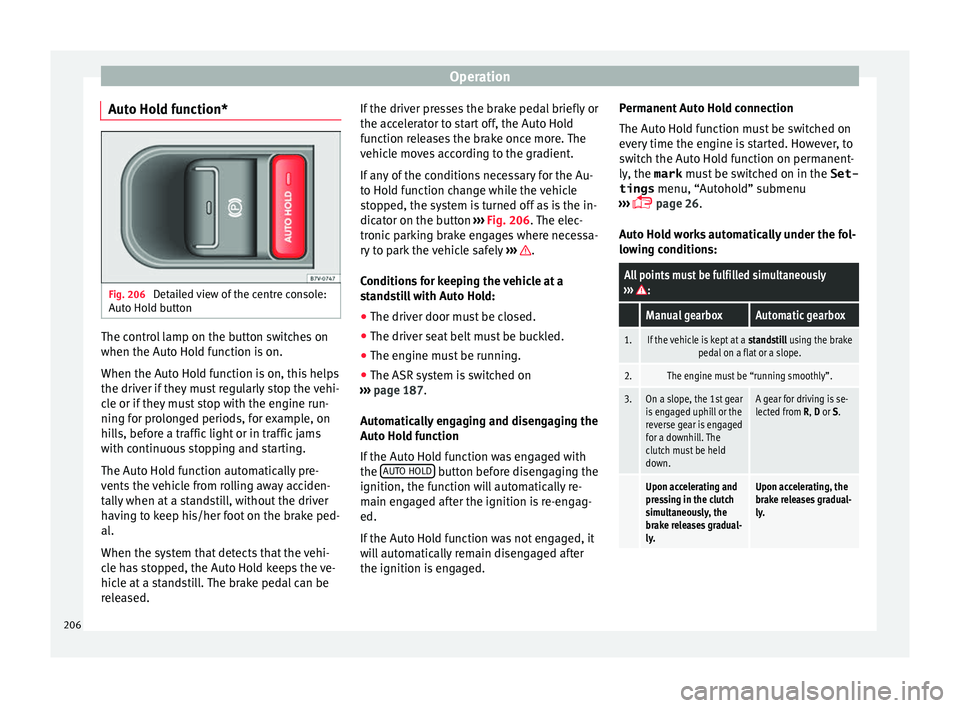
Auto Hold function* Fig. 206
Detailed view of the centre console:
Aut o Ho
l
d button The control lamp on the button switches on
when the Aut
o Ho
l
d function is on.
When the Auto Hold function is on, this helps
the driver if they must regularly stop the vehi-
cle or if they must stop with the engine run-
ning for prolonged periods, for example, on
hills, before a traffic light or in traffic jams
with continuous stopping and starting.
The Auto Hold function automatically pre-
vents the vehicle from rolling away acciden-
tally when at a standstill, without the driver
having to keep his/her foot on the brake ped-
al.
When the system that detects that the vehi-
cle has stopped, the Auto Hold keeps the ve-
hicle at a standstill. The brake pedal can be
released. If the driver presses the brake pedal briefly or
the accel
erator to start off, the Auto Hold
function releases the brake once more. The
vehicle moves according to the gradient.
If any of the conditions necessary for the Au-
to Hold function change while the vehicle
stopped, the system is turned off as is the in-
dicator on the button ››› Fig. 206. The elec-
tronic parking brake engages where necessa-
ry to park the vehicle safely ››› .
C ondition
s
for keeping the vehicle at a
standstill with Auto Hold:
● The driver door must be closed.
● The driver seat belt must be buckled.
● The engine must be running.
● The ASR system is switched on
›››
page 187.
Automatically engaging and disengaging the
Auto Hold function
If the Auto Hold function was engaged with
the AUTO HOLD button before disengaging the
ignition, the f u
nction w
ill automatically re-
main engaged after the ignition is re-engag-
ed.
If the Auto Hold function was not engaged, it
will automatically remain disengaged after
the ignition is engaged. Permanent Auto Hold connection
The Auto Hol
d function must be switched on
every time the engine is started. However, to
switch the Auto Hold function on permanent-
ly, the mark must be switched on in the Set-
tings menu, “Autohold” submenu
››› page 26.
Auto Hold works automatically under the fol-
lowing conditions:
All points must be fulfilled simultaneously
››› :
Manual gearboxAutomatic gearbox
1.If the vehicle is kept at a standstill using the brake
pedal on a flat or a slope.
2.The engine must be “running smoothly”.
3.On a slope, the 1st gear
is engaged uphill or the
reverse gear is engaged
for a downhill. The
clutch must be held
down.A gear for driving is se-
lected from R, D or S.
Upon accelerating and
pressing in the clutch
simultaneously, the
brake releases gradual-
ly.Upon accelerating, the
brake releases gradual-
ly. 206
Page 209 of 320
Driver assistance systems
Auto Hold turns off automatically under the
f o
l
lowing conditions:
Manual gearboxAutomatic gearbox
1.If one of the conditions mentioned in table on
page 206 changes.
2.If the engine is “not running regularly” or if there is a malfunction.
3.When changing to idle
speed.If the selector lever is
placed in neutral (N).
4.If the engine is turned
off or stalls.If the engine is switch-
ed off.
5.If the driver accelerates
while pressing the
clutch in.If the vehicle is acceler-
ated.
6. When one of the wheels
has minimal contact
with the ground (e.g. on
uneven ground).WARNING
The Auto Hold technology is limited by the
la w
s of physics. The improved comfort provi-
ded by Auto Hold should never prompt you to
take risks.
● Never leave the vehicle running and with
the Auto Hol
d function switched on.
● Auto Hold cannot always stop the vehicle
uphill
and downhill (e.g. if the ground is slip-
pery or frozen). CAUTION
Before entering an automatic car wash, al-
wa y
s switch the Auto Hold function off, as it
could be damaged when the electronic park-
ing brake automatically engages. Start-Stop Function*
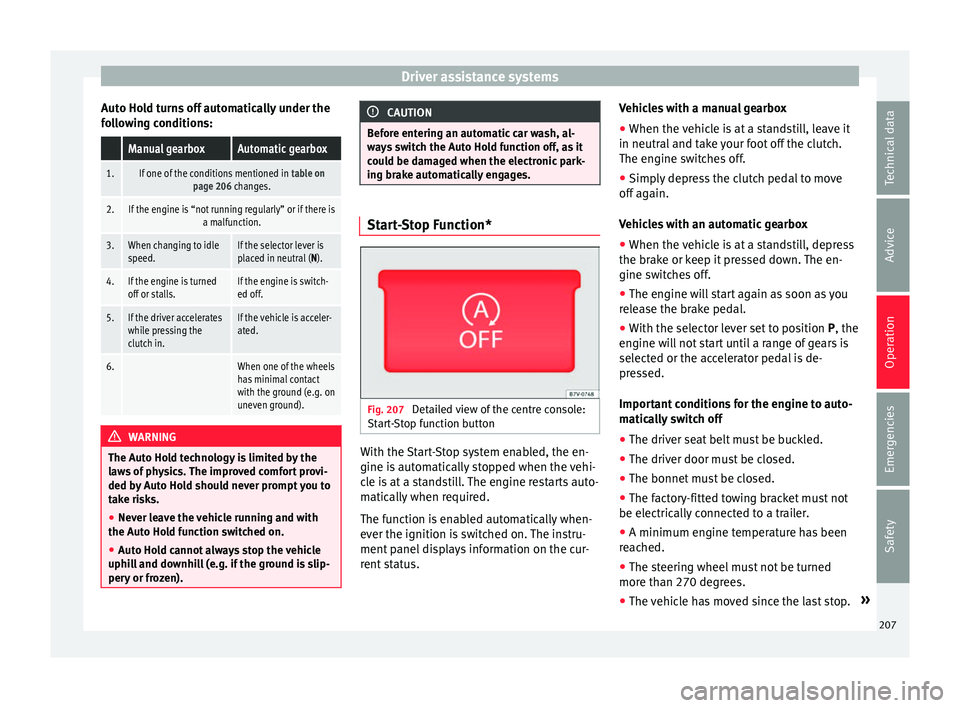
Fig. 207
Detailed view of the centre console:
St ar
t
-Stop function button With the Start-Stop system enabled, the en-
gine i
s
aut
omatically stopped when the vehi-
cle is at a standstill. The engine restarts auto-
matically when required.
The function is enabled automatically when-
ever the ignition is switched on. The instru-
ment panel displays information on the cur-
rent status. Vehicles with a manual gearbox
● When the vehicle is at a standstill, leave it
in neutral and t
ake your foot off the clutch.
The engine switches off.
● Simply depress the clutch pedal to move
off again.
V
ehicles with an automatic gearbox
● When the vehicle is at a standstill, depress
the brake or k
eep it pressed down. The en-
gine switches off.
● The engine will start again as soon as you
rele
ase the brake pedal.
● With the selector lever set to position P, the
engine wi
ll not start until a range of gears is
selected or the accelerator pedal is de-
pressed.
Important conditions for the engine to auto-
matically switch off
● The driver seat belt must be buckled.
● The driver door must be closed.
● The bonnet must be closed.
● The factory-fitted towing bracket must not
be electrical
ly connected to a trailer.
● A minimum engine temperature has been
reac
hed.
● The steering wheel must not be turned
more than 270 de
grees.
● The vehicle has moved since the last stop. »
207
Technical data
Advice
Operation
Emergencies
Safety
Page 215 of 320
Driver assistance systems
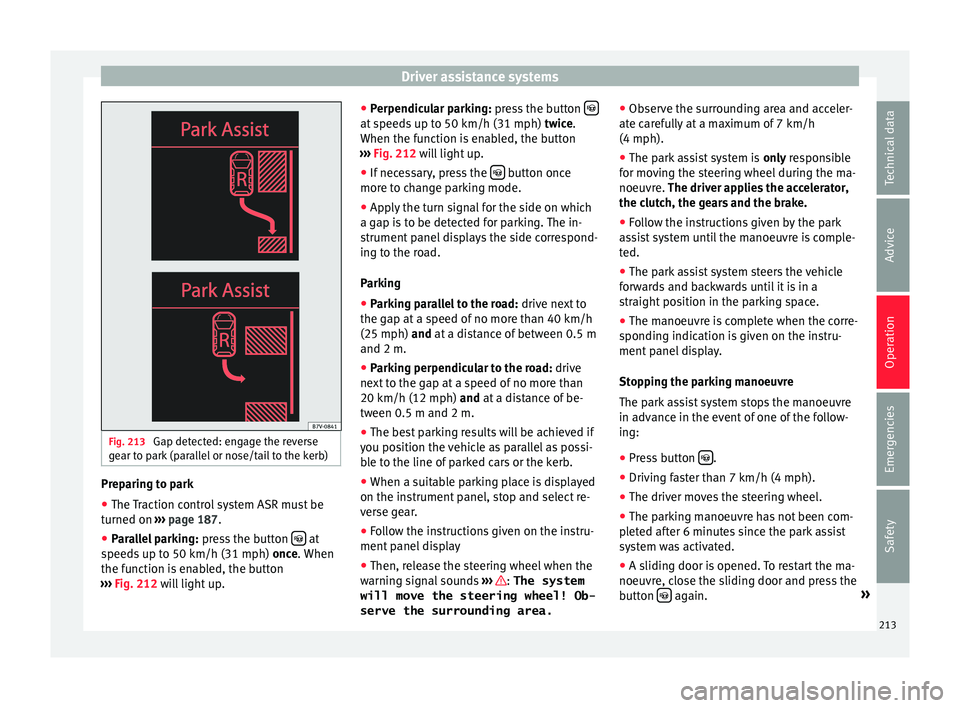
Fig. 213
Gap detected: engage the reverse
g e
ar t
o park (parallel or nose/tail to the kerb) Preparing to park
● The Traction control system ASR must be
t urned on ›
›
› page 187.
● Parallel parking: pres
s the button at
s peed
s
up to 50 km/h (31 mph) once. When
the function is enabled, the button
››› Fig. 212 will light up. ●
Perpendicu
lar parking: press the button at speeds up to 50 km/h (31 mph) tw
ic
e .
When the function is enabled, the button
››› Fig. 212 will light up.
● If necessary, press the button once
mor e t
o c
hange parking mode.
● Apply the turn signal for the side on which
a gap is
to be detected for parking. The in-
strument panel displays the side correspond-
ing to the road.
Parking
● Parking parallel to the road: drive next
to
the gap at a speed of no more than 40 km/h
(25 mph) and at a distance of between 0.5 m
and 2 m.
● Parking perpendicular to the road: drive
next
to the gap at a speed of no more than
20 km/h (12 mph) and at a distance of be-
tween 0.5 m and 2 m.
● The best parking results will be achieved if
you pos
ition the vehicle as parallel as possi-
ble to the line of parked cars or the kerb.
● When a suitable parking place is displayed
on the instrument
panel, stop and select re-
verse gear.
● Follow the instructions given on the instru-
ment panel
display
● Then, release the steering wheel when the
warning s
ignal sounds ››› : The system
will move the steering wheel! Ob-
serve the surrounding area. ●
Ob
ser
ve the surrounding area and acceler-
ate carefully at a maximum of 7 km/h
(4 mph).
● The park assist system is only r
esponsible
for moving the steering wheel during the ma-
noeuvre. The driver applies the accelerator,
the clutch, the gears and the brake.
● Follow the instructions given by the park
ass
ist system until the manoeuvre is comple-
ted.
● The park assist system steers the vehicle
forw
ards and backwards until it is in a
straight position in the parking space.
● The manoeuvre is complete when the corre-
sponding indic
ation is given on the instru-
ment panel display.
Stopping the parking manoeuvre
The park assist system stops the manoeuvre
in advance in the event of one of the follow-
ing:
● Press button .
● Driving faster than 7 km/h (4 mph).
● The driver moves the steering wheel.
● The parking manoeuvre has not been com-
p l
et
ed after 6 minutes since the park assist
system was activated.
● A sliding door is opened. To restart the ma-
noeuvr e, c
lose the sliding door and press the
button again.
»
213
Technical data
Advice
Operation
Emergencies
Safety
Page 216 of 320
Operation
● Ther e i
s
a system malfunction (system tem-
porarily unavailable).
● The ASR system is switched off or the ASR
or ESC i
s working. WARNING
The steering wheel turns quickly by itself
when park in
g using the park assist system.
Placing your hand between the steering
wheel spokes could lead to injuries. Note
● The park a
ssist system has its limitations.
For example, it is not possible to park on
tight bends using the park assist system.
● Even if the park assist system recognises
that ther
e is not enough space for parking
the vehicle, the instrument panel display will
still show this place. In this case, the parking
manoeuvre should not be requested.
● Changing gears between forward and re-
verse g
ears before indicated (that is, before
the signal from the parking sensor system)
the parking results may not be ideal.
● For parallel parking (parallel to the road), a
sound wi
ll tell the driver when they must
change from forward gears to reverse; the
signal from the parking sensor system does
not indicate changes of direction.
● The park assist can also be activated after-
ward
s, if you pass close to a parallel parking
space at a maximum of 40 km an hour
(25 mph) or close to be perpendicular parking space at about 20 km an hour (12 mph) then
pre
s
s the button .
● The progress bar on the screen of the in-
strument p
anel shows a display of the rela-
tive distance to be covered.
● When the Park Assist system is turning the
steerin
g wheel of the stopped vehicle the
symbol is also displayed. Press on the
brake pedal so that the steering can turn with
the vehicle at a standstill and thus reduce the
number of manoeuvres.
● A “suitable” parking space length is at
lea
st 1.1 m greater than the length of the ve-
hicle.
● If the results of the park assist system are
not as
good after changing the wheels, the
system must memorise the perimeter of the
new wheels. This process is performed auto-
matically while the vehicle is in motion. To
help this process, turn slowly (at less than
20 km/h [12 mph]), e.g. in an empty car park. Leaving a parking space using the
P
ark
As
sist system Driving off
● Switch on the engine.
● Press button . When the function is ena-
b l
ed, the b
utton ››› Fig. 212 will light up.
● Apply the turn signal for the side on which
you w ant
to leave the parking space.
● Select reverse gear. ●
Fo l
low the instructions given by the park
assist system.
● When the next indication appears, release
the steerin
g wheel ››› in Parking using the
p ark
a
ssist system on page 214: The sys-
tem will move the steering wheel!
Observe the surrounding area.
● Observe the surrounding area and acceler-
ate car
efully at a maximum of 7 km/h
(4 mph).
● The park assist system is only r
esponsible
for moving the steering wheel during the ma-
noeuvre. The driver applies the accelerator,
the clutch, the gears and the brake.
● When it is possible to leave the parking
spac
e, the Park Assist system will stop. Take
control of the steering and when traffic condi-
tions permit, leave the parking space.
Automatic stoppage of the manoeuvre
The park assist system stops the manoeuvre
in the event of one of the following:
● Driving faster than 7 km/h (4 mph).
● The driver moves the steering wheel.
● A sliding door is opened. To restart the ma-
noeuvre, c
lose the sliding door and press the
button again.
● There is a system malfunction (system tem-
por ari
ly
unavailable).
● The ASR system is switched off or the ASR
or ESC i
s working.
214
Page 217 of 320
Driver assistance systems
WARNING
The steering wheel turns quickly automatical-
ly when l e
aving a parking space using the
park assist system. Placing your hand be-
tween the steering wheel spokes could lead
to injuries. Park Assist brake operation
The Park Assist system helps the driver by
brak
in
g automatically. Automatic braking
does not relieve the driver of responsibility
for controlling the accelerator, brake and
clutch ››› .
Br ak
in
g to avoid damage at excess speed
It is possible that the system operates the
brakes to reduce excess speed. The parking
manoeuvre can then continue. The brakes
will intervene during each parking process.
Braking to minimise damage
When approaching an obstacle, the vehicle
may brake automatically. In certain circum-
stances (e.g. storm, detection of ultrasounds,
vehicle status, load, inclination), the Park As-
sist system may stop the vehicle completely
before an object.
● Press the foot brake ››
›
!Following the intervention of the brakes, the
P
ark
As
sist will stop. WARNING
Despite the assistance provided by the park
as s
ist system, do not run any risks when
parking. The system is not a replacement for
driver awareness.
● Always be ready to brake.
● Automatic brake intervention will end after
1.5 seconds
approximately. Following auto-
matic intervention of the brakes, stop the ve-
hicle yourself. Rear assist* (Rear View Cam-
er
a)
Intr oduction The camera fitted to the rear lid helps drivers
durin
g p
ark
ing or reversing manoeuvres. The
camera image and certain orientation points
generated by the system are indicated on the
factory-fitted radio or navigation system
screen.
Two types of location point (modes) can be
selected:
● Mode 1: reverse parking perpendicular to
the ro
ad (e.g. in a car park). ●
Mode 2: rever
se parking parallel to the
curb.
The mode can be changed by pressing the
button on the radio or navigation system
screen. Only the mode to which the points
can be changed will be displayed. WARNING
Use of the camera to calculate the distance
from o b
stacles (people, vehicles, etc.) is inac-
curate and may cause accidents and severe
injuries.
● The camera lens expands and distorts the
field of
vision and displays the objects on the
screen in a different, vague manner.
● Some objects may not be displayed or may
not be v
ery clear (e.g. very thin posts or fen-
ces), due to the resolution of the monitor or if
the light is dim.
● The camera has blind spots in which obsta-
cle
s and people are not detected.
● Keep the camera lens clean and clear of
snow and ic
e. Do not cover it. WARNING
The intelligent technology in the rear assist
sys t
em cannot change the limits imposed by
the laws of physics and by the system itself.
Careless or uncontrolled use of the rear assist
system may result in severe injuries and acci-
dents. The system is not a replacement for
driver awareness. » 215
Technical data
Advice
Operation
Emergencies
Safety
Page 221 of 320
Driver assistance systems
● Continue r
ev
ersing until the vehicle is in-
side the space, parallel to the road. Correct
the position if necessary.
Cruise control* (Cruise control
syst
em - CCS)
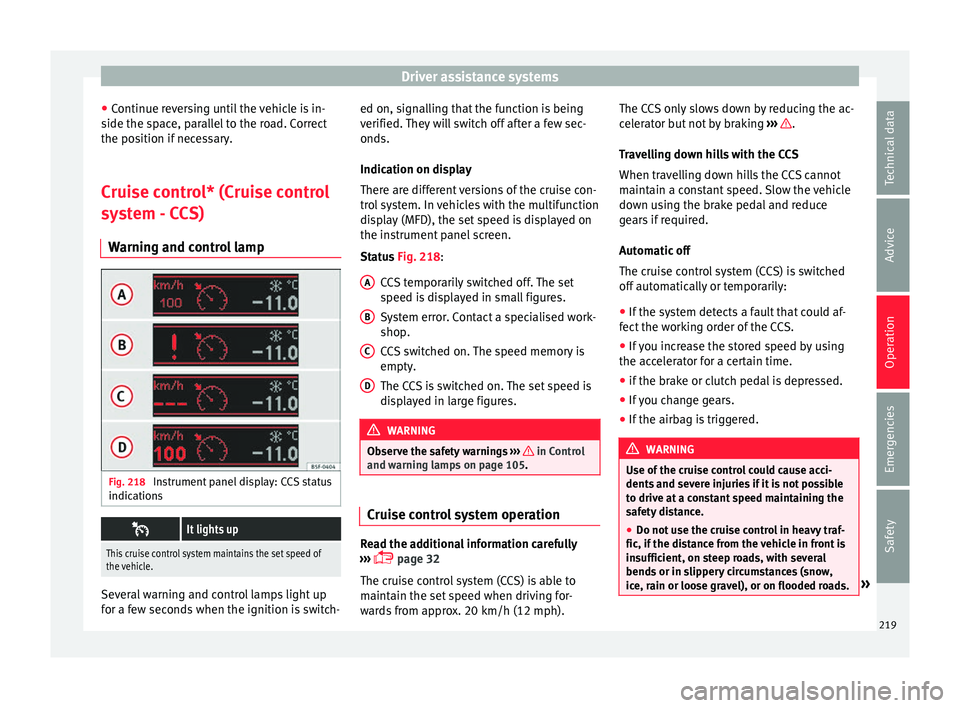
Warning and control lamp Fig. 218
Instrument panel display: CCS status
indic ation
s
It lights up
This cruise control system maintains the set speed of
the vehicle.
Several warning and control lamps light up
f
or a f
ew sec
onds when the ignition is switch- ed on, signalling that the function is being
verified. They
will switch off after a few sec-
onds.
Indication on display
There are different versions of the cruise con-
trol system. In vehicles with the multifunction
display (MFD), the set speed is displayed on
the instrument panel screen.
Status Fig. 218:
CCS temporarily switched off. The set
speed is displayed in small figures.
System error. Contact a specialised work-
shop.
CCS switched on. The speed memory is
empty.
The CCS is switched on. The set speed is
displayed in large figures. WARNING
Observe the safety warnings ›››
in Control
and warnin g l
amps on page 105. Cruise control system operation
Read the additional information carefully
› ›
›
page 32
The cruise control system (CCS) is able to
maintain the set speed when driving for-
wards from approx. 20 km/h (12 mph). A B
C
D The CCS only slows down by reducing the ac-
c
el
er
ator but not by braking ››› .
T r
av
elling down hills with the CCS
When travelling down hills the CCS cannot
maintain a constant speed. Slow the vehicle
down using the brake pedal and reduce
gears if required.
Automatic off
The cruise control system (CCS) is switched
off automatically or temporarily:
● If the system detects a fault that could af-
fect the w
orking order of the CCS.
● If you increase the stored speed by using
the accel
erator for a certain time.
● if the brake or clutch pedal is depressed.
● If you change gears.
● If the airbag is triggered. WARNING
Use of the cruise control could cause acci-
dents and sev
ere injuries if it is not possible
to drive at a constant speed maintaining the
safety distance.
● Do not use the cruise control in heavy traf-
fic, if the dis
tance from the vehicle in front is
insufficient, on steep roads, with several
bends or in slippery circumstances (snow,
ice, rain or loose gravel), or on flooded roads. » 219
Technical data
Advice
Operation
Emergencies
Safety
Page 242 of 320
Operation
●
Alw a
ys correctly load the trailer.
● Always secure loads correctly with suitable
and undam
aged attachment rope or straps. Driving with a trailer
Adjusting the headlights
When to
w
ing a trailer, the front of the vehicle
may rise and so the dipped beam headlights
may blind other drivers. Use the headlight
range control to lower the cone of light. If you
do not have headlight range control, have
the headlights adjusted by a specialised
workshop. Vehicles with high-intensity dis-
charge lamps adapt automatically and do not
require adjustment.
Things to note when towing a trailer or cara-
van
● If the trailer has an overru
n brake, apply
the brakes gently at first and then, firmly.
This will prevent the jerking that can be
caused by the trailer wheels locking.
● As of the combined vehicle and trailer
mas
s, braking distances will be greater.
● Select a low gear before driving down a
steep hi
ll to use the engine braking effect to
slow down the vehicle. Otherwise, the brak-
ing system could overheat and fail.
● The vehicle centre of gravity and handling
chan
ge because of the trailer load and be- cause of the increased combined mass of the
vehicl
e and trailer.
● If the towing vehicle is empty and the trail-
er loaded then the lo
ad distribution is incor-
rect. If you must travel in these conditions,
drive carefully and reduce your speed accord-
ingly.
Hill starts with a trailer
Depending on the hill and the gross com-
bined weight, it is possible that the com-
bined vehicle and trailer move backwards
slightly when starting.
For a hill start with a trailer, proceed as fol-
lows:
● Press and hold the brake pedal.
● Press the button once to turn off the
el ectric
p
arking brake ››› page 187.
● Press and hold the button to hold the
v ehic
l
e and trailer combination using the
parking brake.
● With a manual gearbox: press the clutch
pedal t
o the floor.
● Engage first gear or the gear range D
›››
page 192, Gearbox.
● Release the brake pedal.
● Move off slowly. To do this, gently release
the clutc
h pedal (for manual gearbox). ●
Rele
ase the button only when the en-
gine pr o
v
ides sufficient power to move the
vehicle and trailer combination. WARNING
Jerking the trailer in an unsuitable manner
cou l
d cause loss of vehicle control with the
subsequent serious consequences.
● Driving with a trailer and transporting
heavy or a l
arge objects will change the vehi-
cle handling and braking distances.
● Anticipate traffic and be extremely cau-
tious. Brak
e early.
● Adjust your speed and driving style to visi-
bility
, road, traffic and weather conditions.
Reduce your speed, especially on steep hills.
● Accelerate gently and carefully. Avoid brus-
que manoeuvr
es and sudden braking.
● Always take the following precautions seri-
ously
. Reduce your speed immediately if you
observe the trailer rocking from side to side.
● Never try to stop the “snaking” by increas-
ing speed.
● A
lways take the speed limits for vehicles
with and without
trailers into account.240