AUX Seat Alhambra 2017 Owner's Manual
[x] Cancel search | Manufacturer: SEAT, Model Year: 2017, Model line: Alhambra, Model: Seat Alhambra 2017Pages: 320, PDF Size: 6.88 MB
Page 5 of 320
Table of Contents
Table of Contents
The e s
senti
als . . . . . . . . . . . . . . . . . . . . . . . . 5
Exterior view . . . . . . . . . . . . . . . . . . . . . . . . . . . . 5
Exterior view . . . . . . . . . . . . . . . . . . . . . . . . . . . . 6
Interior view (left-hand drive) . . . . . . . . . . . . . . 7
How it works . . . . . . . . . . . . . . . . . . . . . . . . . . . . 8
Unlocking and locking . . . . . . . . . . . . . . . . . . . . 8
Before driving . . . . . . . . . . . . . . . . . . . . . . . . . . . 13
Airbags . . . . . . . . . . . . . . . . . . . . . . . . . . . . . . . . 17
Child seats . . . . . . . . . . . . . . . . . . . . . . . . . . . . . 21
Starting the vehicle . . . . . . . . . . . . . . . . . . . . . . 24
Lights and visibility . . . . . . . . . . . . . . . . . . . . . . 24
SEAT information system . . . . . . . . . . . . . . . . . . 26
Cruise control . . . . . . . . . . . . . . . . . . . . . . . . . . . 32
Warning lamps . . . . . . . . . . . . . . . . . . . . . . . . . . 32
Gearbox lever . . . . . . . . . . . . . . . . . . . . . . . . . . . 34
Air conditioning . . . . . . . . . . . . . . . . . . . . . . . . . 36
Fluid Level control . . . . . . . . . . . . . . . . . . . . . . . 39
Emergencies . . . . . . . . . . . . . . . . . . . . . . . . . . . . 42
Fuses . . . . . . . . . . . . . . . . . . . . . . . . . . . . . . . . . . 42
Bulbs . . . . . . . . . . . . . . . . . . . . . . . . . . . . . . . . . . 43
Action in the event of a puncture . . . . . . . . . . . 44
Changing a wheel . . . . . . . . . . . . . . . . . . . . . . . 45
Snow chains . . . . . . . . . . . . . . . . . . . . . . . . . . . . 49
Emergency towing of the vehicle . . . . . . . . . . . 50
How to jump start . . . . . . . . . . . . . . . . . . . . . . . . 51
Changing windscreen wipers . . . . . . . . . . . . . . 54
Safety . . . . . . . . . . . . . . . . . . . . . . . . . . . . . . . . 56
Safe driving . . . . . . . . . . . . . . . . . . . . . . . . . . . . 56
Safety first! . . . . . . . . . . . . . . . . . . . . . . . . . . . . . 56
Advice about driving . . . . . . . . . . . . . . . . . . . . . 56
Correct position of the vehicle occupants . . . . 57
Pedal area . . . . . . . . . . . . . . . . . . . . . . . . . . . . . . 60 Seat belts
. . . . . . . . . . . . . . . . . . . . . . . . . . . . . . 61
Why wear a seat belt? . . . . . . . . . . . . . . . . . . . . 61
How to properly adjust your seatbelt . . . . . . . . 64
Seat belt tensioners . . . . . . . . . . . . . . . . . . . . . . 67
Airbag system . . . . . . . . . . . . . . . . . . . . . . . . . . 68
Brief introduction . . . . . . . . . . . . . . . . . . . . . . . . 68
Airbag safety instructions . . . . . . . . . . . . . . . . . 71
Deactivating airbags . . . . . . . . . . . . . . . . . . . . . 72
Transporting children safely . . . . . . . . . . . . . . . 74
Safety for children . . . . . . . . . . . . . . . . . . . . . . . 74
Child seats . . . . . . . . . . . . . . . . . . . . . . . . . . . . . 75
Integrated child seat . . . . . . . . . . . . . . . . . . . . . 78
Emergencies . . . . . . . . . . . . . . . . . . . . . . . . . . 82
Self-help . . . . . . . . . . . . . . . . . . . . . . . . . . . . . . . 82
In case of emergency . . . . . . . . . . . . . . . . . . . . . 82
Vehicle tool kit* . . . . . . . . . . . . . . . . . . . . . . . . . 82
Changing a wheel* . . . . . . . . . . . . . . . . . . . . . . . 84
Tyre repair . . . . . . . . . . . . . . . . . . . . . . . . . . . . . . 85
Changing the windscreen wiper blades . . . . . . 87
Tow-starting and towing . . . . . . . . . . . . . . . . . . 87
Emergency locking and unlocking . . . . . . . . . . 89
Fuses and bulbs . . . . . . . . . . . . . . . . . . . . . . . . . 90
Fuses . . . . . . . . . . . . . . . . . . . . . . . . . . . . . . . . . . 90
Changing bulbs . . . . . . . . . . . . . . . . . . . . . . . . . 91
Operation . . . . . . . . . . . . . . . . . . . . . . . . . . . . . 99
General instrument panel . . . . . . . . . . . . . . . . . 99
Instrument panel . . . . . . . . . . . . . . . . . . . . . . . . 98
Instruments . . . . . . . . . . . . . . . . . . . . . . . . . . . . 100
Control lamps . . . . . . . . . . . . . . . . . . . . . . . . . . . 105
Communications and multimedia . . . . . . . . . . . 106
Steering wheel controls* . . . . . . . . . . . . . . . . . . 106
Multimedia . . . . . . . . . . . . . . . . . . . . . . . . . . . . . 108
Three button unit in headliner . . . . . . . . . . . . . . 108
Opening and closing . . . . . . . . . . . . . . . . . . . . . 110
Vehicle key set . . . . . . . . . . . . . . . . . . . . . . . . . . 110
Central locking and locking system . . . . . . . . . 112 Doors . . . . . . . . . . . . . . . . . . . . . . . . . . . . . . . . . . 119
Sliding doors . . . . . . . . . . . . . . . . . . . . . . . . . . . 119
Rear lid . . . . . . . . . . . . . . . . . . . . . . . . . . . . . . . . 122
Electric windows . . . . . . . . . . . . . . . . . . . . . . . . . 125
Panoramic sliding sunroof* . . . . . . . . . . . . . . . . 126
Lights and visibility
. . . . . . . . . . . . . . . . . . . . . . 128
Lights . . . . . . . . . . . . . . . . . . . . . . . . . . . . . . . . . 128
Visibility . . . . . . . . . . . . . . . . . . . . . . . . . . . . . . . 134
Windscreen wiper and window wiper sys-
tems . . . . . . . . . . . . . . . . . . . . . . . . . . . . . . . . . . 135
R
ear vision mirror . . . . . . . . . . . . . . . . . . . . . . . . 137
Seats and head restraints . . . . . . . . . . . . . . . . . 140
Adjusting the seats and head restraints . . . . . . 140
Seat functions . . . . . . . . . . . . . . . . . . . . . . . . . . 144
Transport and practical equipment . . . . . . . . . 150
Transporting objects . . . . . . . . . . . . . . . . . . . . . 150
Luggage compartment . . . . . . . . . . . . . . . . . . . . 152
Roof carrier* . . . . . . . . . . . . . . . . . . . . . . . . . . . . 161
Storage compartments . . . . . . . . . . . . . . . . . . . 163
Drink holders . . . . . . . . . . . . . . . . . . . . . . . . . . . 168
Ashtray and cigarette lighter* . . . . . . . . . . . . . . 170
Power sockets . . . . . . . . . . . . . . . . . . . . . . . . . . . 170
Air conditioning . . . . . . . . . . . . . . . . . . . . . . . . . 173
Air conditioning . . . . . . . . . . . . . . . . . . . . . . . . . 173
Auxiliary heater* (additional heater) . . . . . . . . 177
Driving . . . . . . . . . . . . . . . . . . . . . . . . . . . . . . . . 181
Address . . . . . . . . . . . . . . . . . . . . . . . . . . . . . . . . 181
Stopping and starting the engine . . . . . . . . . . . 182
Braking and parking . . . . . . . . . . . . . . . . . . . . . 187
Gearbox . . . . . . . . . . . . . . . . . . . . . . . . . . . . . . . . 192
Run-in and economical driving . . . . . . . . . . . . . 197
Engine management and exhaust gas purifica-
tion syst
em . . . . . . . . . . . . . . . . . . . . . . . . . . . . . 200
Driving tips . . . . . . . . . . . . . . . . . . . . . . . . . . . . . 202
Driver assistance systems . . . . . . . . . . . . . . . . . 203
Braking and stability systems . . . . . . . . . . . . . . 203
Start assist systems . . . . . . . . . . . . . . . . . . . . . . 205
Parking distance warning system* . . . . . . . . . . 208 3
Page 29 of 320
The essentials
A specialised workshop will be able to pro-
gr amme or modif
y
additional functions, ac-
cording to the vehicle equipment. SEAT rec-
ommends taking your car in for technical
service.
Some menu options can only be read when
the vehicle is at a standstill.
As long as a priority 1 warning is displayed, it
will not be possible to read the menus. To
display the menus, confirm the warning by
pressing OK .
Summary of the menu structure ■
Mu ltif
unction display (MFD) ››› page 29
■ Travelling time
■ Current fuel consumption
■ Average fuel consumption
■ Operating range
■ Distance covered
■ Average speed
■ Digital display of speed
■ Oil temperature digital display
■ Speed warning
■ Audio ›››
Booklet Radio or ›››
Booklet Navi-
gation system
■ Navigation ›››
Booklet Navigation system
■ Telephone ›››
Booklet Radio or ›››
Book-
let Navigation system
■ Auxiliary heating ›››
page 177 ■
Activ ation
■ Pr
ogramme On / Off
■ Disconnection
■ Timer 1-3
■ Day
■ Time
■ Minute
■ Activate
■ Duration
■ Operating mode
■ Heat
■ Ventilation
■ Day
■ Default setting
■ Vehicle condition ››› page 28
■ Configuration ››› page 30
■ Multifunction display data
■ Travelling time
■ Current fuel consumption
■ Average fuel consumption
■ Distance covered
■ Operating range
■ Average speed
■ Digital display of speed
■ Speed warning
■ Compass
■ Convenience ››› page 31
■ Central locking system (Central locking)
■Automatic lock (Auto. lock) On / Off ■
Automatic unlocking (Auto. unlock.)
On / Off
■ Unlocking doors (Door unlock.: All,
One door, Vehicle side, Individual)
■ Back
■ Electric windows
■ Off
■ All
■ Driver
■ Back
■ Mirror angle (Mirror angle) On / Off
■ Adjusting mirrors (Adjust. mirrors)
■ Individual
■ Synchronised
■ Back
■ Factory settings (Factory settings)
■ Back
■ Lights & visibility ››› page 31
■ Coming Home
■ Leaving Home
■ Footwell light
■ Convenience turn signals On / Off
■ Default setting
■ Tourist light On / Off
■ Time
■ Winter tyres
■ Language
■ Units
■ Second speed display On / Off » 27
Page 39 of 320
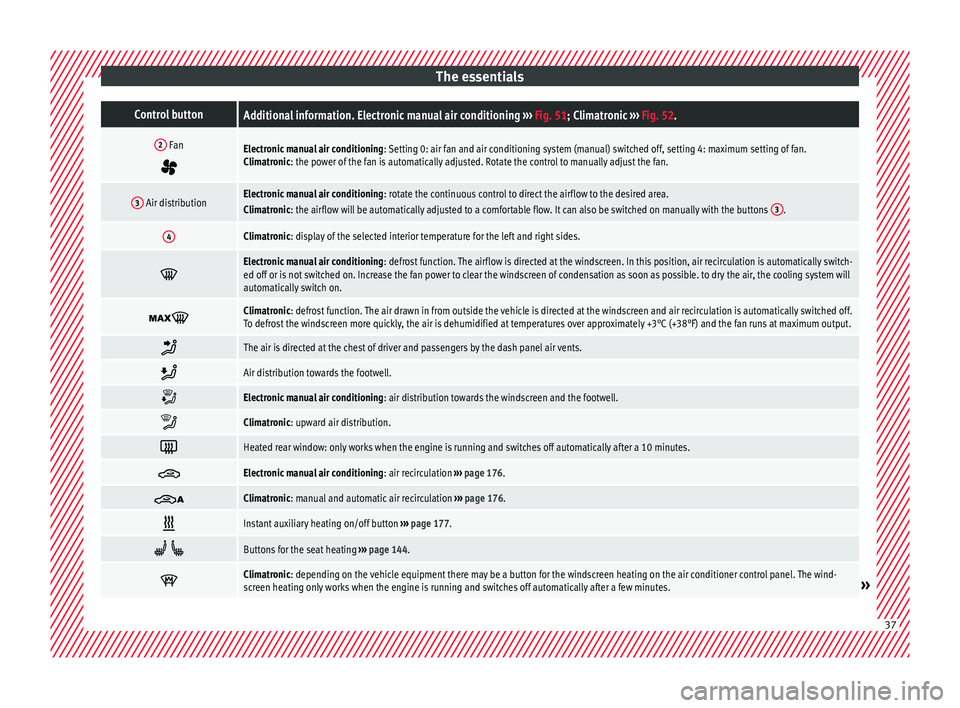
The essentialsControl buttonAdditional information. Electronic manual air conditioning
››› Fig. 51; Climatronic ››› Fig. 52.
2 Fan
Electronic manual air conditioning : Setting 0: air fan and air conditioning system (manual) switched off, setting 4: maximum setting of fan.
Climatronic: the power of the fan is automatically adjusted. Rotate the control to manually adjust the fan.
3 Air distributionElectronic manual air conditioning : rotate the continuous control to direct the airflow to the desired area.
Climatronic: the airflow will be automatically adjusted to a comfortable flow. It can also be switched on manually with the buttons 3.
4Climatronic: display of the selected interior temperature for the left and right sides.
Electronic manual air conditioning
: defrost function. The airflow is directed at the windscreen. In this position, air recirculation is automatically switch-
ed off or is not switched on. Increase the fan power to clear the windscreen of condensation as soon as possible. to dry the air, the cooling system will
automatically switch on.
Climatronic: defrost function. The air drawn in from outside the vehicle is directed at the windscreen and air recirculation is automatically switched off.
To defrost the windscreen more quickly, the air is dehumidified at temperatures over approximately +3°C (+38°F) and the fan runs at maximum output.
The air is directed at the chest of driver and passengers by the dash panel air vents.
Air distribution towards the footwell.
Electronic manual air conditioning
: air distribution towards the windscreen and the footwell.
Climatronic: upward air distribution.
Heated rear window: only works when the engine is running and switches off automatically after a 10 minutes.
Electronic manual air conditioning
: air recirculation ››› page 176.
Climatronic: manual and automatic air recirculation
››› page 176.
Instant auxiliary heating on/off button
››› page 177.
Buttons for the seat heating
››› page 144.
Climatronic: depending on the vehicle equipment there may be a button for the windscreen heating on the air conditioner control panel. The wind-
screen heating only works when the engine is running and switches off automatically after a few minutes.»
37
Page 41 of 320
The essentials
Fluid Level control Fi l
lin
g capacities
Tank level
70 litres. 8 litre reserve
Capacity of the windscreen washer fluid con-
tainer
Versions without head-
light washer system3.5 litres
Versions with headlight
washer system6 litres Fuel
Fig. 53
Fuel tank flap with tank cap attached. Before r
efuelling, always turn off the engine,
the ignition, mo b
ile telephones, auxiliary
heating and keep them off during refuelling.
Opening the fuel tank cap
● The tank flap is at the rear of the vehicle on
the right.
● Pre
ss the rear of the tank flap to open it.
● Unscrew the tank cap anticlockwise and in-
sert it
in the hole in the tank flap hinge
››› Fig. 235.
Closing the fuel tank cap ● Screw on the tank cap clockwise until it you
hear it c
lick into position.
● Press the tank flap until you hear it click in-
to pl
ace. The tank flap must be flush with the
body contour.
››› page 261
››› page 263 Oil
Fig. 54
Engine oil dipstick. Fig. 55
In the engine compartment: Engine
oi l
fi
ller cap The level is measured using the dipstick loca-
t
ed in the en
gine c
ompartment
››› page 271.
The oil should leave a mark between zones A and
C . It should never exceed zone
A .
● Zone A : Do not add oil.
» 39
Page 70 of 320
Safety
Note
The relevant safety requirements must be ob-
serv ed when the
vehicle is dismantled or sys-
tem components are removed. These require-
ments are known to specialised workshops
››› page 68. Service and disposal of belt tension
devic
e
s If you work on the belt tensioners or remove
and ins
t
all other parts of the vehicle when
performing other repair work, the seat belt
may be damaged. The consequence may be
that, in the event of an accident, the belt ten-
sioners function incorrectly or not at all.
So that the effectiveness of the belt tensioner
is not reduced and that removed parts do not
cause any injuries or environmental pollu-
tion, regulations must be observed. These re-
quirements are known to specialised work-
shops. WARNING
Improper handling and homemade repairs of
seat belt
s, automatic belt retainers and ten-
sion devices increase the risk of sustaining
severe or fatal injuries. The belt tensioner
may fail to trigger or may trigger in the wrong
circumstances. ●
Never att empt
to repair, adjust or remove or
install parts of the belt tensioners or seat
belts. Any work must be performed by a spe-
cialised workshop only ››› page 244.
● Belt tensioners and automatic belt retain-
ers c
annot be repaired and must be replaced. For the sake of the environment
Airbag modules and belt tensioners may con-
t ain per c
hlorate. Observe the legal require-
ments for their disposal. Airbag system
Brief intr
oduction
Intr
oduction Front airbags have been installed for both
driver and p
a
ssenger. The front airbags can
also protect the chest and head of driver and
passenger if the seats, seat belts head re-
straints and, for the driver, the steering
wheel are correctly adjusted and used. Air-
bags are considered as additional safety
equipment. An airbag cannot replace the
seat belt, which must be worn at all times,
even in front seats where front airbags have
been installed. WARNING
Never exclusively trust the airbag system as a
mean s
of protection.
● Even when triggered, airbag protection is
only aux
iliary.
● The airbags provide the best protection
when the seat belt
s are properly fastened,
thus reducing the risk of sustaining injuries
››› page 64, How to properly adjust your seat-
belt.
● Before each trip, every occupant must sit
properly, c
orrectly fasten the seat belt be-
longing to his or her seat and keeping it fas-
tened throughout the trip. This rule is valid
for all vehicle occupants. 68
Page 104 of 320

OperationPriority 1 warning (red symbols)
Symbol flashing or lit; partly combined with audible
warnings.
Stop the vehicle!
It is dangerous ››› in Control and
warning lamps on page 105 !
Check the function that is faulty and repair it. If necessa-
ry, request assistance from specialised personnel.
Priority 2 warning (yellow symbols)
Symbol flashing or lit; partly combined with audible
warnings.
A function fault, or fluids which are below the correct
levels may cause damage to the vehicle ›››
in Control
and warning lamps on page 105 !
Check the faulty operation as soon as possible. If neces-
sary, request assistance from specialised personnel.
Informative text
Information relating to different vehicle processes. Mileage
The odomet
er
r
egisters the total distance
travelled by the car.
The odometer (trip ) shows the distance
travelled since the last odometer reset. The
last digit of the trip recorder indicates distan-
ces of 100 metres or one tenths of a mile.
Outside temperature display
When the outside temperature is below +4°C
(+39°F), the symbol “ice crystal” (warning of
risk of freezing) is also displayed next to the temperature. At first this symbol flashes and
then it rem
ains lit until the outside tempera-
ture rises above +6°C (+43°F) ››› .
When the v
ehic
le is at a standstill, with the
auxiliary heating on ( ››› page 177), or when
travelling at very low speeds, the tempera-
ture displayed may be higher than the true
outside temperature, as a result of the heat
produced by the engine.
The temperatures measured range from
-40°C to +50°C (-40°F to +122°F).
Compass
With the ignition on and the navigation sys-
tem on, the cardinal point corresponding to
the vehicle's direction of travel is displayed
on the instrument panel ››› page 103.
Selector lever positions
The range of engaged gears of the selector
lever is shown on the side of the lever, and
on the instrument panel display. In positions
D and S, and with the Tiptronic, the corre-
sponding gear is also displayed.
Recommended gear (manual gearbox)
The recommended gear in order to save fuel
is displayed on the instrument panel while
you are driving ›››
page 192. Second speed display (mph or km/h)
In addition t
o the speedometer, the speed
can also be displayed in a different unit of
measurement (in miles or in km per hour). To
change the units, in the Settings menu, se-
lect the option Second speed
››› page 26.
Vehicles without menu display on the instru-
ment panel
● Switch on the engine.
● Press button three times. The odometer
di s
p
lay flashes on the instrument panel dis-
play.
● Press button 0.0 / SET once. “mph”
or “km/h” i s
di
splayed briefly instead of the
odometer.
● This activates the second speed display. To
switc
h it off, repeat the procedure.
This option cannot be deactivated in models
destined for countries in which the second
speed must always be visible.
Start-Stop operating display.
Updated information relating to the status is
displayed on the instrument panel
››› page 205. WARNING
Observe the safety warnings ›››
in Control
and warnin g l
amps on page 105. 102
Page 108 of 320
Operation
Communications and multimedia
St eerin
g wheel
controls*
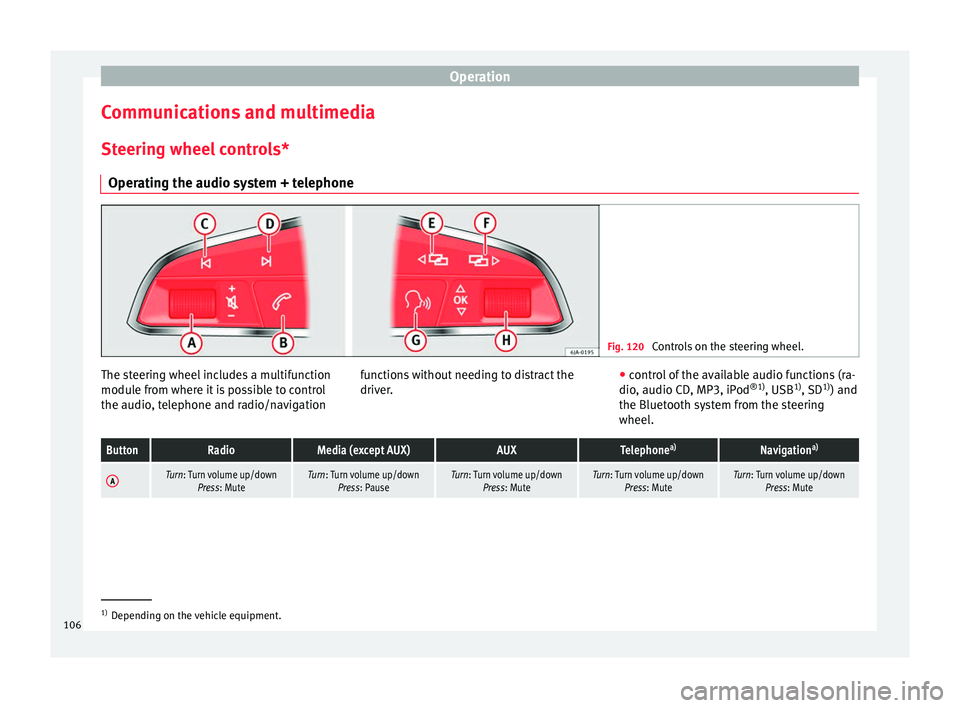
Operating the audio system + telephone Fig. 120
Controls on the steering wheel. The steering wheel includes a multifunction
modu
l
e fr
om where it is possible to control
the audio, telephone and radio/navigation functions without needing to distract the
driver.
●
c ontro
l of the available audio functions (ra-
dio, audio CD, MP3, iPod ®1)
, USB 1)
, SD 1)
) and
the Bluetooth system from the steering
wheel.
ButtonRadioMedia (except AUX)AUXTelephone a)Navigation a)
ATurn: Turn volume up/down
Press: MuteTurn: Turn volume up/downPress: PauseTurn: Turn volume up/down Press: MuteTurn: Turn volume up/downPress: MuteTurn: Turn volume up/downPress: Mute 1)
Depending on the vehicle equipment.
106
Page 109 of 320

Communications and multimediaButtonRadioMedia (except AUX)AUXTelephone
a)Navigation a)
B
Short press:
access to the tele-
phone menu on the dash pan- ela)
.
Hold down: redial a)Short press:
access to the tele-
phone menu on the dash pan- ela)
.
Hold down: redial a)Short press:
access to the tele-
phone menu on the dash pan- ela)
.
Hold down: redial a)
Short press:
answer/hang up
calls, enable/open the tele- phone menu.
Hold down: reject incoming
call/switch to private mode or
return to hands-free mode/re- dial
Short press: access to the tele-
phone menu on the dash pan- ela)
.
Hold down: redial a)
CSearch for last stationShort press:
switch to the previ-
ous song
Hold down: quick rewindNo functionNo function b)Radio/media functionality (ex-
cept AUX )
DSearch for the next stationShort press: switch to the next
song
Hold down: fast forwardNo functionNo function b)Radio/media functionality (ex-
cept AUX )
E, FChange menu on instrument
panelChange menu on instrumentpanelChange menu on instrumentpanelChange menu on instrumentpanelChange menu on instrumentpanel
GEnable/disable voice control a)Enable/disable voice controla)Enable/disable voice controla)No functionb)Enable/disable voice control
H
Turn: Next/previous preset c)
Press: Acts on the MFD or con- firms the menu option of the
dash panel depending on the menu optionTurn: Next/previous song c)
Press: Acts on the MFD or con- firms the menu option of the
dash panel depending on the menu optionTurn: Acts upon the instrument
panel menu depending on posi- tion
Press: Acts on the MFD or con- firms the menu option of the
dash panel depending on the menu optionTurn: Acts upon the instrumentpanel menu depending on po- sition
Press: Acts on the MFD or con- firms the menu option of the
dash panel depending on the menu optionTurn: Acts upon the instrumentpanel menu depending on po- sition
Press: Acts on the MFD or con- firms the menu option of the
dash panel depending on the menu option
a)According to the vehicle's equipment package.
b) When a call is being made, radio/media functionality (except AUX).
c) Only if the dash panel is in audio menu.
107
Technical data
Advice
Operation
Emergencies
Safety
Page 110 of 320
Operation
Multimedia USB/A UX
-IN inp
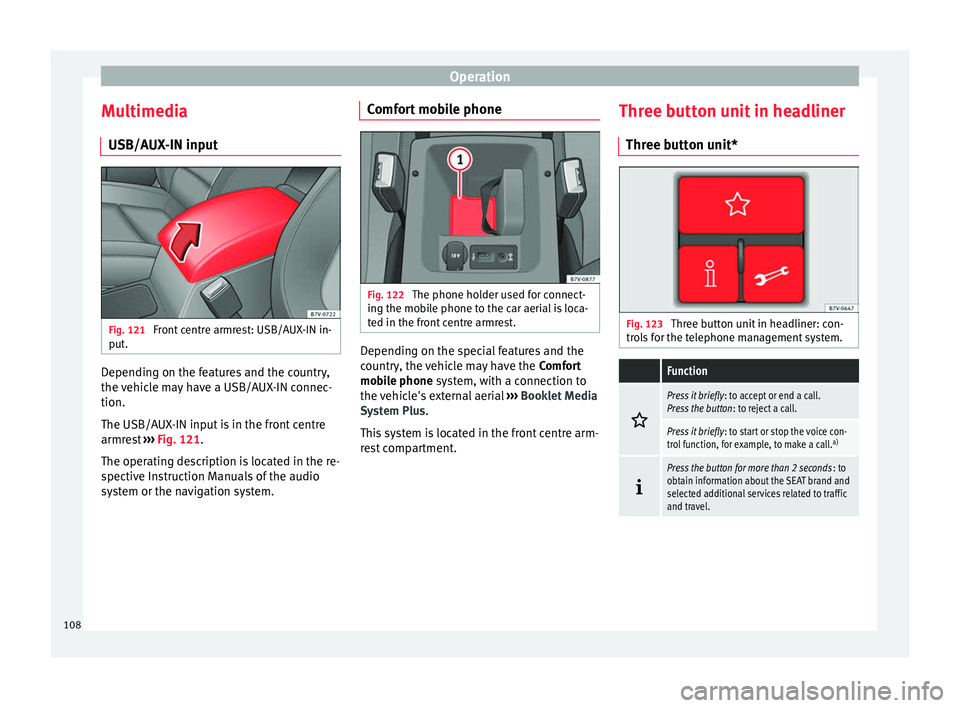
utFig. 121
Front centre armrest: USB/AUX-IN in-
p ut
. Depending on the features and the country,
the
v
ehic
le may have a USB/AUX-IN connec-
tion.
The USB/AUX-IN input is in the front centre
armrest ››› Fig. 121.
The operating description is located in the re-
spective Instruction Manuals of the audio
system or the navigation system. Comfort mobile phone
Fig. 122
The phone holder used for connect-
in g the mo
b
ile phone to the car aerial is loca-
ted in the front centre armrest. Depending on the special features and the
c
ou
ntr
y, the vehicle may have the Comfort
mobile phone system, with a connection to
the vehicle's external aerial ››› Booklet Media
System Plus.
This system is located in the front centre arm-
rest compartment. Three button unit in headliner
Three butt
on unit* Fig. 123
Three button unit in headliner: con-
tr o
l
s for the telephone management system.
Function
Press it briefly
: to accept or end a call.
Press the button : to reject a call.
Press it briefly: to start or stop the voice con-
trol function, for example, to make a call. a)
Press the button for more than 2 seconds
: to
obtain information about the SEAT brand and
selected additional services related to traffic
and travel. 108
Page 165 of 320
Transport and practical equipment
Distributing a load
Unif orm
ly
distribute loads and secure them
correctly ››› .
Chec k
att
achments
After fitting the base supports and the roof
carrier system, always check the attachments
after a short trip and at regular intervals. WARNING
Exceeding the maximum authorised roof load
can r e
sult in accidents and/or vehicle dam-
age.
● Never surpass the maximum authorised
weight f
or the roof, the maximum authorised
weight on the axles and the total maximum
authorised weight of the vehicle.
● Never exceed the capacity of the roof carri-
er syst
em even if this is less than the maxi-
mum authorised roof load.
● Secure heavy items as far forward as possi-
ble and, in g
eneral, distribute the vehicle
load uniformly. WARNING
Loose and incorrectly secured loads can fall
from the r oof
carrier system causing acci-
dents and injury.
● Always use suitable ropes and straps in
good condition.
● A
lways secure loads correctly. Storage compartments
Intr oduction Storage compartments must only be used to
st
or
e light or small objects.
In the front centre armrest compartment the
following factory-fitted connections are avail-
able: USB/AUX-IN.
The factory-fitted CD changer is located in the
left-hand storage compartment of the boot. WARNING
In the event of sudden braking movements or
turn s, loo
se objects may be thrown around
the vehicle interior. This could cause serious
injuries to passengers and cause the driver to
lose control of the vehicle.
● Do not transport animals or place hard,
heavy or sh
arp objects inside the vehicle in:
open storage compartments, dash panel, rear
shelf, items of clothing or bags.
● While driving, always keep object compart-
ments c
losed. WARNING
Objects falling into the driver's footwell could
prev ent
use of the pedals. This could lead the
driver to lose control of the vehicle, increas-
ing the risk of a serious accident. ●
Mak e s
ure the pedals can be used at all
times, with no objects rolling underneath
them.
● The floor mat should always be secured to
the floor.
● Never p
lace other mats or rugs on top of
the original
mat supplied by the factory.
● Make sure that no objects can fall into the
driver's f
ootwell while the vehicle is in mo-
tion. CAUTION
● Obj
ects on the shelf could chafe against
the wires of the heating element in the heat-
ed rear window and cause damage.
● Do not keep heat-sensitive objects, food or
medicines
inside the vehicle. Heat and cold
could damage them or render them useless.
● Light-transparent objects placed inside the
vehicl
e, such as lenses, magnifying glasses
or transparent suction caps on the windows,
may concentrate the sun's rays and cause
damage to the vehicle. Note
The ventilating slits between the heated rear
windo w and the shelf
must not be covered so
that used air can escape from the vehicle. 163
Technical data
Advice
Operation
Emergencies
Safety