service Seat Alhambra 2017 Owner's Manual
[x] Cancel search | Manufacturer: SEAT, Model Year: 2017, Model line: Alhambra, Model: Seat Alhambra 2017Pages: 320, PDF Size: 6.88 MB
Page 6 of 320
Table of Contents
Park Assist system* (Park Assist) . . . . . . . . . . . 211
Rear assist* (Rear View Camera) . . . . . . . . . . . . 215
Cruise control* (Cruise control system -
C C
S)
. . . . . . . . . . . . . . . . . . . . . . . . . . . . . . . . . . . 219
Lane Assist system* . . . . . . . . . . . . . . . . . . . . . . 220
Blind spot detector (BSD) with rear cross traffic
alert
(RTA) . . . . . . . . . . . . . . . . . . . . . . . . . . . . . . 222
Traffic signal detection (Sign Assist)* . . . . . . . . 227
Tiredness detection (recommendation to take
a break)
. . . . . . . . . . . . . . . . . . . . . . . . . . . . . . . . 229
Dynamic Chassis control (DCC)* . . . . . . . . . . . . 230
Tyre monitoring systems . . . . . . . . . . . . . . . . . . 231
Towing bracket device . . . . . . . . . . . . . . . . . . . . 234
Driving with a trailer . . . . . . . . . . . . . . . . . . . . . . 234
Advice . . . . . . . . . . . . . . . . . . . . . . . . . . . . . . . . 244
Care and maintenance . . . . . . . . . . . . . . . . . . . . 244
Accessories, replacement of parts and modifi-
cations
. . . . . . . . . . . . . . . . . . . . . . . . . . . . . . . . 244
Caring for and cleaning the vehicle exterior . . . 250
Caring for and cleaning the vehicle interior . . . 256
Notes for the user . . . . . . . . . . . . . . . . . . . . . . . . 260
Checking and refilling levels . . . . . . . . . . . . . . . 261
Filling the tank . . . . . . . . . . . . . . . . . . . . . . . . . . 261
Fuel . . . . . . . . . . . . . . . . . . . . . . . . . . . . . . . . . . . 264
Selective catalytic reduction* (AdBlue) . . . . . . 265
Working in the engine compartment . . . . . . . . 268
Engine oil . . . . . . . . . . . . . . . . . . . . . . . . . . . . . . 271
Engine coolant . . . . . . . . . . . . . . . . . . . . . . . . . . 274
Brake fluid . . . . . . . . . . . . . . . . . . . . . . . . . . . . . 278
Windscreen washer reservoir . . . . . . . . . . . . . . 280
Vehicle battery . . . . . . . . . . . . . . . . . . . . . . . . . . 280
Wheels and tyres . . . . . . . . . . . . . . . . . . . . . . . . 284
Tyres . . . . . . . . . . . . . . . . . . . . . . . . . . . . . . . . . . 284
Winter service . . . . . . . . . . . . . . . . . . . . . . . . . . . 292 Technical data
. . . . . . . . . . . . . . . . . . . . . . . . 294
Technical features . . . . . . . . . . . . . . . . . . . . . . . 294
Important information . . . . . . . . . . . . . . . . . . . . 294
Towing a trailer . . . . . . . . . . . . . . . . . . . . . . . . . . 295
Wheels . . . . . . . . . . . . . . . . . . . . . . . . . . . . . . . . 296
Engine data . . . . . . . . . . . . . . . . . . . . . . . . . . . . . 297
Dimensions . . . . . . . . . . . . . . . . . . . . . . . . . . . . . 302
Index . . . . . . . . . . . . . . . . . . . . . . . . . . . . . . . . . 303
4
Page 18 of 320
The essentials
Seat belt tensioners In the event of a head-on, lateral or rear colli-
sion, the se
at
belts on the front seats and the
outer seats of the second row will tighten au-
tomatically.
The tensioner can be triggered only once.
››› in Service and disposal of belt ten-
sion devices on page 68
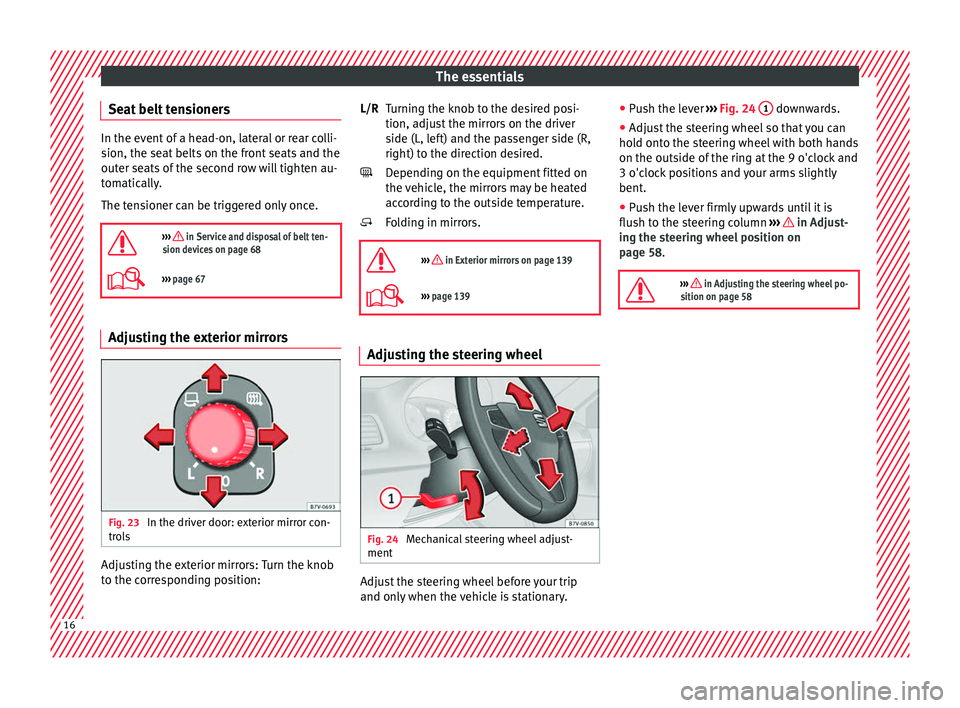
››› page 67 Adjusting the exterior mirrors
Fig. 23
In the driver door: exterior mirror con-
tr o
l
s Adjusting the exterior mirrors: Turn the knob
t
o the c
orr
esponding position: Turning the knob to the desired posi-
tion, adjus
t the mirrors on the driver
side (L, left) and the passenger side (R,
right) to the direction desired.
Depending on the equipment fitted on
the vehicle, the mirrors may be heated
according to the outside temperature.
Folding in mirrors.
››› in Exterior mirrors on page 139
››› page 139 Adjusting the steering wheel
Fig. 24
Mechanical steering wheel adjust-
ment Adjust the steering wheel before your trip
and on
ly
when the
vehicle is stationary.
L/R
●
Push the l
ever ››› Fig. 24 1 downwards.
● Adjust the steering wheel so that you can
ho l
d ont
o the steering wheel with both hands
on the outside of the ring at the 9 o'clock and
3 o'clock positions and your arms slightly
bent.
● Push the lever firmly upwards until it is
flush to the s
teering column ››› in Adjust-
in g the s
t
eering wheel position on
page 58.
››› in Adjusting the steering wheel po-
sition on page 58 16
Page 29 of 320
The essentials
A specialised workshop will be able to pro-
gr amme or modif
y
additional functions, ac-
cording to the vehicle equipment. SEAT rec-
ommends taking your car in for technical
service.
Some menu options can only be read when
the vehicle is at a standstill.
As long as a priority 1 warning is displayed, it
will not be possible to read the menus. To
display the menus, confirm the warning by
pressing OK .
Summary of the menu structure ■
Mu ltif
unction display (MFD) ››› page 29
■ Travelling time
■ Current fuel consumption
■ Average fuel consumption
■ Operating range
■ Distance covered
■ Average speed
■ Digital display of speed
■ Oil temperature digital display
■ Speed warning
■ Audio ›››
Booklet Radio or ›››
Booklet Navi-
gation system
■ Navigation ›››
Booklet Navigation system
■ Telephone ›››
Booklet Radio or ›››
Book-
let Navigation system
■ Auxiliary heating ›››
page 177 ■
Activ ation
■ Pr
ogramme On / Off
■ Disconnection
■ Timer 1-3
■ Day
■ Time
■ Minute
■ Activate
■ Duration
■ Operating mode
■ Heat
■ Ventilation
■ Day
■ Default setting
■ Vehicle condition ››› page 28
■ Configuration ››› page 30
■ Multifunction display data
■ Travelling time
■ Current fuel consumption
■ Average fuel consumption
■ Distance covered
■ Operating range
■ Average speed
■ Digital display of speed
■ Speed warning
■ Compass
■ Convenience ››› page 31
■ Central locking system (Central locking)
■Automatic lock (Auto. lock) On / Off ■
Automatic unlocking (Auto. unlock.)
On / Off
■ Unlocking doors (Door unlock.: All,
One door, Vehicle side, Individual)
■ Back
■ Electric windows
■ Off
■ All
■ Driver
■ Back
■ Mirror angle (Mirror angle) On / Off
■ Adjusting mirrors (Adjust. mirrors)
■ Individual
■ Synchronised
■ Back
■ Factory settings (Factory settings)
■ Back
■ Lights & visibility ››› page 31
■ Coming Home
■ Leaving Home
■ Footwell light
■ Convenience turn signals On / Off
■ Default setting
■ Tourist light On / Off
■ Time
■ Winter tyres
■ Language
■ Units
■ Second speed display On / Off » 27
Page 30 of 320
The essentials
■ Aut oho
l
d
■ Service
■ Info
■ Reset
■ Default setting
Using the menus on the instrument
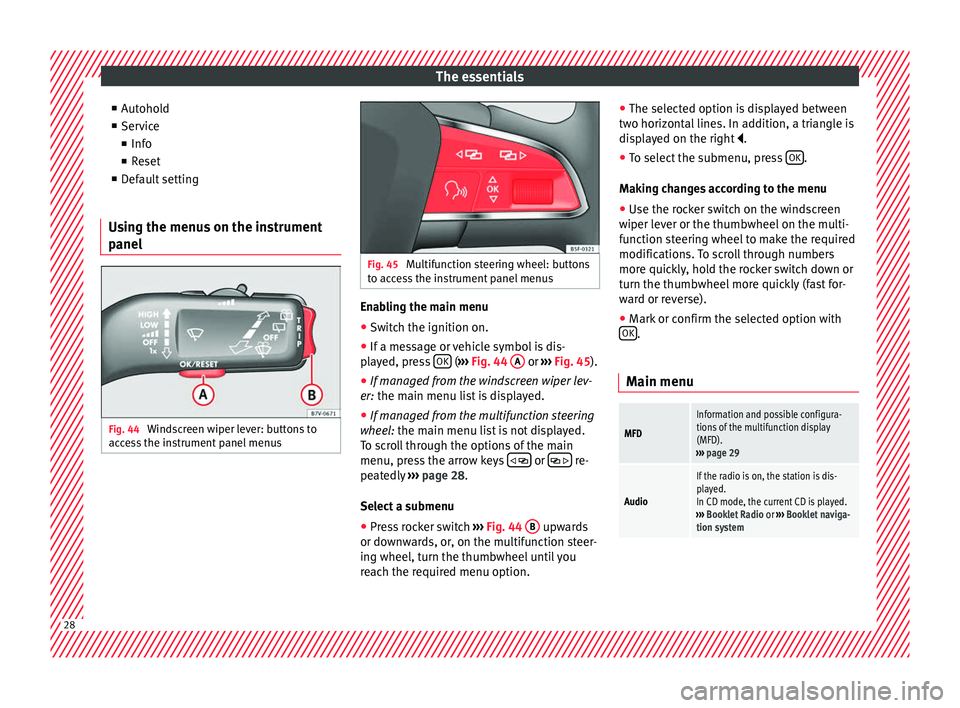
panel Fig. 44
Windscreen wiper lever: buttons to
ac c
e
ss the instrument panel menus Fig. 45
Multifunction steering wheel: buttons
to ac c
ess the instrument panel menus Enabling the main menu
● Switch the ignition on.
● If a message or vehicle symbol is dis-
p l
a
yed, press OK (
››
› Fig. 44 A or
››
› Fig. 45 ).
● If managed from the windscreen wiper lev-
er: the main menu lis
t is displayed.
● If managed from the multifunction steering
wheel:
the main menu list is not displayed.
To scroll through the options of the main
menu, press the arrow keys or
re-
pe at
edly
››› page 28.
Select a submenu ● Press rocker switch ›››
Fig. 44 B upwards
or do wn
w
ards, or, on the multifunction steer-
ing wheel, turn the thumbwheel until you
reach the required menu option. ●
The selected option i
s displayed between
two horizontal lines. In addition, a triangle is
displayed on the right .
● To select the submenu, press OK .
M ak
in
g changes according to the menu
● Use the rocker switch on the windscreen
wiper lev
er or the thumbwheel on the multi-
function steering wheel to make the required
modifications. To scroll through numbers
more quickly, hold the rocker switch down or
turn the thumbwheel more quickly (fast for-
ward or reverse).
● Mark or confirm the selected option with
OK .
Main menu
MFD
Information and possible configura-
tions of the multifunction display
(MFD).
››› page 29
Audio
If the radio is on, the station is dis-
played.
In CD mode, the current CD is played.
››› Booklet Radio or ››› Booklet naviga-
tion system 28
Page 32 of 320
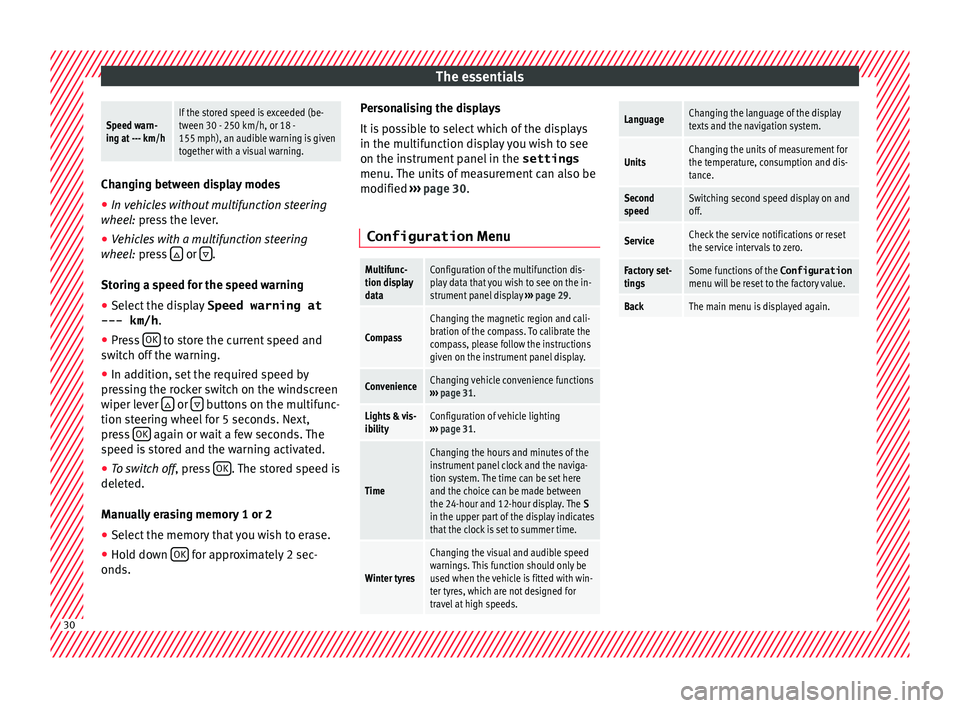
The essentialsSpeed warn-
ing at --- km/hIf the stored speed is exceeded (be-
tween 30 - 250 km/h, or 18 -
155 mph), an audible warning is given
together with a visual warning.
Changing between display modes
● In vehicles without multifunction steering
whee l:
press the lever.
● Vehicles with a multifunction steering
wheel:
press or
.
Storin g a s
peed for the speed warning
● Select the display Speed warning at
--- km/h .
● Pr e
ss OK to store the current speed and
sw it
c
h off the warning.
● In addition, set the required speed by
pres
sing the rocker switch on the windscreen
wiper lever or
buttons on the multifunc-
tion s t
eerin
g wheel for 5 seconds. Next,
press OK again or wait a few seconds. The
s peed i
s
stored and the warning activated.
● To switch off , pres
s OK . The stored speed is
del et
ed.
M
anually erasing memory 1 or 2
● Select the memory that you wish to erase.
● Hold down OK for approximately 2 sec-
ond s. P
er
sonalising the displays
It is
possible to select which of the displays
in the multifunction display you wish to see
on the instrument panel in the settings
menu. The units of measurement can also be
modified ››› page 30.
Configuration Menu
Multifunc-
tion display
dataConfiguration of the multifunction dis-
play data that you wish to see on the in-
strument panel display ››› page 29.
Compass
Changing the magnetic region and cali-
bration of the compass. To calibrate the
compass, please follow the instructions
given on the instrument panel display.
ConvenienceChanging vehicle convenience functions
››› page 31.
Lights & vis-
ibilityConfiguration of vehicle lighting
››› page 31.
Time
Changing the hours and minutes of the
instrument panel clock and the naviga-
tion system. The time can be set here
and the choice can be made between
the 24-hour and 12-hour display. The S
in the upper part of the display indicates
that the clock is set to summer time.
Winter tyres
Changing the visual and audible speed
warnings. This function should only be
used when the vehicle is fitted with win-
ter tyres, which are not designed for
travel at high speeds.
LanguageChanging the language of the display
texts and the navigation system.
UnitsChanging the units of measurement for
the temperature, consumption and dis-
tance.
Second
speedSwitching second speed display on and
off.
ServiceCheck the service notifications or reset
the service intervals to zero.
Factory set-
tingsSome functions of the Configuration
menu will be reset to the factory value.
BackThe main menu is displayed again. 30
Page 36 of 320
The essentials
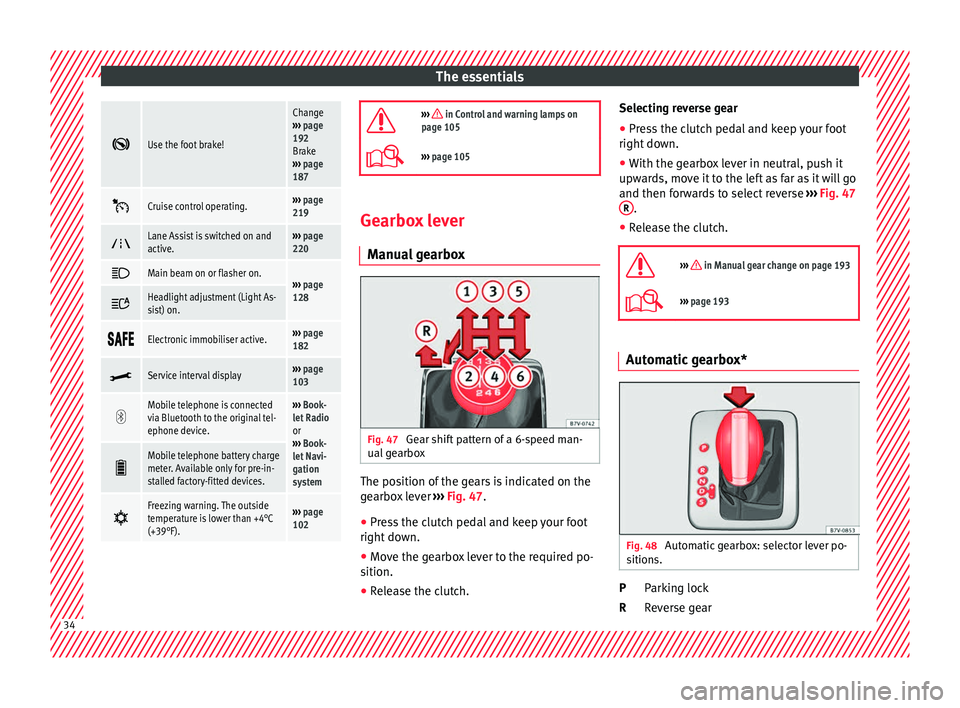
Use the foot brake!
Change
››› page
192
Brake
››› page
187
Cruise control operating.›››
page
219
Lane Assist is switched on and
active.›››
page
220
Main beam on or flasher on.›››
page
128 Headlight adjustment (Light As-
sist) on.
Electronic immobiliser active.›››
page
182
Service interval display›››
page
103
Mobile telephone is connected
via Bluetooth to the original tel-
ephone device.›››
Book-
let Radio
or
››› Book-
let Navi-
gation
system
Mobile telephone battery charge
meter. Available only for pre-in-
stalled factory-fitted devices.
Freezing warning. The outside
temperature is lower than +4°C
(+39°F).›››
page
102
››› in Control and warning lamps on
page 105
››› page 105 Gearbox lever
M anua
l
gearbox Fig. 47
Gear shift pattern of a 6-speed man-
ual g
e
arbox The position of the gears is indicated on the
g
e
arbo
x lever ››› Fig. 47.
● Press the clutch pedal and keep your foot
right down.
● Mo
ve the gearbox lever to the required po-
sition.
● Rel
ease the clutch. Selecting reverse gear
●
Press the clutch pedal and keep your foot
right down.
● W
ith the gearbox lever in neutral, push it
upwar
ds, move it to the left as far as it will go
and then forwards to select reverse ››› Fig. 47
R .
● Release the clutch.
››› in Manual gear change on page 193
››› page 193 Automatic gearbox*
Fig. 48
Automatic gearbox: selector lever po-
s ition
s. Parking lock
R
ev
er
se gear
P
R 34
Page 42 of 320
The essentials
● Zone B : You can add oil but keep the level
in th at
zone.
● Zone C : Add oil up to zone
B .
T op
pin
g up engine oil
● Unscrew cap from oil filler opening.
● Add oil slowly.
● At the same time, check the level to ensure
you do not a
dd too much.
● When the oil level reaches at least zone B ,
u n
s
crew the engine oil filler cap carefully.
Motor oil specifications
Petrol engines
With LongLife serviceVW 504 00
Without LongLife serviceVW 504 00, VW 502 00
Diesel engines
With LongLife serviceVW 507 00
Without LongLife serviceVW 507 00 Engine oil additives
No type of
a
d
ditive should be mixed with the
engine oil. The deterioration caused by these
additives is not covered by the warranty.
››› in Topping up engine oil on
page 274
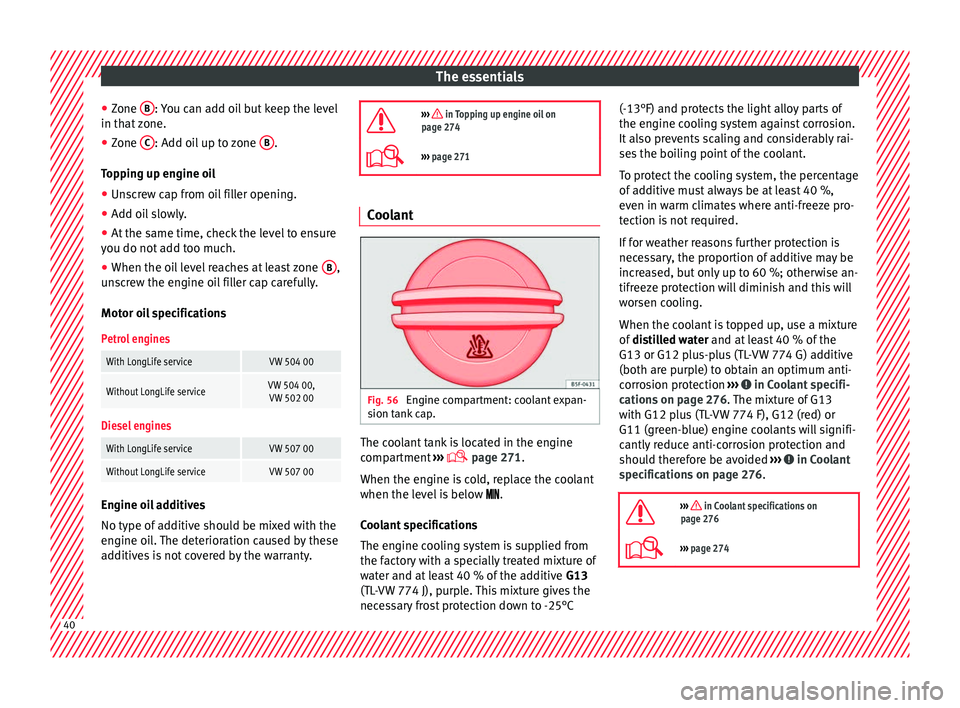
››› page 271 Coolant
Fig. 56
Engine compartment: coolant expan-
s ion t
ank
cap. The coolant tank is located in the engine
c
omp
ar
tment ›››
page 271.
When the engine is cold, replace the coolant
when the level is below .
Coolant specifications
The engine cooling system is supplied from
the factory with a specially treated mixture of
water and at least 40 % of the additive G13
(TL-VW 774 J), purple. This mixture gives the
necessary frost protection down to -25°C (-13°F) and protects the light alloy parts of
the engine coo
ling system against corrosion.
It also prevents scaling and considerably rai-
ses the boiling point of the coolant.
To protect the cooling system, the percentage
of additive must always be at least 40 %,
even in warm climates where anti-freeze pro-
tection is not required.
If for weather reasons further protection is
necessary, the proportion of additive may be
increased, but only up to 60 %; otherwise an-
tifreeze protection will diminish and this will
worsen cooling.
When the coolant is topped up, use a mixture
of distilled water and at least 40 % of the
G13 or G12 plus-plus (TL-VW 774 G) additive
(both are purple) to obtain an optimum anti-
corrosion protection ››› in Coolant specifi-
c ation
s on p
age 276. The mixture of G13
with G12 plus (TL-VW 774 F), G12 (red) or
G11 (green-blue) engine coolants will signifi-
cantly reduce anti-corrosion protection and
should therefore be avoided ››› in Coolant
s pec
ific
ations on page 276.
››› in Coolant specifications on
page 276
››› page 274 40
Page 43 of 320
The essentials
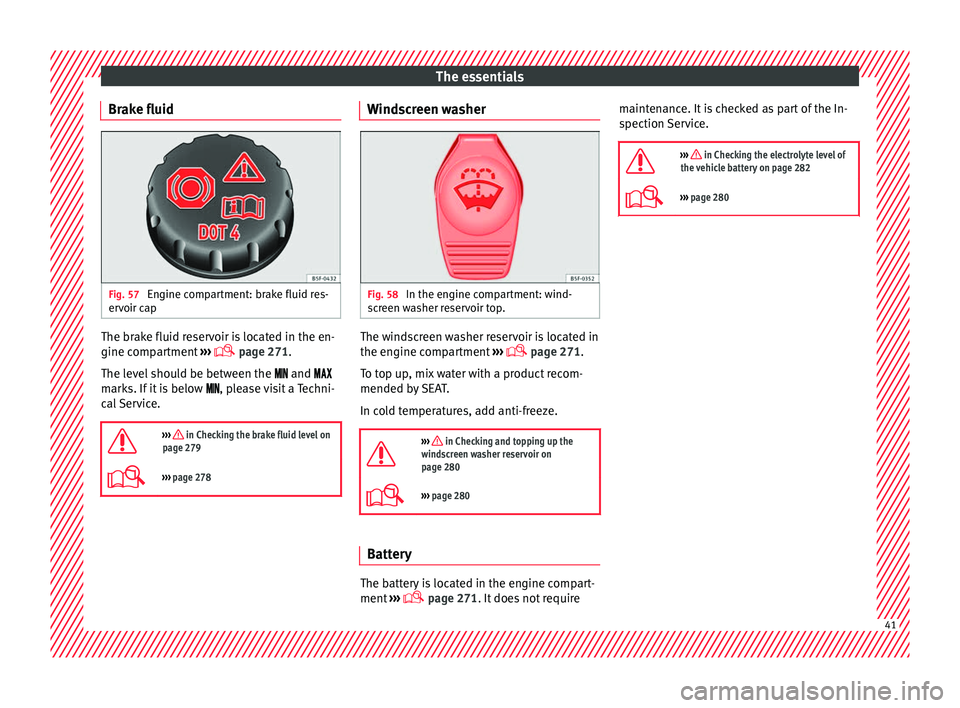
Brake fluid Fig. 57
Engine compartment: brake fluid res-
er v
oir c
ap The brake fluid reservoir is located in the en-
gine c
omp
ar
tment ›››
page 271.
The level should be between the and
marks. If it is below , please visit a Techni-
cal Service.
››› in Checking the brake fluid level on
page 279
››› page 278 Windscreen washer
Fig. 58
In the engine compartment: wind-
s c
r
een washer reservoir top. The windscreen washer reservoir is located in
the en
gine c
omp
artment ›››
page 271.
To top up, mix water with a product recom-
mended by SEAT.
In cold temperatures, add anti-freeze.
››› in Checking and topping up the
windscreen washer reservoir on
page 280
››› page 280 Battery
The battery is located in the engine compart-
ment
›
›
› page 271. It does not require maintenance. It is checked as part of the In-
spection Ser
vice.
››› in Checking the electrolyte level of
the vehicle battery on page 282
››› page 280 41
Page 56 of 320
The essentials
on battery). Failure to comply could result in
an exp
lo
sion.
● Never use jump leads when one of the bat-
teries
is frozen. Danger of explosion! Even af-
ter the battery has thawed, battery acid could
leak and cause chemical burns. If a battery
freezes, it should be replaced.
● Keep sparks, flames and lighted cigarettes
awa
y from batteries, danger of explosion.
Failure to comply could result in an explo-
sion.
● Observe the instructions provided by the
manufact
urer of the jump leads.
● Do not connect the negative cable from the
other vehic
le directly to the negative terminal
of the flat battery. The gas emitted from the
battery could be ignited by sparks. Danger of
explosion.
● Do not attach the negative cable from the
other vehic
le to parts of the fuel system or to
the brake line.
● The non-insulated parts of the battery
clamp
s must not be allowed to touch. The
jump lead attached to the positive battery
terminal must not touch metal parts of the ve-
hicle, this can cause a short circuit.
● Position the leads in such a way that they
cannot c
ome into contact with any moving
parts in the engine compartment.
● Do not lean on the batteries. This could re-
sult
in chemical burns. Note
The vehicles must not touch each other, oth-
erw i
se electricity could flow as soon as the
positive terminals are connected. Changing windscreen wipers
Wind s
creen wipers service position Fig. 77
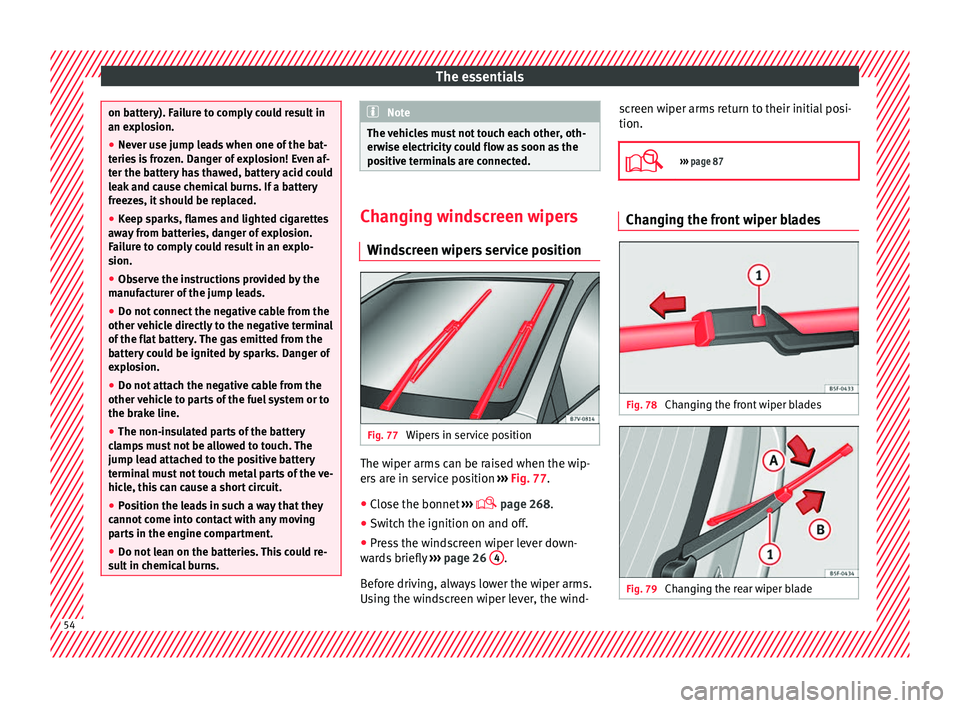
Wipers in service position The wiper arms can be raised when the wip-
er
s
ar
e in service position ››› Fig. 77.
● Close the bonnet ›››
page 268.
● Switch the ignition on and off.
● Press the windscreen wiper lever down-
ward
s briefly ››› page 26 4 .
B ef
or
e driving, always lower the wiper arms.
Using the windscreen wiper lever, the wind- screen wiper arms return to their initial posi-
tion.
››› page 87 Changing the front wiper blades
Fig. 78
Changing the front wiper blades Fig. 79
Changing the rear wiper blade54
Page 58 of 320
Safety
Safety
Saf e driv
in
g
Safety first! This chapter contains important information,
tips, s
ug
gestions and warnings that you
should read and consider for both your own
safety and for your passengers' safety. WARNING
● This m
anual contains important informa-
tion about the operation of the vehicle, both
for the driver and the passengers. The other
sections of the on-board documentation also
contain further information that you should
be aware of for your own safety and for the
safety of your passengers.
● Ensure that the on-board documentation is
kept in the
vehicle at all times. This is espe-
cially important when lending or selling the
vehicle to another person. Advice about driving
Intr oduction Depending upon how you expect to use your
v
ehic
l
e, it may a good idea to protect the en-
gine from below. An undercarriage may help to reduce the risk of damage to the lower part
of the v
ehicle and the oil sump when driving
over kerbs, or along dirt tracks or unsurfaced
roads, etc. SEAT recommends you have the
guard fitted by a technical service centre. WARNING
Driving under the influence of alcohol, drugs,
medication or n ar
cotics may result in severe
accidents and even loss of life.
● Alcohol, drugs, medication and narcotics
may
significantly alter perception, affect re-
action times and safety while driving, which
could result in the loss of control of the vehi-
cle. Before setting off
For your own safety and the safety of your
p
a
s
sengers, always note the following points
before every trip:
– Make sure that the vehicle's lights and turn
signal
s are working properly.
– Check tyre pressure.
– Ensure that all windows provide a clear and
good v
iew of the surroundings.
– Make sure all luggage is secured
›››
page 150.
– Make sure that no objects can interfere
with the pedal
s. –
Adjust
front seat, head restraint and mir-
rors properly according to your size.
– Ensure that the passengers in the rear
seats alw
ays have the head restraints in
the in-use position ››› page 142.
– Instruct passengers to adjust the head re-
straints
according to their height.
– Protect children with appropriate child
seats and pr
operly applied seat belts
››› page 74.
– Assume the correct sitting position. Instruct
your pa
ssengers also to assume a proper
sitting position ››› page 57.
– Fasten your seat belt securely. Instruct your
pas
sengers also to fasten their seat belts
properly ››› page 64.
What affects driving safety? As a driver, you are responsible for yourself
and
y
our p
assengers. When your concentra-
tion or driving safety is affected by any cir-
cumstance, you endanger yourself as well as
others on the road ››› , for this reason:
– Always pay attention to traffic and do not
g et
di
stracted by passengers or telephone
calls.
– Never drive when your driving ability is im-
paired (e.
g. by medication, alcohol, drugs).
56