warning Seat Altea 2015 Manual Online
[x] Cancel search | Manufacturer: SEAT, Model Year: 2015, Model line: Altea, Model: Seat Altea 2015Pages: 236, PDF Size: 4.23 MB
Page 100 of 236
Operation
– Fold the larger seat down and remove the
mobile storage compartment mounting
plate.
Ashtray*, cigarette lighter* and
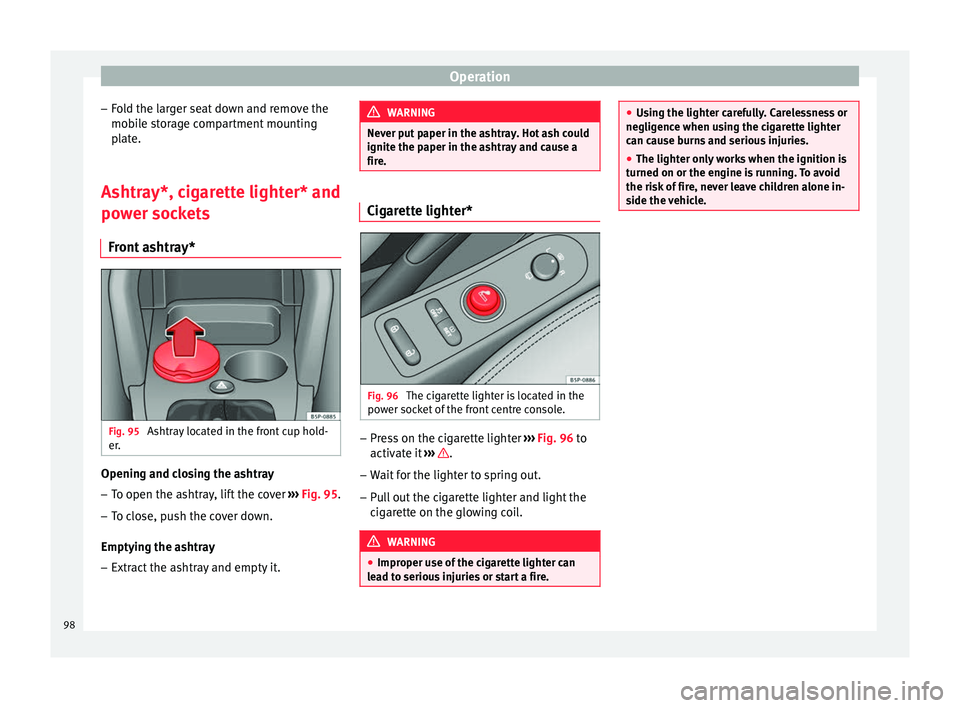
power sockets Front ashtray* Fig. 95
Ashtray located in the front cup hold-
er. Opening and closing the ashtray
– To open the ashtray, lift the cover ››› Fig. 95 .
– To c
lose, push the cover down.
Emptying the ashtray – Extract the ashtray and empty it. WARNING
Never put paper in the ashtray. Hot ash could
ignite the paper in the ashtray and cause a
fire. Cigarette lighter*
Fig. 96
The cigarette lighter is located in the
power socket of the front centre console. –
Press on the cigarette lighter ››› Fig. 96 to
activ at
e it ››› .
– Wait for the lighter to spring out.
– Pull out the cigarette lighter and light the
cigarette on the glowing coil. WARNING
● Improper use of the cigarette lighter can
lead to serious injuries or start a fire. ●
Using the lighter carefully. Carelessness or
negligence when using the cigarette lighter
can cause burns and serious injuries.
● The lighter only works when the ignition is
turned on or the engine is running. To avoid
the risk of fire, never leave children alone in-
side the vehicle. 98
Page 101 of 236
Transport and practical equipment
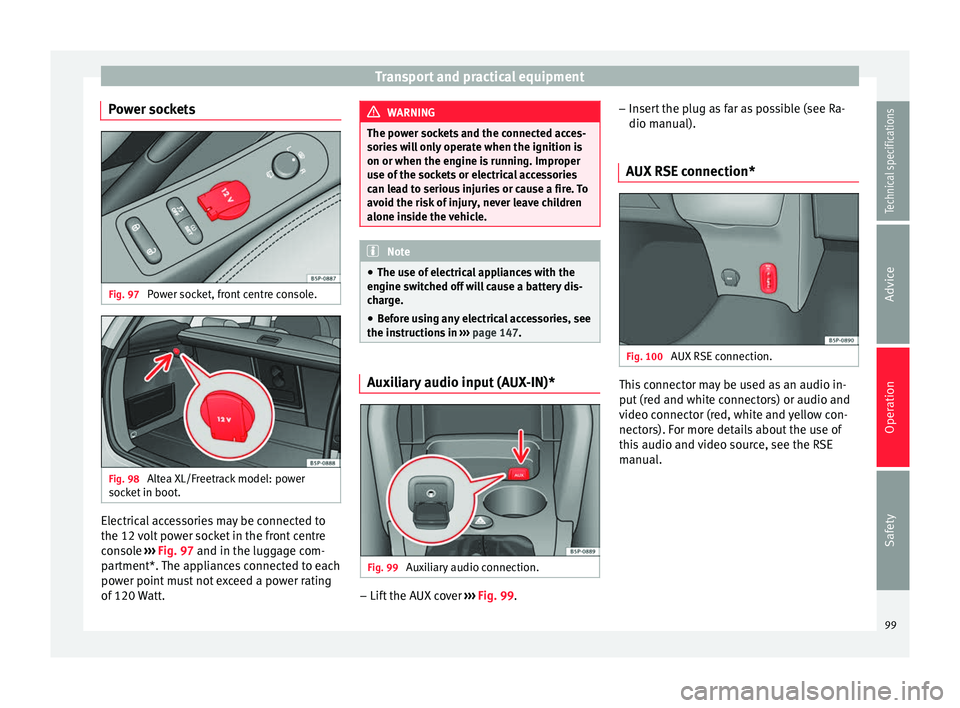
Power sockets Fig. 97
Power socket, front centre console. Fig. 98
Altea XL/Freetrack model: power
socket in boot. Electrical accessories may be connected to
the 12 volt power socket in the front centre
console
››› Fig. 97 and in the luggage com-
p ar
tment*. The appliances connected to each
power point must not exceed a power rating
of 120 Watt. WARNING
The power sockets and the connected acces-
sories will only operate when the ignition is
on or when the engine is running. Improper
use of the sockets or electrical accessories
can lead to serious injuries or cause a fire. To
avoid the risk of injury, never leave children
alone inside the vehicle. Note
● The use of electrical appliances with the
engine switched off will cause a battery dis-
charge.
● Before using any electrical accessories, see
the instructions in ››› page 147. Auxiliary audio input (AUX-IN)*
Fig. 99
Auxiliary audio connection. –
Lift the AUX cover ››› Fig. 99 . –
Inser
t the plug as far as possible (see Ra-
dio manual).
AUX RSE connection* Fig. 100
AUX RSE connection. This connector may be used as an audio in-
put (red and white connectors) or audio and
video connector (red, white and yellow con-
nectors). For more details about the use of
this audio and video source, see the RSE
manual.
99
Technical specifications
Advice
Operation
Safety
Page 102 of 236
Operation
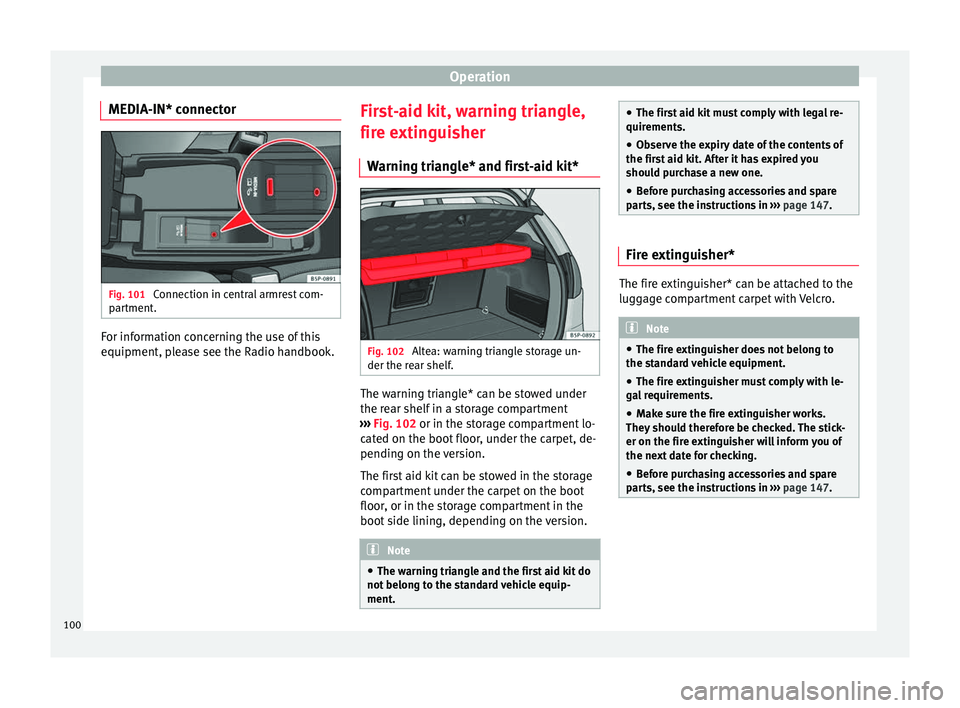
MEDIA-IN* connector Fig. 101
Connection in central armrest com-
partment. For information concerning the use of this
equipment, please see the Radio handbook.
First-aid kit, warning triangle,
fire extinguisher
Warning triangle* and first-aid kit* Fig. 102
Altea: warning triangle storage un-
der the rear shelf. The warning triangle* can be stowed under
the rear shelf in a storage compartment
››› Fig. 102 or in the storage compartment lo-
c at
ed on the boot floor, under the carpet, de-
pending on the version.
The first aid kit can be stowed in the storage
compartment under the carpet on the boot
floor, or in the storage compartment in the
boot side lining, depending on the version. Note
● The warning triangle and the first aid kit do
not belong to the standard vehicle equip-
ment. ●
The first aid kit must comply with legal re-
quirements.
● Observe the expiry date of the contents of
the first aid kit. After it has expired you
should purchase a new one.
● Before purchasing accessories and spare
parts, see the instructions in ››› page 147. Fire extinguisher*
The fire extinguisher* can be attached to the
luggage compartment carpet with Velcro.
Note
● The fire extinguisher does not belong to
the standard vehicle equipment.
● The fire extinguisher must comply with le-
gal requirements.
● Make sure the fire extinguisher works.
They should therefore be checked. The stick-
er on the fire extinguisher will inform you of
the next date for checking.
● Before purchasing accessories and spare
parts, see the instructions in ››› page 147.100
Page 103 of 236
Transport and practical equipment
Luggage compartment Loading the luggage compartment All luggage and other loose objects must be
safely secured in the luggage compartment.
Unsecured objects which shift back and forth
could impair the driving safety or driving
characteristics of the vehicle by shifting the
centre of gravity.
– Distribute the load evenly in the luggage
compartment.
– Place heavy objects as far forward as possi-
ble in the luggage compartment.
– Place the heavy objects first.
– Secure heavy objects to the fitted fastening
rings ›››
page 103 . WARNING
● Loose luggage and other objects in the lug-
gage compartment could cause serious inju-
ries.
● Always stow objects in the luggage com-
partment and secure them on the fastening
rings.
● Use suitable straps to secure heavy ob-
jects.
● During sudden manoeuvres or accidents,
loose objects can be thrown forward, injuring
vehicle occupants or passers-by. This in-
creased risk of injury will be further increased if a loose object is struck by an inflating air-
bag. If this happens, objects can be trans-
formed into “missiles”. Risk of fatal injury.
●
Please note that the centre of gravity may
shift when transporting heavy objects; this
may affect vehicle handling and lead to an ac-
cident. Therefore, it is essential to adjust
your speed and driving style accordingly, to
avoid accidents.
● Never exceed the allowed axle weights or
allowed maximum weight. If said weights are
exceeded, the driving characteristics of the
vehicle may change, leading to accidents, in-
juries and damage to the vehicle.
● Never leave your vehicle unattended, espe-
cially when the rear lid is open. Children
could climb into the luggage compartment,
closing the door behind them; they will be
trapped and run the risk of death.
● Never allow children to play in or around
the vehicle. Close and lock all the doors and
rear lid when you leave the vehicle. Before
you lock the vehicle, make sure that there are
no adults or children in the vehicle. CAUTION
Hard objects on the boot cover could chafe
against the wires of the heating element in
the rear window and cause damage. Note
● Air circulation in the vehicle helps reduce
fogging of the windows. Used air escapes through ventilation slits in the side trim of
the luggage compartment. Ensure that these
ventilation slits are never covered.
● Straps for securing the load to the fasten-
ing rings are commercially available. Rear shelf
3 Applies to the model: ALTEA
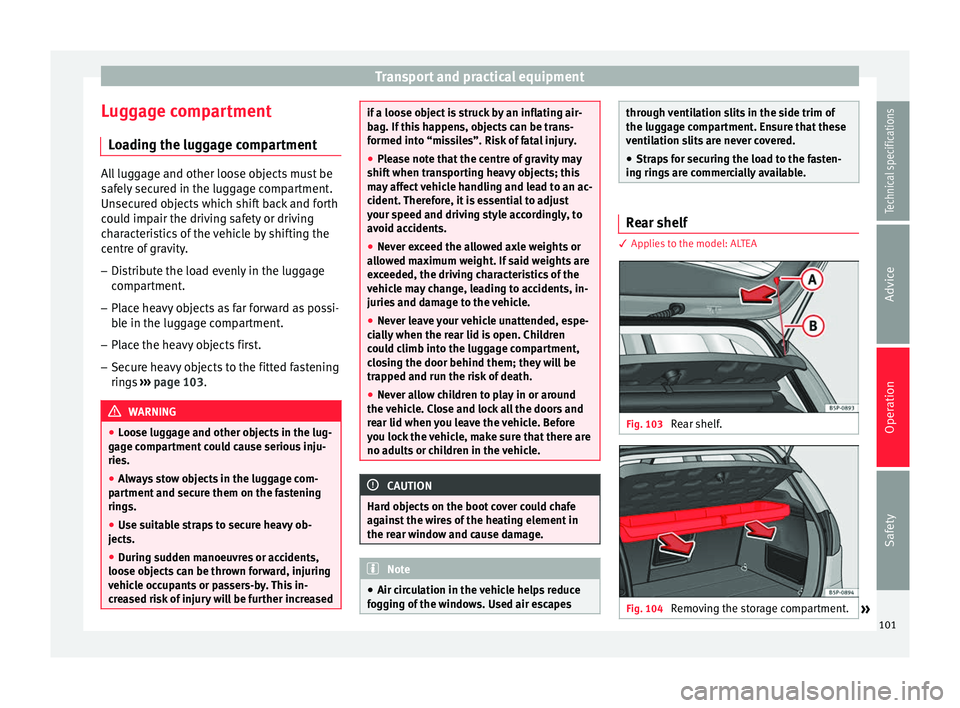
Fig. 103
Rear shelf. Fig. 104
Removing the storage compartment.
» 101Technical specifications
Advice
Operation
Safety
Page 104 of 236
Operation
Removing the shelf
– Unhook the loops ››› Fig. 103 B from
housings A .
– Extract the shelf from its slot, in its rest po-
sition and pull outwards. The storage com-
partment should remain closed.
To remove the storage compartment
– Pull outwards until the compartment is
freed from the pivot point ››› Fig. 104 . WARNING
Do not place heavy or hard objects on the
rear shelf, because they will endanger the ve-
hicle occupants in case of sudden braking. CAUTION
● Before closing the rear lid, ensure that the
rear shelf is correctly fitted.
● An overloaded luggage compartment could
mean that the rear shelf is not correctly seat-
ed and it may be bent or damaged.
● If the luggage compartment is overloaded,
remove the tray. Note
● Ensure that, when placing items of clothing
on the luggage compartment cover, rear visi-
bility is not reduced. ●
If the vehicle is fitted with a storage com-
partment*, it should only be used to store the
emergency triangles* and light objects. Retractable rear shelf
3 Applies to the model: ALTEA XL/ALTEA FREETRACK
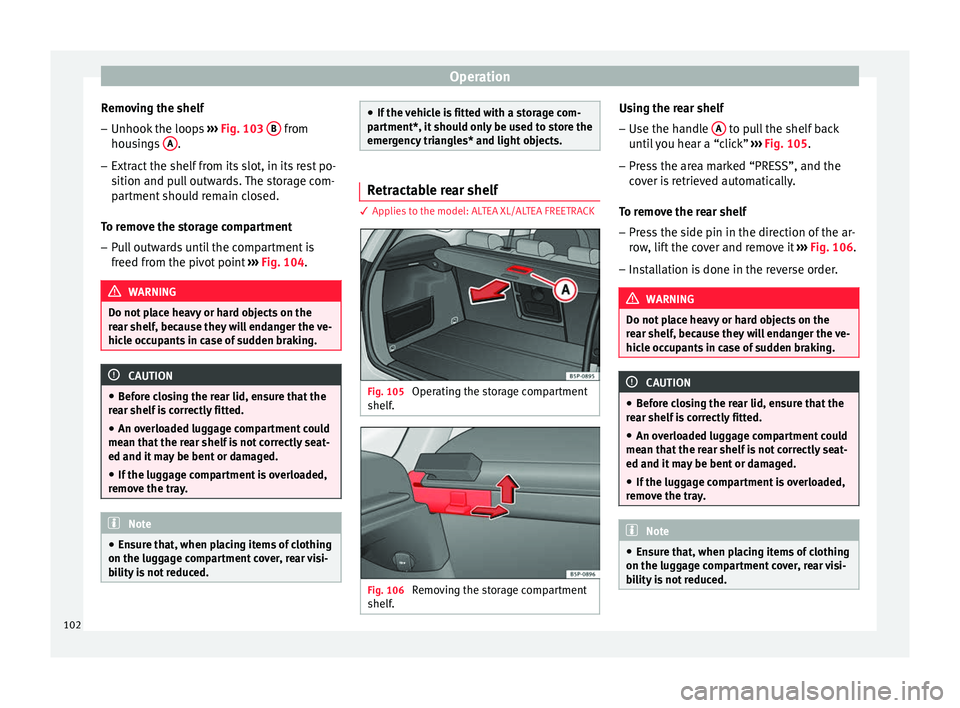
Fig. 105
Operating the storage compartment
shelf. Fig. 106
Removing the storage compartment
shelf. Using the rear shelf
– Use the handle A to pull the shelf back
until you hear a “click” ››› Fig. 105 .
– Pr e
ss the area marked “PRESS”, and the
cover is retrieved automatically.
To remove the rear shelf
– Press the side pin in the direction of the ar-
row, lift the cover and remove it ››› Fig. 106.
– Installation is done in the reverse order. WARNING
Do not place heavy or hard objects on the
rear shelf, because they will endanger the ve-
hicle occupants in case of sudden braking. CAUTION
● Before closing the rear lid, ensure that the
rear shelf is correctly fitted.
● An overloaded luggage compartment could
mean that the rear shelf is not correctly seat-
ed and it may be bent or damaged.
● If the luggage compartment is overloaded,
remove the tray. Note
● Ensure that, when placing items of clothing
on the luggage compartment cover, rear visi-
bility is not reduced. 102
Page 105 of 236
Transport and practical equipment
Fastening rings* There can be four fastening rings in the lug-
gage compartment for fastening luggage and
other objects.
–
Always use suitable and undamaged straps
to secure luggage and other objects to the fastening rings ››› in Loading the lug-
gage compartment on page 101.
– Pull up the fastening rings to attach the
straps.
During a collision or an accident, even small
and light objects can build up so much ener-
gy that they can cause very severe injuries.
The amount of “energy” depends on the
speed of the vehicle and the weight of the
object. The most significant factor, however,
is the speed of the vehicle.
Example: An object weighing 4.5 kg is lying
unsecured in the vehicle. During a frontal col-
lision at a speed of 50 km/h (30 mph), this
object generates a force corresponding to 20
times its weight. This means that the effec-
tive weight of the object increases to about
90 kg. Imagine the injuries that may result
from said “object” if it hits any passenger
when flying through the passenger compart-
ment. This increased risk of injury will be fur-
ther increased if a loose object is struck by
an inflating airbag. WARNING
● If pieces of baggage or other objects are se-
cured to the fastening rings with inappropri-
ate or damaged retaining cords, injuries
could result in the event of braking manoeu-
vres or accidents.
● Never secure a child seat on the fastening
rings. Cargo separation net*
3 Applies to the model: ALTEA XL/ALTEA FREETRACK
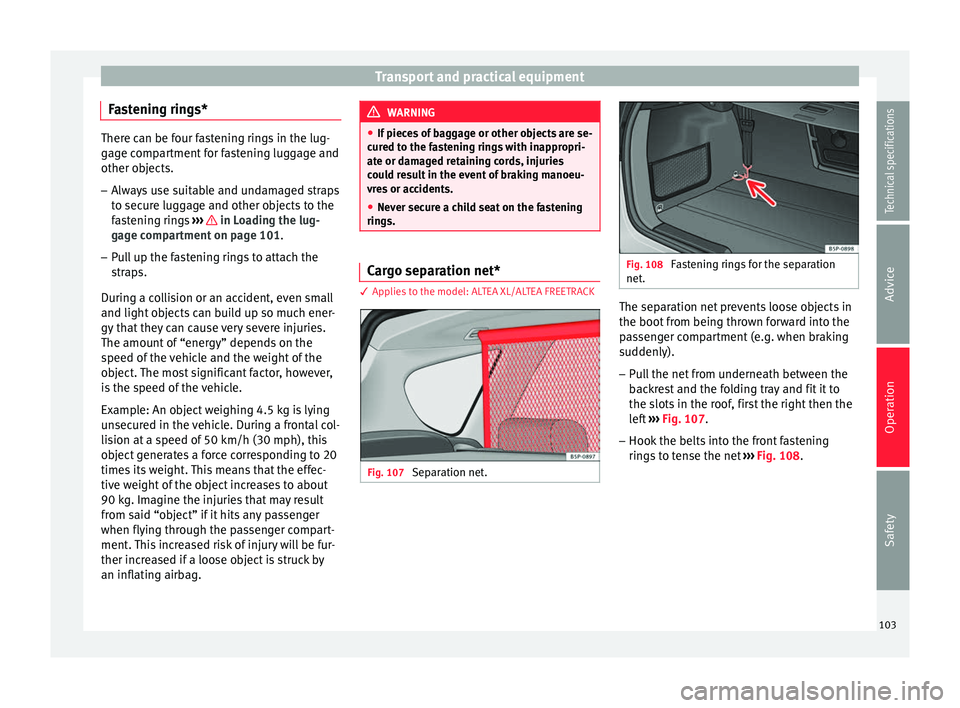
Fig. 107
Separation net. Fig. 108
Fastening rings for the separation
net. The separation net prevents loose objects in
the boot from being thrown forward into the
passenger compartment (e.g. when braking
suddenly).
– Pull the net from underneath between the
backrest and the folding tray and fit it to
the slots in the roof, first the right then the
left ››› Fig. 107 .
– Hook the belts
into the front fastening
rings to tense the net ››› Fig. 108
.
103
Technical specifications
Advice
Operation
Safety
Page 110 of 236
Operation
Air distribution
Control 4 for setting the flow of air in the re-
quired direction.
Air distribution towards the windscreen.
If the windscreen air output is on and air
recirculation mode is pressed, it is acti-
vated. When the recirculation mode is
on, if the air distribution towards the
windscreen mode is selected, the recir-
culation mode is deactivated. For safety
reasons, the air recirculation mode
should not be connected.
Air distribution to the upper body
Air distribution towards the footwell
Air distribution towards the windscreen
and the footwell
Blower
The air flow can be set at four speeds with
the control 5 . The air flow should always be
set at the lowest speed when driving slowly. WARNING
● For road safety all windows must be clear of
ice, snow, and condensation. This is essential
to ensure good visibility. Please familiarise
yourself with the correct operation of the
heating and ventilation system, including the
anti-fog/defrost functions for the wind-
screens.
●
In air recirculation mode, no cold air from
the outside enters the vehicle interior. The
windows can quickly fog over if the heating is
switched off. Therefore, never leave the air re-
circulation mode switched on for a long time
(risk of accident). Note
Please observe the general notes
››› page 116.108
Page 111 of 236
Air conditioning
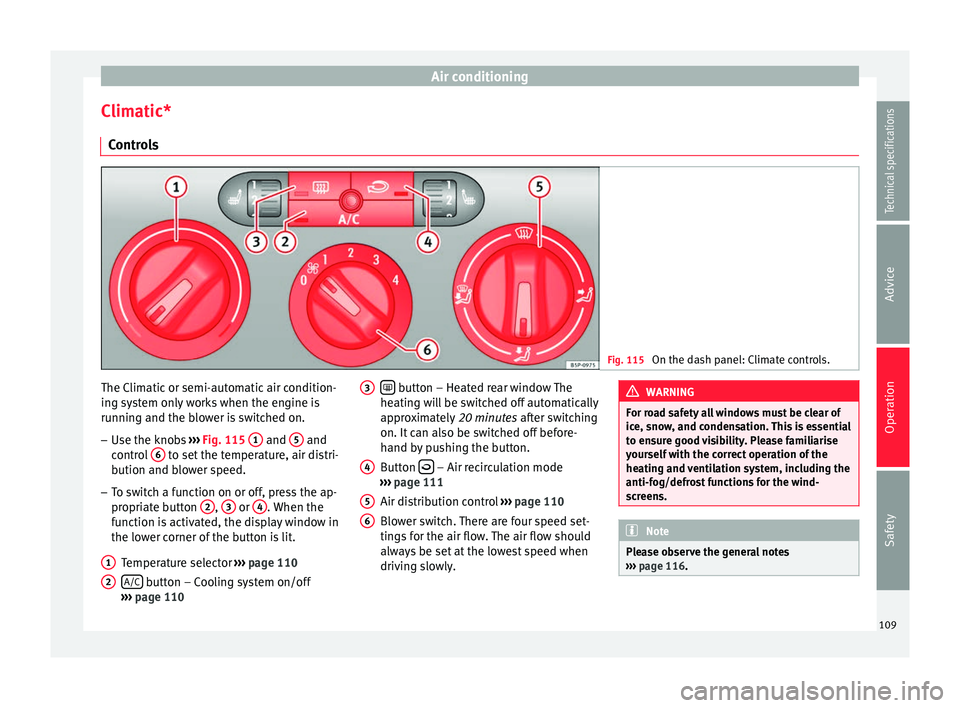
Climatic* Controls Fig. 115
On the dash panel: Climate controls. The Climatic or semi-automatic air condition-
ing system only works when the engine is
running and the blower is switched on.
– Use the knobs ››› Fig. 115 1 and
5 and
control 6 to set the temperature, air distri-
bution and blower speed.
– To switch a function on or off, press the ap-
propriate button 2 ,
3 or
4 . When the
function is activated, the display window in
the lower corner of the button is lit.
Temperature selector ››› page 110
A/C button – Cooling system on/off
››› page 110
1 2
button – Heated rear window The
heating will be switched off automatically
approximately 20 minutes after switching
on. It can also be switched off before-
hand by pushing the button.
Button – Air recirculation mode
››› page 111
Air distribution control ››› page 110
Blower switch. There are four speed set-
tings for the air flow. The air flow should
always be set at the lowest speed when
driving slowly.
3 4
5
6 WARNING
For road safety all windows must be clear of
ice, snow, and condensation. This is essential
to ensure good visibility. Please familiarise
yourself with the correct operation of the
heating and ventilation system, including the
anti-fog/defrost functions for the wind-
screens. Note
Please observe the general notes
››› page 116. 109Technical specifications
Advice
Operation
Safety
Page 113 of 236
Air conditioning
● The air conditioning system compressor
has been temporarily switched off because
the engine coolant temperature is too high.
● The air conditioner fuse is faulty.
● Another fault in the vehicle. Have the air
conditioner checked by a specialised work-
shop.
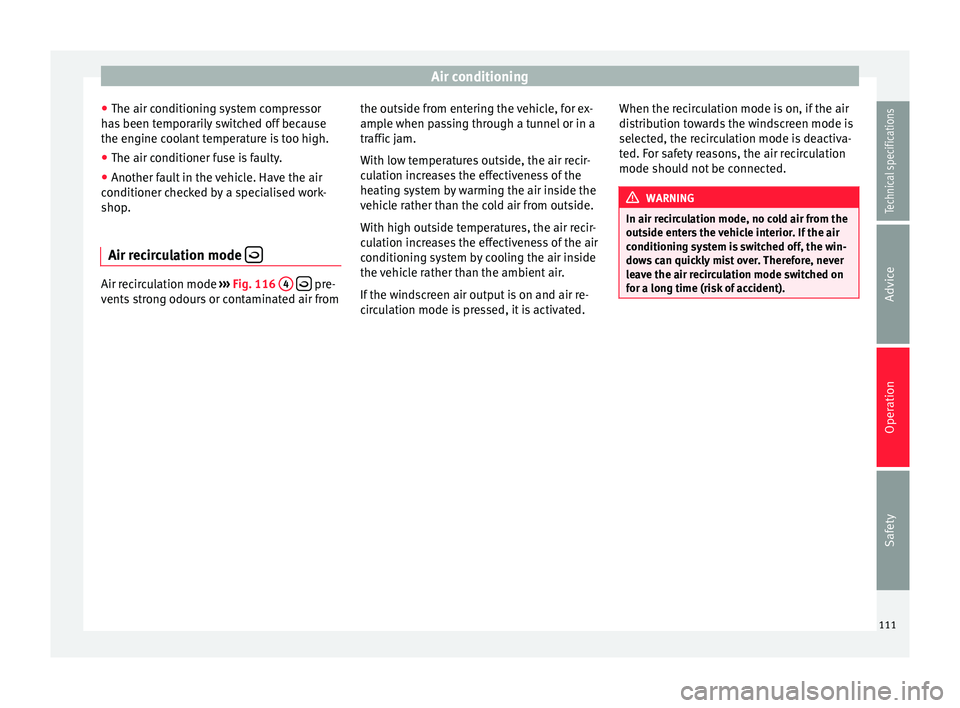
Air recirculation mode Air recirculation mode
››› Fig. 116 4
pre-
vents strong odours or contaminated air from the outside from entering the vehicle, for ex-
ample when passing through a tunnel or in a
traffic jam.
With low temperatures outside, the air recir-
culation increases the effectiveness of the
heating system by warming the air inside the
vehicle rather than the cold air from outside.
With high outside temperatures, the air recir-
culation increases the effectiveness of the air
conditioning system by cooling the air inside
the vehicle rather than the ambient air.
If the windscreen air output is on and air re-
circulation mode is pressed, it is activated.When the recirculation mode is on, if the air
distribution towards the windscreen mode is
selected, the recirculation mode is deactiva-
ted. For safety reasons, the air recirculation
mode should not be connected. WARNING
In air recirculation mode, no cold air from the
outside enters the vehicle interior. If the air
conditioning system is switched off, the win-
dows can quickly mist over. Therefore, never
leave the air recirculation mode switched on
for a long time (risk of accident). 111Technical specifications
Advice
Operation
Safety
Page 115 of 236
Air conditioning
yellow and the symbol appears in the dis-
play. AUTO button – Automatic temperature,
ventilation and air distribution control
››› page 113
SYNC button – Dual zone synchroniser
OFF button – Switches the 2C-Climatronic
on and off ››› page 114
Blower control ››› page 114
A/C button – To switch on the cooling
system WARNING
For road safety all windows must be clear of
ice, snow, and condensation. This is essential
to ensure good visibility. Please familiarise
yourself with the correct operation of the
heating and ventilation system, including the
anti-fog/defrost functions for the wind-
screens. 7
8
9
10
11 Viewing Climatronic information
Fig. 118
Navigation display with information
about Climatronic. Fig. 119
Radio display with information about
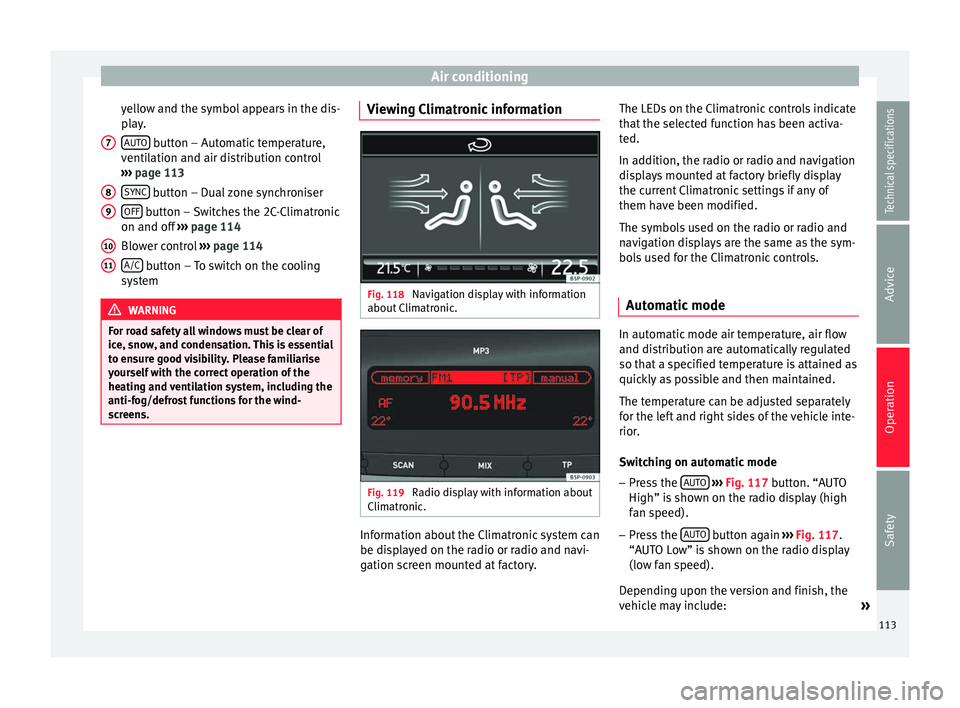
Climatronic. Information about the Climatronic system can
be displayed on the radio or radio and navi-
gation screen mounted at factory.The LEDs on the Climatronic controls indicate
that the selected function has been activa-
ted.
In addition, the radio or radio and navigation
displays mounted at factory briefly display
the current Climatronic settings if any of
them have been modified.
The symbols used on the radio or radio and
navigation displays are the same as the sym-
bols used for the Climatronic controls.
Automatic mode In automatic mode air temperature, air flow
and distribution are automatically regulated
so that a specified temperature is attained as
quickly as possible and then maintained.
The temperature can be adjusted separately
for the left and right sides of the vehicle inte-
rior.
Switching on automatic mode
– Press the AUTO
›››
Fig. 117 button. “AUTO
High” i s
shown on the radio display (high
fan speed).
– Press the AUTO button again
›››
Fig. 117 .
“A UT
O Low” is shown on the radio display
(low fan speed).
Depending upon the version and finish, the
vehicle may include: »
113
Technical specifications
Advice
Operation
Safety