Panel Seat Altea XL 2010 Owner's Guide
[x] Cancel search | Manufacturer: SEAT, Model Year: 2010, Model line: Altea XL, Model: Seat Altea XL 2010Pages: 312, PDF Size: 8.41 MB
Page 63 of 312
Cockpit61
Safety First
Operating instructions
Practical tips
Technical Data
Note
•The values shown in the average fuel consumption and the fuel remaining
displays on the MFA display
5) on the dash panel insert are approximate value
only.
•Please check the fuel level on the petrol tank fuel level indicator on the
dash panel ⇒page 58.•If frequent short journeys are made, especially when the outside temper-
ature is low, the vehicle will tend to run on petrol more often than on LPG.
Therefore, the petrol tank may empty before the LPG tank.
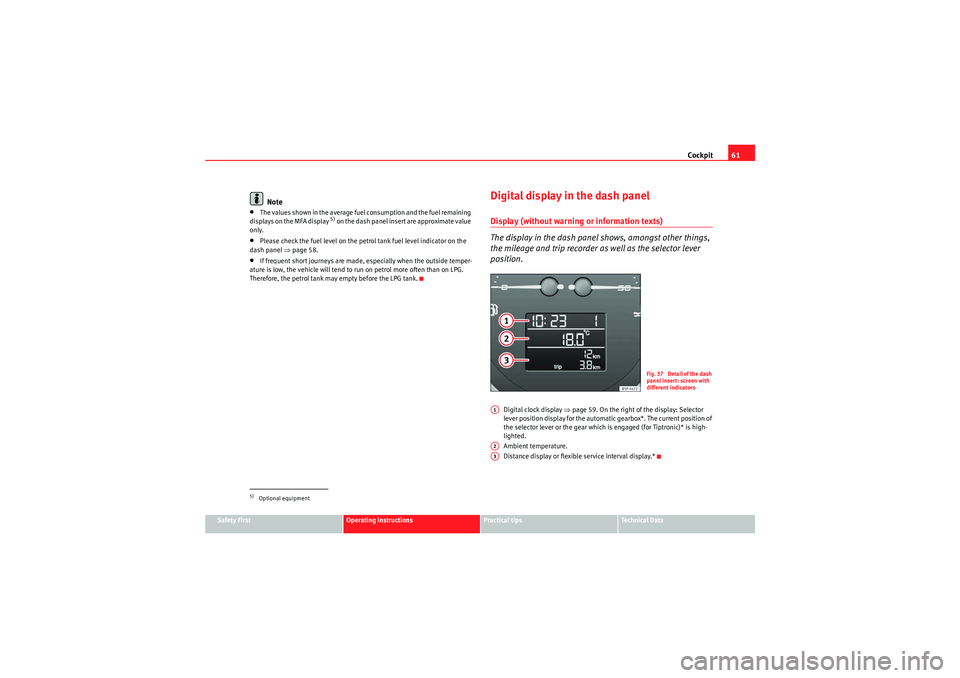
Digital display in the dash panelDisplay (without warnin g or information texts)
The display in the dash panel shows, amongst other things,
the mileage and trip recorder as well as the selector lever
position.
Digital clock display ⇒page 59. On the right of the display: Selector
lever position display for the automatic gearbox*. The current position of
the selector lever or the gear which is engaged (for Tiptronic)* is high-
lighted.
Ambient temperature.
Distance display or flexible service interval display.*
5)Optional equipment
F ig. 37 Detail of th e dash
panel insert: screen with
different indicators
A1A2A3
AlteaXL_EN.book Seite 61 Dienstag, 1. September 2009 10:37 10
Page 64 of 312
Cockpit
62Displayed categories*
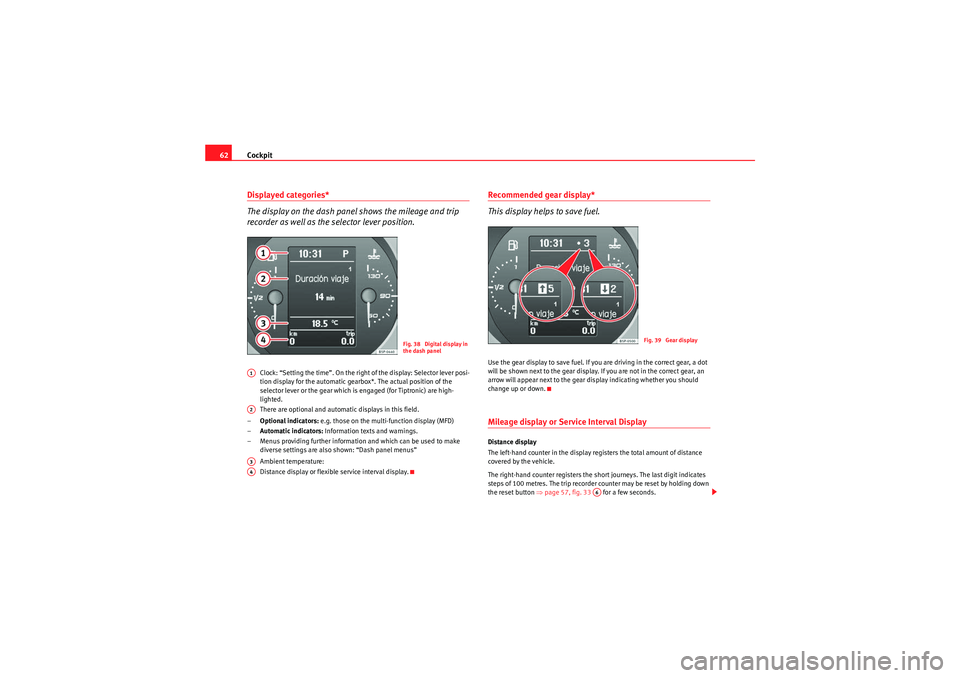
The display on the dash panel shows the mileage and trip
recorder as well as the selector lever position.
Clock: “Setting the time”. On the right of the display: Selector lever posi-
tion display for the automatic gearbox*. The actual position of the
selector lever or the gear which is engaged (for Tiptronic) are high-
lighted.
There are optional and automatic displays in this field.
– Optional indicators: e.g. those on the multi-function display (MFD)
– Automatic indicators: Information texts and warnings.
– Menus providing further information and which can be used to make diverse settings are also shown: “Dash panel menus”
Ambient temperature:
Distance display or flexible service interval display.
Recommended gear display*
This display helps to save fuel.Use the gear display to save fuel. If you are driving in the correct gear, a dot
will be shown next to the gear display. If you are not in the correct gear, an
arrow will appear next to the gear display indicating whether you should
change up or down.Mileage display or Service Interval DisplayDistance display
The left-hand counter in the display registers the total amount of distance
covered by the vehicle.
The right-hand counter registers the short journeys. The last digit indicates
steps of 100 metres. The trip recorder counter may be reset by holding down
the reset button ⇒page 57, fig. 33 for a few seconds.
Fig. 38 Digital display in
the dash panel
A1A2A3A4
Fig. 39 Gear display
A6
AlteaXL_EN.book Seite 62 Dienstag, 1. September 2009 10:37 10
Page 65 of 312
Cockpit63
Safety First
Operating instructions
Practical tips
Technical Data
Service interval display
A
Service pre-warning will appear in the mileage displays if a service is due
soon. A “spanner” symbol appears and the display “km” with the distance
that can be driven until the next service appointment is due. The display will
change after approximately 10 seconds. A “clock symbol” appears and the
number of days until the service appointment should be carried out. The
following message is shown in the dash panel display: SERV. IN ... KM OR ...
DAYS . The service message will disappear approximately 20 seconds after
the ignition is switched on or the engine is running. The normal display can
be resumed by pressing the reset button on the trip counter or by pressing the
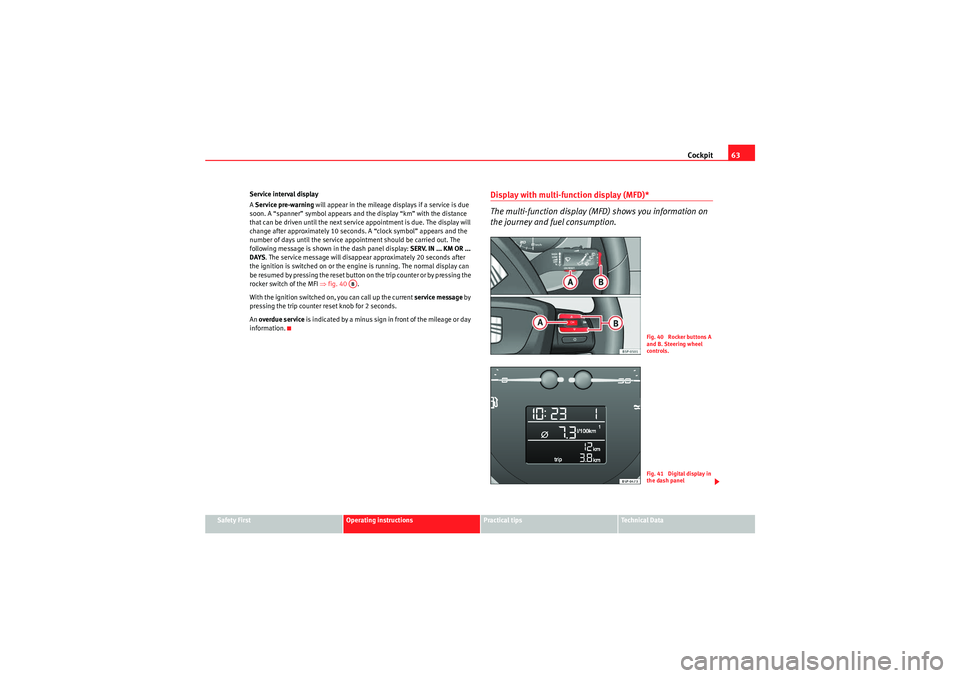
rocker switch of the MFI ⇒fig. 40 .
With the ignition switched on, you can call up the current service message by
pressing the trip counter reset knob for 2 seconds.
An overdue service is indicated by a minus sign in front of the mileage or day
information.
Display with multi-function display (MFD)*
The multi-function display (MFD) shows you information on
the journey and fuel consumption.
AB
Fig. 40 Rocker buttons A
and B. Steering wheel
controls.Fig. 41 Digital display in
the dash panel
AlteaXL_EN.book Seite 63 Dienstag, 1. September 2009 10:37 10
Page 66 of 312
Cockpit
64
The multi-function system uses two automatic memories: 1 - Actual
memory and 2 - Total memory . The selected memory will be shown
in the upper right-hand corner of the display.
Selecting a memory
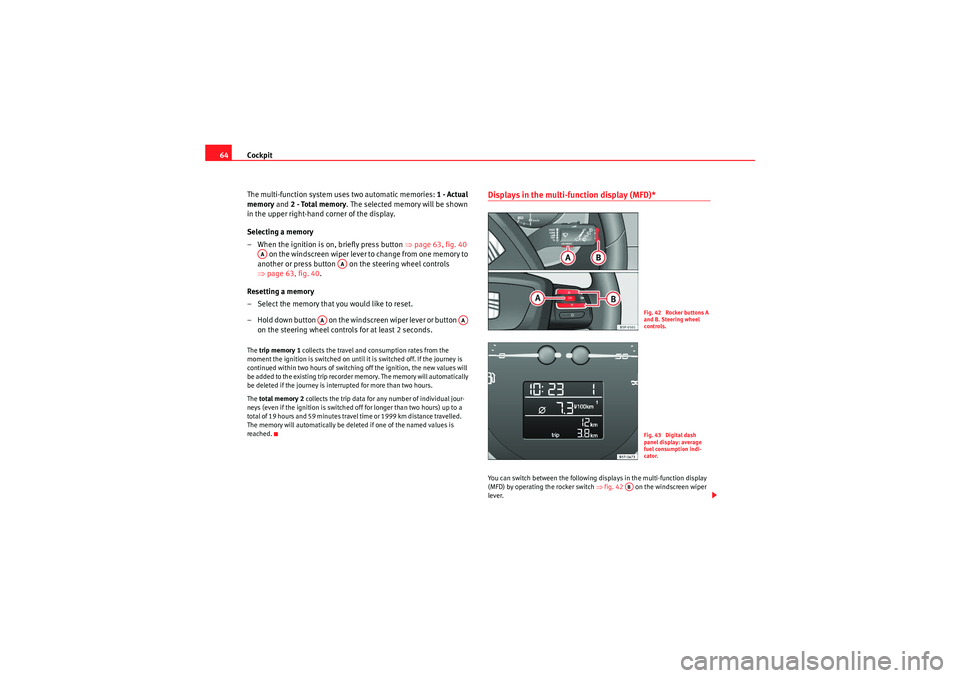
– When the ignition is on, briefly press button ⇒page 63, fig. 40
on the windscreen wiper lever to change from one memory to
another or press button on the steering wheel controls
⇒ page 63, fig. 40 .
Resetting a memory
– Select the memory that you would like to reset.
– Hold down button on the windscreen wiper lever or button on the steering wheel contro ls for at least 2 seconds.The trip memory 1 collects the travel and consumption rates from the
moment the ignition is switched on until it is switched off. If the journey is
continued within two hours of switching off the ignition, the new values will
be added to the existing trip recorder memory. The memory will automatically
be deleted if the journey is interrupted for more than two hours.
The total memory 2 collects the trip data for any number of individual jour-
neys (even if the ignition is switched off for longer than two hours) up to a
total of 19 hours and 59 minutes travel time or 1999 km distance travelle d.
The memory will automatically be deleted if one of the named values is
reached.
Displays in the multi-function display (MFD)* You can switch between the following displays in the multi-function display
(MFD) by operating the rocker switch ⇒fig. 42 on the windscreen wiper
lever.
AA
AA
AA
AA
Fig. 42 Rocker buttons A
and B. Steering wheel
controls.Fig. 43 Digital dash
panel display: average
fuel consumption indi-
cator.
AB
AlteaXL_EN.book Seite 64 Dienstag, 1. September 2009 10:37 10
Page 70 of 312
Cockpit
68Dash panel menus*Example of menu use
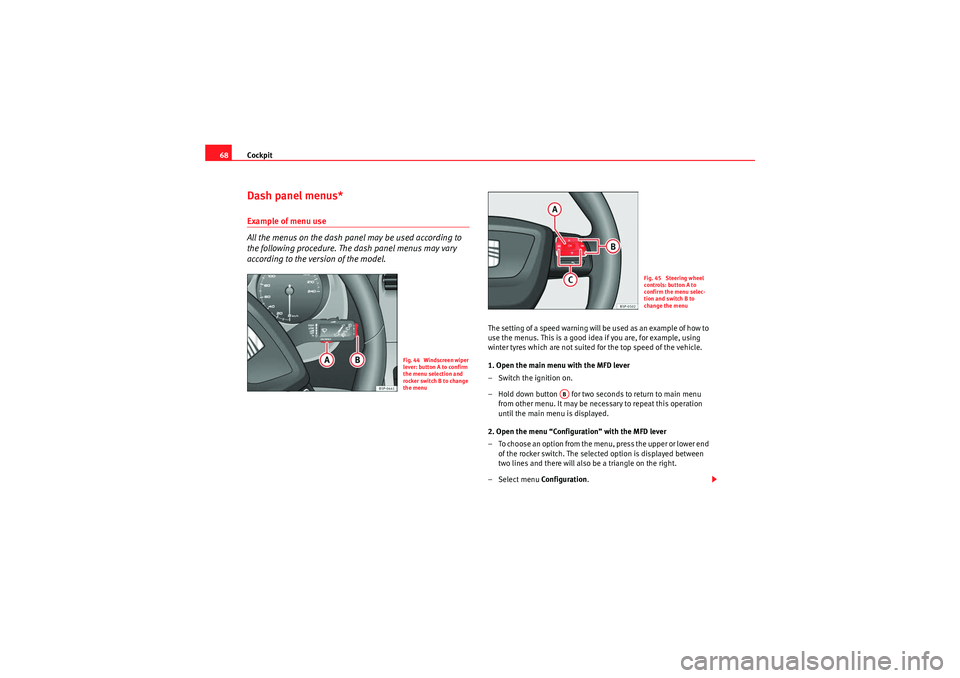
All the menus on the dash panel may be used according to
the following procedure. The dash panel menus may vary
according to the version of the model.
The setting of a speed warning will be used as an example of how to
use the menus. This is a good idea if you are, for example, using
winter tyres which are not suited for the top speed of the vehicle.
1. Open the main menu with the MFD lever
– Switch the ignition on.
– Hold down button for two seconds to return to main menu
from other menu. It may be necessary to repeat this operation
until the main menu is displayed.
2. Open the menu “Configuration” with the MFD lever
– To choose an option from the menu, press the upper or lower end of the rocker switch. The selected option is displayed between
two lines and there will also be a triangle on the right.
– Select menu Configuration.
Fig. 44 Windscreen wiper
lever: button A to confirm
the menu selection and
rocker switch B to change
the menu
Fig. 45 Steering wheel
controls: button A to
confirm the menu selec-
tion and switch B to
change the menu
AB
AlteaXL_EN.book Seite 68 Dienstag, 1. September 2009 10:37 10
Page 72 of 312

Cockpit
70Main menu
The menu provides access to the different display functions
(only with the MFD lever).
Open main menu
– Switch the ignition on.
– Press and hold the eject button for at least 2 seconds. It may
be necessary to repeat this operation until the main menu is
displayed.
Select a menu from the main menu
– To choose an option from the menu, press the upper or lower end of rocker switch . The selected option is displayed between
two horizontal lines.
– Press button to select the entry.Example of menu use ⇒page 68
Fig. 46 Windscreen wiper
lever (MFD): button A to
confirm the menu selec-
tion and rocker switch B to
change the menuFig. 47 Digital dash
panel display: Main menu
Main menu
Function
Multi-function dis-
play
Change to the multi-function display (MFD): “Multi-
function display (MFD)”
Audio
The current station will be shown when the radio is
switched on.
Navigation
This menu is only available if the vehicle is fitted with
a navigation system. The navigation system must be
switched on. When the route guidance is activated,
the turning arrows and proximity bars are displayed.
The display is similar to that of the Navigation sys-
tem.
If the route guidance is not activated, the direction of
travel (compass) and the name of the street along
which you are driving are shown.
AB
AB
AA
AlteaXL_EN.book Seite 70 Dienstag, 1. September 2009 10:37 10
Page 73 of 312

Cockpit71
Safety First
Operating instructions
Practical tips
Technical Data
Note
For electronic and vehicle equipment one or more of these menus will be
displayed.
Multi-function display menu (MFD)
The multi-function display (MFD) shows you information on
the journey and fuel consumption.The multifunction display (MFD) has two automatic memories: 1 - Trip
memory and 2 - Total memory . The selected memory is shown on the upper
right hand section of the display ⇒fig. 48 at all times.
Open the multifunction display menu
–Select the Multifunction display menu from the main menu ⇒page 70
and press the button on the windscreen wiper lever or the multifunc-
tion lever*.
Selecting a memory
– To change from one memory to another, briefly press button ⇒page 68, fig. 44 ⇒ page 68 on the windscreen wiper lever or the
button on the multifunction lever ⇒page 68, fig. 45 ⇒page 68 while
the ignition is switched on.
Te l e p h o n e
This menu is only available if the vehicle is fitted with
a telephone mounted by the manufacturer: “Fixed tel-
ephone installation”
Vehicle condition
This menu displays current warning or information
texts: “Vehicle status menu”
This option flashes when one of these texts is dis-
played.
Configuration
This option allows the time, the speed warning when
using winter tyres, units, language, independent
heating, the Light and visibility menu and the Con-
venience menu to be reset.
Fig. 48 Multifunction
display (MFD) dash panel
display.
OK
AA
OK
AlteaXL_EN.book Seite 71 Dienstag, 1. September 2009 10:37 10
Page 74 of 312
Cockpit
72Resetting a memory
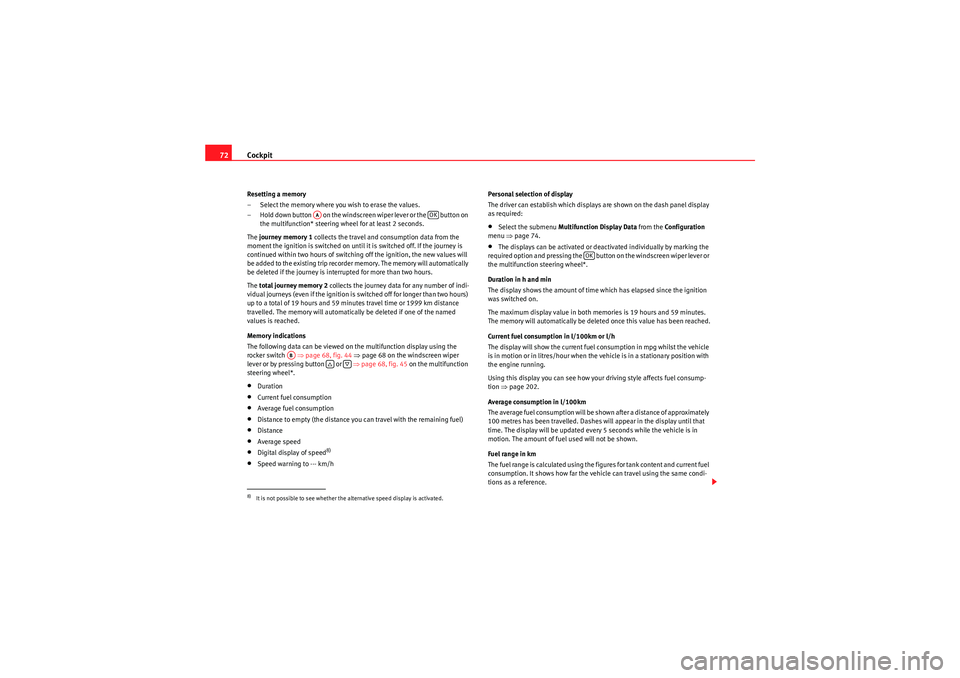
– Select the memory where you wish to erase the values.
– Hold down button on the windscreen wiper lever or the button on
the multifunction* steering wheel for at least 2 seconds.
The journey memory 1 collects the travel and consumption data from the
moment the ignition is switched on until it is switched off. If the journey is
continued within two hours of switching off the ignition, the new values will
be added to the existing trip recorder memory. The memory will automatically
be deleted if the journey is interrupted for more than two hours.
The total journey memory 2 collects the journey data for any number of indi-
vidual journeys (even if the ignition is switched off for longer than two hours)
up to a total of 19 ho urs and 59 minutes travel time or 1999 km distance
travelled. The memory will automatically be deleted if one of the named
values is reached.
Memory indications
The following data can be viewed on the multifunction display using the
rocker switch ⇒page 68, fig. 44 ⇒page 68 on the windscreen wiper
lever or by pressing button or ⇒page 68, fig. 45 on the multifunction
steering wheel*.•Duration•Current fuel consumption•Average fuel consumption•Distance to empty (the distance you can travel with the remaining fuel)•Distance•Average speed•Digital display of speed
8)
•Speed warning to --- km/h Personal selection of display
The driver can establish which displays are shown on the dash panel display
as required:
•Select the submenu
Multifunction Display Data from the Configuration
menu ⇒page 74.•The displays can be activated or deactivated individually by marking the
required option and pressing the button on the windscreen wiper lever or
the multifunction steering wheel*.
Duration in h and min
The display shows the amount of time which has elapsed since the ignition
was switched on.
The maximum display value in both memories is 19 hours and 59 minutes.
The memory will automatically be deleted once this value has been reached.
Current fuel consumption in l/100km or l/h
The display will show the current fuel consumption in mpg whilst the vehicle
is in motion or in litres/hour when the vehicle is in a stationary position with
the engine running.
Using this display you can see how your driving style affects fuel consump-
tion ⇒page 202.
Average consumption in l/100km
The average fuel consumption will be shown after a distance of approximately
100 metres has been travelled. Dashes will appear in the display until that
time. The display will be updated every 5 seconds while the vehicle is in
motion. The amount of fuel used will not be shown.
Fuel range in km
The fuel range is calculated using the figures for tank content and current fuel
consumption. It shows how far the vehicle can travel using the same condi-
tions as a reference.
8)It is not possible to see whether the alternative speed display is activated.
AA
OK
AB
OK
AlteaXL_EN.book Seite 72 Dienstag, 1. September 2009 10:37 10
Page 75 of 312
Cockpit73
Safety First
Operating instructions
Practical tips
Technical Data
Distance travelled in km
The display shows the distance travelled since the ignition was switched on.
The maximum display value in both memories is 1999 km. The memory will
automatically be deleted once this value has been reached.
Average speed in km/h
The average speed will be shown after a distance of approximately 100
metres has been travelled. Dashes will appear in the display until that time.
The display will be updated every 5 seconds while the vehicle is in motion.
Digital display of speed
The dash panel display gives the speed in digital format
8).
Speed warning to --- km/h
This function may help you to keep within the speed limits. Press the
button on the windscreen wiper lever or the multifunction steering wheel*
to select the current speed. The dash panel display gives the selected speed,
for example, Speed warning 120 km/h . You have five seconds to reset the
speed between 30 km/hand 250 km/h using rocker switch or buttons
or on the multifunction steering wheel*. Press the button or wait five
seconds until the speed is stored and the warning is activated. If the set
speed is exceeded, an acoustic signal is heard and a warning message is
displayed until the speed is reduced to at least 4 km/h below the stored
speed. The function is switched off by pressing the button again. Speed
warning --- km/h is now displayed on the dash panel.
Ambient temperature display
The measurement margin ranges from -40°C (-40°F) to +50°C (+125°F). At
outside temperatures below +4°C (+39.2°F), “a snowflake symbol” (ice
warning) appears in addition to the outside temperature display. This symbol
flashes for a few seconds and remains lit until the outside temperature rises
above +6°C (+42.8°F).
WARNING
There could be black ice on the road surface even if the “snowflake symbol”
is not shown. You should, for this reason, not rely exclusively on this
display - Risk of accident!
Note
•There are different instrument panels; therefore the multifunction display
may vary.•When the vehicle is stationary or travelling at very low speeds, the
temperature displayed may be slightly higher than the actual ambient
temperature as a result of the heat radiated from the engine.•Vehicles with a multifunction steering wheel* do not have buttons on the
windscreen wiper lever. The multifunction display can only be controlled from
the buttons on the multifunction steering wheel*.Vehicle status menu
This menu shows warning or information textsOpen Vehicle Condition menu
– Select the option Veh i cle status from the main menu: “Main
menu” and press button on the windscreen wiper lever
⇒ page 70, fig. 46 . or
– Press button or on the multifunction steering wheel* ⇒page 68, fig. 45 until the Veh i cle S ta tus menu is displayed.Priority 2 warning messages and information texts: “Information and warning
messages on the screen” will automatically disappear from the screen after a
time and will be stored in the Veh ic le sta tus menu.
OK
AA
AB
OKOK
OK
AA
AlteaXL_EN.book Seite 73 Dienstag, 1. September 2009 10:37 10
Page 76 of 312
Cockpit
74The warning and information texts may be viewed in this menu. If there is no
warning or information message, the option Vehicle status is not displayed.
If there are several messages, each one is shown for a few seconds.
Example of menu use ⇒page 68.
Note
If there are no warning messages, this menu is not available.Configuration menu
This menu is used to make th e settings for the vehicle func-
tions.Open Configuration menu
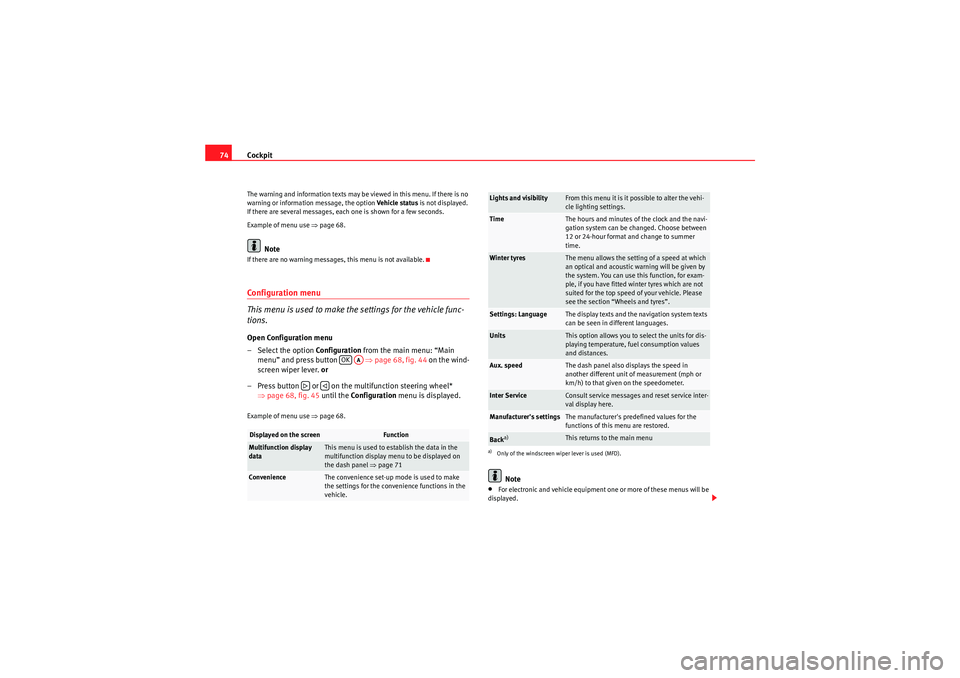
– Select the option Configuration from the main menu: “Main
menu” and press button ⇒page 68, fig. 44 on the wind-
screen wiper lever. or
– Press button or on the multifunction steering wheel* ⇒page 68, fig. 45 until the Configuration menu is displayed.Example of menu use ⇒page 68.
Note
•For electronic and vehicle equipment one or more of these menus will be
displayed.
Displayed on the screen
Function
Multifunction display
data
This menu is used to establish the data in the
multifunction display menu to be displayed on
the dash panel ⇒ page 71
Convenience
The convenience set-up mode is used to make
the settings for the convenience functions in the
vehicle.
OK
AA
Lights and visibility
From this menu it is it possible to alter the vehi-
cle lighting settings.
Time
The hours and minutes of the clock and the navi-
gation system can be changed. Choose between
12 or 24-hour format and change to summer
time.
Winter tyres
The menu allows the setting of a speed at which
an optical and acoustic warning will be given by
the system. You can use this function, for exam-
ple, if you have fitted winter tyres which are not
suited for the top speed of your vehicle. Please
see the section “Wheels and tyres”.
Settings: Language
The display texts and the navigation system texts
can be seen in different languages.
Units
This option allows you to select the units for dis-
playing temperature, fuel consumption values
and distances.
Aux. speed
The dash panel also displays the speed in
another different unit of measurement (mph or
km/h) to that given on the speedometer.
Inter Service
Consult service messages and reset service inter-
val display here.
Manufacturer's settings
The manufacturer's predefined values for the
functions of this menu are restored.
Back
a)
This returns to the main menu
a)Only of the windscreen wiper lever is used (MFD).
AlteaXL_EN.book Seite 74 Dienstag, 1. September 2009 10:37 10