brake Seat Arona 2017 Workshop Manual
[x] Cancel search | Manufacturer: SEAT, Model Year: 2017, Model line: Arona, Model: Seat Arona 2017Pages: 308, PDF Size: 6.66 MB
Page 206 of 308
Operation
Distance warning
If the sy
s
tem detects that safety is endan-
gered by the proximity of the vehicle in front,
it may warn the driver by means of a message
on the instrument panel when driving at a
speed of between approximately 60 km/h
(37 mph) and 250 km/h (156 mph)
››› Fig. 187.
The warning moment varies depending on
the traffic situation and driver behaviour.
Advance warning
If the system detects a possible collision with
the vehicle in front, it may warn the driver by
means of an audible warning and an indica-
tion on the instrument panel when driving at
a speed of between approximately 30 km/h
(18 mph) and 250 km/h (156 mph)
››› Fig. 187.
The warning moment varies depending on
the traffic situation and driver behaviour. At
the same time, the vehicle will prepare for a
possible emergency braking ››› .
C ritic
a
l warning
If the driver fails to react to the advance
warning, the system may actively intervene in
the brakes when driving at a speed of be-
tween approximately 30 km/h (18 mph) and
250 km/h (156 mph), generating a brief jolt
to warn of the imminent collision. Automatic braking
If the driver al
so fails to react to the advance
warning, the system may brake the vehicle
automatically, by progressively increasing
braking effect driving at a speed of between
approximately 4 km/h (2.5 mph) and
250 km/h (156 mph). By reducing speed in
case of a possible collision, the system may
contribute to reducing the consequences of
an accident.
Front assist
If the Front Assist notices that the driver is
not braking sufficiently in case of a collision
hazard, the system can increase braking ef-
fect and thus avert the collision when driving
at a speed of between approximately 4 km/h
(2.5 mph) and 250 km/h (156 mph). Front
assist only acts while the brake pedal is
pressed down hard. WARNING
The intelligent technology in the Front Assist
cannot c
hange the laws of physics. The driver
is always responsible for braking in time. If
the Front Assist issues a warning, then, de-
pending on the traffic circumstances, you
must brake immediately or dodge the obsta-
cle.
● Adapt your speed and safe distance to the
vehicl
e in front of you at all times to suit visi-
bility, weather, road and traffic conditions. ●
The Front As
sist alone cannot avoid acci-
dents and serious injuries.
● In complex driving situations, the Front As-
sis
t may issue unnecessary warnings and in-
tervene unnecessarily in braking, such as in
traffic islands.
● If the operation of the Front Assist is im-
paired, f
or example, by dirt or because the ra-
dar sensor has lost its settings, the system
may issue unnecessary warnings and inter-
vene inopportunely in the braking.
● During driving, the Front Assist does not re-
act to peop
le or animals or vehicles crossing
your path or which approach you head-on in
the same lane.
● The driver must always be ready to take
over the c
ontrol of the vehicle. Note
● When the Front As
sist causes a braking,
the brake pedal is “harder”.
● Automatic interventions by the Front Assist
on the brake
s may be interrupted by pressing
the clutch, accelerator or moving the wheel.
● If the Front Assist does not work as descri-
bed in this c
hapter (e.g. in intervenes several
times unnecessarily), switch it off. Have the
system checked by a specialised workshop.
SEAT recommends visiting a SEAT dealership. 204
Page 209 of 308
Driver assistance systems
Switching the Front Assist off tempo-
r ari
ly
in the following situations In the following situations the Front Assist
Monitorin
g
System should be deactivated
due to the system's limitations ››› :
● When the vehicle is to be towed.
● If the vehicle is on a test bed.
● When the radar sensor is damaged.
● If the radar sensor takes a heavy knock, for
ex amp
le in a rear collision.
● If it intervenes several times unnecessarily.
● If the radar sensor is covered temporarily
with some k ind of
accessory, such as an ad-
ditional headlight or the like.
● When the vehicle is to be loaded on a lorry,
ferry
or train. WARNING
If the Front Assist function is not switched off
in the sit uation
s described, serious accidents
and injuries may occur.
● Switch off the Front Assist function in criti-
cal
situations. System limitations
The Front Assist has certain physical limita-
tion
s inher
ent to the system. Thus, in certain
circumstances some of the system's reac- tions may be inopportune or be delayed from
the driver's s
tandpoint. So pay attention in
order to intervene if necessary.
The following conditions may cause the Front
Assist not to react or to do so too late:
● On taking tight bends.
● Pressing the accelerator all the way down.
● If the Front Assist is switched off or dam-
aged.
● If the ASR h
as been disconnected or the
ESC activ
ated in Sport mode manually
››› page 179.
● If the ESC is controlling.
● If several brake lights of the vehicle or elec-
trically
connected trailer are damaged.
● If the radar sensor is dirty or covered.
● If there are metal objects, e.g. rails on the
roa
d or sheets used in road works.
● If the vehicle is reversing.
● If the vehicle over-accelerates.
● In case of snow or heavy rain.
● In case of narrow vehicles, such as motor-
bike
s.
● Misaligned vehicles.
● Vehicles crossing the other's path.
● Vehicles approaching in the opposite direc-
tion. ●
Speci
al loads and accessories of other ve-
hicles that jut out over the sides, backwards
or over the top.
City Emergency braking function Fig. 190
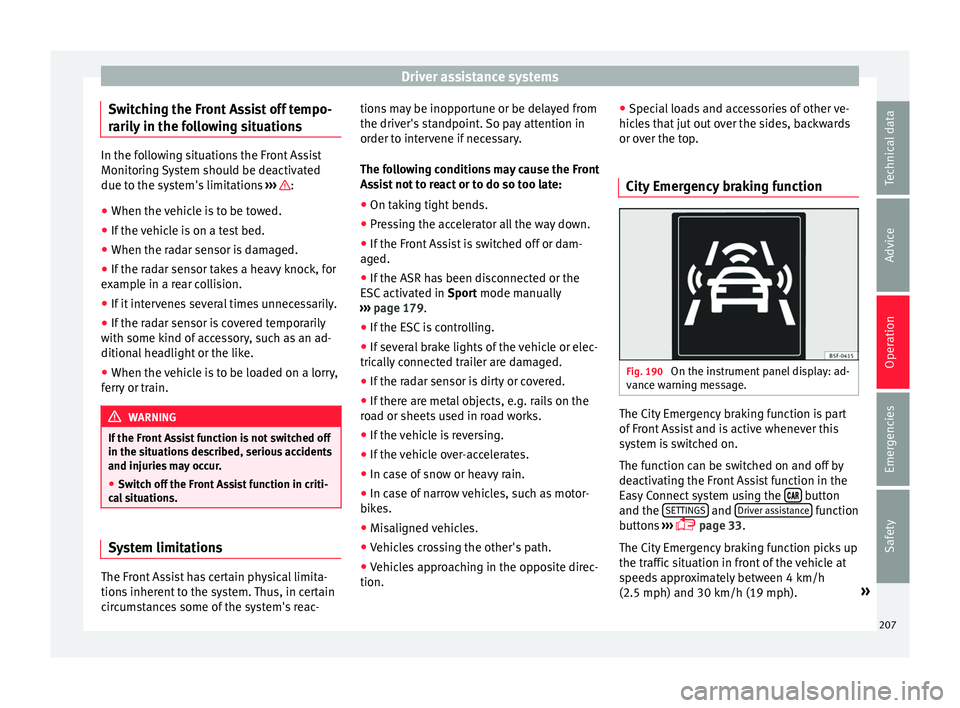
On the instrument panel display: ad-
v anc
e w
arning message. The City Emergency braking function is part
of
Fr
ont
Assist and is active whenever this
system is switched on.
The function can be switched on and off by
deactivating the Front Assist function in the
Easy Connect system using the button
and the S
ET
TINGS and
Driv
er a
s
sistance function
b utt
on
s ›››
page 33.
The City Emergency braking function picks up
the traffic situation in front of the vehicle at
speeds approximately between 4 km/h
(2.5 mph) and 30 km/h (19 mph). »
207
Technical data
Advice
Operation
Emergencies
Safety
Page 210 of 308
Operation
If the system detects a possible collision with
a v
ehic
le in front of it, the vehicle prepares
for a possible emergency braking ››› .
If the driv
er f
ails to react to a possible colli-
sion, the system may brake the vehicle auto-
matically, by progressively increasing braking
effect driving to reduce speed in the event of
a collision. The system can thus help to re-
duce the consequences of an accident.
Status display
Automatic deceleration by means of the City
Emergency braking function is displayed on
the instrument panel by means of the ad-
vance warning ››› Fig. 190 1)
. WARNING
The smart technology included in the City
Emerg ency
braking function cannot defy the
laws of physics. The driver is always respon-
sible for braking in time.
● Adapt your speed and safe distance to the
vehicl
e in front of you at all times to suit visi-
bility, weather, road and traffic conditions.
● The City Emergency braking function alone
cannot pr
event accidents or serious injury. ●
In comp l
ex driving situations, the City
Emergency braking function may issue unnec-
essary warnings and intervene inopportunely
in braking, such as in work areas or if there
are metal rails.
● If the operation of the City Emergency brak-
ing fu
nction is impaired, for example, by dirt
or because the radar sensor has lost its set-
tings, the system may issue unnecessary
warnings and intervene inopportunely in the
braking.
● During driving, the City Emergency braking
function doe
s not react to people or animals
or vehicles crossing your path or which ap-
proach you head-on in the same lane. Note
● When the City Emer
gency braking function
causes a braking, the brake pedal is “hard-
er”.
● Automatic interventions on the brakes by
the City Emer
gency braking function may be
interrupted by pressing the clutch, accelera-
tor or moving the wheel.
● The City Emergency braking function can
brake the
vehicle until it stops completely.
However, the brake system does not halt the
vehicle permanently. Use the foot brake! ●
If sev er
al inopportune intervenes occur,
switch off the Front Assist and with it the City
Emergency braking function. Take it to a spe-
cialised workshop, SEAT recommends visiting
a SEAT dealership.
● If numerous unnecessary interventions oc-
cur, the C
ity Emergency braking function may
switch off automatically. Pedestrian Monitoring*
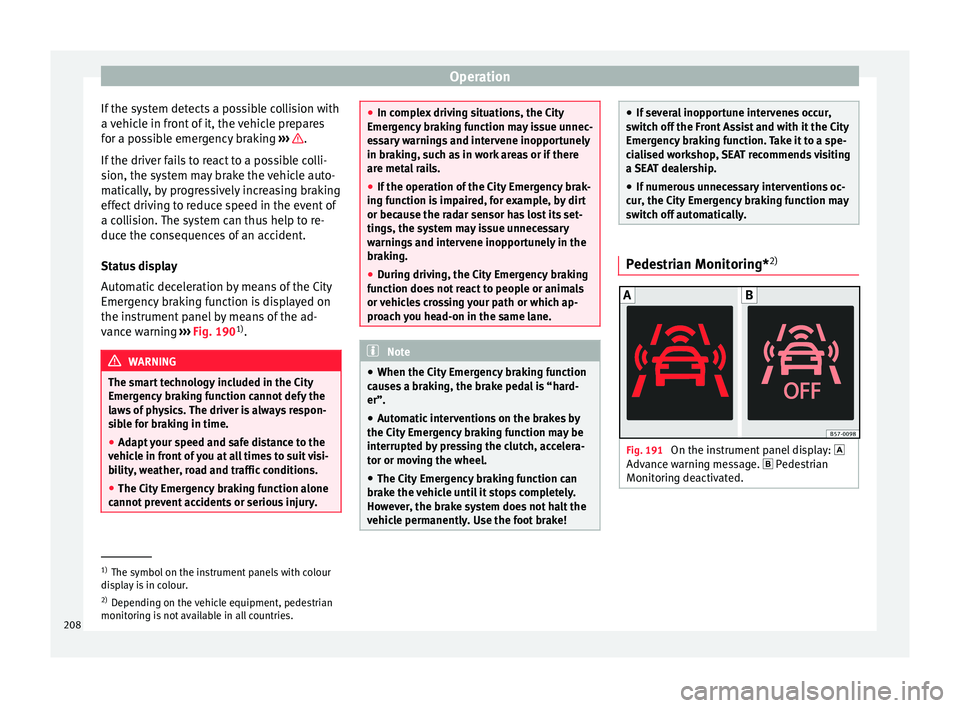
2) Fig. 191
On the instrument panel display:
Adv anc
e w
arning message. Pedestrian
Monitoring deactivated. 1)
The symbol on the instrument panels with colour
dis p
lay is in colour.
2) Depending on the vehicle equipment, pedestrian
monitoring i
s not available in all countries.
208
Page 211 of 308
Driver assistance systems
The pedestrian monitoring function can help
pr ev
ent
accidents involving pedestrians or
mitigate the consequences of an accident.
The function warns of danger of collision,
prepares the vehicle for emergency braking,
assists in the braking and brakes automati-
cally.
If the function detects a possible collision
with a pedestrian, it warns the driver with an
acoustic signal and a message on the instru-
ment panel display ››› Fig. 191.
The pedestrian monitoring system, including
the advance warning, turns on automatically
when the ignition is switched on ››› page 168.
SEAT recommends always having the pedes-
trian monitoring function turned on. The ex-
ceptions set out for the Front Assist system
are equally valid for the pedestrian monitor-
ing system ››› page 207.
Switching the pedestrian monitoring system
on and off
With the ignition on, the pedestrian monitor-
ing function can be switched on and off as
follows: ● Switch the system on and off by deactivat-
ing the Front
Assist function in the Easy Con-
nect system using the button and the
S ET
TINGS and
Driv
er a
s
sistance function but-
t on
s
›››
page 33. When the pedestrian protection system is
switc
hed off, the instrument panel display in-
dicates this ››› Fig. 191 . WARNING
The technology in the pedestrian monitoring
sys t
em cannot defy the laws of physics and
only works within the system's limits. The
driver is always responsible for braking in
time. If the pedestrian monitoring system is-
sues a warning, brake the vehicle immediate-
ly with the brake pedal or swerve to avoid the
pedestrian, depending on traffic conditions.
● The pedestrian monitoring system alone
cannot av
oid accidents or serious injury.
● In complex driving situations, the pedes-
trian monitorin
g system may issue unneces-
sary warnings and intervene unnecessarily in
braking, such as in main roads with turnings.
● If the operation of the system is impaired,
for ex
ample, because the radar sensor and
camera are covered or have lost their set-
tings, the system may issue unnecessary
warnings and intervene inopportunely in the
braking.
● The driver must always be ready to take
over the c
ontrol of the vehicle. Note
● When the v ehic
le is braked via the pedes-
trian monitoring system, the brake pedal be-
comes stiffer. ●
Autom atic
interventions by the pedestrian
monitoring system on the brakes may be in-
terrupted by pressing the accelerator or mov-
ing the wheel.
● If the pedestrian monitoring system does
not work
as described in this chapter (e.g. if
it intervening unnecessarily several times),
switch if off, contact a specialist workshop
immediately and request to have the system
checked. SEAT recommends visiting a SEAT
dealership for this. Adaptive Cruise Control ACC*
R el
at
ed video Fig. 192
Safety 209
Technical data
Advice
Operation
Emergencies
Safety
Page 212 of 308
Operation
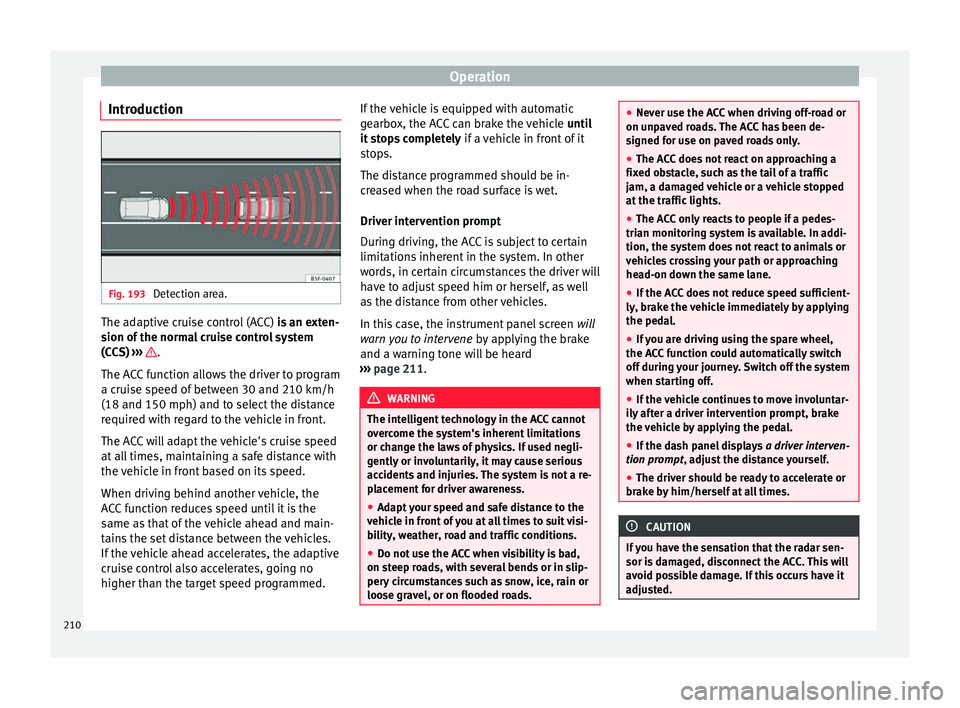
Introduction Fig. 193
Detection area. The adaptive cruise control (ACC)
is
an e xten-
sion of the normal cruise control system
(CCS) ››› .
The A C
C
function allows the driver to program
a cruise speed of between 30 and 210 km/h
(18 and 150 mph) and to select the distance
required with regard to the vehicle in front.
The ACC will adapt the vehicle's cruise speed
at all times, maintaining a safe distance with
the vehicle in front based on its speed.
When driving behind another vehicle, the
ACC function reduces speed until it is the
same as that of the vehicle ahead and main-
tains the set distance between the vehicles.
If the vehicle ahead accelerates, the adaptive
cruise control also accelerates, going no
higher than the target speed programmed. If the vehicle is equipped with automatic
gearbo
x, the ACC can brake the vehicle until
it stops completely if a vehicle in front of it
stops.
The distance programmed should be in-
creased when the road surface is wet.
Driver intervention prompt
During driving, the ACC is subject to certain
limitations inherent in the system. In other
words, in certain circumstances the driver will
have to adjust speed him or herself, as well
as the distance from other vehicles.
In this case, the instrument panel screen will
warn you to intervene by applying the brake
and a warning tone will be heard
››› page 211. WARNING
The intelligent technology in the ACC cannot
ov er
come the system's inherent limitations
or change the laws of physics. If used negli-
gently or involuntarily, it may cause serious
accidents and injuries. The system is not a re-
placement for driver awareness.
● Adapt your speed and safe distance to the
vehicl
e in front of you at all times to suit visi-
bility, weather, road and traffic conditions.
● Do not use the ACC when visibility is bad,
on steep r
oads, with several bends or in slip-
pery circumstances such as snow, ice, rain or
loose gravel, or on flooded roads. ●
Never u se the A
CC when driving off-road or
on unpaved roads. The ACC has been de-
signed for use on paved roads only.
● The ACC does not react on approaching a
fixed o
bstacle, such as the tail of a traffic
jam, a damaged vehicle or a vehicle stopped
at the traffic lights.
● The ACC only reacts to people if a pedes-
trian monitorin
g system is available. In addi-
tion, the system does not react to animals or
vehicles crossing your path or approaching
head-on down the same lane.
● If the ACC does not reduce speed sufficient-
ly, brak
e the vehicle immediately by applying
the pedal.
● If you are driving using the spare wheel,
the ACC
function could automatically switch
off during your journey. Switch off the system
when starting off.
● If the vehicle continues to move involuntar-
ily af
ter a driver intervention prompt, brake
the vehicle by applying the pedal.
● If the dash panel displays a driv
er interven-
tion prompt, adjust the distance yourself.
● The driver should be ready to accelerate or
brake b
y him/herself at all times. CAUTION
If you have the sensation that the radar sen-
sor is d
amaged, disconnect the ACC. This will
avoid possible damage. If this occurs have it
adjusted. 210
Page 213 of 308
Driver assistance systems
●
Rep air
s to the radar sensor require special-
ist knowledge and special tools. SEAT recom-
mends visiting a SEAT dealership for this pur-
pose. Note
● If the A C
C system does not work as descri-
bed in this chapter, do not use it until it has
been checked by a specialised workshop.
SEAT recommends visiting a SEAT dealership
for this purpose.
● Maximum speed with the ACC activated is
limited to 210 km/h (150 mph).
● When the A
CC is switched on, strange
noises
may be heard during automatic brak-
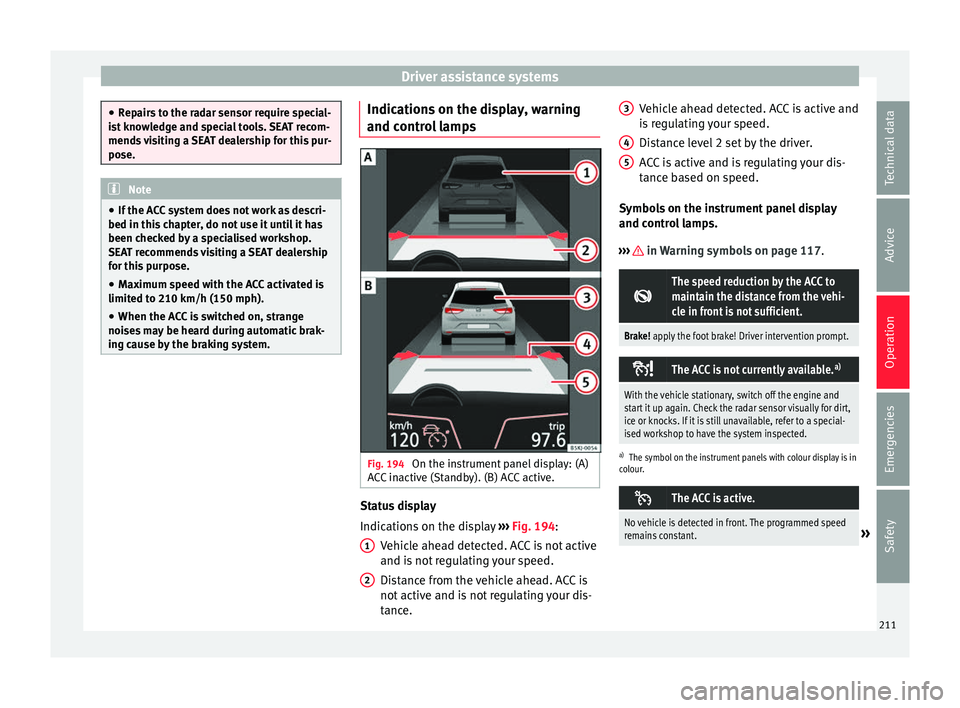
ing cause by the braking system. Indications on the display, warning
and c
ontr
o
l lamps Fig. 194
On the instrument panel display: (A)
A C
C
inactive (Standby). (B) ACC active. Status display
Indic
ation
s
on the display ››› Fig. 194:
Vehicle ahead detected. ACC is not active
and is not regulating your speed.
Distance from the vehicle ahead. ACC is
not active and is not regulating your dis-
tance.
1 2 Vehicle ahead detected. ACC is active and
i
s
r
egulating your speed.
Distance level 2 set by the driver.
ACC is active and is regulating your dis-
tance based on speed.
Symbols on the instrument panel display
and control lamps.
››› in Warning symbols on page 117.
The speed reduction by the ACC to
maintain the distance from the vehi-
cle in front is not sufficient.
Brake! apply the foot brake! Driver intervention prompt.
The ACC is not currently available.
a)
With the vehicle stationary, switch off the engine and
start it up again. Check the radar sensor visually for dirt,
ice or knocks. If it is still unavailable, refer to a special-
ised workshop to have the system inspected.
a)
The symbol on the instrument panels with colour display is in
colour.
The ACC is active.
No vehicle is detected in front. The programmed speed
remains constant.»3
4
5
211
Technical data
Advice
Operation
Emergencies
Safety
Page 216 of 308
Operation
Connecting and activating the ACC
T o c
onnect
and activate the ACC, the position
of the gearbox selector lever, the vehicle
speed and the position of the third level of
the ACC must all be taken into account.
● With a manual gearbox, the gearbox selec-
tor lev
er must be in any gear except first, and
speed must be greater than approximately 30
km/h. With an automatic gearbox, the gear-
box selector lever must be in position D or S.
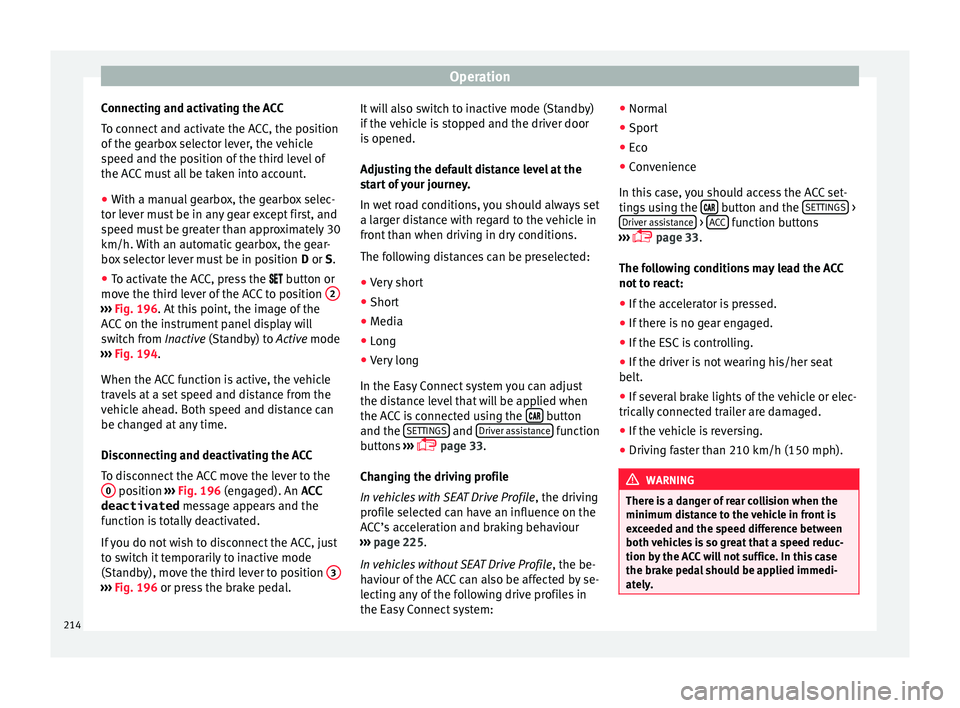
● To activate the ACC, press the button or
mo
ve the third lever of the ACC to position 2›››
Fig. 196. At thi s
point, the image of the
ACC on the instrument panel display will
switch from Inactive (Standby) to Active mode
››› Fig. 194.
When the ACC function is active, the vehicle
travels at a set speed and distance from the
vehicle ahead. Both speed and distance can
be changed at any time.
Disconnecting and deactivating the ACC
To disconnect the ACC move the lever to the 0 position
››
› Fig. 196
(engaged). An ACC
deactivated message appears and the
function is totally deactivated.
If you do not wish to disconnect the ACC, just
to switch it temporarily to inactive mode
(Standby), move the third lever to position 3›››
Fig. 196 or pre s
s the brake pedal. It will also switch to inactive mode (Standby)
if the
v
ehicle is stopped and the driver door
is opened.
Adjusting the default distance level at the
start of your journey.
In wet road conditions, you should always set
a larger distance with regard to the vehicle in
front than when driving in dry conditions.
The following distances can be preselected:
● Very short
● Short
● Media
● Long
● Very long
In the Easy
Connect system you can adjust
the distance level that will be applied when
the ACC is connected using the button
and the S
ET
TINGS and
Driv
er a
s
sistance function
b utt
on
s ›››
page 33.
Changing the driving profile
In vehicles with SEAT Drive Profile , the driving
profile selected can have an influence on the
ACC’s acceleration and braking behaviour
››› page 225.
In vehicles without SEAT Drive Profile , the be-
haviour of the ACC can also be affected by se-
lecting any of the following drive profiles in
the Easy Connect system: ●
Normal
● Spor
t
● Eco
● Convenience
In this c
ase, you should access the ACC set-
tings using the button and the
S
ET
TINGS >
Driv er a
s
sistance >
A
C
C function buttons
› ›
›
page 33.
The following conditions may lead the ACC
not to react:
● If the accelerator is pressed.
● If there is no gear engaged.
● If the ESC is controlling.
● If the driver is not wearing his/her seat
belt.
● If sev
eral brake lights of the vehicle or elec-
trically
connected trailer are damaged.
● If the vehicle is reversing.
● Driving faster than 210 km/h (150 mph). WARNING
There is a danger of rear collision when the
minimum dis t
ance to the vehicle in front is
exceeded and the speed difference between
both vehicles is so great that a speed reduc-
tion by the ACC will not suffice. In this case
the brake pedal should be applied immedi-
ately. 214
Page 217 of 308
Driver assistance systems
●
The AC C
may not be able to detect all situa-
tions properly.
● “Stepping” on the accelerator may cause
the ACC
not to intervene in braking. Driver
braking will have priority over intervention by
the speed control or adaptive cruise control.
● Always be ready to use the brakes!
● Observe country-specific provisions gov-
erning ob
ligatory minimum distances be-
tween vehicles.
● It is dangerous to activate control and re-
sume the progr
ammed speed if the road, traf-
fic or weather conditions do not permit this.
Risk of accident! Note
● The progr ammed s
peed is erased once the
ignition or the ACC are switched off.
● When the traction control system (ASR) is
deactivat
ed during acceleration or else the
ESC is activated in Sport* Mode
( ››› page 118), the ACC switches off automati-
cally.
● In vehicles with the Start-Stop system, the
engine swit
ches off automatically during the
ACC stopping phase and restarts automatical-
ly to begin driving. Driver messages
ACC not available
The sy s
tem can no longer continue to guar-
antee safe vehicle detection and will be de-
activated. The sensor has lost its setting or is
damaged. Take the vehicle to a specialised
workshop and have the fault repaired.
ACC and Front Assist: currently not availa-
ble. No sensor vision
This message will be displayed to the driver if
the radar sensor's vision is impaired due, for
example, to leaves, snow, heavy fog or dirt.
Clean the sensor.
ACC: currently not available. Gradient too
steep
The maximum road slope has been excee-
ded, hence safe ACC operation cannot be
guaranteed. The ACC cannot be switched on.
ACC: only available in D, S or M
Select the D/S or M position on the selector
lever.
ACC: parking brake applied
The ACC is deactivated if the parking brake is
applied. The ACC is available once again after
the parking brake is released. ACC: currently not available. Intervention
of
s
tability control
The message for the driver is displayed when
the electronic stability control (ESC) inter-
venes. In this case, the ACC is automatically
switched off.
ACC: Take action!
The message for the driver is displayed if,
when the vehicle starts up on a hill with a
mild slope, the vehicle rolls back even al-
though the ACC is activated. Apply the brake
to stop the vehicle from moving/colliding
with another vehicle.
ACC: speed limit
The message for the driver is displayed if, in
vehicles with manual gearbox, the current
speed is too low for the ACC mode.
The speed to be stored must be at least
30 km/h (18 mph). The speed limiter
switches off if the speed falls below 20 km/h
(12 mph).
ACC: available as of the 2nd gear
The ACC is operational as of the 2nd gear
(manual gearbox).
ACC: engine speed
The message for the driver is displayed if,
when the ACC accelerates or brakes, the driv-
er does not shift up or down a gear in time, »
215
Technical data
Advice
Operation
Emergencies
Safety
Page 218 of 308
Operation
which means exceeding or not reaching the
permi s
s
ible engine speed. The ACC switches
itself off. A buzzer warning is heard.
ACC: clutch pressed
Vehicles with a manual gearbox: pressing the
clutch pedal for longer abandons control
mode.
Door open
Vehicles with automatic gearbox: the ACC
cannot be activated with the vehicle station-
ary and the door open.
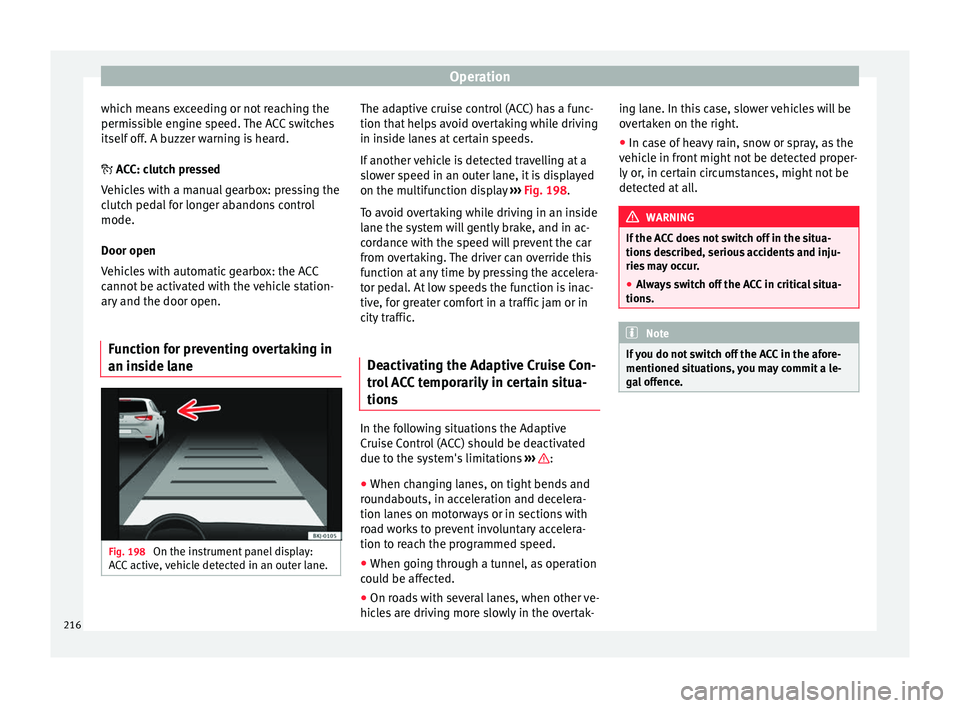
Function for preventing overtaking in
an inside l
aneFig. 198
On the instrument panel display:
A C
C
active, vehicle detected in an outer lane. The adaptive cruise control (ACC) has a func-
tion th
at
help
s avoid overtaking while driving
in inside lanes at certain speeds.
If another vehicle is detected travelling at a
slower speed in an outer lane, it is displayed
on the multifunction display ››› Fig. 198.
To avoid overtaking while driving in an inside
lane the system will gently brake, and in ac-
cordance with the speed will prevent the car
from overtaking. The driver can override this
function at any time by pressing the accelera-
tor pedal. At low speeds the function is inac-
tive, for greater comfort in a traffic jam or in
city traffic.
Deactivating the Adaptive Cruise Con-
trol
ACC temporarily in certain situa-
tions In the following situations the Adaptive
C
rui
se C
ontrol (ACC) should be deactivated
due to the system's limitations ››› :
● When changing lanes, on tight bends and
r ou
nd
abouts, in acceleration and decelera-
tion lanes on motorways or in sections with
road works to prevent involuntary accelera-
tion to reach the programmed speed.
● When going through a tunnel, as operation
coul
d be affected.
● On roads with several lanes, when other ve-
hicle
s are driving more slowly in the overtak- ing lane. In this case, slower vehicles will be
over
taken on the right.
● In case of heavy rain, snow or spray, as the
vehicl
e in front might not be detected proper-
ly or, in certain circumstances, might not be
detected at all. WARNING
If the ACC does not switch off in the situa-
tions de
scribed, serious accidents and inju-
ries may occur.
● Always switch off the ACC in critical situa-
tions. Note
If you do not switch off the ACC in the afore-
mentioned sit uation
s, you may commit a le-
gal offence. 216
Page 219 of 308
Driver assistance systems
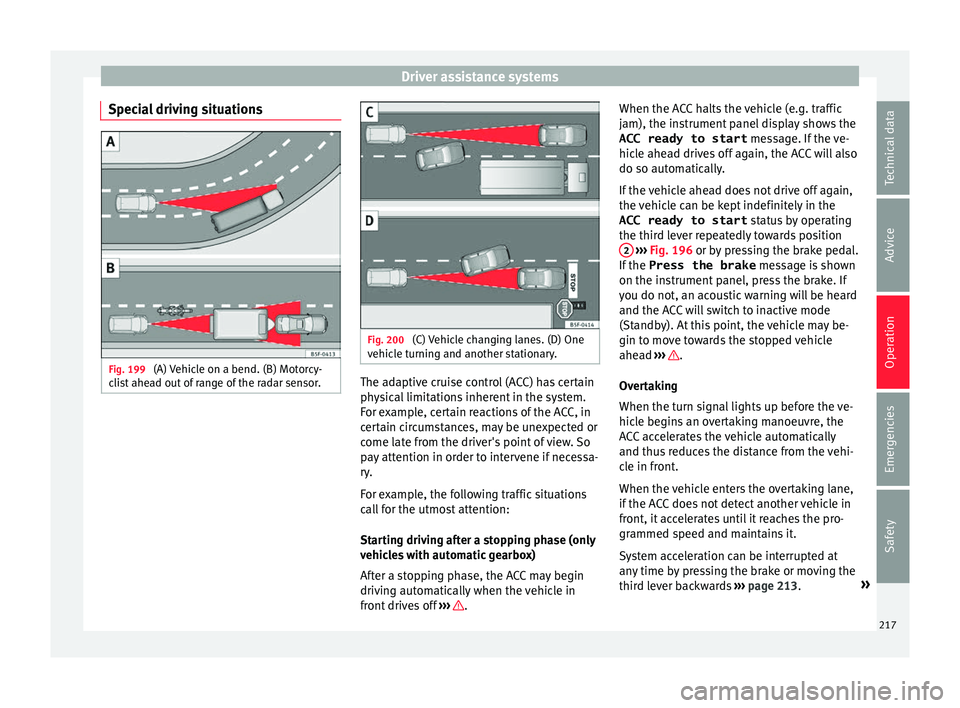
Special driving situations Fig. 199
(A) Vehicle on a bend. (B) Motorcy-
c li
s
t ahead out of range of the radar sensor. Fig. 200
(C) Vehicle changing lanes. (D) One
v ehic
l
e turning and another stationary. The adaptive cruise control (ACC) has certain
ph
y
s
ical limitations inherent in the system.
For example, certain reactions of the ACC, in
certain circumstances, may be unexpected or
come late from the driver's point of view. So
pay attention in order to intervene if necessa-
ry.
For example, the following traffic situations
call for the utmost attention:
Starting driving after a stopping phase (only
vehicles with automatic gearbox)
After a stopping phase, the ACC may begin
driving automatically when the vehicle in
front drives off ››› .When the ACC halts the vehicle (e.g. traffic
j
am), the in
s
trument panel display shows the
ACC ready to start message. If the ve-
hicle ahead drives off again, the ACC will also
do so automatically.
If the vehicle ahead does not drive off again,
the vehicle can be kept indefinitely in the
ACC ready to start status by operating
the third lever repeatedly towards position 2
› ››
Fig. 196
or b
y pressing the brake pedal.
If the Press the brake message is shown
on the instrument panel, press the brake. If
you do not, an acoustic warning will be heard
and the ACC will switch to inactive mode
(Standby). At this point, the vehicle may be-
gin to move towards the stopped vehicle
ahead ››› .
Ov er
t
aking
When the turn signal lights up before the ve-
hicle begins an overtaking manoeuvre, the
ACC accelerates the vehicle automatically
and thus reduces the distance from the vehi-
cle in front.
When the vehicle enters the overtaking lane,
if the ACC does not detect another vehicle in
front, it accelerates until it reaches the pro-
grammed speed and maintains it.
System acceleration can be interrupted at
any time by pressing the brake or moving the
third lever backwards ››› page 213. »
217
Technical data
Advice
Operation
Emergencies
Safety