oil Seat Ateca 2017 Owner's Manual
[x] Cancel search | Manufacturer: SEAT, Model Year: 2017, Model line: Ateca, Model: Seat Ateca 2017Pages: 328, PDF Size: 6.36 MB
Page 1 of 328
OWNER’S
MANUAL
Ateca
575012720BB
Inglés
575012720BB (05.16)
Ateca
Inglés (05.16)SEAT recommends
SEAT GENUINE OIL
SEAT recommends
Castrol EDGE Professional
Page 6 of 328
Table of Contents
Adaptive Cruise Control ACC* . . . . . . . . . . . . . . 197
Front Assist system including City emergency
br ak
ing and pedestrian monitoring* . . . . . . . . 207
Lane Assist system* . . . . . . . . . . . . . . . . . . . . . . 213
Traffic Jam Assist . . . . . . . . . . . . . . . . . . . . . . . . 216
Emergency Assist . . . . . . . . . . . . . . . . . . . . . . . . 218
Blind spot detector (BSD) with parking assis-
tanc
e (RCTA)* . . . . . . . . . . . . . . . . . . . . . . . . . . . 220
SEAT Drive Profile* . . . . . . . . . . . . . . . . . . . . . . . 225
Traffic sign detection system* . . . . . . . . . . . . . . 228
Fatigue detection (break recommendation)* . . 231
Park Assist* . . . . . . . . . . . . . . . . . . . . . . . . . . . . 232
Parking System Plus (ParkPilot)* . . . . . . . . . . . 239
Parking aid (ParkPilot)* . . . . . . . . . . . . . . . . . . . 244
Area View* . . . . . . . . . . . . . . . . . . . . . . . . . . . . . 247
Rear Assist (Rear View Camera)* . . . . . . . . . . . . 252
Towing bracket device* . . . . . . . . . . . . . . . . . . . 255
Trailer mode . . . . . . . . . . . . . . . . . . . . . . . . . . . . 255
Advice . . . . . . . . . . . . . . . . . . . . . . . . . . . . . . . . 265
Care and maintenance . . . . . . . . . . . . . . . . . . . . 265
Accessories and modifications to the vehi-
cl
e . . . . . . . . . . . . . . . . . . . . . . . . . . . . . . . . . . . . 265
Care and cleaning . . . . . . . . . . . . . . . . . . . . . . . 266
Vehicle exterior care . . . . . . . . . . . . . . . . . . . . . . 266
Caring for the vehicle interior . . . . . . . . . . . . . . 270
Intelligent technology . . . . . . . . . . . . . . . . . . . . 273
Electromechanical steering . . . . . . . . . . . . . . . . 273
Four-wheel drive . . . . . . . . . . . . . . . . . . . . . . . . . 273
Power Management . . . . . . . . . . . . . . . . . . . . . . 274
Checking and refilling levels . . . . . . . . . . . . . . . 276
Filling the tank . . . . . . . . . . . . . . . . . . . . . . . . . . 276
Fuel . . . . . . . . . . . . . . . . . . . . . . . . . . . . . . . . . . . 277
Exhaust purification system for vehicles with
diesel
engines (AdBlue ®
) . . . . . . . . . . . . . . . . . 279
Engine compartment . . . . . . . . . . . . . . . . . . . . . 282
Engine oil . . . . . . . . . . . . . . . . . . . . . . . . . . . . . . 284
Cooling system . . . . . . . . . . . . . . . . . . . . . . . . . . 286 Brake fluid . . . . . . . . . . . . . . . . . . . . . . . . . . . . . 287
Windscreen washer reservoir . . . . . . . . . . . . . . 288
Battery . . . . . . . . . . . . . . . . . . . . . . . . . . . . . . . . . 289
Wheels
. . . . . . . . . . . . . . . . . . . . . . . . . . . . . . . . 291
Wheels and tyres . . . . . . . . . . . . . . . . . . . . . . . . 291
Tyre monitoring systems . . . . . . . . . . . . . . . . . . 295
Temporary spare wheel . . . . . . . . . . . . . . . . . . . 298
Winter service . . . . . . . . . . . . . . . . . . . . . . . . . . . 299
Technical data . . . . . . . . . . . . . . . . . . . . . . . . 301
Technical specifications . . . . . . . . . . . . . . . . . . 301
Important . . . . . . . . . . . . . . . . . . . . . . . . . . . . . . 301
Vehicle identification data . . . . . . . . . . . . . . . . . 301
Information on fuel consumption . . . . . . . . . . . 302
Trailer mode . . . . . . . . . . . . . . . . . . . . . . . . . . . . 303
Wheels . . . . . . . . . . . . . . . . . . . . . . . . . . . . . . . . 303
Engine data . . . . . . . . . . . . . . . . . . . . . . . . . . . . . 304
Dimensions . . . . . . . . . . . . . . . . . . . . . . . . . . . . . 307
Index . . . . . . . . . . . . . . . . . . . . . . . . . . . . . . . . . 309
4
Page 30 of 328
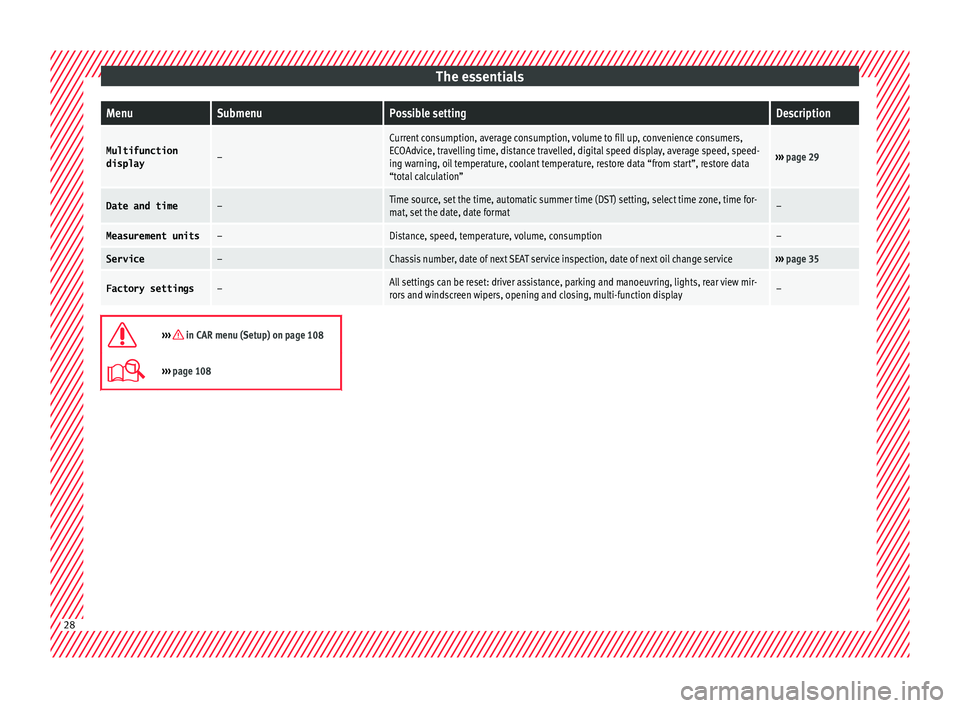
The essentialsMenuSubmenuPossible settingDescription
Multifunction
display–
Current consumption, average consumption, volume to fill up, convenience consumers,
ECOAdvice, travelling time, distance travelled, digital speed display, average speed, speed-
ing warning, oil temperature, coolant temperature, restore data “from start”, restore data
“total calculation”
››› page 29
Date and time–Time source, set the time, automatic summer time (DST) setting, select time zone, time for-
mat, set the date, date format–
Measurement units–Distance, speed, temperature, volume, consumption–
Service–Chassis number, date of next SEAT service inspection, date of next oil change service››› page 35
Factory settings–All settings can be reset: driver assistance, parking and manoeuvring, lights, rear view mir-
rors and windscreen wipers, opening and closing, multi-function display–
››› in CAR menu (Setup) on page 108
›››
page 108 28
Page 36 of 328
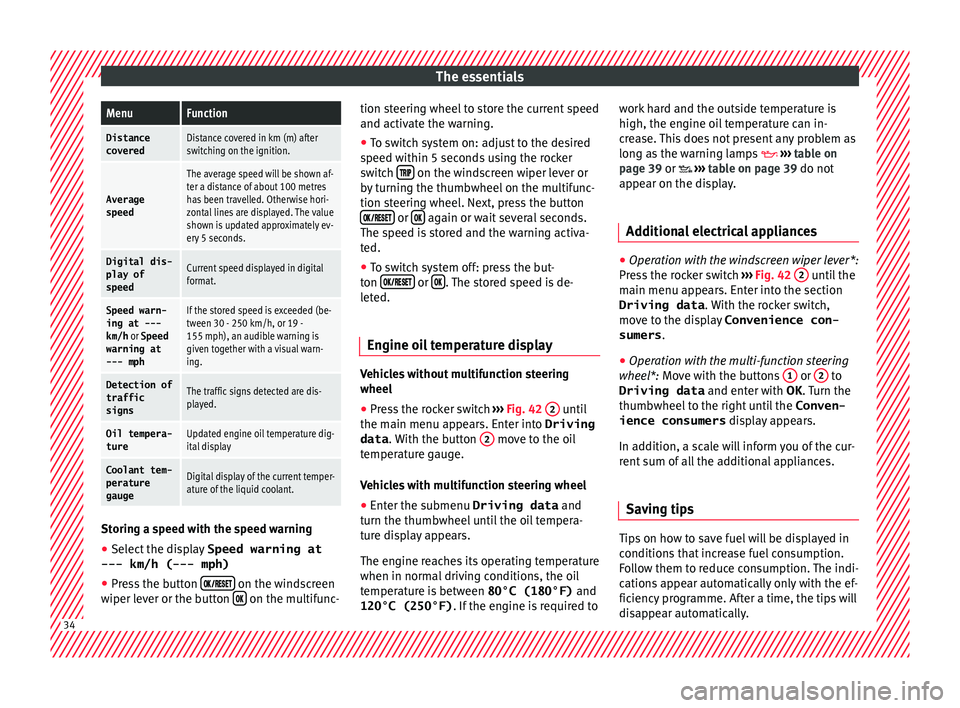
The essentialsMenuFunction
Distance
coveredDistance covered in km (m) after
switching on the ignition.
Average
speed
The average speed will be shown af-
ter a distance of about 100 metres
has been travelled. Otherwise hori-
zontal lines are displayed. The value
shown is updated approximately ev-
ery 5 seconds.
Digital dis- play of
speedCurrent speed displayed in digital
format.
Speed warn-
ing at ---
km/h or Speed
warning at
--- mphIf the stored speed is exceeded (be-
tween 30 - 250 km/h, or 19 -
155 mph), an audible warning is
given together with a visual warn-
ing.
Detection of
traffic
signsThe traffic signs detected are dis-
played.
Oil tempera- tureUpdated engine oil temperature dig-
ital display
Coolant tem-
perature
gaugeDigital display of the current temper-
ature of the liquid coolant. Storing a speed with the speed warning
● Select the display Speed warning at
--- km/h (---
mph)
● Press the button
on the windscreen
w iper l
ever or the button on the multifunc-tion steering wheel to store the current speed
and activ
at
e the warning.
● To switch system on: adjust to the desired
speed w
ithin 5 seconds using the rocker
switch on the windscreen wiper lever or
b y
turning the thumbwheel on the multifunc-
tion steering wheel. Next, press the button or
again or wait several seconds.
The s peed i
s stored and the warning activa-
ted.
● To switch system off: press the but-
ton or
. The stored speed is de-
l et
ed.
Engine oil temperature display Vehicles without multifunction steering
wheel
● Press the rocker switch ››
› Fig. 42 2 until
the m ain menu ap
pears. Enter into Driving
data . With the button 2 move to the oil
t emper
ature gauge.
Vehicles with multifunction steering wheel
● Enter the submenu Driving data and
turn the thumb
wheel until the oil tempera-
ture display appears.
The engine reaches its operating temperature
when in normal driving conditions, the oil
temperature is between 80°C (180°F) and
120°C (250°F) . If the engine is required to work hard and the outside temperature is
high, the engine oi
l temperature can in-
crease. This does not present any problem as
long as the warning lamps ››› table on
page 39 or ››› table on page 39 do not
appear on the display.
Additional electrical appliances ●
Operation with the windscreen wiper lever*:
Pr e
ss the rocker switch ››› Fig. 42 2 until the
m ain menu ap
pears. Enter into the section
Driving data . With the rocker switch,
move to the display Convenience con-
sumers .
● Operation with the multi-function steering
whe e
l*: Move with the buttons 1 or
2 to
Driving data and enter w
ith OK . Turn the
thumbwheel to the right until the Conven-
ience consumers display appears.
In addition, a scale will inform you of the cur-
rent sum of all the additional appliances.
Saving tips Tips on how to save fuel will be displayed in
c
ondition
s that increase fuel consumption.
Follow them to reduce consumption. The indi-
cations appear automatically only with the ef-
ficiency programme. After a time, the tips will
disappear automatically. 34
Page 37 of 328
The essentials
If you wish to hide a saving tip immediately
af t
er it appears, press any button on the
windscreen wiper lever*/multifunction steer-
ing wheel*. Note
● If
you hide a saving tip, it will reappear af-
ter you switch the ignition on again.
● The saving tips do not appear in all situa-
tions, b
ut rather with a large separation of
time. Speed warning device
The speed warning device warns the driver
when they
h
ave exceeded the pre-set speed
limit by 3 km/h (2 mph). An audible warning
signal sounds, and the warning lamp and
the driver message Speed limit excee-
ded! will be displayed simultaneously on the
instrument panel. The warning lamp
switches off when reducing speed below the
stored maximum limit.
Speed warning programming is recommen-
ded if you wish to be reminded of a maxi-
mum speed, such as when travelling in a
country with different speed limits or for a
maximum speed for winter tyres.
Setting speed limit warning
You can use the radio or the Easy Connect* to
set, alter or cancel the speed limit warning. ●
Vehicle
s with radio : press the button SETUP > control button
Driver Assistant >
Speed warning .
● Vehicles with Easy Connect : pre
ss the but-
ton Systems or else Vehicle systems >
Driver assistant > Speed warning.
The warning limit can be set from 30 to
240 km/h (20 to 149 mph). The adjustment
is made at 10 km/h (5 mph) intervals. Note
● Ple
ase bear in mind that, even with the
speed warning function, it is still important
to keep an eye on the vehicle speed with the
speedometer and to observe the legal speed
limits.
● The speed limit warning function in the ver-
sion f
or some countries warns you at a speed
of 120 km/h (75 mph). This is a factory-set
speed limit. Service intervals
The service interval indication appears on the
in
s
trument panel display ›››
Fig. 115
3 .
S EA
T distinguishes between services with en-
gine oil change (e.g. Oil change service) and
services without engine oil change (e.g. In-
spection). In vehicles with
Serv
ices established by time
or mileage, the service intervals are already
pre-defined.
In vehicles with LongLife Service , the inter-
vals are determined individually. Thanks to
technological progress, maintenance work
has been greatly reduced. Because of the
technology used by SEAT, with this service
you only need to change the oil when the ve-
hicle so requires. To calculate this change
(max. 2 years), the vehicle's conditions of
use and individual driving styles are consid-
ered. The advance warning first appears 20
days before the date established for the cor-
responding service. The kilometres (miles)
remaining until the next service are always
rounded up to the nearest 100 km (miles)
and the time is given in complete days. The
current service message cannot be viewed
until 500 km after the last service. Prior to
this, only lines are visible on the display.
Inspection reminder
When the Service date is approaching, when
the ignition is switched on a Service remind-
er is displayed.
Vehicles without text messages : a span-
ner will be displayed on the instrument
panel plus an indication in km.
The kilometres indicated are the maximum
number of kilometres that can be travelled
until the next service. After a few seconds, » 35
Page 42 of 328

The essentials
Do not continue driving!
Engine oil pressure too low. If
the warning lamp flashes, stop
driving, even if the oil level is
correct. Do not even run the en-
gine at idle speed!
››› page
284
Fault in the battery.›››
page
289
Driving light totally or partially
faulty.›››
page
93
Fault in the cornering light sys-
tem.››› page
131
Diesel particulate filter blocked›››
page
186
Level of windscreen washer fluid
too low.›››
page
139
Flashing: Fault in the oil level de-
tection. Control manually.›››
page
284
Ignition: Insufficient engine oil.
Fault in the gearbox.›››
page
183
Light Assist on.›››
page
132
Immobiliser active.
Service interval display›››
page
35
Mobile telephone is connected
via Bluetooth to the original tele-
phone device.›››
Book-
let Radio
or
››› Book-
let Navi-
gation
system
Mobile telephone battery charge
meter. Available only for devices
pre-installed in factory.
Freezing warning. The outside
temperature is lower than +4°C
(+39°F).›››
page
31
Start-Stop system activated.›››
page
188
Start-Stop system unavailable.
Low consumption driving status›››
page
30 On the instrument panel
Fig. 51
Warning lamp for disabling the front
p a
ssenger airbag.
Front passenger front airbag is
disabled (
).
››› page
73
The front passenger front airbag
is activated (
).
››› page
73
››› in Warning and control lamps on
page 107
››› page 106 Gearbox lever
M anua
l gearbox Fig. 52
Gear shift pattern of a 5 or 6-speed
m anual
gearbox The position of the gears is indicated on the
g
e
arbox lever ››› Fig. 52.40
Page 50 of 328
The essentials
Fluid Level control Fi l
ling capacities
Tank level
Petrol and diesel
engines50 l, of which, approx. 7 l reserve
Four-wheel drive vehicles :
55 l, of which approx. 8.5 l reserve
Capacity of the windscreen washer fluid container
Versions without
headlight washer
systemapprox. 3 litres
Versions with
headlight washer
systemapprox. 5 litres Fuel
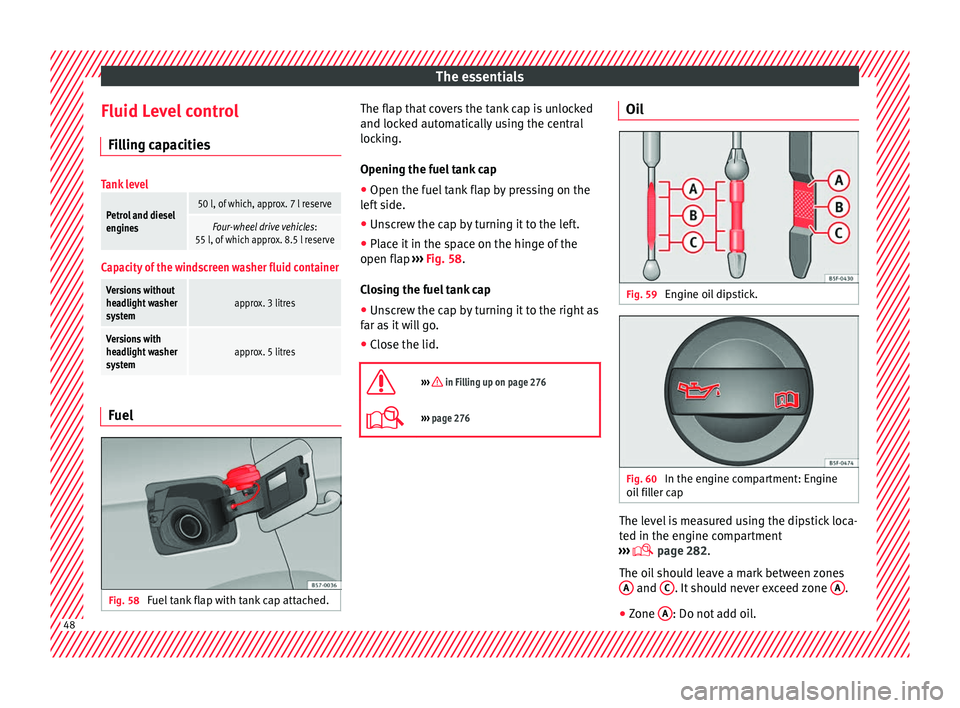
Fig. 58
Fuel tank flap with tank cap attached. The flap that covers the tank cap is unlocked
and loc
k
ed automatically using the central
locking.
Opening the fuel tank cap
● Open the fuel tank flap by pressing on the
lef
t side.
● Unscrew the cap by turning it to the left.
● Place it in the space on the hinge of the
open flap ›
›› Fig. 58.
Closing the fuel tank cap
● Unscrew the cap by turning it to the right as
far a
s it will go.
● Close the lid.
››› in Filling up on page 276
››› page 276 Oil
Fig. 59
Engine oil dipstick. Fig. 60
In the engine compartment: Engine
oi l
filler cap The level is measured using the dipstick loca-
t
ed in the en
gine compartment
››› page 282.
The oil should leave a mark between zones A and
C . It should never exceed zone
A .
● Zone A : Do not add oil.
48
Page 51 of 328

The essentials
● Zone B : You can add oil but keep the level
in th at
zone.
● Zone C : Add oil up to zone
B .
T op
ping up engine oil
● Unscrew cap from oil filler opening.
● Add oil slowly.
● At the same time, check the level to ensure
you do not
add too much.
● When the oil level reaches at least zone B ,
u n
screw the engine oil filler cap carefully.
Oil properties
Engine typeSpecification
Petrol without flexible service
intervalVW 502 00/VW 504
00
Petrol with flexible service in-
terval (LongLife)VW 504 00
Diesel. Engines without Particu-
late filter (DPF)VW 505 01/VW 506
01/VW 507 00
Diesel. Particulate Filter En-
gines (DPF).
With or without flexible service
interval (with and without Long-
Life) a)VW 507 00
a)
Only use recommended oils, otherwise you may damage the
engine.
Engine oil additives
No type of additive should be mixed with the
engine oil. The deterioration caused by these
additives is not covered by the warranty.
››› in Changing engine oil on page 286
››› page 284 Coolant
Fig. 61
Engine compartment: coolant expan-
s ion t
ank cap. The coolant tank is located in the engine
c
omp
artment ›››
page 282.
When the engine is cold, replace the coolant
when the level is below . Coolant specifications
The engine c
ooling system is supplied from
the factory with a specially treated mixture of
water and at least 40 % of the additive G13
(TL-VW 774 J), purple. This mixture gives the
necessary frost protection down to -25°C
(-13°F) and protects the light alloy parts of
the engine cooling system against corrosion.
It also prevents scaling and considerably rai-
ses the boiling point of the coolant.
To protect the cooling system, the percentage
of additive must always be at least 40 %,
even in warm climates where anti-freeze pro-
tection is not required.
If for weather reasons further protection is
necessary, the proportion of additive may be
increased, but only up to 60 %; otherwise an-
tifreeze protection will diminish and this will
worsen cooling.
When the coolant is topped up, use a mixture
of distilled water and at least 40 % of the
G13 or G12 plus-plus (TL-VW 774 G) additive
(both are purple) to obtain an optimum anti-
corrosion protection ››› in Topping up cool-
ant on p ag
e 287. The mixture of G13 with
G12 plus (TL-VW 774 F), G12 (red) or G11
(green-blue) engine coolants will significant-
ly reduce anti-corrosion protection and
should therefore be avoided ››› in Topping
up c oo
lant on page 287. » 49
Page 108 of 328
Operation
Normal temperature
If in norm
al operations, the diodes light up
until the central zone, it means that the en-
gine has reached operating temperature. At
high outside temperatures and when making
the engine work hard, the diodes may contin-
ue lighting up and reach the upper zone. This
is no cause for concern, provided the control
lamp does not light up on the instrument
panel digital display.
Heat range
When the diodes light up in the upper area of
the display and the control lamp appears
on the instrument panel display, the coolant
temperature is excessive ››› page 286. CAUTION
● To en
sure a long useful life for the engine,
avoid high revs, driving at high speed and
making the engine work hard for approxi-
mately the first 15 minutes when the engine
is cold. The phase until the engine is warm al-
so depends on the outside temperature. If
necessary, use the engine oil temperature*
››› page 34 as a guide.
● Additional lights and other accessories in
front
of the air inlet reduce the cooling effect
of the coolant. At high outside temperatures
and high engine loads, there is a risk of the
engine overheating.
● The front spoiler also ensures proper distri-
bution of
the cooling air when the vehicle is moving. If the spoiler is damaged this can re-
duc
e the c
ooling effect, which could cause
the engine to overheat. Seek specialist assis-
tance. Fuel level
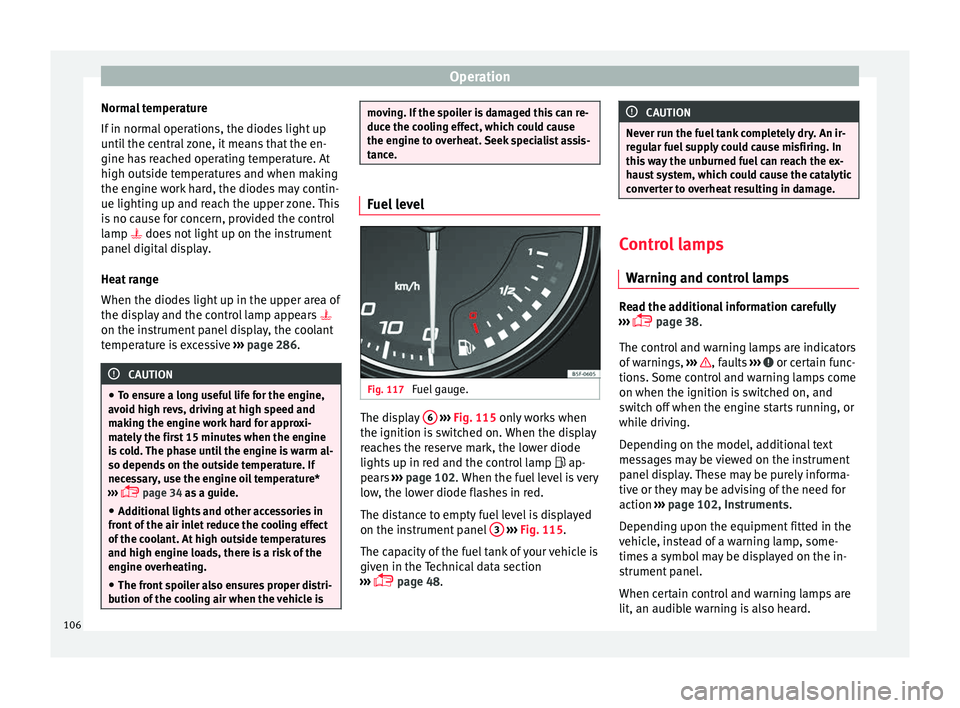
Fig. 117
Fuel gauge. The display
6
› ›
›
Fig. 115 only works when
the ignition is switched on. When the display
reaches the reserve mark, the lower diode
lights up in red and the control lamp ap-
pears ››› page 102. When the fuel level is very
low, the lower diode flashes in red.
The distance to empty fuel level is displayed
on the instrument panel 3
› ›
›
Fig. 115.
The capacity of the fuel tank of your vehicle is
given in the Technical data section
››› page 48. CAUTION
Never run the fuel tank completely dry. An ir-
r e
gular fuel supply could cause misfiring. In
this way the unburned fuel can reach the ex-
haust system, which could cause the catalytic
converter to overheat resulting in damage. Control lamps
W arnin
g and control lamps Read the additional information carefully
› ›
› page 38.
The control and warning lamps are indicators
of warnings, ››› , faults
››
› or certain func-
tion s.
Some control and warning lamps come
on when the ignition is switched on, and
switch off when the engine starts running, or
while driving.
Depending on the model, additional text
messages may be viewed on the instrument
panel display. These may be purely informa-
tive or they may be advising of the need for
action ›››
page 102, Instruments.
Depending upon the equipment fitted in the
vehicle, instead of a warning lamp, some-
times a symbol may be displayed on the in-
strument panel.
When certain control and warning lamps are
lit, an audible warning is also heard.
106
Page 153 of 328
Transport and practical equipment
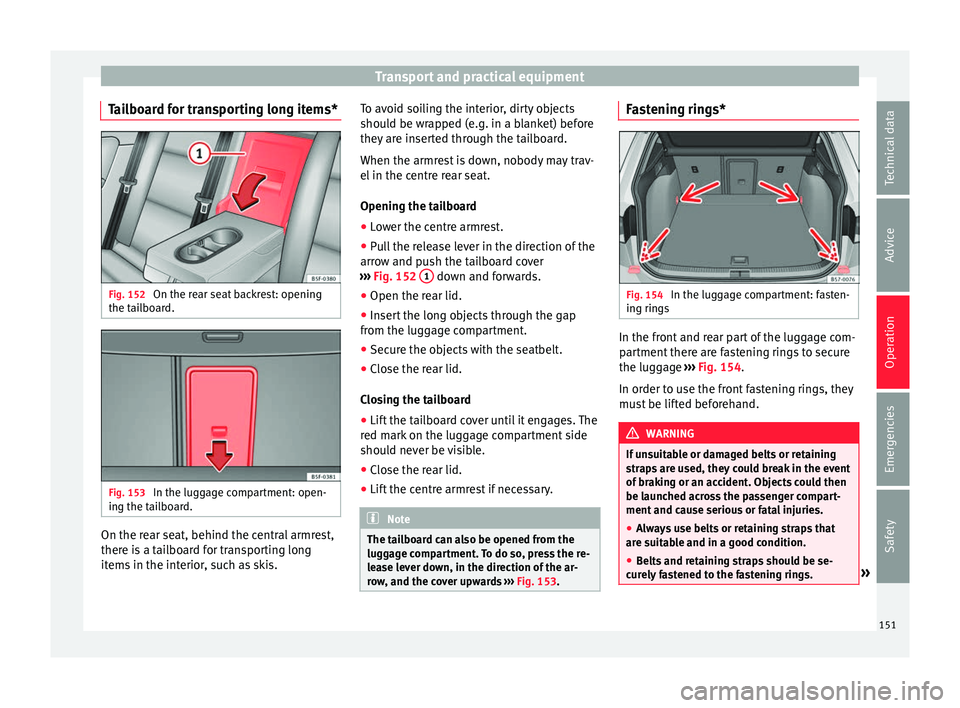
Tailboard for transporting long items* Fig. 152
On the rear seat backrest: opening
the t ai
lboard. Fig. 153
In the luggage compartment: open-
in g the t
ailboard. On the rear seat, behind the central armrest,
ther
e i
s a tailboard for transporting long
items in the interior, such as skis. To avoid soiling the interior, dirty objects
shoul
d be wrapped (e.g. in a blanket) before
they are inserted through the tailboard.
When the armrest is down, nobody may trav-
el in the centre rear seat.
Opening the tailboard
● Lower the centre armrest.
● Pull the release lever in the direction of the
arro
w and push the tailboard cover
››› Fig. 152 1 down and forwards.
● Open the rear lid.
● Insert the long objects through the gap
fr om the lug
gage compartment.
● Secure the objects with the seatbelt.
● Close the rear lid.
Clo
sing the tailboard
● Lift the tailboard cover until it engages. The
red m
ark on the luggage compartment side
should never be visible.
● Close the rear lid.
● Lift the centre armrest if necessary. Note
The tailboard can also be opened from the
lug g
age compartment. To do so, press the re-
lease lever down, in the direction of the ar-
row, and the cover upwards ››› Fig. 153. Fastening rings*
Fig. 154
In the luggage compartment: fasten-
in g rin
gs In the front and rear part of the luggage com-
p
ar
tment there are fastening rings to secure
the luggage ››› Fig. 154.
In order to use the front fastening rings, they
must be lifted beforehand. WARNING
If unsuitable or damaged belts or retaining
s tr
aps are used, they could break in the event
of braking or an accident. Objects could then
be launched across the passenger compart-
ment and cause serious or fatal injuries.
● Always use belts or retaining straps that
are s
uitable and in a good condition.
● Belts and retaining straps should be se-
cur
ely fastened to the fastening rings. » 151
Technical data
Advice
Operation
Emergencies
Safety