fuel Seat Ibiza SC 2009 Owner's manual
[x] Cancel search | Manufacturer: SEAT, Model Year: 2009, Model line: Ibiza SC, Model: Seat Ibiza SC 2009Pages: 257, PDF Size: 6.61 MB
Page 6 of 257
Contents
4Your vehicle maintenance and cleaning
. . . .
General notes . . . . . . . . . . . . . . . . . . . . . . . . . . .
Vehicle exterior maintenance . . . . . . . . . . . . . . .
Vehicle interior maintenance . . . . . . . . . . . . . . .
Accessories, replacement of parts and
modifications
. . . . . . . . . . . . . . . . . . . . . . . . . . . .
Accessories and spare parts . . . . . . . . . . . . . . . .
Technical modifications . . . . . . . . . . . . . . . . . . .
Roof aerial* . . . . . . . . . . . . . . . . . . . . . . . . . . . . .
Mobile telephones and two-way radios . . . . . . .
Fitting a towing bracket* . . . . . . . . . . . . . . . . . . .
Checking and refilling levels
. . . . . . . . . . . . . .
Refuelling . . . . . . . . . . . . . . . . . . . . . . . . . . . . . . .
Petrol . . . . . . . . . . . . . . . . . . . . . . . . . . . . . . . . . .
Diesel . . . . . . . . . . . . . . . . . . . . . . . . . . . . . . . . . .
Working in the engine compartment . . . . . . . . .
Engine oil . . . . . . . . . . . . . . . . . . . . . . . . . . . . . . .
Coolant . . . . . . . . . . . . . . . . . . . . . . . . . . . . . . . . .
Washer fluid and windscreen wiper blades . . . .
Brake fluid . . . . . . . . . . . . . . . . . . . . . . . . . . . . . .
Battery . . . . . . . . . . . . . . . . . . . . . . . . . . . . . . . . .
Wheels . . . . . . . . . . . . . . . . . . . . . . . . . . . . . . . . .
If and when
. . . . . . . . . . . . . . . . . . . . . . . . . . . . . .
Vehicle tools, spare wheel . . . . . . . . . . . . . . . . .
Wheel change . . . . . . . . . . . . . . . . . . . . . . . . . . .
Tyre repair kit (Tyre-Mobility-System)* . . . . . . . .
Fuses . . . . . . . . . . . . . . . . . . . . . . . . . . . . . . . . . .
Bulb change . . . . . . . . . . . . . . . . . . . . . . . . . . . . .
Jump-starting . . . . . . . . . . . . . . . . . . . . . . . . . . . .
Towing and tow-starting . . . . . . . . . . . . . . . . . . .
Te c h n i c a l D a t a
. . . . . . . . . . . . . . . . . . . . . . .
General notes on the technical data
. . . . . . .
Outstanding information . . . . . . . . . . . . . . . . . .
Data on fuel consumption . . . . . . . . . . . . . . . . . Towing a trailer . . . . . . . . . . . . . . . . . . . . . . . . . .
Wheels . . . . . . . . . . . . . . . . . . . . . . . . . . . . . . . . .
Te chni cal Data
. . . . . . . . . . . . . . . . . . . . . . . . . . . .
Checking fluid levels . . . . . . . . . . . . . . . . . . . . . .
Petrol engine 1.2 44 kW (60 bhp) . . . . . . . . . . .
Petrol engine 1.2 51 kW (70 bhp) . . . . . . . . . . .
Petrol engine 1.4 litre 63 kW (85 bhp) . . . . . . .
Petrol engine 1.4 litre 110 kW (150 bhp) . . . . .
Petrol engine 1.4 132 kW (180 bhp). Cupra . . .
Petrol engine 1.6 77 kW (105 bhp) . . . . . . . . . .
Diesel engine 1.4 litre TDI 59 kW (80 bhp).
Ecomotive . . . . . . . . . . . . . . . . . . . . . . . . . . . . . .
Diesel engine 1.4 litre TDI 59 kW (80 bhp) . . . .
Diesel engine 1.6 litre TDI CR 66 kW (90 bhp) .
Diesel engine 1.6 litre TDI CR 77 kW (105 bhp)
Diesel engine 1.9 litre TDI 66 kw (90 bhp) . . . .
Diesel engine 1.9l TDI 77 kW (105 bhp) . . . . . .
Dimensions and capacities . . . . . . . . . . . . . . . .
Index
. . . . . . . . . . . . . . . . . . . . . . . . . . . . . . . . . .
159
159
160
166
168
168
168
169
169
171
173
173
174
175
176
179
183
185
188
189
191
197
197
198
203
205
209
218
221
225
225
225
227 228
228
230
230
231
232
233
234
236
237
238
239
241
242
243
244
246
247
IbizaSC_EN.book Seite 4 Mittwoch, 16. September 2009 12:11 12
Page 52 of 257
Cockpit
50Rev counter
The rev. counter displays the engine speed in revolutions per
minute.The start of the red zone ⇒ page 49, fig. 30 indicates the maximum
engine speed operating at service temperature. However, it is advisable to
change up a into a higher gear, move the selector lever to D or lift your foot
off the accelerator before the needle reaches the red zone.
Caution
The rev counter needle must never enter the red zone on the scale. Risk of
engine damage.
For the sake of the environment
Changing up into higher gears early will help you to save fuel and minimise
engine noise.SpeedometerThe speedometer is equipped with a digital odometer and a trip counter, in
addition to a service intervals display.
During the running-in period, the instructions shown on ⇒page 152 should
be followed.
Digital display in the instrument panelFuel gauge
and reserve indicator
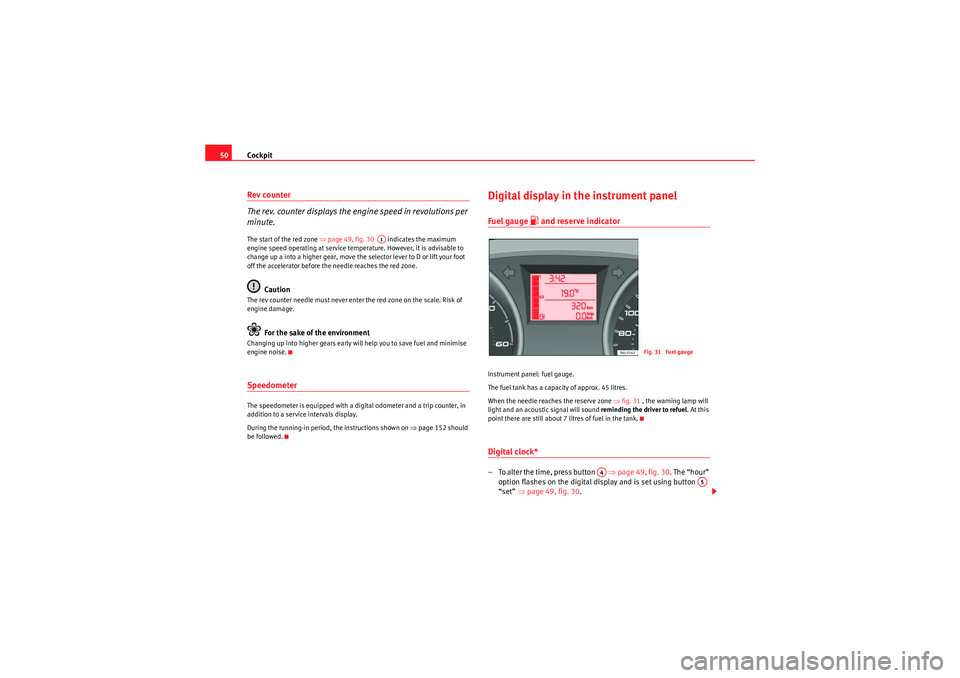
Instrument panel: fuel gauge.
The fuel tank has a capacity of approx. 45 litres.
When the needle reaches the reserve zone ⇒fig. 31 , the warning lamp will
light and an acoustic signal will sound reminding the driver to refuel. At this
point there are still about 7 litres of fuel in the tank.Digital clock* – To alter the time, press button ⇒page 49, fig. 30 . The “hour”
option flashes on the digital display and is set using button
“set” ⇒page 49, fig. 30 .
A1
Fig. 31 Fuel gauge
A4
A5
IbizaSC_EN.book Seite 50 Mittwoch, 16. September 2009 12:11 12
Page 53 of 257
Cockpit51
Safety First
Controls and equipment
Practical tips
Technical Data
– To set the minutes, press button again and select the minute
option. Set from button “set”.Once the operation has been carried out, the system memorises the time.Ambient temperature display
The outside temperature is displayed when the ignition is
switched on.In addition to the outside temperature display, an ice crystal is displayed and,
if vehicle speed is over 10 km/h, a warning tone is heard at temperatures
dropping from between +4°C and -7°C and at temperatures rising from -5°C
up to +6°C.
The illumination of the crystal symbol aims to warn the driver of the risk of
ice, so that he/she proceeds with due care.
When the vehicle is stationary or travelling at very low speeds, the tempera-
ture displayed may be slightly higher than the actual outside temperature as
a result of heat coming from the engine.
Recommended gear display*
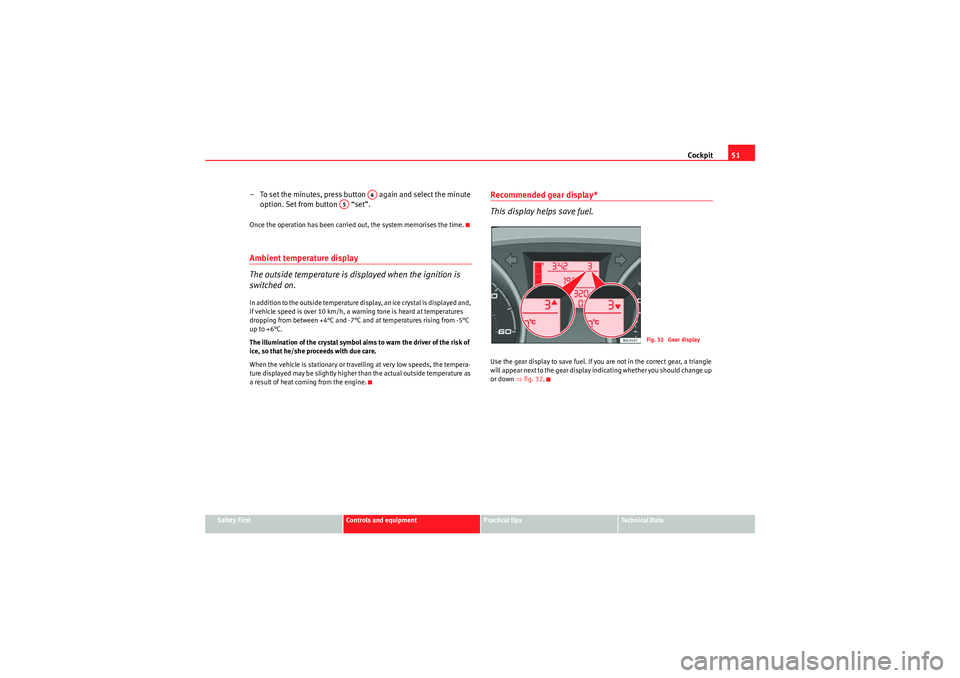
This display helps save fuel.Use the gear display to save fuel. If you are not in the correct gear, a triangle
will appear next to the gear display indicating whether you should change up
or down ⇒ fig. 32.
A4
A5
Fig. 32 Gear display
IbizaSC_EN.book Seite 51 Mittwoch, 16. September 2009 12:11 12
Page 54 of 257
Cockpit
52Display with multi-function display (MFD)*
The multi-function display (MFD) shows you information on
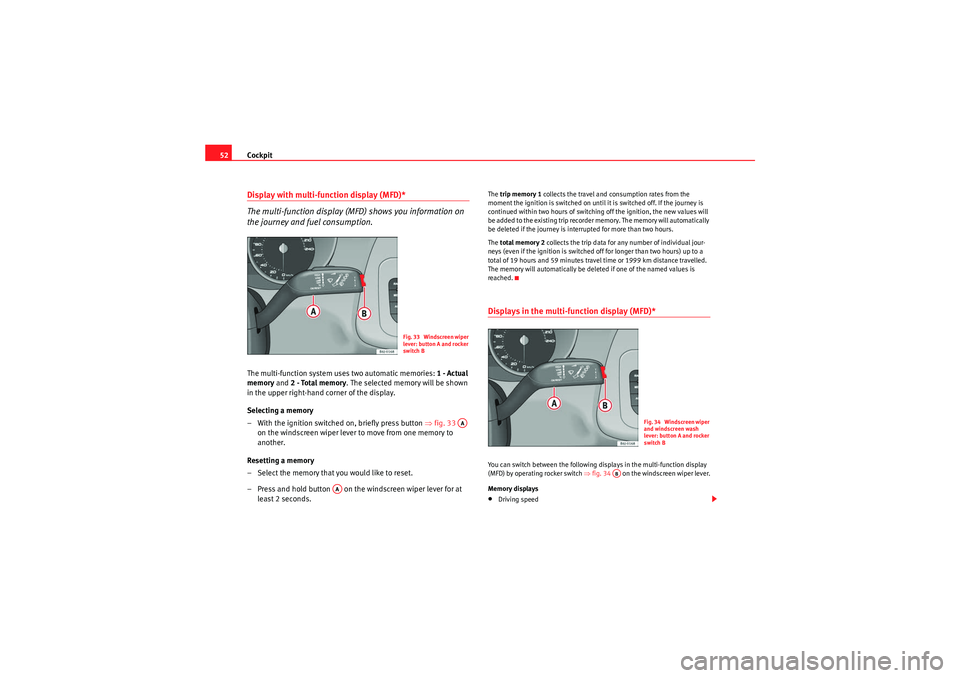
the journey and fuel consumption.The multi-function system uses two automatic memories: 1 - Actual
memory and 2 - Total memory . The selected memory will be shown
in the upper right-hand corner of the display.
Selecting a memory
– With the ignition switched on, briefly press button ⇒fig. 33
on the windscreen wiper lever to move from one memory to
another.
Resetting a memory
– Select the memory that you would like to reset.
– Press and hold button on the windscreen wiper lever for at least 2 seconds.
The trip memory 1 collects the travel and consumption rates from the
moment the ignition is switched on until it is switched off. If the journey is
continued within two hours of switching off the ignition, the new values will
be added to the existing trip recorder memory. The memory will automatically
be deleted if the journey is interrupted for more than two hours.
The total memory 2 collects the trip data for any number of individual jour-
neys (even if the ignition is switched off for longer than two hours) up to a
total of 19 hours and 59 minutes travel time or 1999 km distance travelled.
The memory will automatically be deleted if one of the named values is
reached.Displays in the multi-function display (MFD)* You can switch between the following displays in the multi-function display
(MFD) by operating rocker switch ⇒fig. 34 on the windscreen wiper lever.
Memory displays•Driving speed
Fig. 33 Windscreen wiper
lever: button A and rocker
switch B
AA
AA
Fig. 34 Windscreen wiper
and windscreen wash
lever: button A and rocker
switch B
AB
IbizaSC_EN.book Seite 52 Mittwoch, 16. September 2009 12:11 12
Page 55 of 257
Cockpit53
Safety First
Controls and equipment
Practical tips
Technical Data
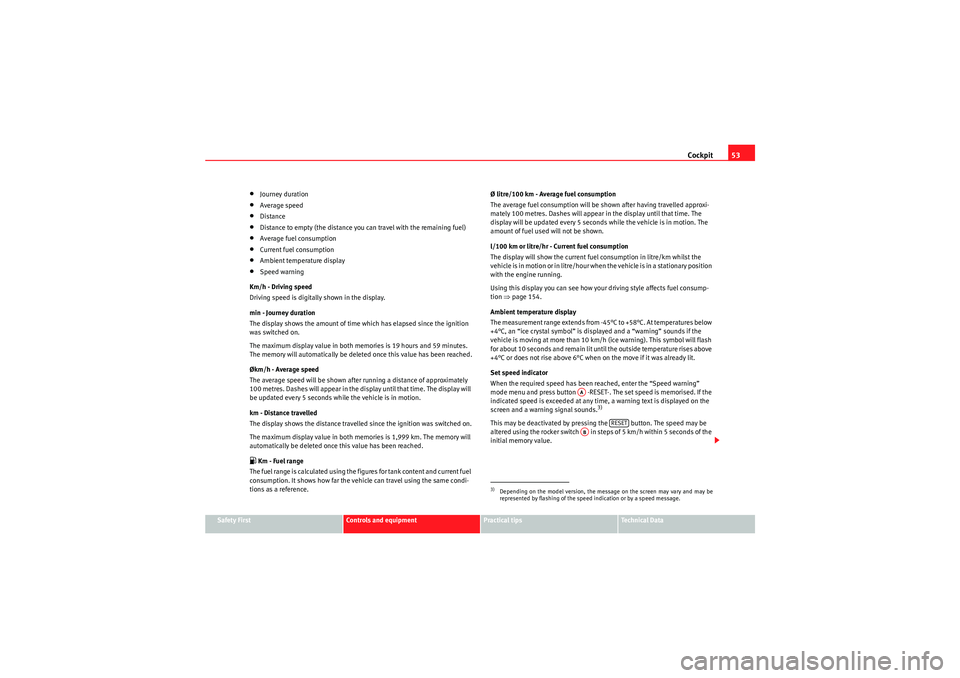
•Journey duration•Average speed•Distance•Distance to empty (the distance you can travel with the remaining fuel)•Average fuel consumption•Current fuel consumption•Ambient temperature display•Speed warning
Km/h - Driving speed
Driving speed is digitally shown in the display.
min - Journey duration
The display shows the amount of time which has elapsed since the ignition
was switched on.
The maximum display value in both memories is 19 hours and 59 minutes.
The memory will automatically be deleted once this value has been reached.
Økm/h - Average speed
The average speed will be shown after running a distance of approximately
100 metres. Dashes will appear in the display until that time. The display will
be updated every 5 seconds while the vehicle is in motion.
km - Distance travelled
The display shows the distance travelled since the ignition was switched on.
The maximum display value in both memories is 1,999 km. The memory will
automatically be deleted once this value has been reached. Km - Fuel range
The fuel range is calculated using the figures for tank content and current fuel
consumption. It shows how far the vehicle can travel using the same condi-
tions as a reference. Ø litre/100 km - Average fuel consumption
The average fuel consumption will be shown after having travelled approxi-
mately 100 metres. Dashes will appear in the display until that time. The
display will be updated every 5 seconds while the vehicle is in motion. The
amount of fuel used will not be shown.
l/100 km or litre/hr - Current fuel consumption
The display will show the current fuel consumption in litre/km whilst the
vehicle is in motion or in litre/hour when the vehicle is in a stationary position
with the engine running.
Using this display you can see how your driving style affects fuel consump-
tion
⇒page 154.
Ambient temperature display
The measurement range extends from -45°C to +58°C. At temperatures below
+4°C, an “ice crystal symbol” is displayed and a “warning” sounds if the
vehicle is moving at more than 10 km/h (ice warning). This symbol will flash
for about 10 seconds and remain lit until the outside temperature rises above
+4°C or does not rise above 6°C when on the move if it was already lit.
Set speed indicator
When the required speed has been reached, enter the “Speed warning”
mode menu and press button -RESET-. The set speed is memorised. If the
indicated speed is exceeded at any time, a warning text is displayed on the
screen and a warning signal sounds.
3)
This may be deactivated by pressing the button. The speed may be
altered using the rocker switch in steps of 5 km/h within 5 seconds of the
initial memory value.3)Depending on the model version, the message on the screen may vary and may be
represented by flashing of the speed indication or by a speed message.
AA
RESET
AB
IbizaSC_EN.book Seite 53 Mittwoch, 16. September 2009 12:11 12
Page 59 of 257
Cockpit57
Safety First
Controls and equipment
Practical tips
Technical Data
WARNING
•Failure to observe warning lamps and warning messages can result in
serious personal injuries or damage to your vehicle.•The risk of an accident increases if your vehicle breaks down. Use a
warning triangle to draw the attention of other road users in order to
prevent danger to thirds.
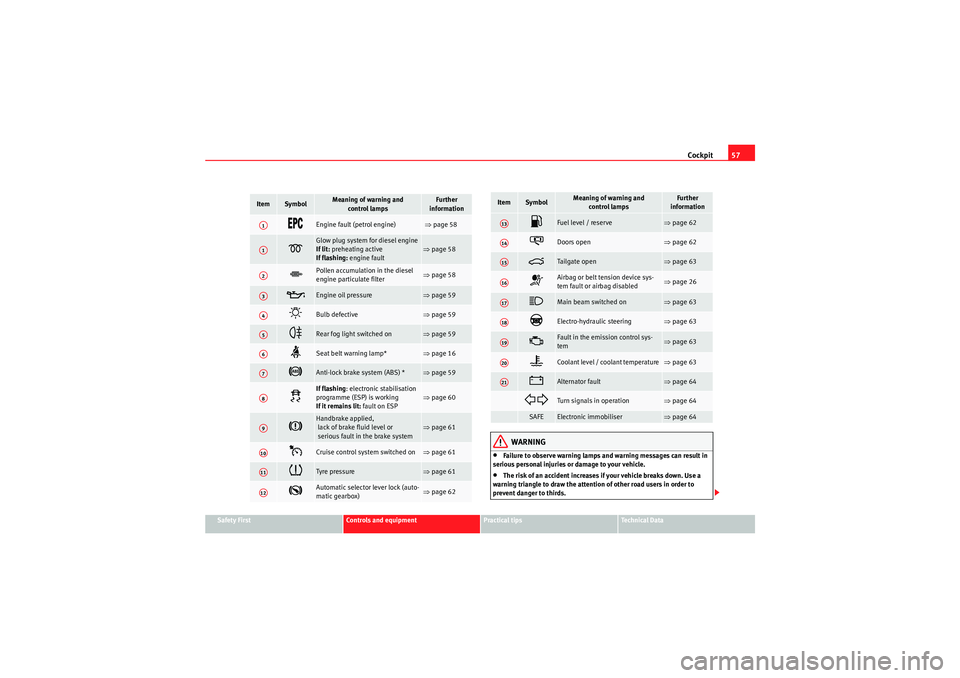
Item
Symbol
Meaning of warning and
control lamps
Further
information
Engine fault (petrol engine)
⇒ page 58
Glow plug system for diesel engine
If lit: preheating active
If flashing: engine fault
⇒page 58
Pollen accumulation in the diesel
engine particulate filter
⇒page 58
Engine oil pressure
⇒page 59
Bulb defective
⇒page 59
Rear fog light switched on
⇒page 59
Seat belt warning lamp*
⇒page 16
Anti-lock brake system (ABS) *
⇒page 59
If flashing : electronic stabilisation
programme (ESP) is working
If it remains lit: fault on ESP
⇒page 60
Handbrake applied,
lack of brake fluid level or
serious fault in the brake system
⇒page 61
Cruise control system switched on
⇒page 61
Tyre pressure
⇒page 61
Automatic selector lever lock (auto-
matic gearbox)
⇒page 62
A1A1A2A3A4A5A6A7A8A9A10A11A12
Fuel level / reserve
⇒ page 62
Doors open
⇒page 62
Tailgate op e n
⇒page 63
Airbag or belt tension device sys-
tem fault or airbag disabled
⇒page 26
Main beam switched on
⇒page 63
Electro-hydraulic steering
⇒page 63
Fault in the emission control sys-
tem
⇒page 63
Coolant level / coolant temperature
⇒page 63
Alternator fault
⇒page 64
Turn signals in operation
⇒page 64
SAFE
Electronic immobiliser
⇒page 64
Item
Symbol
Meaning of warning and
control lamps
Further
information
A13A14A15A16A17A18A19A20A21
IbizaSC_EN.book Seite 57 Mittwoch, 16. September 2009 12:11 12
Page 64 of 257
Cockpit
62•The tyre structure is damaged.•The vehicle is unbalanced because of a load.•The wheels of one axle are under more pressure (for example, driving with
a trailer or on extreme slopes).•The vehicle is fitted with snow chains.•The emergency wheel is fitted.•The wheel on one axle is changed.
Tyre pressure adjustment
Following the modification to tyre pressure or changing one or more wheels,
the button ⇒page 61, fig. 38 must be kept pressed while the ignition is on
until an acoustic signal is heard.
If the wheels are under excessive load (for example, driving with a trailer or
heavy load), the tire pressure must be increased to the recommended value
for a full load (see the sticker on the inside of the fuel flap). If the tyre m onitor
system button is pressed down, the new tyre pressures are confirmed.
The tyre pressure monitor indicator
lights up
If the tyre pressure of one wheel is much lower than the value set by the
driver, then the tyre pressure monitor indicator ⇒ will light up.
WARNING
•When the tyre pressure indicator lights, reduce speed immediately and
avoid any sudden manoeuvre or braking. Stop when possible, and check
the tyre pressure and status.•The driver is responsible for correct tyre pressure. For this reason, tyre
pressure must be regularly checked.•Under certain circumstances (for example, when driving in a sports-like
manner, in winter conditions or on a dirt track) the tyre monitor indicator
may light or function incorrectly.
Note
If the battery is disconnected, the yellow indicator
lights up after turning
the ignition on. This should turn off after a brief journey.
Speed selector lever lock*
The footbrake must be depressed when this warning lamp lights up. This is
necessary when the automatic gearbox* selector lever is moved out of the
positions P or N.Fuel level / reserve
This symbol lights up to indicate that the fuel tank under the
reserve level.It lights up when only 7 litres of fuel remain in the tank. Moreover, an audible
warning* is heard. It reminds you to fuel up the fuel tank as soon as possible
⇒ page 173.Indicates that the doors are open*
This indicator lights if one of the doors or the tailgate is open.The warning light
should go off when all the doors are closed correctly.
IbizaSC_EN.book Seite 62 Mittwoch, 16. September 2009 12:11 12
Page 91 of 257
Lights and visibility89
Safety First
Controls and equipment
Practical tips
Technical Data
– Push the headlight lever to the main beam position
.
– Dipped headlights come on when the door is opened.
Yo u h a v e 2 m i ns . f r o m w h e n t h e ke y i s ta ke n o u t o f t h e i g n i t i o n s wi tch t o w h e n
the lights flash; after this, the Coming home function will not activate. To acti-
vate it again, repeat the operation.
When the system is activated, dipped headlights remain on for 30 seconds.
after closing the door. If the door is open for more than 3 mins., the system
will not remain active after the 3 mins., which means that the dipped lights
will not light up.
Note
•If the vehicle is often used during the night for short trips and the Coming
home function is used, the battery will considerably discharge. To avoid this,
make longer journeys whenever possible.•Observe all relevant statutory requirements when using the lighting
systems described here.
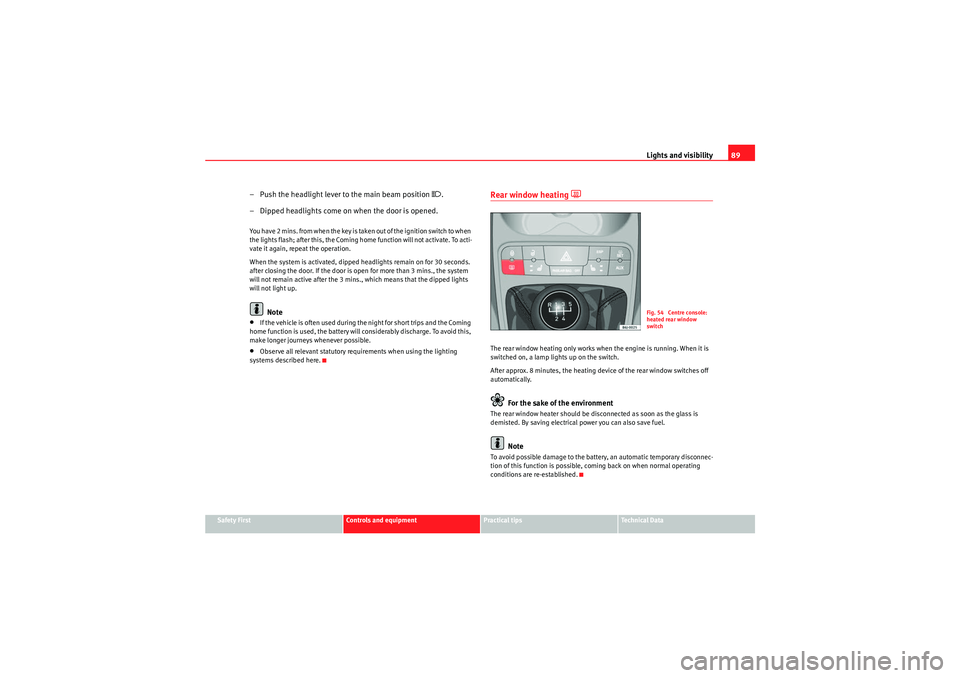
Rear window heating
The rear window heating only works when the engine is running. When it is
switched on, a lamp lights up on the switch.
After approx. 8 minutes, the heating device of the rear window switches off
automatically.
For the sake of the environment
The rear window heater should be disconnected as soon as the glass is
demisted. By saving electrical power you can also save fuel.
Note
To avoid possible damage to the battery, an automatic temporary disconnec-
tion of this function is possible, coming back on when normal operating
conditions are re-established.
Fig. 54 Centre console:
heated rear window
switch
IbizaSC_EN.book Seite 89 Mittwoch, 16. September 2009 12:11 12
Page 99 of 257
Lights and visibility97
Safety First
Controls and equipment
Practical tips
Technical Data
•Depending on the version of the model, when you engage reverse gear
and with the headlight wiper activated, the lamps are wiped.Headlight washer system
The headlight washers clean the headlight lenses.The headlight washers are activated automatically when the windscreen
washer is used and the windscreen wiper lever is pulled towards the steering
wheel for at least 1.5 seconds – provided the dipped headlights or main
beams are switched on. Clean off stubborn dirt (insects, etc.) from the head-
lights at regular intervals, for instance when filling the fuel tank.
Note
•To ensure that the headlight washers work properly in winter, keep the
nozzle holders in the bumper free of snow and remove any ice with a de-icer
spray.•To remove water, the windscreen wipers will be activated from time to
time, the headlight wipers will be activated every three cycles.Rear-view mirrorsAdjusting the head restraintsBefore beginning any journey, adjust the rear-view mirrors for correct
visibility.
Interior mirror
It is dangerous to drive if you cannot see clearly through the
rear window.Manual anti-dazzle function for interior mirror
In the basic mirror position, the lever at the bottom edge of the mirror should
be at the front. Pull the lever to the back to select the anti-dazzle function.Automatic anti-dazzle interior mirror*
The automatic anti-dazzle function can be switched on and off
as desired.Switching off anti-dazzle function
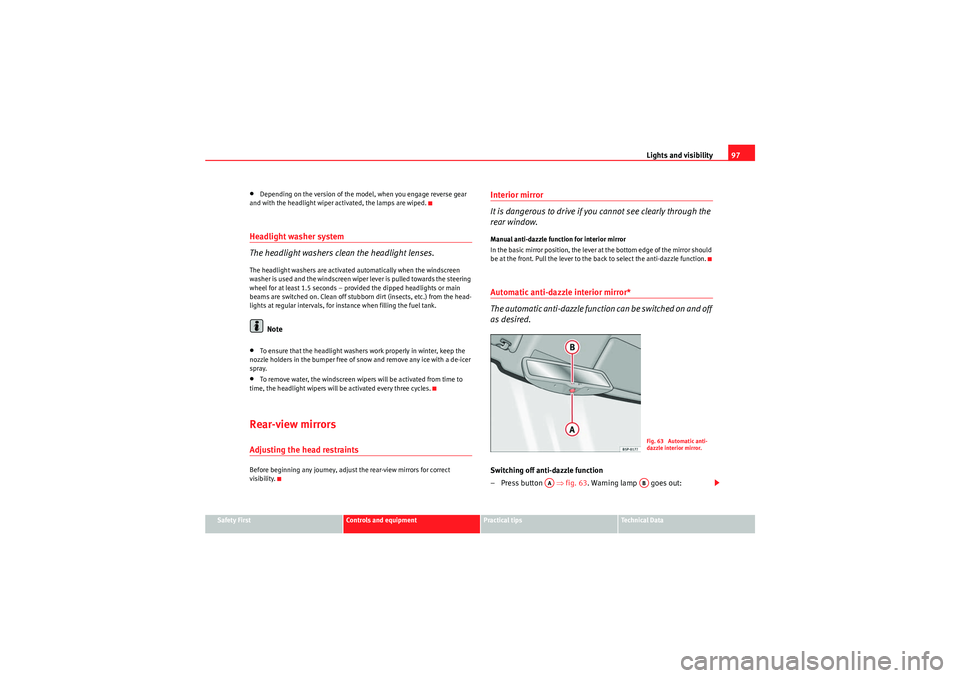
– Press button ⇒fig. 63 . Warning lamp goes out:
Fig. 63 Automatic anti-
dazzle interior mirror.
AA
AB
IbizaSC_EN.book Seite 97 Mittwoch, 16. September 2009 12:11 12
Page 101 of 257
Lights and visibility99
Safety First
Controls and equipment
Practical tips
Technical Data
– The mirrors demist for some minutes to prevent draining the
battery.
– If necessary, press the button again to repeat the function.
Fold-in wing mirrors*
–Turn the control ⇒page 98, fig. 64 to position
to fold in the
wing mirrors. You should always fold in the wing mirrors if you are
driving through an automatic car wash. This will help prevent
damage.
Folding wing mirrors back out to the extended position*
– Turn the knob to position L or R to fold the wing mirrors back out ⇒ .
WARNING
•The rear view convex or aspheric mirror increase the field of vision
however the objects appear smaller and further away in the mirrors. If you
use these mirrors to estimate the distance to vehicles behind you when
changing lane, you could make a mistake. Risk of accident.•If possible, use the interior mirror to estimate distances to vehicles
behind you.•Make sure that you do not get your finger trapped between the mirror
and the mirror base when folding back the mirrors. Risk of injury!For the sake of the environment
The exterior mirror heating should be switched off when it is no longer
needed. Otherwise, it is an unnecessary fuel waste.
Note
•If the electrical adjustment ever fails to operate, the mirrors can be
adjusted by hand by lightly pressing the edge of the mirror glass.•In vehicles with electric wing mirrors, the following points should be
observed: if, due to an external force (e.g. a knock while manoeuvring), the
adjustment of the mirror housing is altered, the mirror will have to be
completely folded electrically. D o n o t r e a d j us t t h e m i r r o r h o us i n g b y ha n d , a s
this will interfere with the mirror adjuster function.•The rear view mirrors can be adjusted separately or simultaneously, as
described before.•The fold-in function on the wing mirrors is not active at speeds over 40
km/h.
IbizaSC_EN.book Seite 99 Mittwoch, 16. September 2009 12:11 12