ignition Seat Ibiza ST 2016 Repair Manual
[x] Cancel search | Manufacturer: SEAT, Model Year: 2016, Model line: Ibiza ST, Model: Seat Ibiza ST 2016Pages: 252, PDF Size: 5.56 MB
Page 165 of 252
Driving
press the brake pedal to change the selector
l ev
er fr om po
sition N to position D.
S - Standard driving position (Sport pro-
gramme)
When the selector lever is in position S, it will
automatically change up into a higher gear
later, and change down into a low gear, if
compared with position D. This way, it is pos-
sible to take full advantage of the engine re-
serve power, depending on the engine de-
mand, driving style and speed. The braking
effect of the engine when driving downhill is
very limited. On the instrument panel display
the selected gear is shown as well as the se-
lector lever to position S.
To select gear range S, press the lock button
on the selector lever. WARNING
● As a driver ,
you should never leave your ve-
hicle if the engine is running and a gear range
is engaged. If you have to leave your vehicle
while the engine is running, you must apply
the parking brake and put the selector lever
in position P.
● If the engine is running and if D or R is en-
gaged, y
ou will need to hold the car on the
foot brake. The car will creep forward as the
power transmission is not fully interrupted
even when the engine is idling.
● Never accelerate when moving the selector
lever or y
ou may cause an accident. ●
Never mov e the sel
ector lever to R or P
when driving. Risk of accident!
● Before driving down a long, steep slope, it
is adv
isable to reduce speed and change into
a lower gear.
● If you stop the vehicle up hill, always hold
the foot brak
e strongly depressed down to
stop it from rolling back.
● Never allow the brake to rub and do not use
the brake peda
l too often or for long periods.
Constant braking will cause the brakes to
overheat and will considerably reduce the
brake effect. This increases the braking dis-
tance and could cause the brake system to
fail.
● Never allow the car to roll down a gradient
with the gear in neutr
al N, or in selector lever
position D, even if the engine is not running.
● If the vehicle moves with no control, an ac-
cident and serious
injury may occur. WARNING
Never switch the engine off until the vehicle
is s t
ationary. You could lose control of your
vehicle. This could cause an accident and se-
rious injury.
● The airbags and belt tensioners do not
work when the ignition is
switched off.
● The brake servo does not work with the en-
gine off. You need mor
e force to stop the vehi-
cle. ●
Pow er s
teering does not work when the en-
gine is not running. That is why it is much
more difficult to turn the steering wheel.
● Never remove the key from the ignition if
the vehicl
e is in motion. The steering lock
could suddenly engage, and you would not be
able to steer the vehicle. CAUTION
If you allow the vehicle to move when the en-
gine i s swit
ched off or with the selector lever
in position “N”, take your foot off the acceler-
ator and wait until the engine starts idling
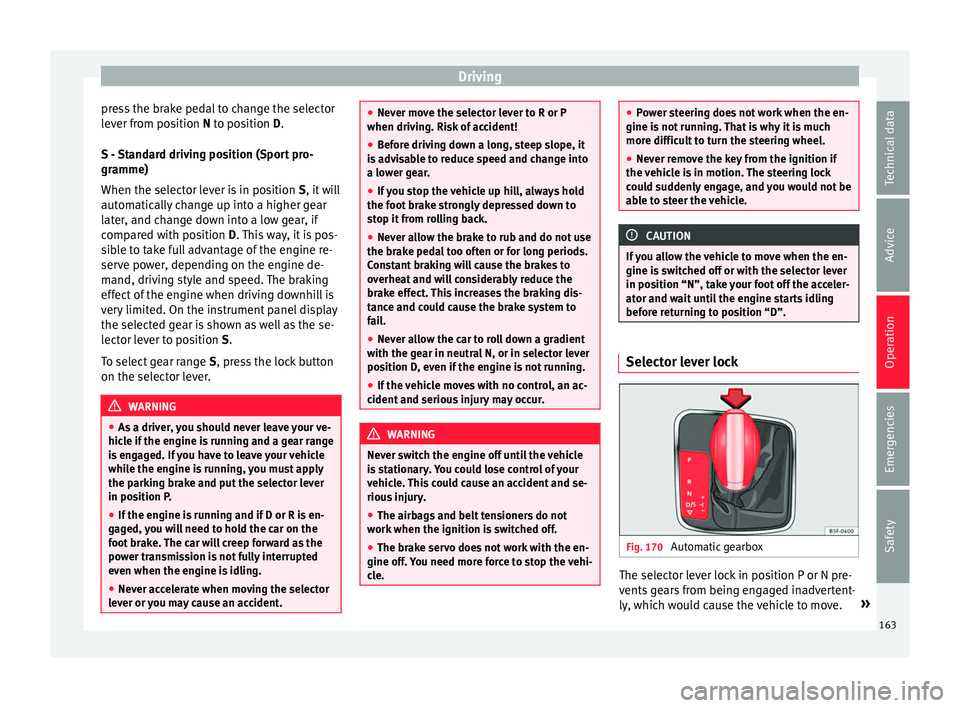
before returning to position “D”. Selector lever lock
Fig. 170
Automatic gearbox The selector lever lock in position P or N pre-
v
ents
ge
ars from being engaged inadvertent-
ly, which would cause the vehicle to move. »
163
Technical data
Advice
Operation
Emergencies
Safety
Page 166 of 252
Operation
The selector lever lock is released as follows: – Switch the ignition on.
– Press and hold the brake pedal and press
the sel ect
or l ev
er lock on the left of the se-
lector lever at the same time ››› Fig. 170.
The warning lamp on the instrument panel
lights up when the brake pedal should be ap-
plied. This is essential when the selector lev-
er is taken from the P or N positions.
Level lock only engages with the vehicle sta-
tionary at a speed of up to 5 km/h (3 mph).
At speeds of over 5 km/h (3 mph) the selec-
tor lever lock is automatically deactivated in
position N.
The selector lever lock is not engaged if the
selector lever is moved quickly through posi-
tion N (e.g. when shifting from R to D). This
makes it possible, for instance, to “rock” the
vehicle backwards and forwards if it is stuck
in snow or mud. The selector lever lock en-
gages automatically if the brake pedal is not
depressed and the lever is in position N for
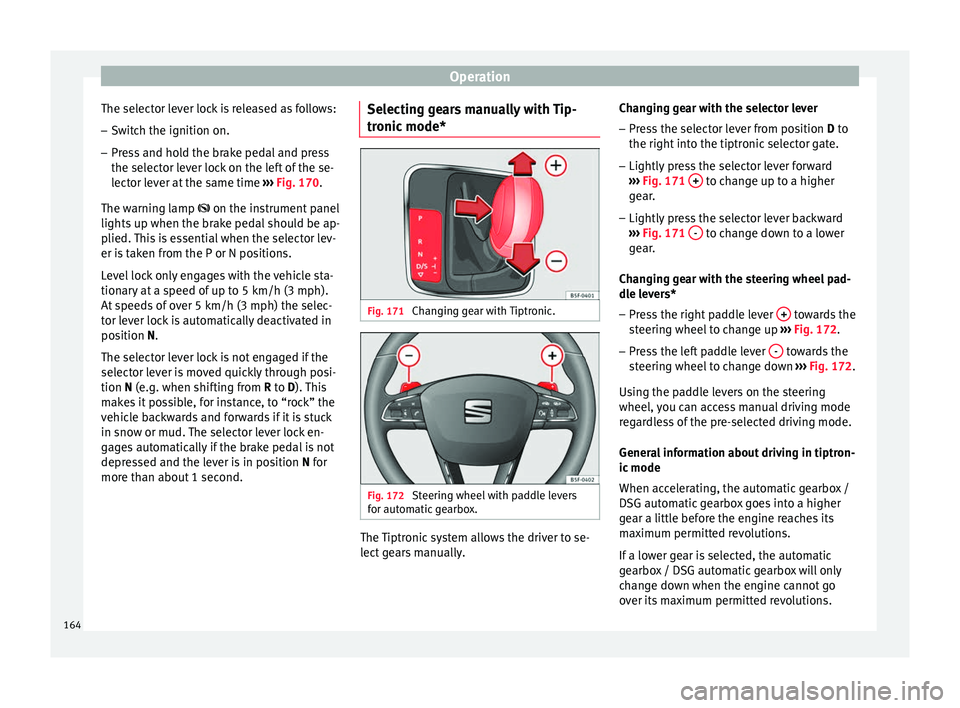
more than about 1 second. Selecting gears manually with Tip-
tronic mode*
Fig. 171
Changing gear with Tiptronic. Fig. 172
Steering wheel with paddle levers
f or aut
omatic
gearbox. The Tiptronic system allows the driver to se-
l
ect
ge
ars manually. Changing gear with the selector lever
– Press the selector lever from position D to
the right into the tiptr
onic selector gate.
– Lightly press the selector lever forward
››› Fig. 171
+ to change up to a higher
g e
ar .
– Lightly
press the selector lever backward
››› Fig. 171
- to change down to a lower
g e
ar .
Ch
anging gear with the steering wheel pad-
dle levers*
– Press the right paddle lever + towards the
s t
eerin g wheel
to change up ››› Fig. 172.
– Press the left paddle lever - towards the
s t
eerin g wheel
to change down ››› Fig. 172.
Using the paddle levers on the steering
wheel, you can access manual driving mode
regardless of the pre-selected driving mode.
General information about driving in tiptron-
ic mode
When accelerating, the automatic gearbox /
DSG automatic gearbox goes into a higher
gear a little before the engine reaches its
maximum permitted revolutions.
If a lower gear is selected, the automatic
gearbox / DSG automatic gearbox will only
change down when the engine cannot go
over its maximum permitted revolutions.
164
Page 168 of 252
Operation
put into a position for driving forwards or in
r ev
erse fr
om positions P or N if the brake
pedal is not depressed.
The ignition key cannot be removed unless
the selector lever is in position P.
Control lamp “Pressing brake pedal”
When the warning lamp next to the selector
lever lights up, press the brake pedal. This is
necessary when the automatic gearbox selec-
tor lever is moved out of positions P or N. A
text message or instructions to perform nec-
essary operations may appear on the instru-
ment panel. CAUTION
● If y ou s
top the vehicle up hills, do not at-
tempt to stop it from rolling back by depress-
ing the accelerator when a gear has been se-
lected. Otherwise, the automatic gearbox
may overheat causing damage. Pull the hand-
brake up or fully depress the brake pedal to
prevent the vehicle from rolling away.
● If you allow the vehicle to roll when the en-
gine is not ru
nning, or with the selector lever
in position N, a lack of lubrication in the auto-
matic gearbox will damage it. Kick-down feature
This feature allows maximum acceleration. If you press the accelerator down thoroughly,
the g
e
arbo x
automatically changes down, de-
pending on speed and engine speed, into a
lower gear to take full advantage of give the
vehicle maximum acceleration.
The gearbox does not change gear until the
engine reaches the maximum determined en-
gine speed for the gear. WARNING
You could lose control of the vehicle if you ac-
celer at
e on slippery road surfaces. Risk of se-
rious injury.
● Be particularly careful when using the kick-
down feat
ures on slippery road surfaces. With
a fast acceleration, the vehicle could lose
traction and skid.
● You should use the kick-down feature only
when traffic and we
ather conditions allow it
to be used safely. Gearbox malfunctions
Gearbox: Fault! Stop the ve-
hicle and place the lever in the
position P.
There is a f
ault in the gearbox. Stop the vehi-
cle in a safe place and do not continue driv-
ing. Seek specialist assistance.
Gearbox: System fault! You
may continue driving. Have the fault corrected by a specialised
workshop w
ithout
delay.
Gearbox: System fault! You
can continue driving with re-
strictions. Reverse gear disa‐
bled
Take the vehicle to a specialised workshop
and have the fault repaired without delay. Gearbox: System fault! You
can continue driving in D until
switching off the engine
Stop the vehicle in a safe place well away
from moving traffic. Seek specialist assis-
tance. Gearbox: too hot. Adapt your
driving accordingly
Continue driving at moderate speeds. When
the warning lamp switches off, you can con-
tinue driving in a normal manner. Gearbox: press the brake and
engage a gear again.
If the fault was caused by a gearbox with a
high temperature, this driver message will be
displayed when the gearbox has cooled
again.
166
Page 172 of 252
Operation
Catalytic converter To maintain the useful life of the catalytic
conv
er
ter
– Use only unleaded petrol with petrol en-
gines, as l
ead damages the catalytic con-
verter.
– Do not let the fuel get too low in the tank.
– For engine oil changes, do not replenish
with too much en
gine oil ››› page 206, Top-
ping up engine oil.
– Never tow the vehicle to start it, use jump
lea d
s if necessary ›››
page 52.
If you notice misfiring, uneven running or
loss of power when the vehicle is moving, re-
duce speed immediately and have the vehi-
cle inspected at the nearest specialised
workshop. In general, the exhaust warning
lamp will light up when any of the described
symptoms occur ›››
page 100. If this hap-
pens, unburnt fuel can enter the exhaust sys-
tem and escape into the environment. The
catalytic converter can also be damaged by
overheating. CAUTION
Never run the fuel tank completely dry be-
cause the irr e
gularity of the fuel supply may
cause ignition problems. This allows unburnt
fuel to enter the exhaust system, which could
cause overheating and damage the catalytic
converter. For the sake of the environment
Even when the emission control system is
workin g per
fectly, there may be a smell of
sulphur from the exhaust gas under some
conditions. This depends on the sulphur con-
tent of the fuel used. Quite often the problem
can be solved by changing to another brand
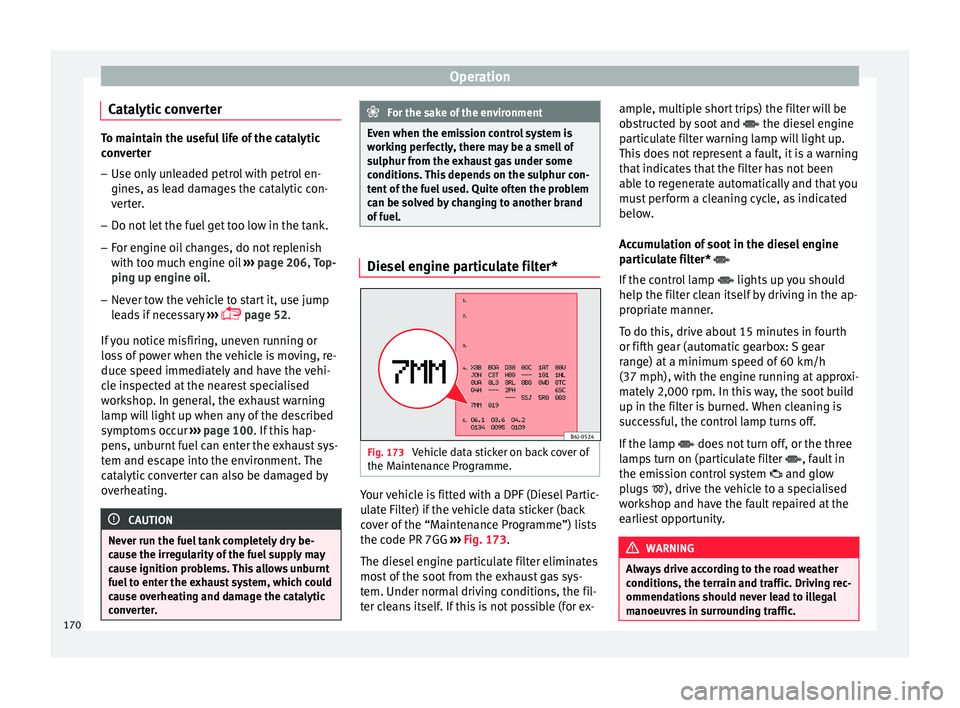
of fuel. Diesel engine particulate filter*
Fig. 173
Vehicle data sticker on back cover of
the M aint
enanc
e Programme. Your vehicle is fitted with a DPF (Diesel Partic-
u
l
at e Fi
lter) if the vehicle data sticker (back
cover of the “Maintenance Programme”) lists
the code PR 7GG ››› Fig. 173.
The diesel engine particulate filter eliminates
most of the soot from the exhaust gas sys-
tem. Under normal driving conditions, the fil-
ter cleans itself. If this is not possible (for ex- ample, multiple short trips) the filter will be
obstruct
ed by soot and the diesel engine
particulate filter warning lamp will light up.
This does not represent a fault, it is a warning
that indicates that the filter has not been
able to regenerate automatically and that you
must perform a cleaning cycle, as indicated
below.
Accumulation of soot in the diesel engine
particulate filter*
If the control lamp lights up you should
help the filter clean itself by driving in the ap-
propriate manner.
To do this, drive about 15 minutes in fourth
or fifth gear (automatic gearbox: S gear
range) at a minimum speed of 60 km/h
(37 mph), with the engine running at approxi-
mately 2,000 rpm. In this way, the soot build
up in the filter is burned. When cleaning is
successful, the control lamp turns off.
If the lamp does not turn off, or the three
lamps turn on (particulate filter , fault in
the emission control system and glow
plugs ), drive the vehicle to a specialised
workshop and have the fault repaired at the
earliest opportunity. WARNING
Always drive according to the road weather
conditions, the t err
ain and traffic. Driving rec-
ommendations should never lead to illegal
manoeuvres in surrounding traffic. 170
Page 173 of 252
Driving
CAUTION
● Your v ehic
le is not designed to use biodie-
sel fuel. Never, under any circumstances re-
fuel with biodiesel. The use of biodiesel fuel
could damage the engine and the fuel sys-
tem. The addition of biodiesel to diesel by
the diesel producer in accordance with stand-
ard EN 590 is authorised and will not cause
damage to the engine or the fuel system.
● Using diesel fuel with a high sulphur con-
tent ma
y significantly reduce the useful life of
the diesel particulate filter. Your Technical
Service will be able to tell you which coun-
tries have diesel with a high sulphur content. Engine management*
This warning lamp monitors the engine man-
ag
ement
sys
tem for petrol engines.
The warning lamp (Electronic Power Con-
trol) lights up when the ignition is switched
on while system operation is being verified. It
should go out once the engine is started.
If there is a fault in the electronic engine
management system while you are driving,
this warning lamp will light up. Take the vehi-
cle to a specialised workshop as soon as
possible and have the engine checked. Emission control system* Control lamp
flashes:
When ther
e is misfiring that can damage the
catalytic converter. Reduce speed and drive
carefully to the nearest specialised workshop
to have the engine checked.
The control lamp lights up:
If a fault has developed during driving which
has reduced the quality of the exhaust gas
(e.g. lambda probe fault). Reduce speed and
drive carefully to the nearest specialised
workshop to have the engine checked.
Engine pre-heating/fault system* The warning lamp lights up to show that the
glo
w p
lugs
are preheating the diesel engine.
The control lamp lights up
If the control lamp lights up when the en-
gine is started it means that the glow plugs
are preheating. The engine can be started
straight away when the lamp switches off.
Control lamp flashes
If a fault develops in the engine management
system while you are driving, the glow plug
system lamp will flash . Take the vehicle to
a specialised workshop as soon as possible
and have the engine checked. Driving tips
Driving abro
ad To drive abroad, the following must be taken
into con
s
ideration:
● For vehicles fitted with a catalytic converter
ensure th
at unleaded petrol is available for
the journey. See the chapter “Refuelling”. Au-
tomobile organisations will have information
about service station networks selling unlea-
ded fuel.
● In some countries, it is possible that your
car model i s
not sold, and therefore some
spare parts are not available or the technical
services may only be able to carry out limited
repairs.
SEAT importers and distributors will gladly
provide information about the technical prep-
aration that your vehicle requires and also
about necessary maintenance and repair
possibilities.
Adhesive strips for headlights
In countries where vehicles drive on the other
side of the road to your home country, the
asymmetric dipped beam may dazzle drivers
of oncoming vehicles. »
171
Technical data
Advice
Operation
Emergencies
Safety
Page 176 of 252
Operation
Activating and deactivating the Start-
St op f
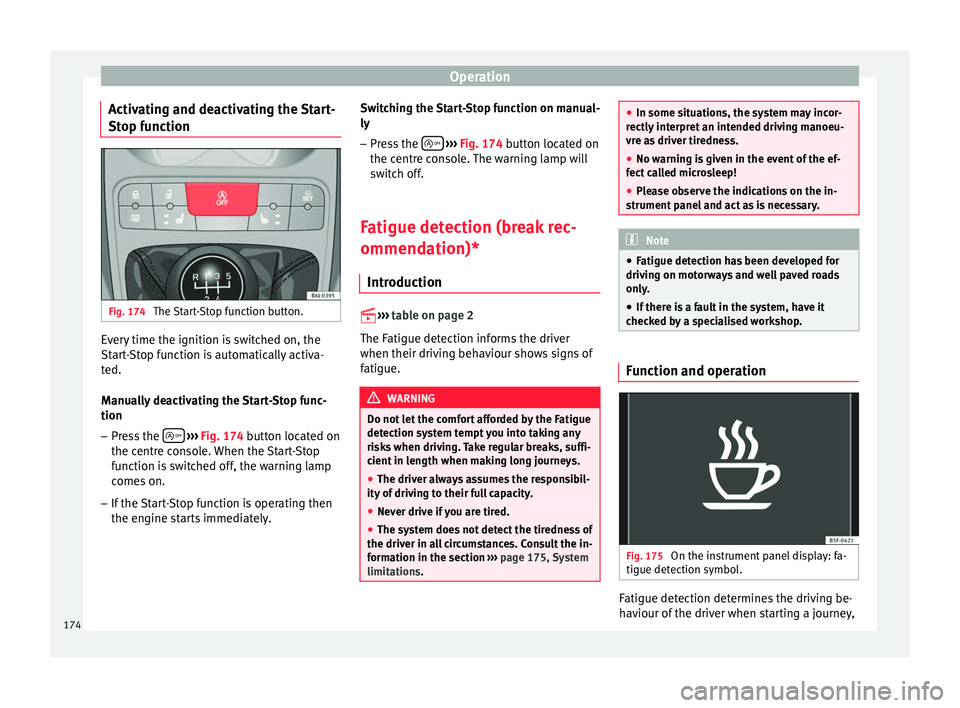
unction Fig. 174
The Start-Stop function button. Every time the ignition is switched on, the
St
ar
t-
Stop function is automatically activa-
ted.
Manually deactivating the Start-Stop func-
tion
– Press the
› ›
› Fig. 174 b
utton located on
the centre console. When the Start-Stop
function is switched off, the warning lamp
comes on.
– If the Start-Stop function is operating then
the engine star
ts immediately. Switching the Start-Stop function on manual-
ly
– Press the
› ››
Fig. 174
butt
on located on
the centre console. The warning lamp will
switch off.
Fatigue detection (break rec-
ommendation)* Introduction
››› t
able on page 2
The Fatigue detection informs the driver
when their driving behaviour shows signs of
fatigue. WARNING
Do not let the comfort afforded by the Fatigue
detection sys t
em tempt you into taking any
risks when driving. Take regular breaks, suffi-
cient in length when making long journeys.
● The driver always assumes the responsibil-
ity of drivin
g to their full capacity.
● Never drive if you are tired.
● The system does not detect the tiredness of
the driver in all
circumstances. Consult the in-
formation in the section ››› page 175, System
limitations. ●
In some situation s, the sy
stem may incor-
rectly interpret an intended driving manoeu-
vre as driver tiredness.
● No warning is given in the event of the ef-
fect ca
lled microsleep!
● Please observe the indications on the in-
strument panel
and act as is necessary. Note
● Fatigue detection h a
s been developed for
driving on motorways and well paved roads
only.
● If there is a fault in the system, have it
checked b
y a specialised workshop. Function and operation
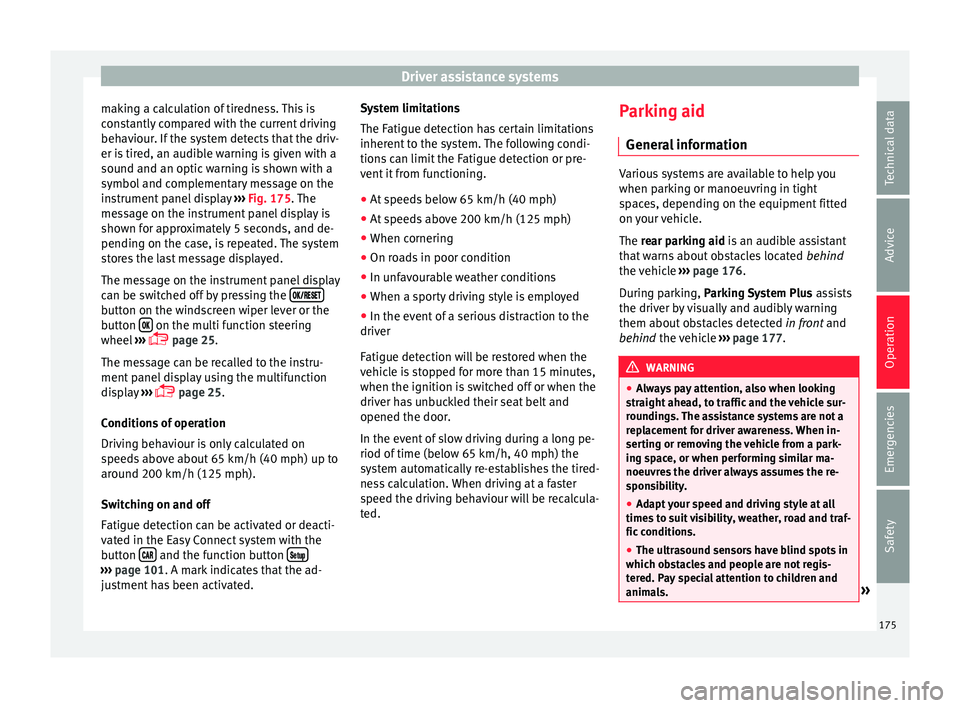
Fig. 175
On the instrument panel display: fa-
tigue det ection symbo
l. Fatigue detection determines the driving be-
h
av
iour of the driv
er when starting a journey,
174
Page 177 of 252
Driver assistance systems
making a calculation of tiredness. This is
c on
st
antly compared with the current driving
behaviour. If the system detects that the driv-
er is tired, an audible warning is given with a
sound and an optic warning is shown with a
symbol and complementary message on the
instrument panel display ››› Fig. 175. The
message on the instrument panel display is
shown for approximately 5 seconds, and de-
pending on the case, is repeated. The system
stores the last message displayed.
The message on the instrument panel display
can be switched off by pressing the button on the windscreen wiper lever or the
b
utt
on on the multi function steering
wheel
›
››
page 25.
The message can be recalled to the instru-
ment panel display using the multifunction
display ›››
page 25.
Conditions of operation
Driving behaviour is only calculated on
speeds above about 65 km/h (40 mph) up to
around 200 km/h (125 mph).
Switching on and off
Fatigue detection can be activated or deacti-
vated in the Easy Connect system with the
button and the function button
›››
page 101. A mark indicates that the ad-
ju s
tment has been activated. System limitations
The Fatigue detection h
a
s certain limitations
inherent to the system. The following condi-
tions can limit the Fatigue detection or pre-
vent it from functioning.
● At speeds below 65 km/h (40 mph)
● At speeds above 200 km/h (125 mph)
● When cornering
● On roads in poor condition
● In unfavourable weather conditions
● When a sporty driving style is employed
● In the event of a serious distraction to the
driver
Fatigue detection w
ill be restored when the
vehicle is stopped for more than 15 minutes,
when the ignition is switched off or when the
driver has unbuckled their seat belt and
opened the door.
In the event of slow driving during a long pe-
riod of time (below 65 km/h, 40 mph) the
system automatically re-establishes the tired-
ness calculation. When driving at a faster
speed the driving behaviour will be recalcula-
ted. Parking aid
General inf
ormation Various systems are available to help you
when parkin
g or m
anoeuvring in tight
spaces, depending on the equipment fitted
on your vehicle.
The rear parking aid is an audible assistant
that warns about obstacles located behind
the vehicle ››› page 176.
During parking, Parking System Plus assists
the driver by visually and audibly warning
them about obstacles detected in front and
behind the vehicle ››› page 177. WARNING
● Alwa y
s pay attention, also when looking
straight ahead, to traffic and the vehicle sur-
roundings. The assistance systems are not a
replacement for driver awareness. When in-
serting or removing the vehicle from a park-
ing space, or when performing similar ma-
noeuvres the driver always assumes the re-
sponsibility.
● Adapt your speed and driving style at all
times to s
uit visibility, weather, road and traf-
fic conditions.
● The ultrasound sensors have blind spots in
which obs
tacles and people are not regis-
tered. Pay special attention to children and
animals. » 175
Technical data
Advice
Operation
Emergencies
Safety
Page 180 of 252
Operation
Manual disconnection of Parking Aid
● Press the butt
on a
gain.
Manual disconnection of Parking Aid display
(the audible sounds remain active)
● Press a button on the main menu of the fac-
tory-
assembled infotainment system.
● OR: press the BACK function b
utton.
Automatic connection of Parking Aid ● Engage reverse gear or turn the selector
lever to po
sition R.
● OR: If the vehicle approaches an obstacle
that i
s in its forwards path at a speed below
10 km/h (6 mph) ››› page 178, Automatic ac-
tivation. The obstacle is detected as of a dis-
tance of approx. 95 cm if the automatic con-
nection is activated in the infotainment sys-
tem. A reduced display is shown.
Automatic disconnection of Parking Aid
● Move the selector lever to position P.
● OR: accelerate to more than approx.
10 km/h (6 mph) forw
ard.
Temporary suppression of sound in Parking
Aid
● Press the function button found on the
st
eering wheel. Change from reduced view to full view
●
Engage reverse gear or turn the selector
lever to po
sition R.
● OR: press the car icon in reduced view.
If nece
ssary, switch to the rear-assist image
(Rear View Camera “RVC”)
● Engage reverse gear or turn the selector
lever to po
sition R.
● OR: Press the RVC function b
utton.
A short confirmation signal will be heard and
the button symbol will light up yellow when
the system is switched on.
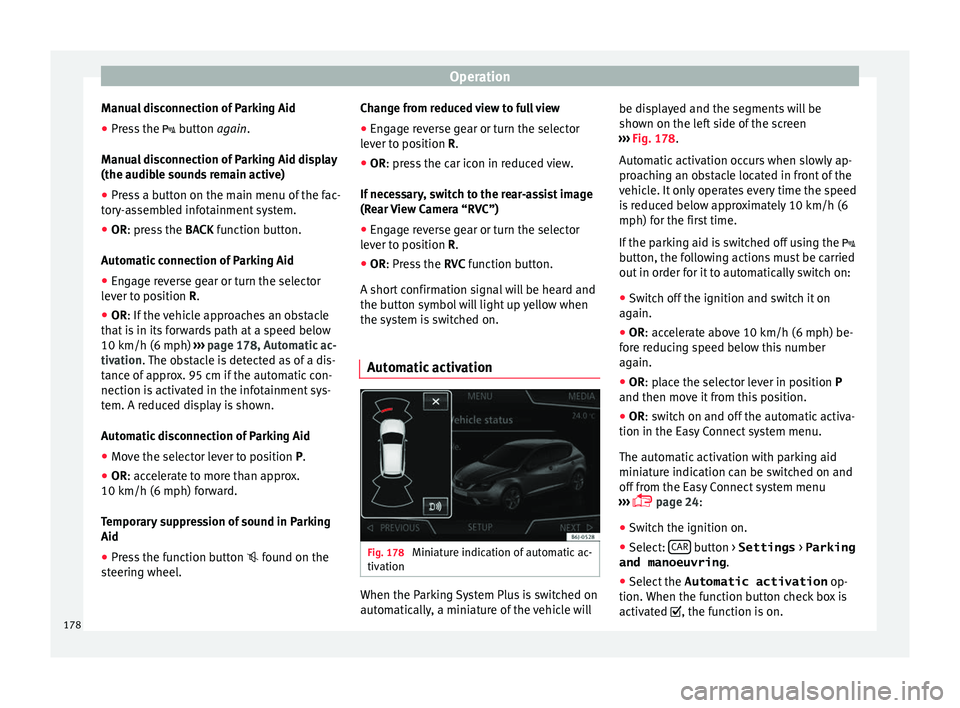
Automatic activation Fig. 178
Miniature indication of automatic ac-
tiv ation When the Parking System Plus is switched on
aut
om
atic al
ly, a miniature of the vehicle will be displayed and the segments will be
shown on the left
side of the screen
››› Fig. 178.
Automatic activation occurs when slowly ap-
proaching an obstacle located in front of the
vehicle. It only operates every time the speed
is reduced below approximately 10 km/h (6
mph) for the first time.
If the parking aid is switched off using the
button, the following actions must be carried
out in order for it to automatically switch on:
● Switch off the ignition and switch it on
again.
● OR: acc
elerate above 10 km/h (6 mph) be-
fore r
educing speed below this number
again.
● OR: place the selector lever in position P
and then move it
from this position.
● OR: switch on and off the automatic activa-
tion in the Easy
Connect system menu.
The automatic activation with parking aid
miniature indication can be switched on and
off from the Easy Connect system menu
››› page 24:
● Switch the ignition on.
● Select: CAR button > Settings
> Parking
and manoeuvring .
● Select the Automatic activation op-
tion. When the f
unction b
utton check box is
activated , the function is on.
178
Page 182 of 252
Operation
Error messages When the Parking Aid is activated or when it
is sw
it
ched on, if a message reporting a Park-
ing aid error is displayed on the instrument
panel, there is a fault in the system.
If the fault doesn't disappear before discon-
necting the ignition, next time that parking
aid is engaged in reverse, it will not be indi-
cated.
Parking System Plus*
If there is a fault in the parking aid system a
message will appear on the instrument panel
indicating the error. In addition the key
LED will blink.
If there is a fault in a sensor, the symbol is
displayed on the Easy Connect display in
front of/behind the vehicle. If a rear sensor is
faulty, only the obstacles in the areas A and
B are displayed
››
›
Fig. 176
. If a front sensor
is faulty, only the obstacles in the areas Cand
D are displayed.
Hav e the f
ault
corrected by a specialised
workshop without delay.
Towing bracket In vehicles equipped with a towing bracket
dev
ic
e fr om the f
actory, when the trailer is
connected electrically, the Parking Aid rear sensors will not be activated when reverse
gear is
engaged, when the selector lever is
turned to position R or when the button is
pressed.
Parking System Plus
The distance to possible obstacles at the rear
of the vehicle will not be displayed on the
screen and nor will it be indicated by means
of audible sound signals.
The Easy Connect system screen will only dis-
play objects detected at the front, and the ve-
hicle's trajectory will be hidden.
Rear Assist “Rear View Cam-
era”*
Operating and s
afety warnings WARNING
● The Rear As s
ist does not make it possible
to precisely calculate the distance from ob-
stacles (people, vehicles, etc.) and nor can it
overcome the system's own limits, hence us-
ing it may cause serious accidents and inju-
ries if used negligently or without due care.
The driver should be aware of his/her sur-
roundings at all times to ensure safe driving.
● The camera lens expands and distorts the
field of v
ision and displays the objects on the screen in a different, vague manner. The per-
ception of di
s
tances is also distorted by this
effect.
● Some objects may, due to the resolution of
the displ
ay screen - not be displayed in a sat-
isfactory manner or may not be displayed at
all. Take special care with thin posts, fences,
railings or trees that might not be displayed
on screen and could damage the vehicle.
● The rear assist has blind spots where it is
not poss
ible to represent people or objects
(small children, animals and certain objects
cannot be detected in its field of vision). Mon-
itor the vehicle's surrounding area at all
times.
● Keep the camera lens clean, free of ice and
snow, and do not
cover it.
● The system is not a replacement for driver
awarene
ss. Supervise the parking operation
at all times, as well as the vehicle's surround-
ing area. Adapt your speed and driving style
at all times to suit visibility, weather, road
and traffic conditions.
● Do not be distracted from the traffic by
looking at the s
creen.
● The images on the rear assist screen are
only two-dimen
sional. Due to a lack of spatial
depth, protruding parts or holes in the road,
for example, are more difficult to detect or
may not be seen at all.
● Vehicle load modifies the representation of
the orientation lines di
splayed. The width
represented by the lines diminishes with ve-
hicle load. Pay special attention to the
vehicle's surroundings when the inside of the 180
Page 183 of 252
Driver assistance systems
vehicle of the luggage compartment is carry-
ing a heavy
lo
ad.
● In the following situations, the objects or
other vehicl
es shown in the navigation sys-
tem display appear to be further away or
closer than they really are: Pay special atten-
tion:
– On moving from a horizontal plane to a
slope.
– On moving from a slope to a horizontal
plane.
– If the vehicle is heavily loaded at the
rear.
– When the vehicle approaches objects
that are not on the ground surface or are
jutting out from it. These objects may al-
so be outside the camera's angle of vi-
sion when reversing. Note
● It is impor
tant to take great care and pay
special attention if you are not yet familiar
with the system.
● Rear assist will not be available if the vehi-
cle's r
ear lid is open. Instructions for use
Fig. 180
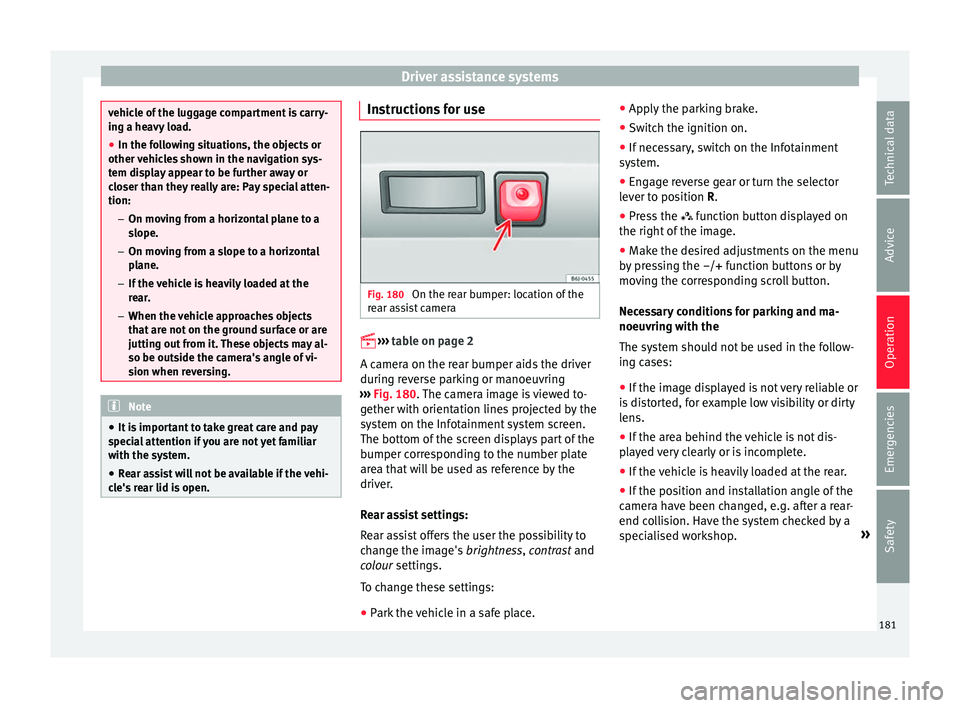
On the rear bumper: location of the
r e
ar a s
sist camera
››› t
able on page 2
A camera on the rear bumper aids the driver
during reverse parking or manoeuvring
››› Fig. 180. The camera image is viewed to-
gether with orientation lines projected by the
system on the Infotainment system screen.
The bottom of the screen displays part of the
bumper corresponding to the number plate
area that will be used as reference by the
driver.
Rear assist settings:
Rear assist offers the user the possibility to
change the image's brightness, contrast and
colour settings.
To change these settings:
● Park the vehicle in a safe place. ●
Apply the p
arking brake.
● Switch the ignition on.
● If necessary, switch on the Infotainment
system.
● En
gage reverse gear or turn the selector
lever to po
sition R.
● Press the function butt
on displayed on
the right of the image.
● Make the desired adjustments on the menu
by pre
ssing the –/+ function buttons or by
moving the corresponding scroll button.
Necessary conditions for parking and ma-
noeuvring with the
The system should not be used in the follow-
ing cases:
● If the image displayed is not very reliable or
is dis
torted, for example low visibility or dirty
lens.
● If the area behind the vehicle is not dis-
play
ed very clearly or is incomplete.
● If the vehicle is heavily loaded at the rear.
● If the position and installation angle of the
camera hav
e been changed, e.g. after a rear-
end collision. Have the system checked by a
specialised workshop. »
181
Technical data
Advice
Operation
Emergencies
Safety