radio Seat Toledo 2008 RADIO-NAVIGATION
[x] Cancel search | Manufacturer: SEAT, Model Year: 2008, Model line: Toledo, Model: Seat Toledo 2008Pages: 96, PDF Size: 3.72 MB
Page 29 of 96
MEDIA function selection button
28MEDIA main menuOverview
From the MEDIA main menu, you can start and control play-
back of various media sources.
“ Media sources ” are sources containing audio files on various different data
media (CD, SD memory cards, external MP3 player
8), etc.) that can be played
by the radio-navigation system from corresponding drives or audio input
sockets (internal CD drive, external CD changer
8), SD memory card slot, AUX-
IN power points, etc.).
The various inserted or connected media sources are selected from the Media
selection menu ⇒fig. 20 ⇒page 34, “Opening the MEDIA main menu and
selecting a media source”.
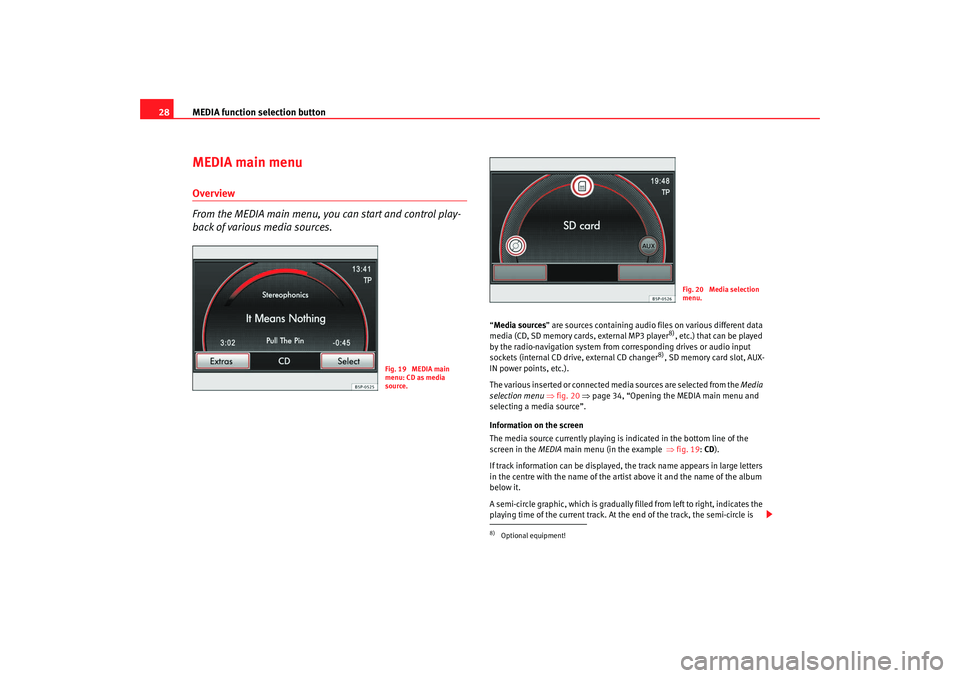
Information on the screen
The media source currently playing is indicated in the bottom line of the
screen in the MEDIA main menu (in the example ⇒fig. 19 : CD ).
If track information can be displayed, the track name appears in large letters
in the centre with the name of the artist above it and the name of the album
below it.
A semi-circle graphic, which is gradually filled from left to right, indicates the
playing time of the current track. At the end of the track, the semi-circle is
Fig. 19 MEDIA main
menu: CD as media
source.
8)Optional equipment!
Fig. 20 Media selection
menu.
media_system_ingles.book Seite 28 Donnerstag, 5. Februar 2009 3:31 15
Page 32 of 96
MEDIA function selection button31
Inserting a memory card
– Insert a compatible memory card into the memory card slot with the cut-off corner firs t and facing upwards ⇒page 3, fig. 1
until it clicks into place ⇒. Playback starts automatically
except in the following case: ⇒page 31, “Memory card empty or
data not readable”.
Displaying the memory card status
– Press the function selection button and then press the function button ⇒page 30, fig. 22.
–In the System settings, press the function button.
An information window appears showing the used memory
space and capacity of the memory card.
– The information window closes again when you press the button or .
Removing a memory card
– The unit must be prepared for card removal before you remove the memory card, otherwise the memory card may be damaged.
– Press the function selection button and then press the function button.
– Turn the setting knob until the last function button is displayed and then press this button
⇒ page 30, fig. 22.
– Push on the inserted memory card against the spring resistance and the card will “jump” to its eject position. – Remove the memory card and press to confirm the message
on the screen.
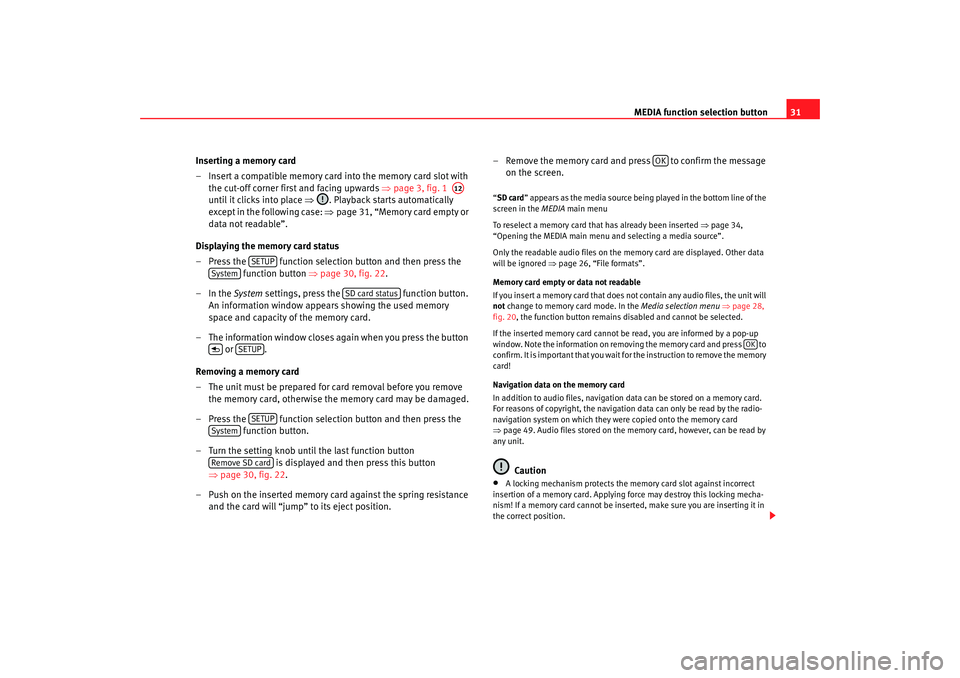
“SD card ” appears as the media source being played in the bottom line of the
screen in the MEDIA main menu
To reselect a memory card that has already been inserted ⇒ page 34,
“Opening the MEDIA main menu and selecting a media source”.
Only the readable audio files on the memory card are displayed. Other data
will be ignored ⇒ page 26, “File formats”.
Memory card empty or data not readable
If you insert a memory card that does not contain any audio files, the unit will
not change to memory card mode. In the Media selection menu ⇒ page 28,
fig. 20 , the function button remains disabled and cannot be selected.
If the inserted memory card cannot be read, you are informed by a pop-up
window. Note the information on removi ng the memory card and press to
confirm. It is important that you wait fo r the instruction to remove the memory
card!
Navigation data on the memory card
In addition to audio files, navigation data can be stored on a memory card.
For reasons of copyright, the navigation data can only be read by the radio-
navigation system on which they were copied onto the memory card
⇒ page 49. Audio files stored on the memory card, however, can be read by
any unit.
Caution
•
A locking mechanism protects the memory card slot against incorrect
insertion of a memory card. Applying force may destroy this locking mecha-
nism! If a memory card cannot be inse rted, make sure you are inserting it in
the correct position.
A12
SETUP
System
SD card status
SETUP
SETUP
SystemRemove SD card
OK
OK
media_system_ingles.book Seite 31 Donnerstag, 5. Februar 2009 3:31 15
Page 33 of 96
MEDIA function selection button
32•
Never remove a memory card while data from a navigation CD are being
copied to it ⇒ page 50, “Copying process”.Note
Refer to the notes on requirements for data media, folders and playlists
⇒page 25.Connecting an external audio source to the AUX-IN socket
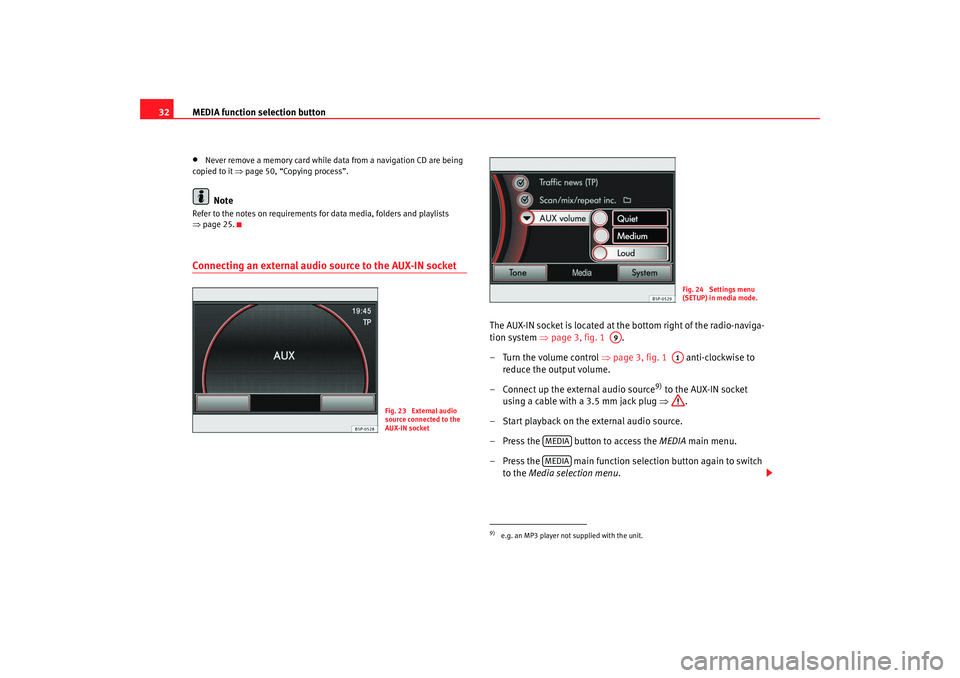
The AUX-IN socket is located at the bottom right of the radio-naviga-
tion system ⇒page 3, fig. 1 .
– Turn the volume control ⇒page 3, fig. 1 anti-clockwise to
reduce the output volume.
– Connect up the external audio source
9) to the AUX-IN socket
using a cable with a 3.5 mm jack plug ⇒.
– Start playback on the external audio source.
– Press the button to access the MEDIA main menu.
– Press the main function selection button again to switch to the Media selection menu .
Fig. 23 External audio
source connected to the
AUX-IN socket
9)e.g. an MP3 player not supplied with the unit.
Fig. 24 Settings menu
(SETUP) in media mode.
A9
A1
MEDIAMEDIA
media_system_ingles.book Seite 32 Donnerstag, 5. Februar 2009 3:31 15
Page 34 of 96
MEDIA function selection button33
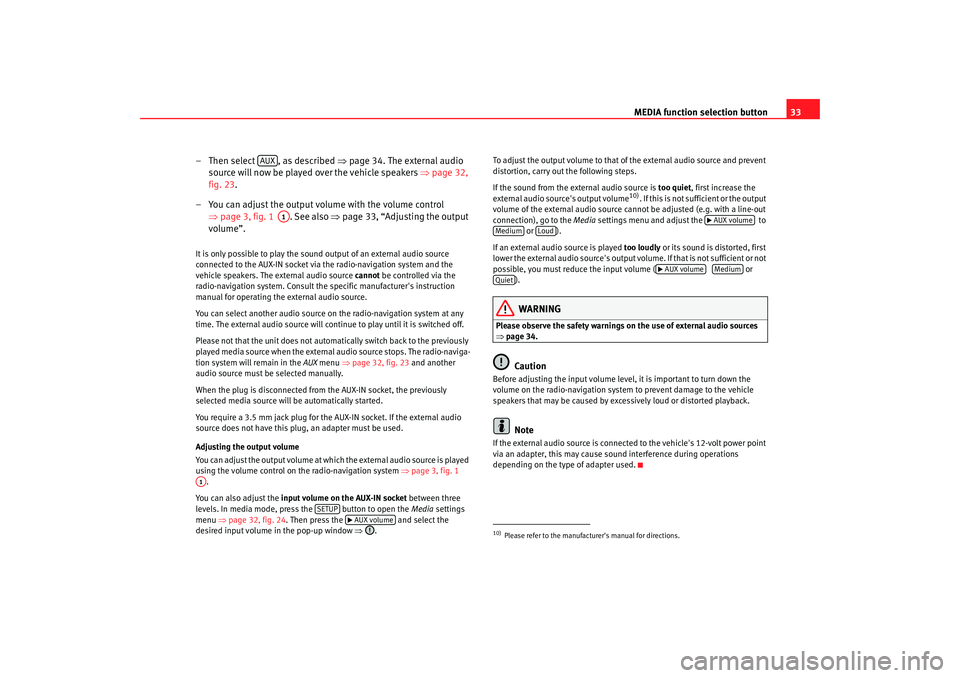
– Then select , as described ⇒page 34. The external audio
source will now be played over the vehicle speakers ⇒page 32,
fig. 23 .
– You can adjust the output volume with the volume control ⇒page 3, fig. 1 . See also ⇒page 33, “Adjusting the output
volume”.
It is only possible to play the sound output of an external audio source
connected to the AUX-IN socket via the radio-navigation system and the
vehicle speakers. The external audio source cannot be controlled via the
radio-navigation system. Consult the specific manufacturer's instruction
manual for operating the external audio source.
You can select another audio source on the radio-navigation system at any
time. The external audio source will continue to play until it is switched off.
Please not that the unit does not automatically switch back to the previously
played media source when the external audio source stops. The radio-naviga-
tion system will remain in the AUX menu ⇒page 32, fig. 23 and another
audio source must be selected manually.
When the plug is disconnected from the AUX-IN socket, the previously
selected media source will be automatically started.
You require a 3.5 mm jack plug for the AUX-IN socket. If the external audio
source does not have this plug, an adapter must be used.
Adjusting the output volume
You can adjust the output volume at which the external audio source is played
using the volume control on the radio-navigation system ⇒page 3, fig. 1
.
You can also adjust the input volume on the AUX-IN socket between three
levels. In media mode, press the button to open the Media settings
menu ⇒page 32, fig. 24 . Then press the and select the
desired input volume in the pop-up window ⇒. To adjust the output volume to that of
the external audio source and prevent
distortion, carry out the following steps.
If the sound from the external audio source is too quiet, first increase the
external audio source's output volume
10). If this is not sufficient or the output
volume of the external audio source cannot be adjusted (e.g. with a line-out
connection), go to the Media settings menu and adjust the to
or ).
If an external audio source is played too loudly or its sound is distorted, first
lower the external audio source's output vo lume. If that is not sufficient or not
possible, you must reduce the input volume ( or
).
WARNING
Please observe the safety warnings on the use of external audio sources
⇒ page 34.
Caution
Before adjusting the input volume level, it is important to turn down the
volume on the radio-navigation system to prevent damage to the vehicle
speakers that may be caused by excessively loud or distorted playback.
Note
If the external audio source is connected to the vehicle's 12-volt power point
via an adapter, this may cause soun d interference during operations
depending on the type of adapter used.
AUX
A1
A1
SETUP
AUX volume
10)Please refer to the manufactur er's manual for directions.
AUX volume
Medium
Loud
AUX volume
Medium
Quiet
media_system_ingles.book Seite 33 Donnerstag, 5. Februar 2009 3:31 15
Page 36 of 96
MEDIA function selection button35
– Press the function selection button to open the MEDIA
main menu ⇒ page 34, fig. 25 . The media source currently
plating is indicated in the bottom line of the screen (in the
example ⇒page 34, fig. 25 : CD ).
– If a number of media sources are currently available, pres the function selection button to switch to the Media selection
menu ⇒page 34, fig. 26 .
– Then select the desired media source by pressing the symbol on the screen or turning and pressing the setting knob.
– You can also select the available media sources one after the other by pressing the function selection button as often
as required.
If a media source that has already been played is selected again, playback is
resumed from the point that was last played
11).
If no media source is available becaus e no data medium is currently inserted
or connected, the MEDIA main menu cannot be opened. A message informing
the user appears when the functi on selection button is pressed.
If a media source is currently unavailable, its function button is displayed as
disabled (e.g. ).
Available media source in the Media selection menu
CD – changes to playback of a CD loaded in the internal CD drive ⇒page 29.
SD card – changes to playback of an inserted memory card ⇒page 30.
AUX – switches to playback of an external audio source
12) ⇒ page 32
connected to the AUX-IN socket ⇒page 3, fig. 1 . Other sources that may be displayed:
– switches to playback of an external data medium
12) connected to an
optionally fitted MEDIA-IN
13) multi-media interface ⇒page 41, “MEDIA-IN
multi-media interface (MDI)” .
BT-Audio - This source is not available. Make sure the “enable BT Audio”
option in the “Media Settings” menu is not selected so that it does not
appear in the selection menu.
Note
•
An external audio source connected to the AUX-IN socket cannot be oper-
ated via the radio-navigation system. Playback must be enabled in the
external source itself to listen to audio from a source connected to the AUX-IN
socket. Refer to the relevant manufacturer's manual, if required.
•
Refer to the notes on requirements for data media, folders and playlists
⇒ page 25.
11)Exception: audio source connected by AUX-IN.12)e.g. an MP3 player not supplied with the unit.
MEDIA
MEDIA
MEDIAMEDIA
AUX
A9
13)Optional equipment!MDI
media_system_ingles.book Seite 35 Donnerstag, 5. Februar 2009 3:31 15
Page 41 of 96

MEDIA function selection button
40Playing order of files and foldersThe equipment plays the MP3s stored on a data media in the following order.
The illustration shows a typical MP3 CD that contains tracks, folders and
subfolders.
•
Playback commences with the first trac k of the “root directory” of the CD.
For example, there are two titles and in the root directory.
•
Once the tracks from the root directory have been played, the tracks in the
folders are next, following the same order as they are found in the data
media. For example, there are two main folders in the root directory: F1 and
F2 . The folder F1 is found in the first place within the root directory, which
means that the two files in it ( and ) will be played immediately after
those in the root directory.
•
Once the tracks from the first folder have been played, the tracks in the
subfolders are next, following the same order as they are found in the data
media. For example, folder F1 has two subfolders: F1.1 and F1.2, which
contains a subfolder F1.1.1 within F1.1. The unit first plays all the tracks in
subfolder F1.1 , then switches to subfolder F1.1.1 and plays the tracks in
that subfolder Once all of the tracks from subfolder F1.1.1 have been
played, subfolder F1.2 is next, and the tracks in . If there are more
subfolders within F1.2, the unit changes to those folders as described above.
•
Once all of the files in the first fo lder of the root directory (and the
subfolders) have been played, the files in the next folder are played, in the
order described above. For example, tracks and in folder F2.
•
The track that is currently playing is highlighted in the radio-navigation
system's track list ⇒page 36, fig. 27. The name of the folder currently being
played appears in the bottom line of the screen. If the track is in the root direc-
tory of the data media, only the name of the data media is shown.Note
•
The unit also supports playlists and treats them like folders when playing
files.
•
Refer to the notes on requirements for data media, folders and playlists
⇒ page 25.
Fig. 31 Example of an
MP3 CD structure.
A1
A2
A3
A4
A5A6
A7
A8
A9
media_system_ingles.book Seite 40 Donnerstag, 5. Februar 2009 3:31 15
Page 42 of 96
MEDIA function selection button41
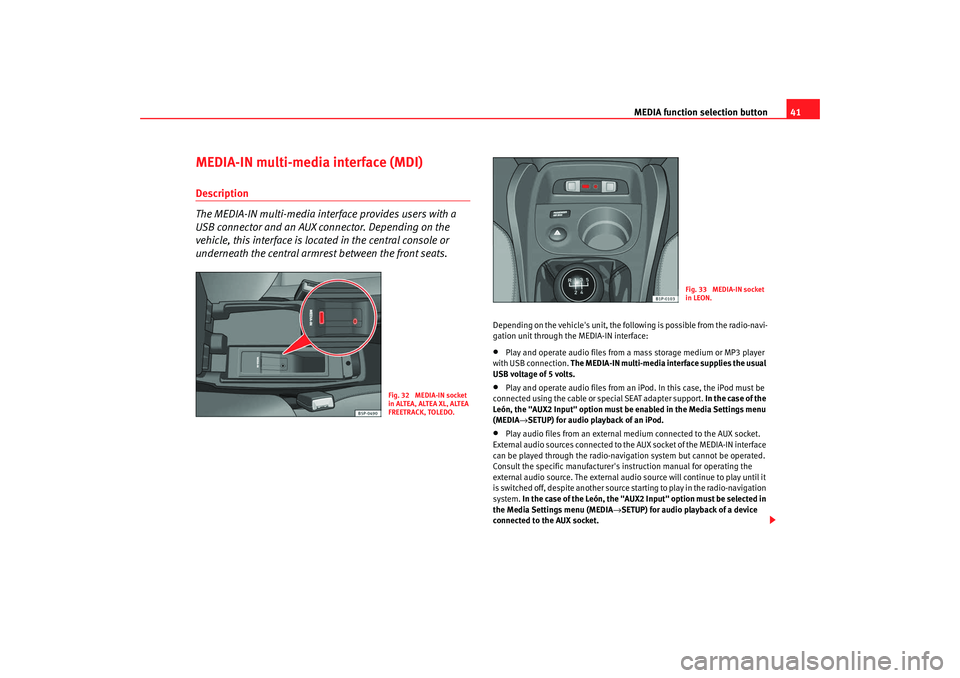
MEDIA-IN multi-media interface (MDI)Description
The MEDIA-IN multi-media interface provides users with a
USB connector and an AUX connector. Depending on the
vehicle, this interface is located in the central console or
underneath the central armrest between the front seats.
Depending on the vehicle's unit, the following is possible from the radio-navi-
gation unit through the MEDIA-IN interface:•
Play and operate audio files from a mass storage medium or MP3 player
with USB connection. The MEDIA-IN multi-media interface supplies the usual
USB voltage of 5 volts.
•
Play and operate audio files from an iPod. In this case, the iPod must be
connected using the cable or special SEAT adapter support. In the case of the
León, the "AUX2 Input" option must be enabled in the Media Settings menu
(MEDIA →SETUP) for audio playback of an iPod.
•
Play audio files from an external medium connected to the AUX socket.
External audio sources connected to the AUX socket of the MEDIA-IN interface
can be played through the radio-navigation system but cannot be operated.
Consult the specific manufacturer's instruction manual for operating the
external audio source. The external audio source will continue to play until it
is switched off, despite another source starting to play in the radio-navigation
system. In the case of the León, the "AUX2 Input" option must be selected in
the Media Settings menu (MEDIA →SETUP) for audio playback of a device
connected to the AUX socket.
Fig. 32 MEDIA-IN socket
in ALTEA, ALTEA XL, ALTEA
FREETRACK, TOLEDO.
Fig. 33 MEDIA-IN socket
in LEON.
media_system_ingles.book Seite 41 Donnerstag, 5. Februar 2009 3:31 15
Page 43 of 96
MEDIA function selection button
42•
If the vehicle is equipped with a Rear Seat Entertainment system, audio
from a portable multi-media device connected to the AUX RSE socket can be
played through the radio-navigation system. To play audio from a device
connected to this socket, enable the "AUX2 Input" option in the Media
Settings menu (MEDIA →SETUP) . Make sure no other multi-media device or
audio cable is connected to the MEDIA-IN interface, as these take playback
priority over the AUX2 input. Refer to the Rear Seat Entertainment system
manual for further information.
WARNING
The risk of injury during a sudden braking manoeuvre or in an accident is
increased if the glove compartment cover or armrest is open.•
Always keep the glove compartment and armrest closed while the
vehicle is in motion.WARNING
Loose objects inside the vehicle may obst ruct the driver and lead to serious
injuries.•
The external audio data medium must never be placed on the instru-
ment panel. A sudden driving manoeuvre could cause the device to be flung
through the vehicle interior and injure occupants.
•
The external audio source must never be placed close to an airbag. If an
airbag is triggered, the device could be flung towards the compartment and
injure the vehicle passengers.
•
Occupants must not have the data medium in their hands or placed on
their legs while the vehicle is in motion. A sudden driving manoeuvre could
cause the device to be flung through the vehicle interior and injure occu-
pants.
•
The wires connecting the external data medium must be arranged so
they do not obstruct you when driving.
Note
•
Only audio files readable through th e MEDIA-IN socket will be displayed
and played. Where a medium connected contains damaged files or files in
unreadable formats, these will not be displayed.
•
USB connection takes priority over the MEDIA-IN interface AUX socket.
Either of these, or an iPod adapter where applicable, takes priority over the
AUX RSE socket. Therefore, to play audio from a medium connected to the
AUX RSE socket, make sure there is no device or cable connected to the
MEDIA-IN interface.
•
You can disconnect the connection with the external medium whenever
required without losing data, independent to the indications of the external
data media.
External data media requirements •
The unit only supports external data media and USB mass storage devices
that comply with the USB 2.0 specifications.
•
External data media must use a FAT file system, either FAT16 (< 2 GB) or
FAT32 (> 2 GB) (FAT: File Allocation Table)
•
In the case of MTP players (Media Transfer Protocol), which have the
“PlaysForSure” or “ReadyForVista” logo, factors such as the battery status
and the quantity of data may affect the way these devices respond to commu-
nication via the MEDIA-IN multi-media in terface. It may take several minutes
before the MTP player is ready to play.
•
When playing files from large hard drive memories with many files and
complex file structures (a large numbe r of folders and subfolders, non-play-
able files, etc.), there may be delays in the reading of audio files. The
connected device may also affect the unit's response time.
•
The folder structure on the external data medium should not have more
than eight folder levels. A folder should not contain more than 1000 items.
media_system_ingles.book Seite 42 Donnerstag, 5. Februar 2009 3:31 15
Page 44 of 96
MEDIA function selection button43
•
USB extension cables and USB hubs may not be used to connect up an
external data medium.
•
If a data medium is divided into several partitions, only the first partition
with compatible audio files will be used.
•
The unit does not support memory card adapters and these may lead to
malfunctions.
•
Malfunctions may occur if the software on an external MP3 player has
been updated with a manufacturer's firmware guarantee.
•
It may be necessary to switch on the eternal data medium or select the
appropriate data mode.
•
Please refer to the respective manufact urer's manual for instructions on
the operation of the external data medium.
Supported file formats The operation and performance of the playable file formats on the unit are the
same as for MP3 compressed audio files and are therefore not described
separately here.•
The radio-navigation system can play and control audio files of the
formats MP3, WMA, OGG Vorbis and AAC from an external data medium.
•
The unit supports playlists in the formats PLS, B4S, ASX and WPL.
•
The unit cannot play WMA audio files (Windows Media Audio) that are
copyright protected by the DRM process (Digital Rights Management).
•
In general, no copyright protected files can be played (e.g. M4P).
•
It is not possible to play files in 3GP format or “WMA lossless” files.
Note that there are no MP3 files stored in a playlist. A playlist only determines
a certain playing order. If a playlist cannot be played, check that the “relative
paths” are correct, i.e. that the MP3 files on the data medium are actually
stored at the locations referenced by the playlist.
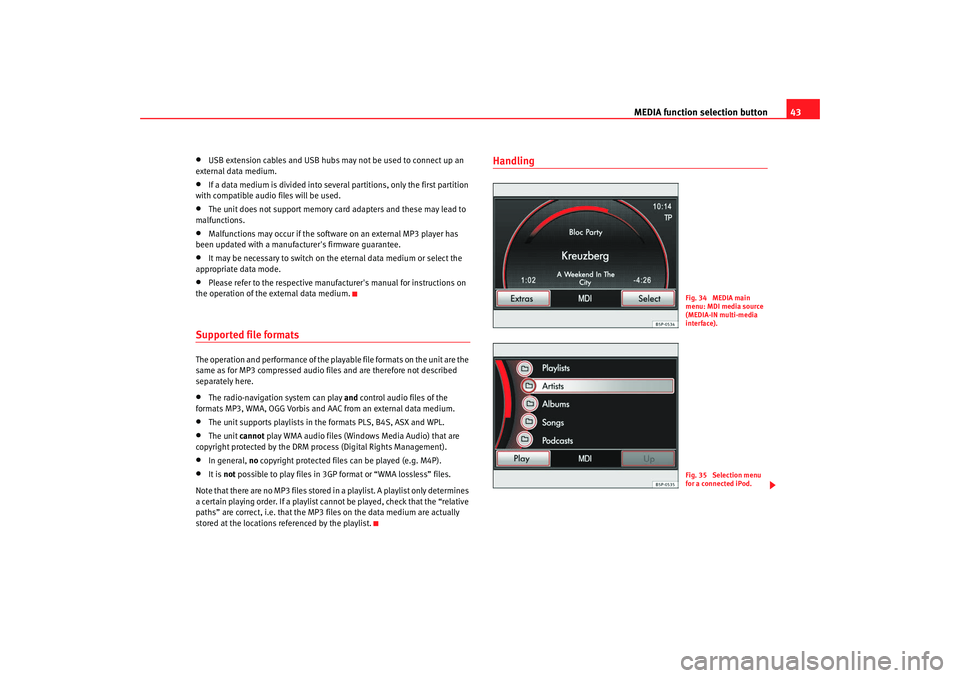
Handling
Fig. 34 MEDIA main
menu: MDI media source
(MEDIA-IN multi-media
interface).Fig. 35 Selection menu
for a connected iPod.
media_system_ingles.book Seite 43 Donnerstag, 5. Februar 2009 3:31 15
Page 45 of 96
MEDIA function selection button
44
Connecting a mass storage device or MP3 player with USB
connection
– Connect the device to the USB connector of the MEDIA-IN inter-face.
– If necessary, start playback on the external medium.
Connecting an iPod
– Connect the iPod using the cable or special SEAT adapter support.
– In the case of the León, the "AUX2 Input" option must be enabled in the Media Settings menu (MEDIA →SETUP) for audio playback
of an iPod.
Connecting an external medium to the AUX socket
– Connect the medium to the AUX socket of the MEDIA-IN interface using the appropriate cable.
– In the case of the León, the "AUX2 Input" option must be selected in the Media Settings menu (MEDIA →SETUP) for audio playback
of a device connected to the AUX socket.
Handling via the radio-navigation system
– Press the “MEDIA” function selection button to open the MEDIA main menu.
– Press the “MEDIA" function selection button again if the main menu is not directly opened.
– Select the “MDI” source from the MEDIA main menu. – Further operation of the external data medium-
USB or iPod-
(changing track, selecting tracks and playback modes such as
scan and random play) is described in the appropriate chapters
of this manual - “Opening and operating media sources”.
– If an iPod is connected to the MEDIA-IN multi-media interface, a special iPod selection menu opens at the highest selection level,
allowing you to call up the iPod specific directories.
iPod
The selection menu for controlling a connected iPod always has the same
structure and can be operated in the usual way. Other aspects of operation
are the same as for a media source with MP3 files inserted into the radio-navi-
gation system.
Direct operation of the connected iPod is disabled while it is connected to the
multi-media interface.
When an iPod is connected, it is possible to adjust the input volume of the
multi-media interface.
Pressing the function sel ection button opens the Media settings
menu. There you can adjust the input volume by pressing the
function button, similar to the adjustment of the ⇒ page 33,
“Adjusting the output volume”.
Error messages and anomalies
The following error message may appear on the screen after an external data
medium is connected to the unit.
If the message “ Device is not supported” appears, then the external data
medium cannot be operated with the radio-navigation system or the adapter
cable used is not suitable. Check whether you are using the correct adapter
cable or, if possible, update the software of the external data medium and the
MEDIA-IN multi-media interface.
SETUP
MDI volume
AUX volume
media_system_ingles.book Seite 44 Donnerstag, 5. Februar 2009 3:31 15