instrument panel Seat Toledo 2014 Owner's Guide
[x] Cancel search | Manufacturer: SEAT, Model Year: 2014, Model line: Toledo, Model: Seat Toledo 2014Pages: 200, PDF Size: 4.37 MB
Page 113 of 200

Driver assistance systems
●
To ensure that the parking aid system
works properly, the sensors must be kept
clean (e.g. free of ice).
● If the parking aid system is switched on
when the automatic gearbox selector lever is
in position P, the acoustic signal will be inter-
rupted (the car cannot be moved). Cruise control*
Introduction The cruise control system allows you to drive
at a constant speed of 30 km/h (19 mph) or
higher without having to press the accelera-
tor. However, the speed is only maintained
within the margin permitted by the engine
power and the braking effect of the engine.
The
warning lamp lights up on the general
instrument panel if cruise control is switched
on. WARNING
● For safety reasons the cruise control sys-
tem must not be used in dense traffic or
where roads conditions are poor (e.g. due to
ice, aquaplaning, loose grit, snow). – Risk of
accident!
● The programmed speed can only be re-es-
tablished if it is not too high for current traf-
fic conditions. ●
Always switch the cruise control system off
after using it in order to avoid involuntary
use. CAUTION
● The cruise control cannot maintain a con-
stant speed when the vehicle is moving
downhill. The vehicle tends to accelerate un-
der its own weight. Therefore, shift down or
use the brake pedal in good time to slow the
vehicle. Note
● In vehicles with an automatic gearbox, the
cruise control system cannot be switched on
if the selector lever is in position P, N or R.
● In vehicles with a manual gearbox, the
cruise control cannot be switched on if first
gear or reverse gear is engaged. Setting speed
Fig. 97
Turn signal and main beam headlight
lever: cruise control buttons. Setting speed
– Move knob A
››› Fig. 97 to the ON posi-
tion.
– Briefly press rocker switch B in
SET
posi-
tion when
you have reached the speed you
wish to set.
On releasing rocker switch B in
SET
, the cur-
r
ent speed is stored and will remain constant
without having to press the accelerator ped-
al.
111
Technical specifications
Advice
Operation
Safety
Page 114 of 200
Operation
Adjusting set speed Increasing speed by pressing the accelerator
pedal
–
Press the accelerator to increase the speed
of the vehicle.
– Release the accelerator and the previously
programmed speed will be resumed.
If, when pressing the accelerator, the vehicle
exceeds the programmed speed by more
than 10 km/h (6 mph) for more than 3 mi-
nutes, the set speed will be deleted. The
speed will have to be stored again.
Increasing speed by pressing switch B–
Press rocker switch B
›››
Fig. 97
››› page 111 in
RES.
– If the button is held down in the RES posi-
tion, the speed inc
reases continuously. Re-
lease the switch when the required speed
is reached. The speed is stored.
Setting a lower speed
– The set speed can be reduced by pressing
swit
ch B
›››
Fig. 97 ›
› ›
page 111 in SET.
– If the button is held down in the SET posi-
tion, the speed dec
reases continuously. Re-
lease the switch when the required speed
is reached. The speed is stored.
– On releasing the switch at speeds of less
than 30 km/h (19 mph), no speed will be set and the memory will be deleted. The ve-
hicle must be moving at a speed of over
30 km/h (19 mph) and switch
B pressed
again to SET
for it to be set.
The s
peed can be reduced by pressing the
brake pedal, which temporarily switches off
the cruise control.
Switching off cruise control
temporarily Cruise control
is switched off temporarily by
pressing switch A
››› Fig. 97
›
›› p
age 111 in
CANCEL or by pressing the brake or clutch
pedal.
The set speed is stored.
To
recover the set speed, briefly press switch
B in
RES
once you have released the brake
or c
lutch pedal.
Switching off cruise control
completely –
Move knob A
›››
Fig. 97 ›››
page 111 to
OFF . St
ar
t-Stop* System
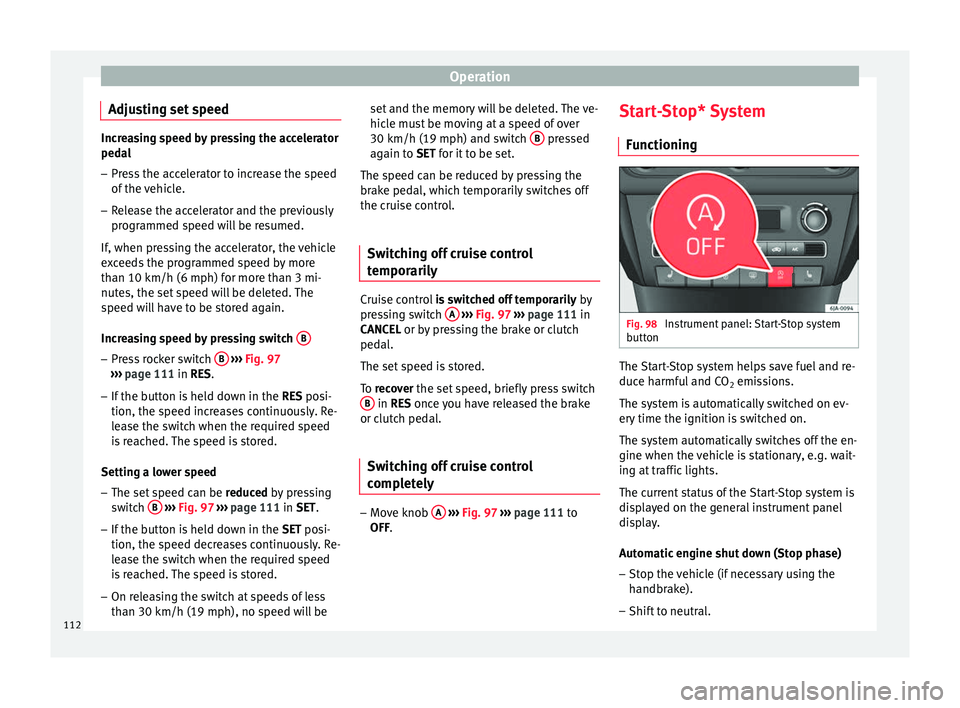
Functioning Fig. 98
Instrument panel: Start-Stop system
button The Start-Stop system helps save fuel and re-
duce harmful and CO
2 emissions.
The system is automatically switched on ev-
ery time the ignition is switched on.
The system automatically switches off the en-
gine when the vehicle is stationary, e.g. wait-
ing at traffic lights.
The current status of the Start-Stop system is
displayed on the general instrument panel
display.
Automatic engine shut down (Stop phase)
– Stop the vehicle (if necessary using the
handbrake).
– Shift to neutral.
112
Page 115 of 200

Driver assistance systems
– Release the clutch pedal.
Automatic engine start up (Start phase)
– Press the clutch.
Switching the Start-Stop system on and off
The Start-Stop system can be switched on
and off by pressing the
››› Fig. 98 button.
The w arnin
g lamp in the button will light up
when the system is switched off.
If the vehicle is in Stop phase when the but-
ton is pressed, the engine will start immedi-
ately.
The Start-Stop system works under complex
driving conditions that are difficult to detect
without specialist technology. The set of nec-
essary conditions for the correct operating of
the Start-Stop system are indicated below.
Conditions for automatic engine shut down
(Stop phase)
● Selector lever in neutral.
● Clutch pedal not pressed.
● Driver with seat belt fastened.
● Driver door closed.
● The bonnet closed.
● Vehicle stationary.
● The factory-fitted towing bracket is not elec-
trically connected to a trailer. ●
Engine at operating temperature.
● Vehicle's battery sufficiently charged.
● Vehicle not on a very steep slope
● Engine speed below 1,200 rpm.
● Vehicle battery temperature is neither too
high nor too low.
● Sufficient brake system pressure.
● Difference between outside temperature
and set interior temperature not too great
● Vehicle speed since the last time the en-
gine started was above 3 km/h (2 mph).
● Particulate filter not being cleaned
››› page 37.
● Front
wheels not overly turned (steering
wheel turned less than three quarters of a
turn)
Conditions for engine start up (Start phase)
● Clutch pedal pressed.
● Max./min. temperature set.
● Windscreen defrost function switched on.
● High blower speed.
● Start-Stop button pressed.
Conditions for automatic engine start up
without driver involvement
● Vehicle moving at a speed of over 3 km/h
(2 mph). ●
Difference between outside temperature
and interior temperature is too great
● Vehicle's battery insufficiently charged.
● Insufficient brake system pressure.
If the driver seat belt is unfastened for more
than 30 seconds in Stop phase, the engine
must be started using the ignition key.
Please observe the messages on the general
instrument panel display.
Warnings on the instrument panel display
(valid for vehicles not fitted with an
informative display)FAULT: Start-StopFault in the Start-Stop sys-
tem
START-STOP IMPOSSIBLEEngine cannot be auto-
matically shut down
START-STOP ACTIVEAutomatic engine shut
down (Stop phase)
SWITCH OFF IGNITIONSwitch the ignition off
START MANUALLYStart the engine manually WARNING
● If the engine is switched off, neither the
brake servo nor the power steering will work.
● Do not move the vehicle when the engine is
switched off. » 113
Technical specifications
Advice
Operation
Safety
Page 117 of 200

Towing bracket device
altitude, this also reduces climbing ability,
which requires a reduction of the weight of
the vehicle with a trailer by 10% for every
1000 m increase in altitude. The weight of
the assembly is calculated by adding the ve-
hicle weight (loaded) to the trailer weight
(loaded). Always drive with special care when
towing a trailer.
The towed load and support load information
that is displayed on the towing bracket man-
ufacturers label are only values for the verifi-
cation of the device. The correct figures for
your specific vehicle, which are usually lower
than these figures, are given in the documen-
tation of your vehicle. WARNING
● Exceeding the maximum established load
per axle and the maximum towing bracket
load in addition to the maximum permitted
load or the load of the vehicle + trailer as-
sembly can cause accidents and serious inju-
ries.
● A sliding load can considerably affect the
stability and safety of the vehicle + trailer as-
sembly, resulting in accidents and serious in-
juries. Towing a trailer
Exterior mirrors
Check whether you can see enough of the
road behind the trailer with the standard rear
vision mirrors. If this is not the case, you
should have additional exterior mirrors fitted.
Observe the relevant statutory requirements
of the country you are in.
Headlights
Before starting a journey, also check the
headlight beam settings with the trailer
hitched up. Adjust the headlight range set-
tings if necessary
›››
page 62, Range control
of main lights .
Driving speed
For your own safety do not drive faster than
the maximum permitted speed indicated on
the trailer.
At all times, immediately reduce speed if you
detect the slightest swaying movement of the
trailer. Never try to “return the trailer to a
straight position” by accelerating.
Brakes
Brake in due course! If the trailer has an over-
run brake , apply the brakes gently at first and
then, firm ly
. This will prevent the jerking that
can be caused by locking of trailer wheels.
Change to a lower gear in good time before descending a slope in order to take advant-
age of the engine brake.
The trailer is incorporated into the vehicle's
anti-theft alarm system:
● When the vehicle has a factory-fitted anti-
theft alarm and a towing bracket.
● When the trailer is electrically connected to
the vehicle via the towing bracket socket.
● When the vehicle electrical device and the
towing bracket are operational.
● When the vehicle is locked and the vehi-
cle's anti-theft alarm device is activated.
Once the electrical connection is interrupted
with the vehicle trailer locked, the alarm
sounds.
Always switch off the vehicle anti-theft alarm
device before connecting or disconnecting a
trailer. The vehicle anti-theft alarm device
could cause the alarm to sound ››› page 57,
Anti-theft alarm system*.
Engine overheating
In the event that the coolant temperature
gauge needle moves to the right section of
the scale or to the red area, immediately re-
duce speed. If the control lamp flashes on
the general instrument panel, stop the vehi-
cle and switch off the engine. Wait several
minutes and check the coolant level in the
tank ››› page 138
.
»
115
Technical specifications
Advice
Operation
Safety
Page 139 of 200

Checking and refilling levels
climbing on mountain passes, the oil level
should preferably be kept within area A ,
but
no higher .
A w
arning lamp will appear on the instrument
panel ››› page 34, Engine oil if the oil lev-
el is too low. In this case, check the oil level
as soon as possible. Top up with the required
amount of oil. CAUTION
● The oil level must never exceed area A›››
Fig. 111. Risk of damage to the exhaust
sy s
tem!
● If the engine oil cannot be topped up under
the given conditions, do not drive on! Stop the engine and seek
the professional assis-
tance of an Official Service, as this could
cause serious damage to the engine. Topping up engine oil
–
Check the engine oil level ›››
page 136,
Checking the engine oil level .
– Unscrew the cap from the filler opening.
– Put in the specified grade of oil 0.5 litres at
a time ›››
page 135 .
– Chec k
the oil level ›››
page 136.
– Replace the oil filler cap carefully and push
the dipstick all the way in. Changing engine oil Engine oil must be changed with the frequen-
cy indicated in the Maintenance Programme
or according to the service interval indicator
››› page 45. CAUTION
Do not mix engine oil with additives. Risk of
damage to the engine! Damage caused by
these products is not covered by the warran-
ty. Note
Wash your skin thoroughly if it comes into
contact with engine oil. Coolant
General notes The cooling system is factory-filled with an
anti-freeze product.
Coolant consists of a mixture of water and
40% anti-freeze additive. This mixture gives
the required anti-freeze protection at temper-
atures down to -25 °C (-13 °F) and protects
the cooling and heating system against cor-
rosion. It also prevents scaling and raises the
boiling point of the coolant considerably.The coolant concentration must not be re-
duced by adding water, even in warmer sea-
sons or in warm countries.
The concentration
of the anti-freeze additive in the coolant
must be at least 40 %.
If greater anti-freeze protection is required in
very cold climates, the proportion of the anti-
freeze additive can be increased, but only up
to 60% (anti-freeze protection down to ap-
proximately -40 °C (-40 °F)). Exceeding this
proportion reduces anti-freeze protection and
the cooling effect.
Coolant fluid with protection down to -35 °C
(-31 °F) is added at the factory in vehicles
destined for countries with a cold climate. In
these countries, the concentration of coolant
should always be kept above 50%.
The type of anti-freeze to be used for topping
up is indicated on the coolant tank cover
››› Fig. 112 . CAUTION
● Anti-freeze that does not correspond to the
correct specification may particularly affect
corrosion protection considerably.
● Faults caused by corrosion may lead to
coolant leaks. Risk of serious engine faults! 137
Technical specifications
Advice
Operation
Safety
Page 141 of 200

Checking and refilling levels
Brake fluid Checking brake fluid level Fig. 113
Engine compartment: brake fluid
reservoir. The brake fluid reservoir is located in the en-
gine compartment of the vehicle.
– Switch the ignition off.
– Open the bonnet ››› page 132.
– Check the brake fluid level in the reservoir
››› Fig. 113 . It should be between the “MIN”
and “MAX” m ark
s.
The fluid level drops slightly after a period of
time due to automatic compensation for
brake pad wear. This is quite normal.
However, if the level goes down noticeably in
a short time, or drops below the “MIN” mark,
there may be a leak in the brake system. If
the brake fluid level in the reservoir is too low, this will be indicated by the warning
lamp illuminating on the instrument panel
››› page 33, Brake system . WARNING
If the fluid level has dropped below the MIN
mark, do not continue driving. Risk of acci-
dent! Go t
o a technical service. Changing the brake fluid
Brake fluid absorbs moisture. Therefore, it
gradually absorbs moisture from the atmos-
phere. If the water content in the brake fluid
is too high, the brake system could corrode.
The water content also reduces the boiling
point of the brake fluid.
The brake fluid must comply with one of the
following standards or specifications:
● VW 50114
● FMVSS 116 DOT4 WARNING
Heavy use of the brakes may cause a vapour
lock if the brake fluid is left in the brake sys-
tem for too long. This would seriously affect
the efficiency of the brakes and the safety of
the vehicle. CAUTION
Brake fluid damages the vehicle paintwork. Windscreen washer
Fig. 114
Engine compartment: windscreen
washer reservoir. The container for the windscreen washer con-
tains the cleaning fluid for the windscreen or
rear window and the headlight washer sys-
tem. The container is located in the engine
compartment.
»
139Technical specifications
Advice
Operation
Safety