instrument panel Seat Toledo 2017 Owner's Guide
[x] Cancel search | Manufacturer: SEAT, Model Year: 2017, Model line: Toledo, Model: Seat Toledo 2017Pages: 248, PDF Size: 5.86 MB
Page 126 of 248
Operation
If the light switch is in position
, the
symbol located next to the light switch will
light up. If the light illuminates automatically,
symbol located next to the light switch
will also illuminate.
Automatic headlights in case of rain
If the light switch is in position and the
automatic wiping in rain is on for more than
10 seconds, or the wipe (position 2 or
3 )
i s
on f
or longer than 15 seconds,
››› page 129 then the side lights and dipped
beam headlights will automatically switch
on.
The light automatically switches off if more
than 4 minutes have elapsed and the auto-
matic wipe or wipe (position 2 or
3 ) have
not been sw
it
ched on. CAUTION
Do not cover the windscreen light sensor with
stic k
ers or similar objects; this could impair
operation. Fog lights*
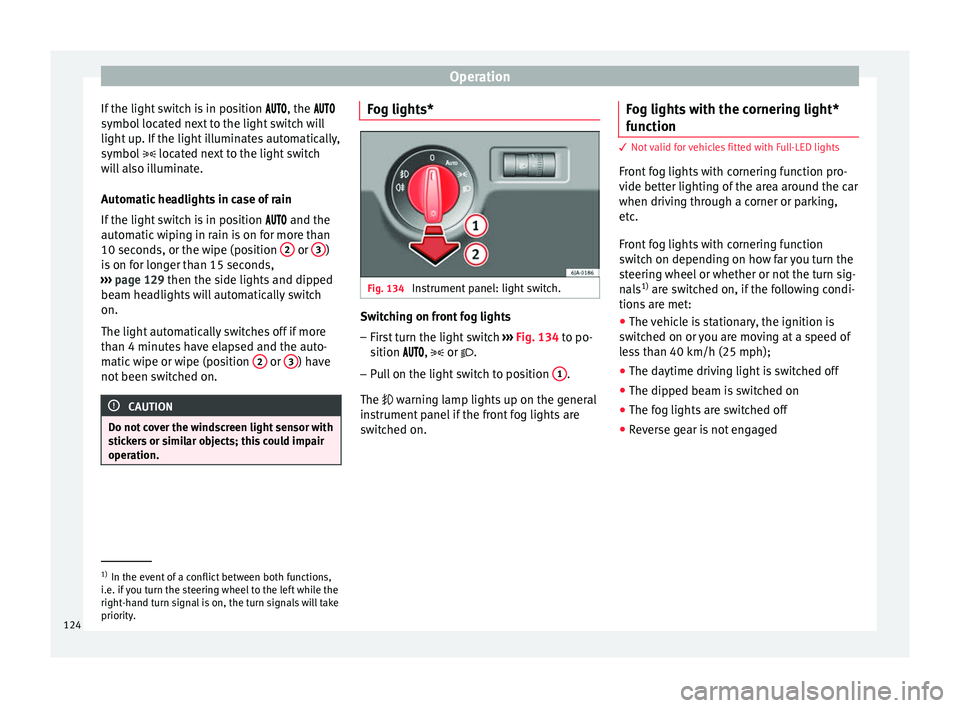
Fig. 134
Instrument panel: light switch. Switching on front fog lights
– First turn the light switch ››
›
Fig. 134 to po-
sition , or .
– Pull on the light switch to position 1 .
The w arnin
g l
amp lights up on the general
instrument panel if the front fog lights are
switched on. Fog lights with the cornering light*
function 3
Not valid for vehicles fitted with Full-LED lights
Fr ont
fog lights with cornering function pro-
vide better lighting of the area around the car
when driving through a corner or parking,
etc.
Front fog lights with cornering function
switch on depending on how far you turn the
steering wheel or whether or not the turn sig-
nals 1)
are switched on, if the following condi-
tions are met:
● The vehicle is stationary, the ignition is
swit c
hed on or you are moving at a speed of
less than 40 km/h (25 mph);
● The daytime driving light is switched off
● The dipped beam is switched on
● The fog lights are switched off
● Reverse gear is not engaged 1)
In the event of a conflict between both functions,
i.e. if
you turn the steering wheel to the left while the
right-hand turn signal is on, the turn signals will take
priority.
124
Page 127 of 248

Lights and visibility
Rear fog light Switching on the rear fog light
– First turn the light switch ››› Fig. 134
››› page 124 to position , or .
– Pull on the light switch to position 2 .
If the v
ehicle is not equipped with front fog
lights ››› page 124, the rear fog light is
switched on by turning the switch to position
or and pulling it to position 2 . This
type of sw it
ch only has one position.
The ››› page 100 warning lamp lights up on
the general instrument panel if the rear fog
lights are switched on.
If you are towing a trailer or caravan equip-
ped with a rear fog light on a vehicle with a
factory-fitted towing bracket or one installed
using parts from the original SEAT parts
catalogue, only the rear fog light on the trail-
er or caravan will light up.
Function “Coming Home”/“Leaving
Home”* This function makes it possible, under poor
v
i
s
ibility conditions, to automatically turn on
the lights for a brief period of time after the
vehicle has been parked or when approach-
ing the vehicle. The function is automatically turned on if the
fol
lowing conditions are met:
● The light switch is in position
››
› page 123.
● The visibility around the vehicle is reduced.
● The ignition is switched off.
To turn on thi
s function, switch on the head-
light flasher prior to exiting the vehicle.
The light is adjusted according to the data re-
corded by the light sensor that is installed
between the windscreen and the inside rear
view mirror.
The function automatically turns on the side
lights and headlights, the lighting for the en-
try area on the exterior mirrors and the num-
ber plate light.
“Coming Home” function
The light is automatically switched on when
the driver door is opened (for 60 seconds af-
ter the ignition is switched off).
The light is switched off when all the doors
and the rear lid are closed.
If a door or the rear lid remains open, the
light will switch off after 60 seconds.
“Leaving Home” function
The light is automatically switched on when
the vehicle is unlocked using the remote con-
trol. The light is switched off after 10 seconds or
when the vehic
le is locked.
Hazard warning lights switch Fig. 135
Instrument panel: switch for hazard
w arnin
g lights. –
Press the button ››
›
Fig. 135 to switch
the hazard warning lights on or off.
The warning lamps on the instrument panel
and the warning lamp on the switch will flash
at the same time as the turn signals when
the hazard warning lights are switched on.
The hazard warning lights also work when
the ignition is switched off.
The hazard warning lights come on automati-
cally in the event of an accident in which an
airbag is triggered. »
125
Technical data
Advice
Operation
Emergencies
Safety
Page 137 of 248
Transport and practical equipment
CAUTION
Take care when handling the rear backrests
so as not
to damage the seat belts. The seat
belt must never be left behind the lifted back-
rest. Transport and practical
equipment
Pr actic
a
l equipment
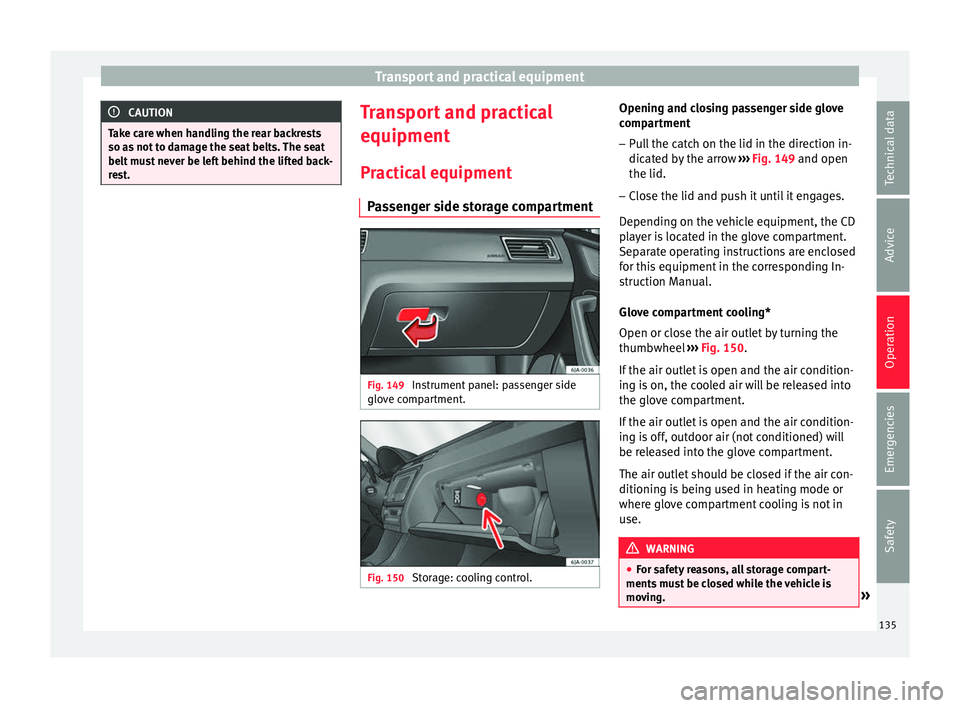
Passenger side storage compartment Fig. 149
Instrument panel: passenger side
glo v
e c
ompartment. Fig. 150
Storage: cooling control. Opening and closing passenger side glove
c
omp ar
tment
– Pull the catch on the lid in the direction in-
dicated b
y the arrow ››› Fig. 149 and open
the lid.
– Close the lid and push it until it engages.
Depending on the
vehicle equipment, the CD
player is located in the glove compartment.
Separate operating instructions are enclosed
for this equipment in the corresponding In-
struction Manual.
Glove compartment cooling*
Open or close the air outlet by turning the
thumbwheel ››› Fig. 150.
If the air outlet is open and the air condition-
ing is on, the cooled air will be released into
the glove compartment.
If the air outlet is open and the air condition-
ing is off, outdoor air (not conditioned) will
be released into the glove compartment.
The air outlet should be closed if the air con-
ditioning is being used in heating mode or
where glove compartment cooling is not in
use. WARNING
● For s af
ety reasons, all storage compart-
ments must be closed while the vehicle is
moving. » 135
Technical data
Advice
Operation
Emergencies
Safety
Page 138 of 248
Operation
●
Never p l
ace any objects on the instrument
panel. These objects could be flown around
the interior while the vehicle is moving (on
accelerating or turning) and distract you. Risk
of accident!
● Make sure objects remain in the centre con-
sole or other c
ompartments while the vehicle
is moving. Otherwise, this could prevent you
from braking, changing gear or accelerating.
Risk of accident! Note
The glove compartment can hold a bottle no
l ar g
er than 1 litre. Storage compartment for reflective
v
e
s
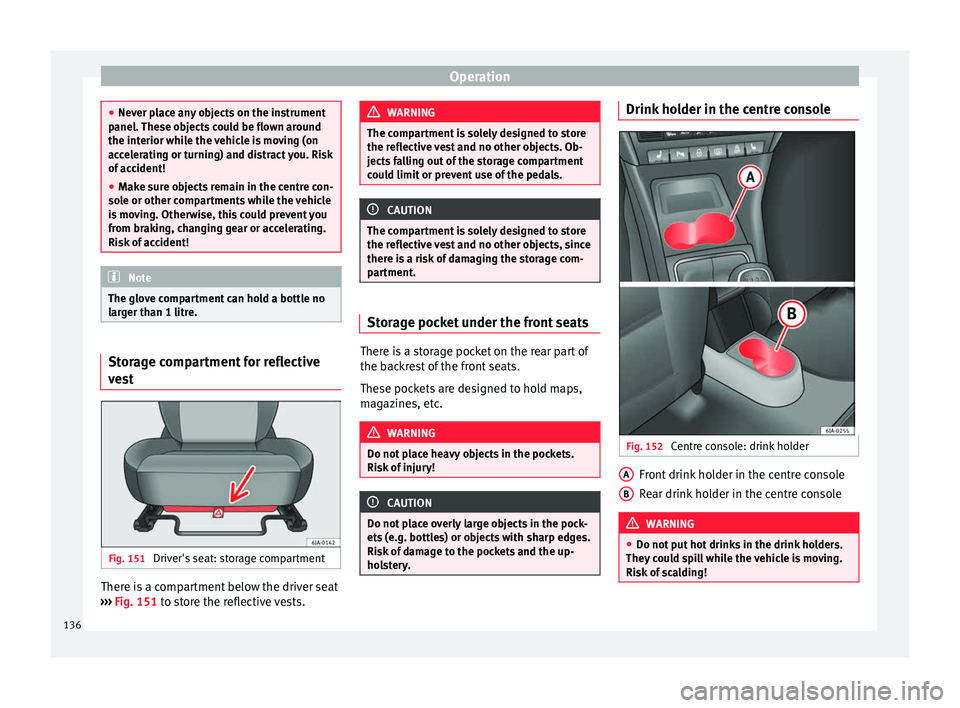
t Fig. 151
Driver's seat: storage compartment There is a compartment below the driver seat
› ›
›
Fig. 151 to store the reflective vests. WARNING
The compartment is solely designed to store
the refl ectiv
e vest and no other objects. Ob-
jects falling out of the storage compartment
could limit or prevent use of the pedals. CAUTION
The compartment is solely designed to store
the refl ectiv
e vest and no other objects, since
there is a risk of damaging the storage com-
partment. Storage pocket under the front seats
There is a storage pocket on the rear part of
the b
ac
k
rest of the front seats.
These pockets are designed to hold maps,
magazines, etc. WARNING
Do not place heavy objects in the pockets.
Risk of
injury! CAUTION
Do not place overly large objects in the pock-
ets (e.
g. bottles) or objects with sharp edges.
Risk of damage to the pockets and the up-
holstery. Drink holder in the centre console
Fig. 152
Centre console: drink holder Front drink holder in the centre console
R
e
ar drink
holder in the centre console WARNING
● Do not p ut
hot drinks in the drink holders.
They could spill while the vehicle is moving.
Risk of scalding! A
B
136
Page 164 of 248
Operation
engine power. Depending on the road speed
and en gine s
peed, the aut
omatic gearbox
shifts down and the vehicle accelerates. It
only shifts up after the maximum engine
speed has been reached.
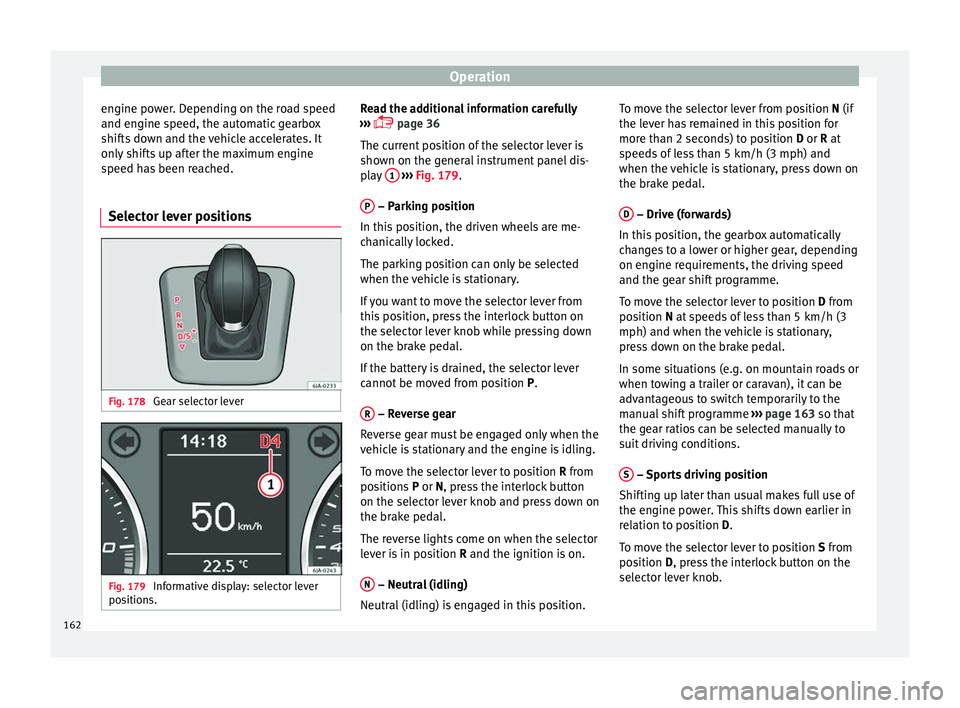
Selector lever positions Fig. 178
Gear selector lever Fig. 179
Informative display: selector lever
po sition
s. Read the additional information carefully
› ›
›
page 36
The current position of the selector lever is
shown on the general instrument panel dis-
play 1
› ››
Fig. 179
.
P – Parking position
In thi s
po
sition, the driven wheels are me-
chanically locked.
The parking position can only be selected
when the vehicle is stationary.
If you want to move the selector lever from
this position, press the interlock button on
the selector lever knob while pressing down
on the brake pedal.
If the battery is drained, the selector lever
cannot be moved from position P.
R – Reverse gear
R ev
er
se gear must be engaged only when the
vehicle is stationary and the engine is idling.
To move the selector lever to position R from
positions P or N, press the interlock button
on the selector lever knob and press down on
the brake pedal.
The reverse lights come on when the selector
lever is in position R and the ignition is on.
N – Neutral (idling)
Neutr al
(idlin
g) is engaged in this position. To move the selector lever from position N (if
the lever h
as remained in this position for
more than 2 seconds) to position D or R at
speeds of less than 5 km/h (3 mph) and
when the vehicle is stationary, press down on
the brake pedal.
D – Drive (forwards)
In thi s
po
sition, the gearbox automatically
changes to a lower or higher gear, depending
on engine requirements, the driving speed
and the gear shift programme.
To move the selector lever to position D from
position N at speeds of less than 5 km/h (3
mph) and when the vehicle is stationary,
press down on the brake pedal.
In some situations (e.g. on mountain roads or
when towing a trailer or caravan), it can be
advantageous to switch temporarily to the
manual shift programme ››› page 163 so that
the gear ratios can be selected manually to
suit driving conditions.
S – Sports driving position
Shif tin
g up l
ater than usual makes full use of
the engine power. This shifts down earlier in
relation to position D.
To move the selector lever to position S from
position D, press the interlock button on the
selector lever knob.
162
Page 168 of 248

Operation
● Inc r
e
ased use of single-grade materials.
● Plastic parts and elastomers are marked in
accor
dance with ISO 1043, ISO 11469 and
ISO 1629.
Choice of materials
● Use of recycled materials.
● Use of compatible plastics in the same part
if its c
omponents are not easily separated.
● Use of recycled materials and/or materials
originating fr
om renewable sources.
● Reduction of volatile components, includ-
ing odour, in p
lastic materials.
● Use of CFC-free coolants.
Ban on heavy
metals, with the exceptions
dictated by law (Annex II of ELV Directive
2000/53/EC): cadmium, lead, mercury, hexa-
valent chromium.
Manufacturing methods
● Reduction of the quantity of thinner in the
protectiv
e wax for cavities.
● Use of plastic film as protection during ve-
hicle tr
ansport.
● Use of solvent-free adhesives.
● Use of CFC-free coolants in cooling sys-
tems.
● Recy
cling and energy recovery from resi-
dues (RDF).
● Impr
ovement in the quality of waste water. ●
Use of sy
stems for the recovery of residual
heat (thermal recovery, enthalpy wheels,
etc.).
● The use of water-soluble paints.
Economical and environmentally-
friendly drivin
g Fuel consumption, environmental pollution
and we
ar t
o the engine, brakes and tyres de-
pends in large part on your driving style. By
adopting an economical driving style and an-
ticipating the traffic situation ahead, you can
easily reduce fuel consumption by 10-15%.
Some tips on how to help you reduce pollu-
tion while saving money are listed below.
Drive anticipating the traffic situation
A vehicle uses most fuel when accelerating.
When you anticipate situations, you have to
brake less often and, thus, accelerate less. If
it is possible, let the vehicle roll with a gear
engaged, for example, if you see a red light
ahead. The braking effect achieved in this
way helps to reduce the wear of brakes and
tyres; emissions and fuel consumption are
reduced to zero (disconnection due to iner-
tia).
Change gear early to save energy
An effective way of saving fuel is to change
up quickly through the gears. Running the engine at high rpm in the lower gears uses
an unnec
e
ssary amount of fuel.
Manual gearbox: shift up from first to second
gear as soon as possible. We recommend
that, whenever possible, you change to a
higher gear upon reaching 2000 rpm. Follow
the “recommended gear” indication that ap-
pears on the instrument panel
››› page 29.
Avoid driving at high speed
We advise you not to drive at the top speed
permitted by the vehicle. Fuel consumption,
exhaust emissions and noise levels all in-
crease very rapidly at higher speeds. Driving
at moderate speeds will help to save fuel.
Avoid idling
It is worthwhile switching off the engine
when waiting in a traffic jam, at level cross-
ings or at traffic lights with a long red phase.
The fuel saved after only 30 - 40 seconds is
greater than the amount of fuel needed to re-
start the engine.
The engine takes a long time to warm up
when it is idling. Mechanical wear and pollu-
tant emissions are also especially high dur-
ing this initial warm-up phase. It is therefore
best to drive off immediately after starting
the engine. Avoid running the engine at high
speed.
166
Page 180 of 248
Operation
Side lines: e xt
en sion of the vehicle (the
approximate width of the vehicle plus the
rear view mirrors) on the road surface.
End of the side lines: the area marked in
green ends approximately 2 m behind
the vehicle on the road surface.
Intermediate line: indicates a distance of
approximately 1 m behind the vehicle on
the road surface.
Red horizontal line: indicates a safe dis-
tance of approximately 40 cm at the rear
of the vehicle on the road surface.
Parking manoeuvre
● Place the vehicle in front of the parking
spac
e and engage reverse gear (manual
gearbox) or move the selector to the R posi-
tion (automatic gearbox).
● Reverse slowly, and turn the steering wheel
so that the s
ide orientation lines lead to-
wards the parking space.
● Guide the vehicle into the parking space so
that the s
ide orientation lines run parallel to
it.
Cruise speed (Cruise Control)*
Introduction Read the additional information carefully
› ››
page 32
1
2
3
4 The cruise control system allows you to drive
at
a c
on
stant speed of 30 km/h (19 mph) or
higher without having to press the accelera-
tor. However, the speed is only maintained
within the margin permitted by the engine
power and the braking effect of the engine.
The warning lamp lights up on the general
instrument panel if cruise control is switched
on. WARNING
● For s af
ety reasons the cruise control sys-
tem must not be used in dense traffic or
where roads conditions are poor (e.g. due to
ice, aquaplaning, loose grit, snow). – Risk of
accident!
● The programmed speed can only be re-es-
tabli
shed if it is not too high for current traf-
fic conditions.
● Always switch the cruise control system off
after u
sing it in order to avoid involuntary
use. CAUTION
● The crui se c
ontrol cannot maintain a con-
stant speed when the vehicle is moving
downhill. The vehicle tends to accelerate un-
der its own weight. Therefore, shift down or
use the brake pedal in good time to slow the
vehicle. Note
● In v ehic
les with an automatic gearbox, the
cruise control system cannot be switched on
if the selector lever is in position P, N or R.
● In vehicles with a manual gearbox, the
cruise c
ontrol cannot be switched on if first
gear or reverse gear is engaged. Setting the speed
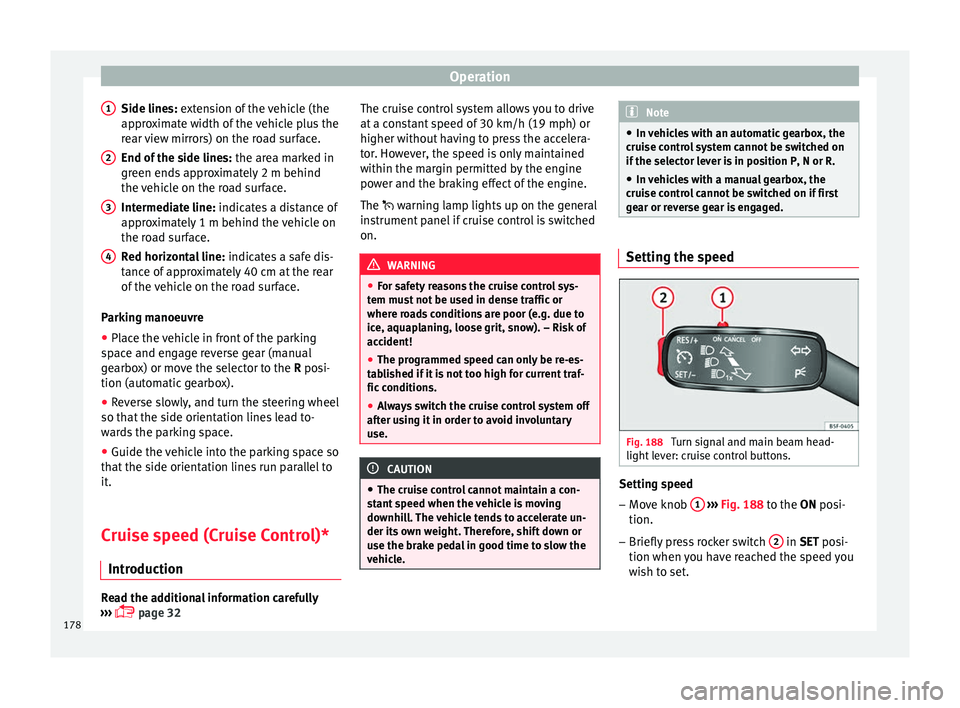
Fig. 188
Turn signal and main beam head-
light l
ev
er: cruise control buttons. Setting speed
– Move knob 1
› ›
› Fig. 188
to the ON posi-
tion.
– Briefly press rocker switch 2 in S
ET posi-
tion when y
ou have reached the speed you
wish to set.
178
Page 181 of 248
Driver assistance systems
On releasing rocker switch 2 from S
ET, the
c urr
ent speed is stored and will remain con-
stant without having to press the accelerator
pedal.
Adjust the stored speed Increasing speed by pressing the accelerator
peda
l
– Pr
ess the accelerator to increase the speed
of the v
ehicle.
– Release the accelerator and the previously
progr ammed s
peed will be resumed.
If, when pressing the accelerator, the vehicle
exceeds the programmed speed by more
than 10 km/h (6 mph) for more than 3 mi-
nutes, the set speed will be deleted. The
speed will have to be stored again.
Increasing speed by pressing switch 2–
Press rocker switch 2
› ›
›
Fig. 188
››› page 178 in RES.
– If the button is held down in the RES po
si-
tion, the speed increases continuously. Re-
lease the switch when the required speed
is reached. The speed is stored.
Setting a lower speed – The set speed can be reduced
by pressing
switch 2
› ›
›
Fig. 188 ›››
page 178 in SET. –
If the butt
on is held down in the SET posi-
tion, the speed decreases continuously. Re-
lease the switch when the required speed
is reached. The speed is stored.
– On releasing the switch at speeds of less
than 30 km/h (19 mph), no speed w
ill be
set and the memory will be deleted. The ve-
hicle must be moving at a speed of over
30 km/h (19 mph) and switch 2 pressed
ag ain t
o
SET for it to be set.
The speed can be reduced by pressing the
brake pedal, which temporarily switches off
the cruise control.
Temporary deactivation of cruise con-
trol Cruise control
is
sw
itched off temporarily by
pressing switch 1
› ›
› Fig. 188 ››› page 178 in
CANCEL or by pressing the brake or clutch
pedal.
The set speed is stored.
To recover the set speed, briefly press the
button 2 in RE
S position once you have re-
l e
ased the brake pedal.
Turning off the cruise control system –
Move knob 1
› ›
›
Fig. 188 ›››
page 178 to
OFF. Emergency brake assist system
(Front As
sist)*
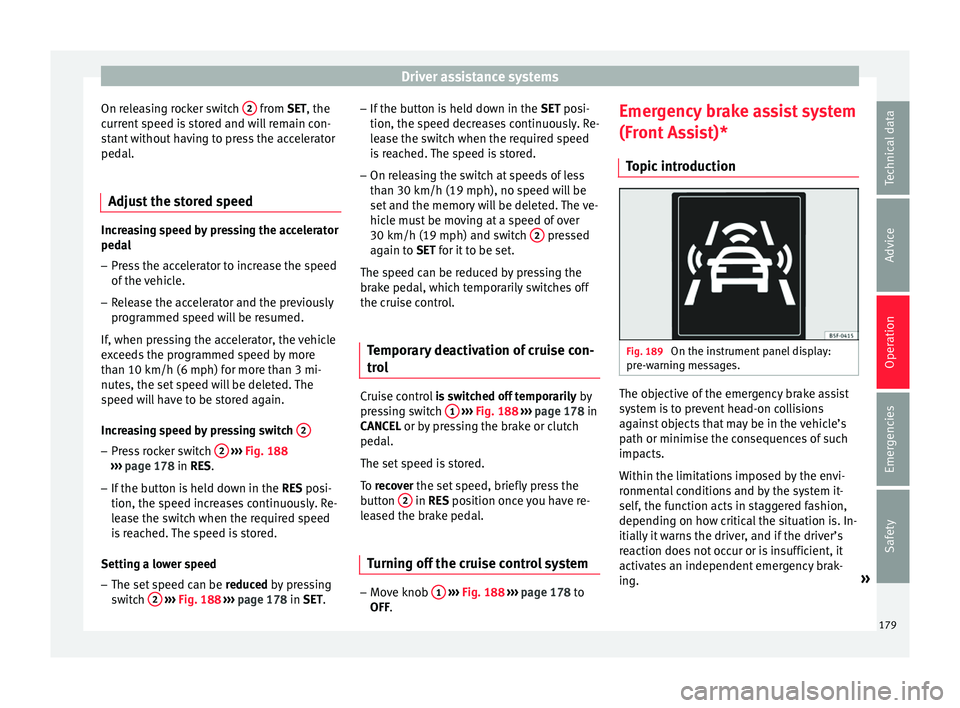
Topic introduction Fig. 189
On the instrument panel display:
pr e-w
arnin
g messages. The objective of the emergency brake assist
sy
s
t
em is to prevent head-on collisions
against objects that may be in the vehicle’s
path or minimise the consequences of such
impacts.
Within the limitations imposed by the envi-
ronmental conditions and by the system it-
self, the function acts in staggered fashion,
depending on how critical the situation is. In-
itially it warns the driver, and if the driver’s
reaction does not occur or is insufficient, it
activates an independent emergency brak-
ing. »
179
Technical data
Advice
Operation
Emergencies
Safety
Page 182 of 248
Operation
The function is intended to prevent collisions
w ith p
ark
ed vehicles or vehicles in the same
lane travelling in the same direction. It may
fail to activate in other danger situations.
The Front Assist function is active within a
range of speeds between 4 km/h (2.5 mph)
and 250 km/h (156 mph). Depending on
speed, traffic conditions and driver behav-
iour, some of the sub-functions described be-
low are omitted in order to optimise the sys-
tem’s general behaviour.
The Front Assist is a driving assistance func-
tion that can never replace the driver’s atten-
tion.
Safety distance warning
If the system detects a situation of danger
because the vehicle is too close to the vehi-
cle ahead, it will warn the driver by means of
an indication on the instrument panel display
.
The timing of the warning varies depending
on driver behaviour and the traffic situation.
Advance warning
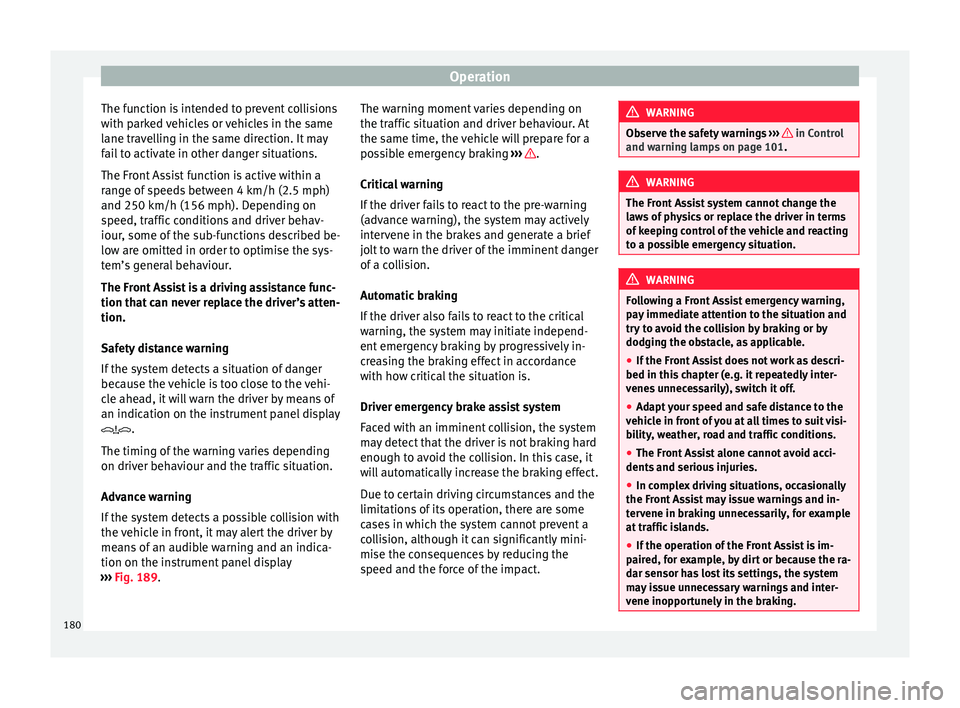
If the system detects a possible collision with
the vehicle in front, it may alert the driver by
means of an audible warning and an indica-
tion on the instrument panel display
››› Fig. 189. The warning moment varies depending on
the traffic s
ituation and driver behaviour. At
the same time, the vehicle will prepare for a
possible emergency braking ››› .
C ritic
a
l warning
If the driver fails to react to the pre-warning
(advance warning), the system may actively
intervene in the brakes and generate a brief
jolt to warn the driver of the imminent danger
of a collision.
Automatic braking
If the driver also fails to react to the critical
warning, the system may initiate independ-
ent emergency braking by progressively in-
creasing the braking effect in accordance
with how critical the situation is.
Driver emergency brake assist system
Faced with an imminent collision, the system
may detect that the driver is not braking hard
enough to avoid the collision. In this case, it
will automatically increase the braking effect.
Due to certain driving circumstances and the
limitations of its operation, there are some
cases in which the system cannot prevent a
collision, although it can significantly mini-
mise the consequences by reducing the
speed and the force of the impact. WARNING
Observe the safety warnings ›››
in Control
and warnin g l
amps on page 101. WARNING
The Front Assist system cannot change the
la w
s of physics or replace the driver in terms
of keeping control of the vehicle and reacting
to a possible emergency situation. WARNING
Following a Front Assist emergency warning,
pa y
immediate attention to the situation and
try to avoid the collision by braking or by
dodging the obstacle, as applicable.
● If the Front Assist does not work as descri-
bed in this c
hapter (e.g. it repeatedly inter-
venes unnecessarily), switch it off.
● Adapt your speed and safe distance to the
vehicl
e in front of you at all times to suit visi-
bility, weather, road and traffic conditions.
● The Front Assist alone cannot avoid acci-
dents and seriou
s injuries.
● In complex driving situations, occasionally
the Front As
sist may issue warnings and in-
tervene in braking unnecessarily, for example
at traffic islands.
● If the operation of the Front Assist is im-
paired, f
or example, by dirt or because the ra-
dar sensor has lost its settings, the system
may issue unnecessary warnings and inter-
vene inopportunely in the braking. 180
Page 183 of 248
Driver assistance systems
●
The Front As
sist does not react to animals
or vehicles crossing your path or approaching
head-on down the same lane.
● The Front Assist does not react to pedes-
trians
walking in the same direction or ap-
proaching head-on down the same lane.
● The driver must always be ready to take
over the c
ontrol of the vehicle.
● When the Front Assist causes a braking,
the brake ped
al is “harder”.
● Automatic interventions by the Front Assist
on the brake
s may be interrupted by pressing
the clutch, accelerator or moving the wheel. Note
● When the Front As
sist is connected, the in-
dications on the instrument panel screen may
be concealed by warnings from other func-
tions, such as an incoming call.
● When the Front Assist causes a braking,
the brake ped
al is “harder”.
● Automatic interventions by the Front Assist
on the brake
s may be interrupted by pressing
the clutch, accelerator or moving the wheel.
● The Front Assist may brake the vehicle until
it st
ops completely. However, the brake sys-
tem does not halt the vehicle permanently.
Use the foot brake!
● If the Front Assist does not work as descri-
bed in this c
hapter (e.g. in intervenes several
times unnecessarily), switch it off. Have the
system checked by a specialised workshop.
SEAT recommends visiting a SEAT dealership. Radar sensor
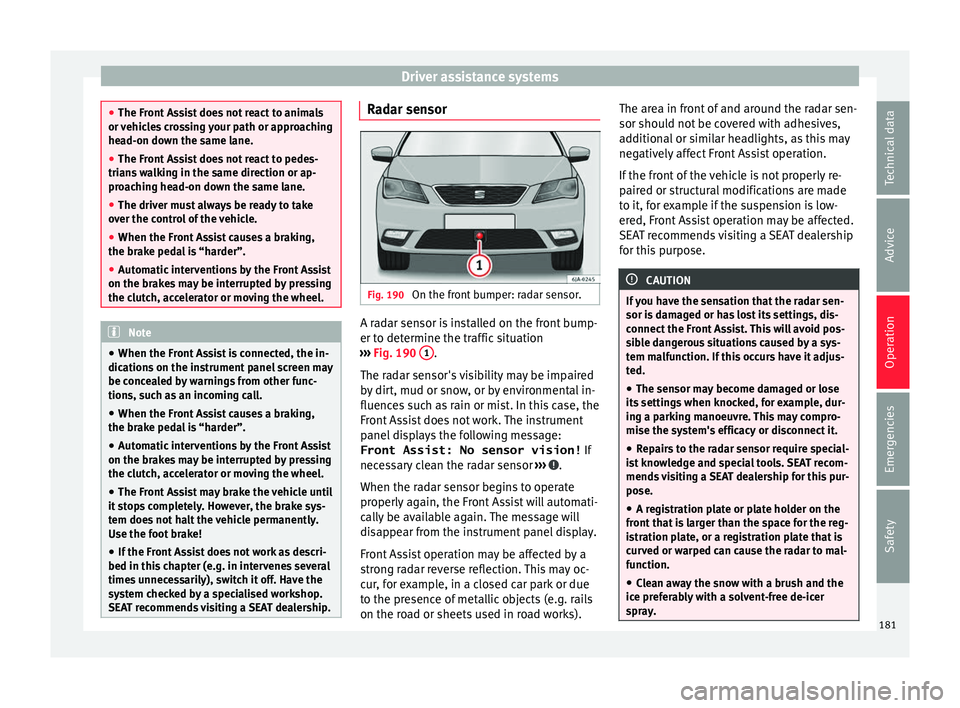
Fig. 190
On the front bumper: radar sensor. A radar sensor is installed on the front bump-
er t
o det
ermine the tr
affic situation
››› Fig. 190 1 .
The r a
d
ar sensor's visibility may be impaired
by dirt, mud or snow, or by environmental in-
fluences such as rain or mist. In this case, the
Front Assist does not work. The instrument
panel displays the following message:
Front Assist: No sensor vision! If
necessary clean the radar sensor ››› .
When the r a
d
ar sensor begins to operate
properly again, the Front Assist will automati-
cally be available again. The message will
disappear from the instrument panel display.
Front Assist operation may be affected by a
strong radar reverse reflection. This may oc-
cur, for example, in a closed car park or due
to the presence of metallic objects (e.g. rails
on the road or sheets used in road works). The area in front of and around the radar sen-
sor should not
be covered with adhesives,
additional or similar headlights, as this may
negatively affect Front Assist operation.
If the front of the vehicle is not properly re-
paired or structural modifications are made
to it, for example if the suspension is low-
ered, Front Assist operation may be affected.
SEAT recommends visiting a SEAT dealership
for this purpose. CAUTION
If you have the sensation that the radar sen-
sor is d
amaged or has lost its settings, dis-
connect the Front Assist. This will avoid pos-
sible dangerous situations caused by a sys-
tem malfunction. If this occurs have it adjus-
ted.
● The sensor may become damaged or lose
its settin
gs when knocked, for example, dur-
ing a parking manoeuvre. This may compro-
mise the system's efficacy or disconnect it.
● Repairs to the radar sensor require special-
ist
knowledge and special tools. SEAT recom-
mends visiting a SEAT dealership for this pur-
pose.
● A registration plate or plate holder on the
front th
at is larger than the space for the reg-
istration plate, or a registration plate that is
curved or warped can cause the radar to mal-
function.
● Clean away the snow with a brush and the
ice pref
erably with a solvent-free de-icer
spray. 181
Technical data
Advice
Operation
Emergencies
Safety