turn signal SKODA OCTAVIA 2006 Owner´s Manual
[x] Cancel search | Manufacturer: SKODA, Model Year: 2006, Model line: OCTAVIA, Model: SKODA OCTAVIA 2006Pages: 218, PDF Size: 5.48 MB
Page 9 of 218
Using the system
Cockpit
Overview
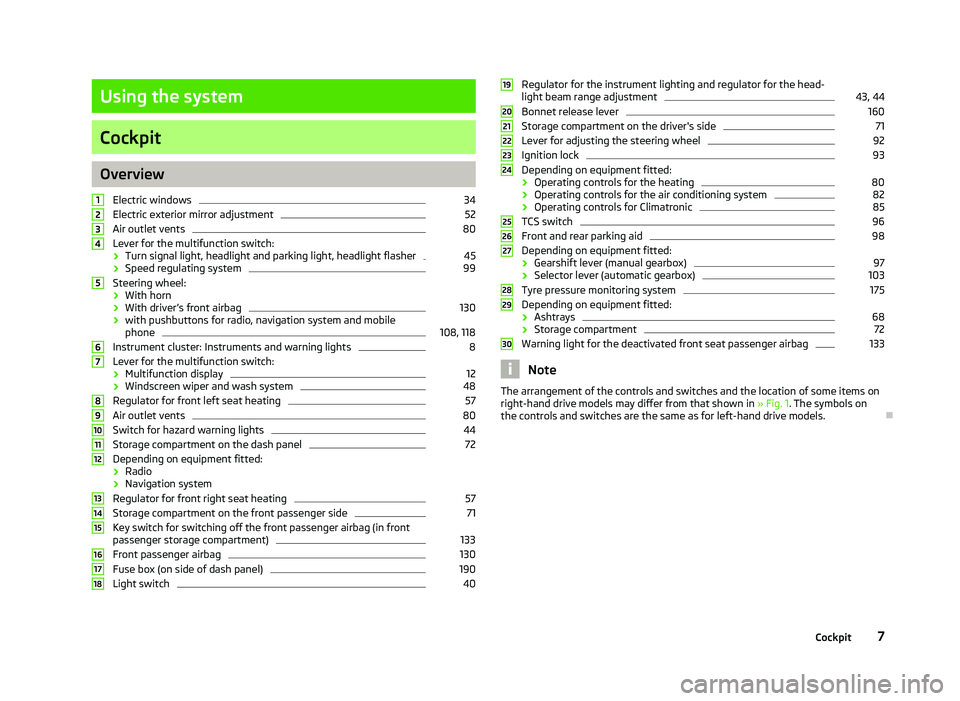
Electric windows 34
Electric exterior mirror adjustment 52
Air outlet vents 80
Lever for the multifunction switch:
› Turn signal light, headlight and parking light, headlight flasher 45
› Speed regulating system 99
Steering wheel:
› With horn
› With driver’s front airbag 130
› with pushbuttons for radio, navigation system and mobile
phone 108, 118
Instrument cluster: Instruments and warning lights 8
Lever for the multifunction switch:
› Multifunction display 12
› Windscreen wiper and wash system 48
Regulator for front left seat heating 57
Air outlet vents 80
Switch for hazard warning lights 44
Storage compartment on the dash panel 72
Depending on equipment fitted:
› Radio
› Navigation system
Regulator for front right seat heating 57
Storage compartment on the front passenger side 71
Key switch for switching off the front passenger airbag (in front
passenger storage compartment) 133
Front passenger airbag 130
Fuse box (on side of dash panel) 190
Light switch 401
2
3
4
5
6
7
8
9
10
11
12
13
14
15
16
17
18 Regulator for the instrument lighting and regulator for the head-
light beam range adjustment 43, 44
Bonnet release lever 160
Storage compartment on the driver's side 71
Lever for adjusting the steering wheel 92
Ignition lock 93
Depending on equipment fitted:
› Operating controls for the heating 80
› Operating controls for the air conditioning system 82
› Operating controls for Climatronic 85
TCS switch 96
Front and rear parking aid 98
Depending on equipment fitted:
› Gearshift lever (manual gearbox) 97
› Selector lever (automatic gearbox) 103
Tyre pressure monitoring system 175
Depending on equipment fitted:
› Ashtrays 68
› Storage compartment 72
Warning light for the deactivated front seat passenger airbag 133
Note
The arrangement of the controls and switches and the location of some items on
right-hand drive models may differ from that shown in »
Fig. 1. The symbols on
the controls and switches are the same as for left-hand drive models. Ð 19
20
21
22
23
24
25
26
27
28
29
30
7
Cockpit
Page 15 of 218
Note
All information in the memory 1 and 2 is erased if the battery of the vehicle is dis-
connected. ÐOperation
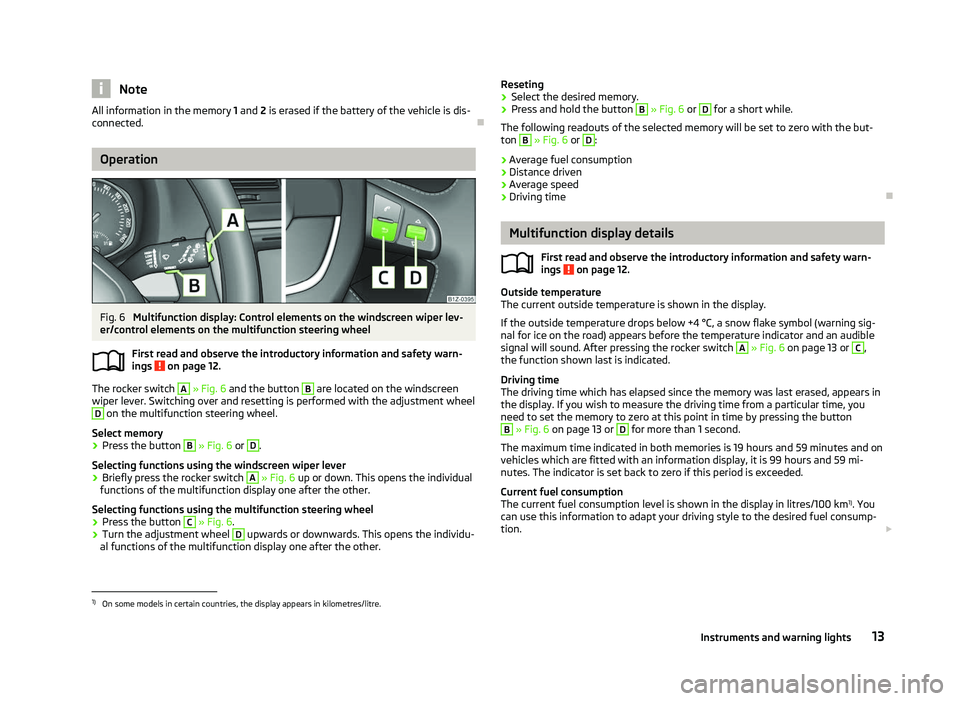
Fig. 6
Multifunction display: Control elements on the windscreen wiper lev-
er/control elements on the multifunction steering wheel
First read and observe the introductory information and safety warn-
ings on page 12.
The rocker switch A
» Fig. 6
and the button B
are located on the windscreen
wiper lever. Switching over and resetting is performed with the adjustment wheel D
on the multifunction steering wheel.
Select memory
› Press the button B
» Fig. 6 or D
.
Selecting functions using the windscreen wiper lever
› Briefly press the rocker switch A
» Fig. 6
up or down. This opens the individual
functions of the multifunction display one after the other.
Selecting functions using the multifunction steering wheel
› Press the button C
» Fig. 6.
› Turn the adjustment wheel D
upwards or downwards. This opens the individu-
al functions of the multifunction display one after the other.
ä Reseting
› Select the desired memory.
› Press and hold the button B
» Fig. 6 or D
for a short while.
The following readouts of the selected memory will be set to zero with the but-
ton B
» Fig. 6 or D
:
› Average fuel consumption
› Distance driven
› Average speed
› Driving time Ð Multifunction display details
First read and observe the introductory information and safety warn-
ings on page 12.
Outside temperature
The current outside temperature is shown in the display.
If the outside temperature drops below +4
°C, a snow flake symbol (warning sig-
nal for ice on the road) appears before the temperature indicator and an audible
signal will sound. After pressing the rocker switch A
» Fig. 6 on page 13 or C
,
the function shown last is indicated.
Driving time
The driving time which has elapsed since the memory was last erased, appears in
the display. If you wish to measure the driving time from a particular time, you
need to set the memory to zero at this point in time by pressing the button B
» Fig. 6 on page 13 or D
for more than 1 second.
The maximum time indicated in both memories is 19 hours and 59
minutes and on
vehicles which are fitted with an information display, it is 99 hours and 59 mi-
nutes. The indicator is set back to zero if this period is exceeded.
Current fuel consumption
The current fuel consumption level is shown in the display in litres/100 km 1)
. You
can use this information to adapt your driving style to the desired fuel consump-
tion. £
ä
1)
On some models in certain countries, the display appears in kilometres/litre.
13
Instruments and warning lights
Page 18 of 218
■
Phone » page 107
■ Aux.
Heating » page 87
■ Assistants » page 41
■ Vehicle status » page 17
■ Settings » page 16
The menu items Audio and Navigation are only displayed when the factory-fitted
radio or navigation system is switched on.
The menu item Aux. heating is only displayed if a factory-fitted auxiliary heating
is installed.
The menu point Assistants is only then displayed, if the vehicle is fitted with cor-
nering lights. Note
■ If warning messages are shown in the information display, these messages
must be confirmed with the button B
» Fig. 7 on the windscreen wiper lever or
with the button D
on the multifunction steering wheel to call up the main menu.
■ If the information display is not activated at that moment, the menu always
shifts to one of the higher levels after approx. 10
seconds.ÐSettings
First read and observe the introductory information and safety warn-
ings on page 15.
You can change certain settings by means of the information display. The current
setting is shown on the information display in the respective menu at the top be-
low the line.
The following information can be selected (depending on the equipment installed
on the vehicle):
■ Language
■ MFD Data
■ Convenience
■ Lights & Vision
■ Time
■ Winter tyres
■ Units
■ Assistants
■ Alternative speed displayed
ä ■
Service
■ Factory setting
■ Back
Select the menu item Back to return to one level higher in the menu.
Language
You can set the language for the warning and information texts here.
MFD displays
Activate or deactivate certain displays of the multifunction display here.
Comfort
This is where the following functions can be activated, deactivated or adjusted:
Rain closing Switch on/off the function for automatically closing the
window and panoramic tilt/slide sunroof in a locked ve-
hicle when it starts raining
a)
. If the function is set and it
is not raining, the windows including the panoramic tilt/
slide sunroof will close automatically after approx.
12 hours.
Central locking Switch on/off the central locking and automatic locking
function.
ATA confirm Switch on/off the audible signal indicating activation of
the anti-theft alarm system.
Window op. Only convenience mode for the driver window or for all
of the windows can be adjusted here.
Mirror down Switch on/off the function for mirror lowering on the
front passenger side when engaging the reverse gear b)
.
Mirror adjust. Switch on/off the function for left and right exterior
mirror setting simultaneously.
Factory setting Restore the Convenience factory setting. a)
This function is only available on vehicles with a rain sensor.
b) This function is only available on vehicles with an electrically adjustable driver seat.
Lights and visibility
This is where the following functions can be activated, deactivated or adjusted:
Coming Home Switch on/off and adjust the light duration of the
COMING HOME
function.
Leaving Home Switch on/off and adjust the light duration of the
LEAVING HOME function. £16
Using the system
Page 21 of 218
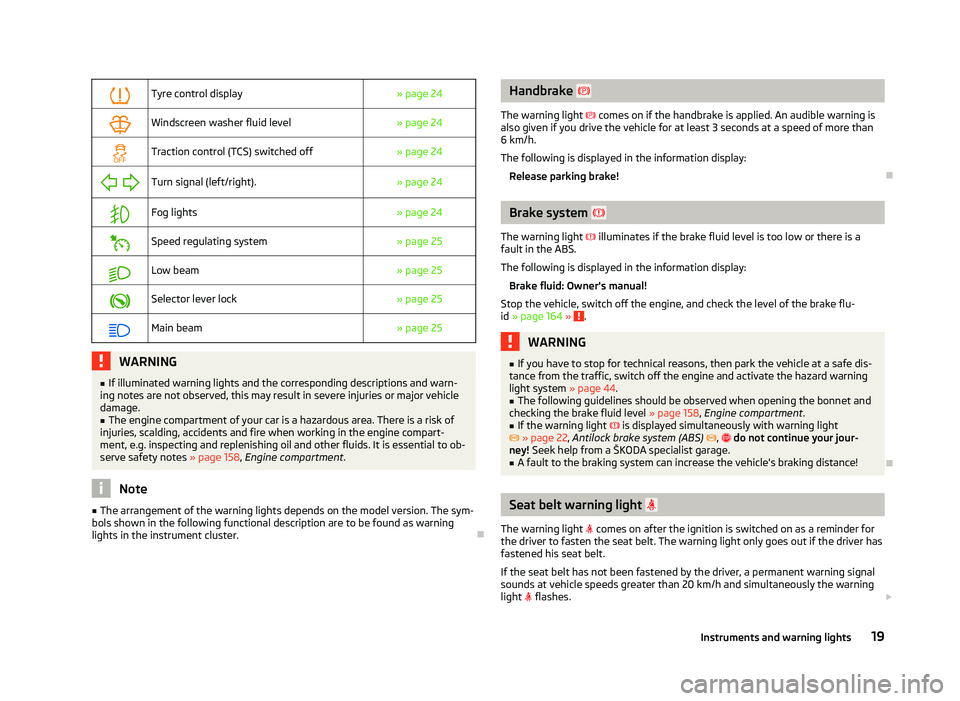
Tyre control display
» page 24
Windscreen washer fluid level
» page 24
Traction control (TCS) switched off
» page 24
Turn signal (left/right).
» page 24
Fog lights
» page 24
Speed regulating system
» page 25
Low beam
» page 25
Selector lever lock
» page 25
Main beam
» page 25WARNING
■ If illuminated warning lights and the corresponding descriptions and warn-
ing notes are not observed, this may result in severe injuries or major vehicle
damage.
■ The engine compartment of your car is a hazardous area. There is a risk of
injuries, scalding, accidents and fire when working in the engine compart-
ment, e.g. inspecting and replenishing oil and other fluids. It is essential to ob-
serve safety notes »
page 158, Engine compartment .Note
■ The arrangement of the warning lights depends on the model version. The sym-
bols shown in the following functional description are to be found as warning
lights in the instrument cluster. Ð Handbrake
The warning light comes on if the handbrake is applied. An audible warning is
also given if you drive the vehicle for at least 3
seconds at a speed of more than
6 km/h.
The following is displayed in the information display:
Release parking brake! Ð Brake system
The warning light illuminates if the brake fluid level is too low or there is a
fault in the ABS.
The following is displayed in the information display:
Brake fluid: Owner's manual!
Stop the vehicle, switch off the engine, and check the level of the brake flu-
id » page 164 » .
WARNING
■ If you have to stop for technical reasons, then park the vehicle at a safe dis-
tance from the traffic, switch off the engine and activate the hazard warning
light system » page 44.
■ The following guidelines should be observed when opening the bonnet and
checking the brake fluid level » page 158, Engine compartment .
■ If the warning light is displayed simultaneously with warning light
» page 22, Antilock brake system (ABS) , do not continue your jour-
ney! Seek help from a ŠKODA specialist garage. ■ A fault to the braking system can increase the vehicle's braking distance! Ð Seat belt warning light
The warning light comes on after the ignition is switched on as a reminder for
the driver to fasten the seat belt. The warning light only goes out if the driver has
fastened his seat belt.
If the seat belt has not been fastened by the driver, a permanent warning signal
sounds at vehicle speeds greater than 20 km/h and simultaneously the warning
light flashes. £
19
Instruments and warning lights
Page 23 of 218
WARNING
If you have to stop for technical reasons, then park the vehicle at a safe dis-
tance from the traffic, switch off the engine and activate the hazard warning
light system » page 44. ÐBoot lid
The warning light comes on when the ignition is switched on if the luggage
compartment door is open. If the boot lid opens while driving , the warning
light lights up and an audible signal sounds.
The warning light comes on even when the ignition is switched off. The warning
light lights up for a maximum of 5 minutes. ÐEngine oil
The warning light lights up red (low oil pressure)
The following is displayed in the information display:
Oil Pressure: Engine off! Owner's manual!
Stop the vehicle, switch off the engine, and check the level of the engine
oil » page 161 , Checking the engine oil level .
Even if the oil level is correct, do not drive any further if the warning light is
flashing . Also do not leave the engine running at an idling speed.
Seek help from a ŠKODA
specialist garage.
The warning light lights up yellow (oil quantity too low)
The following is displayed in the information display:
Check oil level!
Stop the vehicle, switch off the engine, and check the level of the engine
oil » page 161 .
The warning light will go out if the bonnet is left open for more than 30 seconds.
If no engine oil has been replenished, the warning light will come on again after
driving about 100 km.
The warning light flashes yellow (engine oil level sensor faulty)
The following is displayed in the information display:
Oil sensor: Workshop! If the engine oil level sensor is faulty, the warning light flashes
several times
and an audible signal sounds when the ignition is turned on.
Seek help from a
ŠKODA specialist garage. WARNING
If you have to stop for technical reasons, then park the vehicle at a safe dis-
tance from the traffic, switch off the engine and activate the hazard warning
light system » page 44. Ð Electromechanical power steering
If the warning light lights up, this indicates a partial failure of the power steer-
ing and the steering forces can be greater. Seek help from a
ŠKODA specialist ga-
rage.
If the warning light lights up, this indicates a complete failure of the power
steering and the steering assist has failed (significantly higher steering forces).
Seek help from a ŠKODA specialist garage.
Further information » page 92. WARNING
If you have to stop for technical reasons, then park the vehicle at a safe dis-
tance from the traffic, switch off the engine and activate the hazard warning
light system » page 44. Note
If the vehicle battery has been disconnected and reconnected, the yellow warning
light comes on after switching on the ignition. The warning light should go out
after driving a short distance. If the yellow warning light does not go out after
starting the engine again and a short drive, it is necessary to visit a
ŠKODA spe-
cialist garage. Ð Traction control system (TCS)
The warning light flashes to show that the ASR is currently operating. £
21
Instruments and warning lights
Page 26 of 218
Airbag system
If the warning light lights up, there is a fault in the airbag system.
The following is displayed in the information display: Error: Airbag
The functionality of the airbag system is monitored electronically even if one of
the airbags is switched off.
If a front, side or head airbag or belt tensioner has been switched off using the
vehicle system tester:
› The warning light
lights up for around 4
seconds after switching on the igni-
tion and then flashes approximately another 12 seconds in 2 second intervals.
The following is displayed in the information display: Airbag/belt tensioner deactivated!
The following applies if the airbag has been switched off using the key switch
in the storage compartment: › The warning light
comes on for 4 seconds after the ignition has been switch-
ed on.
› Switching off the airbag is indicated by the lighting up of the warning light
(airbag switched off) in the middle of the dash panel » page 133.WARNING
If there is a fault, have the airbag system checked immediately by a ŠKODA
specialist garage. Otherwise, there is a risk of the airbag not being activated in
the event of an accident. ÐTyre control display
The warning light lights up, if there is a substantial drop in inflation pressure in
one of the tyres. Check and adjust the pressure in all tyres » page 170.
An audible signal sounds as a warning signal.
If the warning light lights up, there is a fault in the system.
Seek help from a ŠKODA specialist garage.
Further information »
page 175, Tyre control display. Note
If the battery has been disconnected, the warning light illuminates after the ig-
nition is switched on. The warning light should go out after driving a short dis-
tance. Ð Windscreen washer fluid level
If the windscreen washer fluid level is too low, the warning light comes on. Top
up with liquid » page 165.
The following is displayed in the information display: Top up wash fluid! Ð Switching off traction control system (TCS)
The ASR is switched off by pressing the button » Fig. 96
on page 95 and the
warning light illuminates.
The following is displayed in the information display: Traction control (ASR) deactivated. Ð Turn signal system
Either the left or right warning light flashes depending on the position of the
turn signal lever.
If a turn signal light fails, the warning light flashes at twice its normal rate. This
does not apply when towing a trailer.
Switching off the hazard warning light system is switched on will cause all of the
turn signal lights as well as both warning lights to flash.
Further information » page 45, Turn signal and main beam lever .Ð Fog lights
The warning light comes on when the fog lights are operating » page 42.Ð
24 Using the system
Page 32 of 218
Remote control
Introductory information
You can use the remote control key to:
› unlock and lock the vehicle,
› unlocking boot lid;
› open and close the windows
» page 36, Window convenience operation .
The transmitter with the battery is housed in the handle of the remote control
key. The receiver is located in the interior of the vehicle. The operating range of
the remote control key is approx. 30 m. But this range of the remote control can
be reduced if the batteries are weak.
The key has a fold-open key bit which can be used for unlocking and locking the
car manually and also for starting the engine.
If a lost key is replaced or if the receiver unit has been repaired or replaced, the
system must be initialised by a ŠKODA Service Partner. Only then can the remote
control key be used again. Note
■ The remote control is automatically deactivated when the ignition is switched
on. ■ The operation of the remote control may temporarily be affected by interfer-
ence from transmitters close to the car and which operate in the same frequency
range (e.g. mobile phone, TV transmitter).
■ The battery must be replaced if the central locking or anti-theft alarm system
does react to the remote control at less than 3 metres away » page 26.
■ If the driver door is open, the vehicle cannot be locked using the remote control
key. Ð Locking/unlocking
Fig. 13
Remote control key
Unlocking the vehicle
› Press the button 1
» Fig. 13.
Locking the vehicle
› Press the button 3
» Fig. 13.
Deactivating the safe securing system
› Press the button 3
» Fig. 13
twice within 2 seconds. Further informa-
tion » page 28.
Unlocking the boot lid
› Press the button 2
» Fig. 13. Further information
» page 33, Open/close.
Folding out the key bit
› Press the button 4
» Fig. 13.
Folding in the key bit
› Press the button 4
» Fig. 13
and fold in the key bit.
Unlocking
The turn signal lights flash twice as confirmation that the vehicle has been un-
locked. If the vehicle is unlocked using button 1
» Fig. 13 and none of the doors
or the boot lid are opened within the next 30 seconds, the vehicle is automatical-
ly locked again and the safe securing system or anti-theft alarm system is reacti-
vated. This function is intended to prevent the car being unlocked unintentional-
ly.
In addition, when the car is unlocked, the electrically adjustable seats and exteri-
or mirrors move into the position assigned to this key. The stored setting of driver
seat and exterior mirrors is retrieved. £
30 Using the system
Page 33 of 218
Locking
The turn signal lights flash once to confirm that the vehicle has been correctly
locked.
If the doors or the boot lid remain open after the vehicle has been locked, the
turn signal lights do not flash until they have been closed.
WARNING
If the car is locked from the outside and the safe securing system is activated,
there must not be any person in the car as it is then not possible to open ei-
ther a door or a window from the inside. The locked doors make it more diffi-
cult for rescuers to get into the vehicle in an emergency - hazard! Note
■ Only operate the remote control when the doors and boot lid are closed and the
vehicle is in your line of sight. ■ To avoid the car being locked inadvertently once in the car, the lock button of the remote control must not be pressed before the key is inserted into the ig-
nition lock. Should this happen, press the unlock button
of the remote control.
ÐSynchronisation
If the vehicle cannot be unlocked by actuating the remote control system then it
is possible that the code in the key and the control unit in the vehicle are no lon-
ger synchronised. This can occur when the buttons on the radio-operated key are
actuated a number of times outside of the operative range of the equipment or
the battery on the remote control was replaced.
This means it is necessary to synchronise the code as follows:
› press any button on the remote control key;
› pressing of the button means that the door will unlock with the key within 1 mi-
nute. Ð Anti-theft alarm system
Introductory information
The anti-theft alarm system increases the level of protection against people
seeking to break into the vehicle. The system triggers audible and visual warning
signals if an attempt is made to break into the vehicle.
How is the alarm system activated?
The anti-theft alarm system is activated when the vehicle is locked with the radio
remote control or the key in the driver's door . It is activated 30 seconds after
locking the door.
How is the alarm system deactivated?
The alarm system is deactivated by pressing the unlock button on the radio re-
mote control. The anti-theft alarm system is reactivated if the vehicle is not
opened within 30 seconds after transmitting the radio signal.
The alarm system is also deactivated if you unlock the driver door using the key
within 45 seconds of locking the vehicle.
If the vehicle is unlocked by inserting the key into the driver door, the key must
be inserted into the ignition lock and the ignition switched on within 15
seconds
of unlocking the door to deactivate the alarm system. The alarm is triggered if
the ignition is not switched on within 15 seconds.
When is the alarm triggered?
The following security areas of the locked vehicle are monitored: › bonnet;
› boot lid;
› doors;
› ignition lock;
› Vehicle inclination
» page 32;
› Interior of the vehicle
» page 32;
› A drop in voltage of the on-board power supply;
› Socket of the factory-fitted towing device.
An alarm is immediately triggered if either of the two battery terminals is discon-
nected while the anti-theft alarm system is activated.
How is the alarm switched off?
The alarm is switched off by unlocking the vehicle with the radio remote control
or switching on the ignition. £
31
Unlocking and locking
Page 41 of 218
Lights and visibility
Lights
ä
Introduction
This chapter contains information on the following subjects:
Switching lights on and off 40
DAY LIGHT function (Daylight driving light) 40
Automatic driving lamp control 40
Cornering lights 41
Parking light 41
COMING HOME/LEAVING HOME function 41
Tourist light 42
Fog lights 42
Fog lights with the function CORNER 42
Rear fog light 43
Instrument lighting 43
Headlight beam adjustment 44
Switches for the hazard warning light system 44
Turn signal and main beam lever 45
On models fitted with right-hand steering the position of certain switches differs
from that shown in » Fig. 22
on page 40. The symbols which mark the switch
positions are identical, however.
The low beam continues to shine while the ignition is switched on and the light
switch is in the position or . After switching off the ignition, the low beam
is switched off automatically and only the side lights come on. The side lights also
go out after the ignition key is removed. WARNING
■ Never drive with only the side lights on! The side lights are not bright
enough to light up the road sufficiently in front of you or to be seen by other
oncoming traffic. Therefore always switch on the low beam when it is dark or
if visibility is poor.
■ The automatic driving lamp control
only operates as a support and does
not release the driver from his responsibility to check the light and, if necessa-
ry, to switch on the light depending on the light conditions. The light sensor
cannot, for example, detect rain or snow. Under these conditions we recom-
mend switching on the low beam or fog lights! CAUTION
■ The activation of the lights should only be undertaken in accordance with na-
tional legal requirements.
■ The driver is always responsible for the correct settings and use of the lights. Note
■ If the light switch is in the position , the ignition key is removed and the driv-
er's door is open, an audible warning signal will sound. The audible warning signal
is switched off by means of the door contact when the driver's door is closed (ig-
nition off), however, the side lights remain on to illuminate the parked vehicle if
necessary. ■ If there is a fault in the light switch, the low beam comes on automatically.
■ In the event of cool or humid weather conditions, the headlights can be misted
up from inside. The temperature difference between interior and external area of
the headlight lenses is decisive. When the driving lights are switched on, the light
outlet surfaces are free from mist after a short period, although the headlight
lenses may still be misted up in the peripheral areas. It also concerns reverse light
and turn signal lights. This mist has no influence on the life of the lighting system. Ð
39
Lights and visibility
Page 42 of 218
Switching lights on and off
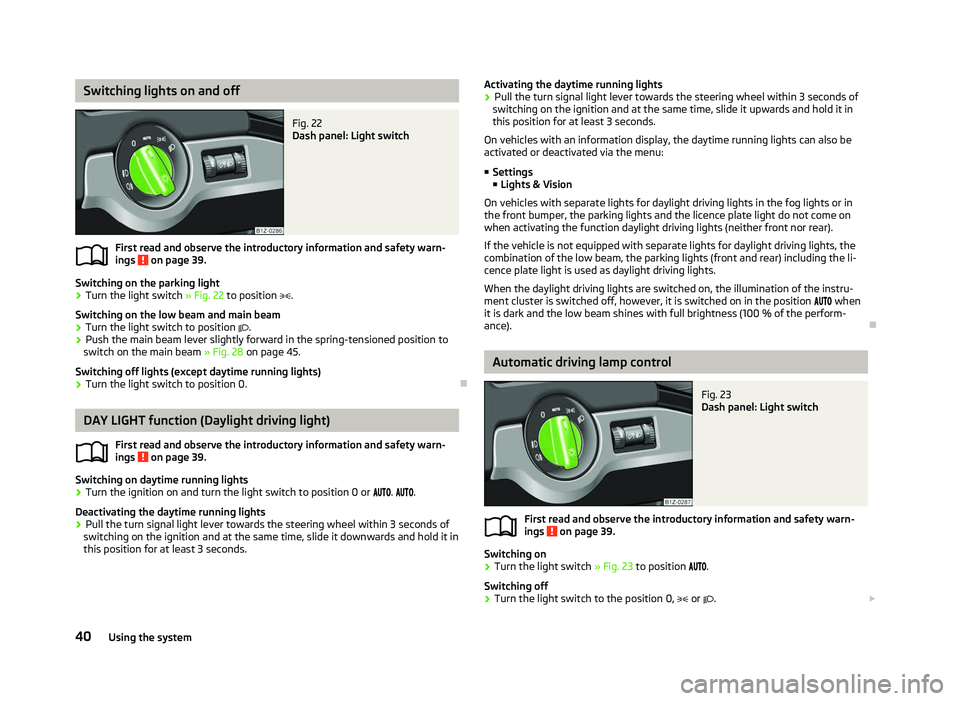
Fig. 22
Dash panel: Light switch
First read and observe the introductory information and safety warn-
ings on page 39.
Switching on the parking light
› Turn the light switch
» Fig. 22 to position .
Switching on the low beam and main beam
› Turn the light switch to position
.
› Push the main beam lever slightly forward in the spring-tensioned position to
switch on the main beam » Fig. 28 on page 45.
Switching off lights (except daytime running lights)
› Turn the light switch to position 0. ÐDAY LIGHT function (Daylight driving light)
First read and observe the introductory information and safety warn-
ings on page 39.
Switching on daytime running lights
› Turn the ignition on and turn the light switch to position 0 or
. .
Deactivating the daytime running lights
› Pull the turn signal light lever towards the steering wheel within 3
seconds of
switching on the ignition and at the same time, slide it downwards and hold it in
this position for at least 3
seconds.
ä
ä Activating the daytime running lights
› Pull the turn signal light lever towards the steering wheel within 3
seconds of
switching on the ignition and at the same time, slide it upwards and hold it in
this position for at least 3
seconds.
On vehicles with an information display, the daytime running lights can also be
activated or deactivated via the menu:
■ Settings
■ Lights & Vision
On vehicles with separate lights for daylight driving lights in the fog lights or in
the front bumper, the parking lights and the licence plate light do not come on
when activating the function daylight driving lights (neither front nor rear).
If the vehicle is not equipped with separate lights for daylight driving lights, the
combination of the low beam, the parking lights (front and rear) including the li-
cence plate light is used as daylight driving lights.
When the daylight driving lights are switched on, the illumination of the instru-
ment cluster is switched off, however, it is switched on in the position when
it is dark and the low beam shines with full brightness (100 % of the perform-
ance). Ð Automatic driving lamp control
Fig. 23
Dash panel: Light switch
First read and observe the introductory information and safety warn-
ings on page 39.
Switching on
› Turn the light switch
» Fig. 23 to position .
Switching off
› Turn the light switch to the position 0,
or . £
ä
40 Using the system