engine SKODA OCTAVIA 2014 3.G / (5E) Workshop Manual
[x] Cancel search | Manufacturer: SKODA, Model Year: 2014, Model line: OCTAVIA, Model: SKODA OCTAVIA 2014 3.G / (5E)Pages: 280, PDF Size: 35.53 MB
Page 158 of 280
Towing a trailer
When towing a trailer, the ACC control will be less powerful. The manner of
driving should therefore be adapted to this limitation.
Information messages
Read and observe
and on page 150 first.
The information messages are shown in the instrument cluster display. ACC: No sensor view!
The sensor is dirty or has no “visibility”. Stop the car, switch off the engine and
clean the sensor or remove the obstacle causing the lack of “visibili-
ty” » Fig. 148 on page 150 . Should the ACC still be unavailable after the engine
is restarted, push the lever into
» Fig. 151 on page 152 position. Seek help
from a specialist garage.
ACC not available.
Stop the vehicle, switch off the engine and then start it again. If the ACC is still
not available, push the lever into position . Seek help from a specialist ga-
rage.
Error: ACC
There is an ACC system error. Push the lever into position . Seek help from a
specialist garage.
Speed limit
Increase the speed accordingly and start control » page 152.
Front Assistant
Introduction
This chapter contains information on the following subjects:
Radar sensor
155
Operation
156
proximity warning (dangerous proximity)
156
Warning and automatic braking
156
Activating/deactivating
157
Information messages
157The Front Assistant (from here on only referred to as the system) warns you of
the danger of a collision with a vehicle or another obstacle in front of the vehi-
cle, and tries to avoid a collision or mitigate its consequences by automatically
applying the brakes where necessary.
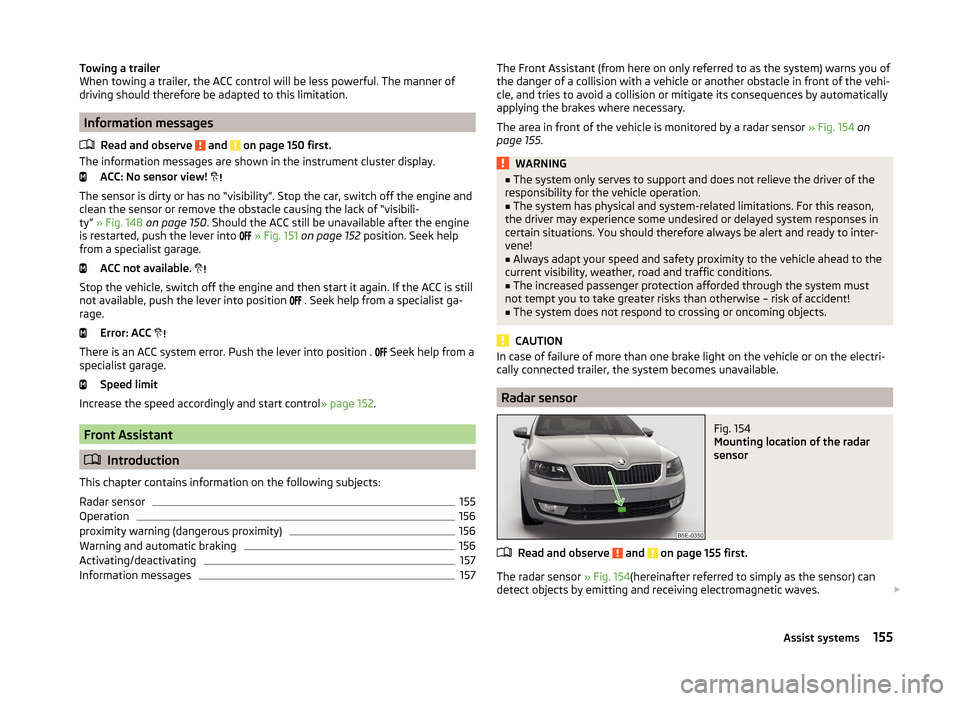
The area in front of the vehicle is monitored by a radar sensor » Fig. 154 on
page 155 .WARNING■
The system only serves to support and does not relieve the driver of the
responsibility for the vehicle operation.■
The system has physical and system-related limitations. For this reason,
the driver may experience some undesired or delayed system responses in
certain situations. You should therefore always be alert and ready to inter-
vene!
■
Always adapt your speed and safety proximity to the vehicle ahead to the
current visibility, weather, road and traffic conditions.
■
The increased passenger protection afforded through the system must
not tempt you to take greater risks than otherwise – risk of accident!
■
The system does not respond to crossing or oncoming objects.
CAUTION
In case of failure of more than one brake light on the vehicle or on the electri-
cally connected trailer, the system becomes unavailable.
Radar sensor
Fig. 154
Mounting location of the radar
sensor
Read and observe and on page 155 first.
The radar sensor » Fig. 154(hereinafter referred to simply as the sensor) can
detect objects by emitting and receiving electromagnetic waves.
155Assist systems
Page 160 of 280
The pre-warning display can occur in the following situations.› If there is a risk of collision with a moving obstacle at a driving speed range
of approx. 30 km/h to approx. 210 km/h.
› If there is a risk of collision with a stationary obstacle at a driving speed
range of approx. 30 km/h to approx. 85 km/h.
When the advance warning is issued, the brake pedal must be pressed or the
moving obstacle avoided!
Acute alert
If the driver does not react to the advance warning, the system briefly applies
the brake automatically via an active brake intervention to draw attention to
the potential danger of a collision again.
Automatic Braking
If the driver fails to respond to the acute warning, the system starts to apply
the brakes automatically with increasing stopping power in several stages.
Brake Support
If the driver does not brake sufficiently in the event of an impending collision,
the system automatically increases the braking force.
The brake support only occurs as long as the brake pedal is being firmly press-
ed down.
Note
■ If an automatic brake intervention is triggered by the system, the pressure in
the brake system increases and the brake pedal cannot be operated with the
normal pedal stroke.■
The automatic braking interventions can be cancelled by pressing the accel-
erator pedal or by means of a steering intervention.
Activating/deactivating
Read and observe
and on page 155 first.
The function is automatically activated each time the ignition is switched on.
The system should only be disabled in exceptional cases »
.
The system can be activated or deactivated in one of two ways. › In the instrument cluster display
» page 51, Menu item wizard .
› In Infotainment
» Infotainment operating instructions , chapter Vehicle set-
tings (CAR button) .
The following functions can be activated or deactivated separately in infotain-
ment.
› Distance warning
› Advance warning
Once one of these functions has been deactivated, it remains disabled even
after switching the ignition off and on.WARNINGIn the following situations, Front Assistant should be deactivated for safety
reasons.■
When the vehicle is being towed away.
■
When the vehicle is on a rolling test bench.
■
If an unfounded warning was issued or a system action carried out.
■
When on a truck, car ferry or similar.
Information messages
Read and observe
and on page 155 first.
The information messages are shown in the instrument cluster display. Front Assist: No sensor view.
The sensor is soiled or covered.
Stop the vehicle, switch off the engine and clean the sensor or remove the
item causing the lack of visibility » Fig. 154 on page 155 .
If the message appears again after starting the engine, the system should be disabled » page 157 . Seek help from a specialist garage.
Front Assist not available.
The system is not available for an unknown reason.
Stop the vehicle, switch off the engine and then start it again.
If the message appears again after starting the engine, the system should be
disabled » page 157 . Seek help from a specialist garage.
157Assist systems
Page 161 of 280
START-STOP
Introduction
This chapter contains information on the following subjects:
Operating conditions of the system
158
Operation in vehicles with manual gearbox
158
Operation in vehicles with automatic gearbox
159
System related automatic start-up
159
Manually deactivating/activating the system
159
Information messages
160
The START-STOP system (hereinafter referred to as the system) saves fuel and
reduces polluting emissions and CO 2 emissions by turning the engine off, e.g.
when stopping at traffic lights, and starting the engine again when moving off.
WARNING■ Never let the vehicle roll with the engine switched off.■The brake servo unit and power steering only operate if the engine is run-
ning.
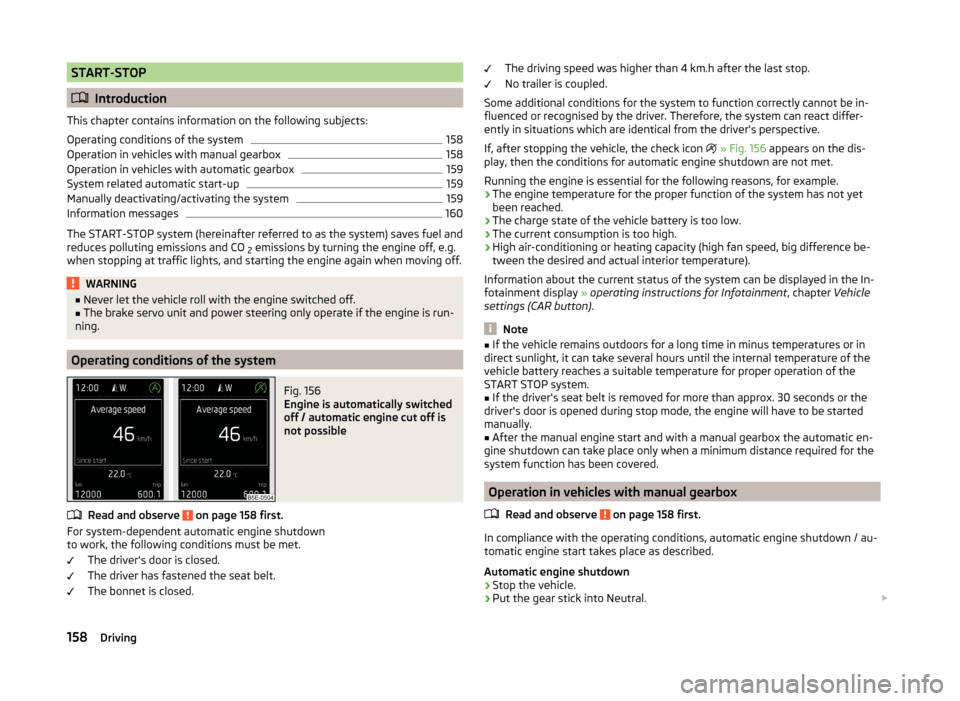
Operating conditions of the system
Fig. 156
Engine is automatically switched
off / automatic engine cut off is
not possible
Read and observe on page 158 first.
For system-dependent automatic engine shutdown
to work, the following conditions must be met.
The driver's door is closed.
The driver has fastened the seat belt.
The bonnet is closed.
The driving speed was higher than 4 km.h after the last stop.
No trailer is coupled.
Some additional conditions for the system to function correctly cannot be in-
fluenced or recognised by the driver. Therefore, the system can react differ-
ently in situations which are identical from the driver's perspective.
If, after stopping the vehicle, the check icon
» Fig. 156 appears on the dis-
play, then the conditions for automatic engine shutdown are not met.
Running the engine is essential for the following reasons, for example.
› The engine temperature for the proper function of the system has not yet
been reached.
› The charge state of the vehicle battery is too low.
› The current consumption is too high.
› High air-conditioning or heating capacity (high fan speed, big difference be-
tween the desired and actual interior temperature).
Information about the current status of the system can be displayed in the In-
fotainment display » operating instructions for Infotainment , chapter Vehicle
settings (CAR button) .
Note
■
If the vehicle remains outdoors for a long time in minus temperatures or in
direct sunlight, it can take several hours until the internal temperature of the
vehicle battery reaches a suitable temperature for proper operation of the
START STOP system.■
If the driver's seat belt is removed for more than approx. 30 seconds or the
driver's door is opened during stop mode, the engine will have to be started
manually.
■
After the manual engine start and with a manual gearbox the automatic en-
gine shutdown can take place only when a minimum distance required for the
system function has been covered.
Operation in vehicles with manual gearbox
Read and observe
on page 158 first.
In compliance with the operating conditions, automatic engine shutdown / au-
tomatic engine start takes place as described.
Automatic engine shutdown
›
Stop the vehicle.
›
Put the gear stick into Neutral.
158Driving
Page 162 of 280

›Release the clutch pedal.
Automatic engine shutdown then occurs and the indicator symbol appears in
the display
» Fig. 156 on page 158 .
Automatic engine start›
Depress the clutch pedal.
The automatic re-start process takes place and the indicator symbol
goes
out.
Operation in vehicles with automatic gearbox
Read and observe
on page 158 first.
In compliance with the operating conditions, automatic engine shutdown / au-
tomatic engine start takes place as described.
Automatic engine shutdown
›
Bring the vehicle to a stop and depress the brake pedal.
Automatic engine shutdown then occurs and the indicator symbol appears in
the display
» Fig. 156 on page 158 .
Automatic engine start
›
Release the brake pedal.
The automatic re-start process takes place and the indicator symbol goes
out.
Further information on automatic transmission
Engine shut down takes place when the selector lever is in positions P, D/S , N
and in Tiptronic mode.
When the selector lever is in position P the engine remains shut down after
you release the brake pedal. The engine starts automatically by pressing the
gas pedal or by moving the selector lever into a different mode and releasing
the brake pedal.
If the engine is off due to the automatic and the selector lever is put to the R
position then the automatic starts the engine.
If the gear selector is moved from position R to the position D/S or N the vehi-
cle must reach a speed of more than 10 km / h before the automatic engine
shutdown starts.
There is no automatic engine shutdown when the system detects a vehicle
moving due to a large steering angle.
No automatic engine shutdown takes place when the vehicle is moving at low
speed (e.g. during a traffic jam or when tuning) and remains stationary after
pressing the brake pedal lightly. Automatic engine shutdown takes place if you
press the brake pedal down with more force.
System related automatic start-up
Read and observe
on page 158 first.
When the engine is off, the system can automatically start the engine beforethe desired journey continues. Some possible reasons for this are:
› The vehicle begins to roll, e.g. on a slope.
› The brake pedal has been actuated several times.
› The current consumption is too high.
Manually deactivating/activating the system
Fig. 157
Button for the START-STOP sys-
tem
Read and observe on page 158 first.
Deactivating/activating
›
Press the symbol button
» Fig. 157 .
When start-stop mode is deactivated, the warning light in the button lights up.
Note
■ If the system is deactivated when the engine is turned off automatically,
then the automatic start process takes place.■
Selecting the driving mode Eco when the system is deactivated will automat-
ically activate the system » page 160, Selection of travel mode (Driving Mode
Selection) .
159Assist systems
Page 163 of 280

Information messagesRead and observe
on page 158 first.
The information messages are shown in the instrument cluster display. Start the engine manually!
START MANUALLY
One of the conditions for automatic engine start is not satisfied or the driver's
seat belt is not fastened. The engine must be started manually.
On vehicles with the starter button, the ignition is turned off by the first press of the starter button; the start process is only initiated when the button is
pressed for the second time.
Error: start-stop system
START STOP ERROR
A system error is present. Seek help from a specialist garage.
Selection of travel mode (Driving Mode Selection)
Introduction
This chapter contains information on the following subjects:
Selection
160
Normal Mode
160
Sportmode
160
Ecomode
161
Individualmode
161
By selecting the driving mode, the driving behavior can be adapted to the de-
sired mode of operation.
The following modes of Normal, Sport, Eco, Individual are available.
The set driving mode remains stored even after switching the ignition on and
off.
WARNING■ The system only serves to support and does not relieve the driver of the
responsibility for the vehicle operation.■
Adjust the speed and driving style to the current visibility, weather, road
and traffic conditions.
SelectionFig. 158
Button for selecting the driving mode: Version 1/version 2
Read and observe
on page 160 first.
›
Press the symbol button or
» Fig. 158 .
The menu is displayed on the infotainment screen.
The mode is changed by repeatedly pressing the symbol button or
or in
the Infotainment display » Infotainment operating instructions , chapter Vehi-
cle settings .
If a driving mode other than Normal is selected, then the symbol lights up on
the button or
» Fig. 158 .
WARNINGSetting the driving mode while driving can distract you from other traffic –
risk of accident.
Normal Mode
Read and observe
on page 160 first.
This mode is suitable for common everyday use.
SportmodeRead and observe
on page 160 first.
This mode is suitable for a sporty driving style.
Selecting this mode primarily affects the function of the following systems.
160Driving
Page 164 of 280

Engine (drive)
The vehicle acceleration is more dynamic than in Normal mode.
The engine noise is noticeable in the interior more intensely than in
normalmode 1)
.
Steering
The power steering is reduced slightly, i.e., the driver needs to exert more
force for steering .
Adaptive Cruise Control (ACC)
The acceleration is quicker than in normal mode with distance con-
trol » page 149 .
Adaptive headlights (AHL)
The headlights adapt to the driving style more dynamically than in mode
Normal » page 74 .
ProActive passenger protection
The first level of protection is deactivated » page 161.
Ecomode
Read and observe
on page 160 first.
This mode is suitable for a relaxed style of driving and helps to save fuel.
Selecting this mode primarily affects the function of the following systems.
Engine (drive)
Vehicle acceleration is more relaxed than in Normal mode.
The recommended gear is controlled such to achieve the lowest possible fuel
consumption » page 46.
When the START-STOP system was deactivated manually » page 158, it is au-
tomatically activated.
The automatic gearbox is set automatically to mode E » page 133 .
The engine noise is felt less intensely in the interior less than in normalmode 1)
.
Adaptive Cruise Control (ACC)
Acceleration occurs more relaxed than in Normal » page 149mode with dis-
tance control.
Adaptive headlights (AHL)
The system is automatically deactivated » page 74.
Air conditioning (Climatronic)
The air conditioning is controlled so as to save energy. For this reason, for ex-
ample, it may take longer to reach the desired interior temperature in mode
Normal.
Note
■ The Eco driving mode is not available when towing a trailer. When the vehicle
is connected electrically to a trailer and is in the Eco driving mode, the Normal
driving mode is configured automatically.■
The maximum vehicle acceleration (kickdown function) is possible also in
driving mode Eco.
Individualmode
Read and observe
on page 160 first.
In mode Individual you can select between Normal, Sport and Eco for each sys-tem separately » Operating instructions for Infotainment , chapter Vehicle set-
tings .
ProActive passenger protection
Introduction
This chapter contains information on the following subjects:
Function
162
ProActive passenger protection (From here on referred to only as system) in-
creases passenger protection in the front seats in situations that could lead to
vehicle impact or overturning.
WARNING■ The increased safety by ProActive passenger protection must not tempt
you to take greater risks than otherwise – risk of accident!■
Adjust the speed and driving style to the current visibility, weather, road
and traffic conditions.
1)
Applies to Octavia RS, Octavia RS.
161Assist systems
Page 165 of 280
NoteThe system component service life is monitored electronically. Further infor-
mation » page 38 , Security systems .
Function
Read and observe
on page 161 first.
The system is activated whenever the ignition is switched on, and is ready tointervene automatically under the following conditions.
The engine is running.
The vehicle moves at a speed of more than 30 km/h.
In critical driving situations (e.g. during emergency braking or a sudden change
in direction), the following steps can be taken separately or combined in order
to reduce the risk of serious injury.
› The front passenger's and driver's seatbelts, if worn, are automatically
ten-
sioned closely over the body.
› The windows in the side doors (if open) are automatically closed up to a gap
of about 5 cm from the edge.
› The sliding/tilting roof is closed.
Once the critical driving situation has passed, the tension on the seatbelts will
be released again.
The system operates at two levels of protection.
The first level of protection
The system already intervenes in situations that may occur during dynamic
driving. As a result, this primarily helps to keep the driver and the passenger in
the correct seated position.
The first level of protection can be deactivated by one of the following meas-
ures.
› Deactivation of the system in Infotainment
» Operating instructions for Info-
tainment , chapter Vehicle settings (CAR button) .
› Deactivation of TCS
» page 139.
› Selecting the driving mode Sport
» page 160.
Provided that the driving mode Sports is not selected, the system is activated over the two levels of protection after switching the ignition off and on again.
The second level of protection
The system intervenes only if the situation is evaluated as critical, such as in
panic braking at high speeds.
This level of protection cannot be deactivated.
Note
If the front passenger front airbag is deactivated » page 21 the belt tensioning
function for the front passenger seat is switched off.
Lane Assist
Introduction
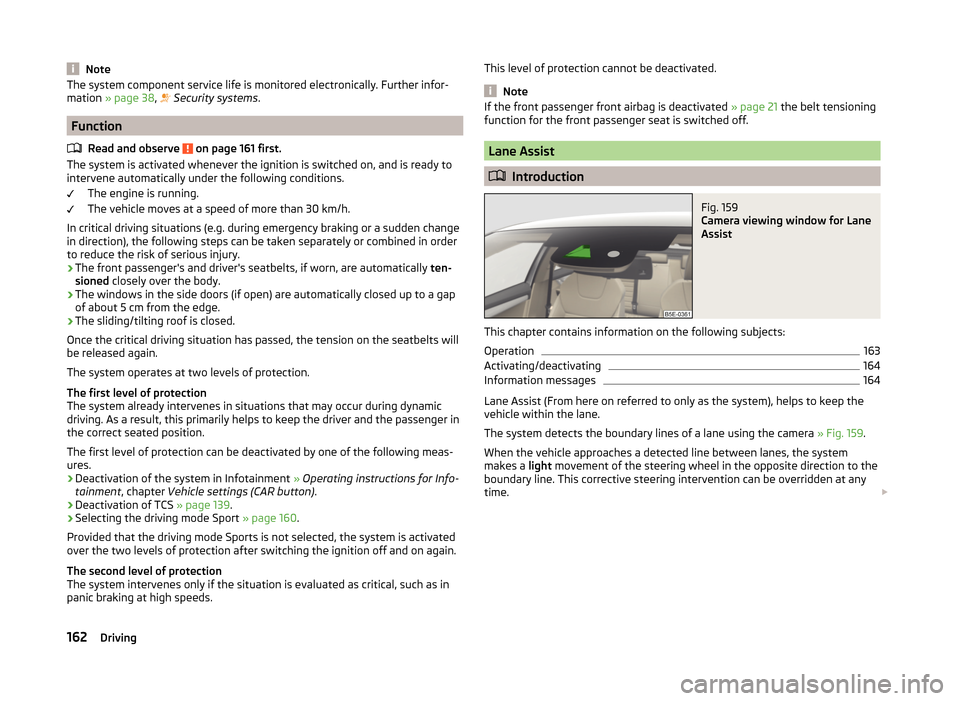
Fig. 159
Camera viewing window for Lane
Assist
This chapter contains information on the following subjects:
Operation
163
Activating/deactivating
164
Information messages
164
Lane Assist (From here on referred to only as the system), helps to keep the
vehicle within the lane.
The system detects the boundary lines of a lane using the camera » Fig. 159.
When the vehicle approaches a detected line between lanes, the system
makes a light movement of the steering wheel in the opposite direction to the
boundary line. This corrective steering intervention can be overridden at any
time.
162Driving
Page 178 of 280
Detaching›Unhook the breakaway cable of the trailer from the security eyeletB
» Fig. 178.
›
Pull the trailer cable connected out of the 13-pin socket.
›
Remove the trailer from the ball head.
›
Place cap
5
on to the ball head » Fig. 166 on page 169 .
›
Grip the 13-pin socket at point
A
and swivel in the opposite direction to the
arrow » Fig. 178 .
Exterior mirrors
You have to have additional exterior mirrors fitted if you are not able to see
the traffic behind the trailer with the standard rear-view mirrors. The national
legal requirements must be observed.
Headlights
The front of the vehicle may lift up when a trailer is being towed and the head-
lights may dazzle other road users.
Adjust the headlights using the headlight beam control » page 71, Operating
the lights 1)
.
Power to the trailer power grid
For the electrical connection between the vehicle and trailer, the trailer's pow-
er supply is provided by the vehicle.
The power supply works with ignition on or off.
WARNING■ Incorrectly or improperly connected electrical installations may cause the
entire vehicle electronics to malfunction, and may lead to accidents and se-
rious injury from electric shock.■
Work on the electrical system must only be carried out by specialist ga-
rages.
■
Never directly connect the trailer's electrical system with the electrical
connections for the tail lights or other current sources.
■
After attaching the trailer and connecting the power socket, check that
the rear lights on the trailer are working correctly.
■
The handbrake on the vehicle must be applied when attaching and dis-
connecting the trailer.
■
Never use the safety eye to tow a vehicle!
Loading a trailer
The vehicle/trailer combination must be balanced. whereby the maximum per-
missible drawbar load must be utilised. If the drawbar load is too low, it jeop-
ardises the performance of the vehicle/trailer combination.
Distribution of the load
Distribute the load in the trailer in such a way that heavy items are located as
close to the trailer axle as possible. Secure the items from slipping.
The distribution of the weight is very poor if your vehicle is unladen and the
trailer is laden. Drive at a particularly low speed if you cannot avoid driving
with this combination.
Tyre pressure
Correct the tyre inflation pressure on the vehicle for a “full load” » page 204.
Towing capacity and trailer weight
The permissible trailer load must not be exceeded under any circumstan-
ces » page 238 , Technical data .
The details given in the vehicle's technical documentation always take prece-
dence over the details in the Owner's Manual.
The trailer loads specified apply only to altitudes up to 1 000 metres above
mean sea level.
The engine output falls as the height increases, as does the ability to climb.
Therefore, for every additional 1000 m in height (or part), the maximum per-
missible towed weight must be reduced by 10%.
The towed weight is made up of the actual weights of the loaded towing vehi-
cle and the loaded trailer.
The trailer and drawbar load information on the type plate of the towing de-
vice are merely test data for the towing device. The vehicle-specific values are
detailed in the vehicle documents.WARNING■ The maximum permissible axle and drawbar load and the permissible
weight of the trailer must not be exceeded - risk of accident!■
Sliding cargo can significantly adversely affect stability and driving safety
- risk of accident!
1)
Applies to vehicles with bi-xenon headlights.
175Hitch and trailer
Page 179 of 280
Trailer operation
Driving speed
For safety reasons, do not drive faster than 80 km/h when hitching a trailer.
Immediately reduce your speed as soon as even the slightest swaying of the
trailer is detected. Never attempt to stop the trailer from “swaying” by acceler-
ating.
Brakes
Apply the brakes in good time! If the trailer is fitted with a trailer brake, apply
the brakes gently at first, then brake firmly. This will avoid brake jolts resulting
from the trailer wheels locking.
On downhill sections shift down a gear in good time to also use the engine as
a brake.
Engine overheating
If the needle for the coolant temperature gauge moves into the right-hand
area or the red area of the scale, the speed must be reduced immediately.
Stop and switch off the engine if the warning symbol in the instrument clus-
ter » page 41 lights up.
The following information must be observed » page 41,
Coolant
.
The coolant temperature can be reduced by switching on the heating.WARNING■ Always drive particularly carefully with the trailer.■Adapt your speed to the conditions of the road surface and to the traffic
situation.
CAUTION
If you tow a trailer frequently, you should also have your vehicle inspected be-
tween service intervals.
Anti-theft alarm system
If the vehicle is locked, the alarm is activated when the electrical connection to
the trailer is interrupted.
Always switch off the anti-theft alarm system before a trailer is coupled or un-
coupled » page 59 .
Conditions for including a trailer in the anti-theft alarm system.
The vehicle is factory-fitted with an anti-theft alarm system and a towing
device.
The trailer is electrically connected to the towing vehicle by means of the
trailer socket.
The electrical system of the vehicle and trailer is functional.
the vehicle is locked with the vehicle key and the anti-theft alarm system
is activated.
CAUTION
For technical reasons, trailers with rear LED lights cannot be connected to the
anti-theft alarm system.176Driving
Page 188 of 280
WheelsRead and observe
and on page 182 first.
Wheel rims
Also thoroughly wash the wheel rims when washing the vehicle on a regular
basis.
Regularly remove salt and brake abrasion, otherwise the rim material will be
corroded.
Light alloy wheels
After washing thoroughly and treat the wheel rims with a protective product
for light alloy wheels.
For the treatment of wheel rims do not use products which may cause damage
to the paint on the rims.
CAUTION
■ Damage to the paint layer on the wheel rims must be touched up immediate-
ly.■
Severe layers of dirt on the wheels can also result in wheel imbalance. This
may show itself in the form of a wheel vibration which is transmitted to the
steering wheel which, in certain circumstances, can cause premature wear of
the steering. This means it is necessary to remove the dirt.
Towing hitch and mounting recess
Read and observe
and on page 182 first.
Seal the mounting recess with the cap to prevent any ingress of dirt.
In the event of dirt, clean the interior surfaces of the mounting recess and
treat with a suitable preservative.
Always check the ball head before attaching a trailer. Apply suitable grease
where necessary.
Include the protective cap when stowing away the ball rod to protect the boot
from getting contaminated.
CAUTION
Apply grease to the inner part of the mounting recess. Make sure you do not
remove any grease.Under-body protection
Read and observe
and on page 182 first.
The underside of your vehicle is already permanently protected by the factory
against chemical and mechanical influences.
It is not possible to guarantee that the protective coating will not suffer any
damage as the vehicle is driven.
We recommend having the protective coating underneath the vehicle and the
chassis checked — preferably before the beginning of winter and at the end of
winter.
WARNINGNever use additional underbody protection or anti-corrosion agents for ex-
haust pipes, catalytic converters, diesel particle filters or heat shields.
When the engine reaches its operating temperature, these substances
might ignite - risk of fire!
Wiper blades
Read and observe
and on page 182 first.
Clean the wiper blades regularly with a glass cleaner. The wiper blades should
be cleaned with a sponge or cloth if they are heavily soiled by insect residues,
for example.
The wiper blades can become soiled with wax residues after washing in auto-
matic vehicle wash systems for example » page 181.
Interior care
Introduction
This chapter contains information on the following subjects:
Natural leather
186
Artificial leather, materials and Alcantara ®
187
Seat covers
187
Safety belts
187
185Care and maintenance