ignition SKODA RAPID 2013 1.G Owner's Guide
[x] Cancel search | Manufacturer: SKODA, Model Year: 2013, Model line: RAPID, Model: SKODA RAPID 2013 1.GPages: 226, PDF Size: 15.16 MB
Page 40 of 226
Switching off›Switch off the ignition.›
Open the driver door.
›
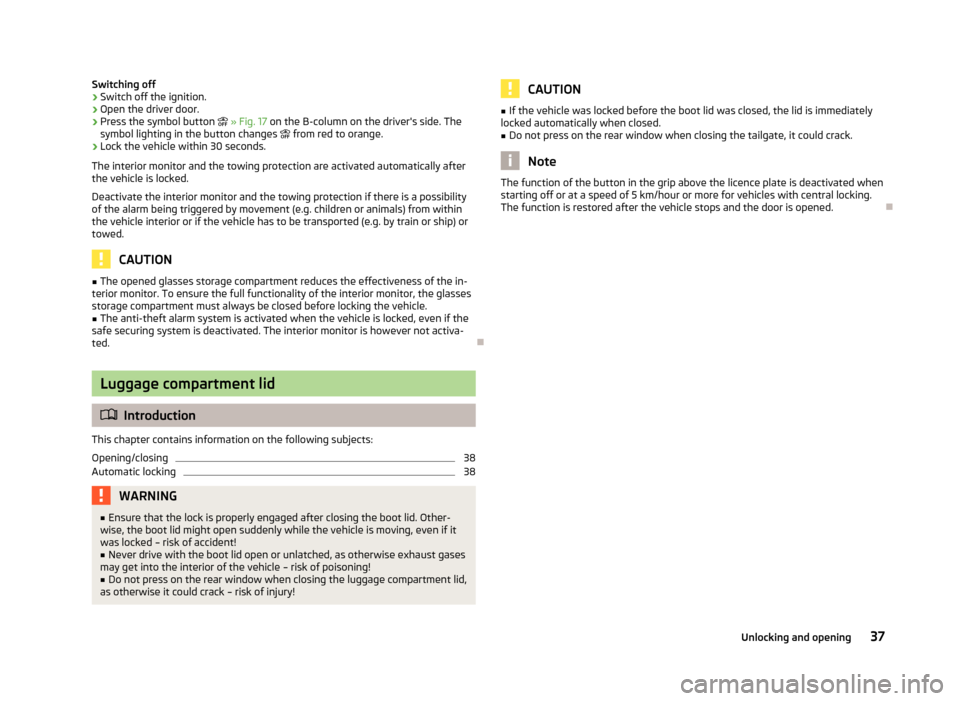
Press the symbol button » Fig. 17 on the B-column on the driver's side. The
symbol lighting in the button changes from red to orange.
›
Lock the vehicle within 30 seconds.
The interior monitor and the towing protection are activated automatically after
the vehicle is locked.
Deactivate the interior monitor and the towing protection if there is a possibility
of the alarm being triggered by movement (e.g. children or animals) from within
the vehicle interior or if the vehicle has to be transported (e.g. by train or ship) or
towed.
CAUTION
■ The opened glasses storage compartment reduces the effectiveness of the in-
terior monitor. To ensure the full functionality of the interior monitor, the glasses storage compartment must always be closed before locking the vehicle.■
The anti-theft alarm system is activated when the vehicle is locked, even if the
safe securing system is deactivated. The interior monitor is however not activa-
ted.
Luggage compartment lid
Introduction
This chapter contains information on the following subjects:
Opening/closing
38
Automatic locking
38WARNING■ Ensure that the lock is properly engaged after closing the boot lid. Other-
wise, the boot lid might open suddenly while the vehicle is moving, even if it was locked – risk of accident!■
Never drive with the boot lid open or unlatched, as otherwise exhaust gases
may get into the interior of the vehicle – risk of poisoning!
■
Do not press on the rear window when closing the luggage compartment lid,
as otherwise it could crack – risk of injury!
CAUTION■ If the vehicle was locked before the boot lid was closed, the lid is immediately
locked automatically when closed.■
Do not press on the rear window when closing the tailgate, it could crack.
Note
The function of the button in the grip above the licence plate is deactivated when
starting off or at a speed of 5 km/hour or more for vehicles with central locking.
The function is restored after the vehicle stops and the door is opened.
37Unlocking and opening
Page 41 of 226
Opening/closingFig. 18
Boot lid handle/opening the boot lid
Fig. 19
Handle in the inner panelling of
the boot lid
First read and observe the introductory information and safety warn-
ings on page 37.
After unlocking, the boot lid can be opened with the button in the handle above
the number plate.
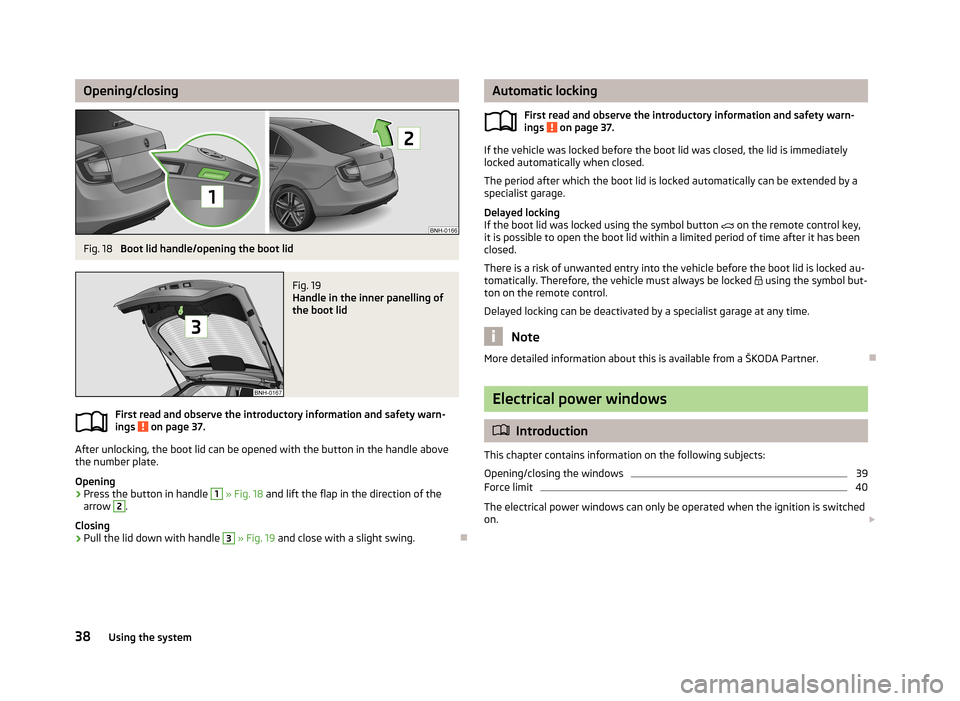
Opening
›
Press the button in handle
1
» Fig. 18 and lift the flap in the direction of the
arrow
2
.
Closing
›
Pull the lid down with handle
3
» Fig. 19 and close with a slight swing.
Automatic locking
First read and observe the introductory information and safety warn-
ings
on page 37.
If the vehicle was locked before the boot lid was closed, the lid is immediately
locked automatically when closed.
The period after which the boot lid is locked automatically can be extended by a specialist garage.
Delayed locking
If the boot lid was locked using the symbol button on the remote control key,
it is possible to open the boot lid within a limited period of time after it has been
closed.
There is a risk of unwanted entry into the vehicle before the boot lid is locked au- tomatically. Therefore, the vehicle must always be locked
using the symbol but-
ton on the remote control.
Delayed locking can be deactivated by a specialist garage at any time.
Note
More detailed information about this is available from a ŠKODA Partner.
Electrical power windows
Introduction
This chapter contains information on the following subjects:
Opening/closing the windows
39
Force limit
40
The electrical power windows can only be operated when the ignition is switched
on.
38Using the system
Page 44 of 226
Lights and visibility
Lights
Introduction
This chapter contains information on the following subjects:
Parking light and low beam
41
Daytime running lights(DAY LIGHT)
42
Turn signal and main beam
43
Fog lights
43
Fog lights with CORNER function
43
Rear fog light
44
Hazard warning light system
44
Parking light
45
Unless otherwise stated, the lights only work when the ignition is switched on.
On models fitted with right-hand steering, the position of some of the controls
differs from that shown in » Fig. 21 on page 41. The symbols which mark the po-
sitions of the controls are identical.
WARNING■ The activation of the lights should only be undertaken in accordance with
national legal requirements.■
The driver is always responsible for the correct settings and use of the
lights.
■
Never drive with only the side lights on! The side lights are not bright
enough to light up the road sufficiently in front of you or to be seen by other oncoming traffic. Therefore always switch on the low beam when it is dark or if visibility is poor.
NoteThe headlights may mist up temporarily. When the driving lights are switched on,
the light outlet surfaces are free from mist after a short period, although the
headlight lenses may still be misted up in the peripheral areas. This mist has no
influence on the life of the lighting system.
Parking light and low beam
Fig. 21
Light switch and control dial for
headlight range adjustment
First read and observe the introductory information and safety warn-
ings on page 41.
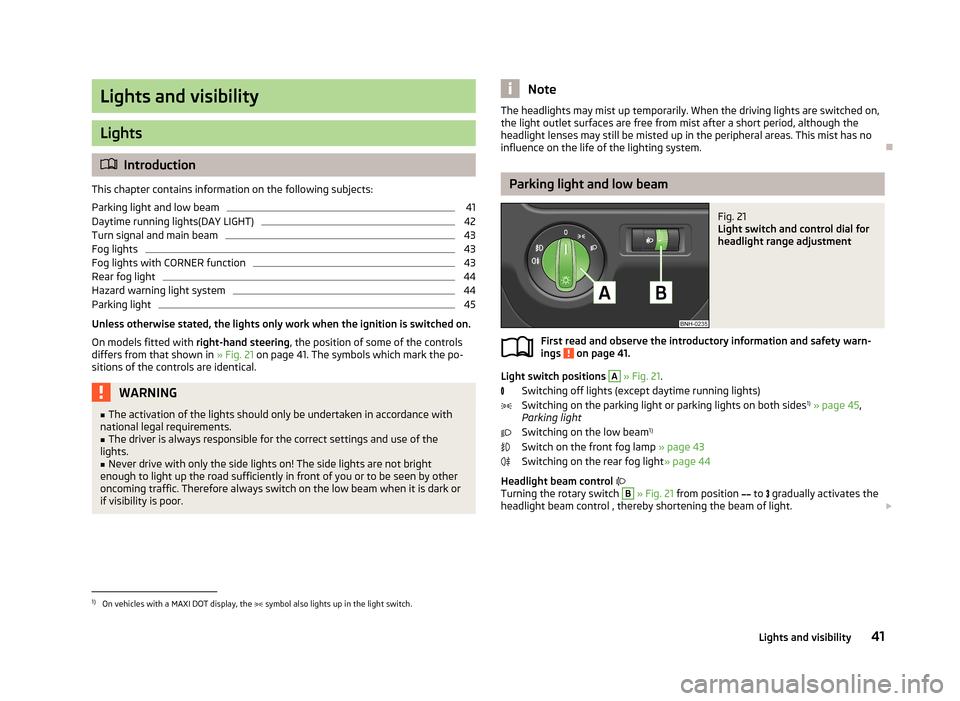
Light switch positions
A
» Fig. 21 .
Switching off lights (except daytime running lights) Switching on the parking light or parking lights on both sides 1)
» page 45 ,
Parking light
Switching on the low beam 1)
Switch on the front fog lamp » page 43
Switching on the rear fog light » page 44
Headlight beam control
Turning the rotary switch
B
» Fig. 21 from position
to
gradually activates the
headlight beam control , thereby shortening the beam of light.
1)
On vehicles with a MAXI DOT display, the
symbol also lights up in the light switch.
41Lights and visibility
Page 45 of 226
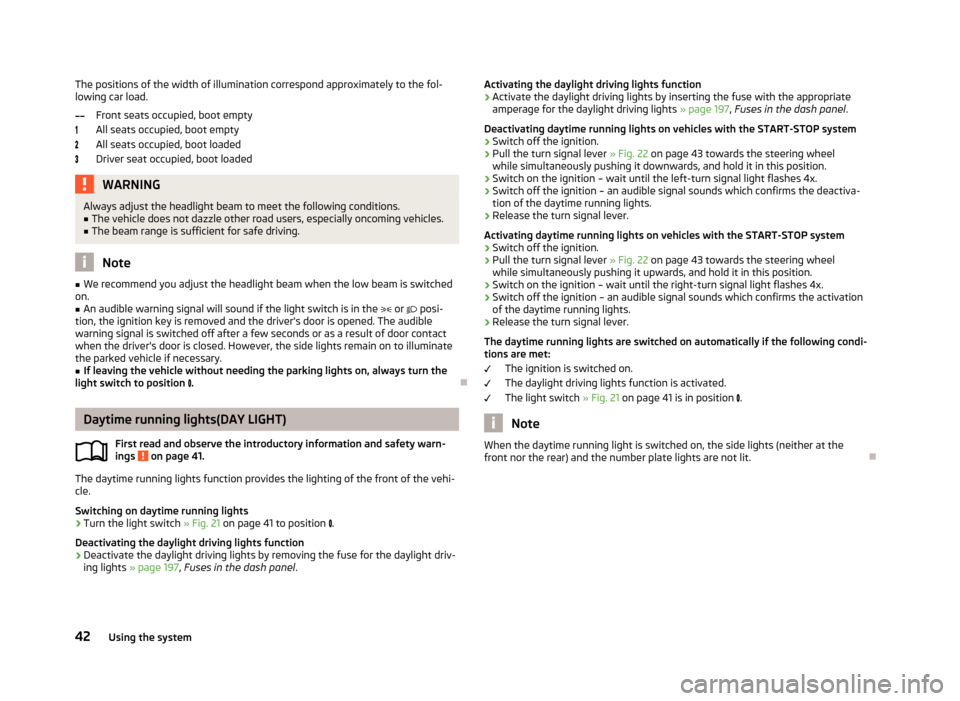
The positions of the width of illumination correspond approximately to the fol-
lowing car load.
Front seats occupied, boot empty
All seats occupied, boot empty
All seats occupied, boot loaded
Driver seat occupied, boot loadedWARNINGAlways adjust the headlight beam to meet the following conditions.■The vehicle does not dazzle other road users, especially oncoming vehicles.■
The beam range is sufficient for safe driving.
Note
■ We recommend you adjust the headlight beam when the low beam is switched
on.■
An audible warning signal will sound if the light switch is in the or posi-
tion, the ignition key is removed and the driver's door is opened. The audible warning signal is switched off after a few seconds or as a result of door contact
when the driver's door is closed. However, the side lights remain on to illuminate the parked vehicle if necessary.
■
If leaving the vehicle without needing the parking lights on, always turn the
light switch to position .
Daytime running lights(DAY LIGHT)
First read and observe the introductory information and safety warn-
ings
on page 41.
The daytime running lights function provides the lighting of the front of the vehi-
cle.
Switching on daytime running lights
›
Turn the light switch » Fig. 21 on page 41 to position
.
Deactivating the daylight driving lights function
›
Deactivate the daylight driving lights by removing the fuse for the daylight driv-
ing lights » page 197 , Fuses in the dash panel .
Activating the daylight driving lights function›Activate the daylight driving lights by inserting the fuse with the appropriate
amperage for the daylight driving lights » page 197, Fuses in the dash panel .
Deactivating daytime running lights on vehicles with the START-STOP system›
Switch off the ignition.
›
Pull the turn signal lever » Fig. 22 on page 43 towards the steering wheel
while simultaneously pushing it downwards, and hold it in this position.
›
Switch on the ignition – wait until the left-turn signal light flashes 4x.
›
Switch off the ignition – an audible signal sounds which confirms the deactiva- tion of the daytime running lights.
›
Release the turn signal lever.
Activating daytime running lights on vehicles with the START-STOP system
›
Switch off the ignition.
›
Pull the turn signal lever » Fig. 22 on page 43 towards the steering wheel
while simultaneously pushing it upwards, and hold it in this position.
›
Switch on the ignition – wait until the right-turn signal light flashes 4x.
›
Switch off the ignition – an audible signal sounds which confirms the activation
of the daytime running lights.
›
Release the turn signal lever.
The daytime running lights are switched on automatically if the following condi- tions are met:
The ignition is switched on.
The daylight driving lights function is activated.
The light switch » Fig. 21 on page 41 is in position
.
Note
When the daytime running light is switched on, the side lights (neither at the
front nor the rear) and the number plate lights are not lit.42Using the system
Page 46 of 226
Turn signal and main beamFig. 22
Operating lever: Turn signal and
main beam operation
First read and observe the introductory information and safety warn-
ings on page 41.
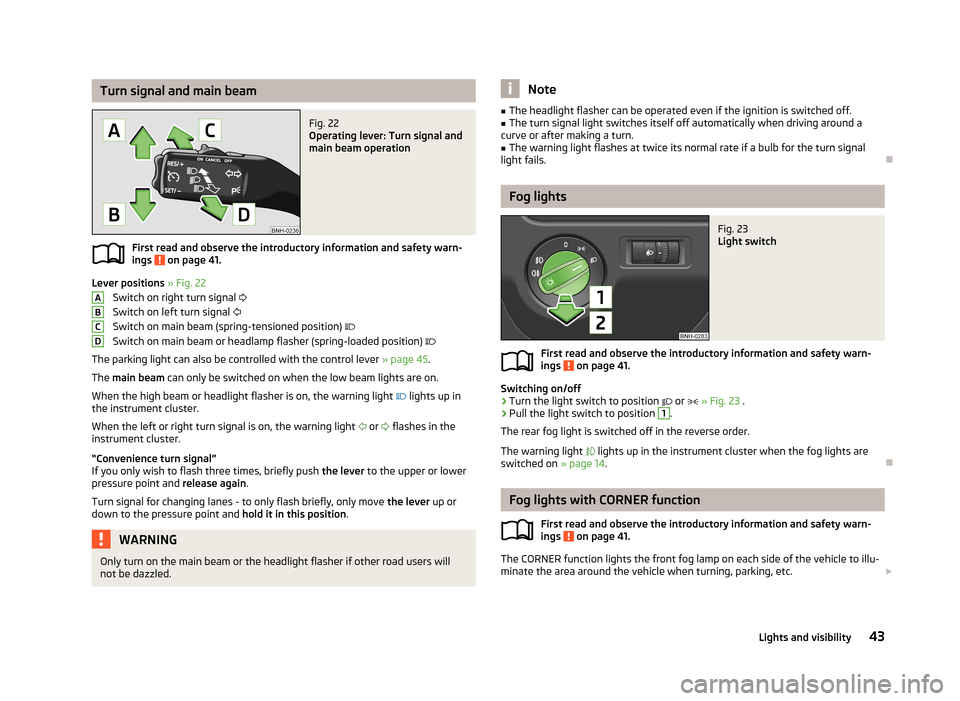
Lever positions » Fig. 22
Switch on right turn signal
Switch on left turn signal
Switch on main beam (spring-tensioned position)
Switch on main beam or headlamp flasher (spring-loaded position)
The parking light can also be controlled with the control lever » page 45.
The main beam can only be switched on when the low beam lights are on.
When the high beam or headlight flasher is on, the warning light
lights up in
the instrument cluster.
When the left or right turn signal is on, the warning light
or
flashes in the
instrument cluster.
“Convenience turn signal”
If you only wish to flash three times, briefly push the lever to the upper or lower
pressure point and release again.
Turn signal for changing lanes - to only flash briefly, only move the lever up or
down to the pressure point and hold it in this position.
WARNINGOnly turn on the main beam or the headlight flasher if other road users will
not be dazzled.ABCDNote■ The headlight flasher can be operated even if the ignition is switched off.■The turn signal light switches itself off automatically when driving around a
curve or after making a turn.■
The warning light flashes at twice its normal rate if a bulb for the turn signal
light fails.
Fog lights
Fig. 23
Light switch
First read and observe the introductory information and safety warn-
ings on page 41.
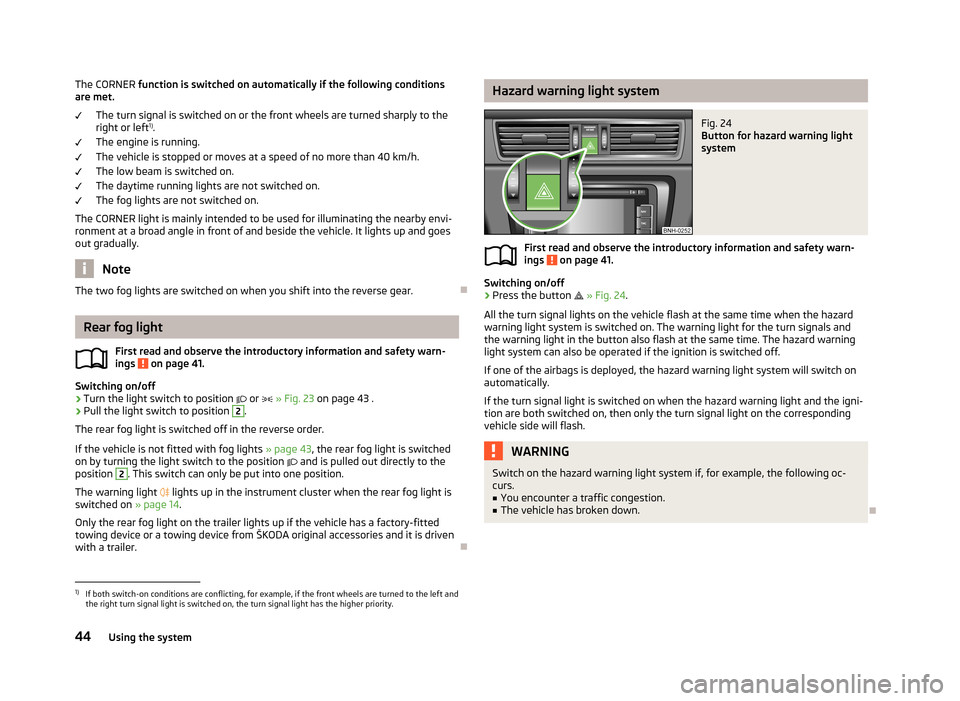
Switching on/off
›
Turn the light switch to position
or
» Fig. 23 .
›
Pull the light switch to position
1
.
The rear fog light is switched off in the reverse order.
The warning light
lights up in the instrument cluster when the fog lights are
switched on » page 14.
Fog lights with CORNER function
First read and observe the introductory information and safety warn-
ings
on page 41.
The CORNER function lights the front fog lamp on each side of the vehicle to illu-
minate the area around the vehicle when turning, parking, etc.
43Lights and visibility
Page 47 of 226
The CORNER function is switched on automatically if the following conditions
are met.
The turn signal is switched on or the front wheels are turned sharply to the
right or left 1)
.
The engine is running.
The vehicle is stopped or moves at a speed of no more than 40 km/h. The low beam is switched on.
The daytime running lights are not switched on.
The fog lights are not switched on.
The CORNER light is mainly intended to be used for illuminating the nearby envi-
ronment at a broad angle in front of and beside the vehicle. It lights up and goes
out gradually.
Note
The two fog lights are switched on when you shift into the reverse gear.
Rear fog light
First read and observe the introductory information and safety warn-
ings
on page 41.
Switching on/off
›
Turn the light switch to position
or
» Fig. 23 on page 43 .
›
Pull the light switch to position
2
.
The rear fog light is switched off in the reverse order.
If the vehicle is not fitted with fog lights » page 43, the rear fog light is switched
on by turning the light switch to the position
and is pulled out directly to the
position
2
. This switch can only be put into one position.
The warning light
lights up in the instrument cluster when the rear fog light is
switched on » page 14.
Only the rear fog light on the trailer lights up if the vehicle has a factory-fitted
towing device or a towing device from ŠKODA original accessories and it is driven
with a trailer.
Hazard warning light systemFig. 24
Button for hazard warning light
system
First read and observe the introductory information and safety warn-
ings on page 41.
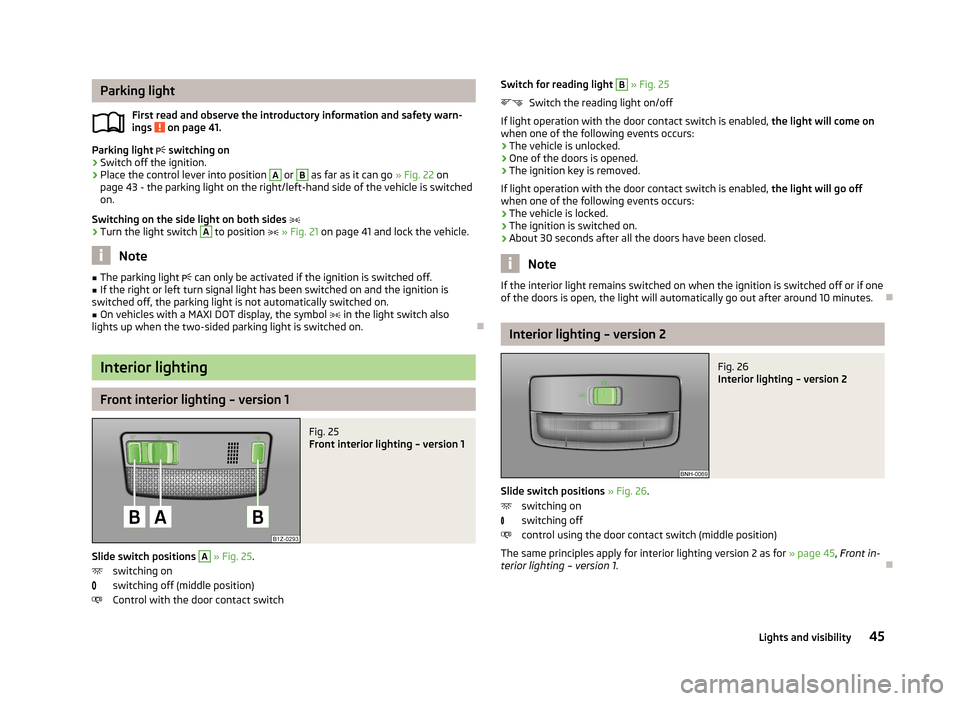
Switching on/off
›
Press the button
» Fig. 24 .
All the turn signal lights on the vehicle flash at the same time when the hazard
warning light system is switched on. The warning light for the turn signals and
the warning light in the button also flash at the same time. The hazard warning
light system can also be operated if the ignition is switched off.
If one of the airbags is deployed, the hazard warning light system will switch on
automatically.
If the turn signal light is switched on when the hazard warning light and the igni- tion are both switched on, then only the turn signal light on the corresponding
vehicle side will flash.
WARNINGSwitch on the hazard warning light system if, for example, the following oc-
curs.■
You encounter a traffic congestion.
■
The vehicle has broken down.
1)
If both switch-on conditions are conflicting, for example, if the front wheels are turned to the left and
the right turn signal light is switched on, the turn signal light has the higher priority.
44Using the system
Page 48 of 226
Parking lightFirst read and observe the introductory information and safety warn-
ings
on page 41.
Parking light switching on
›
Switch off the ignition.
›
Place the control lever into position
A
or
B
as far as it can go » Fig. 22 on
page 43 - the parking light on the right/left-hand side of the vehicle is switched
on.
Switching on the side light on both sides
›
Turn the light switch
A
to position » Fig. 21 on page 41 and lock the vehicle.
Note
■
The parking light can only be activated if the ignition is switched off.■If the right or left turn signal light has been switched on and the ignition is
switched off, the parking light is not automatically switched on.■
On vehicles with a MAXI DOT display, the symbol in the light switch also
lights up when the two-sided parking light is switched on.
Interior lighting
Front interior lighting – version 1
Fig. 25
Front interior lighting – version 1
Slide switch positions
A
» Fig. 25 .
switching on
switching off (middle position)
Control with the door contact switch
Switch for reading light B » Fig. 25
Switch the reading light on/off
If light operation with the door contact switch is enabled, the light will come on
when one of the following events occurs:
› The vehicle is unlocked.
› One of the doors is opened.
› The ignition key is removed.
If light operation with the door contact switch is enabled, the light will go off
when one of the following events occurs:
› The vehicle is locked.
› The ignition is switched on.
› About 30 seconds after all the doors have been closed.
Note
If the interior light remains switched on when the ignition is switched off or if one
of the doors is open, the light will automatically go out after around 10 minutes.
Interior lighting – version 2
Fig. 26
Interior lighting – version 2
Slide switch positions » Fig. 26 .
switching on
switching off
control using the door contact switch (middle position)
The same principles apply for interior lighting version 2 as for » page 45, Front in-
terior lighting – version 1 .
45Lights and visibility
Page 51 of 226
sunshade (Rapid Spaceback)Fig. 31
Sun screen
First read and observe the introductory information given on page 46.
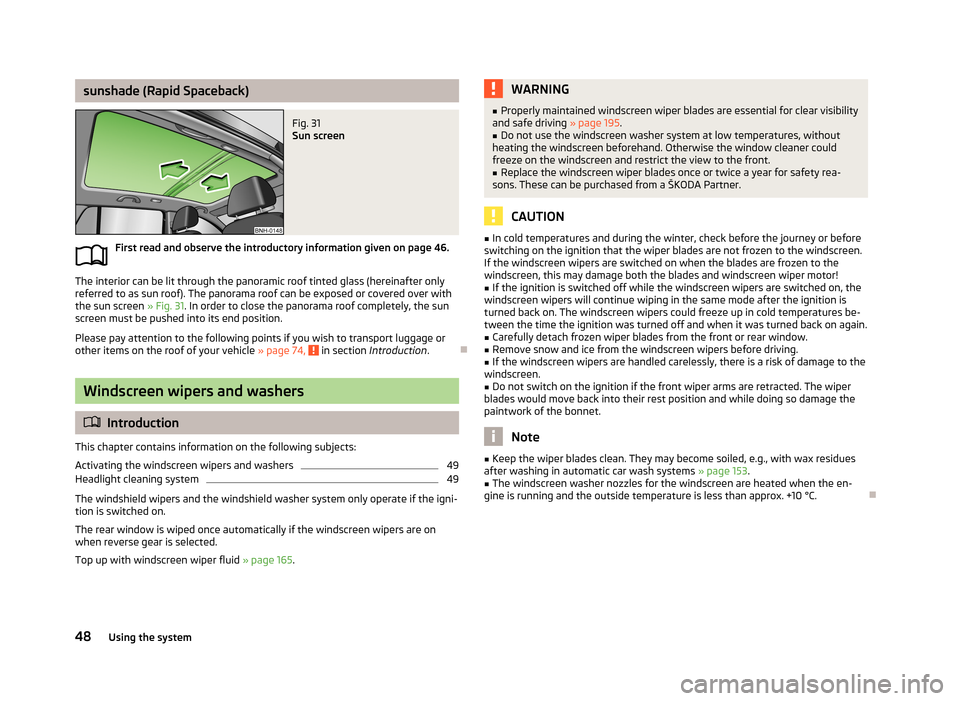
The interior can be lit through the panoramic roof tinted glass (hereinafter onlyreferred to as sun roof). The panorama roof can be exposed or covered over with
the sun screen » Fig. 31. In order to close the panorama roof completely, the sun
screen must be pushed into its end position.
Please pay attention to the following points if you wish to transport luggage or
other items on the roof of your vehicle » page 74,
in section Introduction .
Windscreen wipers and washers
Introduction
This chapter contains information on the following subjects:
Activating the windscreen wipers and washers
49
Headlight cleaning system
49
The windshield wipers and the windshield washer system only operate if the igni-
tion is switched on.
The rear window is wiped once automatically if the windscreen wipers are on when reverse gear is selected.
Top up with windscreen wiper fluid » page 165.
WARNING■
Properly maintained windscreen wiper blades are essential for clear visibility
and safe driving » page 195.■
Do not use the windscreen washer system at low temperatures, without
heating the windscreen beforehand. Otherwise the window cleaner could
freeze on the windscreen and restrict the view to the front.
■
Replace the windscreen wiper blades once or twice a year for safety rea-
sons. These can be purchased from a ŠKODA Partner.
CAUTION
■ In cold temperatures and during the winter, check before the journey or before
switching on the ignition that the wiper blades are not frozen to the windscreen. If the windscreen wipers are switched on when the blades are frozen to the
windscreen, this may damage both the blades and windscreen wiper motor!■
If the ignition is switched off while the windscreen wipers are switched on, the
windscreen wipers will continue wiping in the same mode after the ignition is
turned back on. The windscreen wipers could freeze up in cold temperatures be- tween the time the ignition was turned off and when it was turned back on again.
■
Carefully detach frozen wiper blades from the front or rear window.
■
Remove snow and ice from the windscreen wipers before driving.
■
If the windscreen wipers are handled carelessly, there is a risk of damage to the
windscreen.
■
Do not switch on the ignition if the front wiper arms are retracted. The wiper
blades would move back into their rest position and while doing so damage the
paintwork of the bonnet.
Note
■ Keep the wiper blades clean. They may become soiled, e.g., with wax residues
after washing in automatic car wash systems » page 153.■
The windscreen washer nozzles for the windscreen are heated when the en-
gine is running and the outside temperature is less than approx. +10 °C.
48Using the system
Page 52 of 226
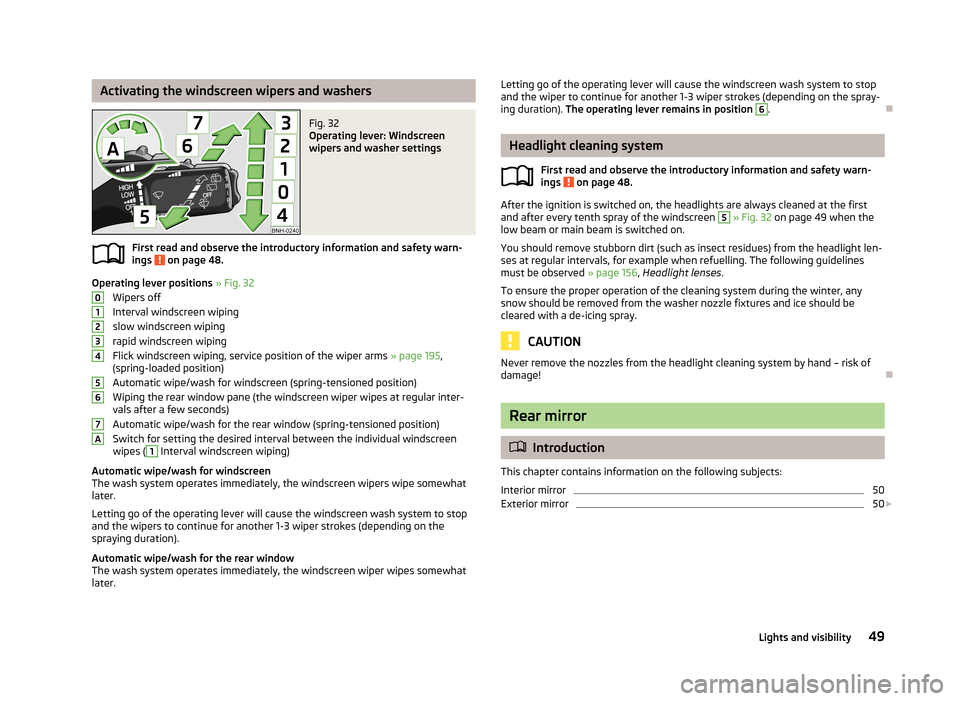
Activating the windscreen wipers and washersFig. 32
Operating lever: Windscreen
wipers and washer settings
First read and observe the introductory information and safety warn-
ings on page 48.
Operating lever positions » Fig. 32
Wipers off
Interval windscreen wiping
slow windscreen wiping
rapid windscreen wiping
Flick windscreen wiping, service position of the wiper arms » page 195,
(spring-loaded position)
Automatic wipe/wash for windscreen (spring-tensioned position) Wiping the rear window pane (the windscreen wiper wipes at regular inter- vals after a few seconds)
Automatic wipe/wash for the rear window (spring-tensioned position)
Switch for setting the desired interval between the individual windscreen wipes (
1
Interval windscreen wiping)
Automatic wipe/wash for windscreen
The wash system operates immediately, the windscreen wipers wipe somewhat
later.
Letting go of the operating lever will cause the windscreen wash system to stop
and the wipers to continue for another 1-3 wiper strokes (depending on the
spraying duration).
Automatic wipe/wash for the rear window The wash system operates immediately, the windscreen wiper wipes somewhatlater.
01234567ALetting go of the operating lever will cause the windscreen wash system to stop
and the wiper to continue for another 1-3 wiper strokes (depending on the spray-
ing duration). The operating lever remains in position 6
.
Headlight cleaning system
First read and observe the introductory information and safety warn-
ings
on page 48.
After the ignition is switched on, the headlights are always cleaned at the first
and after every tenth spray of the windscreen
5
» Fig. 32 on page 49 when the
low beam or main beam is switched on.
You should remove stubborn dirt (such as insect residues) from the headlight len-
ses at regular intervals, for example when refuelling. The following guidelines
must be observed » page 156, Headlight lenses .
To ensure the proper operation of the cleaning system during the winter, any
snow should be removed from the washer nozzle fixtures and ice should be
cleared with a de-icing spray.
CAUTION
Never remove the nozzles from the headlight cleaning system by hand – risk of
damage!
Rear mirror
Introduction
This chapter contains information on the following subjects:
Interior mirror
50
Exterior mirror
50
49Lights and visibility
Page 62 of 226
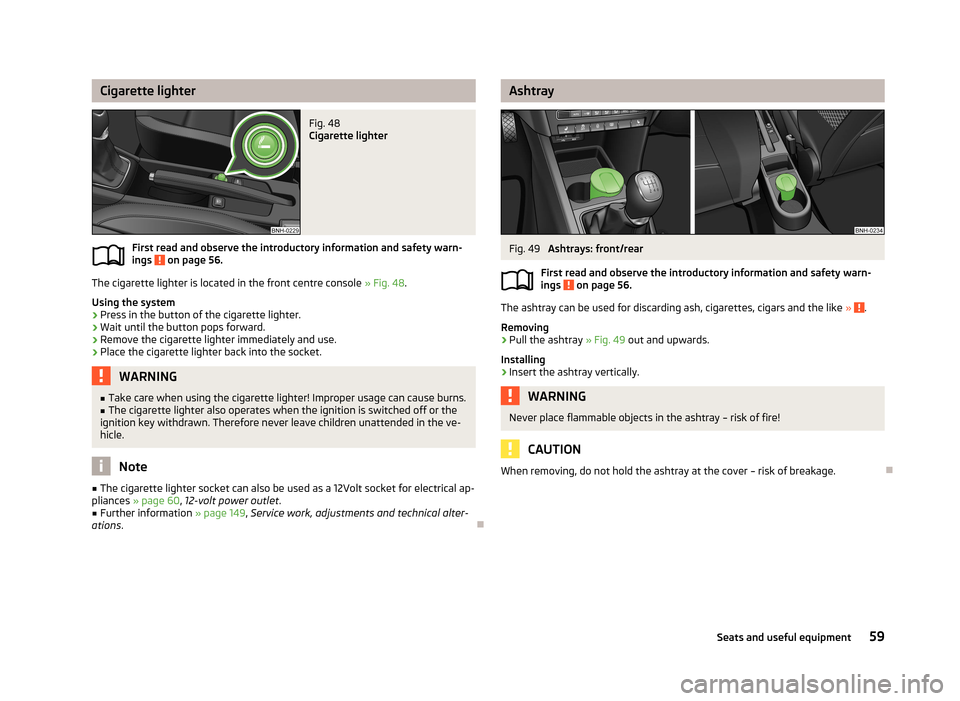
Cigarette lighterFig. 48
Cigarette lighter
First read and observe the introductory information and safety warn-
ings on page 56.
The cigarette lighter is located in the front centre console » Fig. 48.
Using the system
›
Press in the button of the cigarette lighter.
›
Wait until the button pops forward.
›
Remove the cigarette lighter immediately and use.
›
Place the cigarette lighter back into the socket.
WARNING■ Take care when using the cigarette lighter! Improper usage can cause burns.■The cigarette lighter also operates when the ignition is switched off or the
ignition key withdrawn. Therefore never leave children unattended in the ve-
hicle.
Note
■ The cigarette lighter socket can also be used as a 12Volt socket for electrical ap-
pliances » page 60 , 12-volt power outlet .■
Further information » page 149, Service work, adjustments and technical alter-
ations .
AshtrayFig. 49
Ashtrays: front/rear
First read and observe the introductory information and safety warn- ings
on page 56.
The ashtray can be used for discarding ash, cigarettes, cigars and the like » .
Removing
›
Pull the ashtray » Fig. 49 out and upwards.
Installing
›
Insert the ashtray vertically.
WARNINGNever place flammable objects in the ashtray – risk of fire!
CAUTION
When removing, do not hold the ashtray at the cover – risk of breakage.
59Seats and useful equipment