change time SUBARU CROSSTREK 2018 Owner's Manual
[x] Cancel search | Manufacturer: SUBARU, Model Year: 2018, Model line: CROSSTREK, Model: SUBARU CROSSTREK 2018Pages: 474, PDF Size: 20.76 MB
Page 198 of 474

(203,1)
北米Model "A1320BE-C" EDITED: 2017/ 10/ 10
1)2)
/SET
3)
8. Pull the“
”or“
”switch to select the
item.
9. Select“Time/Date”and pull the
/SETswitch.
10. Select“Time/Date”and pull the
/SET
switch.
NOTEIf“Clock adjustment”is not in manual
mode,“Time/Date”cannot be selected.
Be sure to perform steps 2 through 5.
11. Pull the“
”,“
”switches to scroll
through to the items you can set.
(1) Use the
/ SET switch to choose
the item you would like to change.
(2) Pull the“
”,“
”switches to
adjust the items.
12. Select“Set”and pull the
/SET switch
to complete the clock setting.
Select“Go Back”to return to the previous
screen without saving settings.
NOTEThe Birthday/Anniversary and mainte-
nance reminder system function are
based on the time and date on the
multifunction display (color LCD).
–CONTINUED–
Instruments and controls/Clock
3-65
3
Page 199 of 474
(204,1)
北米Model "A1320BE-C" EDITED: 2017/ 10/ 10
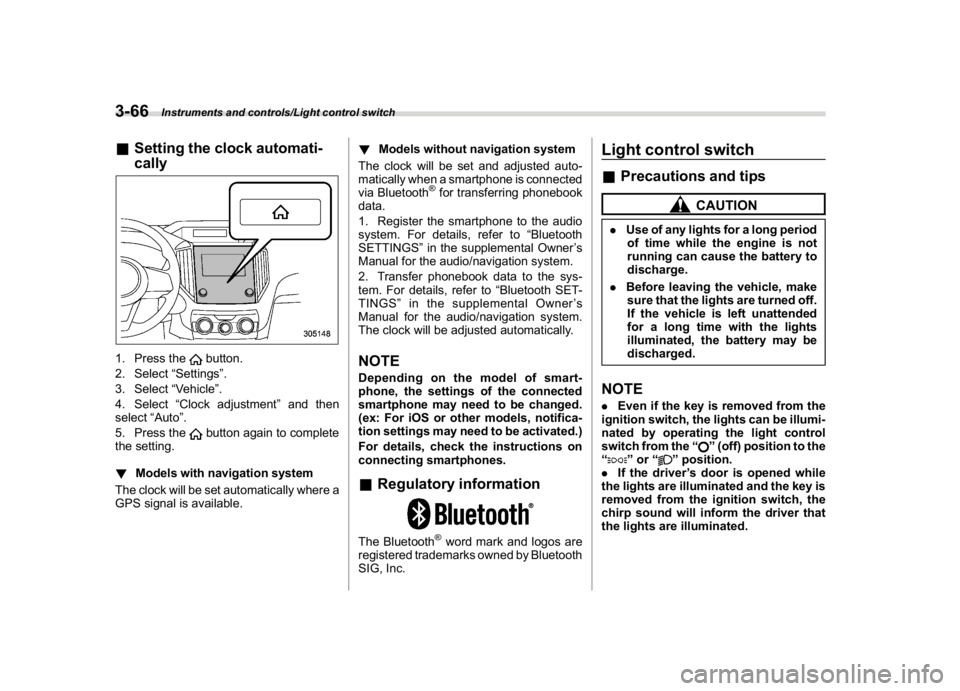
&Setting the clock automati-
cally1. Press the
button.
2. Select“Settings”.
3. Select“Vehicle”.
4. Select“Clock adjustment”and then
select“Auto”.
5. Press thebutton again to complete
the setting.
!Models with navigation system
The clock will be set automatically where a
GPS signal is available.!Models without navigation system
The clock will be set and adjusted auto-
matically when a smartphone is connected
via Bluetooth
®for transferring phonebook
data.
1. Register the smartphone to the audio
system. For details, refer to“Bluetooth
SETTINGS”in the supplemental Owner’s
Manual for the audio/navigation system.
2. Transfer phonebook data to the sys-
tem. For details, refer to“Bluetooth SET-
TINGS”in the supplemental Owner’s
Manual for the audio/navigation system.
The clock will be adjusted automatically.
NOTEDepending on the model of smart-
phone, the settings of the connected
smartphone may need to be changed.
(ex: For iOS or other models, notifica-
tion settings may need to be activated.)
For details, check the instructions on
connecting smartphones.&Regulatory informationThe Bluetooth
®word mark and logos are
registered trademarks owned by Bluetooth
SIG, Inc.
Light control switch&Precautions and tips
CAUTION
.Use of any lights for a long period
of time while the engine is not
running can cause the battery to
discharge.
.Before leaving the vehicle, make
sure that the lights are turned off.
If the vehicle is left unattended
for a long time with the lights
illuminated, the battery may be
discharged.NOTE.Even if the key is removed from the
ignition switch, the lights can be illumi-
nated by operating the light control
switch from the“
”(off) position to the
“
”or“
”position.
.If the driver’s door is opened while
the lights are illuminated and the key is
removed from the ignition switch, the
chirp sound will inform the driver that
the lights are illuminated.
Instruments and controls/Light control switch
3-66
Page 200 of 474
(205,1)
北米Model "A1320BE-C" EDITED: 2017/ 10/ 10
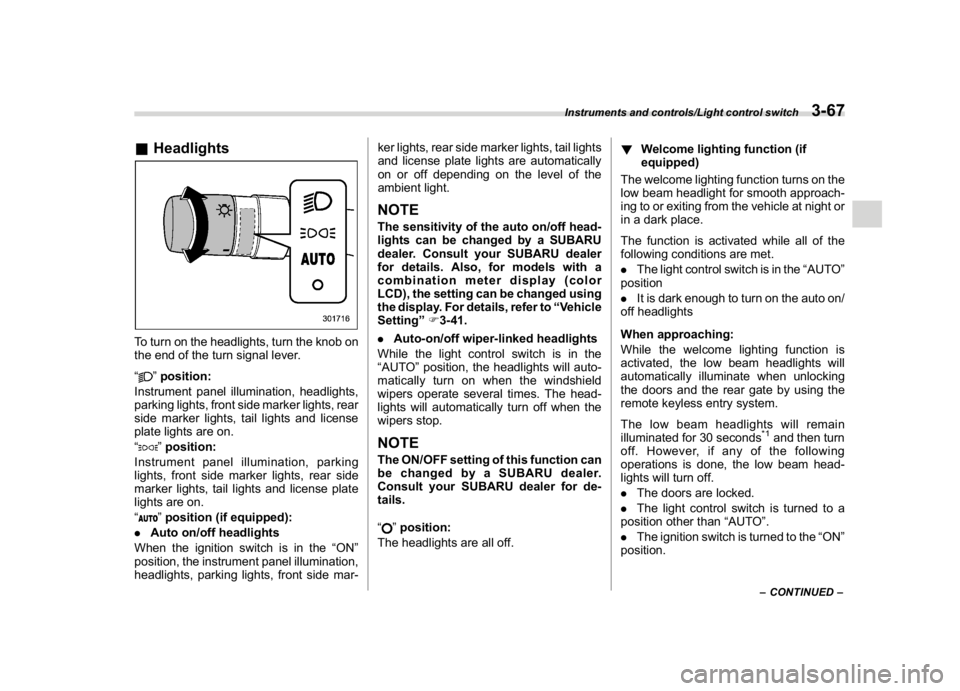
&HeadlightsTo turn on the headlights, turn the knob on
the end of the turn signal lever.
“
”position:
Instrument panel illumination, headlights,
parking lights, front side marker lights, rear
side marker lights, tail lights and license
plate lights are on.
“”position:
Instrument panel illumination, parking
lights, front side marker lights, rear side
marker lights, tail lights and license plate
lights are on.
“”position (if equipped):
.Auto on/off headlights
When the ignition switch is in the“ON”
position, the instrument panel illumination,
headlights, parking lights, front side mar-ker lights, rear side marker lights, tail lights
and license plate lights are automatically
on or off depending on the level of the
ambient light.
NOTEThe sensitivity of the auto on/off head-
lights can be changed by a SUBARU
dealer. Consult your SUBARU dealer
for details. Also, for models with a
combination meter display (color
LCD), the setting can be changed using
the display. For details, refer to“Vehicle
Setting”F3-41.
.Auto-on/off wiper-linked headlights
While the light control switch is in the
“AUTO”position, the headlights will auto-
matically turn on when the windshield
wipers operate several times. The head-
lights will automatically turn off when the
wipers stop.NOTEThe ON/OFF setting of this function can
be changed by a SUBARU dealer.
Consult your SUBARU dealer for de-
tails.
“
”position:
The headlights are all off.!Welcome lighting function (if
equipped)
The welcome lighting function turns on the
low beam headlight for smooth approach-
ing to or exiting from the vehicle at night or
in a dark place.
The function is activated while all of the
following conditions are met.
.The light control switch is in the“AUTO”
position
.It is dark enough to turn on the auto on/
off headlights
When approaching:
While the welcome lighting function is
activated, the low beam headlights will
automatically illuminate when unlocking
the doors and the rear gate by using the
remote keyless entry system.
The low beam headlights will remain
illuminated for 30 seconds
*1and then turn
off. However, if any of the following
operations is done, the low beam head-
lights will turn off.
.The doors are locked.
.The light control switch is turned to a
position other than“AUTO”.
.The ignition switch is turned to the“ON”
position.
–CONTINUED–
Instruments and controls/Light control switch
3-67
3
Page 201 of 474
(206,1)
北米Model "A1320BE-C" EDITED: 2017/ 10/ 10
When exiting:
While the welcome lighting function is
activated, the low beam headlights will
remain illuminated even when either of the
following operation is done.
.The push-button ignition switch is
turned to the“OFF”status (models with
“keyless access with push-button start
system”)
.The key is pulled out from the ignition
switch (models without“keyless access
with push-button start system”)
The low beam headlights will turn off under
any of the following conditions.
.3 minutes have passed since the low
beam headlights were illuminated by the
welcome lighting function.
.30 seconds have passed since the door
is opened and closed.
*1
.The light control switch is turned to a
position other than“AUTO”.
.The locking procedure is performed
twice. When performing the unlocking
procedure after performing the locking
procedure, perform the locking procedure
twice again.*1: The setting for the period of time in which the
low beam headlights remain on by the welcome
lighting function can be changed by a SUBARU
dealer. Contact your SUBARU dealer for de-tails.
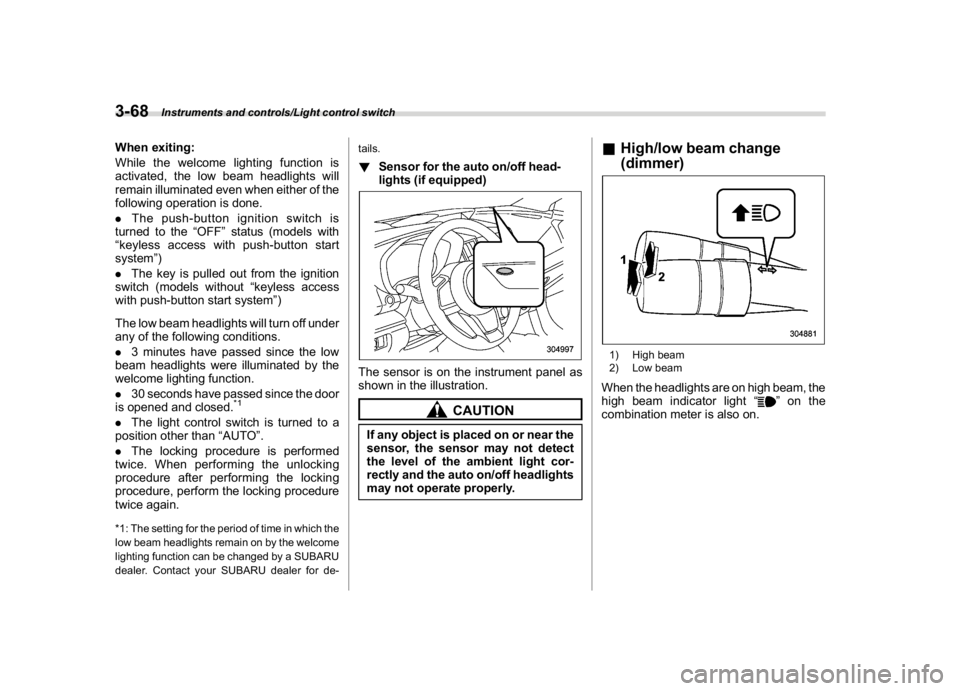
!Sensor for the auto on/off head-
lights (if equipped)The sensor is on the instrument panel as
shown in the illustration.
CAUTION
If any object is placed on or near the
sensor, the sensor may not detect
the level of the ambient light cor-
rectly and the auto on/off headlights
may not operate properly.
&High/low beam change
(dimmer)1) High beam
2) Low beamWhen the headlights are on high beam, the
high beam indicator light“
”on the
combination meter is also on.
Instruments and controls/Light control switch
3-68
Page 203 of 474
(208,1)
北米Model "A1320BE-C" EDITED: 2017/ 10/ 10
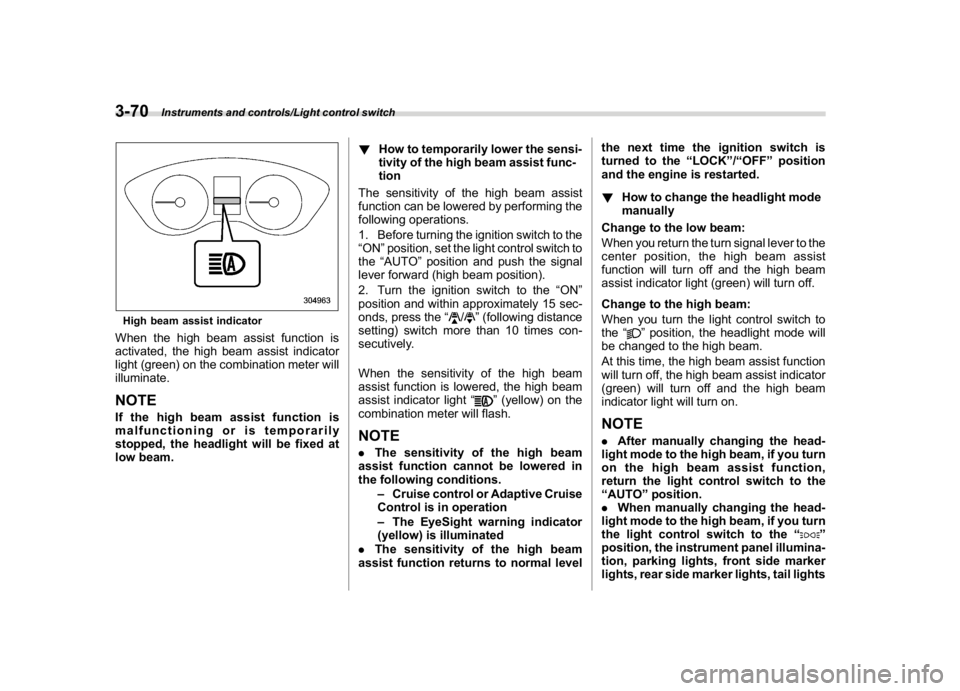
High beam assist indicatorWhen the high beam assist function is
activated, the high beam assist indicator
light (green) on the combination meter will
illuminate.NOTEIf the high beam assist function is
malfunctioning or is temporarily
stopped, the headlight will be fixed at
low beam.!How to temporarily lower the sensi-
tivity of the high beam assist func-
tion
The sensitivity of the high beam assist
function can be lowered by performing the
following operations.
1. Before turning the ignition switch to the
“ON”position, set the light control switch to
the“AUTO”position and push the signal
lever forward (high beam position).
2. Turn the ignition switch to the“ON”
position and within approximately 15 sec-
onds, press the“
/
”(following distance
setting) switch more than 10 times con-
secutively.
When the sensitivity of the high beam
assist function is lowered, the high beam
assist indicator light“
”(yellow) on the
combination meter will flash.
NOTE.The sensitivity of the high beam
assist function cannot be lowered in
the following conditions.
–Cruise control or Adaptive Cruise
Control is in operation
–The EyeSight warning indicator
(yellow) is illuminated
.The sensitivity of the high beam
assist function returns to normal levelthe next time the ignition switch is
turned to the“LOCK”/“OFF”position
and the engine is restarted.
!How to change the headlight mode
manually
Change to the low beam:
When you return the turn signal lever to the
center position, the high beam assist
function will turn off and the high beam
assist indicator light (green) will turn off.
Change to the high beam:
When you turn the light control switch to
the“
”position, the headlight mode will
be changed to the high beam.
At this time, the high beam assist function
will turn off, the high beam assist indicator
(green) will turn off and the high beam
indicator light will turn on.
NOTE.After manually changing the head-
light mode to the high beam, if you turn
on the high beam assist function,
return the light control switch to the
“AUTO”position.
.When manually changing the head-
light mode to the high beam, if you turn
the light control switch to the“
”
position, the instrument panel illumina-
tion, parking lights, front side marker
lights, rear side marker lights, tail lights
Instruments and controls/Light control switch
3-70
Page 209 of 474
(214,1)
北米Model "A1320BE-C" EDITED: 2017/ 10/ 10
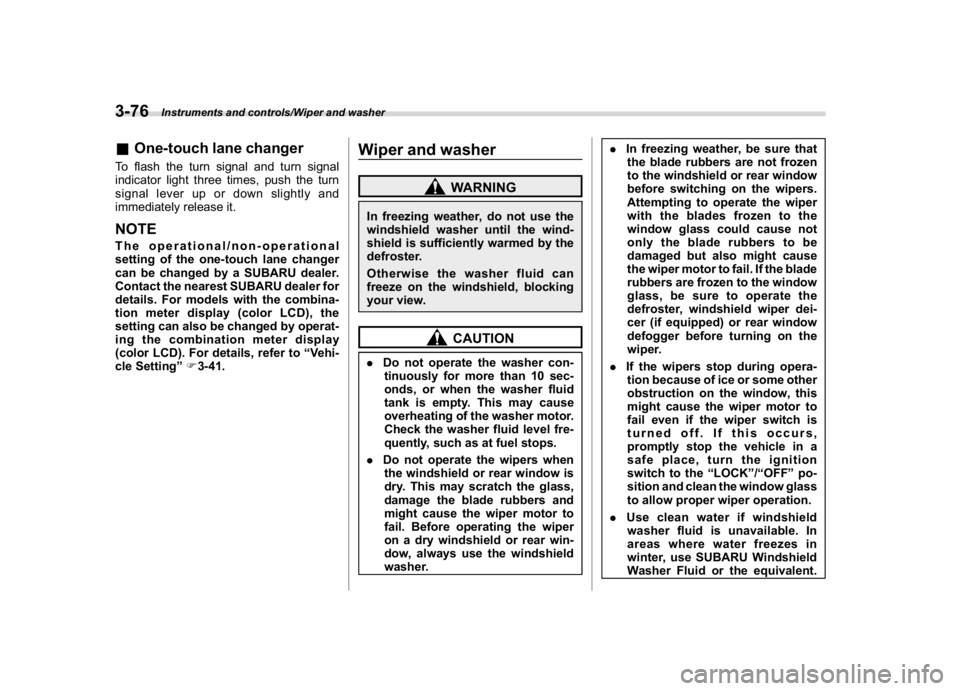
&One-touch lane changerTo flash the turn signal and turn signal
indicator light three times, push the turn
signal lever up or down slightly and
immediately release it.NOTEThe operational/non-operational
setting of the one-touch lane changer
can be changed by a SUBARU dealer.
Contact the nearest SUBARU dealer for
details. For models with the combina-
tion meter display (color LCD), the
setting can also be changed by operat-
ing the combination meter display
(color LCD). For details, refer to“Vehi-
cle Setting”F3-41.
Wiper and washer
WARNING
In freezing weather, do not use the
windshield washer until the wind-
shield is sufficiently warmed by the
defroster.
Otherwise the washer fluid can
freeze on the windshield, blocking
your view.
CAUTION
.Do not operate the washer con-
tinuously for more than 10 sec-
onds, or when the washer fluid
tank is empty. This may cause
overheating of the washer motor.
Check the washer fluid level fre-
quently, such as at fuel stops.
.Do not operate the wipers when
the windshield or rear window is
dry. This may scratch the glass,
damage the blade rubbers and
might cause the wiper motor to
fail. Before operating the wiper
on a dry windshield or rear win-
dow, always use the windshield
washer..In freezing weather, be sure that
the blade rubbers are not frozen
to the windshield or rear window
before switching on the wipers.
Attempting to operate the wiper
withthebladesfrozentothe
window glass could cause not
only the blade rubbers to be
damaged but also might cause
the wiper motor to fail. If the blade
rubbers are frozen to the window
glass, be sure to operate the
defroster, windshield wiper dei-
cer (if equipped) or rear window
defogger before turning on the
wiper.
.If the wipers stop during opera-
tion because of ice or some other
obstruction on the window, this
might cause the wiper motor to
fail even if the wiper switch is
turned off. If this occurs,
promptly stop the vehicle in a
safe place, turn the ignition
switch to the“LOCK”/“OFF”po-
sition and clean the window glass
to allow proper wiper operation.
.Use clean water if windshield
washer fluid is unavailable. In
areas where water freezes in
winter, use SUBARU Windshield
Washer Fluid or the equivalent.
Instruments and controls/Wiper and washer
3-76
Page 218 of 474
(223,1)
北米Model "A1320BE-C" EDITED: 2017/ 10/ 10
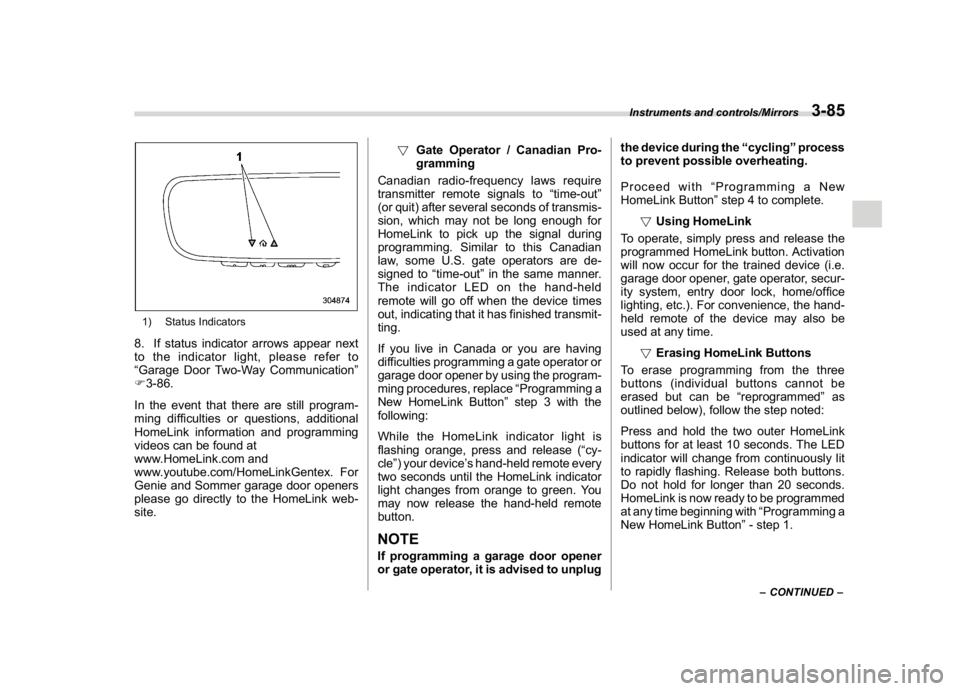
1) Status Indicators8. If status indicator arrows appear next
to the indicator light, please refer to
“Garage Door Two-Way Communication”
F3-86.
In the event that there are still program-
ming difficulties or questions, additional
HomeLink information and programming
videos can be found at
www.HomeLink.com and
www.youtube.com/HomeLinkGentex. For
Genie and Sommer garage door openers
please go directly to the HomeLink web-
site.!Gate Operator / Canadian Pro-
gramming
Canadian radio-frequency laws require
transmitter remote signals to“time-out”
(or quit) after several seconds of transmis-
sion, which may not be long enough for
HomeLink to pick up the signal during
programming. Similar to this Canadian
law, some U.S. gate operators are de-
signed to“time-out”in the same manner.
The indicator LED on the hand-held
remote will go off when the device times
out, indicating that it has finished transmit-
ting.
If you live in Canada or you are having
difficulties programming a gate operator or
garage door opener by using the program-
ming procedures, replace“Programming a
New HomeLink Button”step 3 with the
following:
While the HomeLink indicator light is
flashing orange, press and release (“cy-
cle”) your device’s hand-held remote every
two seconds until the HomeLink indicator
light changes from orange to green. You
may now release the hand-held remote
button.
NOTEIf programming a garage door opener
or gate operator, it is advised to unplugthe device during the“cycling”process
to prevent possible overheating.
Proceed with“Programming a New
HomeLink Button”step 4 to complete.
!Using HomeLink
To operate, simply press and release the
programmed HomeLink button. Activation
will now occur for the trained device (i.e.
garage door opener, gate operator, secur-
ity system, entry door lock, home/office
lighting, etc.). For convenience, the hand-
held remote of the device may also be
used at any time.
!Erasing HomeLink Buttons
To erase programming from the three
buttons (individual buttons cannot be
erased but can be“reprogrammed”as
outlined below), follow the step noted:
Press and hold the two outer HomeLink
buttons for at least 10 seconds. The LED
indicator will change from continuously lit
to rapidly flashing. Release both buttons.
Do not hold for longer than 20 seconds.
HomeLink is now ready to be programmed
at any time beginning with“Programming a
New HomeLink Button”- step 1.
–CONTINUED–
Instruments and controls/Mirrors
3-85
3
Page 236 of 474

(243,1)
北米Model "A1320BE-C" EDITED: 2017/ 10/ 10
allow outside air to circulate into the
heated interior. This results in quicker
cooling by the air conditioner. Keep the
windows closed during the operation of the
air conditioner for maximum cooling effi-
ciency.&Lubrication oil circulation in
the refrigerant circuitOperate the air conditioner compressor at
a low engine speed (at idle or low driving
speeds) a few minutes each month during
the off-season to circulate its oil.&Checking air conditioning
system before summer sea-
sonCheck the air conditioner unit for refriger-
ant leaks, hose conditions, and proper
operation each spring. Have the air con-
ditioning system checked by your
SUBARU dealer.&Cooling and dehumidifying in
high humidity and low tem-
perature weather conditionsUnder certain weather conditions (high
relative humidity, low temperatures, etc.) a
small amount of water vapor emission
from the air outlets may be noticed. This
condition is normal and does not indicateany problem with the air conditioning
system.
&Air conditioner compressor
shut-off when engine is
heavily loadedTo improve acceleration and gas mileage,
the air conditioner compressor is designed
to temporarily shut off during air condi-
tioner operation whenever the accelerator
is fully depressed such as during rapid
acceleration or when driving on a steep
upgrade.&Refrigerant for your climate
control systemYour air conditioner uses ozone friendly
refrigerant HFC134a. Therefore, the meth-
od of adding, changing or checking the
refrigerant is different from the method for
CFC12 (freon). Consult your SUBARU
dealer for service. Repairs needed as a
result of using the wrong refrigerant are not
covered under warranty.
Air filtration systemYour vehicle’s air conditioning system is
equipped with an air filtration system.
Replace the cabin air filter according to
the replacement schedule found in the
“Warranty and Maintenance Booklet”. This
schedule should be followed to maintain
the filter’s dust collection ability. Under
extremely dusty conditions, the filter
should be replaced more frequently. Have
your filter checked or replaced by your
SUBARU dealer. For replacement, use
only a genuine SUBARU air filter kit.
CAUTION
Contact your SUBARU dealer if the
following occurs, even if it is not yet
time to change the filter:
.Reduction of the airflow through
the vents.
.Windshield gets easily fogged or
misted.NOTEThe filter can influence the air condi-
tioning, heating and defroster perfor-
mance if not properly maintained.
–CONTINUED–
Climate control/Air filtration system
4-11
4
Page 246 of 474
(253,1)
北米Model "A1320BE-C" EDITED: 2017/ 10/ 10
using the remote keyless entry transmitter.
Refer to“Remote keyless entry system”
F2-17.
.The ignition switch is turned from the
“ACC”position to the“LOCK”/“OFF”posi-
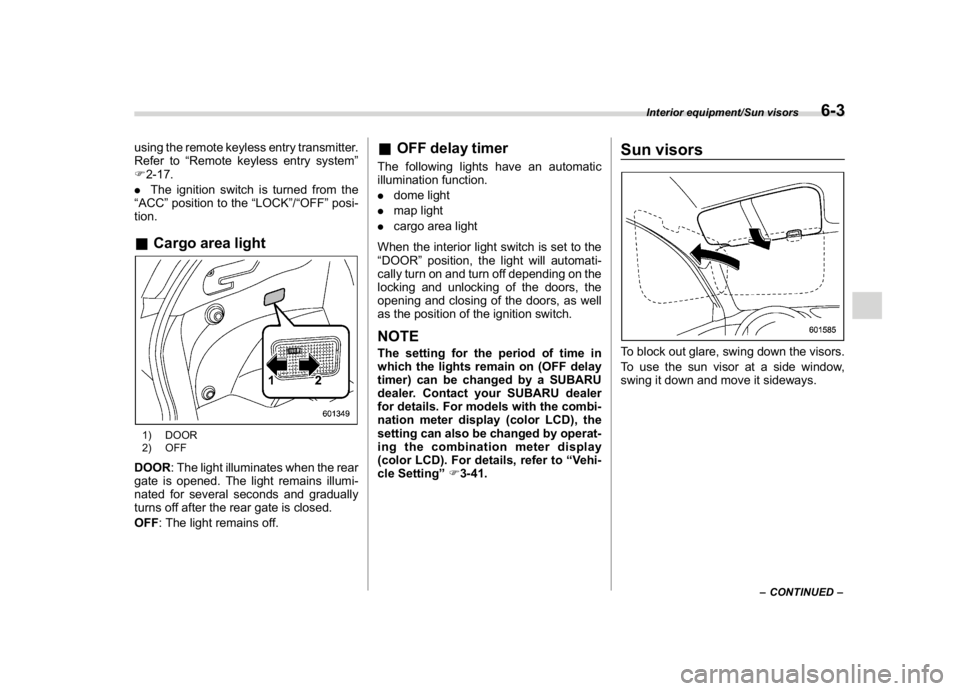
tion.&Cargo area light1) DOOR
2) OFFDOOR: The light illuminates when the rear
gate is opened. The light remains illumi-
nated for several seconds and gradually
turns off after the rear gate is closed.
OFF: The light remains off.
&OFF delay timerThe following lights have an automatic
illumination function.
.dome light
.map light
.cargo area light
When the interior light switch is set to the
“DOOR”position, the light will automati-
cally turn on and turn off depending on the
locking and unlocking of the doors, the
opening and closing of the doors, as well
as the position of the ignition switch.NOTEThe setting for the period of time in
which the lights remain on (OFF delay
timer) can be changed by a SUBARU
dealer. Contact your SUBARU dealer
for details. For models with the combi-
nation meter display (color LCD), the
setting can also be changed by operat-
ing the combination meter display
(color LCD). For details, refer to“Vehi-
cle Setting”F3-41.
Sun visorsTo block out glare, swing down the visors.
To use the sun visor at a side window,
swing it down and move it sideways.
–CONTINUED–
Interior equipment/Sun visors
6-3
6
Page 248 of 474
(255,1)
北米Model "A1320BE-C" EDITED: 2017/ 10/ 10
&Vanity mirror with light (if
equipped)
CAUTION
Keep the vanity mirror cover closed
while the car is being driven to avoid
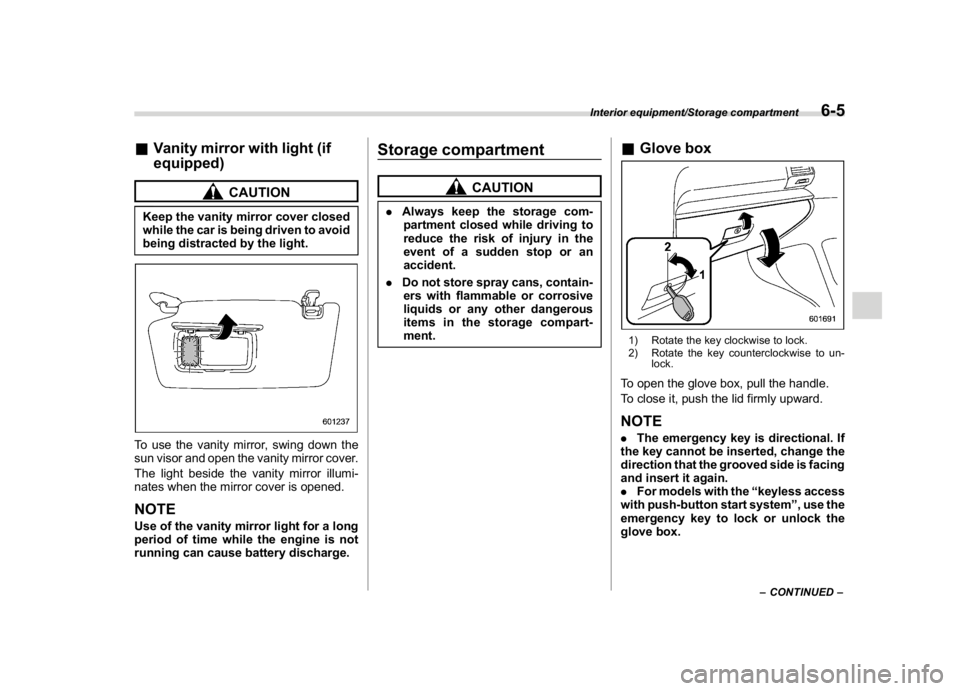
being distracted by the light.To use the vanity mirror, swing down the
sun visor and open the vanity mirror cover.
The light beside the vanity mirror illumi-
nates when the mirror cover is opened.NOTEUse of the vanity mirror light for a long
period of time while the engine is not
running can cause battery discharge.
Storage compartment
CAUTION
.Always keep the storage com-
partment closed while driving to
reduce the risk of injury in the
event of a sudden stop or an
accident.
.Do not store spray cans, contain-
ers with flammable or corrosive
liquids or any other dangerous
items in the storage compart-
ment.
&Glove box1) Rotate the key clockwise to lock.
2) Rotate the key counterclockwise to un-
lock.To open the glove box, pull the handle.
To close it, push the lid firmly upward.NOTE.The emergency key is directional. If
the key cannot be inserted, change the
direction that the grooved side is facing
and insert it again.
.For models with the“keyless access
with push-button start system”, use the
emergency key to lock or unlock the
glove box.
–CONTINUED–
Interior equipment/Storage compartment
6-5
6