check engine SUBARU FORESTER 2004 Service Repair Manual
[x] Cancel search | Manufacturer: SUBARU, Model Year: 2004, Model line: FORESTER, Model: SUBARU FORESTER 2004Pages: 2870, PDF Size: 38.67 MB
Page 2026 of 2870

EN(H4DOTC 2.5)-2
ENGINE (DIAGNOSTIC)
Basic Diagnostics Procedure
1. Basic Diagnostics Procedure
A: PROCEDURE
1. ENGINE
Step Check Yes No
1 CHECK ENGINE START FAILURE.
1) Ask the customer when and how the trou-
ble occurred using the interview check list.
2) Start the engine.Does the engine start? Go to step 2.Inspection using
“Diagnostics for
Engine Start Fail-
ure”.
54, Diagnostics for
Engine Starting
Fai lu r e.>
2 CHECK ILLUMINATION OF MALFUNCTION
INDICATOR LIGHT.Does malfunction indicator
light illuminate?Go to step 3.Inspection using
“General Diagnos-
tic Table”.
258, General Diag-
nostic Table.>
3 CHECK INDICATION OF DTC ON DISPLAY.
1) Turn the ignition switch to OFF.
2) Connect the Subaru Select Monitor or the
OBD-II general scan tool to data link connec-
tor.
3) Turn the ignition switch to ON and the Sub-
aru Select Monitor or OBD-II general scan tool
switch to ON.
4) Read the DTC on the Subaru Select Moni-
tor or OBD-II general scan tool.Does the Subaru Select Moni-
tor or OBD-II general scan tool
indicate DTC?Record the DTC.
Repair the trouble
cause.
65, List of Diag-
nostic Trouble
Code (DTC).> Go
to step 4.Repair the related
parts.
N
OTE:
If DTC is not shown
on display although
the malfunction in-
dicator light illumi-
nates, perform the
diagnostics for mal-
function indicator
light circuit or com-
bination meter.
45, Malfunction In-
dicator Light.>
4 PERFORM THE DIAGNOSIS.
1) Perform clear memory mode.
2) Perform the “INSPECTION MODE”.
tor or OBD-II general scan tool
indicate DTC?Check on “Diag-
nostic Chart with
Diagnostic Trou-
ble Code (DTC)”.
70, Diagnostic
Procedure with
Diagnostic Trou-
ble Code (DTC).>Finish the diagno-
sis.
Page 2027 of 2870

EN(H4DOTC 2.5)-3
ENGINE (DIAGNOSTIC)
Check List for Interview
2. Check List for Interview
A: INSPECTION
1. CHECK LIST No. 1
Check the following items when problem has occurred.
NOTE:
Use copies of this page for interviewing customers.
Customer’s name Engine No.
Date of sale Fuel brand
Date of repair
Odometer readingkm
V.I.N.miles
Weather❏ Fine
❏ Cloudy
❏ Rainy
❏ Snowy
❏ Va r i o u s / O t h e r s :
Ambient air temperature°C (°F)
❏ Hot
❏ War m
❏ Cool
❏ Cold
Place❏ Highway
❏ Suburbs
❏ Inner city
❏ Uphill
❏ Downhill
❏ Rough road
❏ Others:
Engine temperature❏ Cold
❏ War ming-up
❏ After warming-up
❏ Any temperature
❏ Others:
Engine speed rpm
Vehicle speed km/h (MPH)
Driving conditions❏ Not affected
❏ At starting
❏ While idling
❏ At racing
❏ While accelerating
❏ While cruising
❏ While decelerating
❏ While turning (RH/LH)
Headlight❏ ON / ❏ OFF Rear defogger❏ ON / ❏ OFF
Blower❏ ON / ❏ OFF Radio❏ ON / ❏ OFF
A/C compressor❏ ON / ❏ OFF CD/Cassette❏ ON / ❏ OFF
Radiator fan❏ ON / ❏ OFF Car phone❏ ON / ❏ OFF
Fr o nt wi pe r❏ ON / ❏ OFF CB❏ ON / ❏ OFF
Rear Wiper❏ ON / ❏ OFF
Page 2028 of 2870

EN(H4DOTC 2.5)-4
ENGINE (DIAGNOSTIC)
Check List for Interview
2. CHECK LIST No. 2
Check the following items about the vehicle’s state when malfunction indicator light turns on.
NOTE:
Use copies of this page for interviewing customers.
a) Other warning lights or indicators turn on. ❏ Ye s / ❏ No
❏ Low fuel warning light
❏ Charge indicator light
❏ AT diagnostic indicator light
❏ ABS Warning Light
❏ Oil pressure indicator light
b) Fuel level
Lack of gasoline: ❏ Yes / ❏ No
Indicator position of fuel gauge:
Experienced running out of fuel: ❏ Ye s / ❏ No
c) Intentional connecting or disconnecting of harness connectors or spark plug cords: ❏ Yes / ❏ No
What:
d) Intentional connecting or disconnecting of hoses: ❏ Ye s / ❏ No
What:
e) Installing of other parts except genuine parts: ❏ Ye s / ❏ No
What:
Where:
f) Occurrence of noise: ❏ Yes / ❏ No
From where:
What kind:
g) Occurrence of smell: ❏ Yes / ❏ No
From where:
What kind:
h) Intrusion of water into engine compartment or passenger compartment: ❏ Yes / ❏ No
i) Troubles occurred
❏ Engine does not start
❏ Engine stalls during idling
❏ Engine stalls while driving
❏ Engine speed decreases
❏ Engine speed does not decrease
❏ Rough idling
❏ Poor acceleration
❏ Back fire
❏ After fire
❏ Does not shift
❏ Excessive shift shock
Page 2030 of 2870
EN(H4DOTC 2.5)-6
ENGINE (DIAGNOSTIC)
General Description
13) Diagnostics should be conducted by rotating
with simple, easy operations and proceeding to
complicated, difficult operations. The most impor-
tant thing in diagnostics is to understand the cus-
tomer’s complaint, and distinguish between the
three causes.
14) On the model with ABS, when performing driv-
ing test in jacked-up or lifted-up position, some-
times the warning light may be lit, but this is not a
malfunction of the system. The reason for this is the
speed difference between the front and rear
wheels. After diagnosis of engine control system,
perform the ABS memory clearance procedure of
self-diagnosis function.
B: INSPECTION
Before performing diagnostics, check the following
items which might affect engine problems:
1. BATTERY
1) Measure battery voltage and specific gravity of
electrolyte.
Standard voltage: 12 V
Specific gravity: Above 1.260
2) Check the condition of the main and other fuses,
and harnesses and connectors. Also check for
proper grounding.
2. ENGINE GROUND
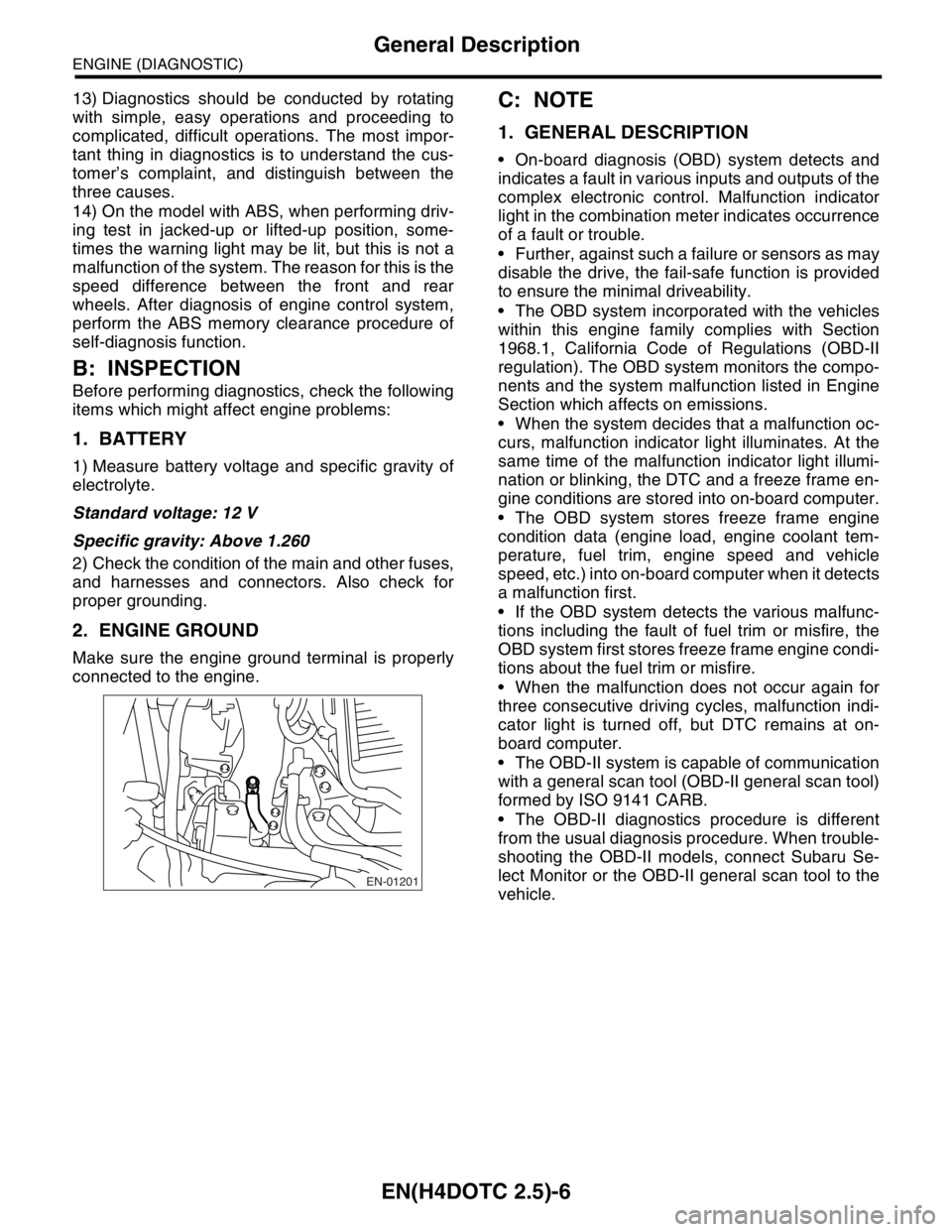
Make sure the engine ground terminal is properly
connected to the engine.
C: NOTE
1. GENERAL DESCRIPTION
On-board diagnosis (OBD) system detects and
indicates a fault in various inputs and outputs of the
complex electronic control. Malfunction indicator
light in the combination meter indicates occurrence
of a fault or trouble.
Further, against such a failure or sensors as may
disable the drive, the fail-safe function is provided
to ensure the minimal driveability.
The OBD system incorporated with the vehicles
within this engine family complies with Section
1968.1, California Code of Regulations (OBD-II
regulation). The OBD system monitors the compo-
nents and the system malfunction listed in Engine
Section which affects on emissions.
When the system decides that a malfunction oc-
curs, malfunction indicator light illuminates. At the
same time of the malfunction indicator light illumi-
nation or blinking, the DTC and a freeze frame en-
gine conditions are stored into on-board computer.
The OBD system stores freeze frame engine
condition data (engine load, engine coolant tem-
perature, fuel trim, engine speed and vehicle
speed, etc.) into on-board computer when it detects
a malfunction first.
If the OBD system detects the various malfunc-
tions including the fault of fuel trim or misfire, the
OBD system first stores freeze frame engine condi-
tions about the fuel trim or misfire.
When the malfunction does not occur again for
three consecutive driving cycles, malfunction indi-
cator light is turned off, but DTC remains at on-
board computer.
The OBD-II system is capable of communication
with a general scan tool (OBD-II general scan tool)
formed by ISO 9141 CARB.
The OBD-II diagnostics procedure is different
from the usual diagnosis procedure. When trouble-
shooting the OBD-II models, connect Subaru Se-
lect Monitor or the OBD-II general scan tool to the
vehicle.
EN-01201
Page 2047 of 2870

EN(H4DOTC 2.5)-23
ENGINE (DIAGNOSTIC)
Data Link Connector
7. Data Link Connector
A: NOTE
This connector is used both for OBD-II general scan tools and the Subaru Select Monitor.
CAUTION:
Do not connect any scan tools other than the OBD-II general scan tools and the Subaru Select Mon-
itor, because the circuit for the Subaru Select Monitor may be damaged.
EN-00037
12345 768
910111213 1514 16
Terminal No. Remarks Terminal No. Remarks
1Power supply 9Empty
2Empty 10Subaru Select Monitor/OBD-II general scan
tool signal
3 Empty 11 Empty
4 Empty 12 Ground
5 Empty 13 Ground
6 Line end check signal 1 14 Empty
7 Empty 15 Empty
8 Empty 16 Empty
Page 2049 of 2870

EN(H4DOTC 2.5)-25
ENGINE (DIAGNOSTIC)
OBD-II General Scan Tool
2. MODE $01 (CURRENT POWERTRAIN DIAGNOSTIC DATA)
Refers to data denoting the current operating condition of analog input/output, digital input/output and/or the
powertrain system.
A list of the support data and PID (Parameter Identification) codes are shown in the following table.
NOTE:
Refer to OBD-II general scan tool manufacturer’s instruction manual to access generic OBD-II PIDs (MODE
$01).
3. MODE $02 (POWERTRAIN FREEZE FRAME DATA)
Refers to data denoting the operating condition when trouble is sensed by the on-board diagnosis system.
A list of the support data and PID (Parameter Identification) codes are shown in the following table.
NOTE:
Refer to OBD-II general scan tool manufacturer’s instruction manual to access freeze frame data (MODE
$02).
PID Data Unit of measure
01Number of emission-related powertrain DTC, malfunction indicator light status and diagnosis
support information—
03 Fuel system control status—
04 Calculated engine load value%
05 Engine coolant temperature°C
06 Short term fuel trim%
07 Long term whole fuel trim%
0B Intake manifold absolute pressure kPa, mmHg
0C Engine revolutionrpm
0D Vehicle speedkm/h
0E Ignition timing advance°
0F Intake air temperature°C
10 Air flow rate of mass air flow sensor g/sec
11 Throttle valve absolute opening angle %
13 Check whether oxygen sensor is installed. —
15 Oxygen sensor output voltage and short term fuel trim associated with oxygen sensor V and %
1C Available OBD system—
24 A/F value and A/F sensor output voltage — and V
34 A/F value and A/F sensor current — and mA
PID Data Unit of measure
02 DTC that caused CARB required freeze frame data storage —
03 Fuel system control status—
04 Calculated engine load value%
05 Engine coolant temperature°C
06 Short term fuel trim%
07 Long term whole fuel trim%
0B Intake manifold absolute pressure mmHg
0C Engine speedrpm
0D Vehicle speedkm/h
0E Ignition timing advance°
0F Intake air temperature°C
10 Air flow rate of mass air flow sensor g/sec
11 Throttle valve absolute opening angle %
Page 2052 of 2870
![SUBARU FORESTER 2004 Service Repair Manual EN(H4DOTC 2.5)-28
ENGINE (DIAGNOSTIC)
Subaru Select Monitor
4. READ CURRENT DATA FOR ENGINE. (NORMAL MODE)
1) On the «Main Menu» display screen, select the {Each System Check} and press the [YES] ke](/img/17/57426/w960_57426-2051.png "SUBARU FORESTER 2004 Service Repair Manual EN(H4DOTC 2.5)-28
ENGINE (DIAGNOSTIC)
Subaru Select Monitor
4. READ CURRENT DATA FOR ENGINE. (NORMAL MODE)
1) On the «Main Menu» display screen, select the {Each System Check} and press the [YES] ke")
EN(H4DOTC 2.5)-28
ENGINE (DIAGNOSTIC)
Subaru Select Monitor
4. READ CURRENT DATA FOR ENGINE. (NORMAL MODE)
1) On the «Main Menu» display screen, select the {Each System Check} and press the [YES] key.
2) On the «System Selection Menu» display screen, select the {Engine} and press the [YES] key.
3) Press the [YES] key after the information of engine type was displayed.
4) On the «Engine Diagnosis» screen, select the {Current Data Display/Save}, and then press the [YES] key.
5) On the «Data Display Menu» screen, select the {Data Display} and press the [YES] key.
6) Using the scroll key, move the display screen up or down until the desired data is shown.
A list of the support data is shown in the following table.
Remarks Display Unit of measure
Battery voltage Battery Voltage V
Vehicle speed signal Vehicle Speed km/h or MPH
Engine speed signal Engine Speed rpm
Engine coolant temperature signal Coolant Temp.°C or °F
Ignition timing signal Ignition Timing deg
Throttle position signal Throttle Opening Angle %
Injection pulse width Fuel Injection #1 Pulse ms
Fuel pump duty control signal Fuel Pump Duty %
A/F sensor current A/F Sensor #1 Current mA
A/F sensor resistance A/F Sensor #1 ResistanceΩ
Front oxygen (A/F) sensor lambda value A/F Sensor #1 —
Rear oxygen sensor output signalRear O
2 Sensor
V
Short term fuel trim A/F Correction #1 %
Knock sensor compensation Knocking Correction deg
Atmospheric pressure signal Atmosphere Pressure mmHg, kPa, inHg or psi
Intake manifold relative pressure signal Mani. Relative Pressure mmHg, kPa, inHg or psi
Intake manifold absolute pressure signal Mani. Absolute Pressure mmHg, kPa, inHg or psi
A/F correction (short term fuel trim) by rear oxygen sensor A/F Correction #3 %
Long term whole fuel trim A/F Learning #1 %
Canister purge control solenoid valve duty ratio CPC Valve Duty Ratio %
Primary supercharged pressure control signal Primary Control %
Tumble generated valve position sensor signal (RH side) TGV Position Sensor R V
Tumble generated valve position sensor signal (LH side) TGV Position Sensor L V
Acceleration opening angle Accel Opening Angle %
VVT advance angle amount (R) VVT Adv. Amount R deg
VVT advance angle amount (L) VVT Adv. amount L deg
OCV duty R OCV Duty R %
OCV duty L OCV Duty L %
OCV current R OCV current R mA
OCV current L OCV Current L mA
Throttle motor duty Throttle Motor Duty %
Throttle power supply voltage Throttle Motor Voltage V
Sub throttle sensor voltage Sub-Throttle Sensor V
Main throttle sensor voltage Main-Throttle Sensor V
Sub acceleration sensor voltage Sub-Accelerator Sensor V
Main acceleration sensor voltage Main-Accelerator Sensor V
Memory vehicle speed Memorized Cruise Speed km/h
Alternate duty ratio ALT Duty %
Exhaust gas temperature signal Exhaust gas temperature°C
Estimated cumulative driving distance Odd Meter Km
Fuel level signal Fuel Level Voltage V
Intake air temperature signal Intake Air Temp.°C or °F
Mass air flow sensor signal Mass Air Flow g/s
Page 2054 of 2870
![SUBARU FORESTER 2004 Service Repair Manual EN(H4DOTC 2.5)-30
ENGINE (DIAGNOSTIC)
Subaru Select Monitor
5. READ CURRENT DATA FOR ENGINE (OBD MODE)
1) On the «Main Menu» display screen, select the {Each System Check} and press the [YES] key.
2](/img/17/57426/w960_57426-2053.png "SUBARU FORESTER 2004 Service Repair Manual EN(H4DOTC 2.5)-30
ENGINE (DIAGNOSTIC)
Subaru Select Monitor
5. READ CURRENT DATA FOR ENGINE (OBD MODE)
1) On the «Main Menu» display screen, select the {Each System Check} and press the [YES] key.
2")
EN(H4DOTC 2.5)-30
ENGINE (DIAGNOSTIC)
Subaru Select Monitor
5. READ CURRENT DATA FOR ENGINE (OBD MODE)
1) On the «Main Menu» display screen, select the {Each System Check} and press the [YES] key.
2) On the «System Selection Menu» display screen, select the {Engine} and press the [YES] key.
3) Press the [YES] key after the information of engine type was displayed.
4) On the «Engine Diagnosis» display screen, select the {OBD System} and press the [YES] key.
5) On the «OBD Menu» screen, select the {Current Data Display/Save}, and then press the [YES] key.
6) On the «Data Display Menu» screen, select the {Data Display} and press the [YES] key.
7) Using the scroll key, move the display screen up or down until the desired data is shown.
A list of the support data is shown in the following table.
NOTE:
For detailed operation procedure, refer to the “SUBARU SELECT MONITOR OPERATION MANUAL”.
Description Display Unit of measure
Number of diagnosis code Number of Diagnosis Code —
Condition of malfunction indicator light MI (MIL) ON or OFF
Monitoring test of misfire Misfire monitoring No support
Monitoring test of fuel system Fuel system monitoring No support
Monitoring test of comprehensive component Component monitoring No support
Test of catalyst Catalyst Diagnosis No support
Test of heating-type catalyst Heated catalyst No support
Test of evaporative emission purge control system Evaporative purge system No support
Test of secondary air system Secondary air system No support
Test of air conditioning system refrigerant A/C system refrigerant No support
Test of oxygen sensor Oxygen sensor No support
Test of oxygen sensor heaterO
2 Heater Diagnosis
No support
Test of EGR system EGR system No support
Air fuel ratio control system for bank 1 Fuel System for Bank 1 —
Engine load data Calculated load value %
Engine coolant temperature signal Coolant Temp.°C or °F
Short term fuel trim by front oxygen (A/F) sensor Short term fuel trim B1 %
Long term fuel trim by front oxygen (A/F) sensor Long term fuel trim B1 %
Intake manifold absolute pressure signal Mani. Absolute Pressure mmHg, kPa, inHg or psi
Engine speed signal Engine Speed rpm
Vehicle speed signal Vehicle Speed km/h or MPH
Ignition timing advance for #1 cylinder Ignition timing adv. #1°
Intake air temperature signal Intake Air Temp.°C or °F
Amount of intake air Mass Air Flow g/s
Throttle position signal Throttle Opening Angle %
Oxygen sensor #11 Oxygen Sensor #11 —
Oxygen sensor #12 Oxygen Sensor #12 —
Rear oxygen sensor output signal Oxygen Sensor #12 V
Air fuel ratio correction by rear oxygen sensor Short term fuel trim #12 %
On-board diagnostic system OBD System others
A/F sensor output signal A/F sensor #11 V
A/F lambda signal A/F sensor #11 —
A/F lambda signal #11 A/F sensor #11 —
A/F sensor current #11 A/F sensor #11 mA
Page 2055 of 2870
![SUBARU FORESTER 2004 Service Repair Manual EN(H4DOTC 2.5)-31
ENGINE (DIAGNOSTIC)
Subaru Select Monitor
6. READ FREEZE FRAME DATA FOR ENGINE. (OBD MODE)
1) On the «Main Menu» display screen, select the {Each System Check} and press the [YES]](/img/17/57426/w960_57426-2054.png "SUBARU FORESTER 2004 Service Repair Manual EN(H4DOTC 2.5)-31
ENGINE (DIAGNOSTIC)
Subaru Select Monitor
6. READ FREEZE FRAME DATA FOR ENGINE. (OBD MODE)
1) On the «Main Menu» display screen, select the {Each System Check} and press the [YES]")
EN(H4DOTC 2.5)-31
ENGINE (DIAGNOSTIC)
Subaru Select Monitor
6. READ FREEZE FRAME DATA FOR ENGINE. (OBD MODE)
1) On the «Main Menu» display screen, select the {Each System Check} and press the [YES] key.
2) On the «System Selection Menu» display screen, select the {Engine} and press the [YES] key.
3) Press the [YES] key after the information of engine type was displayed.
4) On the «Engine Diagnosis» display screen, select the {OBD System} and press the [YES] key.
5) On the «OBD Menu» display screen, select the {Freeze Frame Data} and press the [YES] key.
A list of the support data is shown in the following table.
NOTE:
For detailed operation procedure, refer to the “SUBARU SELECT MONITOR OPERATION MANUAL”.
Description Display Unit of measure
Diagnostic code of freeze frame data Freeze Frame Data Diagnostic code
Air fuel ratio control system for bank 1 Fuel System for Bank 1 Closed loop or open loop
Air fuel ratio control system for bank 2 Fuel System for Bank 2 —
Engine load data Calculated load valve %
Engine coolant temperature signal Coolant Temp.°C or °F
Short term fuel trim by front oxygen (A/F) sensor Short term fuel trim B1 %
Long term fuel trim by front oxygen (A/F) sensor Long term fuel trim B1 %
Intake manifold absolute pressure signal Mani. Absolute Pressure mmHg, kPa, inHg or psi
Engine speed signal Engine Speed rpm
Vehicle speed signal Vehicle Speed km/h or MPH
Ignition timing advance for #1 cylinder Ignition timing adv. #1°
Intake air temperature signal Intake Air Temp.°C or °F
Amount of intake air Mass Air Flow g/s
Throttle position signal Throttle Opening Angle %
Page 2056 of 2870
![SUBARU FORESTER 2004 Service Repair Manual EN(H4DOTC 2.5)-32
ENGINE (DIAGNOSTIC)
Subaru Select Monitor
7. LED OPERATION MODE FOR ENGINE
1) On the «Main Menu» display screen, select the {Each System Check} and press the [YES] key.
2) On the Â](/img/17/57426/w960_57426-2055.png "SUBARU FORESTER 2004 Service Repair Manual EN(H4DOTC 2.5)-32
ENGINE (DIAGNOSTIC)
Subaru Select Monitor
7. LED OPERATION MODE FOR ENGINE
1) On the «Main Menu» display screen, select the {Each System Check} and press the [YES] key.
2) On the Â")
EN(H4DOTC 2.5)-32
ENGINE (DIAGNOSTIC)
Subaru Select Monitor
7. LED OPERATION MODE FOR ENGINE
1) On the «Main Menu» display screen, select the {Each System Check} and press the [YES] key.
2) On the «System Selection Menu» display screen, select the {Engine} and press the [YES] key.
3) Press the [YES] key after the information of engine type was displayed.
4) On the «Engine Diagnosis» screen, select the {Current Data Display/Save}, and then press the [YES] key.
5) On the «Data Display» screen, select the {Data & LED Display} and press the [YES] key.
6) Using the scroll key, move the display screen up or down until the desired data is shown.
A list of the support data is shown in the following table.
Description Display Message LED “ON” requirements
Ignition switch signal Ignition Switch ON or OFF When ignition switch is ON.
Test Mode Signal Test Mode Signal ON or OFF When test mode connector is connected.
Neutral position switch signal Neutral Position Switch ON or OFF When neutral position signal is entered.
Air conditioning switch signal A/C Switch ON or OFF When air conditioning switch is ON.
Air conditioning relay signal A/C Compressor Signal ON or OFF When air conditioning relay is in function.
Radiator main fan relay signal Radiator Fan Relay #1 ON or OFF When radiator main fan relay is in function.
Knocking signal Knocking Signal ON or OFF When knocking signal is input.
Radiator sub fan relay signal Radiator Fan Relay #2 ON or OFF When radiator sub fan relay is in function.
Rear oxygen sensor rich signalRear O
2 Rich Signal
ON or OFFWhen rear oxygen sensor mixture ratio is
rich.
Starter switch signal Starter Switch Signal ON or OFF When starter switch signal is entered.
Idle switch signal Idle Switch Signal ON or OFF When idle switch signal is entered.
Crankshaft position sensor signal Crankshaft Position Signal ON or OFFWhen crankshaft position sensor signal is
input.
Camshaft position sensor signal Camshaft Position Signal ON or OFFWhen camshaft position sensor signal is
entered.
Power steering switch signal P/S Switch ON or OFF When power steering switch is entered.
Rear defogger switch signal Rear Defogger Switch ON or OFF When rear defogger switch is ON.
Blower fan switch signal Blower Fan Switch ON or OFF When blower fan switch is ON.
Small light switch signal Light Switch ON or OFF When small light switch is ON.
Tumble generated valve actuator
signalTGV Output ON or OFF When TGV actuator signal is entered.
Tumble generated valve drive sig-
nalTGV DriveClose or
OpenWhen TGV moves and valve opens.
Handle switch signal Handle SWLow Input
or High
InputIlluminates in Low Input.
AT/MT identification terminal AT Vehicle ID Signal ON or OFF ON (AT model).
Wiper switch signal Wiper Switch ON or OFF When wiper switch is turned to ON.
A/C mid pressure switch signal A/C Mid Pressure Switch ON or OFFWhen A/C mid pressure switch is turned to
ON.
AT coordinate retard angle
demandRetard Signal from AT ON or OFF When AT retard angle signal is exists.
AT coordinate fuel cut demand Fuel Cut Signal from AT ON or OFFWhen AT coordinate fuel cut demand signal
is exists.
AT coordinate permission signal Torque Permission Signal ON or OFFWhen AT coordinate permission signal is
exists.
VDC not torque down out put Ban of Torque Down ON or OFFWhen VDC not torque down output signal is
exists.
VDC torque down demand Request Torque Down VDC ON or OFFWhen VDC torque down demand signal is
exists.
ETC motor relay signal ETC Motor Relay ON or OFFWhen electronic throttle control relay is in
function.
Clutch switch signal Clutch Switch ON or OFF When clutch switch is ON.
Stop switch signal Stop Light Switch ON or OFF When stop light switch is ON.