tire SUBARU SOLTERRA 2023 Owner's Manual
[x] Cancel search | Manufacturer: SUBARU, Model Year: 2023, Model line: SOLTERRA, Model: SUBARU SOLTERRA 2023Pages: 628, PDF Size: 11.91 MB
Page 247 of 628
2475-2. Driving procedures
Owners Manual_USA_M42C01_en
5
Driving
belt is not fastened.)
●Operate the parking brake switch
with the brake pedal depressed.
Make sure that the parking brake
indicator light goes off. ( P.243)
■When an inspection at your
Toyota dealer is necessary
When the brake hold standby indi-
cator (green) does not illuminate
even when the brake hold switch is
pressed with the brake hold system
operating conditions met, the sys-
tem may be malfunctioning. Have
the vehicle inspected at your Toyota
dealer.
■If “Brake Hold Malfunction
Press Brake to Deactivate Visit
Your Dealer” or “Brake Hold
Malfunction Visit Your Dealer”
is displayed on the multi-infor-
mation display
The system may be malfunctioning.
Have the vehicle inspected by your
Toyota dealer.
■Warning messages and buzzers
Warning messages and buzzers are
used to indicate a system malfunc-
tion or to inform the driver of the
need for caution. If a warning mes-
sage is shown on the multi-informa-
tion display, read the message and
follow the instructions.
■If the brake hold operated indi-
cator flashes
P. 5 1 9
WARNING
■When the vehicle is on a
steep incline
When using the brake hold sys-
tem on a steep incline, exercise
caution. The brake hold function
may not hold the vehicle in such a
situation.
■When stopped on a slippery
road
The system cannot stop the vehi-
cle when the gripping ability of the
tires has been exceeded. Do not
use the system w hen stopped on
a slippery road.
NOTICE
■When parking the vehicle
The brake hold system is not
designed for use when parking
the vehicle for a long period of
time. Turning the power switch off
while the system is holding the
brake may release the brake,
which would cause the vehicle to
move. When operating the power
switch, depress the brake pedal,
shift the shift position to P and set
the parking brake.
Page 259 of 628
2595-4. Using the driving support systems
Owners Manual_USA_M42C01_en
5
Driving
Toyota Safety Sense
3.0
The Toyota Safety Sense 3.0
consists of the driving
assist systems and contrib-
utes to a safe and comfort-
able driving experience:
WARNING
■Toyota Safety Sense 3.0
The Toyota Safety Sense 3.0
operates under the assumption
that the driver will drive safely,
and is designed to help reduce
the impact to the occupants in a
collision and assist the driver
under normal driving conditions.
As there is a limit to the degree of
recognition accuracy and control
performance that this system can
provide, do not ov erly rely on this
system. The driver is solely
responsible for paying attention to
the vehicle’s surroundings and
driving safely.
■For safe use
●Do not overly rely on this sys-
tem. The driver is solely respon-
sible for paying attention to the
vehicle’s surroundings and driv-
ing safely. This system may not
operate in all situations and pro-
vided assistance is limited.
Over-reliance on this system to
drive the vehicle safely may
lead to an accident resulting in
death or serious injury.
●Do not attempt to test the oper-
ation of the system, as it may
not operate properly, possibly
leading to an accident.
●If attention is necessary while
performing driving operations or
a system malfunction occurs, a
warning message or warning
buzzer will be operated. If a
warning message is displayed
on the display, follow the
instructions displayed.
●Depending on external noise,
the volume of the audio system,
etc. it may be difficult to hear the
warning buzzer. Also, depend-
ing on the road conditions, it
may be difficult to recognize the
operation of the system.
■When it is necessary to dis-
able the system
In the following si tuations, make
sure to disable the system.
Failure to do so may lead to the
system not operating properly,
possibly leading to an accident
resulting in death o r serious injury.
●When the vehicle is tilted due to
being overloaded or having a
flat tire
●When driving at extremely high
speeds
●When towing another vehicle
●When the vehicle is being trans-
ported by a truck, ship, train,
etc.
●When the vehicle is raised on a
lift and the tires are allowed to
rotate freely
●When inspecting the vehicle
using a drum tester such as a
chassis dynamometer or speed-
ometer tester, or when using an
on vehicle wheel balancer
●When the vehicle is driven in a
sporty manner or off-road
●When using an automatic car
wash
Page 260 of 628
2605-4. Using the driving support systems
Owners Manual_USA_M42C01_en
■AHB (Automatic High
Beam)
P.250
■PCS (Pre-Collision System)
P.265
■LTA (Lane Tracing Assist)
P.276
■LDA (Lane Departure Alert)
P.281
■RSA (Road Sign Assist)
P.286
■Dynamic radar cruise con-
trol
P.288
■Emergency Driving Stop
System
P.299
Various sensors are used to
obtain the necessary informa-
tion for system operation.
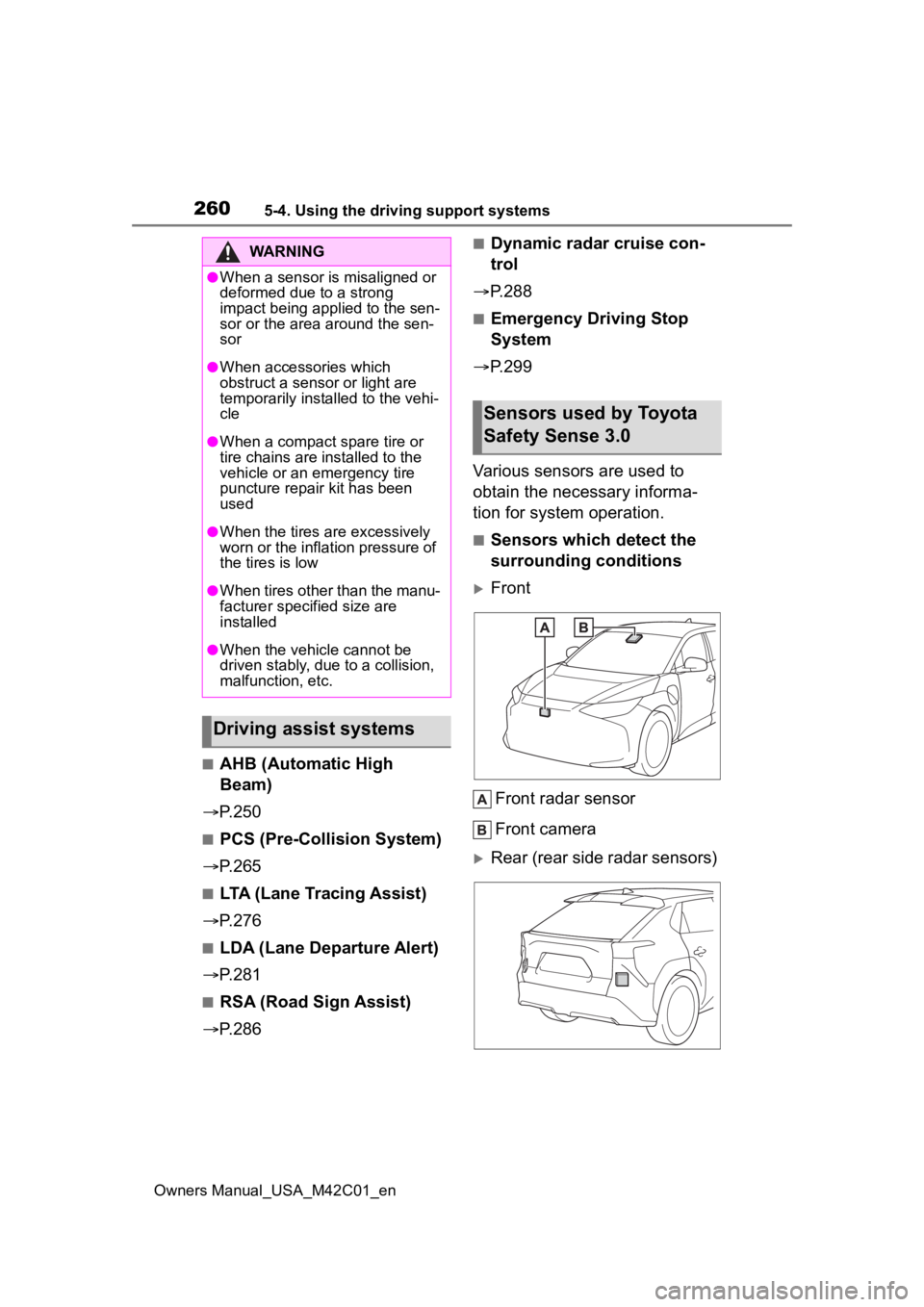
■Sensors which detect the
surrounding conditions
Front
Front radar sensor
Front camera
Rear (rear side radar sensors)
WARNING
●When a sensor is misaligned or
deformed due to a strong
impact being applied to the sen-
sor or the area around the sen-
sor
●When accessories which
obstruct a sensor or light are
temporarily installed to the vehi-
cle
●When a compact spare tire or
tire chains are installed to the
vehicle or an emergency tire
puncture repair kit has been
used
●When the tires are excessively
worn or the inflation pressure of
the tires is low
●When tires other than the manu-
facturer specified size are
installed
●When the vehicle cannot be
driven stably, due to a collision,
malfunction, etc.
Driving assist systems
Sensors used by Toyota
Safety Sense 3.0
Page 306 of 628

3065-4. Using the driving support systems
Owners Manual_USA_M42C01_en• When a vehicle enters a detection
area traveling at about the same
speed as your vehicle
• As your vehicle starts from a stop, a vehicle remains in the detection
area
• When driving up and down con- secutive steep inclines, such as
hills, dips in the road, etc.
• When driving on roads with sharp bends, consecutive curves, or
uneven surfaces
• When vehicle lanes are wide, or when driving on the edge of a
lane, and the vehicle in an adja-
cent lane is far away from your
vehicle
• When an accessory (such as a
bicycle carrier) is installed to the
rear of the vehicle
• When there is a significant differ-
ence in height between your vehi-
cle and the vehicle that enters the
detection area
• Immediately after the Blind Spot Monitor is turned on
• When towing with the vehicle
●Instances of the Blind Spot Moni-
tor unnecessarily d etecting a vehi-
cle and/or object may increase in
the following situations:
• When the sensor is misaligned
due to a strong impact to the sen-
sor or its surrounding area
• When the distanc e between your
vehicle and a guardr ail, wall, etc.,
that enters the detection area is
short
• When driving up and down con- secutive steep inclines, such as
hills, dips in the road, etc.
• When vehicle lanes are narrow, or when driving on the edge of a
lane, and a vehicle traveling in a
lane other than the adjacent lanes
enters the detection area
• When driving on roads with sharp bends, consecutive curves, or
uneven surfaces
• When the tires are slipping or spinning
• When the distanc e between your
vehicle and a following vehicle is
short • When an accessory (such as a
bicycle carrier) is installed to the
rear of the vehicle
• When towing with the vehicle
Page 313 of 628
3135-4. Using the driving support systems
Owners Manual_USA_M42C01_en
5
Driving
■The system can be operated
when
●The power switch is in ON.
●Intuitive parking assist function is
on.
●The vehicle speed is less than
about 6 mph (10 km/h).
●A shift position other than P is
selected.
■Sensor detection information
●The sensor’s detection areas are
limited to the areas around the
vehicle’s front and rear bumpers.
●The following situations may occur
during use.
• Depending on the shape of the object and other factors, the
detection distance may shorten, or
detection may be impossible.
• Detection may be impossible if static objects draw too close to the
sensor.
• There will be a short delay between static object detection
and display (warning buzzer
sounds). Even at low speeds,
there is a possibility that the object
will come within 11.9 in. (30 cm)
before the display is shown and
the warning buzzer sounds.
• It might be diffic ult to hear the
buzzer due to the volume of the
audio system or air flow noise of
the air conditioning system.
• It may be diffi cult to hear the
sound of this sys tem due to the
buzzers of other systems.
WARNING
●Do not damage the sensors,
and always keep them clean.
●Do not attach a sticker or install
an electronic component, such
as a backlit license plate (espe-
cially fluorescent type), fog
lights, fender pole or wireless
antenna near a radar sensor.
●Do not subject the surrounding
area of the sensor to a strong
impact. If subjected to an
impact, have the vehicle
inspected by your Toyota
dealer. If the fr ont or rear
bumper needs to be
removed/installed or replaced,
contact your Toyota dealer.
●Do not modify, disassemble or
paint the sensors.
●Do not attach a license plate
cover.
●Keep your tires properly
inflated.
■When to disable the function
In the following situations, disable
the function as it may operate
even though there is no possibility
of a collision.
●Failing to observe the warnings
above.
●A non-genuine Toyota suspen-
sion (lowered suspension, etc.)
is installed.
■Notes when washing the vehi-
cle
Do not apply intensive bursts of
water or steam to the sensor
area.
Doing so may result in the sensor
malfunctioning.
●When using a high pressure
washer to wash the vehicle, do
not spray the sensors directly,
as doing so may cause a sensor
to malfunction.
●When using steam to clean the
vehicle, do not direct steam too
close to the sensors as doing so
may cause a sensor to malfunc-
tion.
Page 314 of 628
3145-4. Using the driving support systems
Owners Manual_USA_M42C01_en
■Objects which the system may
not be properly detected
The shape of the object may pre-
vent the sensor from detecting it.
Pay particular attention to the follow-
ing objects:
●Wires, fences, ropes, etc.
●Cotton, snow and other materials
that absorb sound waves
●Sharply-angled objects
●Low objects
●Tall objects with upper sections
projecting outwards in the direc-
tion of your vehicle
People may not be detected if they
are wearing certain types of cloth-
ing.
■Situations in which the system
may not operate properly
Certain vehicle conditions and the
surrounding environment may affect
the ability of a sensor to correctly
detect objects. Particular instances
where this may occur are listed
below.
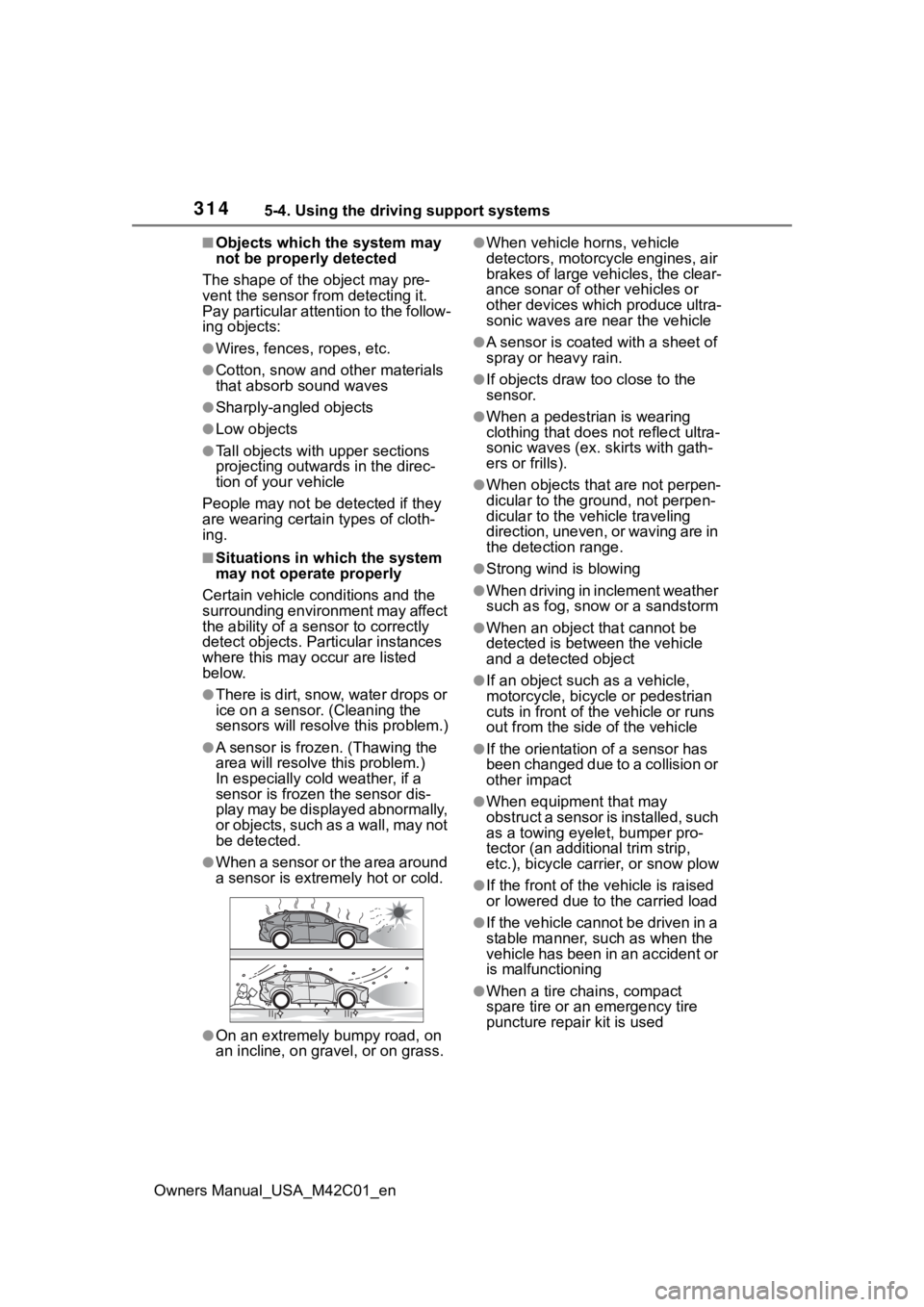
●There is dirt, snow, water drops or
ice on a sensor. (Cleaning the
sensors will resolve this problem.)
●A sensor is frozen. (Thawing the
area will resolve this problem.)
In especially cold weather, if a
sensor is frozen the sensor dis-
play may be displayed abnormally,
or objects, such as a wall, may not
be detected.
●When a sensor or the area around
a sensor is extremely hot or cold.
●On an extremely bumpy road, on
an incline, on gravel, or on grass.
●When vehicle horns, vehicle
detectors, motorcycle engines, air
brakes of large vehicles, the clear-
ance sonar of ot her vehicles or
other devices which produce ultra-
sonic waves are near the vehicle
●A sensor is coated with a sheet of
spray or heavy rain.
●If objects draw too close to the
sensor.
●When a pedestrian is wearing
clothing that does not reflect ultra-
sonic waves (ex. skirts with gath-
ers or frills).
●When objects that are not perpen-
dicular to the ground, not perpen-
dicular to the vehicle traveling
direction, uneven, or waving are in
the detection range.
●Strong wind is blowing
●When driving in inclement weather
such as fog, snow or a sandstorm
●When an object that cannot be
detected is between the vehicle
and a detected object
●If an object such as a vehicle,
motorcycle, bicycle or pedestrian
cuts in front of the vehicle or runs
out from the side of the vehicle
●If the orientation of a sensor has
been changed due to a collision or
other impact
●When equipment that may
obstruct a sensor is installed, such
as a towing eyelet, bumper pro-
tector (an additional trim strip,
etc.), bicycle car rier, or snow plow
●If the front of the v ehicle is raised
or lowered due to the carried load
●If the vehicle cannot be driven in a
stable manner, such as when the
vehicle has been in an accident or
is malfunctioning
●When a tire chains, compact
spare tire or an emergency tire
puncture repair kit is used
Page 315 of 628
3155-4. Using the driving support systems
Owners Manual_USA_M42C01_en
5
Driving
■Situations in which the system
may operate even if there is no
possibility of a collision
In some situations, such as the fol-
lowing, the system may operate
even though there is no possibility of
a collision.
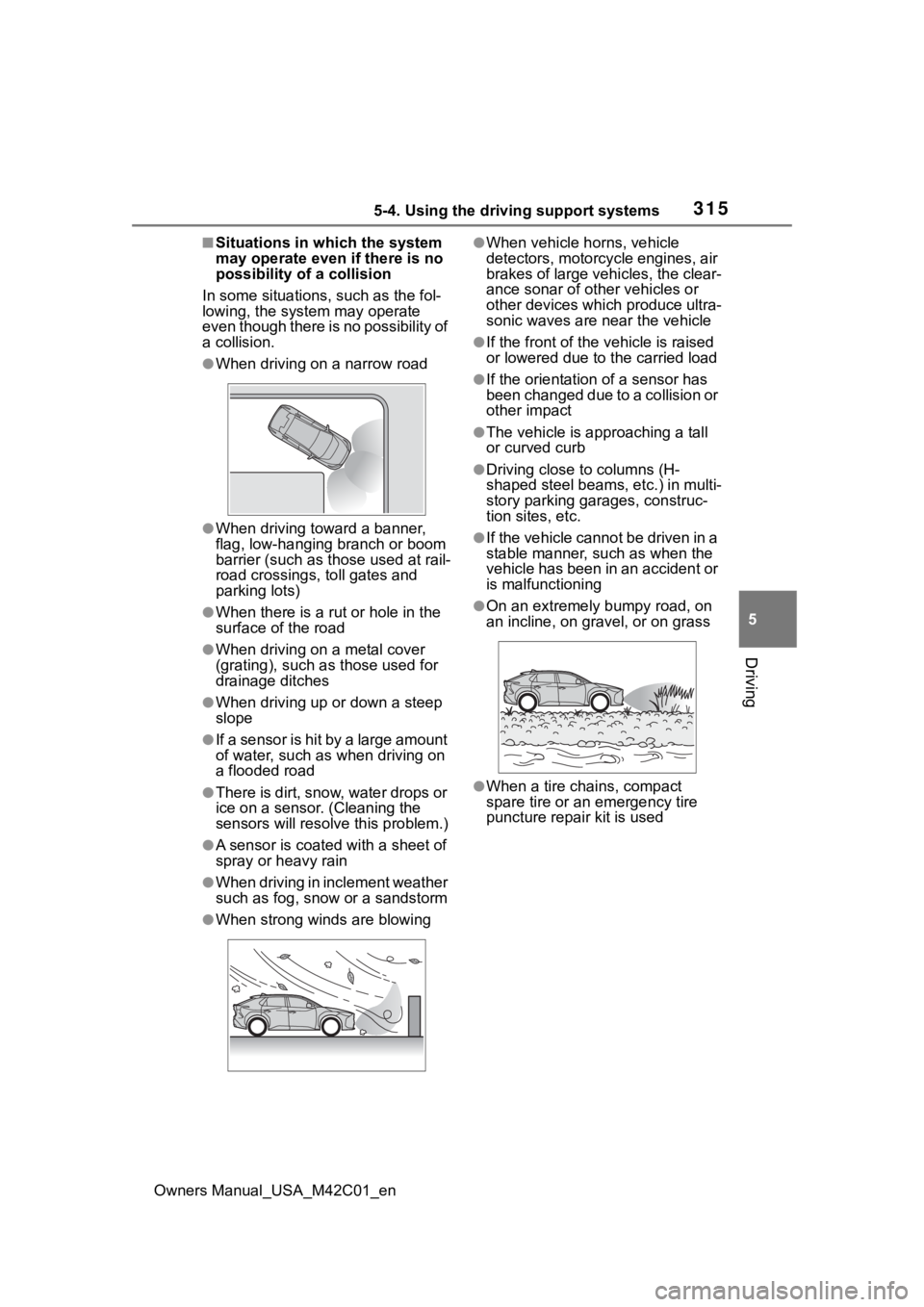
●When driving on a narrow road
●When driving toward a banner,
flag, low-hanging branch or boom
barrier (such as those used at rail-
road crossings, toll gates and
parking lots)
●When there is a rut or hole in the
surface of the road
●When driving on a metal cover
(grating), such as those used for
drainage ditches
●When driving up or down a steep
slope
●If a sensor is hit by a large amount
of water, such as when driving on
a flooded road
●There is dirt, snow, water drops or
ice on a sensor. (Cleaning the
sensors will resolve this problem.)
●A sensor is coated with a sheet of
spray or heavy rain
●When driving in inclement weather
such as fog, snow or a sandstorm
●When strong winds are blowing
●When vehicle horns, vehicle
detectors, motorcycle engines, air
brakes of large vehicles, the clear-
ance sonar of ot her vehicles or
other devices which produce ultra-
sonic waves are near the vehicle
●If the front of the v ehicle is raised
or lowered due to the carried load
●If the orientation of a sensor has
been changed due to a collision or
other impact
●The vehicle is approaching a tall
or curved curb
●Driving close to columns (H-
shaped steel beams, etc.) in multi-
story parking garages, construc-
tion sites, etc.
●If the vehicle cannot be driven in a
stable manner, such as when the
vehicle has been in an accident or
is malfunctioning
●On an extremely bumpy road, on
an incline, on gravel, or on grass
●When a tire chains, compact
spare tire or an emergency tire
puncture repair kit is used
Page 326 of 628
3265-4. Using the driving support systems
Owners Manual_USA_M42C01_en
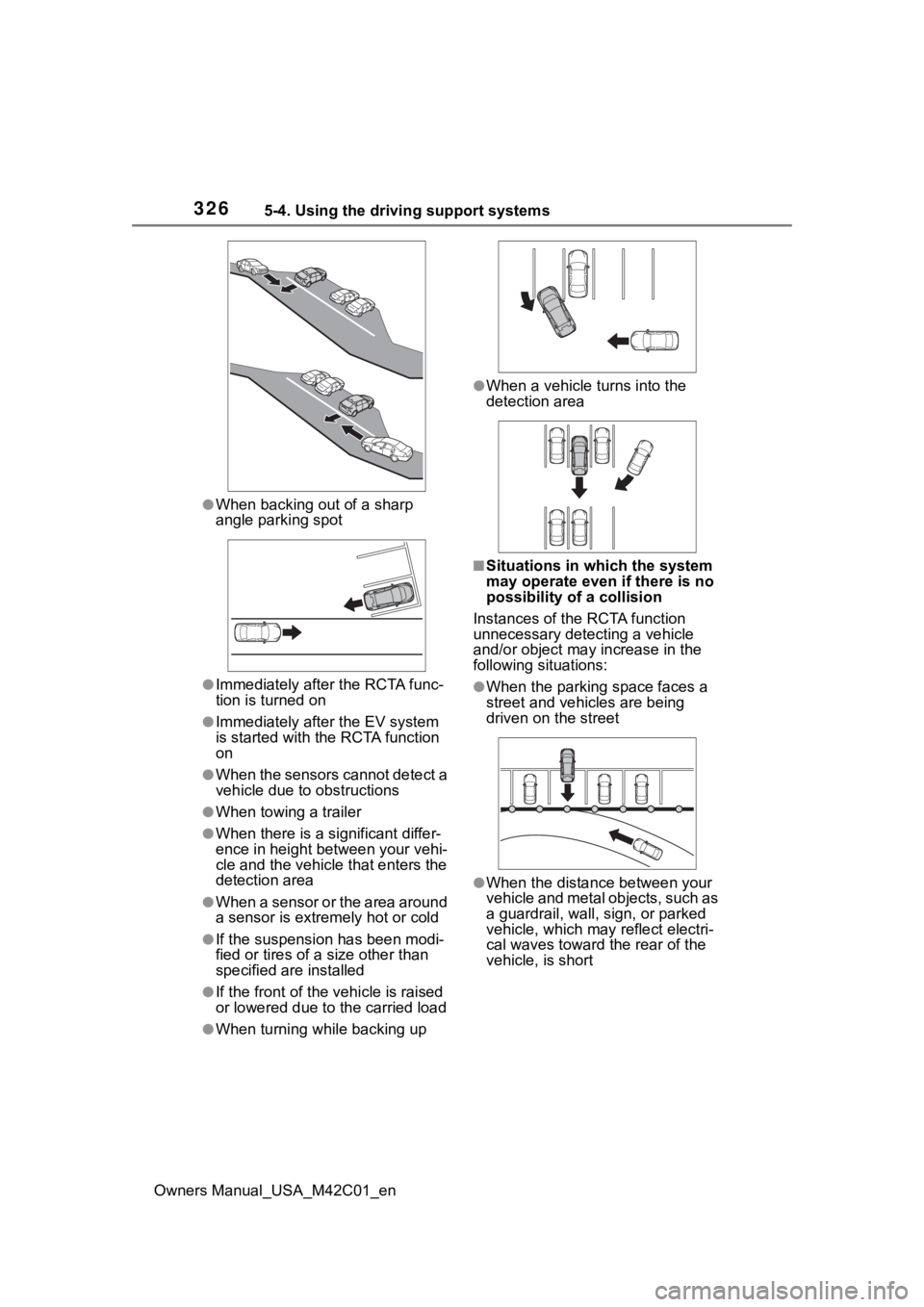
●When backing out of a sharp
angle parking spot
●Immediately after the RCTA func-
tion is turned on
●Immediately afte r the EV system
is started with the RCTA function
on
●When the sensors cannot detect a
vehicle due to obstructions
●When towing a trailer
●When there is a significant differ-
ence in height between your vehi-
cle and the vehicle that enters the
detection area
●When a sensor or the area around
a sensor is extremely hot or cold
●If the suspension has been modi-
fied or tires of a size other than
specified are installed
●If the front of the vehicle is raised
or lowered due to the carried load
●When turning while backing up
●When a vehicle tu rns into the
detection area
■Situations in which the system
may operate even if there is no
possibility of a collision
Instances of the RCTA function
unnecessary detec ting a vehicle
and/or object may increase in the
following situations:
●When the parking space faces a
street and vehicles are being
driven on the street
●When the distance between your
vehicle and metal objects, such as
a guardrail, wall, sign, or parked
vehicle, which may reflect electri-
cal waves toward the rear of the
vehicle, is short
Page 327 of 628
3275-4. Using the driving support systems
Owners Manual_USA_M42C01_en
5
Driving
●When equipment that may
obstruct a sensor is installed, such
as a towing eyelet, bumper pro-
tector (an additi onal trim strip,
etc.), bicycle carrier, or snow plow
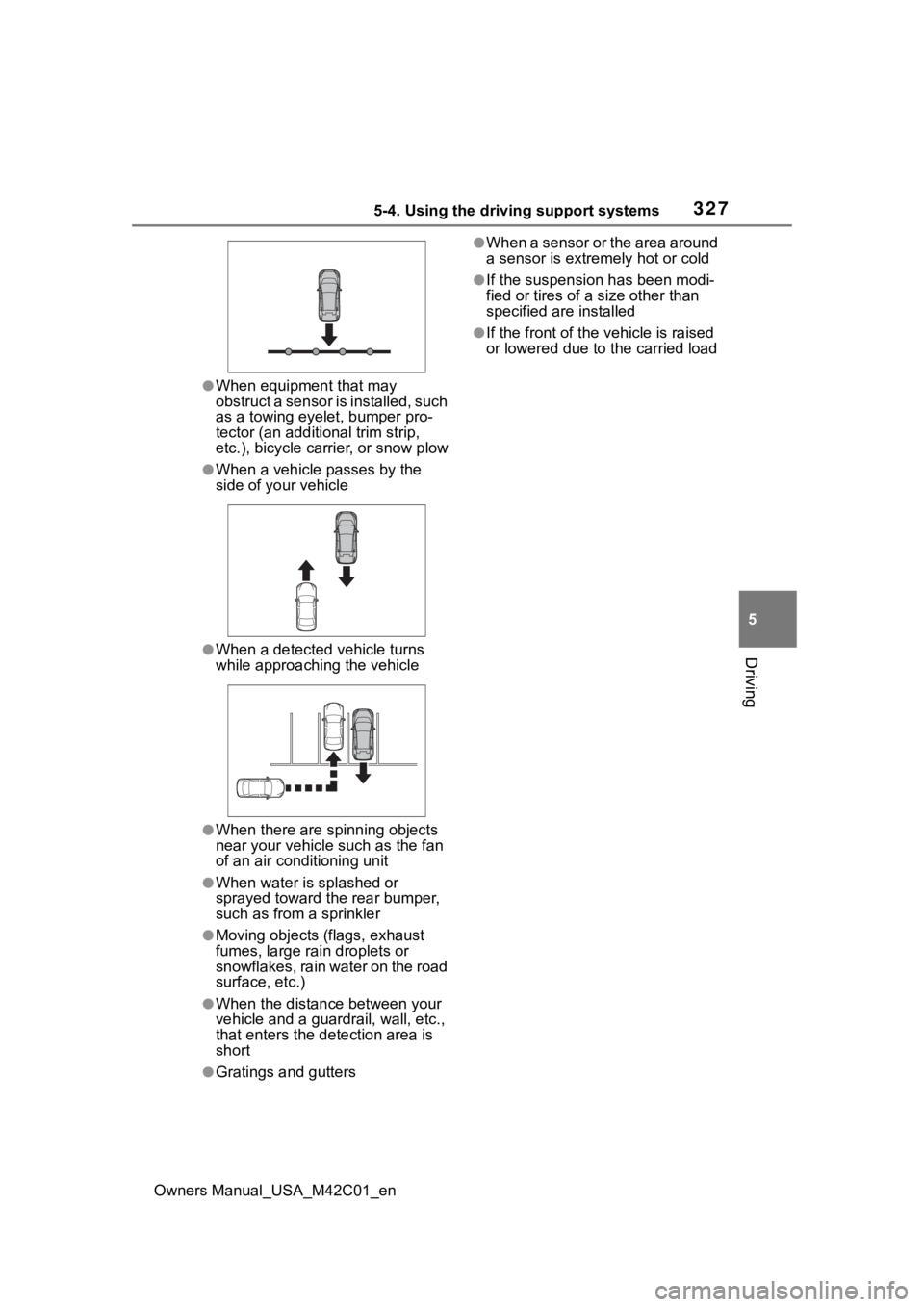
●When a vehicle passes by the
side of your vehicle
●When a detected vehicle turns
while approaching the vehicle
●When there are spinning objects
near your vehicle such as the fan
of an air conditioning unit
●When water is splashed or
sprayed toward t he rear bumper,
such as from a sprinkler
●Moving objects (flags, exhaust
fumes, large rain droplets or
snowflakes, rain water on the road
surface, etc.)
●When the distanc e between your
vehicle and a guardr ail, wall, etc.,
that enters the detection area is
short
●Gratings and gutters
●When a sensor or the area around
a sensor is extremely hot or cold
●If the suspension has been modi-
fied or tires of a size other than
specified are installed
●If the front of the v ehicle is raised
or lowered due to the carried load
Page 328 of 628
3285-4. Using the driving support systems
Owners Manual_USA_M42C01_en
*: If equipped
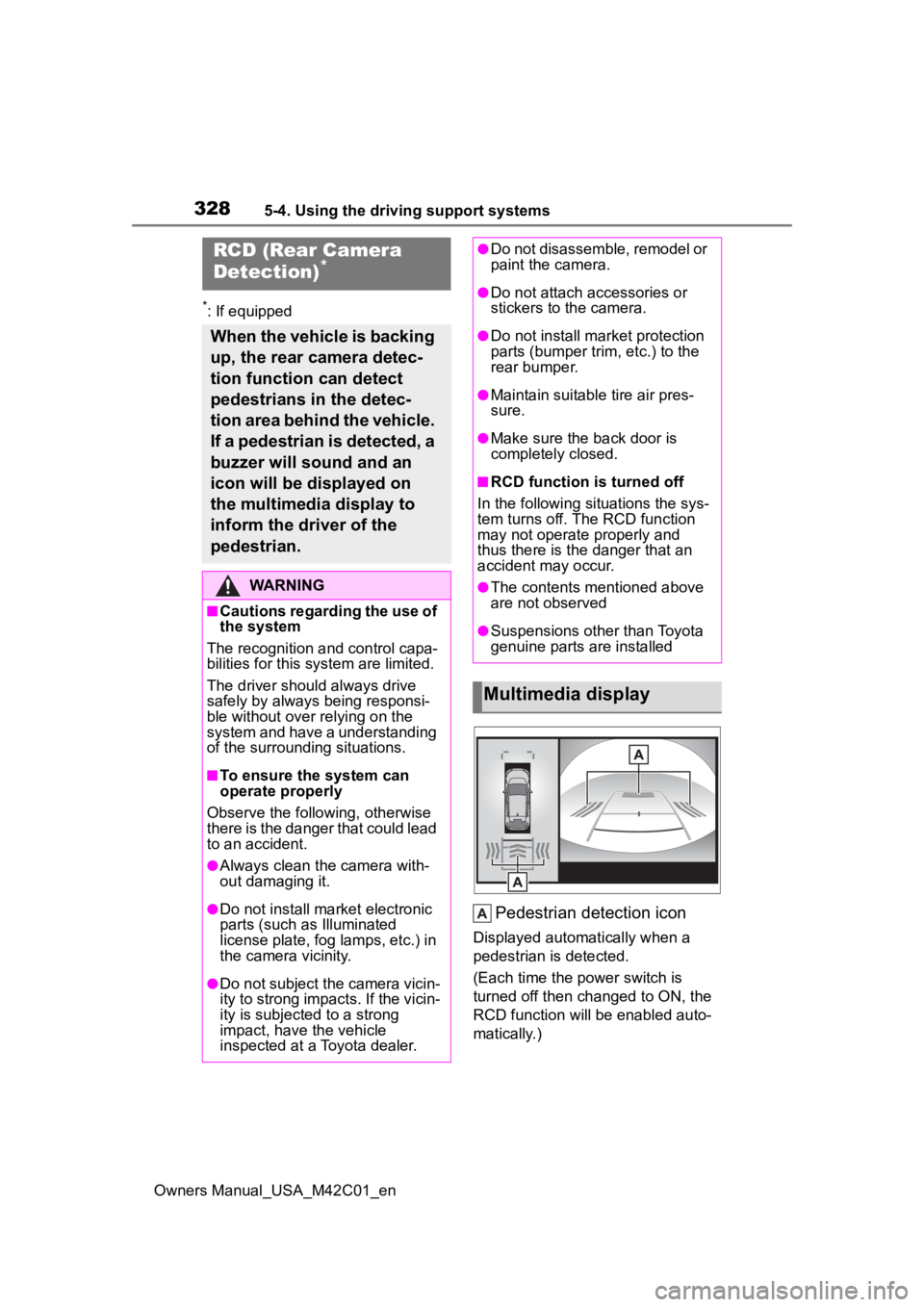
Pedestrian detection icon
Displayed automatically when a
pedestrian is detected.
(Each time the power switch is
turned off then changed to ON, the
RCD function will be enabled auto-
matically.)
RCD (Rear Camera
Detection)*
When the vehicle is backing
up, the rear camera detec-
tion function can detect
pedestrians in the detec-
tion area behind the vehicle.
If a pedestrian is detected, a
buzzer will sound and an
icon will be displayed on
the multimedia display to
inform the driver of the
pedestrian.
WARNING
■Cautions regarding the use of
the system
The recognition and control capa-
bilities for this system are limited.
The driver shoul d always drive
safely by always being responsi-
ble without over relying on the
system and have a understanding
of the surrounding situations.
■To ensure the system can
operate properly
Observe the follo wing, otherwise
there is the danger that could lead
to an accident.
●Always clean the camera with-
out damaging it.
●Do not install market electronic
parts (such as Illuminated
license plate, fog lamps, etc.) in
the camera vicinity.
●Do not subject the camera vicin-
ity to strong impacts. If the vicin-
ity is subjected to a strong
impact, have the vehicle
inspected at a Toyota dealer.
●Do not disassemble, remodel or
paint the camera.
●Do not attach accessories or
stickers to the camera.
●Do not install market protection
parts (bumper tr im, etc.) to the
rear bumper.
●Maintain suitable tire air pres-
sure.
●Make sure the back door is
completely closed.
■RCD function i s turned off
In the following situations the sys-
tem turns off. The RCD function
may not operate properly and
thus there is the danger that an
accident may occur.
●The contents mentioned above
are not observed
●Suspensions other than Toyota
genuine parts are installed
Multimedia display