ESP SUBARU TRIBECA 2014 1.G Owner's Manual
[x] Cancel search | Manufacturer: SUBARU, Model Year: 2014, Model line: TRIBECA, Model: SUBARU TRIBECA 2014 1.GPages: 426, PDF Size: 6.37 MB
Page 148 of 426
WARNING
If this light does not illuminatebriefly after the ignition switch isturned ON or the light illuminatessteadily after blinking for approxi-mately one minute, you should haveyour Tire Pressure Monitoring Sys-tem checked at a SUBARU dealer assoon as possible.
If this light illuminates while driving,never brake suddenly and keepdriving straight ahead while gradu-ally reducing speed. Then slowlypull off the road to a safe place.Otherwise an accident involvingserious vehicle damage and seriouspersonal injury could occur.
If this light still illuminates whiledriving after adjusting the tire pres-sure, a tire may have significantdamage and a fast leak that causesthe tire to lose air rapidly. If you havea flat tire, replace it with a spare tireas soon as possible.
When a spare tire is mounted or awheel rim is replaced without theoriginal pressure sensor/transmitterbeing transferred, the Low tire pres-sure warning light will illuminatesteadily after blinking for approxi-mately one minute. This indicates
that the TPMS is unable to monitorall four road wheels. Contact yourSUBARU dealer as soon as possiblefor tire and sensor replacement and/or system resetting. If the lightilluminates steadily after blinkingfor approximately one minute,promptly contact a SUBARU dealerto have the system inspected.
CAUTION
The tire pressure monitoring systemis NOT a substitute for manuallychecking tire pressure. The tirepressureshould be checked peri-odically (at least monthly) using atire gauge. After any change to tirepressure(s), the tire pressure mon-itoring system will not re-check tireinflationpressures until the vehicleis first driven more than 20 mph (32km/h). Therefore, after adjusting thetire pressures, increase the vehiclespeed to at least 20 mph (32 km/h) tostart the TPMS re-checking of thetire inflation pressures. If the tirepressures are now above the severelow pressure threshold, the low tirepressure warning light should turnoff a few minutes later. Therefore, besure to install the specified size for
the front and rear tires.
&ABS warning light
CAUTION
If the warning light behaves asfollows, the ABS system may notwork properly.
When the warning light illuminates,the ABS function shuts down; how-ever, the conventional brake systemcontinues to operate normally.
.The warning light does not illu-minate when the ignition switchis turned to the“ON”position.
.The warning light illuminateswhen the ignition switch isturned to the“ON”position, butit does not turn off even when thevehicle speed exceeds approxi-mately 8 mph (12 km/h).
.The warning light illuminates dur-ing driving.
If any of these conditions occur,have the ABS system repaired atthe first available opportunity byyour SUBARU dealer.
The ABS warning light illuminates to-
Instruments and controls3-15
–CONTINUED–
Page 150 of 426
warning light illuminate simultaneously,take the following steps.
1. Stop the vehicle in the nearest safe,flat place.
2. Shut down the engine, apply theparking brake, and then restart it.
3. Release the parking brake. If bothwarning lights turn off, the EBD systemmay be malfunctioning.
Drive carefully to the nearest SUBARUdealer and have the system inspected.
4. If both warning lights illuminate againand remain illuminated after the enginehas been restarted, shut down the engineagain, apply the parking brake, and checkthe brake fluid level.
5. If the brake fluid level is not below the“MIN”mark, the EBD system may bemalfunctioning. Drive carefully to thenearest SUBARU dealer and have thesystem inspected.
6. If the brake fluid level is below the“MIN”mark, DO NOT drive the vehicle.Instead, have the vehicle towed to thenearest SUBARU dealer for repair.
&Low fuel warning light
CAUTION
Immediately put fuel in the tankwhenever the low fuel warning lightilluminates. Engine misfires as aresult of an empty tank could causedamage to the engine.
The low fuel warning light illuminateswhen the tank is nearly empty approxi-mately 2.6 US gal (10 liters, 2.2 Imp gal). Itonly operates when the ignition switch isin the“ON”position. When this lightilluminates, fillthe fuel tank immediately.
NOTE
This light does not turn off unless thetank is replenished up to an internalfuel quantity of approximately 4.0 USgal (15 liters, 3.3 Imp gal).
&Door open warning light
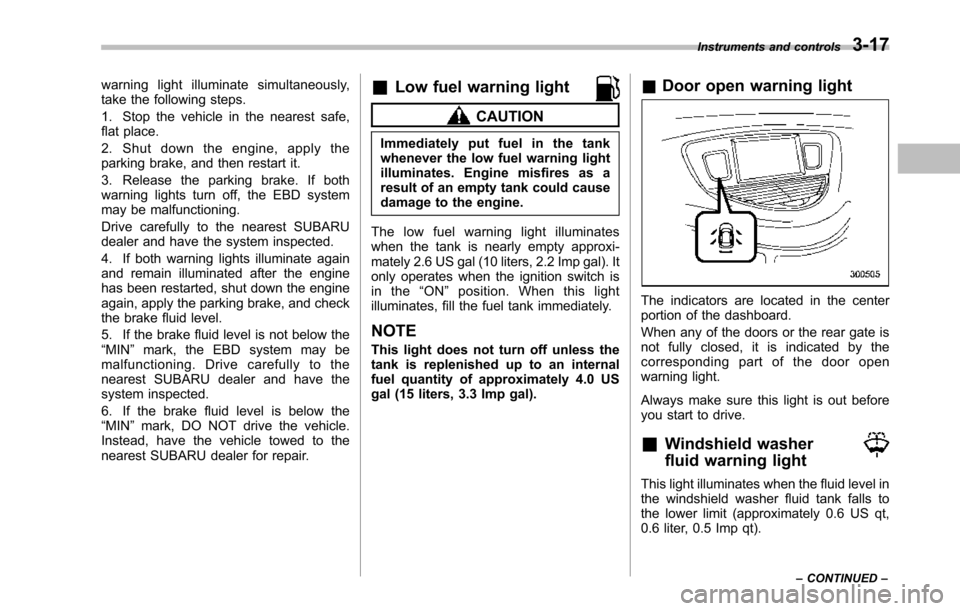
The indicators are located in the centerportion of the dashboard.
When any of the doors or the rear gate isnot fully closed, it is indicated by thecorresponding part of the door openwarning light.
Always make sure this light is out beforeyou start to drive.
&Windshield washer
fluid warning light
This light illuminates when the fluid level inthe windshield washer fluid tank falls tothe lower limit (approximately 0.6 US qt,0.6 liter, 0.5 Imp qt).
Instruments and controls3-17
–CONTINUED–
Page 152 of 426
after the engine is started but turns offimmediately, remaining off..The warning light illuminates afterthe engine has started and turns offwhile the vehicle is subsequently beingdriven..The warning light illuminates duringdriving, but it turns off immediately andremains off.
!Vehicle Dynamics Control opera-tion indicator light
U.S.-spec. models and Canada-spec.models:
The indicator light flashes during activa-tion of the skid suppression function andduring activationof the traction controlfunction.
NOTE
.The light may remain illuminated fora short period of time after the enginehas been started, especially in coldweather. This does not indicate theexistence of a problem. The lightshould turn off as soon as the enginehas warmed up..The indicator light illuminates whenthe engine has developed a problemand the CHECK ENGINE warning light/malfunction indicator light is on.
Latin America-spec. models:
The indicator light flashes when the skidsuppression function is activated. It illumi-nates when only the traction controlfunction is operating.
The Vehicle Dynamics Control system isprobably malfunctioning under any of thefollowing conditions. Have your vehiclechecked at a SUBARU dealer as soon aspossible .
.The light does not illuminate when theignition switch is turned to the“ON”position.
.The light does not turn off even afterthe lapse of several minutes (the enginehas warmed up) after the engine hasstarted (U.S.-spec.models and Canada-spec. models)/even after a period ofapproximately 2 seconds after the ignitionswitch has been turned to the“ON”position (Latin America-spec. models).
&Traction Control sys-
tem OFF indicator light
(U.S.-spec models and
Canada-spec. models)
This light illuminates when the TractionControl system OFF switch is pressed todeactivate the Traction Control system.
The Vehicle Dynamics Control system is
probably malfunctioning under any of thefollowing conditions. Have your vehiclechecked at a SUBARU dealer immedi-ately.
.The light does not illuminate when theignition switch is turned to the“ON”position.
.The lightdoes not turn off even after aperiod of approximately 2 seconds afterthe ignition switch has been turned to the“ON”position.
&Vehicle Dynamics
Control warning light
(Latin America-spec.
models)/Traction Con-
trol OFF indicator light
(Latin America-spec.
models)
This warning light functions to indicatemalfunctions in the Vehicle DynamicsControl system as well as to indicate thatthe Traction Control system has beendeactivated.
It illuminates in the event of a malfunctionin the system and is on when the systemis not operating.
Instruments and controls3-19
–CONTINUED–
Page 153 of 426
3-20Instruments and controls
!Vehicle Dynamics Control warninglight
CAUTION
The Vehicle Dynamics Control sys-tem provides its ABS controlthrough the electrical circuit of theABS system. Accordingly, if the ABSis inoperative, the Vehicle DynamicsControl system becomes unable toprovide ABS control. As a result, theVehicle Dynamics Control systemalso becomes inoperative, causingthe warning light to illuminate.Though both the Vehicle DynamicsControl and ABS systems are inop-erative in this case, the ordinaryfunctions of the brake system arestill available. You will be safe whiledriving with this condition, but drivecarefully and have your vehiclechecked at a SUBARU dealer assoon as possible.
NOTE
.If the electrical circuit of the VehicleDynamics Control system itself mal-functions, only the warning light illumi-nates. At this time, the ABS (Anti-lockBrake System) remains fully opera-tional.
.The warning light illuminates whenthe electronic control system of theABS/Vehicle Dynamics Control systemmalfunctions.
The Vehicle Dynamics Control system isprobably inoperative under any of thefollowing conditions. Have your vehiclechecked at a SUBARU dealer immedi-ately.
.The warninglight does not illuminatewhen the ignition switch is turned to the“ON”position.
.The warning light illuminates while thevehicle is running.
NOTE
If the warning light behavior is asdescribed in the following conditions,the Vehicle Dynamics Control systemmay be considered normal.
.The warning light illuminates rightafter the engine is started but turns offimmediately, remaining off..The warning light illuminates afterengine startup and turns off while thevehicle is subsequently being driven..The warning light illuminates duringdriving, but it turns off immediately andremains off.
!Traction Control OFF indicator light
.It illuminates when the Traction ControlOFF switch is pressed.
.It also illuminates when the TractionControl system is deactivated.
NOTE
.The light may remain illuminated forawhileaftertheenginehasbeenstarted,especially in cold weather. Thisdoes not indicate the existence of aproblem. The light should turn off assoon as the engine has warmed up..The indicator light illuminates whenthe engine has developed a problemand the CHECK ENGINE warning light/Malfunction indicator light illuminates.
The Vehicle Dynamics Control system isprobably malfunctioning under the listedcondition. Have your vehicle checked at aSUBARU dealer as soon as possible.
.The light does not turn off even afterthe lapse of several minutes (the enginehas warmed up) after the engine hasstarted.
Page 158 of 426
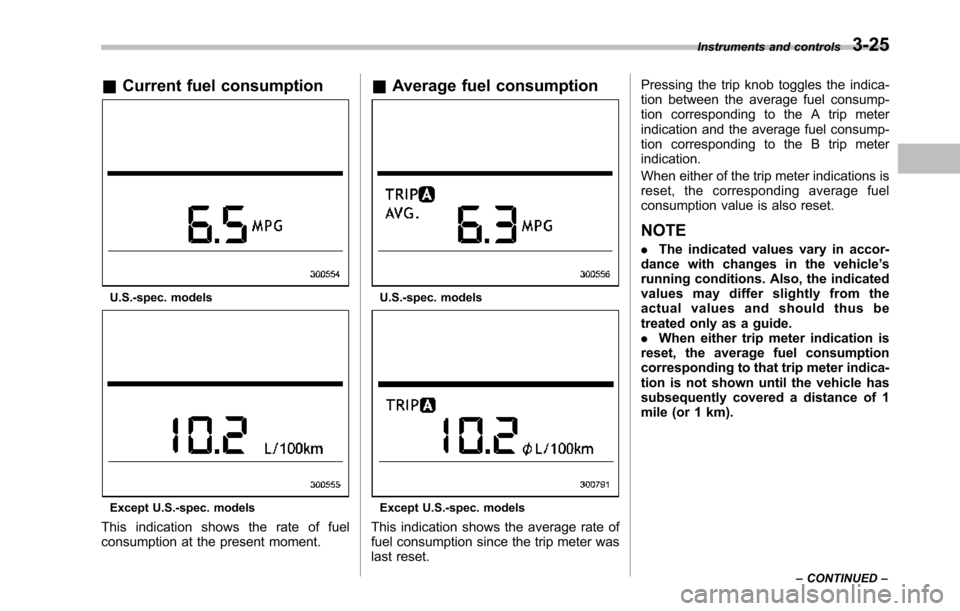
&Current fuel consumption
U.S.-spec. models
Except U.S.-spec. models
This indication shows the rate of fuelconsumption at the present moment.
&Average fuel consumption
U.S.-spec. models
Except U.S.-spec. models
This indication shows the average rate offuel consumption since the trip meter waslast reset.
Pressing the trip knob toggles the indica-tion between the average fuel consump-tion corresponding to the A trip meterindication and the average fuel consump-tion corresponding to the B trip meterindication.
When either of the trip meter indications isreset, the corresponding average fuelconsumption value is also reset.
NOTE
.The indicated values vary in accor-dance with changes in the vehicle’srunning conditions. Also, the indicatedvalues may differ slightly from theactual values and should thus betreated only as a guide..When either trip meter indication isreset, the average fuel consumptioncorresponding to that trip meter indica-tion is not shown until the vehicle hassubsequently covered a distance of 1mile(or 1 km).
Instruments and controls3-25
–CONTINUED–
Page 168 of 426
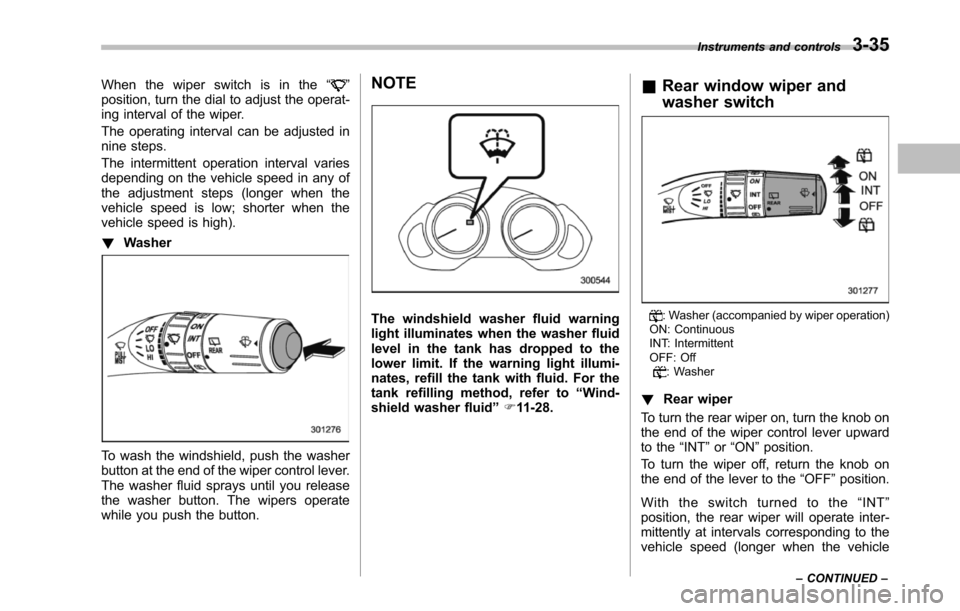
When the wiper switch is in the“”position, turn the dial to adjust the operat-ing interval of the wiper.
The operating interval can be adjusted innine steps.
The intermittent operation interval variesdepending on the vehicle speed in any ofthe adjustment steps (longer when thevehicle speed is low; shorter when thevehicle speed is high).
!Washer
To wash the windshield, push the washerbutton at the end of the wiper control lever.The washer fluid sprays until you releasethe washer button. The wipers operatewhile you push the button.
NOTE
The windshield washer fluid warninglightilluminates when the washer fluidlevel in the tank has dropped to thelower limit. If the warning light illumi-nates, refill the tank with fluid. For thetank refilling method, refer to“Wind-shield washerfluid”F11-28.
&Rear window wiper and
washer switch
: Washer (accompanied by wiper operation)ON: ContinuousINT: IntermittentOFF: Off: Washer
!Rear wiper
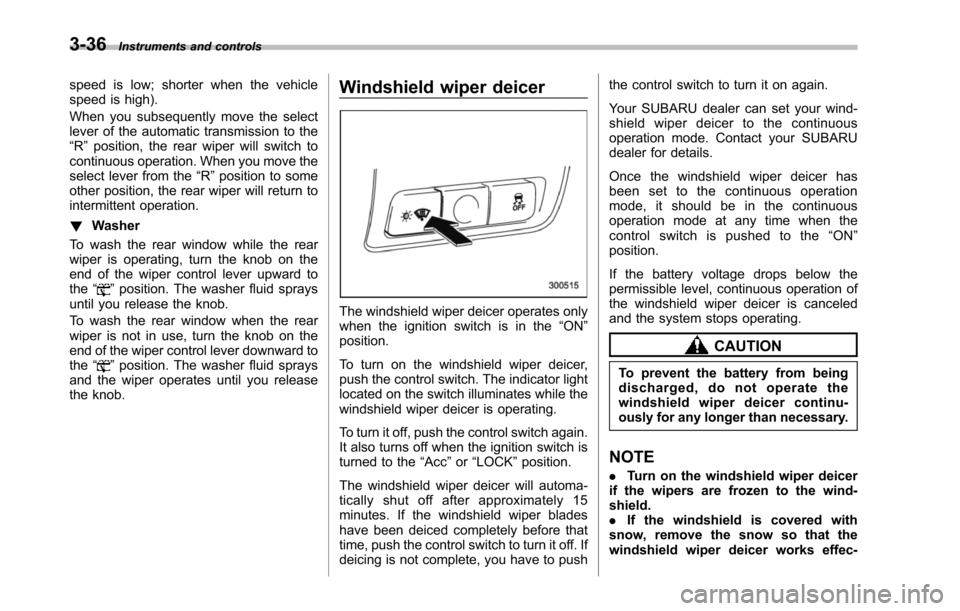
To turn the rear wiper on, turn the knob onthe end of the wiper control lever upwardto the“INT”or“ON”position.
To turn the wiper off, return the knob onthe end of the lever to the“OFF”position.
With the switch turned to the“INT”position, the rear wiper will operate inter-mittently at intervals corresponding to thevehicle speed (longer when the vehicle
Instruments and controls3-35
–CONTINUED–
Page 169 of 426
3-36Instruments and controls
speed is low; shorter when the vehiclespeed is high).
When you subsequently move the selectlever of the automatic transmission to the“R”position, the rear wiper will switch tocontinuous operation. When you move theselect lever from the“R”position to someother position, the rear wiper will return tointermittent operation.
!Washer
To wash the rear window while the rearwiperis operating, turn the knob on theend of the wiper control lever upward tothe“”position. The washer fluid spraysuntil you release the knob.
To wash the rear window when the rearwiper is not in use, turn the knob on theend of the wiper control lever downward tothe“”position. The washer fluid spraysand the wiper operates until you releasetheknob.
Windshield wiper deicer
The windshield wiper deicer operates onlywhen the ignition switch is in the“ON”position.
To turn on the windshield wiper deicer,push the control switch. The indicator lightlocated on the switch illuminates while thewindshield wiper deicer is operating.
To turn it off, push the control switch again.It also turns off when the ignition switch isturned to the“Acc”or“LOCK”position.
The windshield wiper deicer will automa-tically shut off after approximately 15minutes. If the windshield wiper bladeshave been deiced completely before thattime, push the control switch to turn it off. Ifdeicing is not complete, you have to push
the control switch to turn it on again.
Your SUBARU dealer can set your wind-shield wiper deicer to the continuousoperation mode. Contact your SUBARUdealer for details.
Once the windshield wiper deicer hasbeen set to the continuous operationmode, it should be in the continuousoperation mode at any time when thecontrol switch is pushed to the“ON”position.
If the battery voltage drops below thepermissible level, continuous operation ofthe windshield wiper deicer is canceledand the system stops operating.
CAUTION
To prevent the battery from beingdischarged, do not operate thewindshield wiper deicer continu-ously for any longer than necessary.
NOTE
.Turn on the windshield wiper deicerif the wipers are frozen to the wind-shield..If the windshield is covered withsnow, remove the snow so that thewindshield wiper deicer works effec-
Page 184 of 426
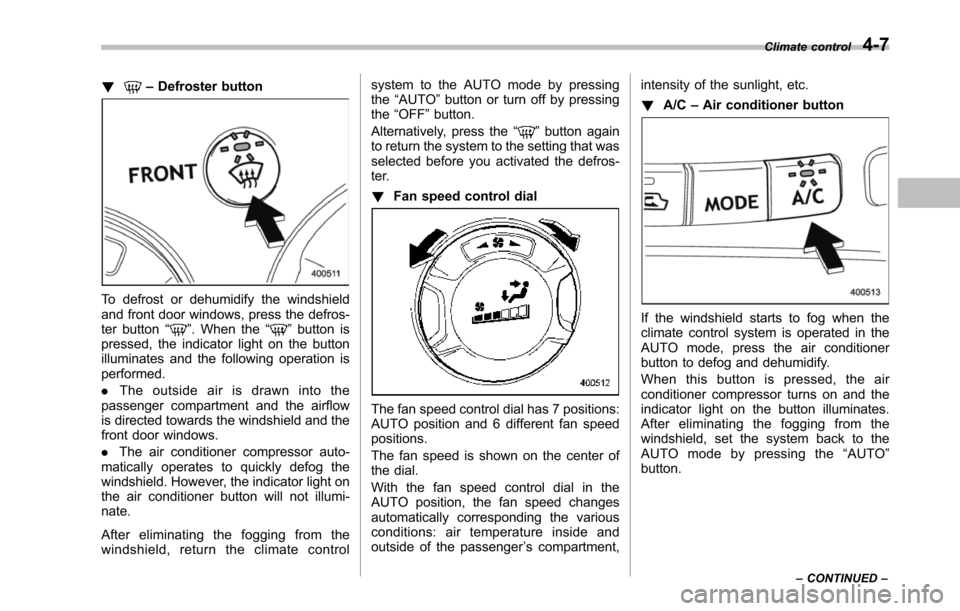
!–Defroster button
To defrost or dehumidify the windshieldand front door windows, press the defros-ter button“”. When the“”button ispressed, the indicator light on the buttonilluminates and the following operation isperformed.
.The outside air is drawn into thepassenger compartment and the airflowis directed towards the windshield and thefront door windows.
.The air conditioner compressor auto-matically operates to quickly defog thewindshield. However, the indicator light onthe air conditioner button will not illumi-nate.
After eliminating the fogging from thewindshield, return the climate control
system to the AUTO mode by pressingthe“AUTO”button or turn off by pressingthe“OFF”button.
Alternatively, press the“”button againto return the system to the setting that wasselected before you activated the defros-ter.
!Fan speed control dial
The fan speed control dial has 7 positions:AUTO positionand 6 different fan speedpositions.
The fan speed is shown on the center ofthe dial.
With the fan speed control dial in theAUTO position, the fan speed changesautomatically corresponding the variousconditions: air temperature inside andoutside of the passenger’s compartment,
intensity of the sunlight, etc.
!A/C–Air conditioner button
If the windshield starts to fog when theclimate control system is operated in theAUTO mode, press the air conditionerbutton to defog and dehumidify.
When this button is pressed, the airconditioner compressor turns on and theindicator light on the button illuminates.After eliminating the fogging from thewindshield, set the system back to theAUTO mode by pressing the“AUTO”button.
Climate control4-7
–CONTINUED–
Page 213 of 426
5-22Audio
!How to insert a CD(s)
!Inserting a CD
1. Briefly press the“LOAD”button (10). Ifthe magazine in the player has an idleposition where you can insert a disc, thedisc number indicator associated with theidle position will blink.
If no indicator blinks, it means that there isno idle position in the magazine.
2. After the disc number indicator hasstarted to flash, insert the disc when“LOAD”flashes on the display. The discwill then be automatically drawn in, andthe player will begin to play back the firsttrack of the disc.
.To insert more discs in succession,repeatSteps 1 and 2. The magazine willbe loaded with discs in the ascendingorder of position number.
If you do not insert any disc in 15 secondsafter you have pressed the“LOAD”button,the player willbegin to play back the firsttrack of the last disc you have inserted.
.The disc indicator steadily lights up if adisc is already inserted in the correspond-ing position of the magazine.
.While the player is in the loading mode,if you press“FM AM”button, the player willenter the standby mode. Press the“CD”button (1) to start playback.
!Inserting a disc in a desiredposition
1. Briefly press the“LOAD”button (10). Ifthe magazine in the player has an idleposition where you can insert a disc, thedisc number indicator associated with theidle position will blink.
The positions in the magazine the indica-tor of which steadily lights up are alreadyloaded with discs.
2. Press the disc select button (9) at theposition where you want to insert a disc.
3. Insert the disc when“LOAD”flasheson the display. The disc will then beautomatically drawn in, and the player willbegin to play the first track on the disc.
.If you wish to insert another disc,repeat the procedure beginning with step1.
If you do not insert any disc in 15 secondsafter you have pressed the“LOAD”button,the player will begin to play back the firsttrack of the last disc you have inserted.
.While the player is in the loading mode,if you press“FM AM”button, the player willenter standby mode. Press the“CD”button (1) to start playback.
!Loading all the magazine (fulldisc loading mode)
1. If you press and hold the“LOAD”button (10), the player will produce a beepsound and will enter the full disc loadingmode.
2. A“disc number”indicator will blink,and“ALL LOAD”will be on display for aperiod of 15 seconds. If a disc is success-fully loaded during this period, the discnumber indicator will stop blinking and willsteadily light.
3. When the loading of a disc is com-plete, the next disc number indicator willblink. Then repeat Step 2.
4. When the magazine is filled with discsby repeating Steps 2 and 3, the player willstart playback of the discs, beginning withthe one inserted first.
If you fail to insert any disc during each 15seconds interval, the full disc loadingmode will be canceled, and the player willstart playback of the disc inserted first.
!How to play back a CD or make apause
!When there is no CD inserted:
Properly insert a CD. Refer to“How toinsert a CD(s)”F5-22.
When a CD is loaded, the player will startplayback of the CD, beginning with the
Page 220 of 426
Rear Seat Entertainment
(RSE) system operation (if
equipped)
If your vehicle is equipped with the RearSeat Entertainment (RSE) system, youcan listen to the audio via the vehiclespeakers. Push the“RSE AUX”button toplay a DVD using the Rear Seat Entertain-ment system.
For detailed operating procedures, refer tothe Owner’s Manual supplement for theRear Seat Entertainment (RSE) system.
NOTE
.To watch a DVD in the front seatsusing the monitor of the navigationsystem, park the vehicle in a safelocation and apply the parking brake.Images of the DVD will not be displayedon the front monitor unless the parkingbrake is applied..The harman/kardon®audio systemis a stereo system with 2 channels. If aharman/kardon®audio system isequipped, the Rear Seat Entertainment(RSE) system may not generate asatisfying realistic sound when playing5.1 channel audio sources.
Precautions to observe when
handling a compact disc
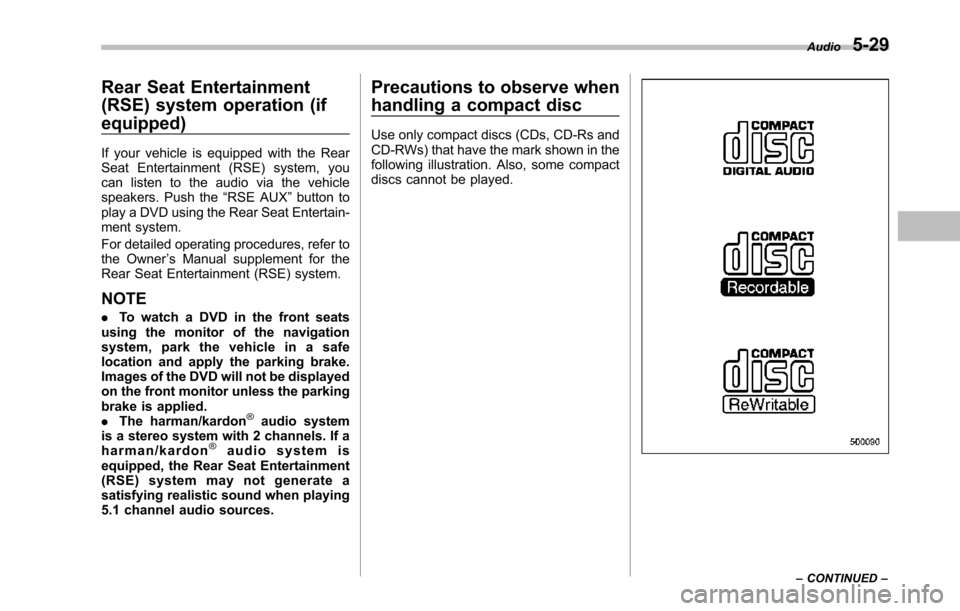
Use only compact discs (CDs, CD-Rs andCD-RWs) that have the mark shown in thefollowing illustration. Also, some compactdiscs cannot be played.
Audio5-29
–CONTINUED–