drive SUZUKI JIMNY 2019 Service Manual
[x] Cancel search | Manufacturer: SUZUKI, Model Year: 2019, Model line: JIMNY, Model: SUZUKI JIMNY 2019Pages: 421, PDF Size: 6.35 MB
Page 117 of 421
A CAUTION
If this light blinks, stop your vehicle immediately in a safe place to avoid catalyst's melting problem since there may be a misfire in the engine. • Do not drive or stop over such as withered grasses. • Drive slowly if required to move the vehicle.
NOTICE
Continuing to drive the vehicle when the malfunction indicator light is on or blinking can cause permanent damage to the vehicle's emission control system, and can affect fuel economy and driveability.
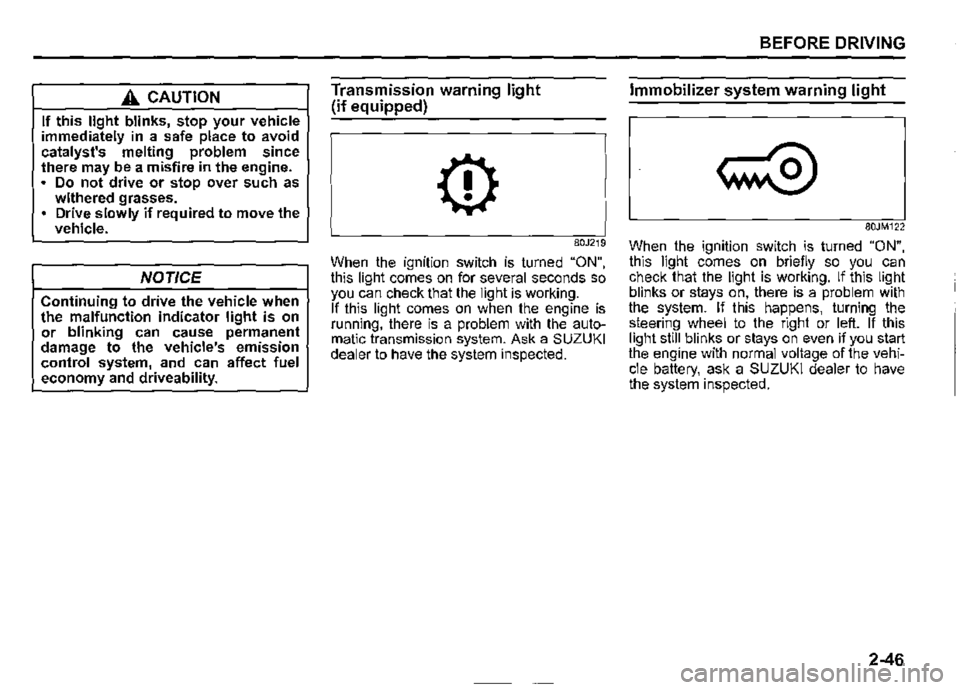
Transmission warning light
(if equipped)
0
80J219
When the ignition switch is turned "ON", this light comes on for several seconds so you can check that the light is working. If this light comes on when the engine is running, there is a problem with the automatic transmission system. Ask a SUZUKI dealer to have the system inspected.
BEFORE DRIVING
Immobilizer system warning light
80JM122
When the ignition switch is turned "ON", this light comes on briefly so you can check that the light is working. If this light blinks or stays on, there is a problem with the system. If this happens, turning the steering wheel to the right or left. If this light still blinks or stays on even if you start the engine with normal voltage of the vehicle battery, ask a SUZUKI dealer to have the system inspected.
2-46
Page 119 of 421
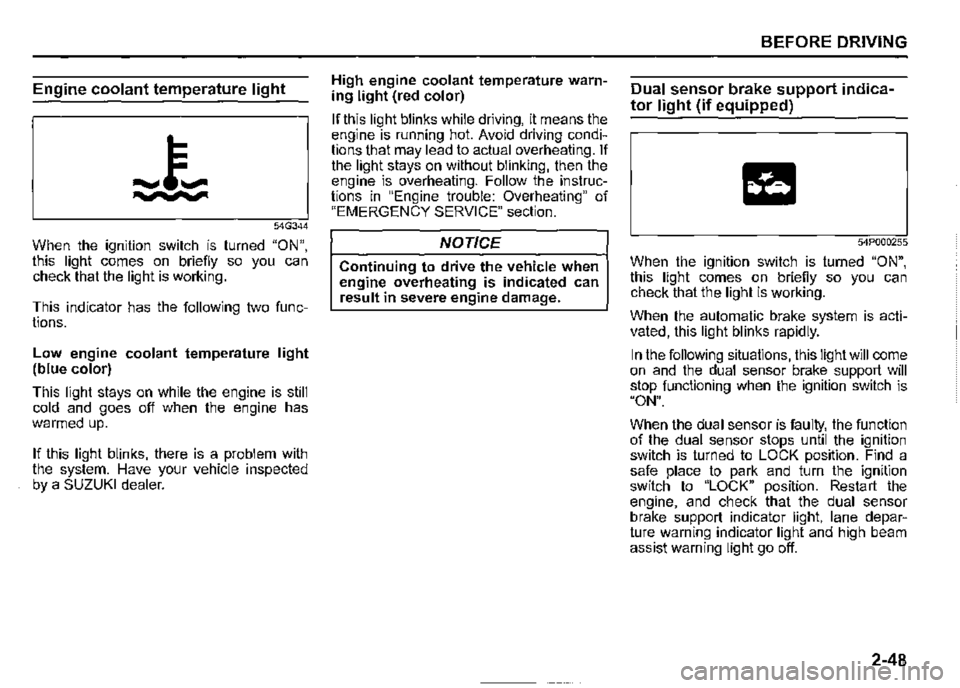
Engine coolant temperature light
54G344
When the ignition switch is turned "ON", this light comes on briefly so you can check that the light is working.
This indicator has the following two functions.
Low engine coolant temperature light (blue color)
This light stays on while the engine is still cold and goes off when the engine has warmed up.
If this light blinks, there is a problem with the system. Have your vehicle inspected by a SUZUKI dealer.
High engine coolant temperature warning light (red color)
If this light blinks while driving, it means the engine is running hot. Avoid driving conditions that may lead to actual overheating. If the light stays on without blinking, then the engine is overheating. Follow the instructions in "Engine trouble: Overheating" of "EMERGENCY SERVICE" section.
NOTICE
Continuing to drive the vehicle when engine overheating is indicated can result in severe engine damage.
BEFORE DRIVING
Dual sensor brake support indica
tor light (if equipped)
54P000255
When the ignition switch is turned "ON", this light comes on briefly so you can check that the light is working.
When the automatic brake system is activated, this light blinks rapidly.
In the following situations, this light will come on and the dual sensor brake support will stop functioning when the ignition switch is "ON".
When the dual sensor is faulty, the function of the dual sensor stops until the ignition switch is turned to LOCK position. Find a safe place to park and turn the ignition switch to "LOCK" position. Restart the engine, and check that the dual sensor brake support indicator light, lane departure warning indicator light and high beam assist warning light go off.
2-48
Page 125 of 421

Master warning indicator light
(if equipped)
68PM00278
When the ignition switch is turned "ON", this light comes on briefiy so you can check that the light is working.
When the information display shows warning and indicator messages, this indicator light may also blink.
For details, refer to "Information display" in this section.
4WD indicator light
78RB02078
· This indicator light comes on when the transfer gear and the air locking hubs are switched to 4-wheel drive condition ("4H" or "4L").
When the ignition switch is turned "ON", this 4WD indicator light will come on for a while and then this light will turned on or off according to the drive condition.
If 4WD indicator light continues to blink, there may be a malfunction of the system. If so, have the system inspected by your SUZUKI dealer.
When you shift the transfer lever from "2H" position to "4H" position at a speed of 100 km/h (60 mph) or more, this indicator light blinks.
When you shift transfer lever again while changing the drive condition, this indicator blinks.
BEFORE DRIVING
NOTE: When the drive condition is 4-wheel drive condition and the engine is not running with the ignition switch turned "ON", this 4WD indicator light will come on for a while and then blink. In this situation, when you start the engine and this indicator light comes on, the system does not indicate a malfunction.
Cruise indicator light (if equipped)
81P40090
When the cruise control system is activated, this light comes on.
2-54
Page 129 of 421
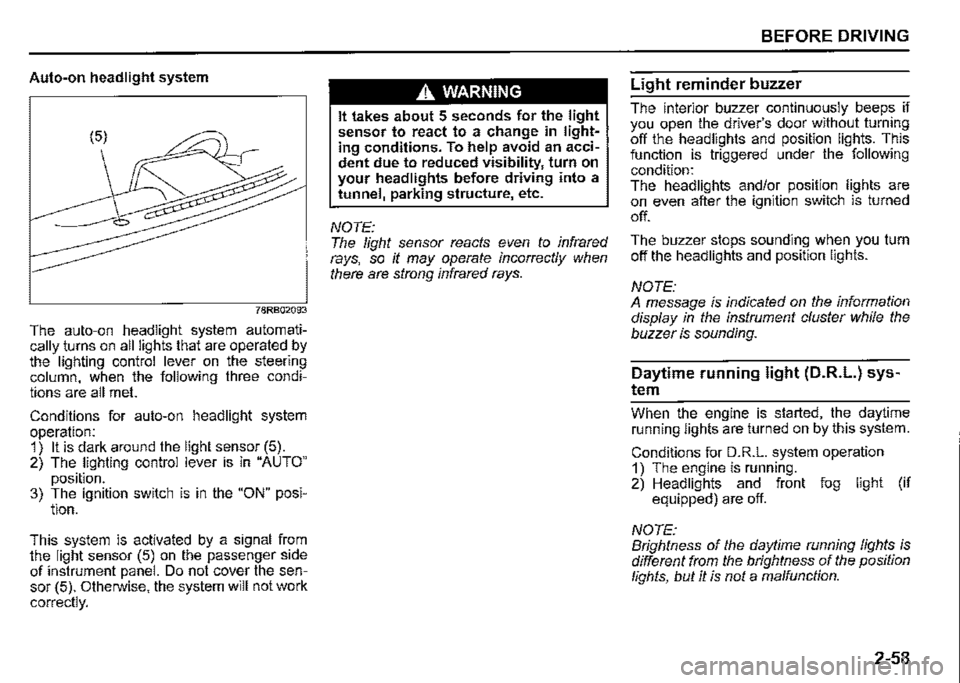
Auto-on headlight system
78RB02093
The auto-on headlight system automatically _turns on all lights that are operated by the lighting control lever on the steering column, when the following three conditions are all met.
Conditions for auto-on headlight system operation: 1) It is dark around the light sensor (5). 2) The lighting control lever is in "AUTO"
position. 3) The ignition switch is in the "ON" posi-tion.
This. system is activated by a signal from the light sensor (5) on the passenger side of instrument panel. Do not cover the sensor (5). Otherwise, the system will not work
correctly.
A WARNING
It takes about 5 seconds for the light sensor to react to a change in lighting conditions. To help avoid an accident due to reduced visibility, turn on your headlights before driving into a tunnel, parking structure, etc.
NOTE: The light sensor reacts even to infrared rays, so it may operate incorrectly when there are strong infrared rays.
BEFORE DRIVING
Light reminder buzzer
The interior buzzer continuously beeps if you open the driver's door without turning off the headlights and position lights. This function is triggered under the following condition: The headlights and/or position lights are on even after the ignition switch is turned
off.
The buzzer stops sounding when you turn off the headlights and position lights.
NOTE: A message is indicated on the information display in the instrument cluster while the buzzer is sounding.
Daytime running light (D.R.L.) sys
tem
Whe_n th_e engine is started, the daytime running lights are turned on by this system.
Conditions for D.R.L. system operation 1) The engine is running. 2) Headlights and front fog light (if equipped) are off.
NOTE: Brightness of the daytime running lights is different from the brightness of the position lights, but it is not a malfunction.
2-58
Page 130 of 421
BEFORE DRIVING
Guide me light (if equipped)
Guide me light has two functions of "To home" and "To car" for improving your visibility in the dark.
"To home" function Even after you leave the car, the ground will be illuminated for a short while with this function. You can turn on the front position lights and the headlights in the low beam setting for about 1 O seconds after the ignition switch is turned "LOCK".
To set the function: 1) Turn the lighting switch to "AUTO" position. 2) Turn the ignition switch to "LOCK" position. 3) Pull the lighting control lever toward you once and open the driver's side door within 60 seconds. Or pull the lighting control lever toward you once while the driver's side door is open.
2-59
To cancel the function: Perform any of the following operations. · If your vehicle is equipped with the keyless entry system (if equipped), it is necessary to insert the ignition key in the ignition switch. Pull the lighting control lever toward you once. Turn the ignition switch to "ACC" or "ON" position. Turn the lighting switch to any other position than "AUTO" position.
NOTE: When the "To home" is functioning, the front fog lights (if equipped), rear fog light and the headlights (high beam) are not turned on. Lighting time of the "To home" function can be changed on the information display. Refer to "Information display" in this section.
"To car" function Before you get in the vehicle, the ground will be illuminated for a short while to easily lead the driver to the vehicle. If "UNLOCK" button of the keyless entry system transmitter (if equipped) is pressed while the lighting switch is positioned in "AUTO", the front position lights and the headlights in the low beam are turned on for 1 O seconds. This function will operate only when it is dark outside the vehicle.
To cancel the function: Perform any of the following operations. If your vehicle is equipped with the keyless entry system (if equipped), it is necessary to insert the ignition key in the ignition switch. Lock the doors by using the keyless entry system transmitter, or the key in the driver's door lock. Turn the ignition switch to "ACC" or "ON" position. Turn the lighting switch to any other position than "AUTO" position.
NOTE: When the ''To car'' is functioning, the front fog lights (if equipped), rear fog fight and the headlights (high beam) are not turned on. Lighting time of the "To car'' function can be changed on the information display. Refer to "Information display" in this section.
Page 132 of 421

BEFORE DRIVING
The headlight pattern must be adjusted to avoid dazzling oncoming motorists and can be set for right or left hand traffic.
LED headlights {if equipped) You do not need to adjust the light pattern.
Halogen headlights {if equipped) The light pattern may not be as good. You should readjust the light pattern by masking the headlight lens.
Left hand drive vehicle To readjust the light pattern by masking the headlight lens; 1) Copy the A and B templates as shown in the illustrations. 2) Transfer the template to a self-adhesive waterproof material and cut it out. 3) Position the self-adhesive templates at the right distance from the center mark of the headlight lens. Refer to the dimensions in the following list:
2-61
Right side headlight {A)
78RB02067
(1) Vertical line: approximately 10.0 mm (2) Vertical line: approximately 5.0 mm (3) Center mark
Left side headlight {B)
... (1)
t
78RB02068
(1) Vertical line: approximately 10.0 mm (2) Vertical line: approximately 5.0 mm (3) Center mark
Page 133 of 421

Right hand drive vehicle To readjust the light pattern by masking the headlight lens; 1) Copy the C and D templates as shown in the illustrations. 2) Transfer the template to a self-adhesive waterproof material and cut it out. 3) Position the self-adhesive templates at the left distance from the center mark of the headlight lens. Refer to the dimensions in the following list:
Right side headlight (C)
78RB02069
(1) Vertical line: approximately 10.0 mm (2) Vertical line: approximately 5.0 mm (3) Center mark
BEFORE DRIVING
Left side headlight (D)
(3)
78RB02070
(1) Vertical line: approximately 10.0 mm (2) Vertical line: approximately 5.0 mm (3) Center mark
2-62
Page 136 of 421

BEFORE DRIVING
Headlight leveling switch
{if equipped)
75RM008
Level the headlight beam according to the load condition of your vehicle by turning this switch. The chart shows the appropriate switch position for different vehicle load conditions.
2-65
Vehicle Load Condition
Driver only
Driver+ 1 passenger (in front seat)
Driver+ 3 passengers, no cargo
Driver + 3 passengers,
cargo added
Driver + full cargo
Switch Position
0
0.5
2
3
4.5
Headlight washer switch
{if equipped)
-. =IQ···· = .
78RB02057
With the ignition switch in the "ON" position and the headlights are turned on, push the headlight washer switch to wash the headlight lenses. Washer fluid is sprayed for half a second. If necessary, push the switch again. Under the same conditions, if you operate the windshield washer two or more times successively at short intervals, the headlight washers also operate automatically but only once at the same time as the first windshield washer operation.
Page 138 of 421

BEFORE DRIVING
NOTE: You can customize the setting for the num-Hazard warning switch ber of flashing times of the turn signal and its indicator (1 to 4 times). Ask a SUZUKI deafer for the customization.
2-67
78RB02058
Push the hazard warning switch to activate the hazard warning lights. All turn signal lights and both turn signal indicators will flash simultaneously. To turn off the lights, push the switch again. Use the hazard warning lights to warn other drivers of possible risk of traffic hazard when you park your vehicle in case of emergency.
Windshield wiper and washer
lever
650611
A WARNING
To avoid possible injury, do not operate controls by reaching through the steering wheel.
Page 147 of 421
A WARNING
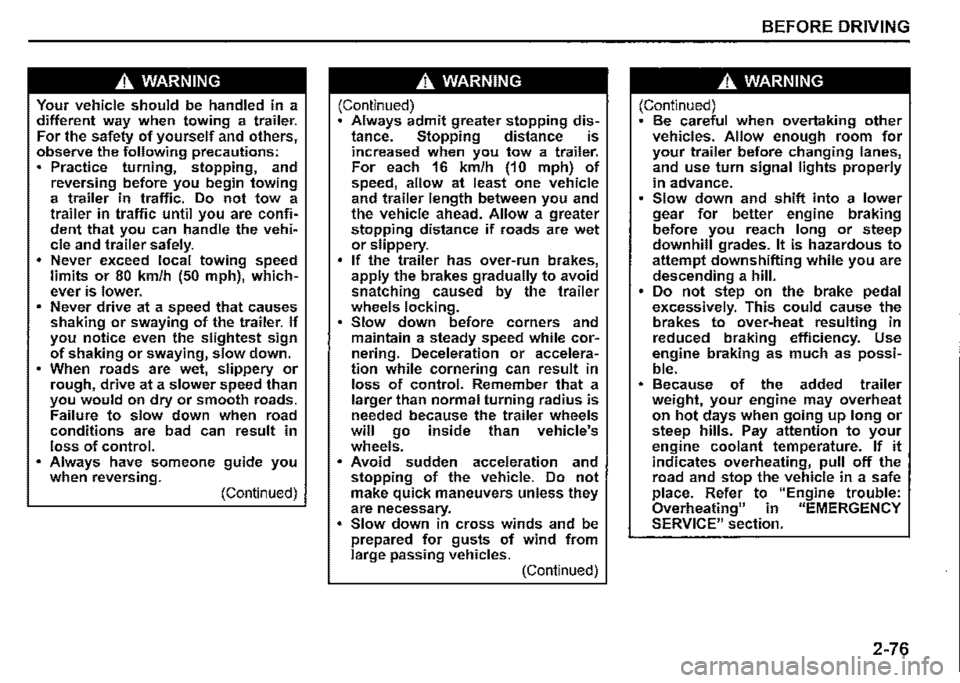
Your vehicle should be handled in a different way when towing a trailer. For the safety of yourself and others, observe the following precautions: Practice turning, stopping, and reversing before you begin towing a trailer in traffic. Do not tow a trailer in traffic until you are confident that you can handle the vehicle and trailer safely. Never exceed local towing speed limits or 80 km/h (50 mph), whichever is lower. Never drive at a speed that causes shaking or swaying of the trailer. If you notice even the slightest sign of shaking or swaying, slow down. • When roads are wet, slippery or rough, drive at a slower speed than you would on dry or smooth roads. Failure to slow down when road conditions are bad can result in loss of control. Always have someone guide you when reversing. (Continued)
A WARNING
(Continued) Always admit greater stopping distance. Stopping distance is increased when you tow a trailer. For each 16 km/h (10 mph) of speed, allow at least one vehicle and trailer length between you and the vehicle ahead. Allow a greater stopping distance if roads are wet or slippery. If the trailer has over-run brakes, apply the brakes gradually to avoid snatching caused by the trailer wheels locking. Slow down before corners and maintain a steady speed while cornering. Deceleration or acceleration while cornering can result in loss of control. Remember that a larger than normal turning radius is needed because the trailer wheels will go inside than vehicle's wheels. Avoid sudden acceleration and stopping of the vehicle. Do not make quick maneuvers unless they are necessary. Slow down in cross winds and be prepared for gusts of wind from large passing vehicles. (Continued)
BEFORE DRIVING
A WARNING
(Continued) Be careful when overtaking other vehicles. Allow enough room for your trailer before changing lanes, and use turn signal lights properly in advance. Slow down and shift into a lower gear for better engine braking before you reach long or steep downhill grades. It is hazardous to attempt downshifting while you are descending a hill. Do not step on the brake pedal excessively. This could cause the brakes to over-heat resulting in reduced braking efficiency. Use engine braking as much as possible. Because of the added trailer weight, your engine may overheat on hot days when going up long or steep hills. Pay attention to your engine coolant temperature. If it indicates overheating, pull off the road and stop the vehicle in a safe place. Refer to "Engine trouble: Overheating" in "EMERGENCY SERVICE" section.
2-76