remote start SUZUKI KIZASHI 2010 1.G User Guide
[x] Cancel search | Manufacturer: SUZUKI, Model Year: 2010, Model line: KIZASHI, Model: SUZUKI KIZASHI 2010 1.GPages: 388, PDF Size: 4.94 MB
Page 33 of 388

2-14
BEFORE DRIVING
57L20-03E
1. For USA
This device complies with Part 15 of the
FCC Rules. Operation is subject to the fol-
lowing two conditions:
1) This device may not cause harmful
interference, and
2) This device must accept any interfer-
ence received, including interference
that may cause undesired operation.
NOTE:
Changes or modifications not expressly
approved by the party responsible for com-
pliance could void the user’s authority to
operate the equipment.2. For Canada
This device complies with Industry Canada
Standard RSS-210. Operation is subject to
the following two conditions:
1) This device may not cause interference,
and
2) This device must accept any interfer-
ence, including interference that may
cause undesired operation of the
device.
The term “IC:” before the certification/reg-
istration number only signifies that the
Industry Canada technical specifications
were met.
Theft Deterrent Alarm SystemThe theft deterrent alarm system is armed
in about 20 seconds after you lock the
doors using the keyless start system
remote controller or by pushing the request
switch on the driver’s or front passenger’s
door handle. (The system, however, is not
armed when the engine hood or trunk lid is
open.)
Once the system is armed, any attempt to
open a door by using any other means (*)
than the keyless start system remote con-
troller or the request switch will cause the
alarm to be triggered.
* These means include the following:
–The key
– The lock lever on a door
– The power door lock knob
– The trunk lid unlatch switch
– The engine hood release handle
WARNING
Swallowing a lithium battery may
cause serious internal injury. Do not
allow anyone to swallow a lithium
battery. Keep lithium batteries away
from children and pets. If swallowed,
contact a physician immediately.
CAUTION
The remote controller is a sensitive
electronic instrument. To avoid dam-
aging it, do not expose it to dust or
moisture or tamper with internal
parts.
Head Restraints: 3
Seat Belts and Child Restraint Systems: 3
Page 34 of 388
2-15BEFORE DRIVING
57L20-03E
NOTE:
The theft deterrent alarm system gener-
ates alarms when any of the predeter-
mined conditions is met. However, the
system does not have any function of
blocking unauthorized entry into your
vehicle.
Always use the keyless start system
remote controller or the request switch to
unlock the doors when the theft deter-
rent alarm system has been armed.
Using a key instead will trigger the
alarm.
If a person who does not know the theft
deterrent alarm system is going to drive
your vehicle, we recommend you to
explain the system and its operation to
the person, or disable the system before-
hand. Mistakenly triggering the alarm
may cause a nuisance to others.
Even if the theft deterrent alarm system
is armed, you should still be careful to
guard against theft. Do not leave money
or things of value in your vehicle.How to arm the theft deterrent alarm
system (when enabled)
Lock the doors using the keyless start sys-
tem remote controller or by pushing the
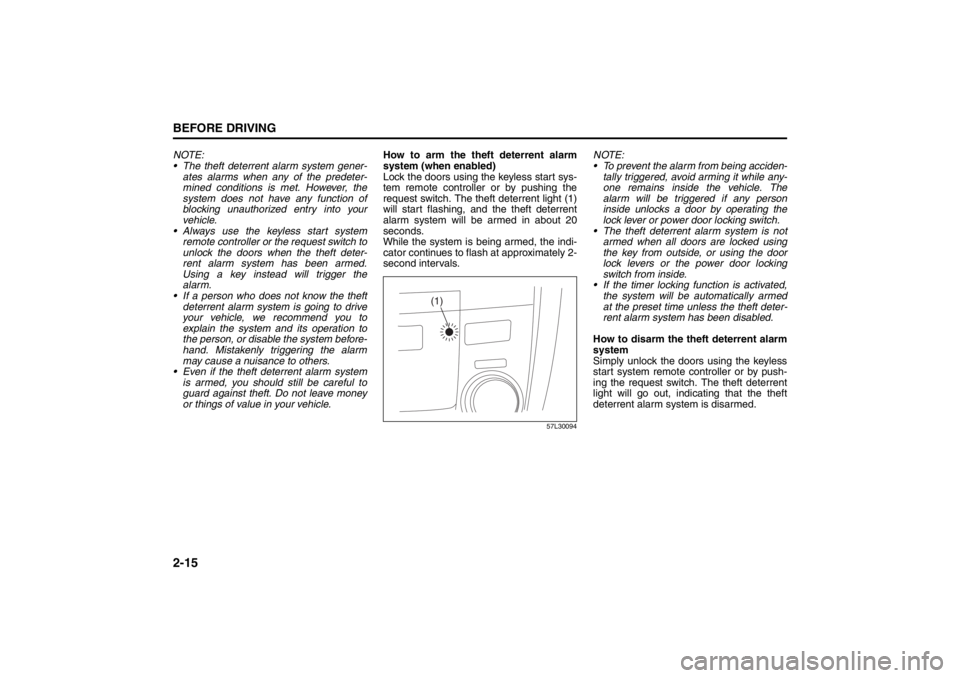
request switch. The theft deterrent light (1)
will start flashing, and the theft deterrent
alarm system will be armed in about 20
seconds.
While the system is being armed, the indi-
cator continues to flash at approximately 2-
second intervals.
57L30094
NOTE:
To prevent the alarm from being acciden-
tally triggered, avoid arming it while any-
one remains inside the vehicle. The
alarm will be triggered if any person
inside unlocks a door by operating the
lock lever or power door locking switch.
The theft deterrent alarm system is not
armed when all doors are locked using
the key from outside, or using the door
lock levers or the power door locking
switch from inside.
If the timer locking function is activated,
the system will be automatically armed
at the preset time unless the theft deter-
rent alarm system has been disabled.
How to disarm the theft deterrent alarm
system
Simply unlock the doors using the keyless
start system remote controller or by push-
ing the request switch. The theft deterrent
light will go out, indicating that the theft
deterrent alarm system is disarmed.
(1)
Seat Belts and Child Restraint Systems: 3
Page 35 of 388
2-16
BEFORE DRIVING
57L20-03E
How to stop the alarm
Should the alarm be triggered accidentally,
change the ignition mode to “ON” by press-
ing the engine switch. The alarm will then
stop.
NOTE:
Even after the alarm has stopped, if you
lock the doors using the keyless start
system remote controller or by pushing
the request switch, the theft deterrent
alarm system will be rearmed with a
delay of about 20 seconds.
If you disconnect the battery while the
theft deterrent alarm system is in the
armed condition or the alarm is actually
in operation, the alarm will be triggered
or re-triggered when the battery is then
reconnected, although, in the latter case,
the alarm remains stopped for the period
between disconnection and reconnec-
tion of the battery.
Even after the alarm has stopped at the
end of the predetermined operation time,
it will be triggered again if any door is
opened without disarming the theft
deterrent alarm system.Checking whether the alarm has been
triggered during parking
If the alarm was triggered due to an unau-
thorized entry into the vehicle and you then
change the ignition mode to “ON” by press-
ing the engine switch, the theft deterrent
light will flash rapidly for about 8 seconds
and a buzzer will beep 4 times during this
period. If this happens, check whether your
vehicle has been broken into while you
were away from it.
Enabling and disabling the theft deter-
rent alarm system
The theft deterrent alarm system can be
either “enabled” or “disabled”.
When enabled (factory setting)
When the system is enabled, it causes the
hazard warning lights to flash for about 40
seconds if any of the alarm trigger condi-
tions is met. The system also causes the
interior buzzer to beep intermittently for
about 10 seconds, which is followed by
intermittent sounding of the horn for about
30 seconds.
*The theft deterrent light continues to flash
during this time.
When disabled
When the system is disabled, it stays dis-
armed even if you perform any system
arming operation.How to switch the state of the theft
deterrent alarm system
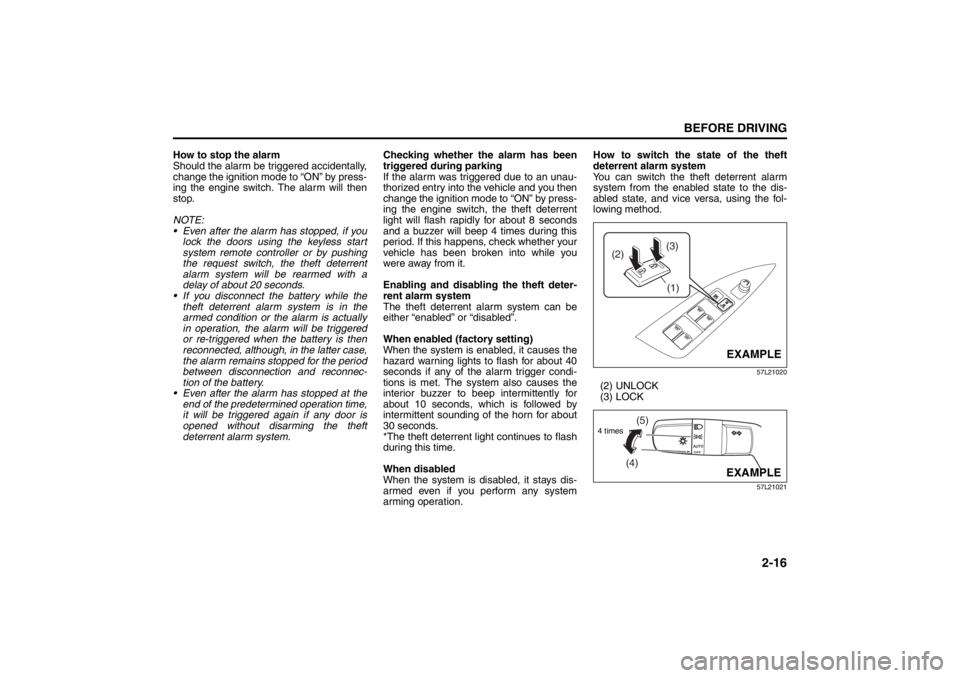
You can switch the theft deterrent alarm
system from the enabled state to the dis-
abled state, and vice versa, using the fol-
lowing method.
57L21020
(2) UNLOCK
(3) LOCK
57L21021
(3)
(2)
(1)
EXAMPLE
(4)(5)
4 times
EXAMPLE
Seat Belts and Child Restraint Systems: 3
Page 38 of 388
2-19BEFORE DRIVING
57L20-03E
NOTE:
The driver’s and passenger’s windows can
be operated for 30 seconds even after the
ignition mode is changed from “ON” to
“ACC” or “LOCK” (OFF) by pressing the
engine switch. However, if either of the
front doors is opened within this 30-second
period, the windows cannot be operated
thereafter.
If you drive with one of the rear windows
open, you may hear a loud sound caused
by air vibration. To reduce the sound, openthe driver’s or front passenger’s window, or
narrow the rear window opening.
Initialization of Auto-Down/Up Function
If the auto-down/up function does not work
for some reason, initialize the function as
instructed below. Note that the initialization
must be performed using the switch for
each window; the function of the passen-
ger’s door window cannot be initialized
using the switch of the driver’s door win-
dow.
1) Start the engine.
2) Open the front window fully by holding
the window switch in the “Down” posi-
tion.
3) Close the front window by holding the
switch in the “Up” position, and keep
holding the switch for 2 seconds after
the window fully closed.
4) Check the front window if the auto-
down/up feature work.
Pinching Prevention Function
(if equipped)The front window is equipped with the
pinching prevention function. The function
detects a foreign object caught in the win-
dow while being closed by the “auto-up”
feature, which you can close the window
without holding the window switch in the
“Up” position, and stops the window clos-
ing to prevent damage.
WARNING
You should always lock the passen-
ger’s window operation when there
are children in the vehicle. Children
can be seriously injured if they get
part of their body caught by the
window during operation.
To avoid injuring an occupant by
window entrapment, be sure no
part of the occupant’s body such
as hands or head is in the path of
the electric windows when closing
them.
Always take the keyless start sys-
tem remote controller with you
when leaving the vehicle even if
only for a short time. Also do not
leave children alone in a parked
vehicle. Unattended children could
use the electric window switches
and get trapped by the window.
WARNING
To avoid injuring an occupant by win-
dow entrapment, be sure no part of
the occupant’s body such as hands
or head is in the path of the electric
window when closing it.
The function may not detect the
object depending on size, hardness,
and position of the object caught by
the closing window.
CAUTION
The pinching prevention function
does not act while you are holding
the window switch in the “Up” posi-
tion.
The pinching prevention function
may not detect an object caught in
the window where just before the
window fully closed.
Seat Belts and Child Restraint Systems: 3
Page 95 of 388
2-76
BEFORE DRIVING
57L20-03E
Intelligent All Wheel Drive (i-AWD)
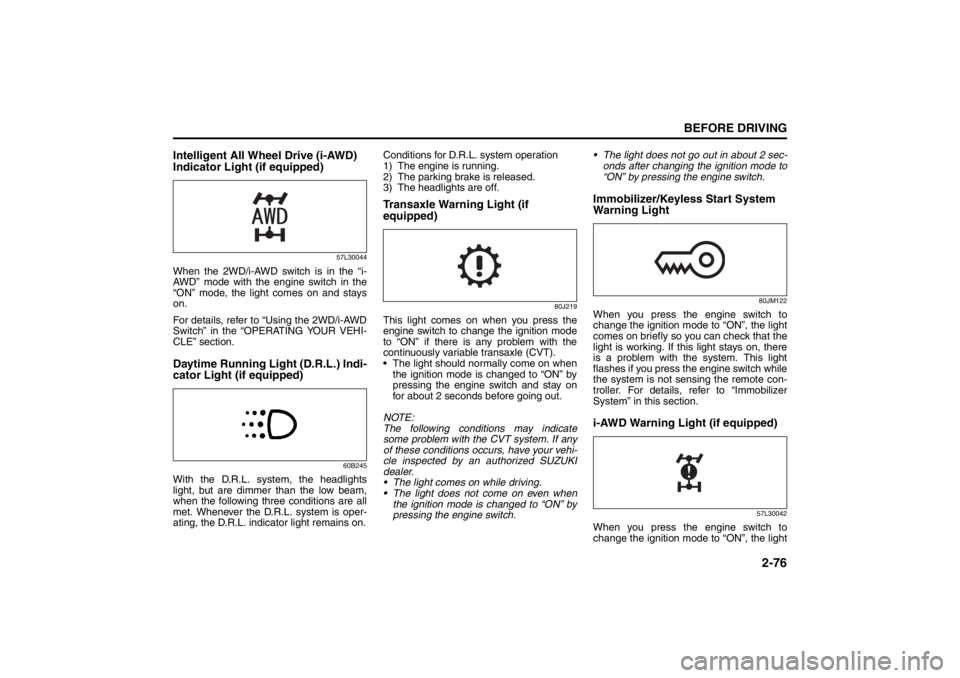
Indicator Light (if equipped)
57L30044
When the 2WD/i-AWD switch is in the “i-
AWD” mode with the engine switch in the
“ON” mode, the light comes on and stays
on.
For details, refer to “Using the 2WD/i-AWD
Switch” in the “OPERATING YOUR VEHI-
CLE” section.Daytime Running Light (D.R.L.) Indi-
cator Light (if equipped)
60B245
With the D.R.L. system, the headlights
light, but are dimmer than the low beam,
when the following three conditions are all
met. Whenever the D.R.L. system is oper-
ating, the D.R.L. indicator light remains on.Conditions for D.R.L. system operation
1) The engine is running.
2) The parking brake is released.
3) The headlights are off.
Transaxle Warning Light (if
equipped)
80J219
This light comes on when you press the
engine switch to change the ignition mode
to “ON” if there is any problem with the
continuously variable transaxle (CVT).
The light should normally come on when
the ignition mode is changed to “ON” by
pressing the engine switch and stay on
for about 2 seconds before going out.
NOTE:
The following conditions may indicate
some problem with the CVT system. If any
of these conditions occurs, have your vehi-
cle inspected by an authorized SUZUKI
dealer.
The light comes on while driving.
The light does not come on even when
the ignition mode is changed to “ON” by
pressing the engine switch. The light does not go out in about 2 sec-
onds after changing the ignition mode to
“ON” by pressing the engine switch.
Immobilizer/Keyless Start System
Warning Light
80JM122
When you press the engine switch to
change the ignition mode to “ON”, the light
comes on briefly so you can check that the
light is working. If this light stays on, there
is a problem with the system. This light
flashes if you press the engine switch while
the system is not sensing the remote con-
troller. For details, refer to “Immobilizer
System” in this section.i-AWD Warning Light (if equipped)
57L30042
When you press the engine switch to
change the ignition mode to “ON”, the light
Page 134 of 388

3-3OPERATING YOUR VEHICLE
57L20-03E
TION SWITCH POSITION “ACC”. Refer to
“Information Display” in the “Before Driv-
ing” section for details.
ON
• With the engine off You can use such electric equipment as
the power windows and wipers with the
engine off. When this ignition mode is
selected by pressing the engine switch,
the information display in the instrument
cluster shows the following message:
IGNITION SWITCH POSITION “ON”.
With the engine on All electric equipment is operational. The
vehicle can be driven when you have
selected this ignition mode by pressing
the engine switch.
START
CVT – Provided you have the keyless start
system remote controller with you, the
engine automatically starts when you
press the engine switch to select this igni-
tion mode after placing the gearshift lever
in the “P” position and depressing the
brake pedal. (If you need to re-start the
engine while the vehicle is moving, shift
into “N”.)
Manual Transaxle – Provided you have the
keyless start system remote controller with
you, the engine automat ically starts when
you press the engine switch to select this
ignition mode after shifting to “N” (Neutral) and depressing the brake and clutch ped-
als.
NOTE:
You do not need to keep the engine switch
pressed to start the engine.
NOTE:
The steering lock may not be released if
some load is acting on the steering
wheel. If this happens, turn the steering
wheel to the right or left to relieve it from
the load before you press the engine
switch again to change to the desired
ignition mode.
In the presence of strong radio signals or
noise, you may not be able to change
the ignition mode to “ACC” or “ON” or to
start the engine using the engine switch.
In this case, the information display on
the instrument cluster will show the fol-
lowing message: KEY FOB NOT
DETECTED.
Unreleased Steering Lock WarningIf the steering lock remains engaged when
you press the engine switch to change the
ignition mode to “ON”, the information dis-
play in the instrument cluster will show a
message to alert you to that condition.
Refer to “Information display” in the “Before
Driving” section for details.
CAUTION
Do not leave the engine switch in the
“ACC” or “ON” mode when the
engine is not running. Avoid using
the radio or other electric accesso-
ries for a long time when the engine
switch is in the “ACC” or “ON” mode
when the engine is not running, oth-
erwise the battery may discharge.
Lighting/Turn Signal Control Lever: 8
Page 135 of 388
3-4
OPERATING YOUR VEHICLE
57L20-03E
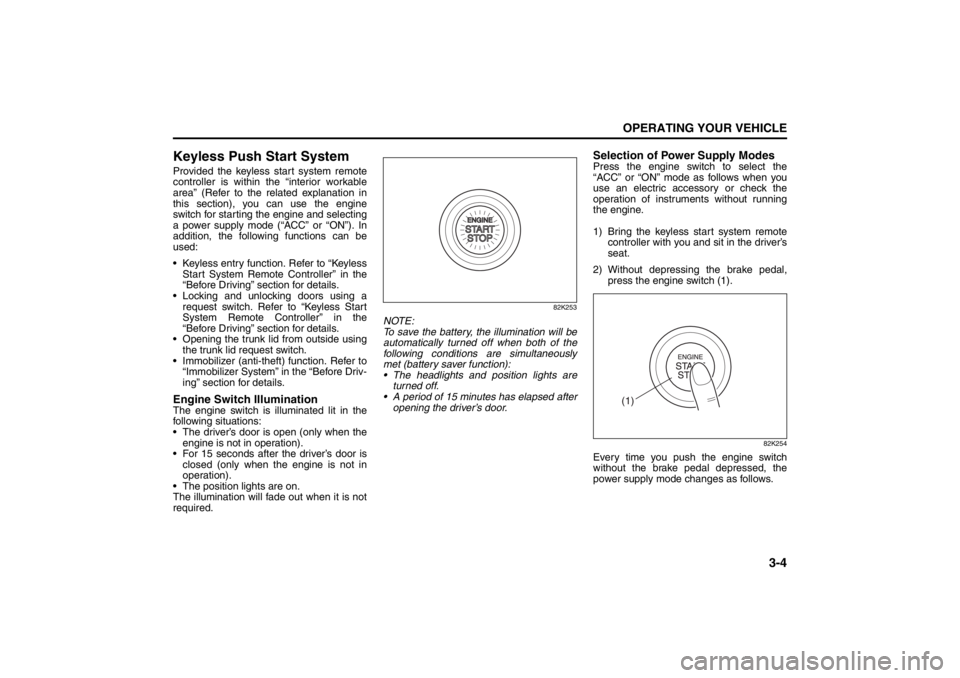
Keyless Push Start SystemProvided the keyless start system remote
controller is within the “interior workable
area” (Refer to the related explanation in
this section), you can use the engine
switch for starting the engine and selecting
a power supply mode (“ACC” or “ON”). In
addition, the following functions can be
used:
Keyless entry function. Refer to “KeylessStart System Remote Controller” in the
“Before Driving” section for details.
Locking and unlocking doors using a request switch. Refer to “Keyless Start
System Remote Controller” in the
“Before Driving” section for details.
Opening the trunk lid from outside using the trunk lid request switch.
Immobilizer (anti-theft) function. Refer to “Immobilizer System” in the “Before Driv-
ing” section for details.Engine Switch IlluminationThe engine switch is illuminated lit in the
following situations:
The driver’s door is open (only when the
engine is not in operation).
For 15 seconds after the driver’s door is closed (only when the engine is not in
operation).
The position lights are on.
The illumination will fade out when it is not
required.
82K253
NOTE:
To save the battery, the illumination will be
automatically turned off when both of the
following conditions are simultaneously
met (battery saver function):
The headlights and position lights are turned off.
A period of 15 minutes has elapsed after opening the driver’s door.
Selection of Power Supply ModesPress the engine switch to select the
“ACC” or “ON” mode as follows when you
use an electric accessory or check the
operation of instruments without running
the engine.
1) Bring the keyless start system remote controller with you and sit in the driver’s
seat.
2) Without depressing the brake pedal, press the engine switch (1).
82K254
Every time you push the engine switch
without the brake pedal depressed, the
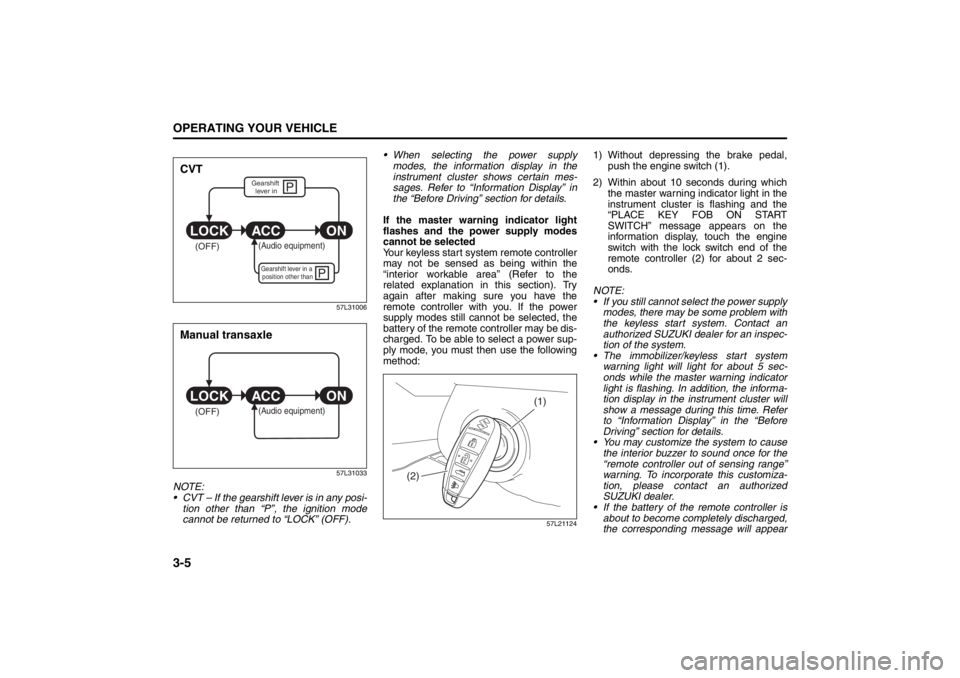
power supply mode changes as follows.
(1)
Lighting/Turn Signal Control Lever: 8
Windshield Wiper and Washer Lever: 8
Page 136 of 388
3-5OPERATING YOUR VEHICLE
57L20-03E
57L31006
57L31033
NOTE:
CVT – If the gearshift lever is in any posi-tion other than “P”, the ignition mode
cannot be returned to “LOCK” (OFF). When selecting the power supply
modes, the information display in the
instrument cluster shows certain mes-
sages. Refer to “Information Display” in
the “Before Driving” section for details.
If the master warning indicator light
flashes and the power supply modes
cannot be selected
Your keyless start system remote controller
may not be sensed as being within the
“interior workable area” (Refer to the
related explanation in this section). Try
again after making sure you have the
remote controller with you. If the power
supply modes still can not be selected, the
battery of the remote controller may be dis-
charged. To be able to select a power sup-
ply mode, you must then use the following
method:
57L21124
1) Without depressing the brake pedal, push the engine switch (1).
2) Within about 10 seconds during which the master warning indicator light in the
instrument cluster is flashing and the
“PLACE KEY FOB ON START
SWITCH” message appears on the
information display, touch the engine
switch with the lock switch end of the
remote controller (2) for about 2 sec-
onds.
NOTE:
If you still cannot select the power supply modes, there may be some problem with
the keyless start system. Contact an
authorized SUZUKI dealer for an inspec-
tion of the system.
The immobilizer/keyless start system warning light will light for about 5 sec-
onds while the master warning indicator
light is flashing. In addition, the informa-
tion display in the instrument cluster will
show a message during this time. Refer
to “Information Display” in the “Before
Driving” section for details.
You may customize the system to cause
the interior buzzer to sound once for the
“remote controller out of sensing range”
warning. To incorporate this customiza-
tion, please contact an authorized
SUZUKI dealer.
If the battery of the remote controller is
about to become completely discharged,
the corresponding message will appear
P
P
(OFF)
ON
ACC
LOCK
(Audio equipment)Gearshift lever in a
position other thanGearshift lever in
CVT
(OFF)
ON
ACC
LOCK
(Audio equipment)
Manual transaxle
(1)
(2)
Windshield Wiper and Washer Lever: 8
Rear Window Wiper/Washer Switch: 8
Page 137 of 388
3-6
OPERATING YOUR VEHICLE
57L20-03E
on the information display when you
press the engine switch to change the
ignition mode to “ON”. Refer to “Informa-
tion Display” in the “Before Driving” sec-
tion for details. For details on replacing
the battery, refer to the “Keyless Start
System Remote Controller” section in
the “Before Driving” chapter.“Remote Controller Outside” Warn-
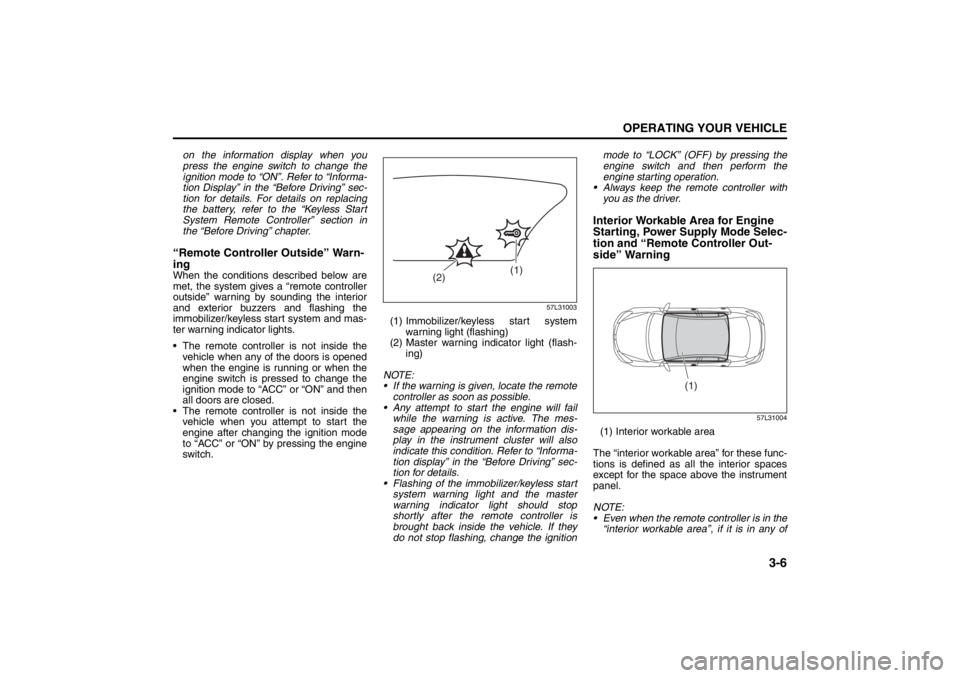
ingWhen the conditions described below are
met, the system gives a “remote controller
outside” warning by sounding the interior
and exterior buzzers and flashing the
immobilizer/keyless start system and mas-
ter warning indicator lights.
The remote controller is not inside the vehicle when any of the doors is opened
when the engine is running or when the
engine switch is pressed to change the
ignition mode to “ACC” or “ON” and then
all doors are closed.
The remote controller is not inside the vehicle when you attempt to start the
engine after changing the ignition mode
to “ACC” or “ON” by pressing the engine
switch.
57L31003
(1) Immobilizer/keyless start system
warning light (flashing)
(2) Master warning indicator light (flash- ing)
NOTE:
If the warning is given, locate the remote controller as soon as possible.
Any attempt to start the engine will fail while the warning is active. The mes-
sage appearing on the information dis-
play in the instrument cluster will also
indicate this condition. Refer to “Informa-
tion display” in the “Before Driving” sec-
tion for details.
Flashing of the immobilizer/keyless start
system warning light and the master
warning indicator light should stop
shortly after the remote controller is
brought back inside the vehicle. If they
do not stop flashing, change the ignition mode to “LOCK” (OFF) by pressing the
engine switch and then perform the
engine starting operation.
Always keep the remote controller with
you as the driver.
Interior Workable Area for Engine
Starting, Power Supply Mode Selec-
tion and “Remote Controller Out-
side” Warning
57L31004
(1) Interior workable area
The “interior workable area” for these func-
tions is defined as all the interior spaces
except for the space above the instrument
panel.
NOTE:
Even when the remote controller is in the “interior workable area”, if it is in any of
(1)
(2)
(1)
Rear Window Wiper/Washer Switch: 8
Tilt Steering Lock Lever: 6
Cruise Control: 7, 8
Page 138 of 388
3-7OPERATING YOUR VEHICLE
57L20-03E
the following conditions, you may not be
able to start the engine or select the
power supply modes, and the “remote
controller outside” warning may be
given.
– The remote controller’s battery is low.
– The remote controller is affected bystrong radio signals or noise.
– The remote controller is in contact with or covered by a metallic object.
– The remote controller is in stowage like the glove box or a door pocket.
– The remote controller is in the sun
visor pocket or on the floor.
Even when the remote controller is out- side the “interior workable area”, if it is in
any of the following conditions, you may
be able to start the engine or select the
power supply mode. The “remote con-
troller outside” warning may not be given
at that time.
– The remote controller is outside the
vehicle but very close to a door.
– The remote controller is on the instru- ment panel.
Starting the EngineBefore Starting the Engine1) Make sure the parking brake is set fully.
2) Manual Transaxle – Shift to “N” (Neu- tral) and fully depress the clutch pedal.
Hold the clutch and brake pedals fully
depressed.
CVT – If the gearshift lever is not in the
“P” (Park) position, shift it to “P”. Hold
the brake pedal fully depressed.
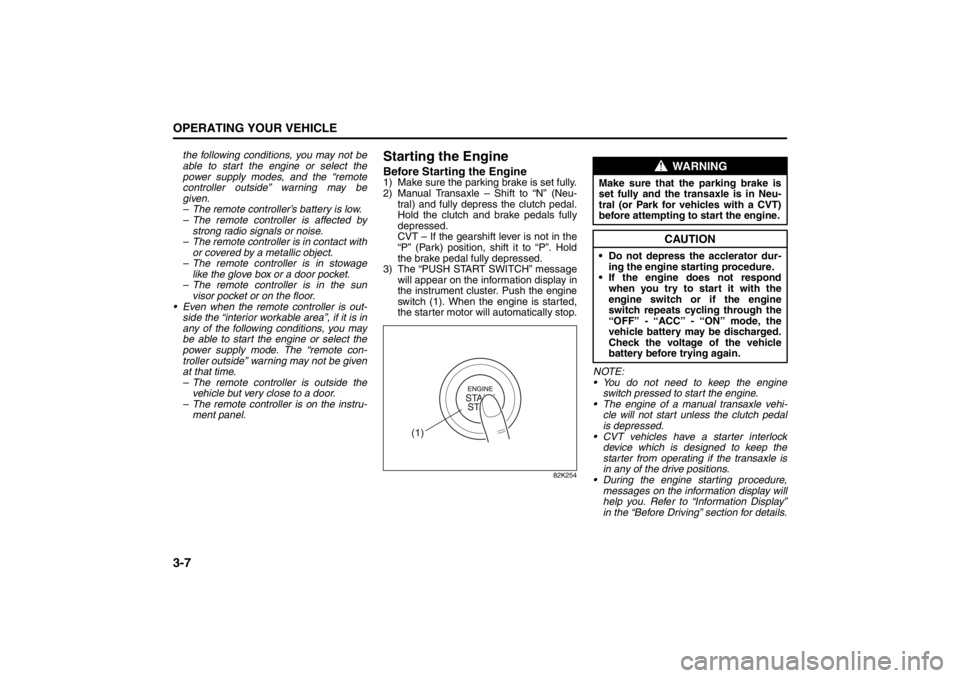
3) The “PUSH START SWITCH” message will appear on the information display in
the instrument cluster. Push the engine
switch (1). When the engine is started,
the starter motor will automatically stop.
82K254
NOTE:
You do not need to keep the engine
switch pressed to start the engine.
The engine of a manual transaxle vehi- cle will not start unless the clutch pedal
is depressed.
CVT vehicles have a starter interlock device which is designed to keep the
starter from operating if the transaxle is
in any of the drive positions.
During the engine starting procedure,
messages on the inform ation display will
help you. Refer to “Information Display”
in the “Before Driving” section for details.
(1)
WARNING
Make sure that the parking brake is
set fully and the tr ansaxle is in Neu-
tral (or Park for vehicles with a CVT)
before attempting to start the engine.
CAUTION
Do not depress the acclerator dur-
ing the engine st arting procedure.
If the engine does not respond when you try to start it with the
engine switch or if the engine
switch repeats cycling through the
“OFF” - “ACC” - “ON” mode, the
vehicle battery may be discharged.
Check the voltage of the vehicle
battery before trying again.
Cruise Control: 7, 8