tow SUZUKI XL7 2007 2.G User Guide
[x] Cancel search | Manufacturer: SUZUKI, Model Year: 2007, Model line: XL7, Model: SUZUKI XL7 2007 2.GPages: 274, PDF Size: 6.12 MB
Page 71 of 274
2-15 FEATURES AND CONTROLS
78J00-03E
started because the vehicle cannot move
easily.
Make sure the shift lever is fully in PARK
(P) before starting the engine. The vehicle
has an automatic transaxle shift lock con-
trol system. You must fully apply your reg-
ular brakes first and then press the shift
lever button, before you can shift from
PARK (P) when the ignition is in RUN. If
you cannot shift out of PARK (P), ease
pressure on the shift lever and push the
shift lever all way into PARK (P) as you
maintain brake application. Then press the
shift lever button and move the shift leverinto another gear. Refer to “Shifting Out of
Park (P)” in this section.
REVERSE (R):
Use this gear to back up.
To rock the vehicle back and forth to get
out of snow, ice, or sand without damaging
the transaxle, refer to “If Your Vehicle is
Stuck in Sand, Mud, Ice, or Snow” in “Your
Driving, the Road, and Your Vehicle” in the
“Driving Your Vehicle” section.
NEUTRAL (N):
In this position, the engine does not con-
nect with the wheels. To restart when the
vehicle is already moving, use NEUTRAL
(N) only. Also, use NEUTRAL (N) when the
vehicle is being towed.DRIVE (D):
This position is for normal driving. It pro-
vides the best fuel economy for your vehi-
cle. If the vehicle needs more power for
passing, and it is:
Going less than 35 mph (55 km/h), push
the accelerator pedal about halfway
down.
Going about 35 mph (55 km/h) or more,
push the accelerator pedal all the way
down. The vehicle will shift down to the
next gear and have more power.
WARNING
It is dangerous to get out of your
vehicle if the shift lever is not fully in
PARK (P) with the parking brake
firmly set. Your vehicle can roll.
Do not leave your vehicle when the
engine is running unless you have to.
If you have left the engine running,
the vehicle can move suddenly. You
or others could be injured. To be sure
your vehicle will not move, even
when you are on fairly level ground,
always set your parking brake and
move the shift lever to PARK (P).
Refer to “Shifting Into Park (P)” in
this section. If you are pulling a
trailer, refer to “Towing a Trailer” in
“Towing” in the “Driving Your Vehi-
cle” section.
CAUTION
Shifting to REVERSE (R) while your
vehicle is moving forward could dam-
age the transaxle. The repairs would
not be covered by your warranty.
Shift to REVERSE (R) only after your
vehicle is stopped.
WARNING
Shifting into a drive gear while your
engine is running at high speed is
dangerous. Unless your foot is firmly
on the brake pedal, your vehicle
could move very rapidly. You could
lose control and hit people or
objects. Do not shift into a drive gear
while your engine is running at high
speed.
CAUTION
Shifting out of PARK (P) or NEUTRAL
(N) while the engine is running at
high speed may damage the tran-
saxle. The repairs would not be cov-
ered by your warranty. Be sure the
engine is not running at high speeds
when shifting your vehicle.
Page 73 of 274
2-17 FEATURES AND CONTROLS
78J00-03E
SECOND (2) Gear Start Feature
When accelerating your vehicle from a
stop in snowy and icy conditions, you may
want to shift into SECOND (2). A higher
gear, and light application of the gas pedal,
may allow you to gain more traction on
slippery surfaces.
With the MANUAL SHIFT MODE, the vehi-
cle can accelerate from a stop in SECOND
(2).
1) Move the shift lever from DRIVE (D)
into the MANUAL SHIFT MODE (M)
position.
2) With the vehicle stopped, press the
plus (+) paddle forward to select SEC-
OND (2). The vehicle will start from a
stop position in SECOND (2).
3) Once the vehicle is moving select the
desired drive gear.
Parking Brake
1722713
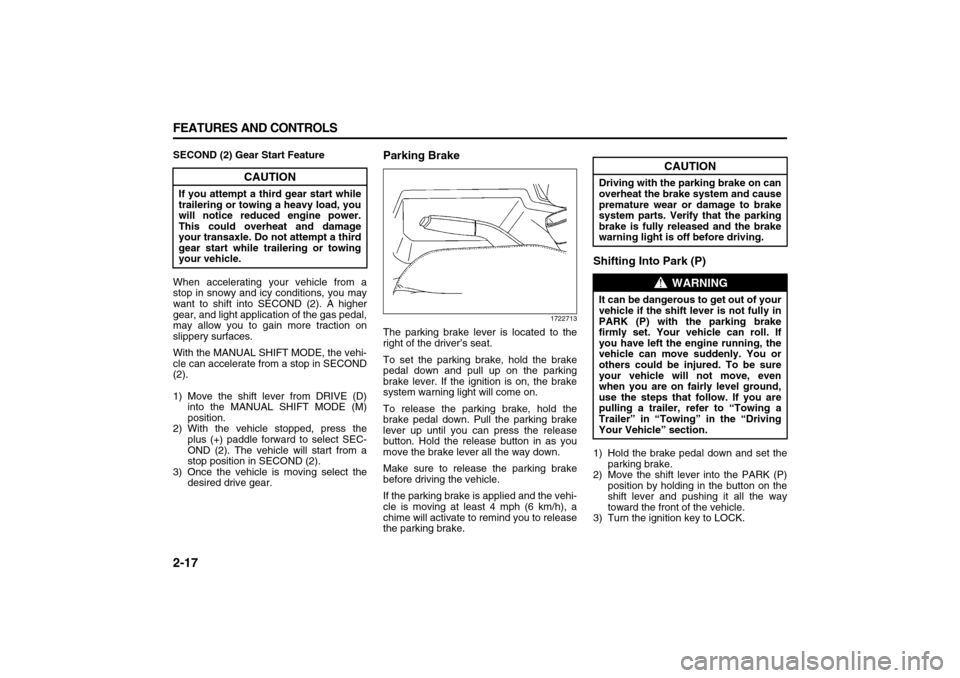
The parking brake lever is located to the
right of the driver’s seat.
To set the parking brake, hold the brake
pedal down and pull up on the parking
brake lever. If the ignition is on, the brake
system warning light will come on.
To release the parking brake, hold the
brake pedal down. Pull the parking brake
lever up until you can press the release
button. Hold the release button in as you
move the brake lever all the way down.
Make sure to release the parking brake
before driving the vehicle.
If the parking brake is applied and the vehi-
cle is moving at least 4 mph (6 km/h), a
chime will activate to remind you to release
the parking brake.
Shifting Into Park (P)1) Hold the brake pedal down and set the
parking brake.
2) Move the shift lever into the PARK (P)
position by holding in the button on the
shift lever and pushing it all the way
toward the front of the vehicle.
3) Turn the ignition key to LOCK.
CAUTION
If you attempt a third gear start while
trailering or towing a heavy load, you
will notice reduced engine power.
This could overheat and damage
your transaxle. Do not attempt a third
gear start while trailering or towing
your vehicle.
CAUTION
Driving with the parking brake on can
overheat the brake system and cause
premature wear or damage to brake
system parts. Verify that the parking
brake is fully released and the brake
warning light is off before driving.
WARNING
It can be dangerous to get out of your
vehicle if the shift lever is not fully in
PARK (P) with the parking brake
firmly set. Your vehicle can roll. If
you have left the engine running, the
vehicle can move suddenly. You or
others could be injured. To be sure
your vehicle will not move, even
when you are on fairly level ground,
use the steps that follow. If you are
pulling a trailer, refer to “Towing a
Trailer” in “Towing” in the “Driving
Your Vehicle” section.
Page 75 of 274
2-19 FEATURES AND CONTROLS
78J00-03E
Engine Exhaust Running the Engine While Parked
It is better not to park with the engine run-
ning. But if you ever have to, here are
some things to know.
Follow the proper steps to be sure your
vehicle will not move. Refer to “Shifting
Into Park (P)” in this section.
If you are parking on a hill and if you are
pulling a trailer, also refer to “Towing a
Trailer” in “Towing” in the “Driving Your
Vehicle” section.
WARNING
Engine exhaust can kill. It contains
the gas carbon monoxide (CO), which
you cannot see or smell. It can cause
unconsciousness and death.
You might have exhaust coming in if:
The exhaust system sounds
strange or different.
Your vehicle gets rusty under-
neath.
Your vehicle was damaged in a col-
lision.
Your vehicle was damaged when
driving over high points on the
road or over road debris.
Repairs were not done correctly.
Your vehicle or the exhaust system
has been modified improperly.
If you ever suspect exhaust is com-
ing into your vehicle:
Drive it only with all the windows
down to blow out any CO; and
Have your vehicle fixed immedi-
ately.
WARNING
Idling the engine with the climate
control system off could allow dan-
gerous exhaust into your vehicle.
Refer to the earlier caution under
“Engine Exhaust” in this section.
Also, idling in a closed-in place can
let deadly carbon monoxide (CO) into
your vehicle even if the climate con-
trol fan is at the highest setting. One
place this can happen is a garage.
Exhaust – with CO – can come in eas-
ily. NEVER park in a garage with the
engine running.
Another closed-in place can be a bliz-
zard. Refer to “Winter Driving” in
“Your Driving, the Road, and Your
Vehicle” in the “Driving Your Vehi-
cle” section.
WARNING
It can be dangerous to get out of your
vehicle if the shift lever is not fully in
PARK (P) with the parking brake
firmly set. Your vehicle can roll. Do
not leave your vehicle when the
engine is running unless you have to.
If you have left the engine running,
the vehicle can move suddenly. You
or others could be injured. To be sure
your vehicle will not move, even
when you are on fairly level ground,
always set your parking brake and
move the shift lever to PARK (P).
Page 76 of 274
2-20 FEATURES AND CONTROLS
78J00-03E
MirrorsManual Rearview MirrorTo adjust the angle of the mirror, move the
mirror to a position that allows you see to
out of the back window. To adjust the
height of the mirror, adjust the arm that
connects the mirror to the windshield.
To reduce glare from lights behind you,
move the lever toward you to the night
position.Automatic Dimming Rearview
MirrorIf the vehicle has this feature, the auto-
matic dimming mirror automatically dims to
the proper level to minimize glare at night
from lights behind your vehicle.
On/Off:
This is the on/off button. A light near the
on/off button will come on to indicate the
automatic dimming is on.
If the automatic dimming function is off,
press and hold the on/off button for four
seconds to manually turn the system back
on.
Cleaning the Mirror
When cleaning the mirror, use a paper
towel or similar material dampened with
glass cleaner. Do not spray glass cleaner
directly on the mirror as that may cause
the liquid cleaner to enter the mirror hous-
ing.
Automatic Dimming Rearview
Mirror with CompassYour vehicle may have an automatic-dim-
ming rearview mirror with a compass.
Mirror Operation
When turned on, this mirror automatically
dims to the proper level to minimize glare
from any headlamps behind you after dark.
On/Off:
This is the on/off button for the automatic
dimming feature and compass. Press the
far left button, located below the mirror
face, for up to four seconds to turn the fea-
ture on and off. A light on the mirror will be
lit while the feature is turned on.
Compass Operation
Press the on/off button once to turn the
compass on or off.
There is a compass display in the window
in the upper right corner of the mirror face.
The compass displays a maximum of two
characters. For example, “NE” is displayed
for north-east.
Compass Calibration
Press and hold the on/off button down for
nine seconds to activate the compass cali-
bration mode. CAL will be displayed in the
compass window on the mirror.
The compass can be calibrated by driving
the vehicle in circles at 5 mph (8 km/h) or
less until the display reads a direction.Compass Variance
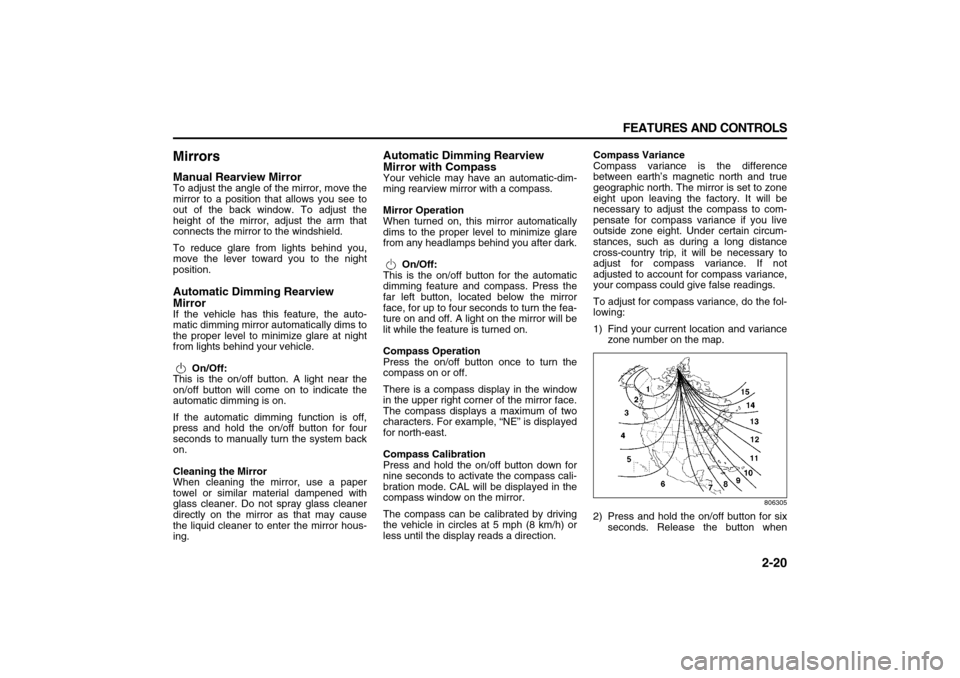
Compass variance is the difference
between earth’s magnetic north and true
geographic north. The mirror is set to zone
eight upon leaving the factory. It will be
necessary to adjust the compass to com-
pensate for compass variance if you live
outside zone eight. Under certain circum-
stances, such as during a long distance
cross-country trip, it will be necessary to
adjust for compass variance. If not
adjusted to account for compass variance,
your compass could give false readings.
To adjust for compass variance, do the fol-
lowing:
1) Find your current location and variance
zone number on the map.
806305
2) Press and hold the on/off button for six
seconds. Release the button when
Page 86 of 274
3-4 INSTRUMENT PANEL
78J00-03E
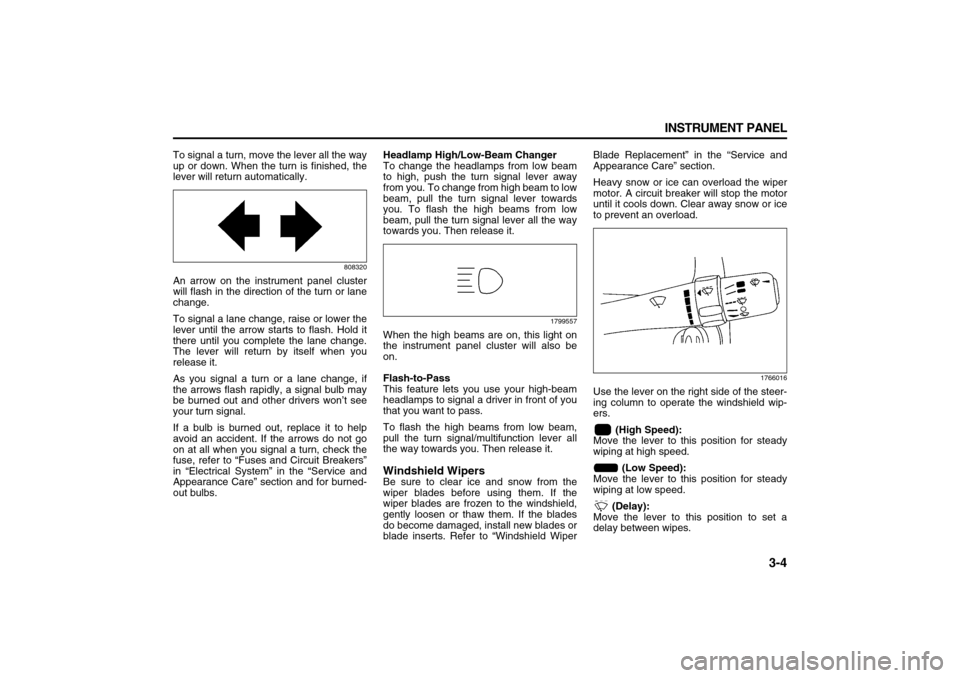
To signal a turn, move the lever all the way
up or down. When the turn is finished, the
lever will return automatically.
808320
An arrow on the instrument panel cluster
will flash in the direction of the turn or lane
change.
To signal a lane change, raise or lower the
lever until the arrow starts to flash. Hold it
there until you complete the lane change.
The lever will return by itself when you
release it.
As you signal a turn or a lane change, if
the arrows flash rapidly, a signal bulb may
be burned out and other drivers won’t see
your turn signal.
If a bulb is burned out, replace it to help
avoid an accident. If the arrows do not go
on at all when you signal a turn, check the
fuse, refer to “Fuses and Circuit Breakers”
in “Electrical System” in the “Service and
Appearance Care” section and for burned-
out bulbs.Headlamp High/Low-Beam Changer
To change the headlamps from low beam
to high, push the turn signal lever away
from you. To change from high beam to low
beam, pull the turn signal lever towards
you. To flash the high beams from low
beam, pull the turn signal lever all the way
towards you. Then release it.
1799557
When the high beams are on, this light on
the instrument panel cluster will also be
on.
Flash-to-Pass
This feature lets you use your high-beam
headlamps to signal a driver in front of you
that you want to pass.
To flash the high beams from low beam,
pull the turn signal/multifunction lever all
the way towards you. Then release it.Windshield WipersBe sure to clear ice and snow from the
wiper blades before using them. If the
wiper blades are frozen to the windshield,
gently loosen or thaw them. If the blades
do become damaged, install new blades or
blade inserts. Refer to “Windshield WiperBlade Replacement” in the “Service and
Appearance Care” section.
Heavy snow or ice can overload the wiper
motor. A circuit breaker will stop the motor
until it cools down. Clear away snow or ice
to prevent an overload.
1766016
Use the lever on the right side of the steer-
ing column to operate the windshield wip-
ers.
(High Speed):
Move the lever to this position for steady
wiping at high speed.
(Low Speed):
Move the lever to this position for steady
wiping at low speed.
(Delay):
Move the lever to this position to set a
delay between wipes.
Page 95 of 274
3-13 INSTRUMENT PANEL
78J00-03E
(Rear):
Press this button to turn the rear window
defogger on or off. An indicator light on the
button comes on to let you know that the
rear window defogger is activated.
The rear window defogger only works
when the ignition is in RUN. The rear win-
dow defogger stays on for approximately
15 minutes after the button is pressed,
unless the ignition is turned to ACC or
LOCK. If turned on again, the defogger
only runs for about five minutes before
turning off. The defogger can also be
turned off by pressing the button again or
by turning off the engine.
Outlet AdjustmentUse the louvers located on the air outlets
to change the direction of the airflow.
Operation Tips
Clear away any ice, snow, or leaves from
the air inlets at the base of the vehicle
that may block the flow of air into your
vehicle.
Do not use any non-SUZUKI approved
hood deflectors that could adversely
affect the performance of the system.
Keep the path under the front seats clear
of objects to help circulate the air inside
of your vehicle more effectively.Rear Air Conditioning and Heating
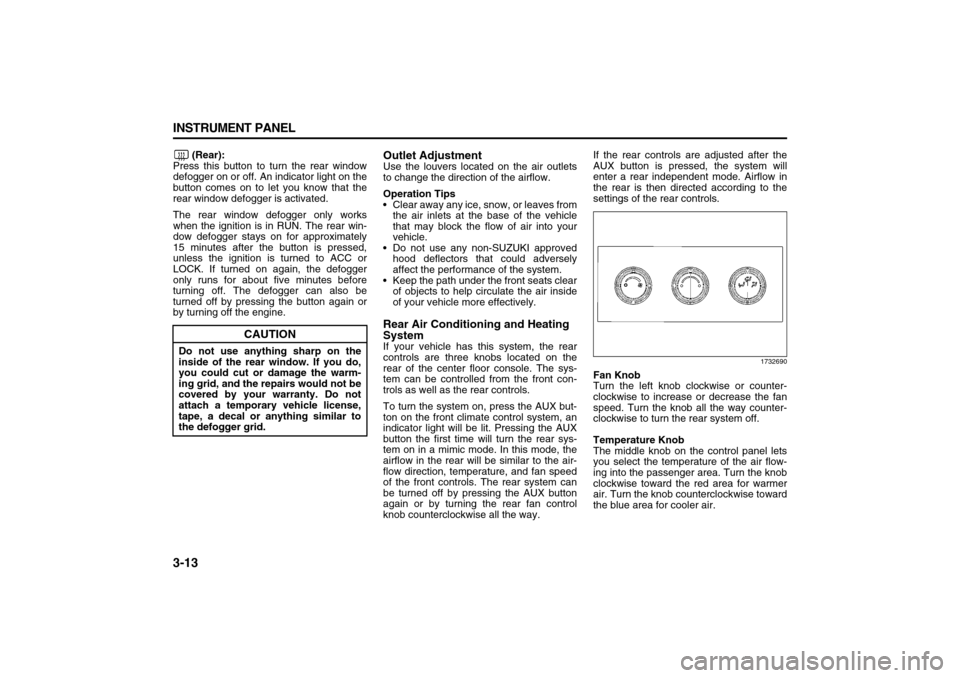
SystemIf your vehicle has this system, the rear
controls are three knobs located on the
rear of the center floor console. The sys-
tem can be controlled from the front con-
trols as well as the rear controls.
To turn the system on, press the AUX but-
ton on the front climate control system, an
indicator light will be lit. Pressing the AUX
button the first time will turn the rear sys-
tem on in a mimic mode. In this mode, the
airflow in the rear will be similar to the air-
flow direction, temperature, and fan speed
of the front controls. The rear system can
be turned off by pressing the AUX button
again or by turning the rear fan control
knob counterclockwise all the way.If the rear controls are adjusted after the
AUX button is pressed, the system will
enter a rear independent mode. Airflow in
the rear is then directed according to the
settings of the rear controls.
1732690
Fan Knob
Turn the left knob clockwise or counter-
clockwise to increase or decrease the fan
speed. Turn the knob all the way counter-
clockwise to turn the rear system off.
Temperature Knob
The middle knob on the control panel lets
you select the temperature of the air flow-
ing into the passenger area. Turn the knob
clockwise toward the red area for warmer
air. Turn the knob counterclockwise toward
the blue area for cooler air.
CAUTION
Do not use anything sharp on the
inside of the rear window. If you do,
you could cut or damage the warm-
ing grid, and the repairs would not be
covered by your warranty. Do not
attach a temporary vehicle license,
tape, a decal or anything similar to
the defogger grid.
Page 101 of 274
3-19 INSTRUMENT PANEL
78J00-03E
Battery Warning Light
812700
Your vehicle has a battery warning light.
If this light comes on while you are driving,
be sure to turn off accessories such as the
radio and climate control system. Have
your vehicle serviced right away. The SER-
VICE BATTERY CHARGING SYSTEM
message may also appear in the Driver
Information Center. Refer to “DIC Warn-
ings and Messages” in this section for
more information.
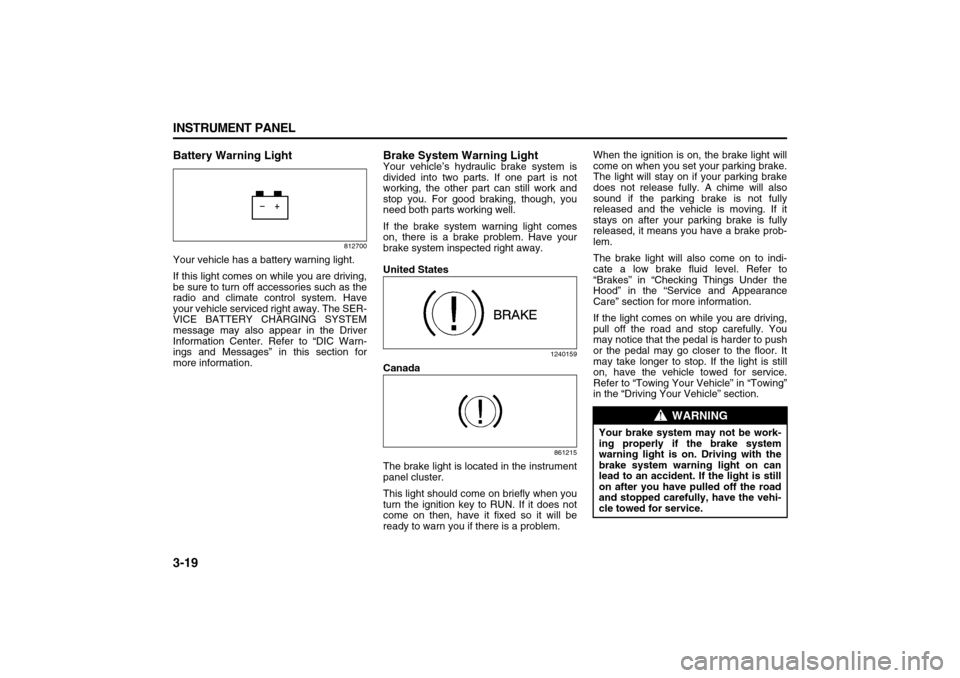
Brake System Warning LightYour vehicle’s hydraulic brake system is
divided into two parts. If one part is not
working, the other part can still work and
stop you. For good braking, though, you
need both parts working well.
If the brake system warning light comes
on, there is a brake problem. Have your
brake system inspected right away.
United States
1240159
Canada
861215
The brake light is located in the instrument
panel cluster.
This light should come on briefly when you
turn the ignition key to RUN. If it does not
come on then, have it fixed so it will be
ready to warn you if there is a problem.When the ignition is on, the brake light will
come on when you set your parking brake.
The light will stay on if your parking brake
does not release fully. A chime will also
sound if the parking brake is not fully
released and the vehicle is moving. If it
stays on after your parking brake is fully
released, it means you have a brake prob-
lem.
The brake light will also come on to indi-
cate a low brake fluid level. Refer to
“Brakes” in “Checking Things Under the
Hood” in the “Service and Appearance
Care” section for more information.
If the light comes on while you are driving,
pull off the road and stop carefully. You
may notice that the pedal is harder to push
or the pedal may go closer to the floor. It
may take longer to stop. If the light is still
on, have the vehicle towed for service.
Refer to “Towing Your Vehicle” in “Towing”
in the “Driving Your Vehicle” section.
WARNING
Your brake system may not be work-
ing properly if the brake system
warning light is on. Driving with the
brake system warning light on can
lead to an accident. If the light is still
on after you have pulled off the road
and stopped carefully, have the vehi-
cle towed for service.
Page 103 of 274
3-21 INSTRUMENT PANEL
78J00-03E
This light will also come on when starting
your vehicle. If it does not, have your vehi-
cle serviced.Engine Coolant Temperature Gage
1716501
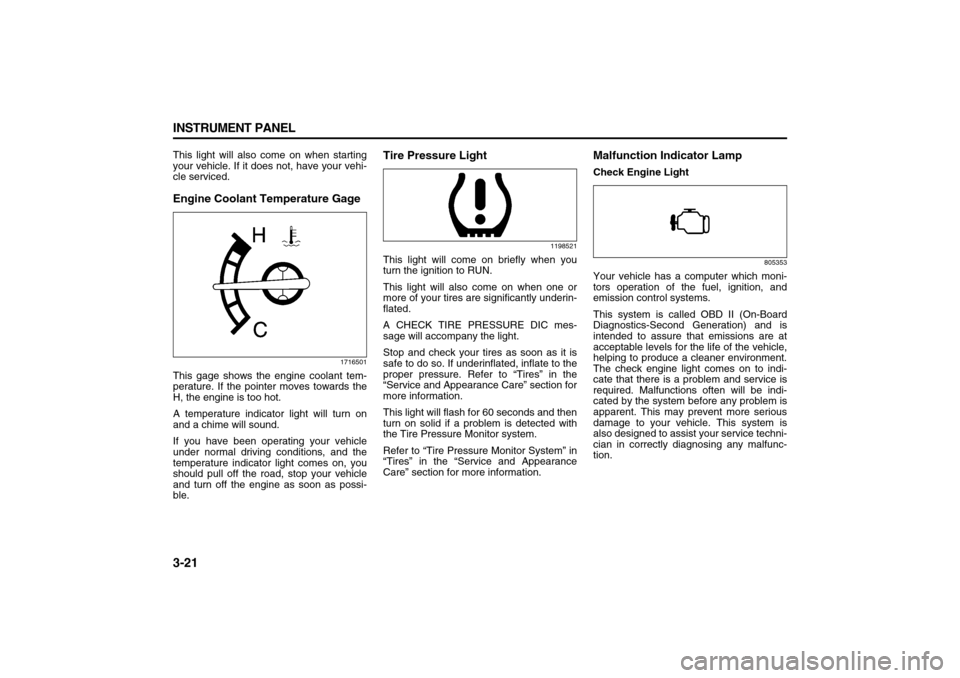
This gage shows the engine coolant tem-
perature. If the pointer moves towards the
H, the engine is too hot.
A temperature indicator light will turn on
and a chime will sound.
If you have been operating your vehicle
under normal driving conditions, and the
temperature indicator light comes on, you
should pull off the road, stop your vehicle
and turn off the engine as soon as possi-
ble.
Tire Pressure Light
1198521
This light will come on briefly when you
turn the ignition to RUN.
This light will also come on when one or
more of your tires are significantly underin-
flated.
A CHECK TIRE PRESSURE DIC mes-
sage will accompany the light.
Stop and check your tires as soon as it is
safe to do so. If underinflated, inflate to the
proper pressure. Refer to “Tires” in the
“Service and Appearance Care” section for
more information.
This light will flash for 60 seconds and then
turn on solid if a problem is detected with
the Tire Pressure Monitor system.
Refer to “Tire Pressure Monitor System” in
“Tires” in the “Service and Appearance
Care” section for more information.
Malfunction Indicator LampCheck Engine Light
805353
Your vehicle has a computer which moni-
tors operation of the fuel, ignition, and
emission control systems.
This system is called OBD II (On-Board
Diagnostics-Second Generation) and is
intended to assure that emissions are at
acceptable levels for the life of the vehicle,
helping to produce a cleaner environment.
The check engine light comes on to indi-
cate that there is a problem and service is
required. Malfunctions often will be indi-
cated by the system before any problem is
apparent. This may prevent more serious
damage to your vehicle. This system is
also designed to assist your service techni-
cian in correctly diagnosing any malfunc-
tion.
Page 104 of 274

3-22 INSTRUMENT PANEL
78J00-03E
This light should come on, as a check to
show you it is working, when the ignition is
on and the engine is not running. If the
light does not come on, have it repaired.This light will also come on during a mal-
function in one of two ways:
Light Flashing
A misfire condition has been detected. A
misfire increases vehicle emissions and
may damage the emission control sys-
tem on your vehicle. Diagnosis and ser-
vice may be required.
Light On Steady
An emission control system malfunction
has been detected on your vehicle. Diag-
nosis and service may be required.
If the Light is Flashing
The following may prevent more serious
damage to your vehicle:
Reducing vehicle speed
Avoiding hard accelerations
Avoiding steep uphill grades
If you are towing a trailer, reduce the
amount of cargo being hauled as soon
as it is possible
If the light stops flashing and remains on
steady, see “If the Light Is On Steady” fol-
lowing.
If the light continues to flash, when it is
safe to do so, stop the vehicle. Find a safe
place to park your vehicle. Turn the key off,
wait at least 10 seconds and restart the
engine. If the light remains on steady, see
“If the Light Is On Steady” following. If the
light is still flashing, follow the previoussteps, and see your dealer for service as
soon as possible.
If the Light Is On Steady
You may be able to correct the emission
system malfunction by considering the fol-
lowing:
Did you recently put fuel into your vehicle?
If so, reinstall the fuel cap, making sure to
fully install the cap. Refer to “Filling the
Tank” in “Fuel” in the “Service and Appear-
ance Care” section. The diagnostic system
can determine if the fuel cap has been left
off or improperly installed. A loose or miss-
ing fuel cap will allow fuel to evaporate into
the atmosphere. A few driving trips with the
cap properly installed should turn the light
off.
Did you just drive through a deep puddle of
water?
If so, your electrical system may be wet.
The condition will usually be corrected
when the electrical system dries out. A few
driving trips should turn the light off.
Have you recently changed brands of fuel?
If so, be sure to fuel your vehicle with qual-
ity fuel. Refer to “Gasoline Octane” in
“Fuel” in the “Service and Appearance
Care” section. Poor fuel quality will cause
your engine not to run as efficiently as
designed. You may notice this as stalling
after start-up, stalling when you put the
vehicle into gear, misfiring, hesitation on
CAUTION
If you keep driving your vehicle with
this light on, after awhile, the emis-
sion controls might not work as well,
your vehicle’s fuel economy might
not be as good, and the engine might
not run as smoothly. This could lead
to costly repairs that might not be
covered by your warranty.
CAUTION
Modifications made to the engine,
transaxle, exhaust, intake, or fuel
system of your vehicle or the replace-
ment of the original tires with other
than those of the same Tire Perfor-
mance Criteria (TPC) can affect your
vehicle’s emission controls and may
cause this light to come on. Modifica-
tions to these systems could lead to
costly repairs not covered by your
warranty. This may also result in a
failure to pass a required Emission
Inspection/Maintenance test. Refer to
“Accessories and Modifications” in
“Service” in the “Service and
Appearance Care” section.
Page 154 of 274

3-72 INSTRUMENT PANEL
78J00-03E
Problem Recommended Action
No power. The ignition might not be turned on or in accessory.
The picture does not fill the screen. There are black
borders on the top and bottom or on both sides or it
looks stretched out.Check the display mode settings in the setup menu by pressing the display
menu button on the remote control.
In auxiliary mode, the picture moves or scrolls. Check the auxiliary input connections at both devices.
The remote control does not work. Check to make sure there is no obstruction between the remote control and
the transmitter window.
Check the batteries to make sure they are not dead or installed incorrectly.
After stopping the player, I push Play but sometimes
the DVD starts where I left off and sometimes at the
beginning.If the stop button was pressed one time, the DVD player will resume playing
where the DVD was stopped. If the stop button was pressed two times the
DVD player will begin to play from the beginning of the DVD.
The auxiliary source is running but there is no picture
or sound.Check that the RSE video screen is in the auxiliary source mode.
Check the auxiliary input connections at both devices.
Sometimes the wireless headphone audio cuts out or
buzzes.Check for obstructions, low batteries, reception range, and interference from
cellular telephone towers or by using your cellular telephone in the vehicle.
Check that the headphones are on correctly using the L (left) and R (right)
on the headphones.
I lost the remote and/or the headphones. See your dealer for assistance.
The DVD is playing, but there is no picture or sound. Check that the RSE video screen is sourced to the DVD player.