steering TESLA MODEL 3 2019 (Europe) User Guide
[x] Cancel search | Manufacturer: TESLA, Model Year: 2019, Model line: MODEL 3, Model: TESLA MODEL 3 2019Pages: 179, PDF Size: 9.18 MB
Page 69 of 179
Rear View Camera
Camera Location
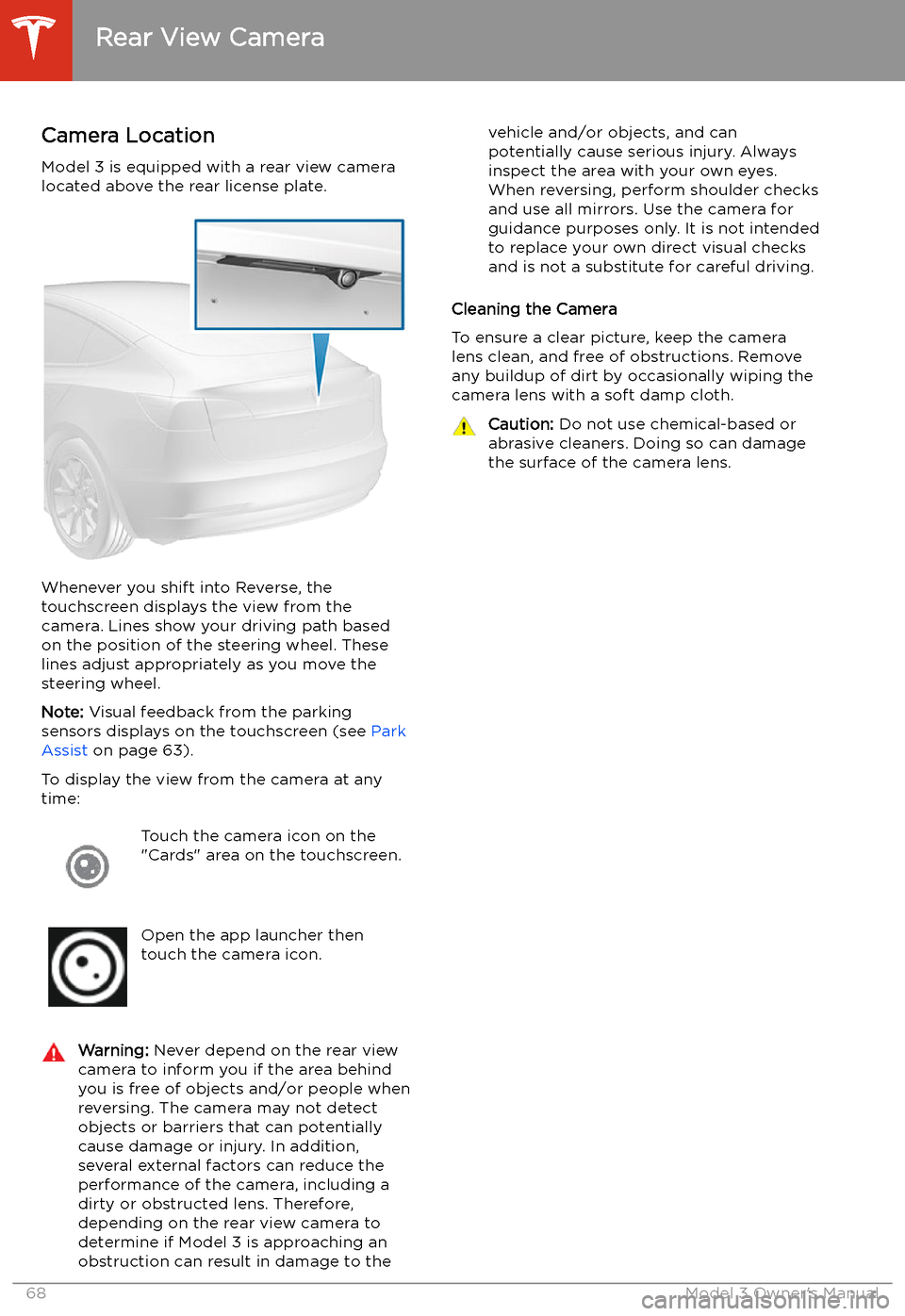
Model 3 is equipped with a rear view camera
located above the rear license plate.
Whenever you shift into Reverse, the
touchscreen displays the view from the
camera. Lines show your driving path based
on the position of the steering wheel. These
lines adjust appropriately as you move the
steering wheel.
Note: Visual feedback from the parking
sensors displays on the touchscreen (see Park
Assist on page 63).
To display the view from the camera at any
time:
Touch the camera icon on the
"Cards" area on the touchscreen.Open the app launcher then
touch the camera icon.Warning: Never depend on the rear view
camera to inform you if the area behind
you is free of objects and/or people when
reversing. The camera may not detect
objects or barriers that can potentially
cause damage or injury. In addition, several external factors can reduce the
performance of the camera, including a
dirty or obstructed lens. Therefore,
depending on the rear view camera to
determine if Model 3 is approaching an
obstruction can result in damage to thevehicle and/or objects, and can
potentially cause serious injury. Always
inspect the area with your own eyes.
When reversing, perform shoulder checks and use all mirrors. Use the camera forguidance purposes only. It is not intendedto replace your own direct visual checks
and is not a substitute for careful driving.
Cleaning the Camera
To ensure a clear picture, keep the camera
lens clean, and free of obstructions. Remove
any buildup of dirt by occasionally wiping the camera lens with a soft damp cloth.
Caution: Do not use chemical-based or
abrasive cleaners. Doing so can damage
the surface of the camera lens.
Rear View Camera
68Model 3 Owner
Page 71 of 179
Autopilot
About Autopilot
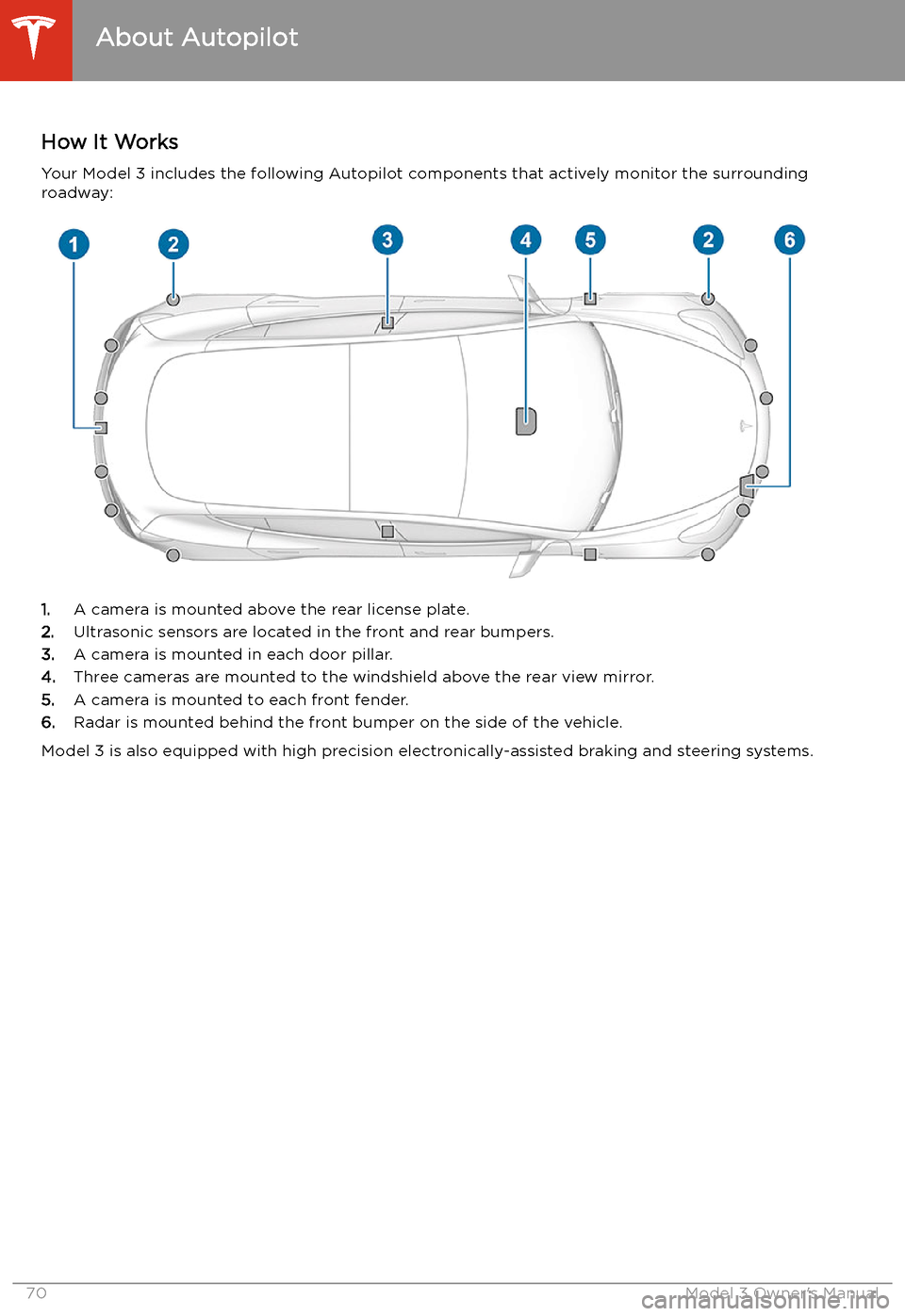
How It Works Your Model 3 includes the following Autopilot components that actively monitor the surrounding
roadway:
1. A camera is mounted above the rear license plate.
2. Ultrasonic sensors are located in the front and rear bumpers.
3. A camera is mounted in each door pillar.
4. Three cameras are mounted to the windshield above the rear view mirror.
5. A camera is mounted to each front fender.
6. Radar is mounted behind the front bumper on the side of the vehicle.
Model 3 is also equipped with high precision electronically-assisted braking and steering systems.
About Autopilot
70Model 3 Owner
Page 77 of 179
Note: The onboard Global Positioning System
(GPS) determines if you are driving in a region
with right or left hand traffic. In situations
where GPS data is unavailable (for example, if
there is inadequate signal), engaging the turn
signal near an exit does not cause Traffic-
Aware Cruise Control to slow down Model 3.
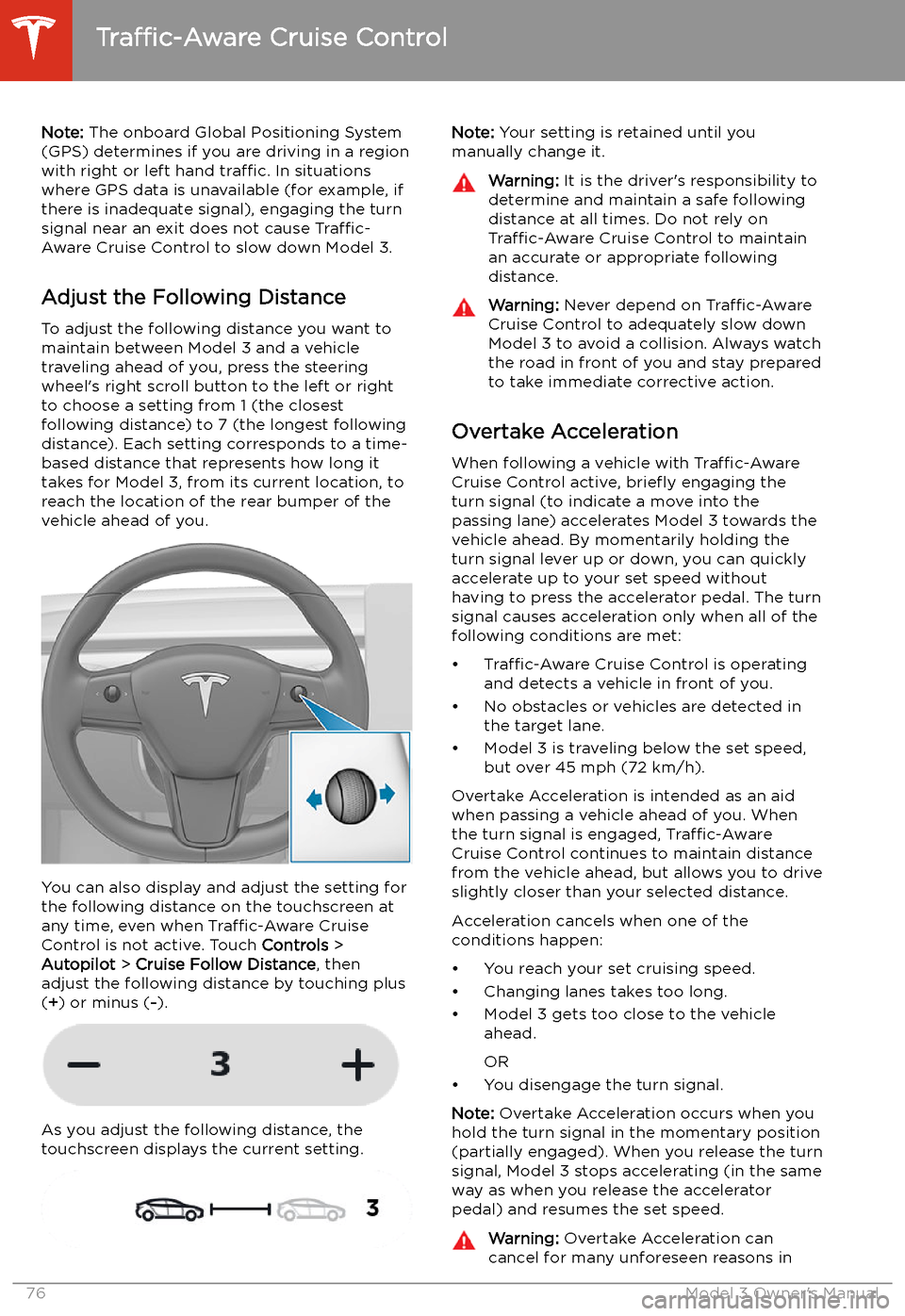
Adjust the Following Distance To adjust the following distance you want tomaintain between Model 3 and a vehicle
traveling ahead of you, press the steering
wheel
Page 80 of 179
Autosteer
Note: Autosteer is a BETA feature.
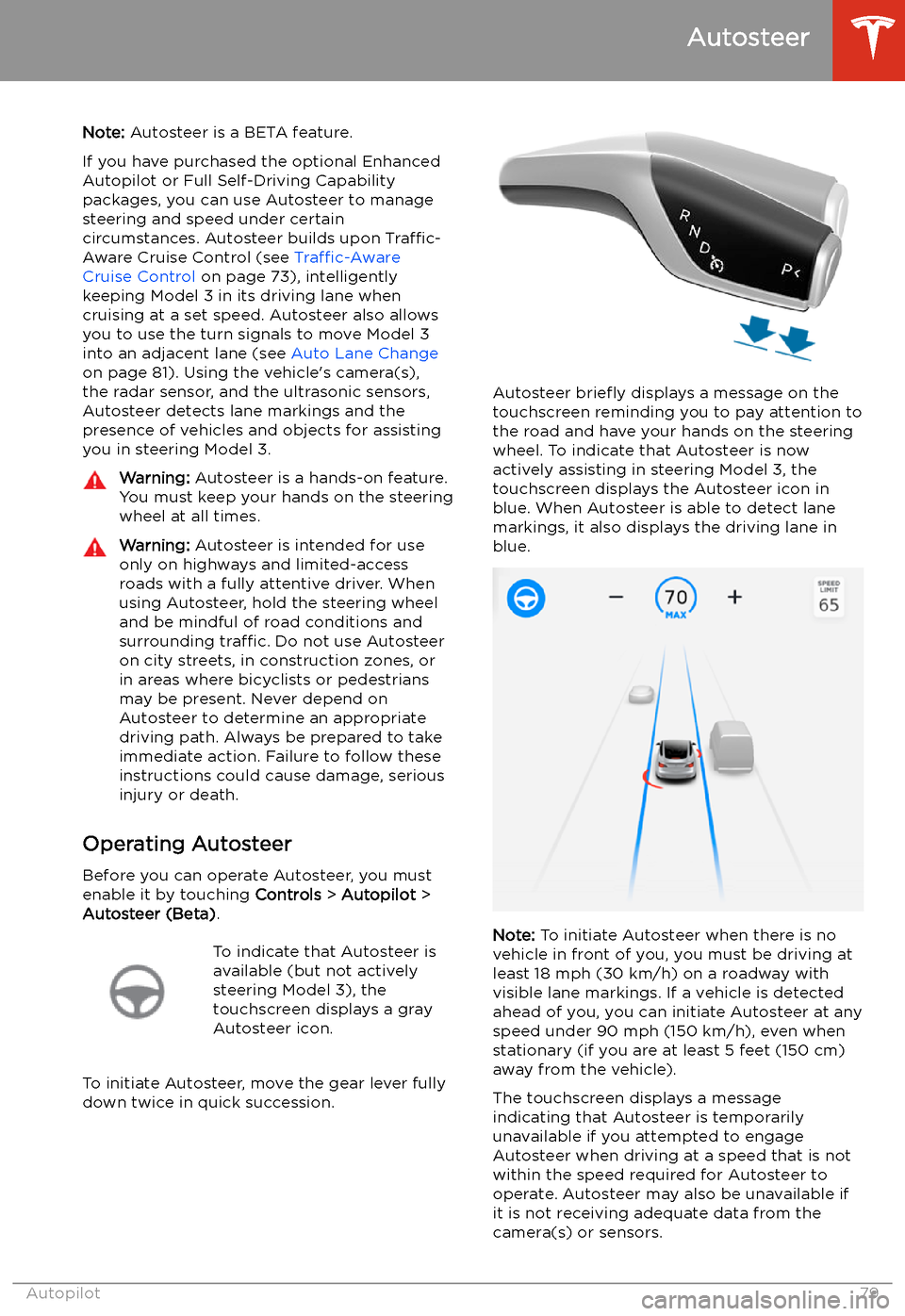
If you have purchased the optional Enhanced Autopilot or Full Self-Driving Capabilitypackages, you can use Autosteer to manage
steering and speed under certain
circumstances. Autosteer builds upon Traffic-
Aware Cruise Control (see Traffic-Aware
Cruise Control on page 73), intelligently
keeping Model 3 in its driving lane when
cruising at a set speed. Autosteer also allows
you to use the turn signals to move Model 3 into an adjacent lane (see Auto Lane Change
on page 81). Using the vehicle
Page 85 of 179
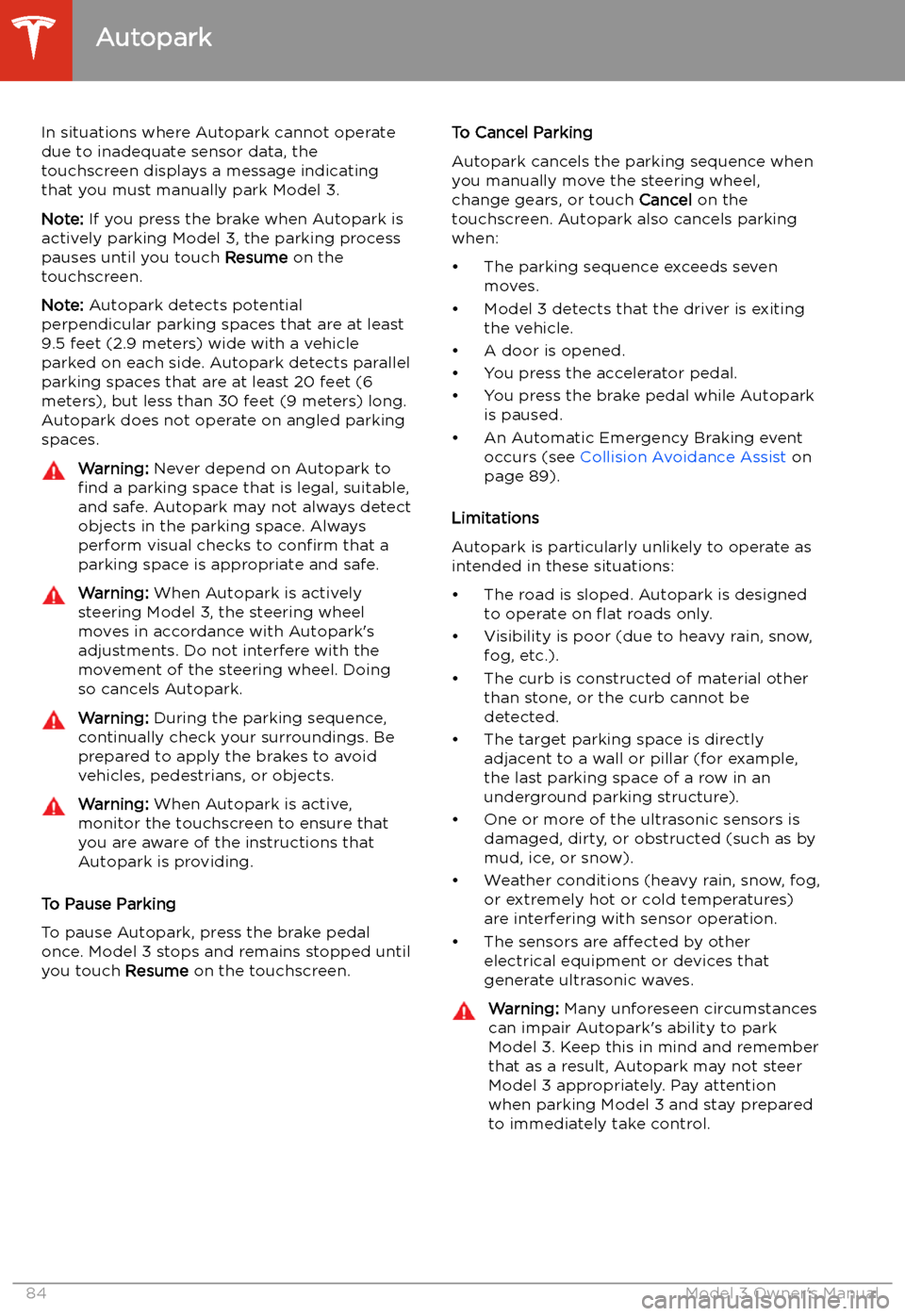
In situations where Autopark cannot operatedue to inadequate sensor data, the
touchscreen displays a message indicating that you must manually park Model 3.
Note: If you press the brake when Autopark is
actively parking Model 3, the parking process
pauses until you touch Resume on the
touchscreen.
Note: Autopark detects potential
perpendicular parking spaces that are at least
9.5 feet (2.9 meters) wide with a vehicle
parked on each side. Autopark detects parallel
parking spaces that are at least 20 feet (6
meters), but less than 30 feet (9 meters) long.
Autopark does not operate on angled parking spaces.Warning: Never depend on Autopark to
find a parking space that is legal, suitable,
and safe. Autopark may not always detect
objects in the parking space. Always
perform visual checks to confirm that a
parking space is appropriate and safe.Warning: When Autopark is actively
steering Model 3, the steering wheel moves in accordance with Autopark
Page 98 of 179
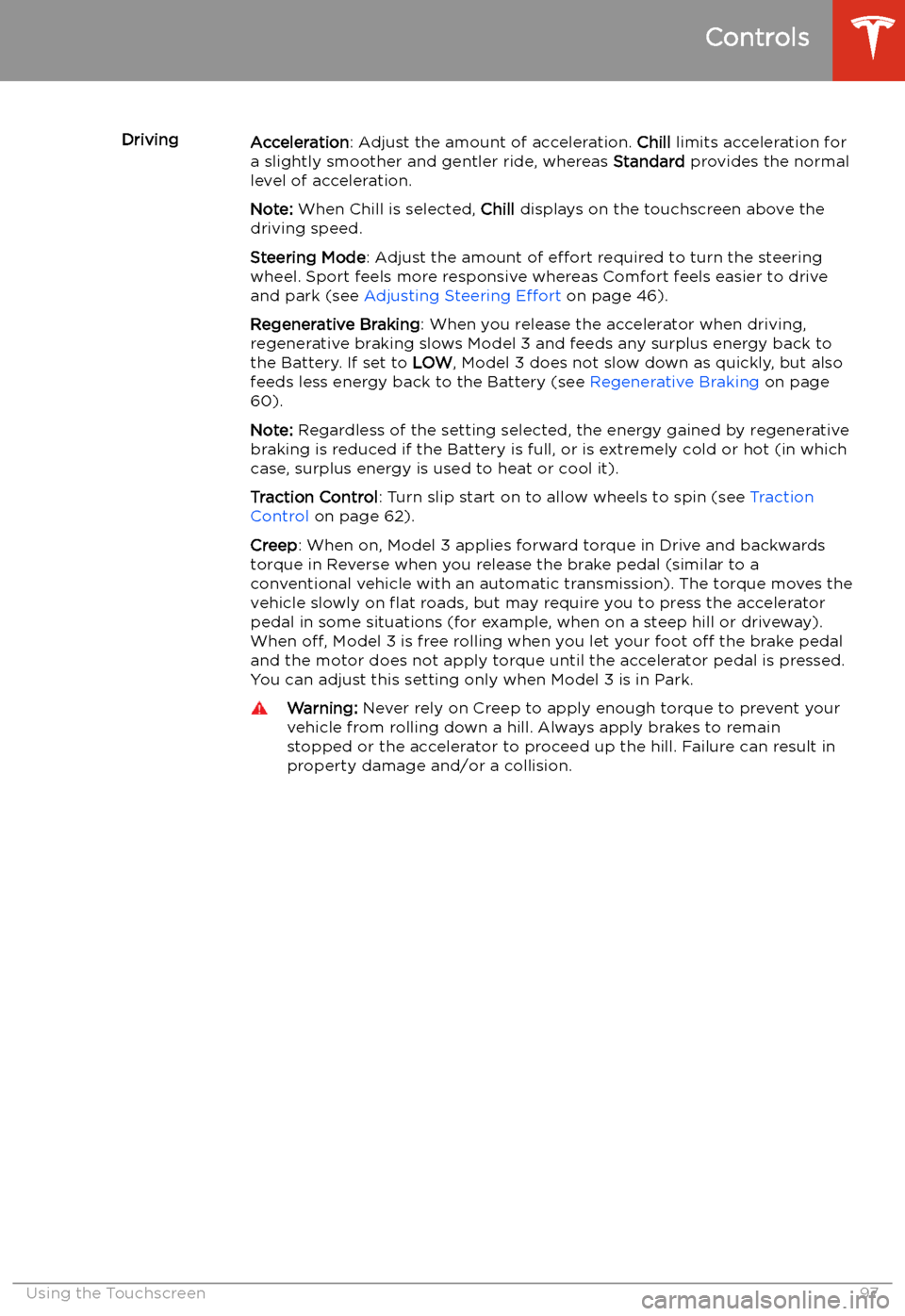
DrivingAcceleration: Adjust the amount of acceleration. Chill limits acceleration for
a slightly smoother and gentler ride, whereas Standard provides the normal
level of acceleration.
Note: When Chill is selected, Chill displays on the touchscreen above the
driving speed.
Steering Mode : Adjust the amount of effort required to turn the steering
wheel. Sport feels more responsive whereas Comfort feels easier to drive
and park (see Adjusting Steering Effort on page 46).
Regenerative Braking : When you release the accelerator when driving,
regenerative braking slows Model 3 and feeds any surplus energy back to
the Battery. If set to LOW, Model 3 does not slow down as quickly, but also
feeds less energy back to the Battery (see Regenerative Braking on page
60).
Note: Regardless of the setting selected, the energy gained by regenerative
braking is reduced if the Battery is full, or is extremely cold or hot (in which
case, surplus energy is used to heat or cool it).
Traction Control : Turn slip start on to allow wheels to spin (see Traction
Control on page 62).
Creep : When on, Model 3 applies forward torque in Drive and backwards
torque in Reverse when you release the brake pedal (similar to a
conventional vehicle with an automatic transmission). The torque moves the
vehicle slowly on
Page 109 of 179
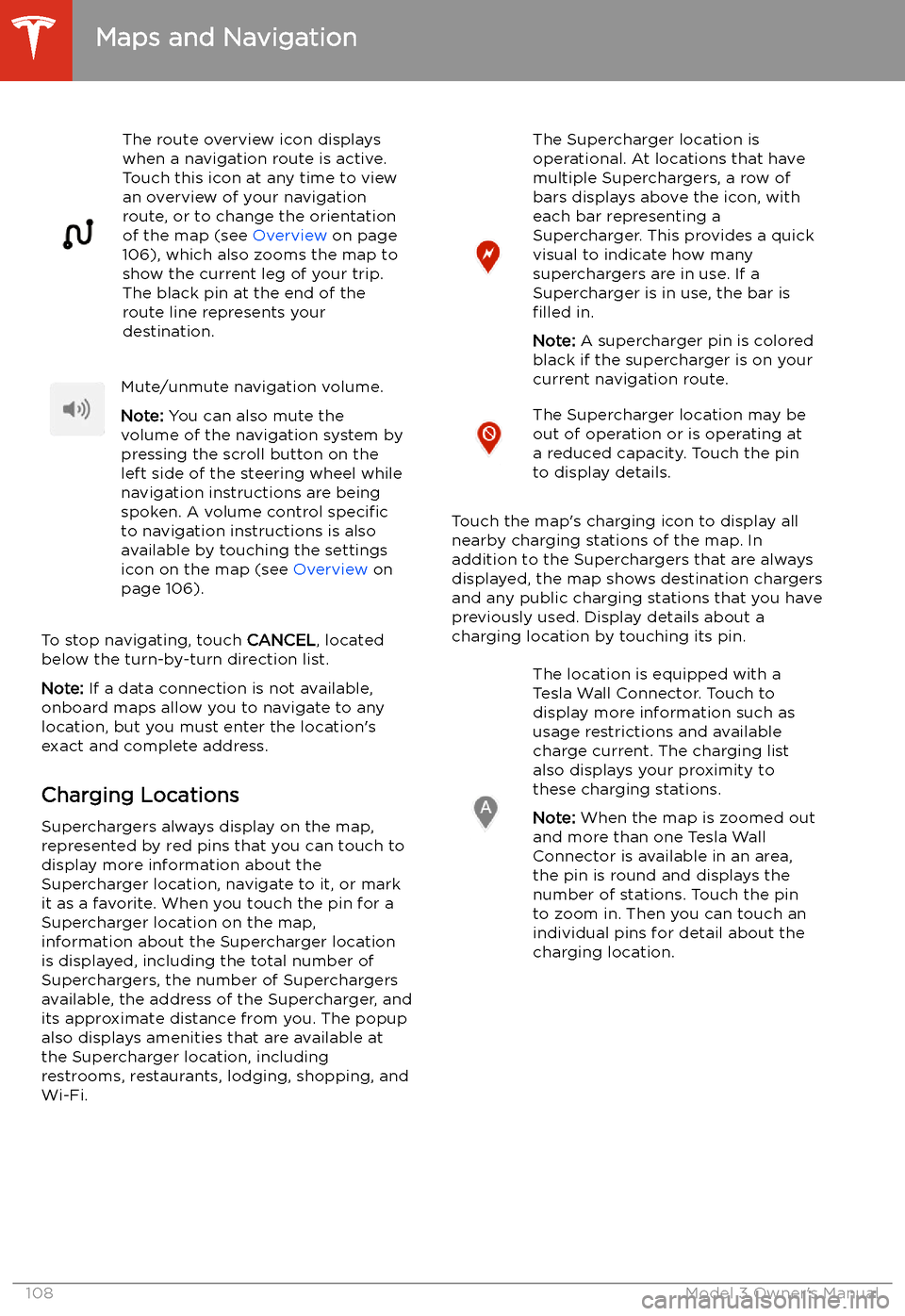
The route overview icon displays
when a navigation route is active.
Touch this icon at any time to view
an overview of your navigation
route, or to change the orientation
of the map (see Overview on page
106), which also zooms the map to
show the current leg of your trip.
The black pin at the end of the
route line represents your
destination.Mute/unmute navigation volume.
Note: You can also mute the
volume of the navigation system by
pressing the scroll button on the
left side of the steering wheel while
navigation instructions are being
spoken. A volume control specific
to navigation instructions is also
available by touching the settings
icon on the map (see Overview on
page 106).
To stop navigating, touch CANCEL, located
below the turn-by-turn direction list.
Note: If a data connection is not available,
onboard maps allow you to navigate to any
location, but you must enter the location
Page 174 of 179
Index
A ABS (Anti-lock Braking System) 60
absolute speed limit 92
access panel, removing 142
accessoriesplugging into power socket 21
aero covers 133
air circulation 102
air conditioning 101
air distribution 102
air filter 104
air vents 103
airbag, front passenger, disabling 42
airbags 40
alarm 118
all-season tires 135
Always Show Estimated Round Trip Energy 109
ambient lights 52
anti-lock braking (ABS) 60
audioequalizer 113
immersive sound 113
playing files 111
steering wheel scroll button 46
volume control 111
auto fold
48
Auto High Beam 53
Auto Lane Change 81
auto tilt 48
AUTO wipers 59
automatic emergency braking 90
Autopark 83
AutopilotAuto Lane Change 81
automatic emergency braking 89
Autopark 83
Autosteer 79
blind spot warning 87
collision avoidance assist 89
forward collision warning 89
overtake acceleration 73
overview 70
side collision warning 87
speed assist 92
speed limit warning 92
staying inside lane markings 87
staying within speed limits 92
Traffic-Aware Cruise Control 73
Autopilot components 70
Autosteer 79
average range 67
B
backup camera 68
battery (12V)battery (12V) (continued)complete discharge 125
specifications 152Battery (high voltage)care of 125
coolant 142
specifications 152
temperature limits 125
battery (key), replacing 9
blind spot warning 87
Bluetoothdevices, playing audio files from 113
general information 114
phone, pairing and using 114
body repairs 145
body touch up 138
booster seats 29
brake
Page 177 of 179
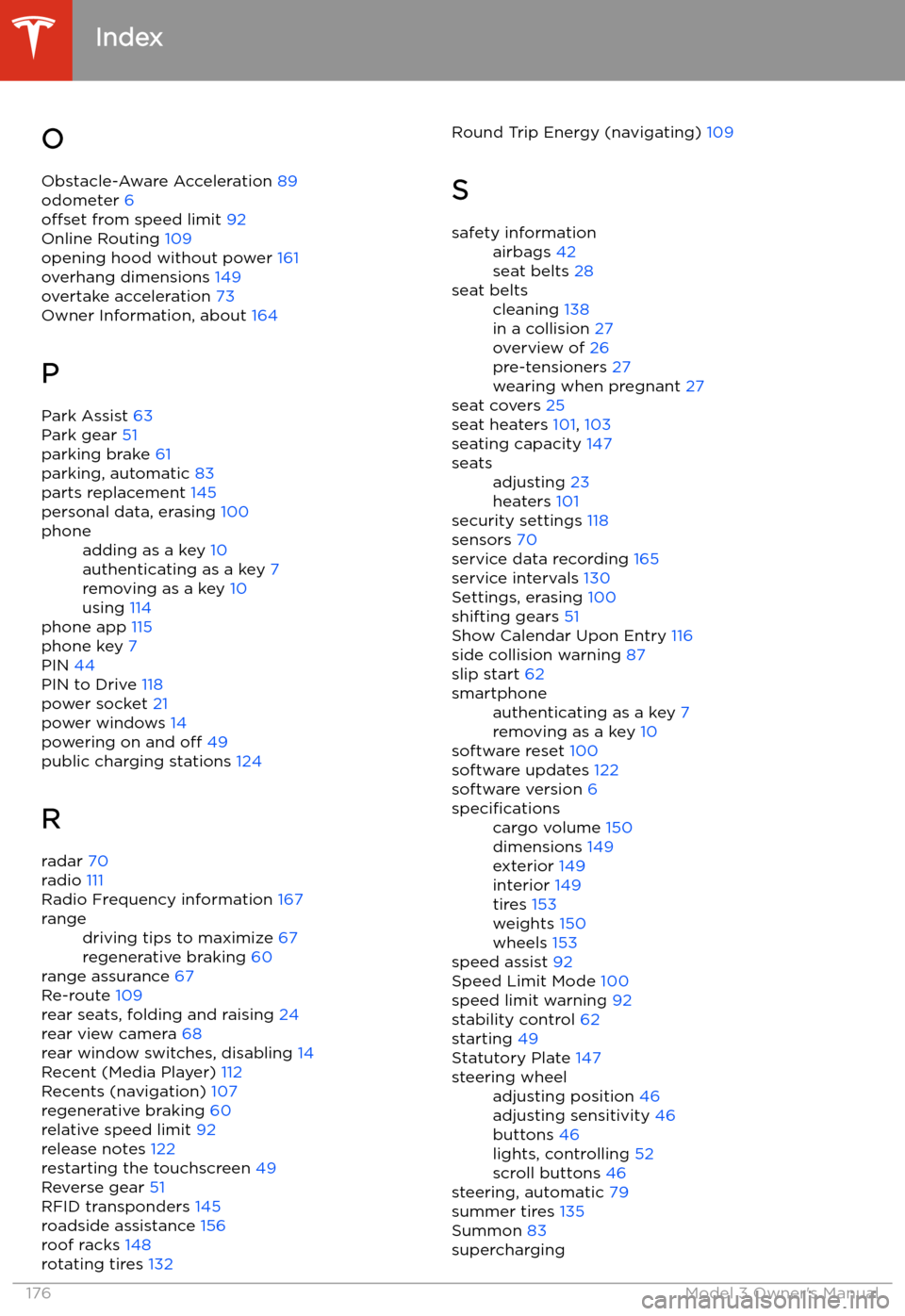
OObstacle-Aware Acceleration 89
odometer 6
offset from speed limit 92
Online Routing 109
opening hood without power 161
overhang dimensions 149
overtake acceleration 73
Owner Information, about 164
P Park Assist 63
Park gear 51
parking brake 61
parking, automatic 83
parts replacement 145
personal data, erasing 100phoneadding as a key 10
authenticating as a key 7
removing as a key 10
using 114
phone app 115
phone key 7
PIN 44
PIN to Drive 118
power socket 21
power windows 14
powering on and off 49
public charging stations 124
R
radar 70
radio 111
Radio Frequency information 167
rangedriving tips to maximize 67
regenerative braking 60
range assurance 67
Re-route 109
rear seats, folding and raising 24
rear view camera 68
rear window switches, disabling 14
Recent (Media Player) 112
Recents (navigation) 107
regenerative braking 60
relative speed limit 92
release notes 122
restarting the touchscreen 49
Reverse gear 51
RFID transponders 145
roadside assistance 156
roof racks 148
rotating tires 132
Round Trip Energy (navigating)
109
Ssafety informationairbags 42
seat belts 28seat beltscleaning 138
in a collision 27
overview of 26
pre-tensioners 27
wearing when pregnant 27
seat covers 25
seat heaters 101, 103
seating capacity 147
seatsadjusting 23
heaters 101
security settings 118
sensors 70
service data recording 165
service intervals 130
Settings, erasing 100
shifting gears 51
Show Calendar Upon Entry 116
side collision warning 87
slip start 62
smartphoneauthenticating as a key 7
removing as a key 10
software reset 100
software updates 122
software version 6
specificationscargo volume 150
dimensions 149
exterior 149
interior 149
tires 153
weights 150
wheels 153
speed assist 92
Speed Limit Mode 100
speed limit warning 92
stability control 62
starting 49
Statutory Plate 147
steering wheeladjusting position 46
adjusting sensitivity 46
buttons 46
lights, controlling 52
scroll buttons 46
steering, automatic 79
summer tires 135
Summon 83
supercharging
Index
176Model 3 Owner