instrument panel TESLA MODEL S 2015 Owner's Guide
[x] Cancel search | Manufacturer: TESLA, Model Year: 2015, Model line: MODEL S, Model: TESLA MODEL S 2015Pages: 164, PDF Size: 4.78 MB
Page 52 of 164
Braking SystemsModel S has an anti-lock braking system
(ABS) that prevents the wheels from locking
when you apply maximum brake pressure. This improves steering control during heavy
braking in most road conditions.
During emergency braking conditions, the
ABS constantly monitors the speed of each
wheel and varies the brake pressure according
to the grip available.
The alteration of brake pressure can be felt as
a pulsing sensation through the brake pedal.
This demonstrates that the ABS is operating
and is not a cause for concern. Keep firm and
steady pressure on the brake pedal while
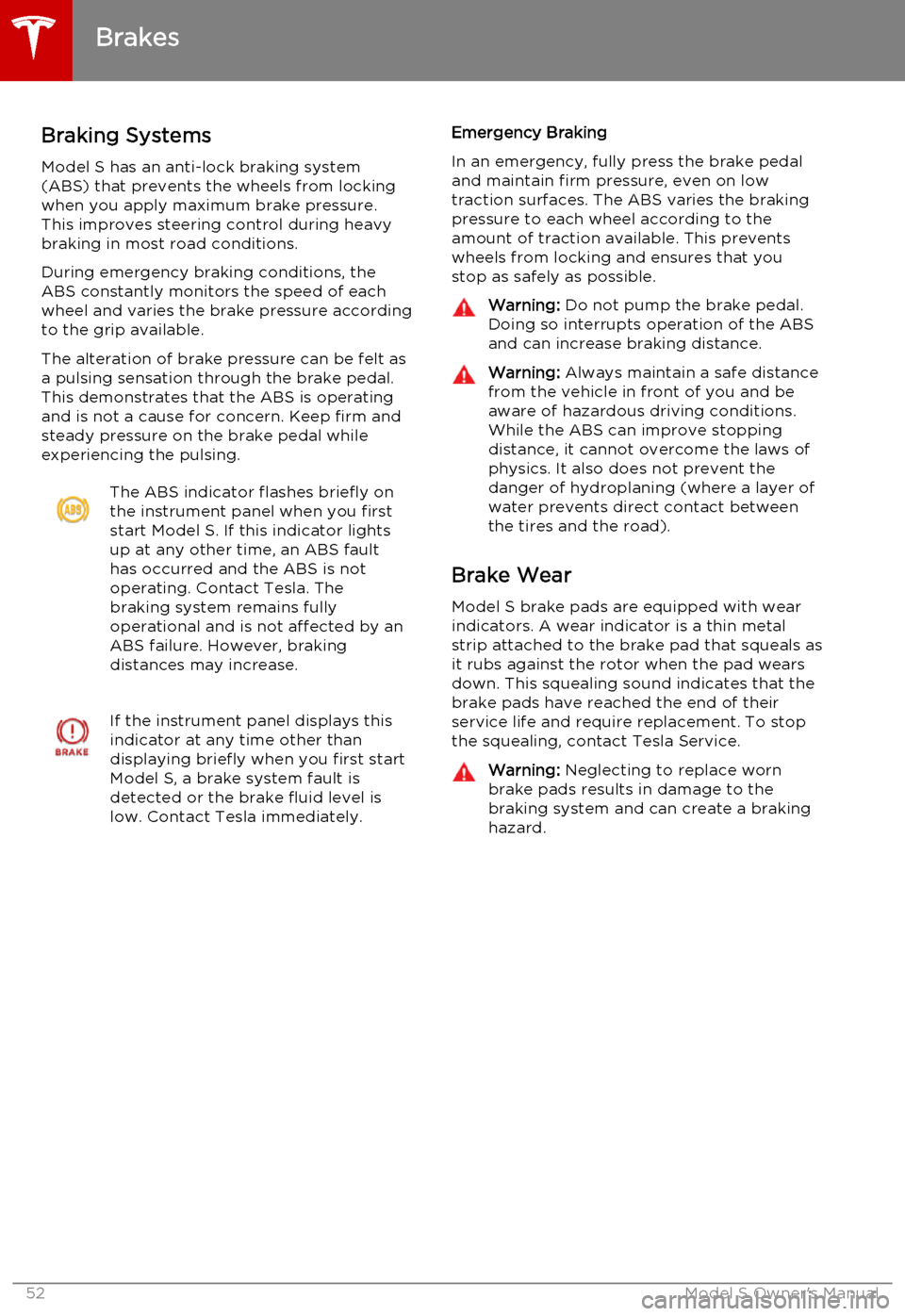
experiencing the pulsing.The ABS indicator flashes briefly on
the instrument panel when you first
start Model S. If this indicator lights
up at any other time, an ABS fault
has occurred and the ABS is not
operating. Contact Tesla. The
braking system remains fully
operational and is not affected by an
ABS failure. However, braking
distances may increase.If the instrument panel displays this
indicator at any time other than
displaying briefly when you first start
Model S, a brake system fault is
detected or the brake fluid level is
low. Contact Tesla immediately.Emergency Braking
In an emergency, fully press the brake pedal
and maintain firm pressure, even on low
traction surfaces. The ABS varies the braking pressure to each wheel according to the
amount of traction available. This prevents wheels from locking and ensures that you
stop as safely as possible.Warning: Do not pump the brake pedal.
Doing so interrupts operation of the ABS
and can increase braking distance.Warning: Always maintain a safe distance
from the vehicle in front of you and be aware of hazardous driving conditions.
While the ABS can improve stopping
distance, it cannot overcome the laws of physics. It also does not prevent the
danger of hydroplaning (where a layer of
water prevents direct contact between
the tires and the road).
Brake Wear
Model S brake pads are equipped with wearindicators. A wear indicator is a thin metalstrip attached to the brake pad that squeals as
it rubs against the rotor when the pad wears
down. This squealing sound indicates that the
brake pads have reached the end of their
service life and require replacement. To stop
the squealing, contact Tesla Service.
Warning: Neglecting to replace worn
brake pads results in damage to the
braking system and can create a braking
hazard.
Brakes
52Model S Owner's Manual
Page 53 of 164
Regenerative Braking
Whenever Model S is moving and your foot is off the accelerator, regenerative braking slows
down Model S and feeds any surplus energy
back to the Battery.
By anticipating your stops and simply removing your foot from the accelerator to
slow down, you can take advantage of
regenerative braking to increase driving range. Of course, this is no substitute for
regular braking when needed for safety.
Note: If regenerative braking is aggressively
slowing Model S, such as on a steep descent,
brake lights turn on to alert other road users
that you are slowing down.
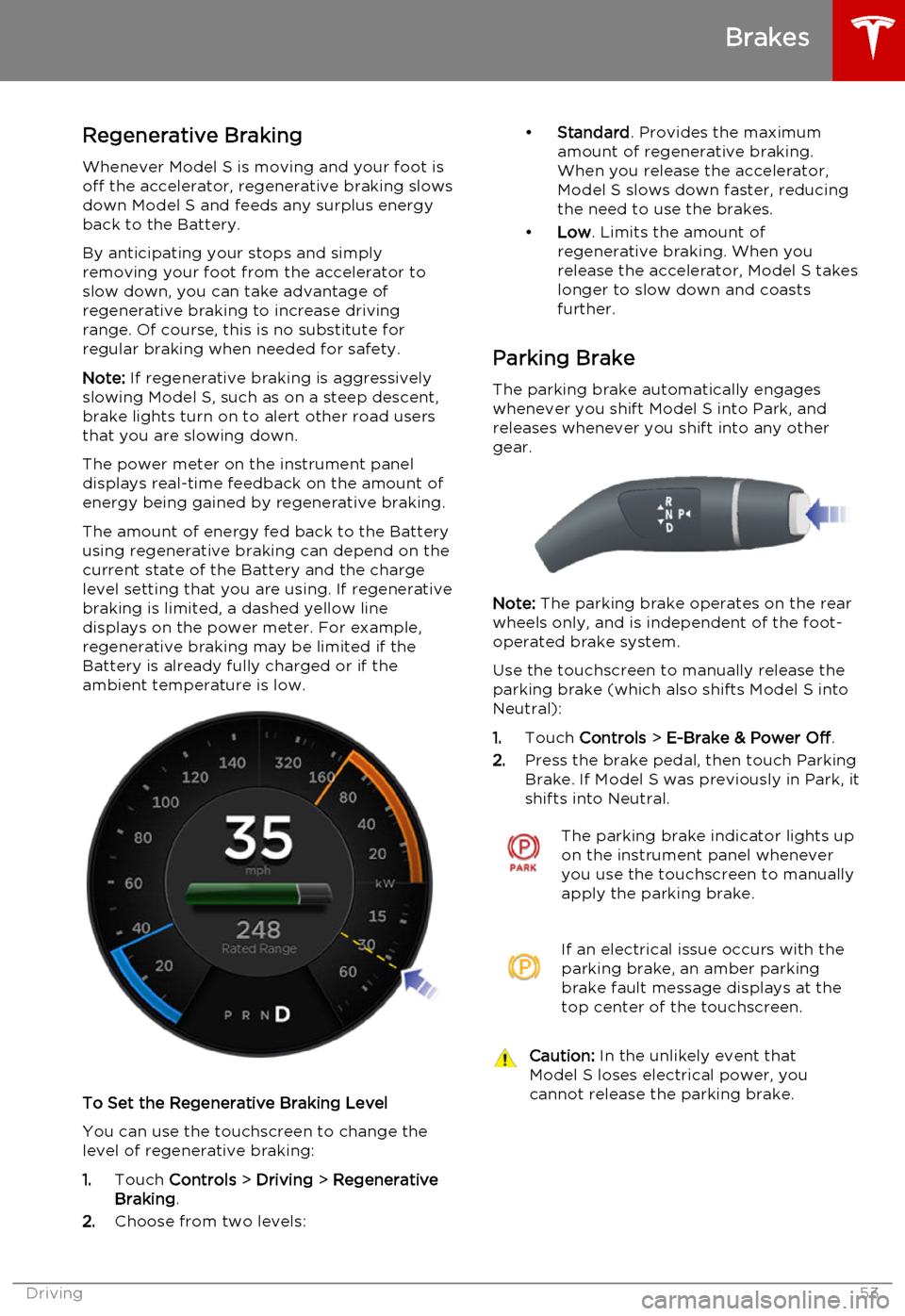
The power meter on the instrument panel displays real-time feedback on the amount of
energy being gained by regenerative braking.
The amount of energy fed back to the Battery
using regenerative braking can depend on the current state of the Battery and the charge
level setting that you are using. If regenerative braking is limited, a dashed yellow line
displays on the power meter. For example,
regenerative braking may be limited if the
Battery is already fully charged or if the
ambient temperature is low.
To Set the Regenerative Braking Level
You can use the touchscreen to change thelevel of regenerative braking:
1. Touch Controls > Driving > Regenerative
Braking .
2. Choose from two levels:
•
Standard . Provides the maximum
amount of regenerative braking. When you release the accelerator,
Model S slows down faster, reducing
the need to use the brakes.
• Low . Limits the amount of
regenerative braking. When you
release the accelerator, Model S takes longer to slow down and coastsfurther.
Parking Brake The parking brake automatically engages
whenever you shift Model S into Park, and
releases whenever you shift into any other
gear.
Note: The parking brake operates on the rear
wheels only, and is independent of the foot-
operated brake system.
Use the touchscreen to manually release the parking brake (which also shifts Model S intoNeutral):
1. Touch Controls > E-Brake & Power Off .
2. Press the brake pedal, then touch Parking
Brake. If Model S was previously in Park, it
shifts into Neutral.
The parking brake indicator lights up on the instrument panel whenever
you use the touchscreen to manually
apply the parking brake.If an electrical issue occurs with the
parking brake, an amber parking
brake fault message displays at the
top center of the touchscreen.Caution: In the unlikely event that
Model S loses electrical power, you
cannot release the parking brake.
Brakes
Driving53
Page 54 of 164
How It WorksThe traction control system constantly
monitors the difference in speed between the
front and rear wheels. If Model S experiences a
loss of traction, the system minimizes wheel
spin by controlling brake pressure and motor
power. By default, the traction control system
is always active. Under normal conditions, it should remain active to ensure maximum
safety.
On standard Model S vehicles, traction control can be turned off at any time. Turn it off only
in circumstances where you deliberately want
the wheels to spin, such as when Model S is
stuck in snow or mud.
On a dual motor Model S, you can enable slip
start to allow the wheels to spin at a limited speed. Slip start can be enabled only whenModel S is moving 20 mph (32 km/h) or
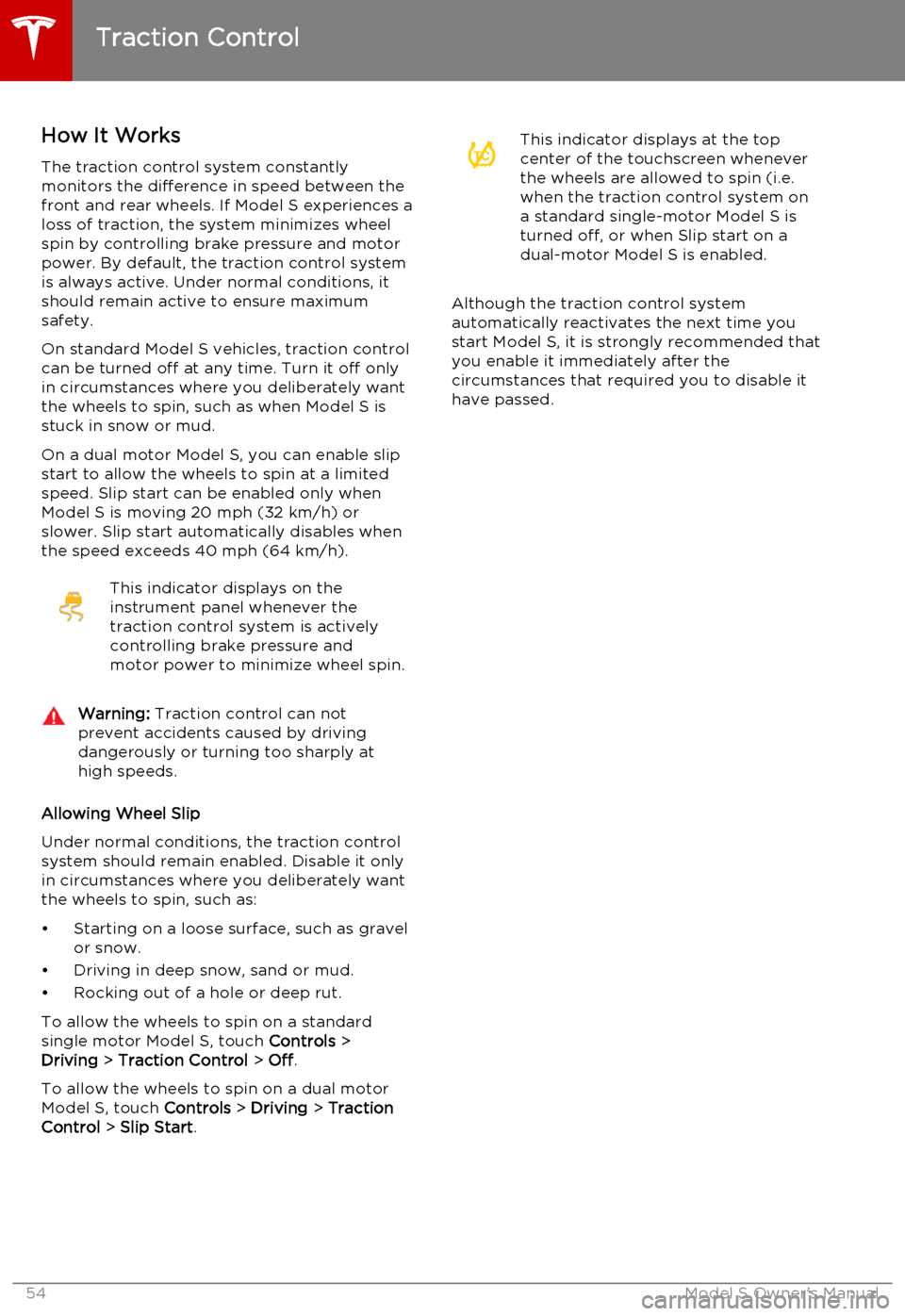
slower. Slip start automatically disables when the speed exceeds 40 mph (64 km/h).This indicator displays on the
instrument panel whenever the
traction control system is actively
controlling brake pressure and
motor power to minimize wheel spin.Warning: Traction control can not
prevent accidents caused by driving dangerously or turning too sharply at
high speeds.
Allowing Wheel Slip
Under normal conditions, the traction control
system should remain enabled. Disable it only in circumstances where you deliberately want
the wheels to spin, such as:
• Starting on a loose surface, such as gravel or snow.
• Driving in deep snow, sand or mud.
• Rocking out of a hole or deep rut.
To allow the wheels to spin on a standard single motor Model S, touch Controls >
Driving > Traction Control > Off .
To allow the wheels to spin on a dual motor
Model S, touch Controls > Driving > Traction
Control > Slip Start .
This indicator displays at the top
center of the touchscreen whenever
the wheels are allowed to spin (i.e.
when the traction control system on
a standard single-motor Model S is
turned off, or when Slip start on a
dual-motor Model S is enabled.
Although the traction control system automatically reactivates the next time you
start Model S, it is strongly recommended that you enable it immediately after thecircumstances that required you to disable it
have passed.
Traction Control
54Model S Owner's Manual
Page 55 of 164
How Speed Assist Works
If Model S is equipped with Driver Assistance
features, a camera mounted on the windshield behind the interior rear view mirror detectsspeed limit signs. The signs are then analyzed
and compared against GPS data to determine
the speed limit at your current driving
location. For routes where no signs are present, speed limits are determined using
GPS data (if available). Instead of determining the speed limit based on signs and GPS data,you can also manually enter an arbitrary
speed limit.
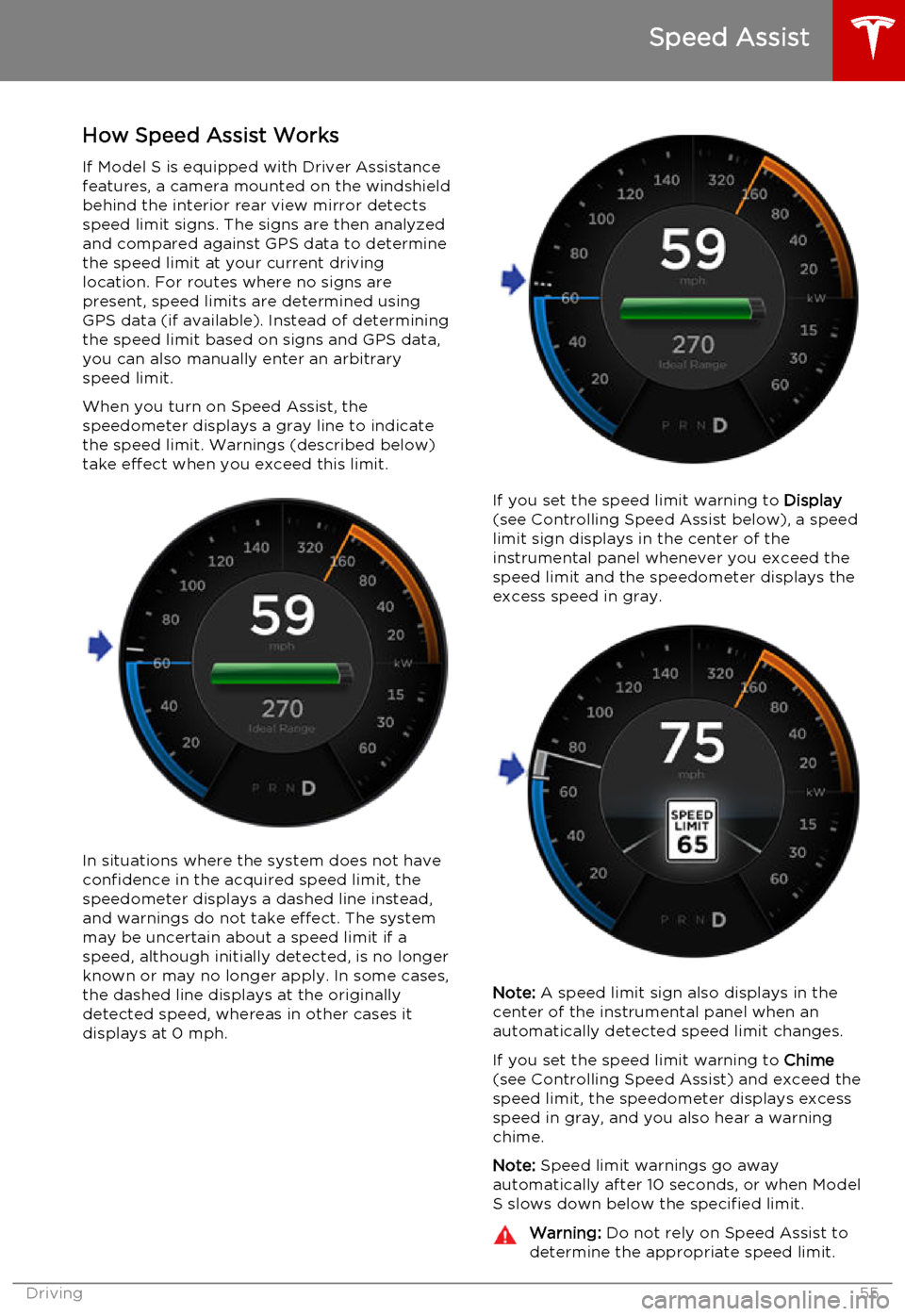
When you turn on Speed Assist, the
speedometer displays a gray line to indicate
the speed limit. Warnings (described below) take effect when you exceed this limit.
In situations where the system does not have
confidence in the acquired speed limit, the speedometer displays a dashed line instead,
and warnings do not take effect. The system
may be uncertain about a speed limit if a
speed, although initially detected, is no longer known or may no longer apply. In some cases,the dashed line displays at the originallydetected speed, whereas in other cases itdisplays at 0 mph.
If you set the speed limit warning to Display
(see Controlling Speed Assist below), a speed
limit sign displays in the center of the
instrumental panel whenever you exceed the speed limit and the speedometer displays the
excess speed in gray.
Note: A speed limit sign also displays in the
center of the instrumental panel when an
automatically detected speed limit changes.
If you set the speed limit warning to Chime
(see Controlling Speed Assist) and exceed the speed limit, the speedometer displays excessspeed in gray, and you also hear a warningchime.
Note: Speed limit warnings go away
automatically after 10 seconds, or when Model
S slows down below the specified limit.
Warning: Do not rely on Speed Assist to
determine the appropriate speed limit.
Speed Assist
Driving55
Page 56 of 164
Always drive at a safe speed based on
traffic and road conditions.Caution: If your Model S is equipped with
Speed Assist, you must take your vehicle to Tesla Service if a windshield
replacement is needed. Failure to do so
can cause Speed Assist to malfunction.
Controlling Speed Assist
To turn Speed Assist on or off, and control
how it works, touch Controls > Settings >
Driver Assistance > Speed Assist , then choose
one of these options:
• Off. The speed limit is not displayed.
• Display . Speed limit information visually
displays on the speedometer and when you exceed the limit, a speed limit sign
displays in the center of the instrument panel, and the speedometer displays theexcess speed in gray.
• Chime . In addition to the visual display, an
audible chime sounds whenever you
exceed the speed limit.
You can also specify how the speed limit is
determined:
• Relative . The speed limit is determined
automatically based on detected traffic
signs and GPS data. If desired, you can set
a speed limit offset (+ or -) if you want to
be alerted only when you exceed the
speed limit by a specified amount. For example, you would increase the offset to+10 mph if you only want to be alerted
when you exceed the speed limit by 10 mph.
• Absolute . Manually specify any speed limit
between 20 and 140 mph (30 and
240 km/h).
Note: GPS data is not always accurate. The
GPS can misjudge the road's location and
provide the speed limit for a directly adjacent
road that may have a different speed limit. For example, The GPS can assume Model S is on a
freeway when it’s actually on a nearby surface
street, and vice versa.
Limitations and Inaccuracies Speed Assist may not be fully functional or
may provide inaccurate information in these
situations:
• Visibility is poor and speed limit signs are not clearly visible (due to heavy rain,
snow, fog, etc.).
• Bright light (oncoming headlights or direct sunlight) is interfering with thecamera's view.
• Model S is being driven very close to a vehicle in front of it which is blocking the
camera's view.
• The windshield area in the camera's field of view is obstructed (fogged over, dirty,
covered by a sticker, etc.).
• Speed limit signs are concealed by objects.
• The speed limits stored in the GPS database are incorrect or outdated.
• Model S is being driven in an area where GPS data is not available.
• Traffic signs do not conform to standard recognizable formats.
• A road or a speed limit has recently changed.
Speed Assist
56Model S Owner's Manual
Page 58 of 164
How Forward Collision Warning
Works
If Model S is equipped with Autopilot, a
camera mounted on the windshield behind the interior rear view mirror and a radar sensor in
the center of the front grill monitor the area in
front of Model S for the presence of a vehicle,
bike or pedestrian. If a collision is considered likely unless you take immediate correctiveaction, Forward Collision Warning is designedto provide visual and audible warnings.
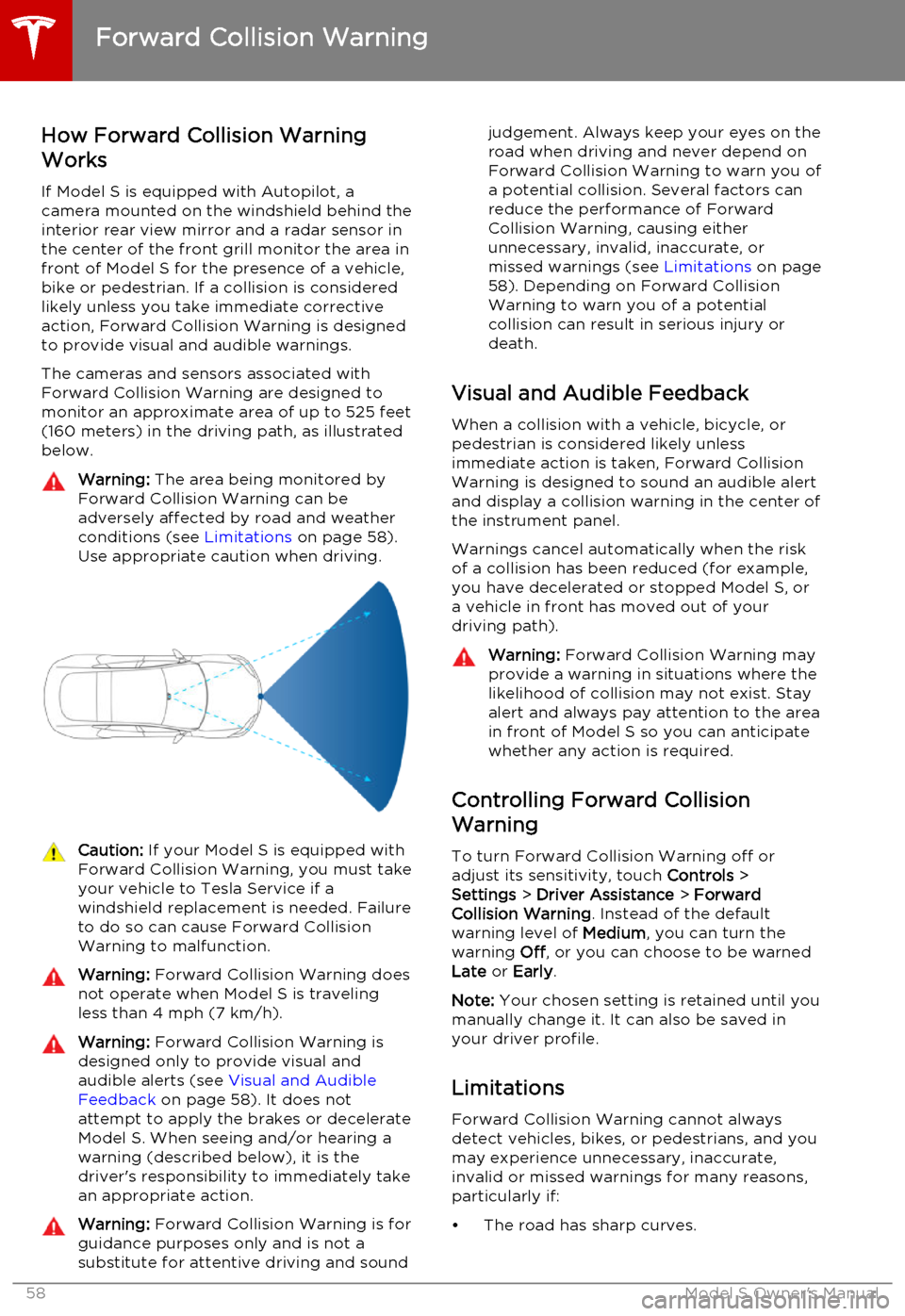
The cameras and sensors associated withForward Collision Warning are designed to
monitor an approximate area of up to 525 feet (160 meters) in the driving path, as illustrated
below.Warning: The area being monitored by
Forward Collision Warning can be adversely affected by road and weatherconditions (see Limitations on page 58).
Use appropriate caution when driving.Caution: If your Model S is equipped with
Forward Collision Warning, you must take
your vehicle to Tesla Service if a
windshield replacement is needed. Failure
to do so can cause Forward Collision
Warning to malfunction.Warning: Forward Collision Warning does
not operate when Model S is traveling less than 4 mph (7 km/h).Warning: Forward Collision Warning is
designed only to provide visual and
audible alerts (see Visual and Audible
Feedback on page 58). It does not
attempt to apply the brakes or decelerate
Model S. When seeing and/or hearing a warning (described below), it is the
driver's responsibility to immediately take an appropriate action.Warning: Forward Collision Warning is for
guidance purposes only and is not a
substitute for attentive driving and soundjudgement. Always keep your eyes on the road when driving and never depend on
Forward Collision Warning to warn you of a potential collision. Several factors canreduce the performance of Forward
Collision Warning, causing either
unnecessary, invalid, inaccurate, or
missed warnings (see Limitations on page
58). Depending on Forward Collision
Warning to warn you of a potential
collision can result in serious injury or
death.
Visual and Audible Feedback
When a collision with a vehicle, bicycle, or
pedestrian is considered likely unless
immediate action is taken, Forward Collision
Warning is designed to sound an audible alert
and display a collision warning in the center of the instrument panel.
Warnings cancel automatically when the risk
of a collision has been reduced (for example,
you have decelerated or stopped Model S, or
a vehicle in front has moved out of your
driving path).
Warning: Forward Collision Warning may
provide a warning in situations where the
likelihood of collision may not exist. Stay
alert and always pay attention to the area
in front of Model S so you can anticipate
whether any action is required.
Controlling Forward Collision
Warning
To turn Forward Collision Warning off or
adjust its sensitivity, touch Controls >
Settings > Driver Assistance > Forward
Collision Warning . Instead of the default
warning level of Medium, you can turn the
warning Off, or you can choose to be warned
Late or Early .
Note: Your chosen setting is retained until you
manually change it. It can also be saved in
your driver profile.
Limitations Forward Collision Warning cannot always
detect vehicles, bikes, or pedestrians, and you may experience unnecessary, inaccurate,
invalid or missed warnings for many reasons, particularly if:
• The road has sharp curves.
Forward Collision Warning
58Model S Owner's Manual
Page 60 of 164
Traffic-Aware Cruise Control uses a camera
mounted on the windshield behind the interior
rear view mirror and a radar sensor in the
center of the front grill to detect whether
there is a vehicle in front of you in the same lane. If the area in front of Model S is clear,Traffic-Aware Cruise Control is designed todrive consistently at a set speed. When a
vehicle is detected, Traffic-Aware Cruise
Control is designed to slow down Model S if needed to maintain a selected time-baseddistance from the vehicle in front, up to the
set speed. Traffic-Aware Cruise Control does
not eliminate the need to watch the road in
front of you and to apply the brakes if needed.
Traffic-Aware Cruise Control makes it easy to maintain a consistent time-based distance
from a vehicle travelling in front of you in the
same lane. Traffic-Aware Cruise Control is
primarily intended for driving on dry, straight roads, such as highways and freeways. It
should not be used on city streets.
Note: Traffic-Aware Cruise Control is available
only if your Model S is equipped with Autopilot hardware and you have purchased
the Tech Package.
Operating Traffic Aware Cruise
Control
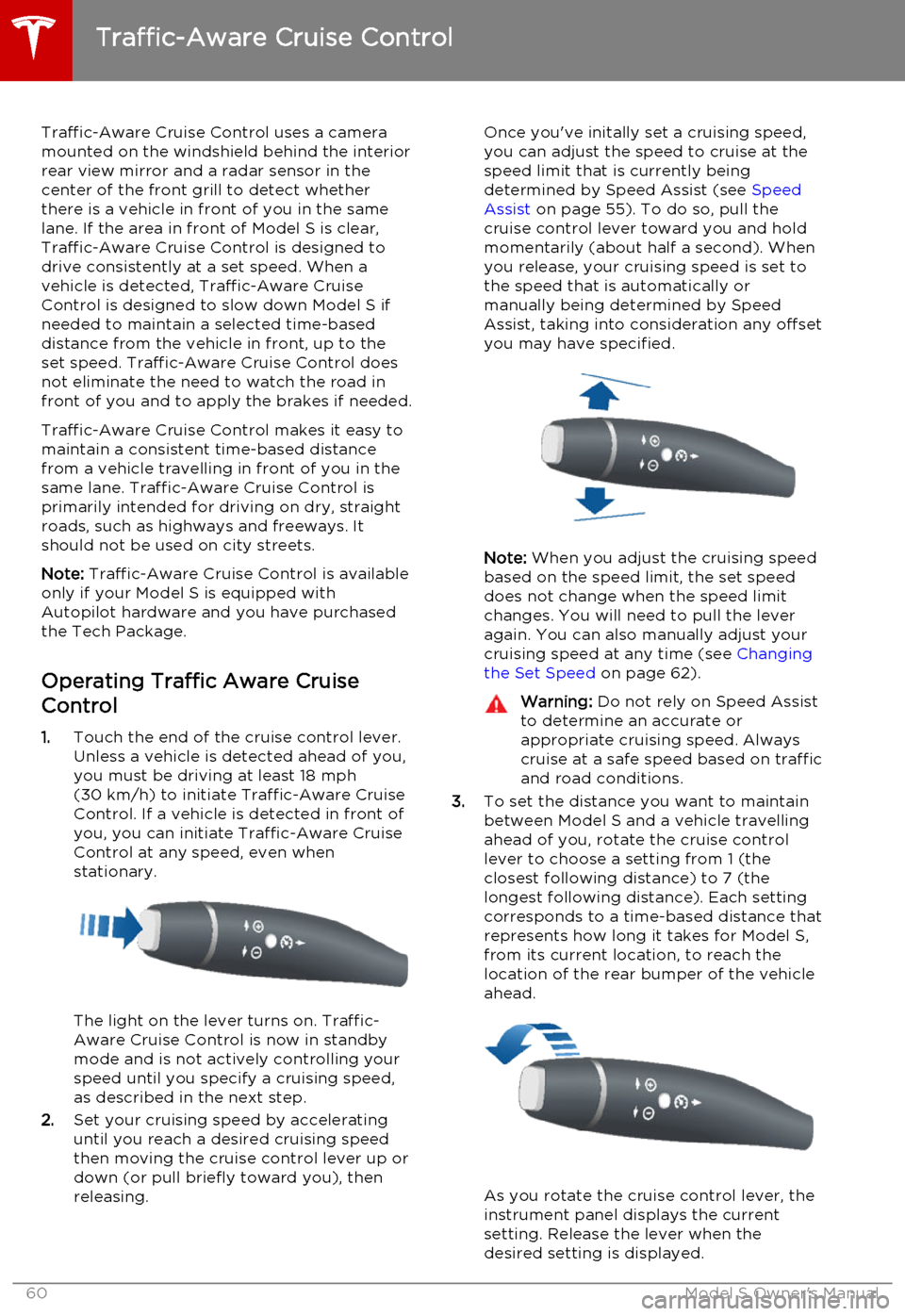
1. Touch the end of the cruise control lever.
Unless a vehicle is detected ahead of you, you must be driving at least 18 mph
(30 km/h) to initiate Traffic-Aware Cruise
Control. If a vehicle is detected in front of you, you can initiate Traffic-Aware CruiseControl at any speed, even when
stationary.
The light on the lever turns on. Traffic-
Aware Cruise Control is now in standby
mode and is not actively controlling your speed until you specify a cruising speed,
as described in the next step.
2. Set your cruising speed by accelerating
until you reach a desired cruising speed
then moving the cruise control lever up or
down (or pull briefly toward you), then
releasing.
Once you've initally set a cruising speed, you can adjust the speed to cruise at the
speed limit that is currently being
determined by Speed Assist (see Speed
Assist on page 55). To do so, pull the
cruise control lever toward you and hold momentarily (about half a second). Whenyou release, your cruising speed is set to
the speed that is automatically or manually being determined by Speed
Assist, taking into consideration any offset you may have specified.
Note: When you adjust the cruising speed
based on the speed limit, the set speed
does not change when the speed limit changes. You will need to pull the lever
again. You can also manually adjust your
cruising speed at any time (see Changing
the Set Speed on page 62).
Warning: Do not rely on Speed Assist
to determine an accurate or
appropriate cruising speed. Always
cruise at a safe speed based on traffic and road conditions.
3. To set the distance you want to maintain
between Model S and a vehicle travelling
ahead of you, rotate the cruise control
lever to choose a setting from 1 (the
closest following distance) to 7 (the
longest following distance). Each setting
corresponds to a time-based distance that represents how long it takes for Model S,
from its current location, to reach the
location of the rear bumper of the vehicle ahead.
As you rotate the cruise control lever, the
instrument panel displays the current
setting. Release the lever when the
desired setting is displayed.
Traffic-Aware Cruise Control
60Model S Owner's Manual
Page 61 of 164
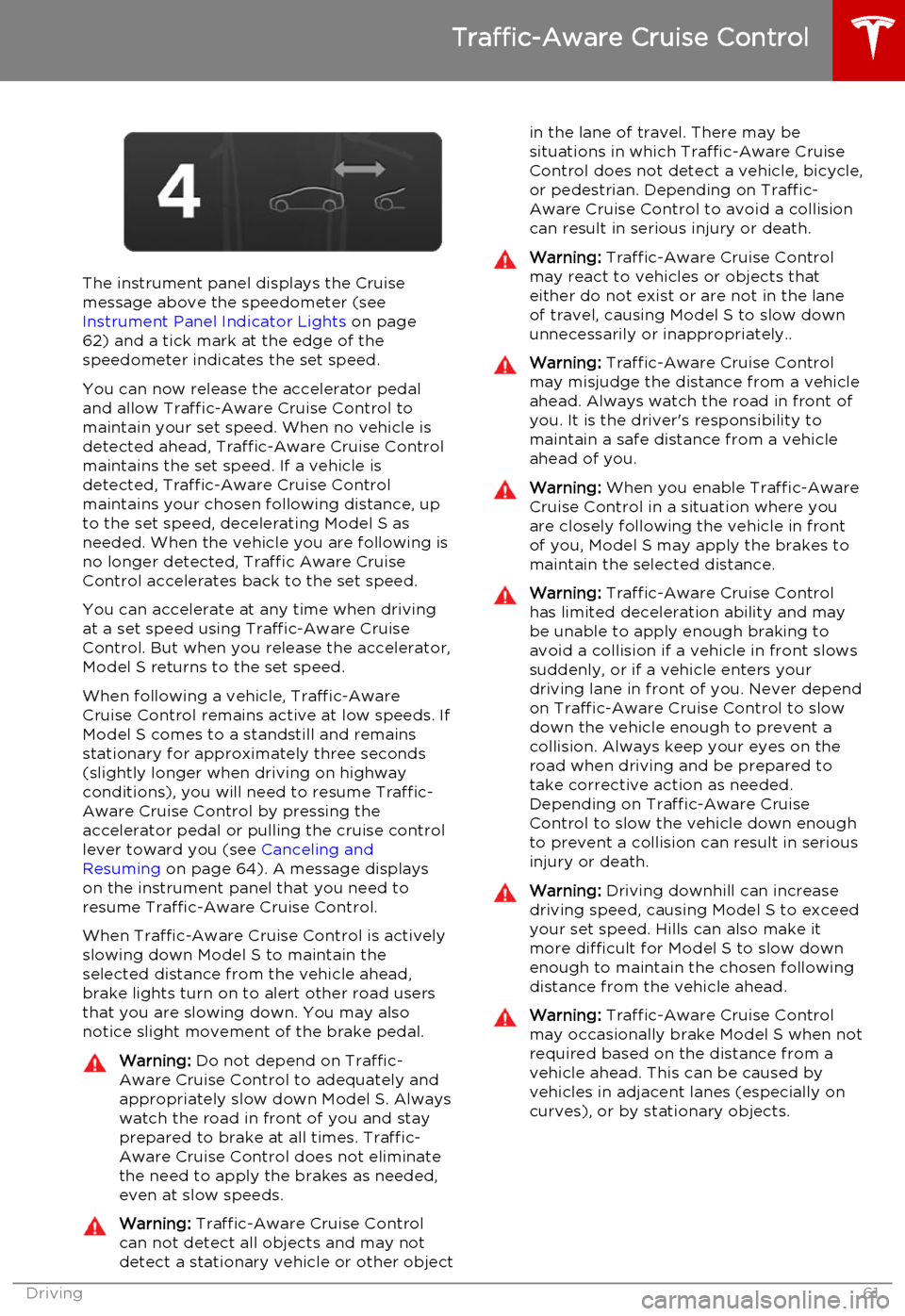
The instrument panel displays the Cruisemessage above the speedometer (see
Instrument Panel Indicator Lights on page
62) and a tick mark at the edge of the
speedometer indicates the set speed.
You can now release the accelerator pedal
and allow Traffic-Aware Cruise Control to maintain your set speed. When no vehicle isdetected ahead, Traffic-Aware Cruise Control
maintains the set speed. If a vehicle is
detected, Traffic-Aware Cruise Control
maintains your chosen following distance, up to the set speed, decelerating Model S as
needed. When the vehicle you are following is no longer detected, Traffic Aware Cruise
Control accelerates back to the set speed.
You can accelerate at any time when driving at a set speed using Traffic-Aware Cruise
Control. But when you release the accelerator, Model S returns to the set speed.
When following a vehicle, Traffic-Aware
Cruise Control remains active at low speeds. If
Model S comes to a standstill and remains stationary for approximately three seconds
(slightly longer when driving on highway
conditions), you will need to resume Traffic-
Aware Cruise Control by pressing the
accelerator pedal or pulling the cruise control lever toward you (see Canceling and
Resuming on page 64). A message displays
on the instrument panel that you need to
resume Traffic-Aware Cruise Control.
When Traffic-Aware Cruise Control is actively
slowing down Model S to maintain the
selected distance from the vehicle ahead,
brake lights turn on to alert other road users
that you are slowing down. You may also notice slight movement of the brake pedal.
Warning: Do not depend on Traffic-
Aware Cruise Control to adequately and appropriately slow down Model S. Always
watch the road in front of you and stay
prepared to brake at all times. Traffic-
Aware Cruise Control does not eliminate the need to apply the brakes as needed,even at slow speeds.Warning: Traffic-Aware Cruise Control
can not detect all objects and may not
detect a stationary vehicle or other objectin the lane of travel. There may be
situations in which Traffic-Aware Cruise
Control does not detect a vehicle, bicycle, or pedestrian. Depending on Traffic-
Aware Cruise Control to avoid a collision can result in serious injury or death.Warning: Traffic-Aware Cruise Control
may react to vehicles or objects that either do not exist or are not in the lane
of travel, causing Model S to slow down
unnecessarily or inappropriately..Warning: Traffic-Aware Cruise Control
may misjudge the distance from a vehicle ahead. Always watch the road in front of
you. It is the driver's responsibility to
maintain a safe distance from a vehicle
ahead of you.Warning: When you enable Traffic-Aware
Cruise Control in a situation where you are closely following the vehicle in front
of you, Model S may apply the brakes to
maintain the selected distance.Warning: Traffic-Aware Cruise Control
has limited deceleration ability and may be unable to apply enough braking to
avoid a collision if a vehicle in front slows
suddenly, or if a vehicle enters your driving lane in front of you. Never dependon Traffic-Aware Cruise Control to slowdown the vehicle enough to prevent a
collision. Always keep your eyes on the
road when driving and be prepared to take corrective action as needed.Depending on Traffic-Aware Cruise
Control to slow the vehicle down enough
to prevent a collision can result in serious
injury or death.Warning: Driving downhill can increase
driving speed, causing Model S to exceed
your set speed. Hills can also make it
more difficult for Model S to slow down
enough to maintain the chosen following
distance from the vehicle ahead.Warning: Traffic-Aware Cruise Control
may occasionally brake Model S when not required based on the distance from a
vehicle ahead. This can be caused by vehicles in adjacent lanes (especially on
curves), or by stationary objects.
Traffic-Aware Cruise Control
Driving61
Page 62 of 164
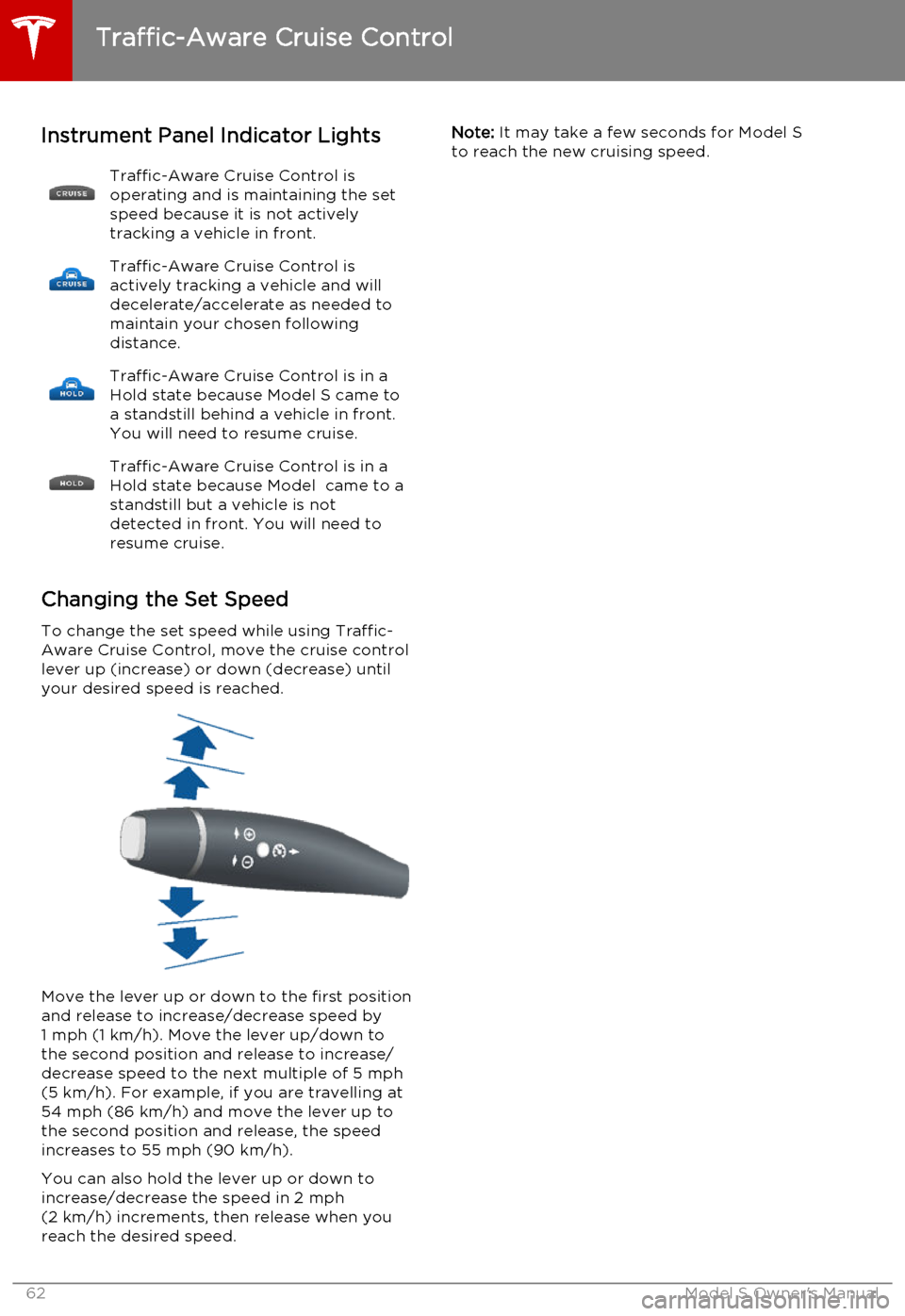
Instrument Panel Indicator LightsTraffic-Aware Cruise Control is
operating and is maintaining the set
speed because it is not actively
tracking a vehicle in front.Traffic-Aware Cruise Control is
actively tracking a vehicle and will
decelerate/accelerate as needed to
maintain your chosen following
distance.Traffic-Aware Cruise Control is in a
Hold state because Model S came to
a standstill behind a vehicle in front.
You will need to resume cruise.Traffic-Aware Cruise Control is in a
Hold state because Model came to a standstill but a vehicle is not
detected in front. You will need to
resume cruise.
Changing the Set Speed
To change the set speed while using Traffic-
Aware Cruise Control, move the cruise control
lever up (increase) or down (decrease) until your desired speed is reached.
Move the lever up or down to the first position
and release to increase/decrease speed by 1 mph (1 km/h). Move the lever up/down to
the second position and release to increase/ decrease speed to the next multiple of 5 mph
(5 km/h). For example, if you are travelling at 54 mph (86 km/h) and move the lever up to
the second position and release, the speed increases to 55 mph (90 km/h).
You can also hold the lever up or down to
increase/decrease the speed in 2 mph (2 km/h) increments, then release when youreach the desired speed.
Note: It may take a few seconds for Model S
to reach the new cruising speed.
Traffic-Aware Cruise Control
62Model S Owner's Manual
Page 64 of 164
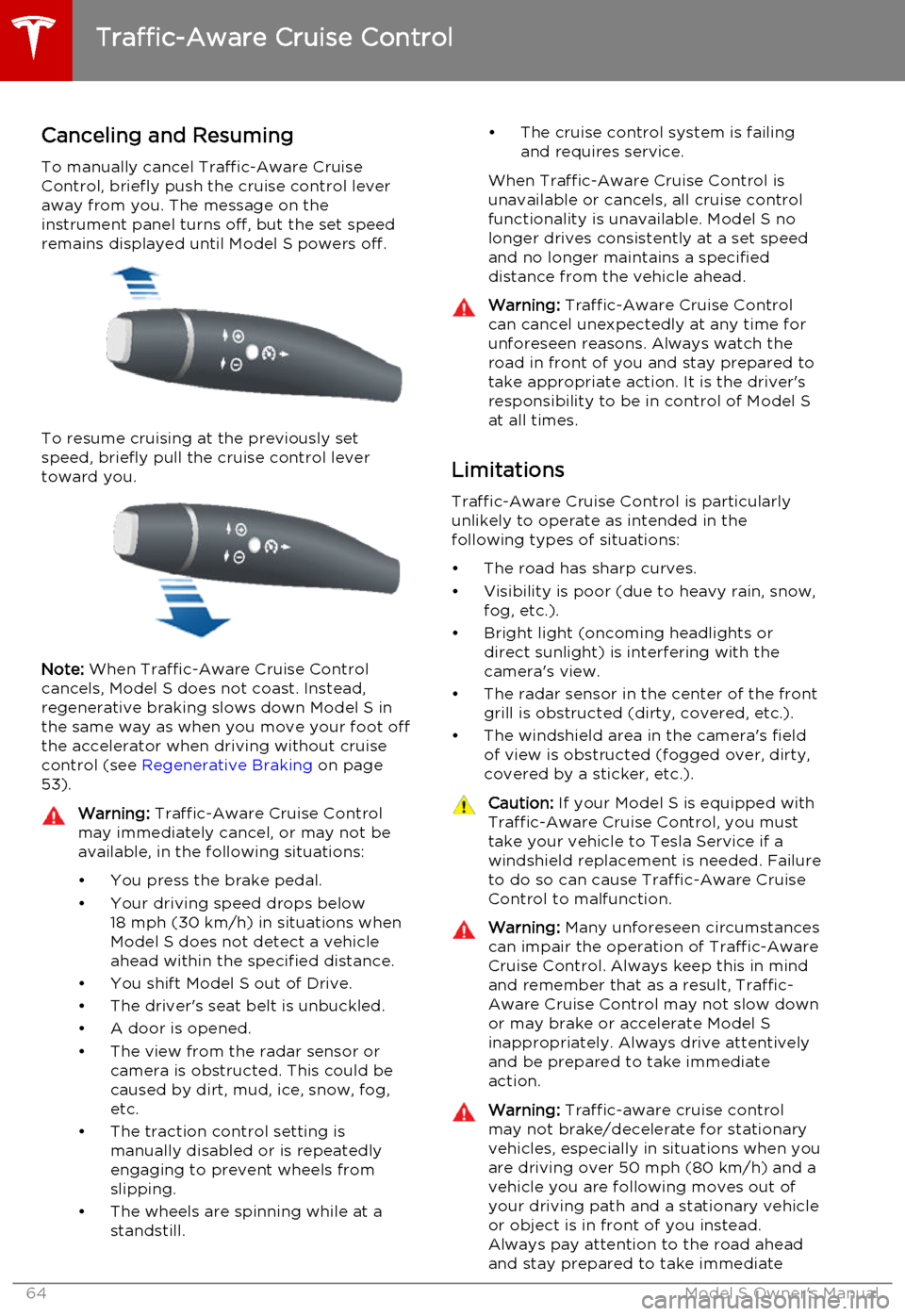
Canceling and Resuming
To manually cancel Traffic-Aware Cruise
Control, briefly push the cruise control lever
away from you. The message on the
instrument panel turns off, but the set speed remains displayed until Model S powers off.
To resume cruising at the previously set
speed, briefly pull the cruise control lever
toward you.
Note: When Traffic-Aware Cruise Control
cancels, Model S does not coast. Instead,
regenerative braking slows down Model S in
the same way as when you move your foot off
the accelerator when driving without cruise
control (see Regenerative Braking on page
53).
Warning: Traffic-Aware Cruise Control
may immediately cancel, or may not be available, in the following situations:
• You press the brake pedal.
• Your driving speed drops below 18 mph (30 km/h) in situations when
Model S does not detect a vehicle
ahead within the specified distance.
• You shift Model S out of Drive.
• The driver's seat belt is unbuckled.
• A door is opened.
• The view from the radar sensor or camera is obstructed. This could be
caused by dirt, mud, ice, snow, fog,
etc.
• The traction control setting is manually disabled or is repeatedly
engaging to prevent wheels from
slipping.
• The wheels are spinning while at a standstill.• The cruise control system is failing
and requires service.
When Traffic-Aware Cruise Control is unavailable or cancels, all cruise control
functionality is unavailable. Model S no longer drives consistently at a set speed
and no longer maintains a specified
distance from the vehicle ahead.Warning: Traffic-Aware Cruise Control
can cancel unexpectedly at any time for
unforeseen reasons. Always watch the
road in front of you and stay prepared to
take appropriate action. It is the driver's responsibility to be in control of Model S
at all times.
Limitations
Traffic-Aware Cruise Control is particularly
unlikely to operate as intended in the
following types of situations:
• The road has sharp curves.
• Visibility is poor (due to heavy rain, snow, fog, etc.).
• Bright light (oncoming headlights or direct sunlight) is interfering with the
camera's view.
• The radar sensor in the center of the front grill is obstructed (dirty, covered, etc.).
• The windshield area in the camera's field of view is obstructed (fogged over, dirty,
covered by a sticker, etc.).
Caution: If your Model S is equipped with
Traffic-Aware Cruise Control, you must take your vehicle to Tesla Service if a
windshield replacement is needed. Failure
to do so can cause Traffic-Aware Cruise
Control to malfunction.Warning: Many unforeseen circumstances
can impair the operation of Traffic-Aware Cruise Control. Always keep this in mind
and remember that as a result, Traffic-
Aware Cruise Control may not slow down or may brake or accelerate Model S
inappropriately. Always drive attentively and be prepared to take immediate
action.Warning: Traffic-aware cruise control
may not brake/decelerate for stationary vehicles, especially in situations when youare driving over 50 mph (80 km/h) and a
vehicle you are following moves out of your driving path and a stationary vehicleor object is in front of you instead.
Always pay attention to the road ahead
and stay prepared to take immediate
Traffic-Aware Cruise Control
64Model S Owner's Manual