instrument panel TESLA MODEL S 2015 Owner's Guide
[x] Cancel search | Manufacturer: TESLA, Model Year: 2015, Model line: MODEL S, Model: TESLA MODEL S 2015Pages: 164, PDF Size: 4.78 MB
Page 66 of 164
How Park Assist Works
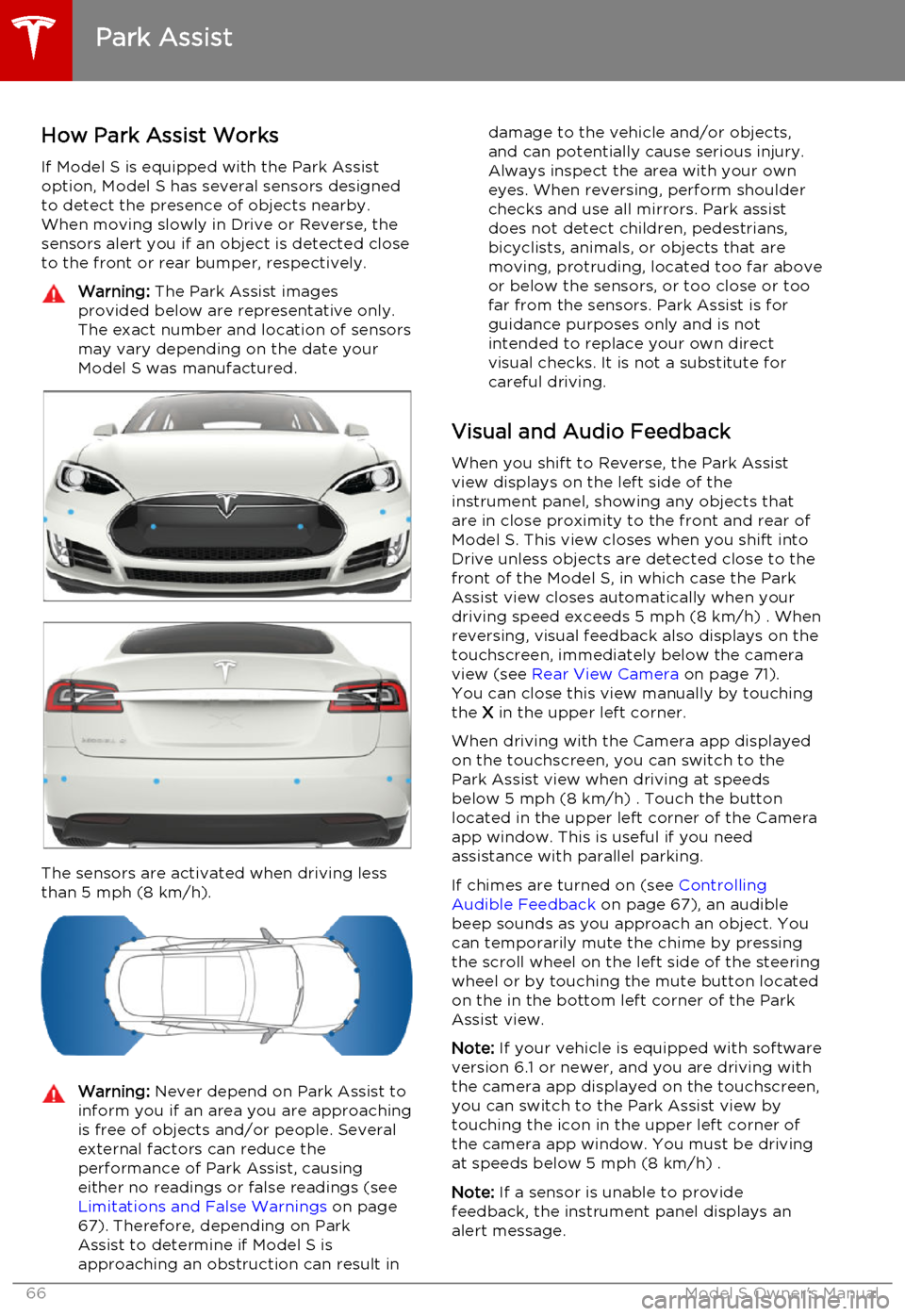
If Model S is equipped with the Park Assist option, Model S has several sensors designedto detect the presence of objects nearby.When moving slowly in Drive or Reverse, the
sensors alert you if an object is detected close to the front or rear bumper, respectively.Warning: The Park Assist images
provided below are representative only.
The exact number and location of sensors
may vary depending on the date your
Model S was manufactured.
The sensors are activated when driving less
than 5 mph (8 km/h).
Warning: Never depend on Park Assist to
inform you if an area you are approaching is free of objects and/or people. Several
external factors can reduce the
performance of Park Assist, causing
either no readings or false readings (see Limitations and False Warnings on page
67). Therefore, depending on Park Assist to determine if Model S is
approaching an obstruction can result indamage to the vehicle and/or objects,
and can potentially cause serious injury.
Always inspect the area with your own
eyes. When reversing, perform shoulder
checks and use all mirrors. Park assist
does not detect children, pedestrians,
bicyclists, animals, or objects that are moving, protruding, located too far above
or below the sensors, or too close or too far from the sensors. Park Assist is for
guidance purposes only and is not
intended to replace your own direct
visual checks. It is not a substitute for careful driving.
Visual and Audio Feedback
When you shift to Reverse, the Park Assistview displays on the left side of the
instrument panel, showing any objects that
are in close proximity to the front and rear of
Model S. This view closes when you shift into
Drive unless objects are detected close to the front of the Model S, in which case the Park
Assist view closes automatically when your
driving speed exceeds 5 mph (8 km/h) . When reversing, visual feedback also displays on the
touchscreen, immediately below the camera
view (see Rear View Camera on page 71).
You can close this view manually by touching
the X in the upper left corner.
When driving with the Camera app displayed
on the touchscreen, you can switch to the Park Assist view when driving at speeds
below 5 mph (8 km/h) . Touch the button
located in the upper left corner of the Camera
app window. This is useful if you need
assistance with parallel parking.
If chimes are turned on (see Controlling
Audible Feedback on page 67), an audible
beep sounds as you approach an object. You
can temporarily mute the chime by pressing
the scroll wheel on the left side of the steering
wheel or by touching the mute button located
on the in the bottom left corner of the Park Assist view.
Note: If your vehicle is equipped with software
version 6.1 or newer, and you are driving with the camera app displayed on the touchscreen,
you can switch to the Park Assist view by
touching the icon in the upper left corner of the camera app window. You must be driving
at speeds below 5 mph (8 km/h) .
Note: If a sensor is unable to provide
feedback, the instrument panel displays an
alert message.
Park Assist
66Model S Owner's Manual
Page 69 of 164

Displaying Trip Information
Trip information displays on the touchscreen
when you touch Controls > Trips . There are
two trip meters available, A and B. To reset a particular trip meter, touch its associated
RESET .
Note: You can also display range and trip
information on the instrument panel (see
Using Left Steering Wheel Buttons on page
37).
Trip Information
Driving69
Page 70 of 164

Driving Tips to Maximize RangeYou can maximize your driving range usingthe same driving habits that you use to
conserve fuel in a gasoline-powered vehicle. In
addition to driving habits, energy
consumption depends on environmental conditions (such as cold weather and hillyroads). To get the maximum mileage from a
charge:
• Avoid frequent and rapid acceleration. • Instead of using the brake to slow down, move your foot off the accelerator.
Whenever Model S is moving and your
foot is off the accelerator, regenerative
braking slows down Model S and feeds
surplus energy back to the Battery (see
Regenerative Braking on page 53).
• Keep tires at the recommended inflation pressures (see Tire Care and Maintenance
on page 109).
• Lighten your load by removing any unnecessary cargo.
• Limit the use of resources such as heating and air conditioning. Using seat heaters to
keep warm is more efficient than heating the cabin. To automatically limit the
amount of power that the climate control system uses to maintain the temperatureof the Battery and the cabin area, touch
Controls > Driving > Range Mode > ON .
Note: On Dual Motor vehicles, you can turn on
Range Mode only when acceleration is set to Sport (if you change Acceleration to Insane,Range Mode automatically turns off).
The power meter on the instrument panel and
the Energy app (described next) provide
feedback on energy usage. With this
feedback, you will soon become familiar with how driving habits and environmental
conditions impact how much energy Model S
is using.
Energy App Use the energy app to view real-time and
projected energy usage. Choose from two
types of charts:
• Consumption Chart: - display how much energy Model S has consumed over thepast 5, 15 or 30 miles (10, 25 or 50 kms).
• Trip Chart - If your Model S is equipped with the navigation option, you can trackthe amount of energy being consumed
while navigating to a destination. The gray
line represents predicted usage and the
green line represents actual usage. Touchthe zoom icon in the top right corner to change the zoom level.
Note: The Trip Chart displays energy usage
only if you are currently navigating to a destination.
Note: In some situations, values and distances
on the Trip chart may be inaccurate. For example, when charging Model S during anactive navigation route. To resolve
inaccuracies, cancel and reinitiate navigation to the destination.
Saving Energy Model S has an energy-saving feature that
reduces the amount of energy being
consumed when Model S is not in use. Touch Controls > Displays > Energy Saving and
choose from the following options:
• OFF . All display systems remain powered
when Model S is not in use, providing the most responsive experience. More energy
is consumed.
• NIGHTLY . Model S shifts to the energy-
saving mode at night (10 pm to 5 am).
• ON. Significantly less energy is consumed
whenever Model S is not in use. The start-
up time of the instrument panel and
Bluetooth could be slower.
• Always Connected . Preserves cell
connectivity when energy saving is active.
This allows the mobile app to connect to
Model S more quickly, and provides
immediate 3G internet access when entering the car. Slightly more energy isconsumed.
Getting Maximum Range
70Model S Owner's Manual
Page 75 of 164
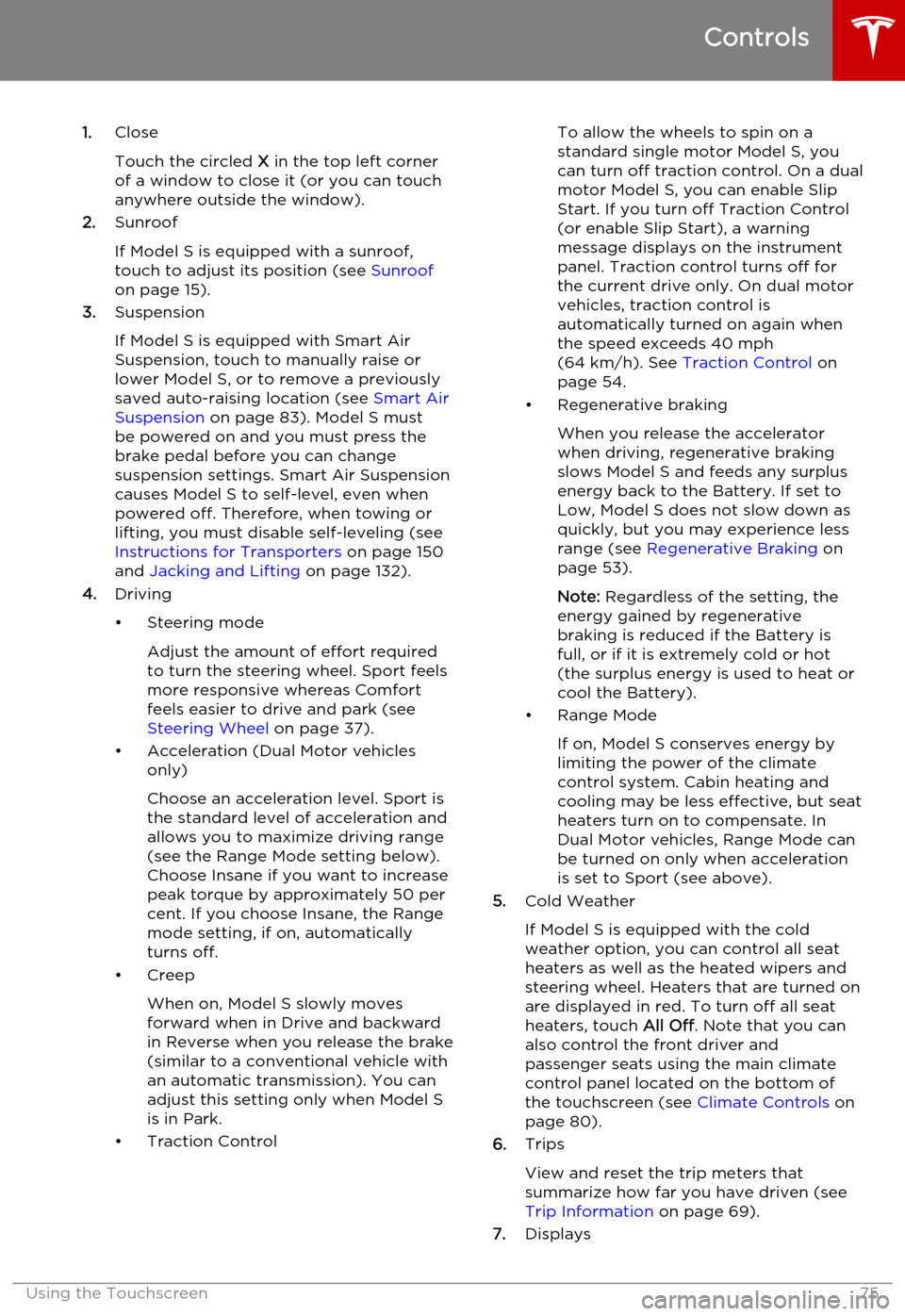
1.Close
Touch the circled X in the top left corner
of a window to close it (or you can touch anywhere outside the window).
2. Sunroof
If Model S is equipped with a sunroof,
touch to adjust its position (see Sunroof
on page 15).
3. Suspension
If Model S is equipped with Smart Air
Suspension, touch to manually raise or lower Model S, or to remove a previously
saved auto-raising location (see Smart Air
Suspension on page 83). Model S must
be powered on and you must press the
brake pedal before you can change
suspension settings. Smart Air Suspension
causes Model S to self-level, even when
powered off. Therefore, when towing or
lifting, you must disable self-leveling (see
Instructions for Transporters on page 150
and Jacking and Lifting on page 132).
4. Driving
• Steering mode Adjust the amount of effort requiredto turn the steering wheel. Sport feels
more responsive whereas Comfort
feels easier to drive and park (see
Steering Wheel on page 37).
• Acceleration (Dual Motor vehicles only)
Choose an acceleration level. Sport is the standard level of acceleration and allows you to maximize driving range(see the Range Mode setting below).
Choose Insane if you want to increase
peak torque by approximately 50 per cent. If you choose Insane, the Range
mode setting, if on, automatically turns off.
• Creep
When on, Model S slowly movesforward when in Drive and backward
in Reverse when you release the brake
(similar to a conventional vehicle with an automatic transmission). You can
adjust this setting only when Model S
is in Park.
• Traction ControlTo allow the wheels to spin on a
standard single motor Model S, you can turn off traction control. On a dualmotor Model S, you can enable Slip
Start. If you turn off Traction Control
(or enable Slip Start), a warning
message displays on the instrument
panel. Traction control turns off for
the current drive only. On dual motor
vehicles, traction control is
automatically turned on again when the speed exceeds 40 mph
(64 km/h). See Traction Control on
page 54.
• Regenerative braking
When you release the accelerator
when driving, regenerative braking
slows Model S and feeds any surplus
energy back to the Battery. If set to
Low, Model S does not slow down as
quickly, but you may experience less range (see Regenerative Braking on
page 53).
Note: Regardless of the setting, the
energy gained by regenerative
braking is reduced if the Battery is
full, or if it is extremely cold or hot
(the surplus energy is used to heat or
cool the Battery).
• Range Mode
If on, Model S conserves energy by
limiting the power of the climate
control system. Cabin heating and
cooling may be less effective, but seat
heaters turn on to compensate. In
Dual Motor vehicles, Range Mode can
be turned on only when acceleration
is set to Sport (see above).
5. Cold Weather
If Model S is equipped with the cold
weather option, you can control all seat heaters as well as the heated wipers andsteering wheel. Heaters that are turned on
are displayed in red. To turn off all seat
heaters, touch All Off. Note that you can
also control the front driver and
passenger seats using the main climate
control panel located on the bottom of
the touchscreen (see Climate Controls on
page 80).
6. Trips
View and reset the trip meters that
summarize how far you have driven (see
Trip Information on page 69).
7. Displays
Controls
Using the Touchscreen75
Page 76 of 164
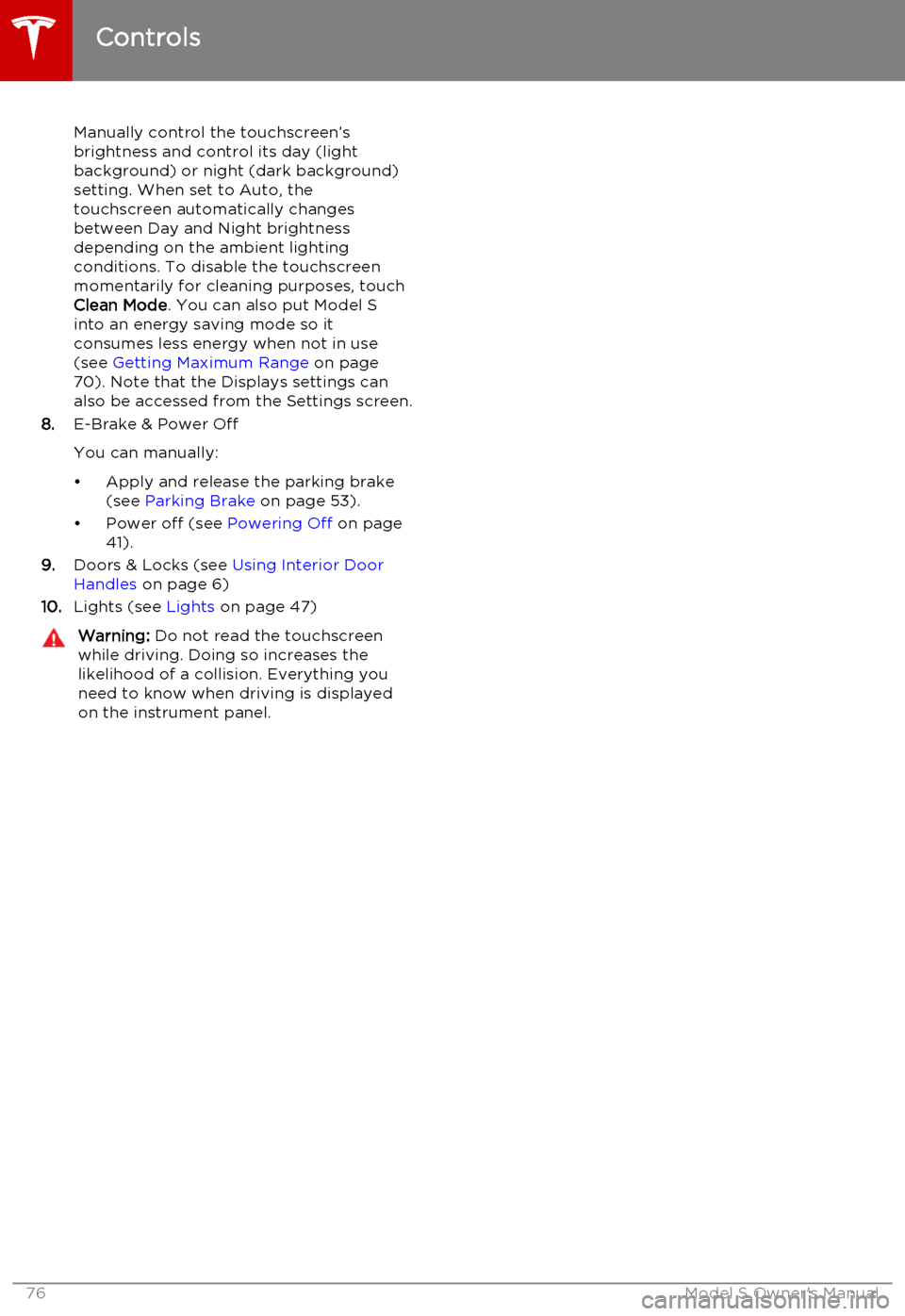
Manually control the touchscreen’s
brightness and control its day (light
background) or night (dark background)
setting. When set to Auto, the
touchscreen automatically changes between Day and Night brightness
depending on the ambient lighting
conditions. To disable the touchscreen
momentarily for cleaning purposes, touch
Clean Mode . You can also put Model S
into an energy saving mode so it consumes less energy when not in use
(see Getting Maximum Range on page
70). Note that the Displays settings can
also be accessed from the Settings screen.
8. E-Brake & Power Off
You can manually:
• Apply and release the parking brake (see Parking Brake on page 53).
• Power off (see Powering Off on page
41).
9. Doors & Locks (see Using Interior Door
Handles on page 6)
10. Lights (see Lights on page 47)Warning: Do not read the touchscreen
while driving. Doing so increases the
likelihood of a collision. Everything you need to know when driving is displayed
on the instrument panel.
Controls
76Model S Owner's Manual
Page 79 of 164
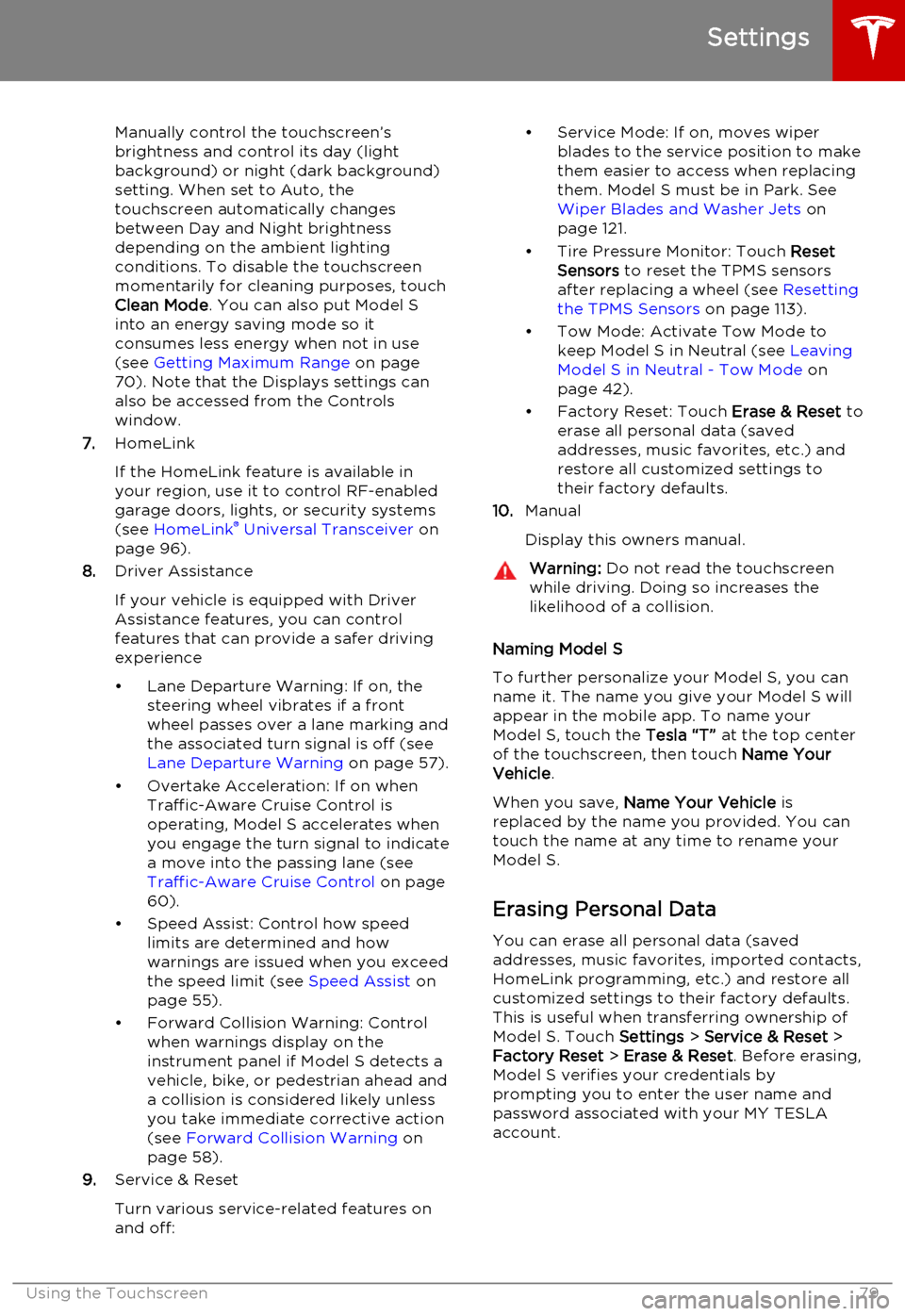
Manually control the touchscreen’s
brightness and control its day (light
background) or night (dark background)
setting. When set to Auto, the
touchscreen automatically changes between Day and Night brightness
depending on the ambient lighting
conditions. To disable the touchscreen
momentarily for cleaning purposes, touch
Clean Mode . You can also put Model S
into an energy saving mode so it consumes less energy when not in use
(see Getting Maximum Range on page
70). Note that the Displays settings can
also be accessed from the Controls
window.
7. HomeLink
If the HomeLink feature is available in your region, use it to control RF-enabled
garage doors, lights, or security systems
(see HomeLink ®
Universal Transceiver on
page 96).
8. Driver Assistance
If your vehicle is equipped with Driver Assistance features, you can control
features that can provide a safer driving experience
• Lane Departure Warning: If on, the steering wheel vibrates if a front
wheel passes over a lane marking and
the associated turn signal is off (see
Lane Departure Warning on page 57).
• Overtake Acceleration: If on when Traffic-Aware Cruise Control is
operating, Model S accelerates when you engage the turn signal to indicate
a move into the passing lane (see Traffic-Aware Cruise Control on page
60).
• Speed Assist: Control how speed limits are determined and how
warnings are issued when you exceed the speed limit (see Speed Assist on
page 55).
• Forward Collision Warning: Control when warnings display on the
instrument panel if Model S detects a
vehicle, bike, or pedestrian ahead and
a collision is considered likely unless
you take immediate corrective action
(see Forward Collision Warning on
page 58).
9. Service & Reset
Turn various service-related features on
and off:• Service Mode: If on, moves wiper blades to the service position to make
them easier to access when replacing
them. Model S must be in Park. See
Wiper Blades and Washer Jets on
page 121.
• Tire Pressure Monitor: Touch Reset
Sensors to reset the TPMS sensors
after replacing a wheel (see Resetting
the TPMS Sensors on page 113).
• Tow Mode: Activate Tow Mode to keep Model S in Neutral (see Leaving
Model S in Neutral - Tow Mode on
page 42).
• Factory Reset: Touch Erase & Reset to
erase all personal data (saved addresses, music favorites, etc.) and
restore all customized settings to
their factory defaults.
10. Manual
Display this owners manual.Warning: Do not read the touchscreen
while driving. Doing so increases the
likelihood of a collision.
Naming Model S
To further personalize your Model S, you can
name it. The name you give your Model S will appear in the mobile app. To name your
Model S, touch the Tesla “T” at the top center
of the touchscreen, then touch Name Your
Vehicle .
When you save, Name Your Vehicle is
replaced by the name you provided. You can
touch the name at any time to rename your
Model S.
Erasing Personal Data
You can erase all personal data (saved
addresses, music favorites, imported contacts,
HomeLink programming, etc.) and restore all
customized settings to their factory defaults.
This is useful when transferring ownership of
Model S. Touch Settings > Service & Reset >
Factory Reset > Erase & Reset . Before erasing,
Model S verifies your credentials by
prompting you to enter the user name and
password associated with your MY TESLA
account.
Settings
Using the Touchscreen79
Page 83 of 164
Note: If Model S is equipped with Smart Air
Suspension, you may hear the sound of the compressor when Model S starts, as thesystem’s reservoir fills with air.
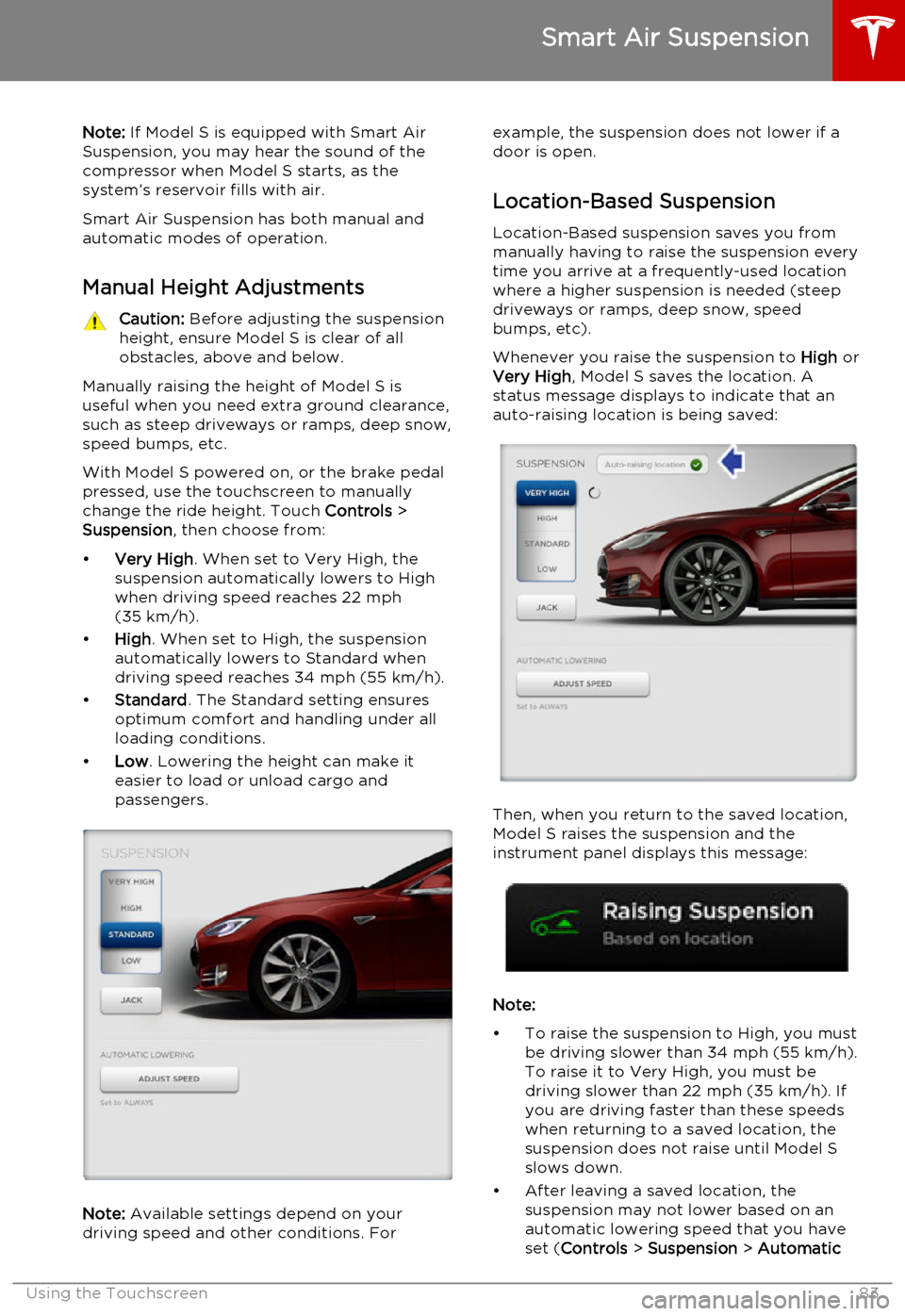
Smart Air Suspension has both manual and
automatic modes of operation.
Manual Height AdjustmentsCaution: Before adjusting the suspension
height, ensure Model S is clear of all
obstacles, above and below.
Manually raising the height of Model S is useful when you need extra ground clearance,
such as steep driveways or ramps, deep snow,
speed bumps, etc.
With Model S powered on, or the brake pedal
pressed, use the touchscreen to manually
change the ride height. Touch Controls >
Suspension , then choose from:
• Very High . When set to Very High, the
suspension automatically lowers to High when driving speed reaches 22 mph
(35 km/h).
• High . When set to High, the suspension
automatically lowers to Standard when
driving speed reaches 34 mph (55 km/h).
• Standard . The Standard setting ensures
optimum comfort and handling under all
loading conditions.
• Low . Lowering the height can make it
easier to load or unload cargo and
passengers.
Note: Available settings depend on your
driving speed and other conditions. For
example, the suspension does not lower if a
door is open.
Location-Based Suspension Location-Based suspension saves you from
manually having to raise the suspension every
time you arrive at a frequently-used location
where a higher suspension is needed (steep
driveways or ramps, deep snow, speed
bumps, etc).
Whenever you raise the suspension to High or
Very High , Model S saves the location. A
status message displays to indicate that an
auto-raising location is being saved:
Then, when you return to the saved location,
Model S raises the suspension and the
instrument panel displays this message:
Note:
• To raise the suspension to High, you must be driving slower than 34 mph (55 km/h).
To raise it to Very High, you must be
driving slower than 22 mph (35 km/h). If
you are driving faster than these speeds when returning to a saved location, the
suspension does not raise until Model S
slows down.
• After leaving a saved location, the suspension may not lower based on an
automatic lowering speed that you have
set ( Controls > Suspension > Automatic
Smart Air Suspension
Using the Touchscreen83
Page 84 of 164
Lowering) until you are driving faster than
the auto-raising speed thresholds described above.
• If Model S reaches a saved location and the existing suspension setting is higher
than the level that has been saved for that
location, the suspension is not adjusted.
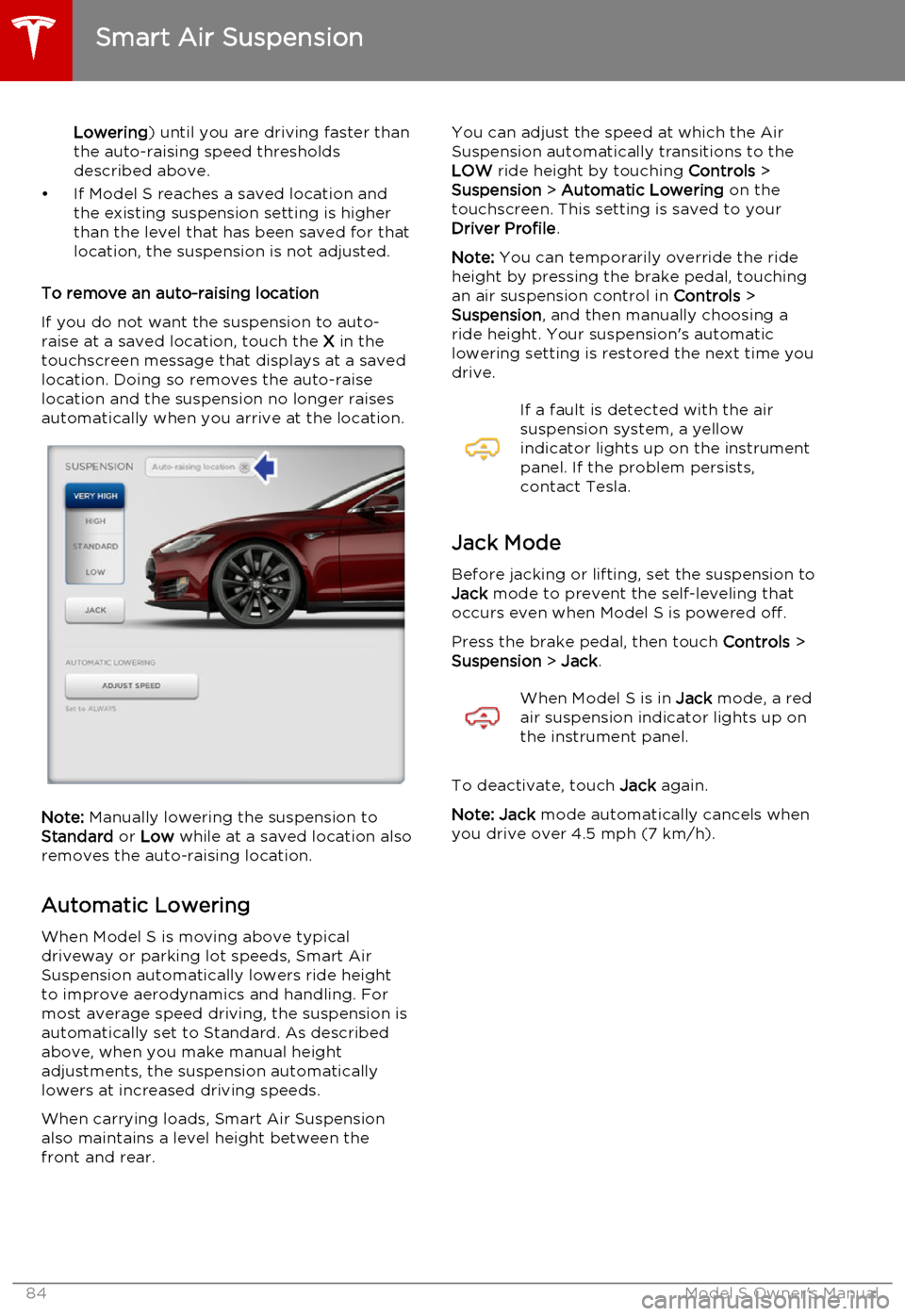
To remove an auto-raising location
If you do not want the suspension to auto-
raise at a saved location, touch the X in the
touchscreen message that displays at a saved
location. Doing so removes the auto-raise
location and the suspension no longer raises automatically when you arrive at the location.
Note: Manually lowering the suspension to
Standard or Low while at a saved location also
removes the auto-raising location.
Automatic Lowering When Model S is moving above typical
driveway or parking lot speeds, Smart Air
Suspension automatically lowers ride height
to improve aerodynamics and handling. For
most average speed driving, the suspension is
automatically set to Standard. As described
above, when you make manual height
adjustments, the suspension automatically lowers at increased driving speeds.
When carrying loads, Smart Air Suspension also maintains a level height between the
front and rear.
You can adjust the speed at which the Air
Suspension automatically transitions to the LOW ride height by touching Controls >
Suspension > Automatic Lowering on the
touchscreen. This setting is saved to your Driver Profile .
Note: You can temporarily override the ride
height by pressing the brake pedal, touching an air suspension control in Controls >
Suspension , and then manually choosing a
ride height. Your suspension's automatic
lowering setting is restored the next time you
drive.If a fault is detected with the air
suspension system, a yellow
indicator lights up on the instrument
panel. If the problem persists,
contact Tesla.
Jack Mode
Before jacking or lifting, set the suspension to
Jack mode to prevent the self-leveling that
occurs even when Model S is powered off.
Press the brake pedal, then touch Controls >
Suspension > Jack .
When Model S is in Jack mode, a red
air suspension indicator lights up on
the instrument panel.
To deactivate, touch Jack again.
Note: Jack mode automatically cancels when
you drive over 4.5 mph (7 km/h).
Smart Air Suspension
84Model S Owner's Manual
Page 87 of 164
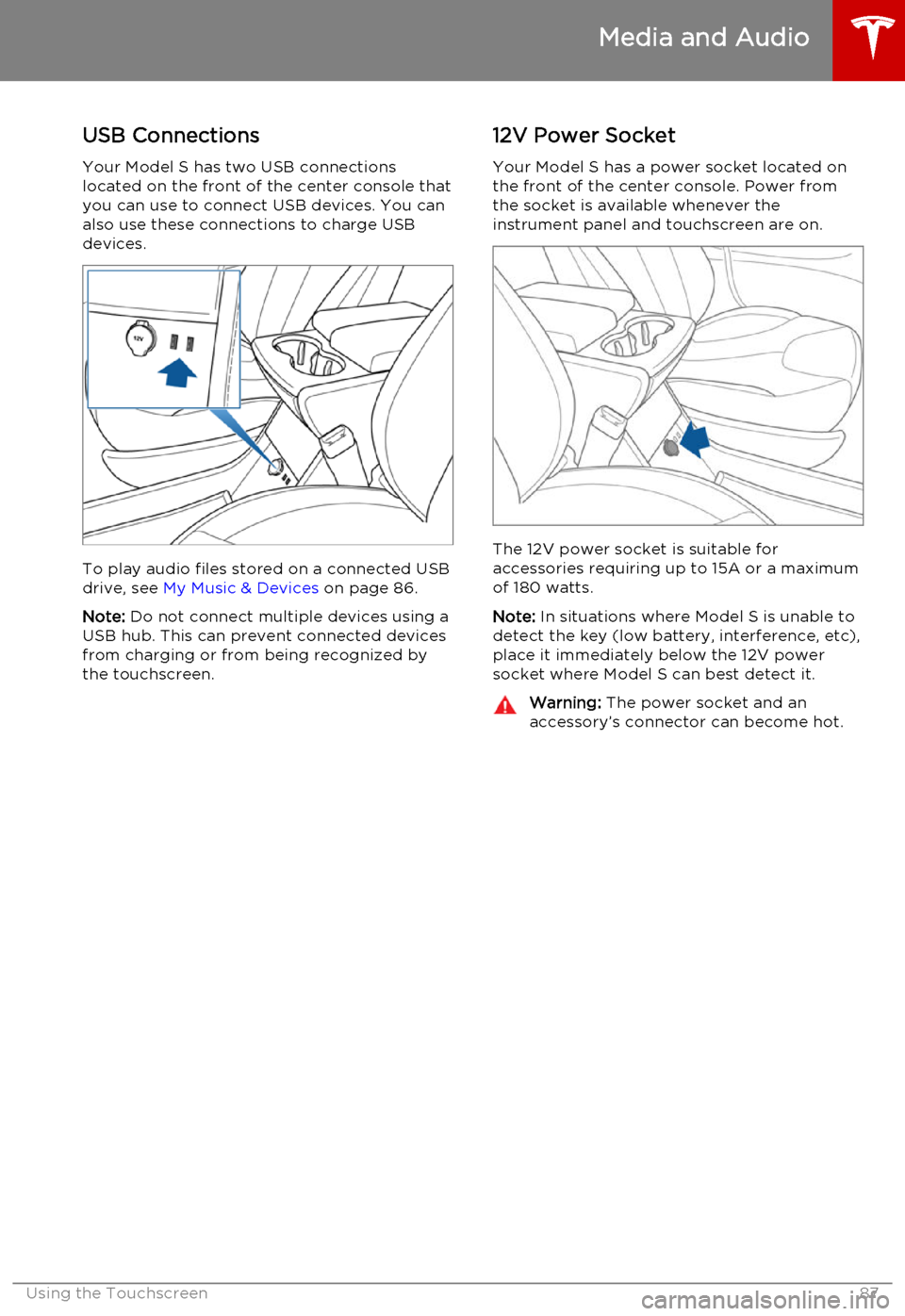
USB Connections
Your Model S has two USB connections
located on the front of the center console that
you can use to connect USB devices. You can
also use these connections to charge USB devices.
To play audio files stored on a connected USBdrive, see My Music & Devices on page 86.
Note: Do not connect multiple devices using a
USB hub. This can prevent connected devices from charging or from being recognized bythe touchscreen.
12V Power Socket
Your Model S has a power socket located on
the front of the center console. Power from
the socket is available whenever the
instrument panel and touchscreen are on.
The 12V power socket is suitable for
accessories requiring up to 15A or a maximum
of 180 watts.
Note: In situations where Model S is unable to
detect the key (low battery, interference, etc), place it immediately below the 12V power
socket where Model S can best detect it.
Warning: The power socket and an
accessory’s connector can become hot.
Media and Audio
Using the Touchscreen87
Page 89 of 164
Connecting to a Paired Phone
Model S automatically connects with the last
phone to which it was connected, provided it is within operating range and has Bluetooth
turned on. If the last phone is not within range,
it attempts to connect with the next phone
that it has been paired with.
To connect to a different phone, touch the
Bluetooth icon on the touchscreen's status
bar. The Bluetooth window displays a list of paired phones. Choose the phone you want to
connect to, then touch Connect. If the phone
you want to connect to is not listed, follow the instructions on Pairing a Bluetooth Phone on
page 88.
When connected, the Model S touchscreen
displays the Bluetooth symbol next to the
phone name to show that the connection is
active.
Making a Phone Call You can make a phone call by:• Speaking a voice command. For details, see Using Voice Commands on page 38.
• Choosing a contact from your contact list (described above).
• Using the Model S on-screen dialer.
To make a phone call using the on-screendialer:
1. Touch the Phone app on the touchscreen,
then touch Dialer.
2. Enter the phone number on the dialer.
3. Touch Call. The touchscreen displays the
call screen and the number you are
calling.
To make a phone call by choosing a contact: 1. Touch the Phone app on the touchscreen,
then touch Contacts.
Note: Ensure that access to the phone’s
contacts is turned on.
2. Touch the name of the contact you want
to call to display details about the
contact.
3. Touch the number you want to dial (there
may be more than one). The touchscreen
displays the call screen and the name of
the contact you are calling.
Note: If it is safe and legal to do so, you can
also initiate a call by dialing the number or
selecting the contact directly from your
phone.Receiving a Phone Call
When your phone receives an incoming call,
both the instrument panel and the
touchscreen display the caller’s number or name (if the caller is in your phone’s contactlist and Model S has access to your contacts).
Touch one of the options on the touchscreen,
or use the scroll wheel on the right side of the
steering wheel to Answer or Ignore the call
(see Using Right Steering Wheel Buttons on
page 38).
In Call Options When a call is in progress, you can display the
call menu on the instrument panel by pressing
the top button on the right side of the
steering wheel. Then use the right scroll wheel
to scroll through and choose an option (see
Using Right Steering Wheel Buttons on page
38).
Phone
Using the Touchscreen89