set TESLA MODEL X 2021 Owner´s Manual
[x] Cancel search | Manufacturer: TESLA, Model Year: 2021, Model line: MODEL X, Model: TESLA MODEL X 2021Pages: 212, PDF Size: 5.07 MB
Page 90 of 212
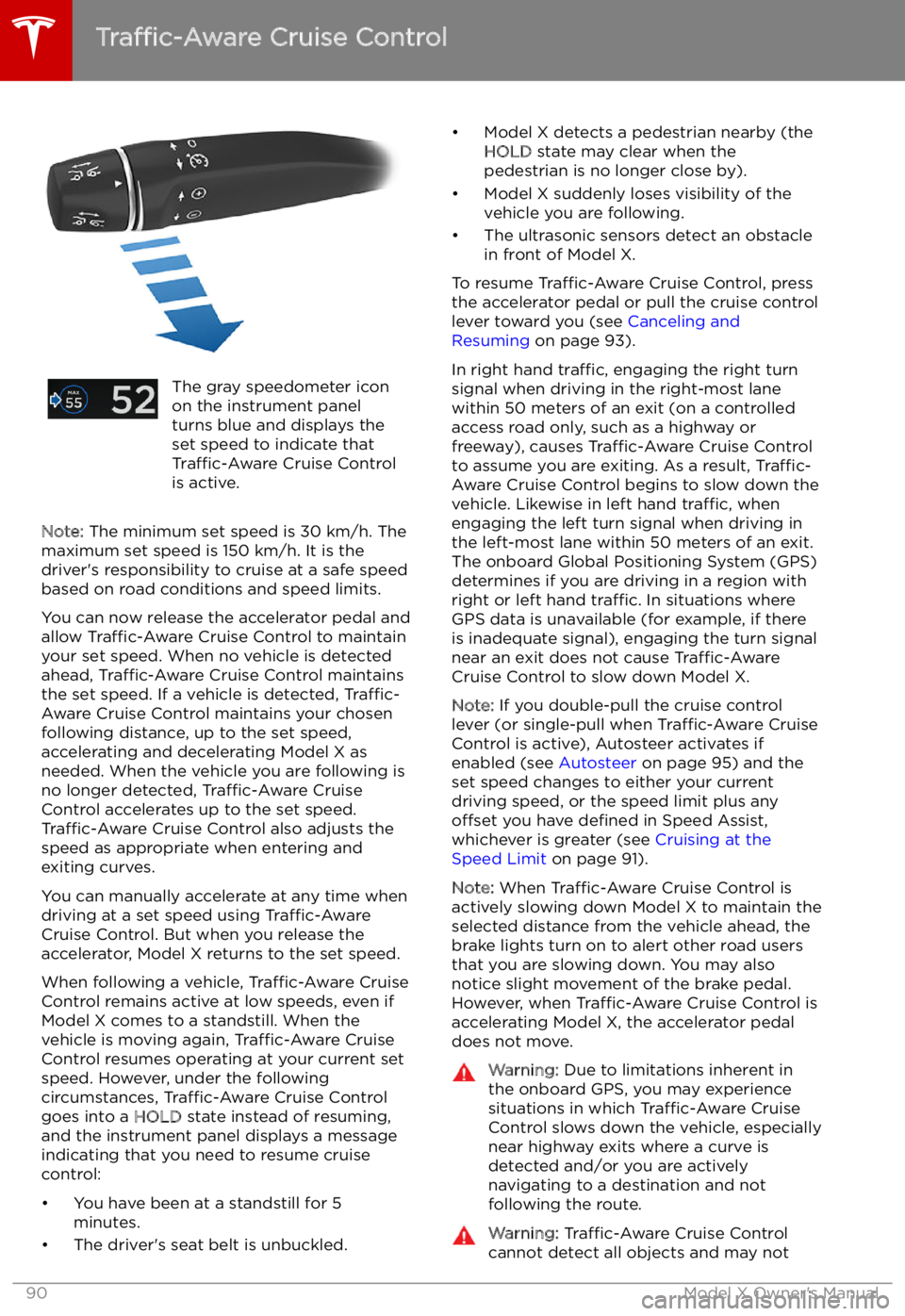
The gray speedometer icon
on the instrument panel
turns blue and displays the
set speed to indicate that
Traffic-Aware Cruise Control
is active.
Note: The minimum set speed is 30 km/h. The
maximum set speed is 150 km/h. It is the
driver
Page 91 of 212
brake/decelerate for stationary vehicles
or objects, especially in situations when
you are driving over 80 km/h and in situations where a vehicle you are
following moves out of your driving path and a stationary vehicle or object is in
front of you. Always pay attention to the
road ahead and stay prepared to take
immediate corrective action. Depending
on Traffic-Aware Cruise Control to avoid a
collision can result in serious injury or death. In addition, Traffic-Aware Cruise
Control may react to vehicles or objects
that either do not exist or are not in the
lane of travel, causing Model X to slow
down unnecessarily or inappropriately.Warning: Traffic-Aware Cruise Control
may be unable to provide adequate
speed control because of limited braking capability and hills. It can also misjudgethe distance from a vehicle ahead. Driving
downhill can increase driving speed, causing Model X to exceed your set
speed (and potentially the road
Page 92 of 212
Note: Your set speed will use your current
driving speed if you move the cruise control lever up or down.
Note: If Speed Assist is unable to determine a
speed limit, your set speed does not change
when you pull the cruise control lever toward
you.Warning: Do not rely on Speed Assist or
Traffic-Aware Cruise Control to determine
an accurate or appropriate cruising
speed. Always cruise at a safe speed
based on road conditions and applicable
speed limits.
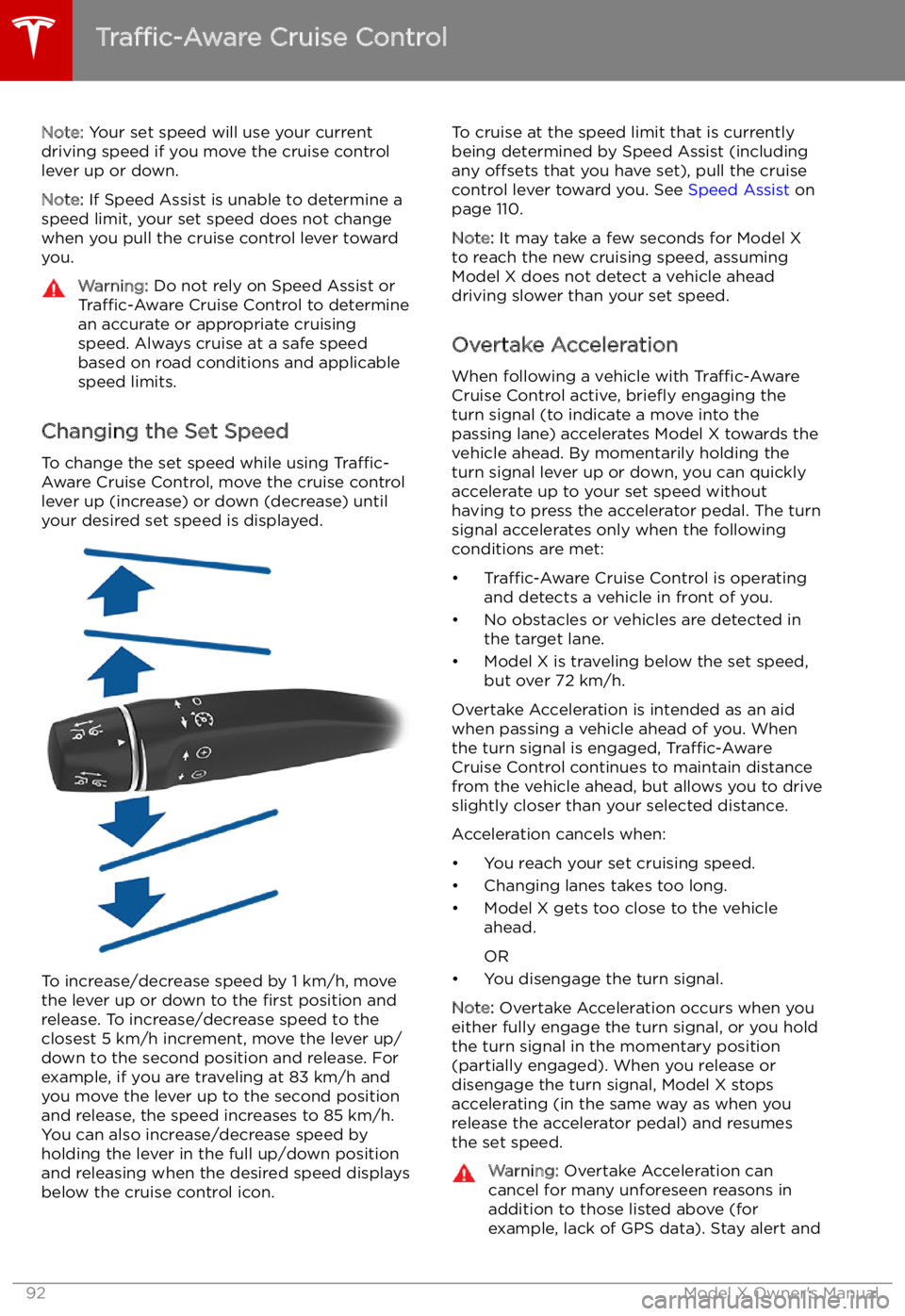
Changing the Set Speed
To change the set speed while using Traffic-
Aware Cruise Control, move the cruise control
lever up (increase) or down (decrease) until
your desired set speed is displayed.
To increase/decrease speed by 1 km/h, move
the lever up or down to the first position and
release. To increase/decrease speed to the closest 5 km/h increment, move the lever up/
down to the second position and release. For
example, if you are traveling at 83 km/h and you move the lever up to the second positionand release, the speed increases to 85 km/h.
You can also increase/decrease speed by
holding the lever in the full up/down position
and releasing when the desired speed displays
below the cruise control icon.
To cruise at the speed limit that is currently
being determined by Speed Assist (including any offsets that you have set), pull the cruise
control lever toward you. See Speed Assist on
page 110.
Note: It may take a few seconds for Model X
to reach the new cruising speed, assuming
Model X does not detect a vehicle ahead
driving slower than your set speed.
Overtake Acceleration
When following a vehicle with Traffic-Aware
Cruise Control active, brie
Page 94 of 212
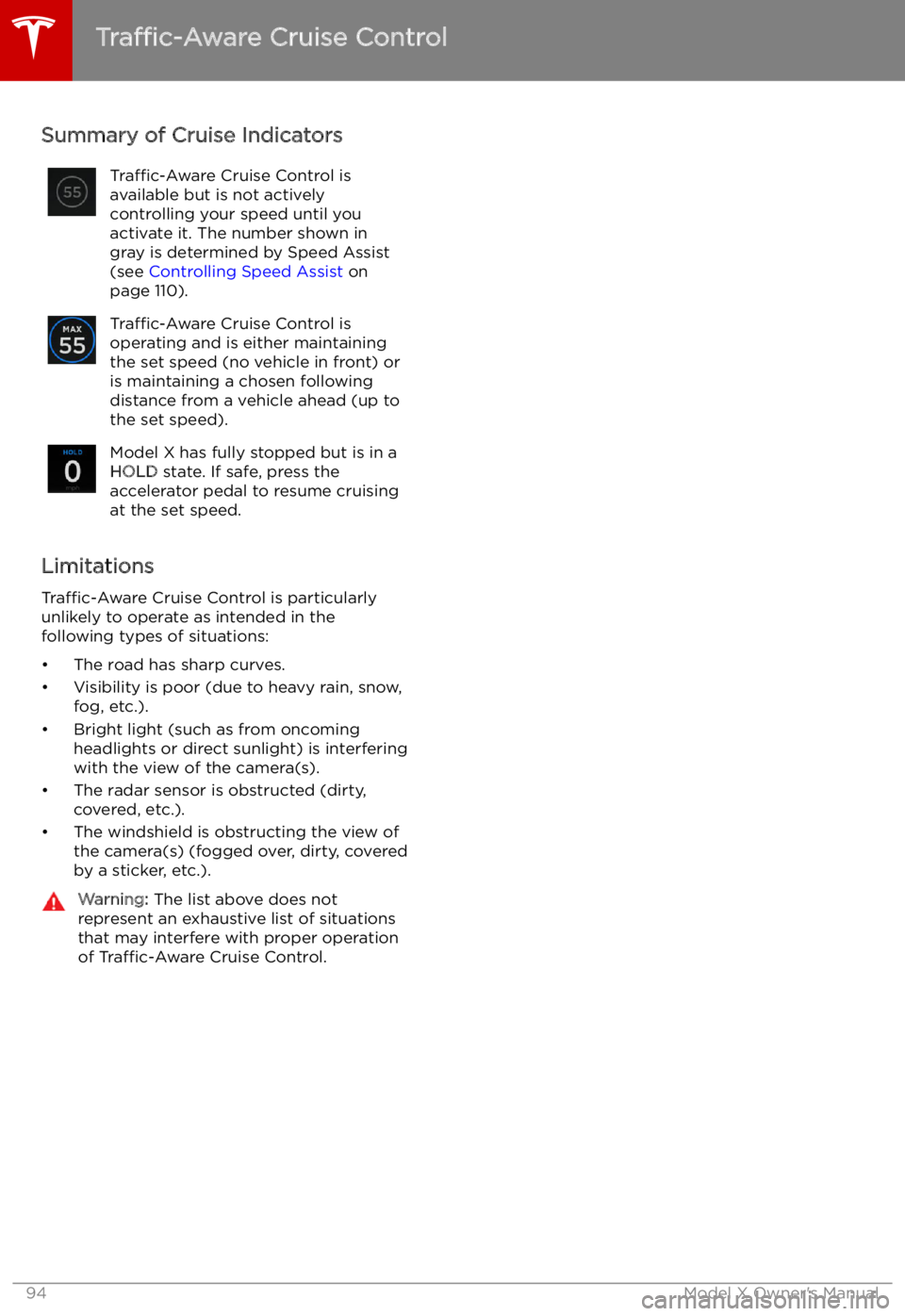
Summary of Cruise IndicatorsTraffic-Aware Cruise Control is
available but is not actively
controlling your speed until you
activate it. The number shown in
gray is determined by Speed Assist (see Controlling Speed Assist on
page 110).Traffic-Aware Cruise Control is
operating and is either maintaining
the set speed (no vehicle in front) or
is maintaining a chosen following
distance from a vehicle ahead (up to
the set speed).Model X has fully stopped but is in a HOLD state. If safe, press the
accelerator pedal to resume cruising
at the set speed.
Limitations
Traffic-Aware Cruise Control is particularly
unlikely to operate as intended in the following types of situations:
Page 95 of 212
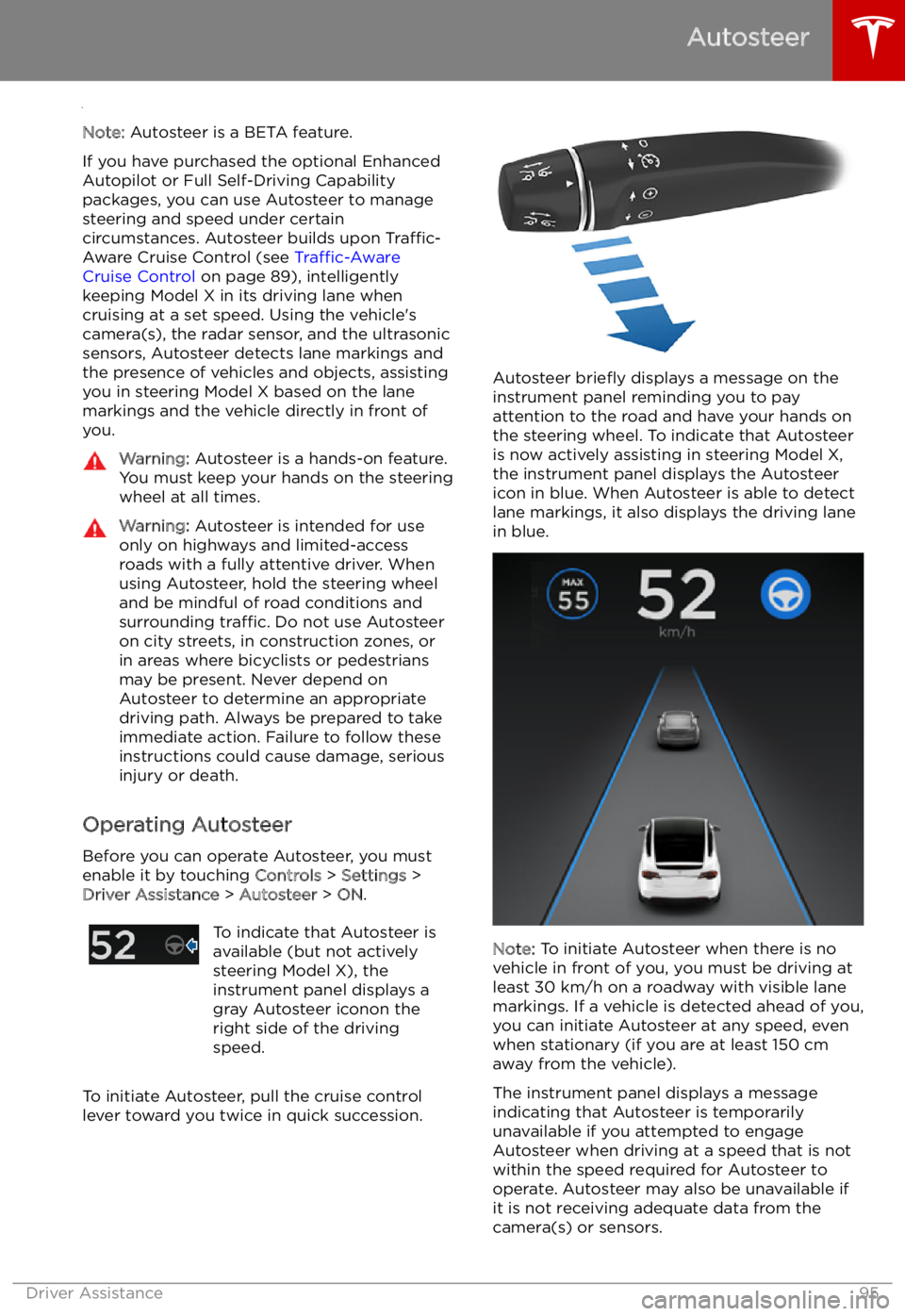
Autosteer
Note: Autosteer is a BETA feature.
If you have purchased the optional Enhanced Autopilot or Full Self-Driving Capabilitypackages, you can use Autosteer to manage
steering and speed under certain
circumstances. Autosteer builds upon Traffic-
Aware Cruise Control (see Traffic-Aware
Cruise Control on page 89), intelligently
keeping Model X in its driving lane when cruising at a set speed. Using the vehicle
Page 96 of 212
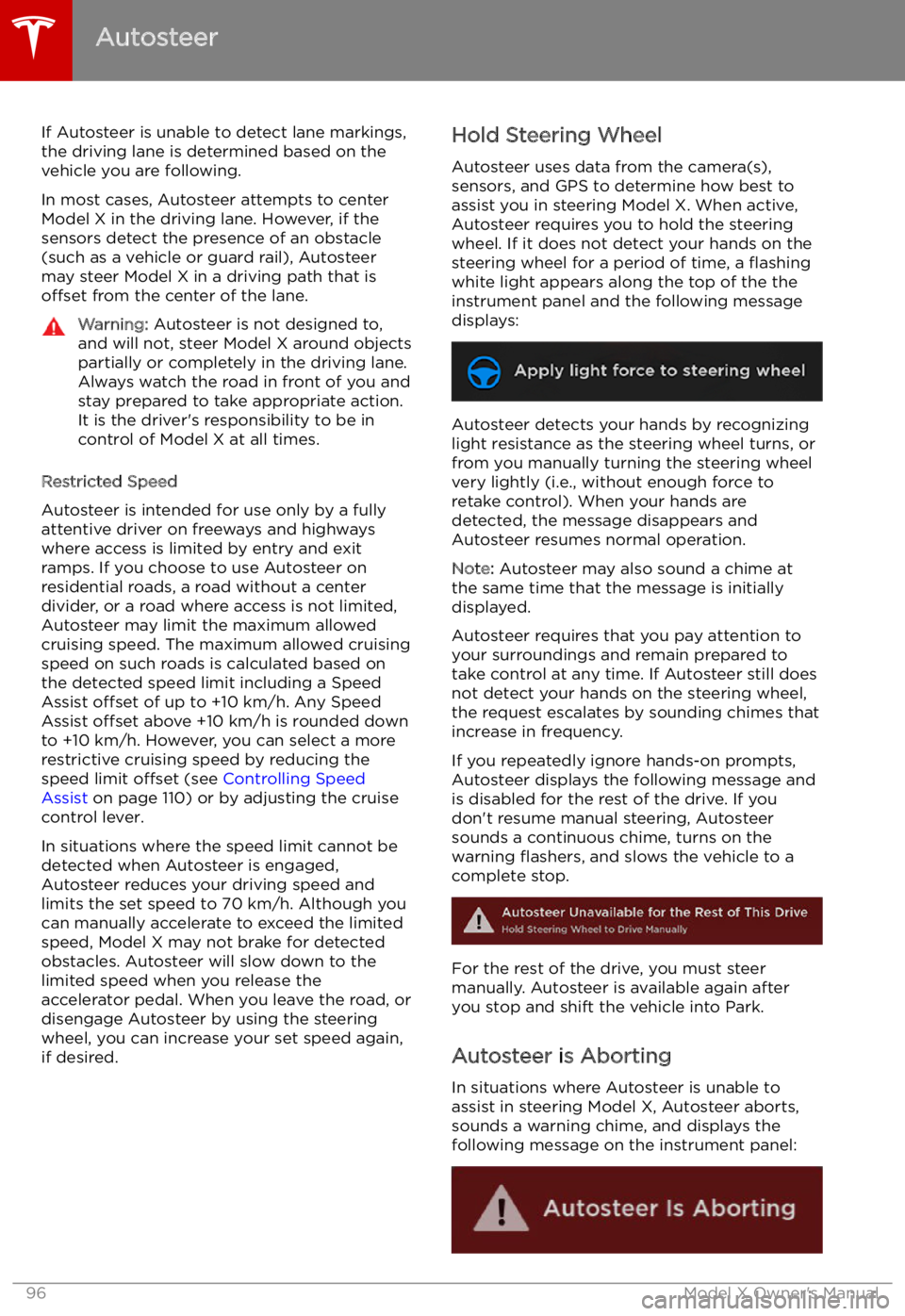
If Autosteer is unable to detect lane markings,the driving lane is determined based on the
vehicle you are following.
In most cases, Autosteer attempts to center Model X in the driving lane. However, if the
sensors detect the presence of an obstacle (such as a vehicle or guard rail), Autosteer
may steer Model X in a driving path that is
offset from the center of the lane.Warning: Autosteer is not designed to,
and will not, steer Model X around objects
partially or completely in the driving lane.
Always watch the road in front of you and
stay prepared to take appropriate action. It is the driver
Page 110 of 212
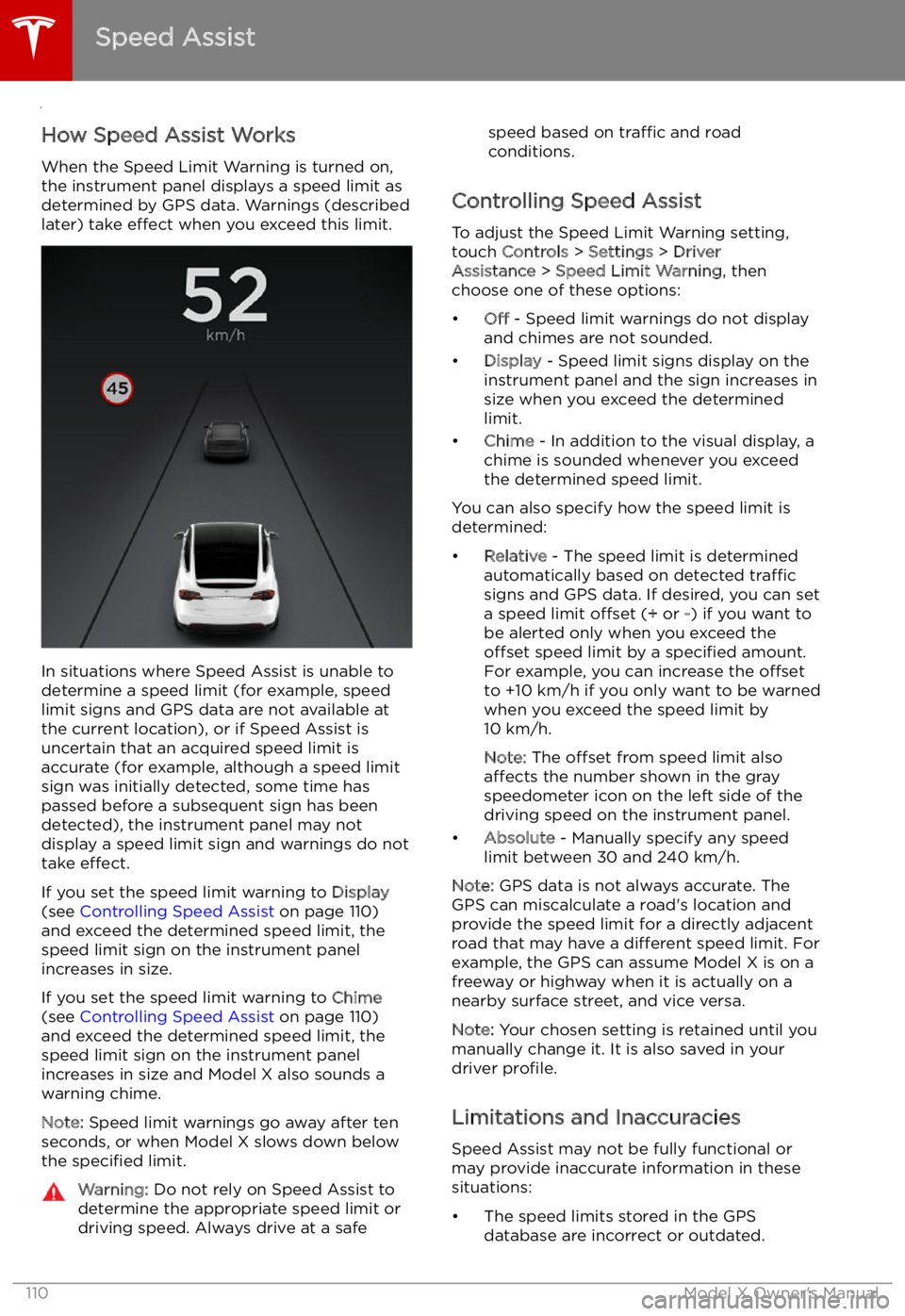
Speed Assist
How Speed Assist Works
When the Speed Limit Warning is turned on,
the instrument panel displays a speed limit as
determined by GPS data. Warnings (described
later) take effect when you exceed this limit.
In situations where Speed Assist is unable to
determine a speed limit (for example, speed
limit signs and GPS data are not available at
the current location), or if Speed Assist is
uncertain that an acquired speed limit is
accurate (for example, although a speed limit sign was initially detected, some time has
passed before a subsequent sign has been
detected), the instrument panel may not
display a speed limit sign and warnings do not take effect.
If you set the speed limit warning to Display
(see Controlling Speed Assist on page 110)
and exceed the determined speed limit, the
speed limit sign on the instrument panel
increases in size.
If you set the speed limit warning to Chime
(see Controlling Speed Assist on page 110)
and exceed the determined speed limit, the speed limit sign on the instrument panelincreases in size and Model X also sounds a
warning chime.
Note: Speed limit warnings go away after ten
seconds, or when Model X slows down below
the specified limit.
Warning:
Do not rely on Speed Assist to
determine the appropriate speed limit or driving speed. Always drive at a safespeed based on traffic and road
conditions.
Controlling Speed Assist
To adjust the Speed Limit Warning setting,
touch Controls > Settings > Driver
Assistance > Speed Limit Warning , then
choose one of these options:
Page 112 of 212

Using the Touchscreen
Touchscreen Overview
The Big Picture The main components of the touchscreen are shown here. To manually control the brightness and
contrast, touch Controls > Displays . When set to Auto, the touchscreen changes between the Day
(light background) and Night (dark background) setting depending on ambient lighting conditions.
Note: The following illustration is provided for demonstration purposes only. Depending on vehicle
options, software version and market region, your touchscreen may appear slightly different.
Touchscreen Overview
112Model X Owner
Page 118 of 212
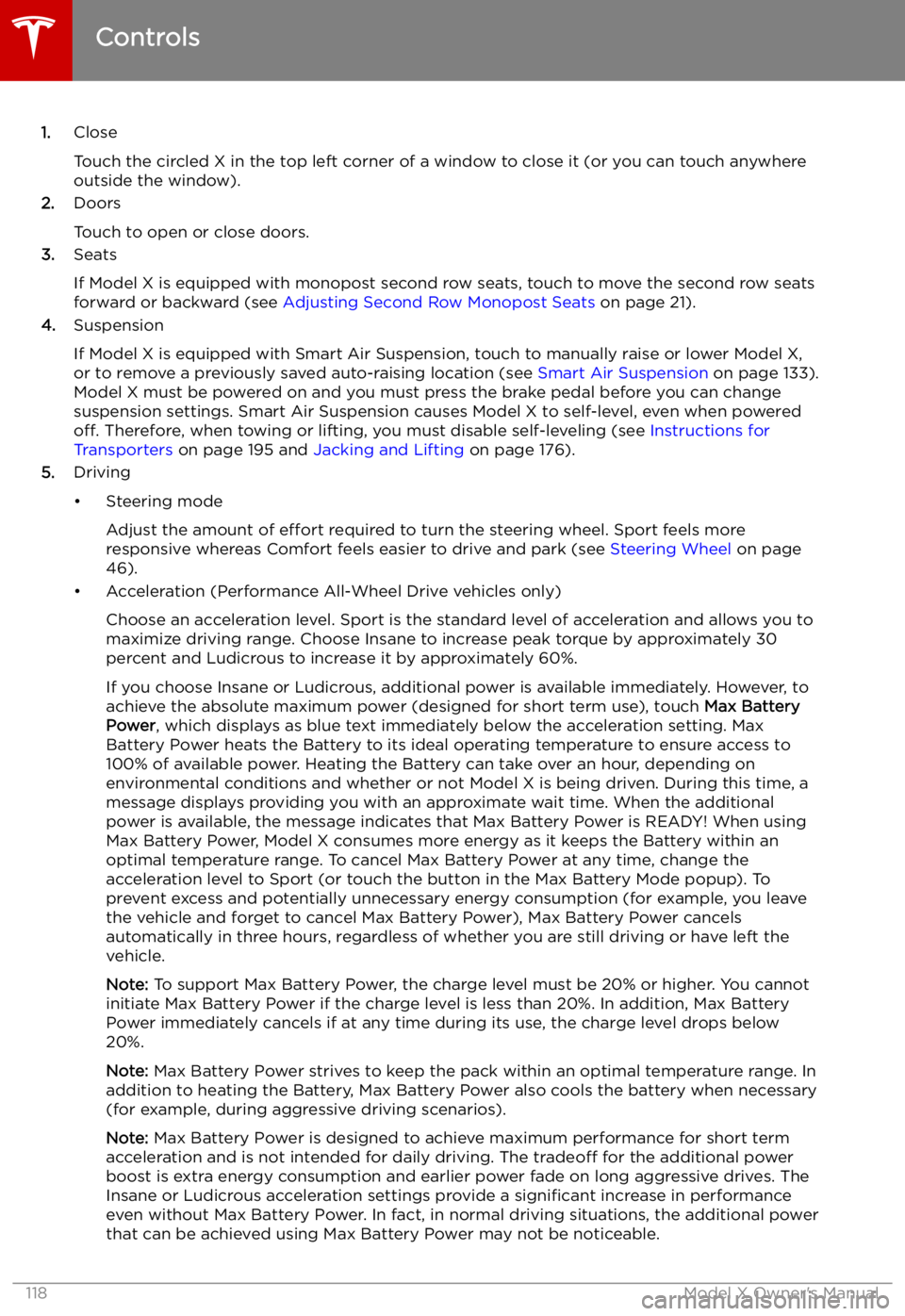
1.Close
Touch the circled X in the top left corner of a window to close it (or you can touch anywhere
outside the window).
2. Doors
Touch to open or close doors.
3. Seats
If Model X is equipped with monopost second row seats, touch to move the second row seats
forward or backward (see Adjusting Second Row Monopost Seats on page 21).
4. Suspension
If Model X is equipped with Smart Air Suspension, touch to manually raise or lower Model X, or to remove a previously saved auto-raising location (see Smart Air Suspension on page 133).
Model X must be powered on and you must press the brake pedal before you can change
suspension settings. Smart Air Suspension causes Model X to self-level, even when powered off. Therefore, when towing or lifting, you must disable self-leveling (see Instructions for
Transporters on page 195 and Jacking and Lifting on page 176).
5. Driving
Page 121 of 212

Settings
Customizing Your Vehicle Touch the Settings tab on the Controls window to adjust Model X to suit your preferences.Note: The following illustration is provided for demonstration purposes only. Depending on vehicle
options, software version, and market region, the options available on the Settings screen may be
different. For example, in many regions, the “Language & Units” tab is called “Units & Format.”
Settings
Using the Touchscreen121