display TOYOTA 4RUNNER 2009 N280 / 5.G User Guide
[x] Cancel search | Manufacturer: TOYOTA, Model Year: 2009, Model line: 4RUNNER, Model: TOYOTA 4RUNNER 2009 N280 / 5.GPages: 520, PDF Size: 10.74 MB
Page 244 of 520
244
3-2. Using the audio system
Using the radio
Type A and B
Ty p e C
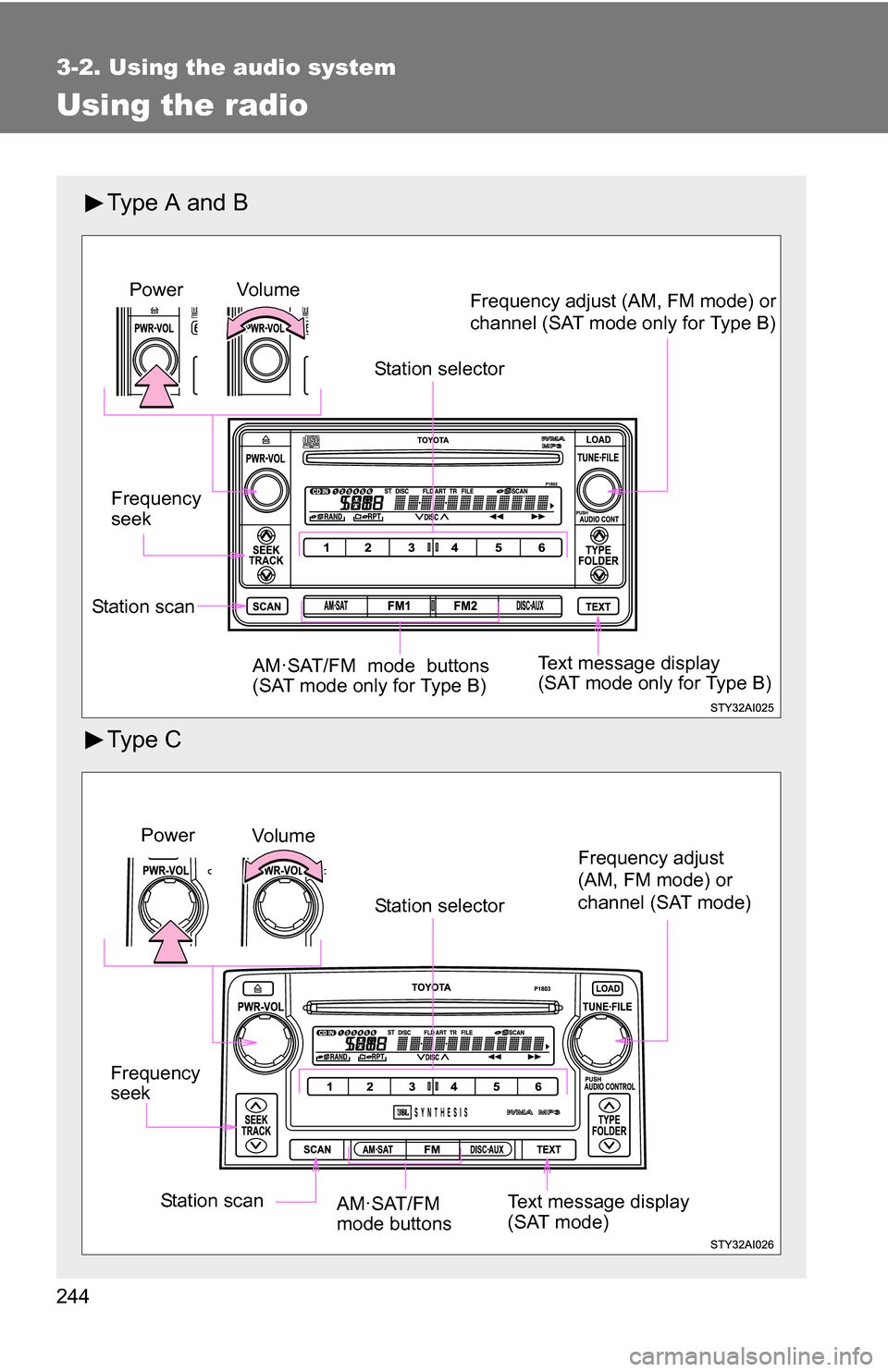
Vol u m eStation selector
Frequency
seek Frequency adjust (AM, FM mode) or
channel (SAT mode only for Type B)
AM·SAT/FM mode buttons
(SAT mode only for Type B)Power
Station scan Text message display
(SAT mode only for Type B)
Frequency
seek
Vo lu m e
Power
Station selector
AM·SAT/FM
mode buttons
Station scan Text message display
(SAT mode)
Frequency adjust
(AM, FM mode) or
channel (SAT mode)
Page 245 of 520
245
3-2. Using the audio system
3
Interior features
Setting station presets (excluding XM® Satellite Radio)
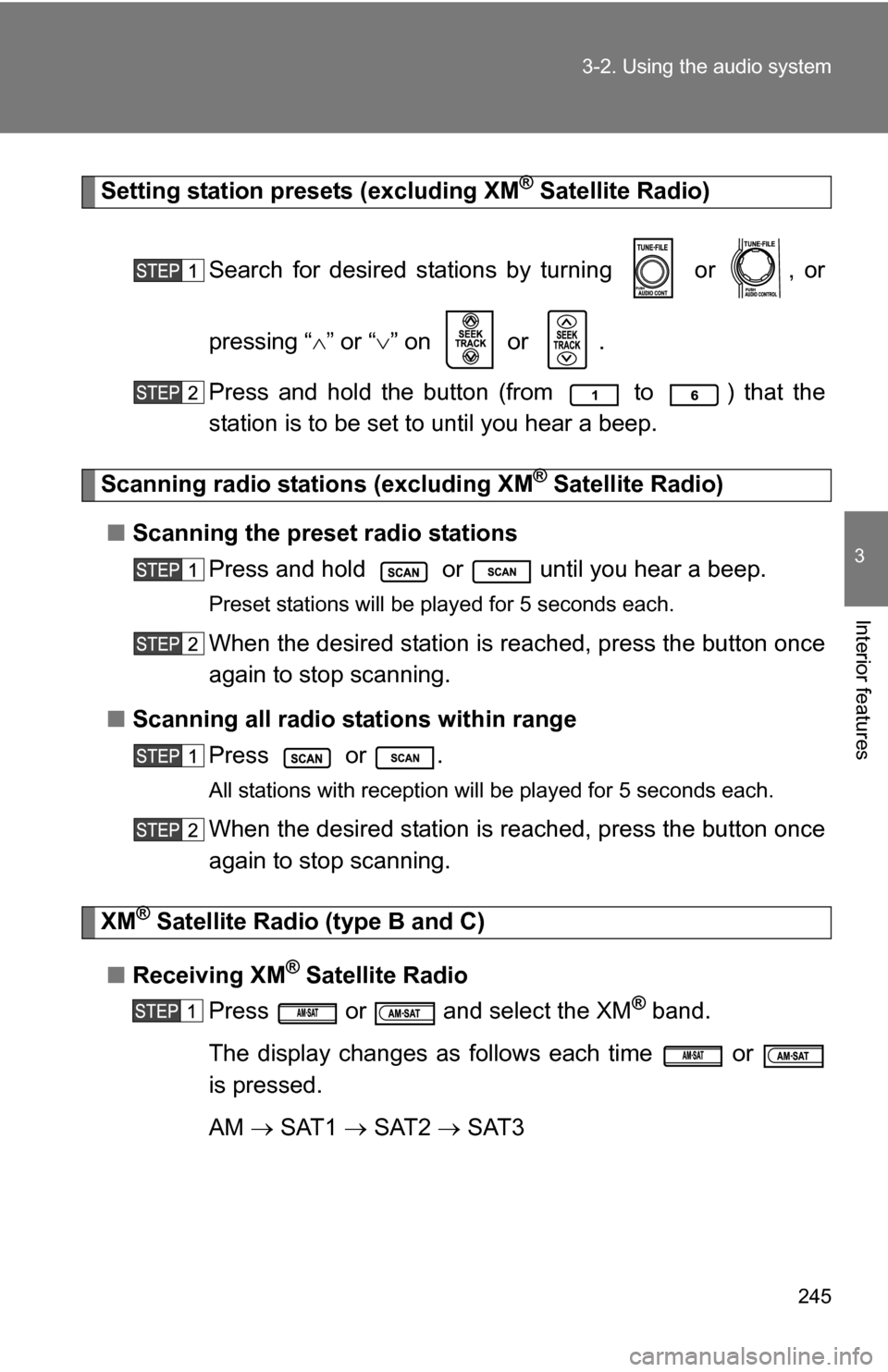
Search for desired stations by turning or , or
pressing “ ” or “ ” on or .
Press and hold the button (from
to ) that the
station is to be set to until you hear a beep.
Scanning radio stations (excluding XM® Satellite Radio)
■ Scanning the preset radio stations
Press and hold or until you hear a beep.
Preset stations will be played for 5 seconds each.
When the desired station is reached, press the button once
again to stop scanning.
■ Scanning all radio stations within range
Press or .
All stations with reception will be played for 5 seconds each.
When the desired station is reached, press the button once
again to stop scanning.
XM® Satellite Radio (type B and C)
■ Receiving XM
® Satellite Radio
Press or and select the XM
® band.
The display changes as follows each time or
is pressed.
AM SAT1 SAT2 SAT3
Page 246 of 520
246 3-2. Using the audio system
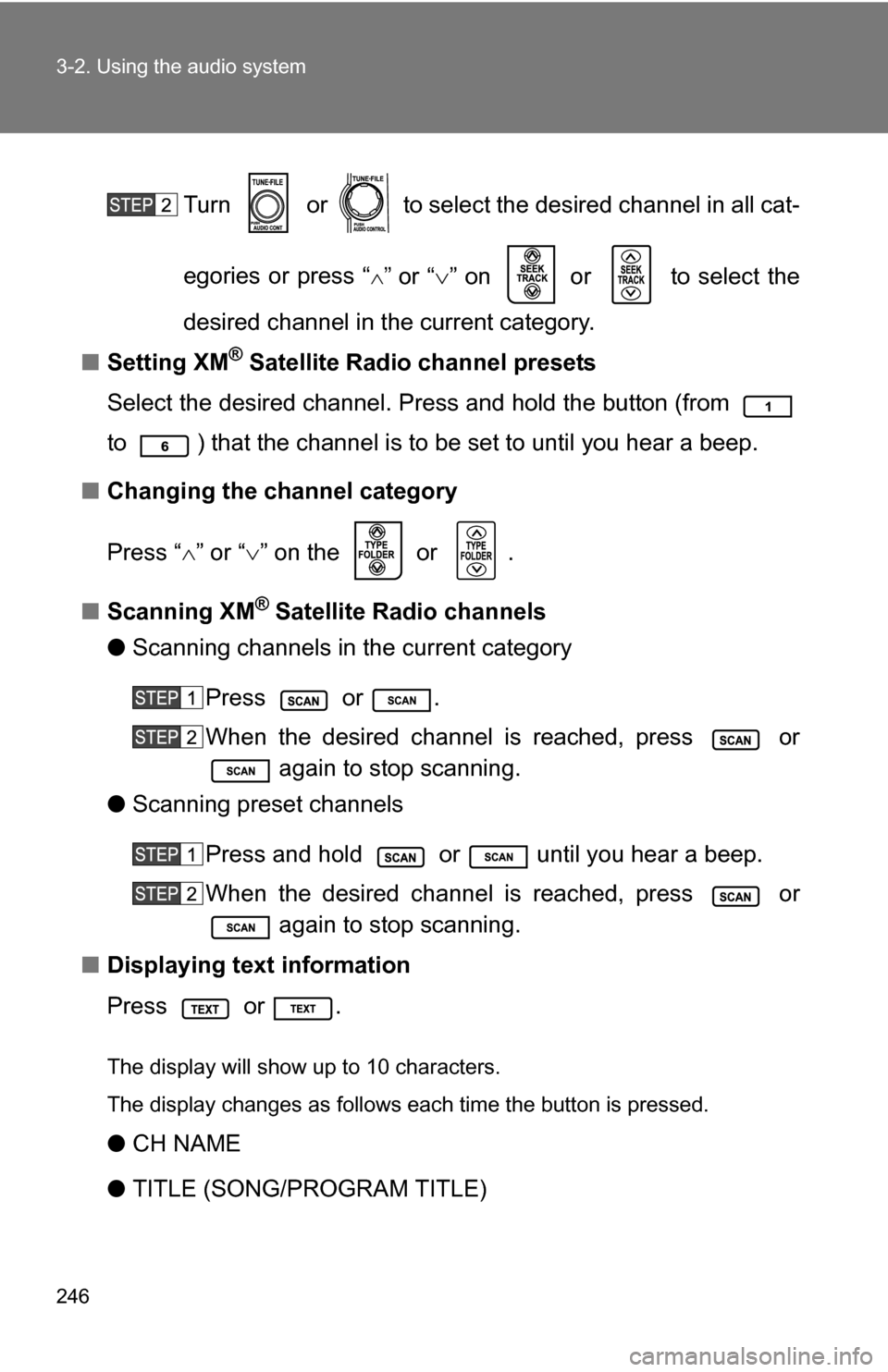
Turn or to select the desired channel in all cat-
egories or press “
”or “” on or to select the
desired channel in the current category.
■ Setting XM
® Satellite Radio channel presets
Select the desired channel. Press and hold the button (from
to ) that the channel is to be set to until you hear a beep.
■ Changing the channel category
Press “ ” or “ ” on the or .
■ Scanning XM
® Satellite Radio channels
● Scanning channels in the current category
Press or .
When the desired channel is reached, press or again to stop scanning.
● Scanning preset channels
Press and hold or until you hear a beep.
When the desired channel is reached, press or again to stop scanning.
■ Displaying text information
Press or .
The display will show up to 10 characters.
The display changes as follows each time the button is pressed.
●CH NAME
● TITLE (SONG/PROGRAM TITLE)
Page 250 of 520
250
3-2. Using the audio system
Using the CD player
Type A and B
Ty p e C
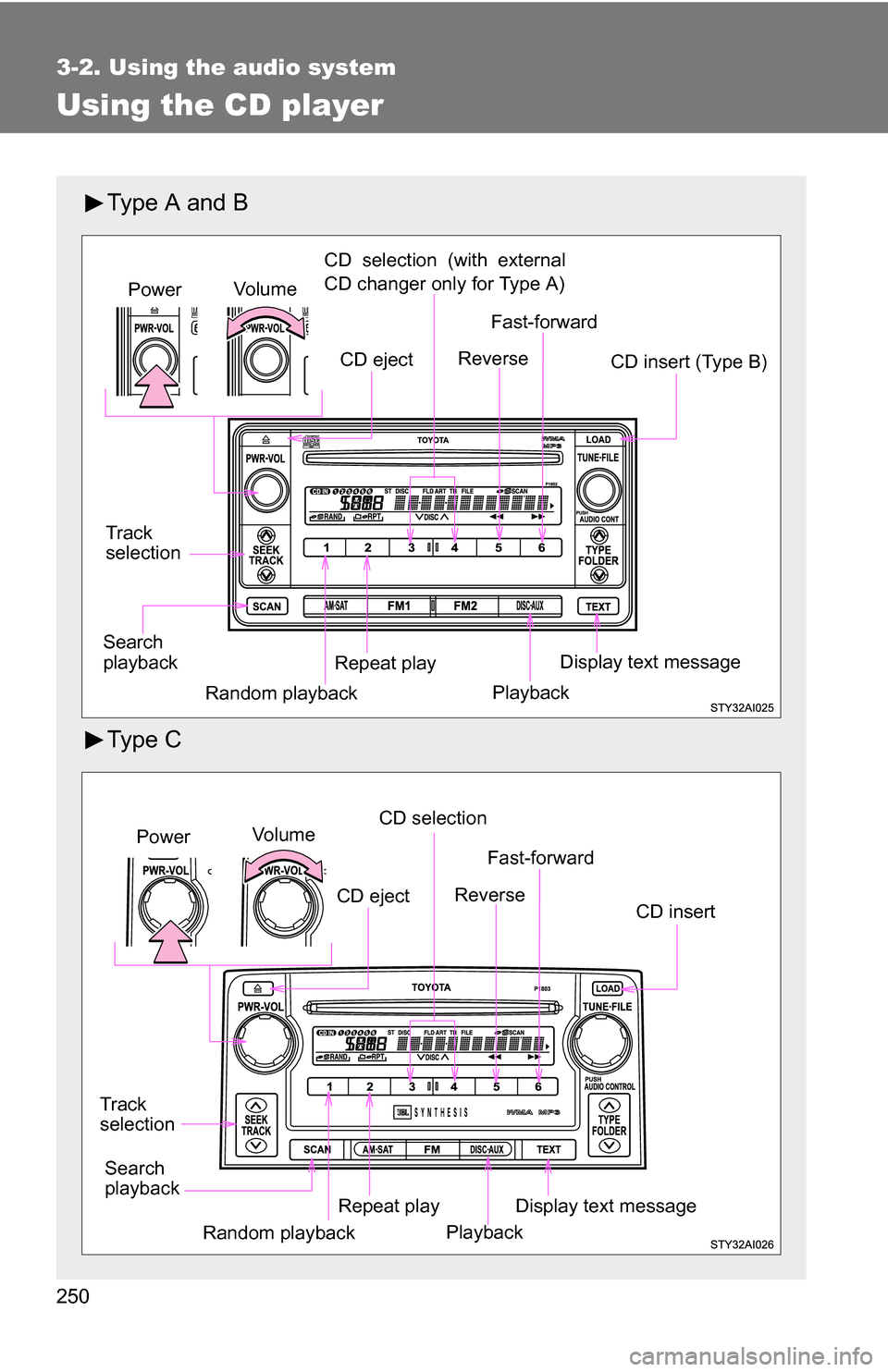
Vo lu m eCD selection (with external
CD changer only for Type A)
Track
selection CD insert (Type B)
Repeat playPower
Random playback Display text message
Search
playback Fast-forward
Reverse
CD eject
Playback
Vo l u m eCD selection
Track
selection CD insert
Repeat playPower
Random playback Display text message
Search
playback Fast-forward
Reverse
CD eject
Playback
Page 251 of 520
251
3-2. Using the audio system
3
Interior features
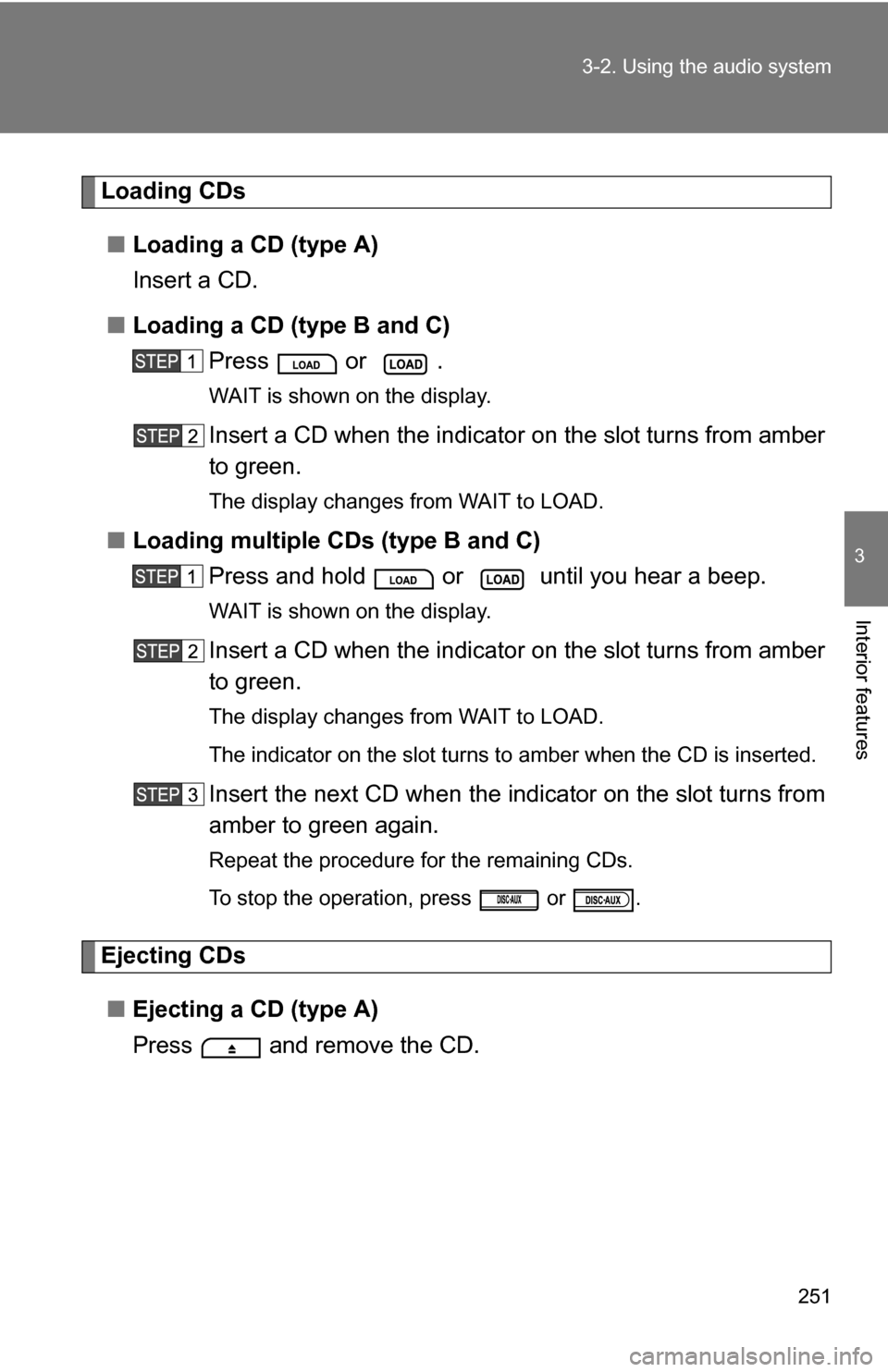
Loading CDs
■ Loading a CD (type A)
Insert a CD.
■ Loading a CD (type B and C)
Press or .
WAIT is shown on the display.
Insert a CD when the indicator on the slot turns from amber
to green.
The display changes from WAIT to LOAD.
■Loading multiple CDs (type B and C)
Press and hold or until you hear a beep.
WAIT is shown on the display.
Insert a CD when the indicator on the slot turns from amber
to green.
The display changes from WAIT to LOAD.
The indicator on the slot turns to amber when the CD is inserted.
Insert the next CD when the indicator on the slot turns from
amber to green again.
Repeat the procedure for the remaining CDs.
To stop the operation, press or .
Ejecting CDs
■ Ejecting a CD (type A)
Press and remove the CD.
Page 252 of 520
252 3-2. Using the audio system
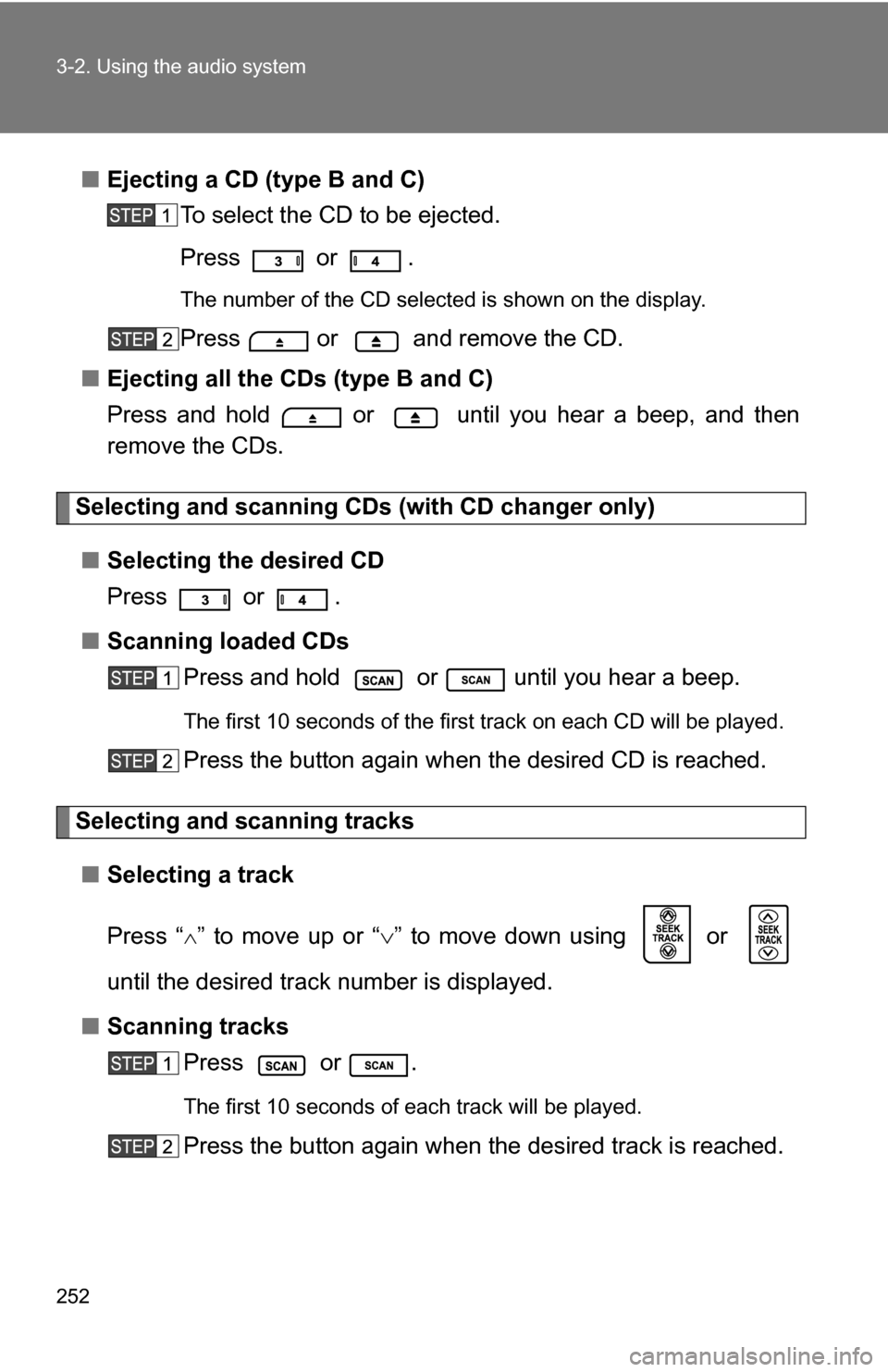
■Ejecting a CD (type B and C)
To select the CD to be ejected.
Press
or .
The number of the CD selected is shown on the display.
Press or and remove the CD.
■ Ejecting all the CDs (type B and C)
Press and hold or until you hear a beep, and then
remove the CDs.
Selecting and scanning CDs (with CD changer only)
■ Selecting the desired CD
Press
or .
■ Scanning loaded CDs
Press and hold or until you hear a beep.
The first 10 seconds of the first track on each CD will be played.
Press the button again when the desired CD is reached.
Selecting and scanning tracks
■ Selecting a track
Press “
” to move up or “ ” to move down using or
until the desired track number is displayed.
■ Scanning tracks
Press or .
The first 10 seconds of each track will be played.
Press the button again when the desired track is reached.
Page 253 of 520
253
3-2. Using the audio system
3
Interior features
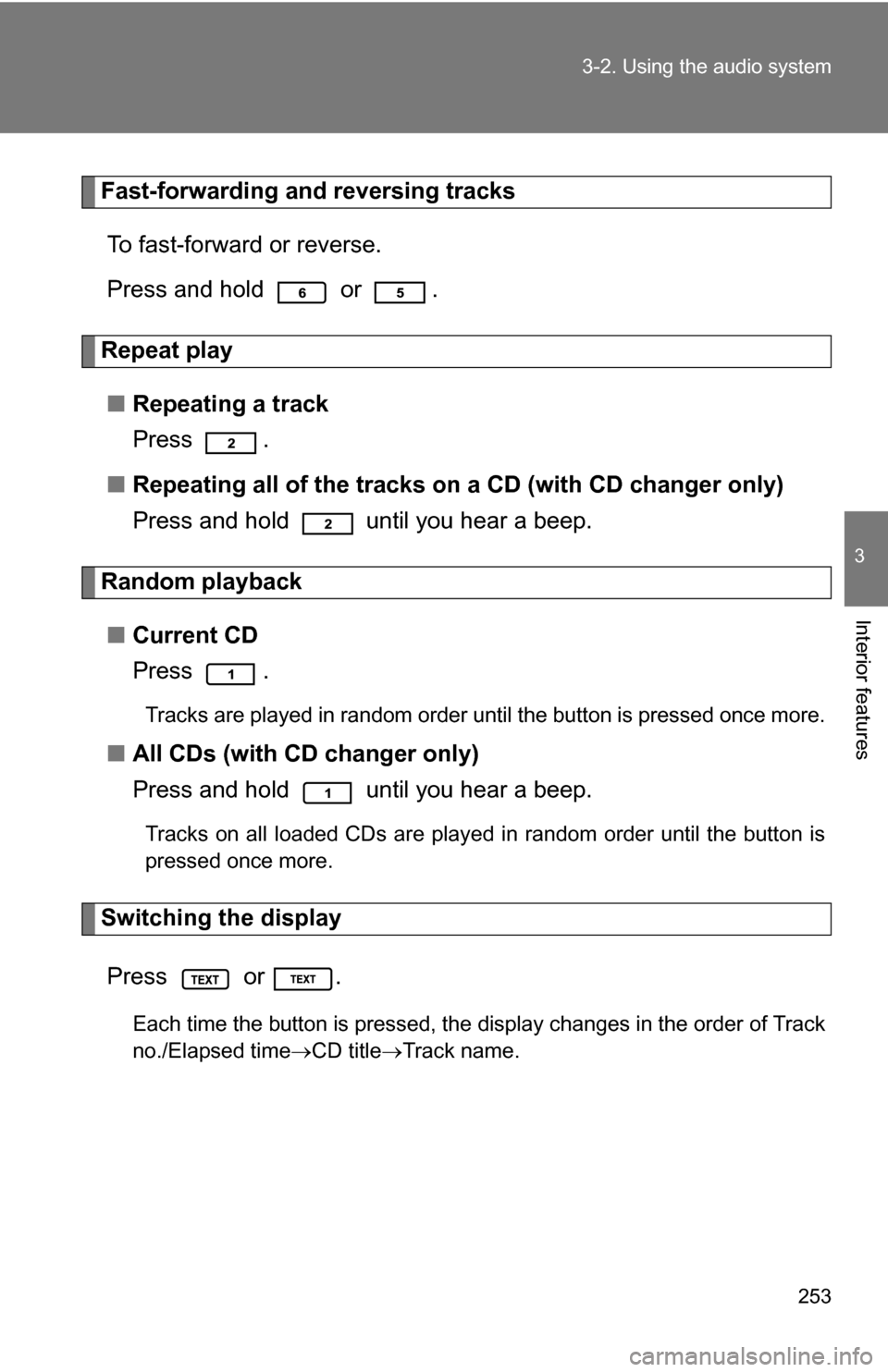
Fast-forwarding and reversing tracks
To fast-forward or reverse.
Press and hold or .
Repeat play
■ Repeating a track
Press .
■ Repeating all of the tracks on a CD (with CD changer only)
Press and hold until you hear a beep.
Random playback
■ Current CD
Press .
Tracks are played in random order until the button is pressed once more.
■All CDs (with CD changer only)
Press and hold until you hear a beep.
Tracks on all loaded CDs are played in random order until the button is
pressed once more.
Switching the display
Press or .
Each time the button is pressed, the display changes in the order of Track
no./Elapsed time CD titleTrack name.
Page 254 of 520
254 3-2. Using the audio system
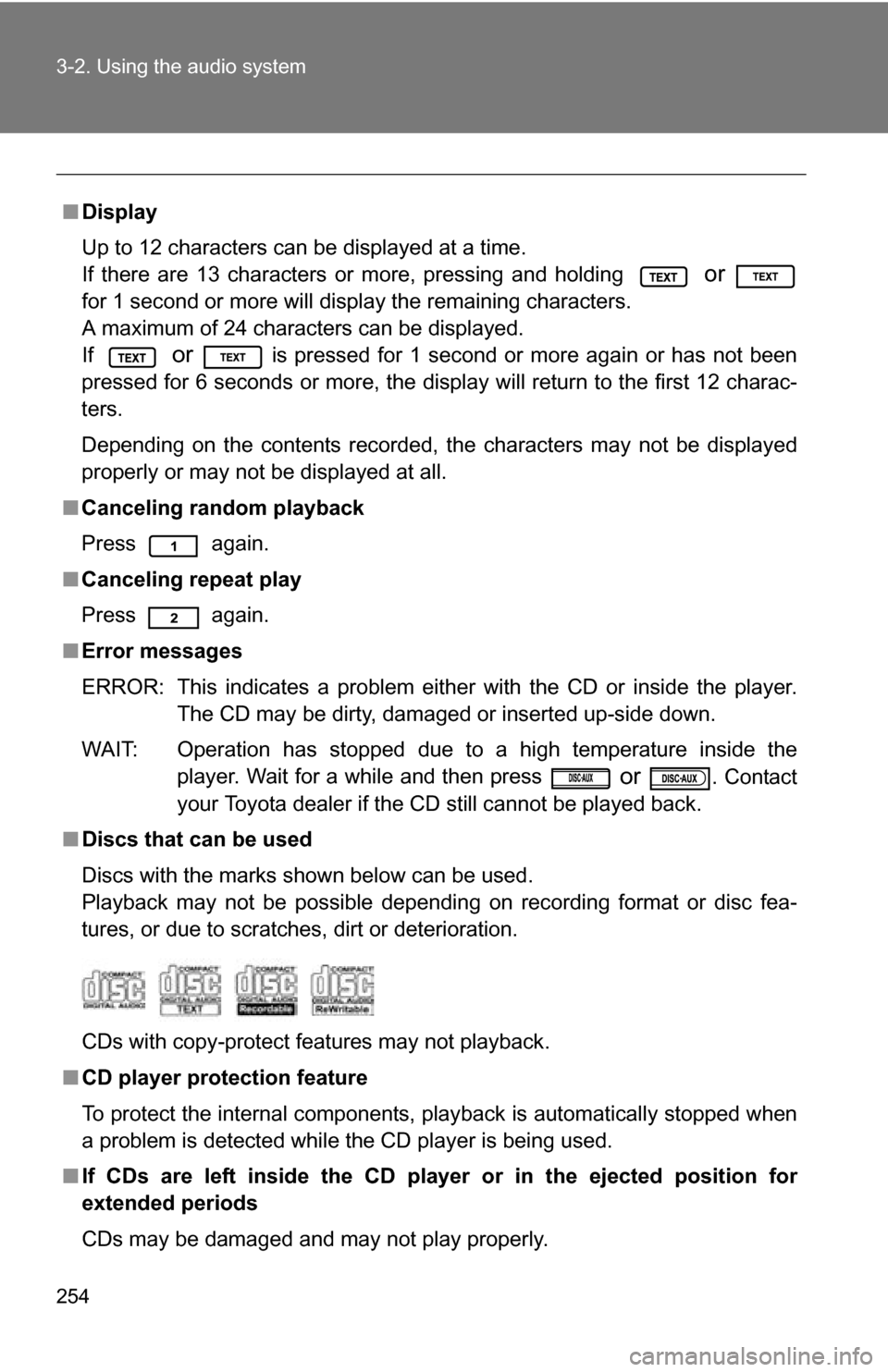
■Display
Up to 12 characters can be displayed at a time.
If there are 13 characters or more, pressing and holding
or
for 1 second or more will display the remaining characters.
A maximum of 24 characters can be displayed.
If
or is pressed for 1 second or more again or has not been
pressed for 6 seconds or more, the display will return to the first 12 charac-
ters.
Depending on the contents recorded, the characters may not be displayed
properly or may not be displayed at all.
■ Canceling random playback
Press again.
■ Canceling repeat play
Press again.
■ Error messages
ERROR: This indicates a problem either with the CD or inside the player.
The CD may be dirty, damaged or inserted up-side down.
WAIT: Operation has stopped due to a high temperature inside the player. Wait for a while and then press
or . Contact
your Toyota dealer if the CD still cannot be played back.
■ Discs that can be used
Discs with the marks shown below can be used.
Playback may not be possible depending on recording format or disc fea-
tures, or due to scratches, dirt or deterioration.
CDs with copy-protect features may not playback.
■ CD player protection feature
To protect the internal components, playback is automatically stopped when
a problem is detected while the CD player is being used.
■ If CDs are left inside the CD player or in the ejected position for
extended periods
CDs may be damaged and may not play properly.
Page 257 of 520
257
3-2. Using the audio system
3
Interior features
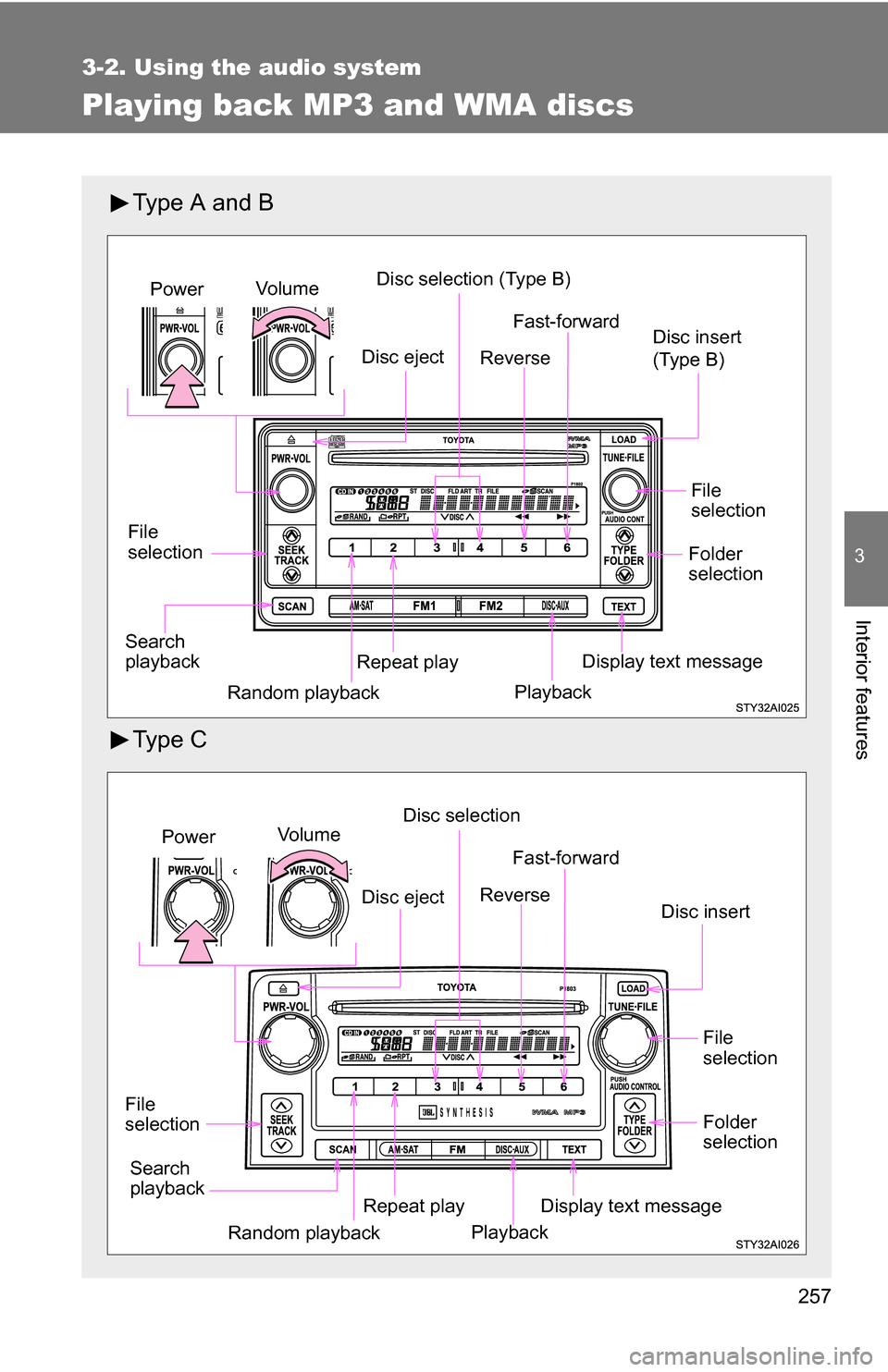
Playing back MP3 and WMA discs
Type A and B
Ty p e C
Vo lu m eDisc selection (Type B)
File
selection Disc insert
(Type B)
Repeat playPower
Random playback Display text message
Search
playback Fast-forward
Reverse
Playback
File
selection
Folder
selection
Disc eject
Vo l u m e Disc selection
File
selection Disc insert
Repeat playPower
Random playback Display text message
Search
playback Fast-forward
Reverse
Playback
File
selection
Folder
selection
Disc eject
Page 258 of 520
258 3-2. Using the audio system
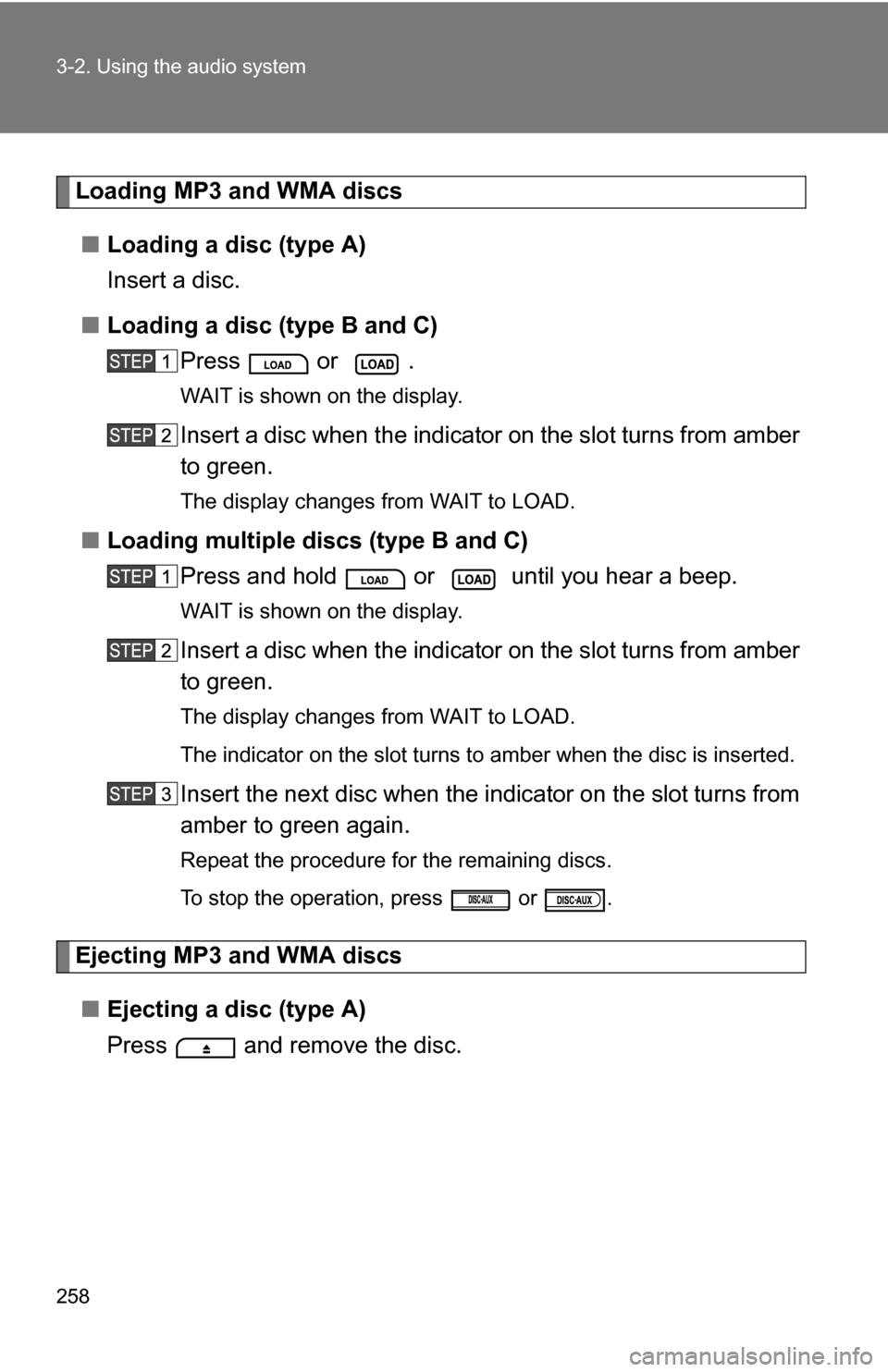
Loading MP3 and WMA discs■ Loading a disc (type A)
Insert a disc.
■ Loading a disc (type B and C)
Press or .
WAIT is shown on the display.
Insert a disc when the indica tor on the slot turns from amber
to green.
The display changes from WAIT to LOAD.
■ Loading multiple discs (type B and C)
Press and hold or until you hear a beep.
WAIT is shown on the display.
Insert a disc when the indica tor on the slot turns from amber
to green.
The display changes from WAIT to LOAD.
The indicator on the slot turns to amber when the disc is inserted.
Insert the next disc when the i ndicator on the slot turns from
amber to green again.
Repeat the procedure for the remaining discs.
To stop the operation, press or .
Ejecting MP3 and WMA discs
■ Ejecting a disc (type A)
Press and remove the disc.