TOYOTA 4RUNNER 2009 N280 / 5.G Owner's Guide
4RUNNER 2009 N280 / 5.G
TOYOTA
TOYOTA
https://www.carmanualsonline.info/img/14/6094/w960_6094-0.png
TOYOTA 4RUNNER 2009 N280 / 5.G Owner's Guide
Page 283 of 520
283
3-3. Using the rear audio/video system
3
Interior features
Returning to the previous screen
Select to return to the previous screen. For the operation of the
menu screen, see the separate manual for the DVD disc.
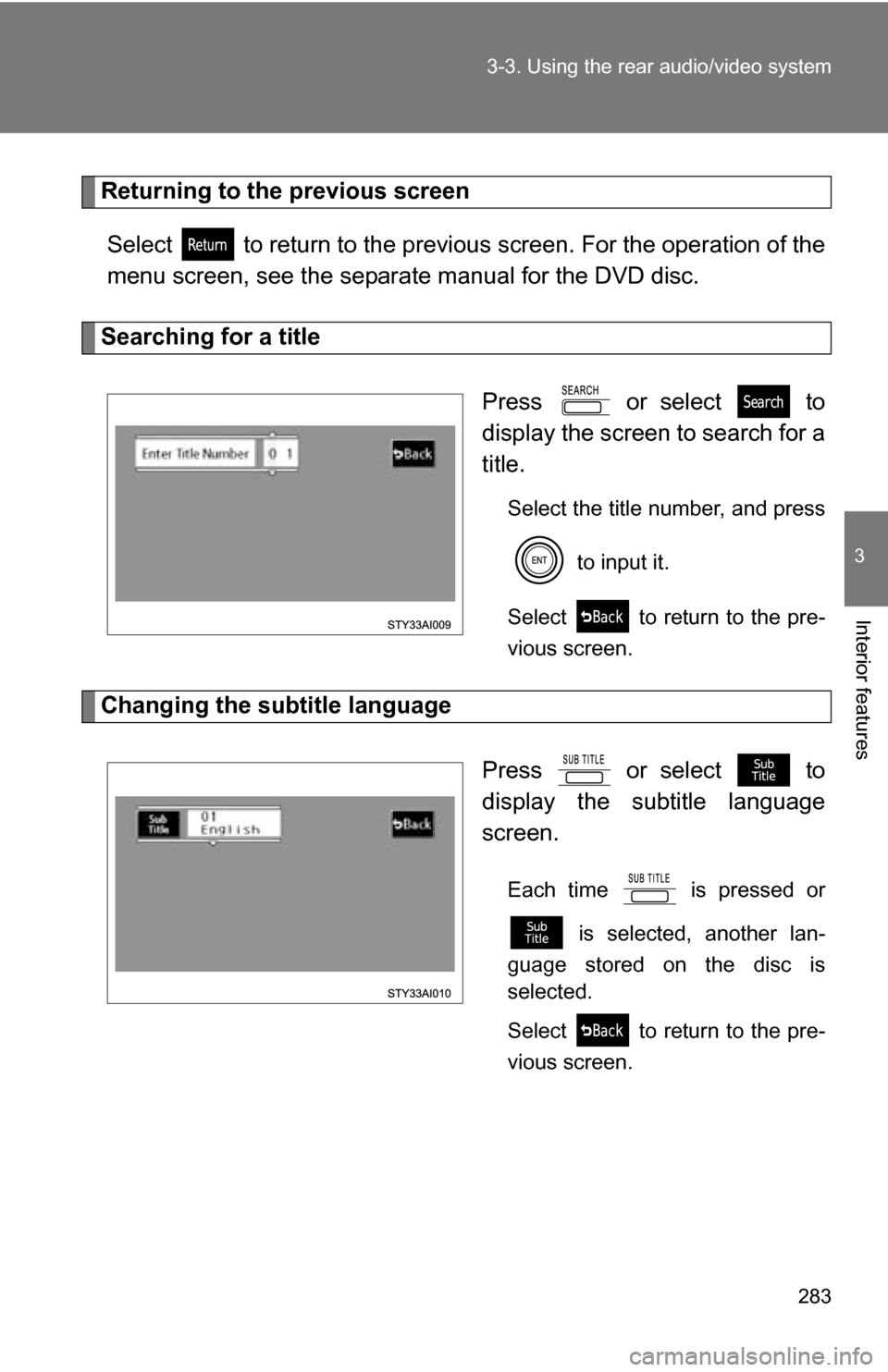
Searching for a title
Press or select to
display the screen to search for a
title.
Select the title number, and press to input it.
Select to return to the pre-
vious screen.
Changing the subtitle language
Press or select to
display the subtitle language
screen.
Each time is pressed or is selected, another lan-
guage stored on the disc is
selected.
Select to return to the pre-
vious screen.
Page 284 of 520
284 3-3. Using the rear audio/video system
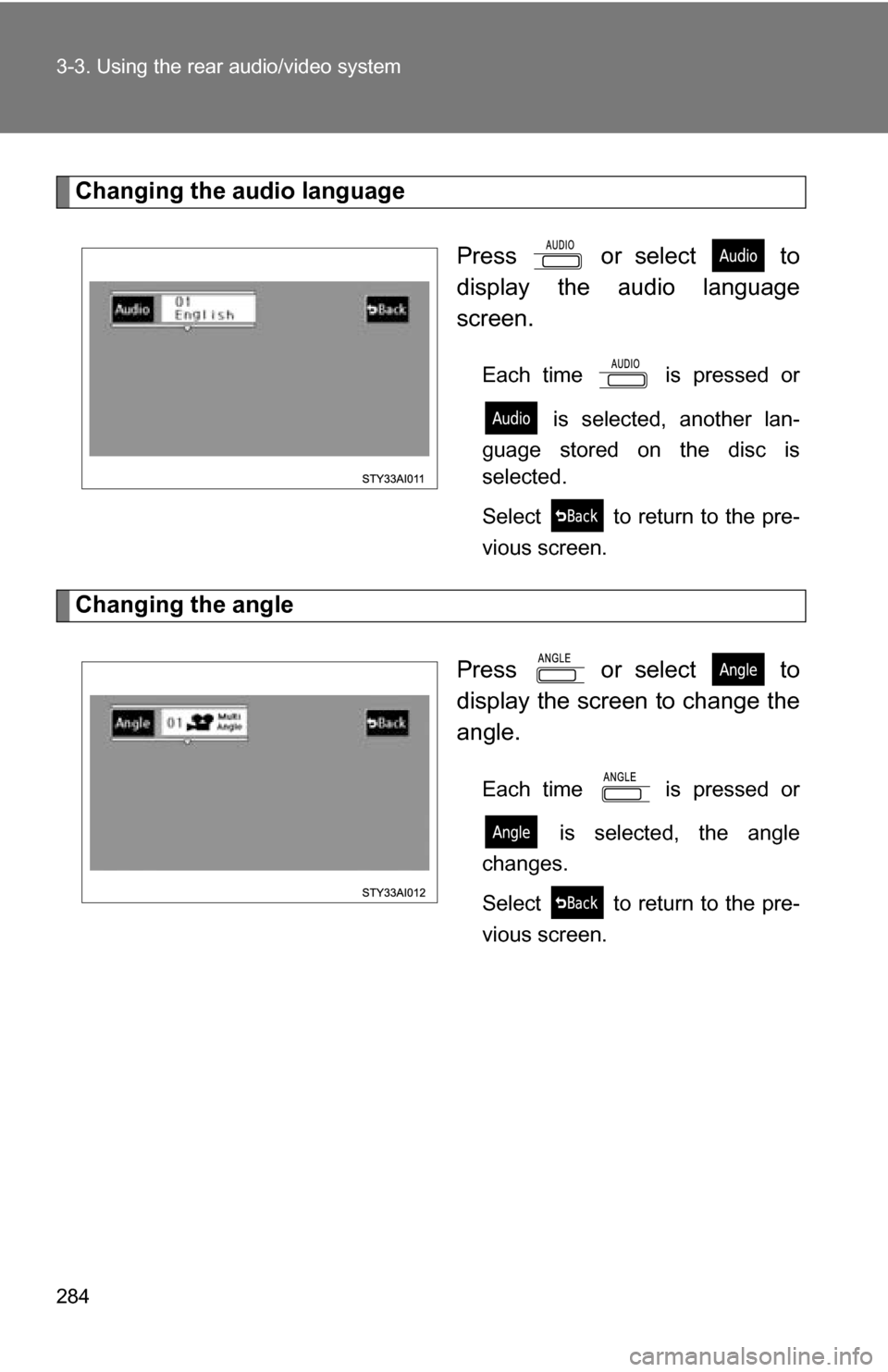
Changing the audio languagePress or select to
display the audio language
screen.
Each time is pressed or is selected, another lan-
guage stored on the disc is
selected.
Select to return to the pre-
vious screen.
Changing the angle
Press or select to
display the screen to change the
angle.
Each time is pressed or is selected, the angle
changes.
Select to return to the pre-
vious screen.
Page 288 of 520
288
3-3. Using the rear audio/video system
Using the DVD player (video CD)
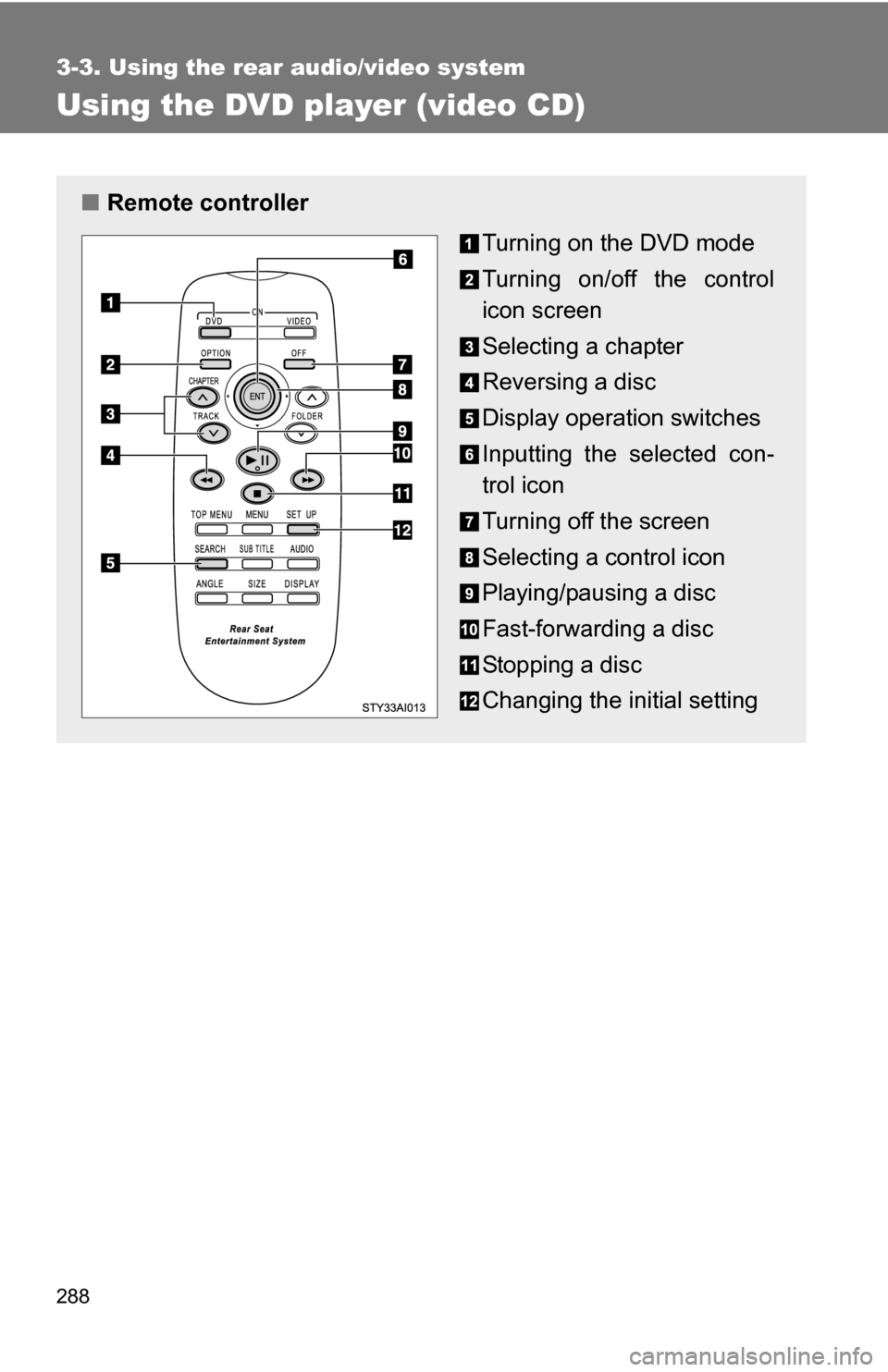
■Remote controller
Turning on the DVD mode
Turning on/off the control
icon screen
Selecting a chapter
Reversing a disc
Display operation switches
Inputting the selected con-
trol icon
Turning off the screen
Selecting a control icon
Playing/pausing a disc
Fast-forwarding a disc
Stopping a disc
Changing the initial setting
Page 289 of 520
289
3-3. Using the rear audio/video system
3
Interior features
■
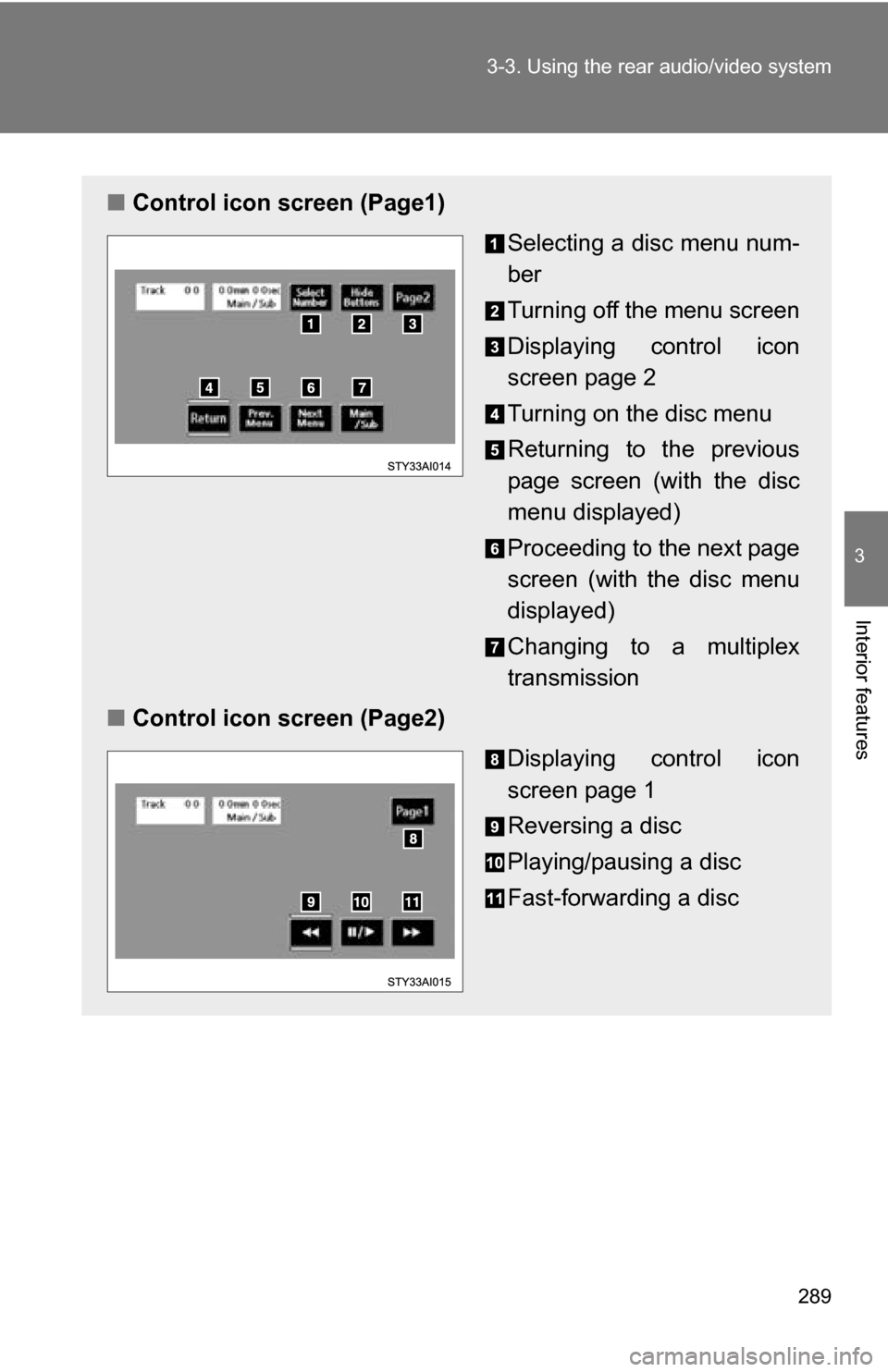
Control icon screen (Page1)
Selecting a disc menu num-
ber
Turning off the menu screen
Displaying control icon
screen page 2
Turning on the disc menu
Returning to the previous
page screen (with the disc
menu displayed)
Proceeding to the next page
screen (with the disc menu
displayed)
Changing to a multiplex
transmission
■ Control icon screen (Page2)
Displaying control icon
screen page 1
Reversing a disc
Playing/pausing a disc
Fast-forwarding a disc
Page 290 of 520
290 3-3. Using the rear audio/video system
Selecting a disc menu numberPress or select
to display the disc menu number search
screen.
Select the disc menu number, and press to input it.
Select to return to the previous screen.
Page 291 of 520
291
3-3. Using the rear audio/video system
3
Interior features
Using the DVD player (audio CD/CD text)
Repeat play■ Repeating a track
Select .
Random playback
■ Playing all of the tracks on a CD in random order
Select .
Search playback
■ Scanning tracks
Select .
The first 10 seconds of each track will be played.
Select again when the desired track is reached.
■Canceling repeat play and random playback
Select or once again.
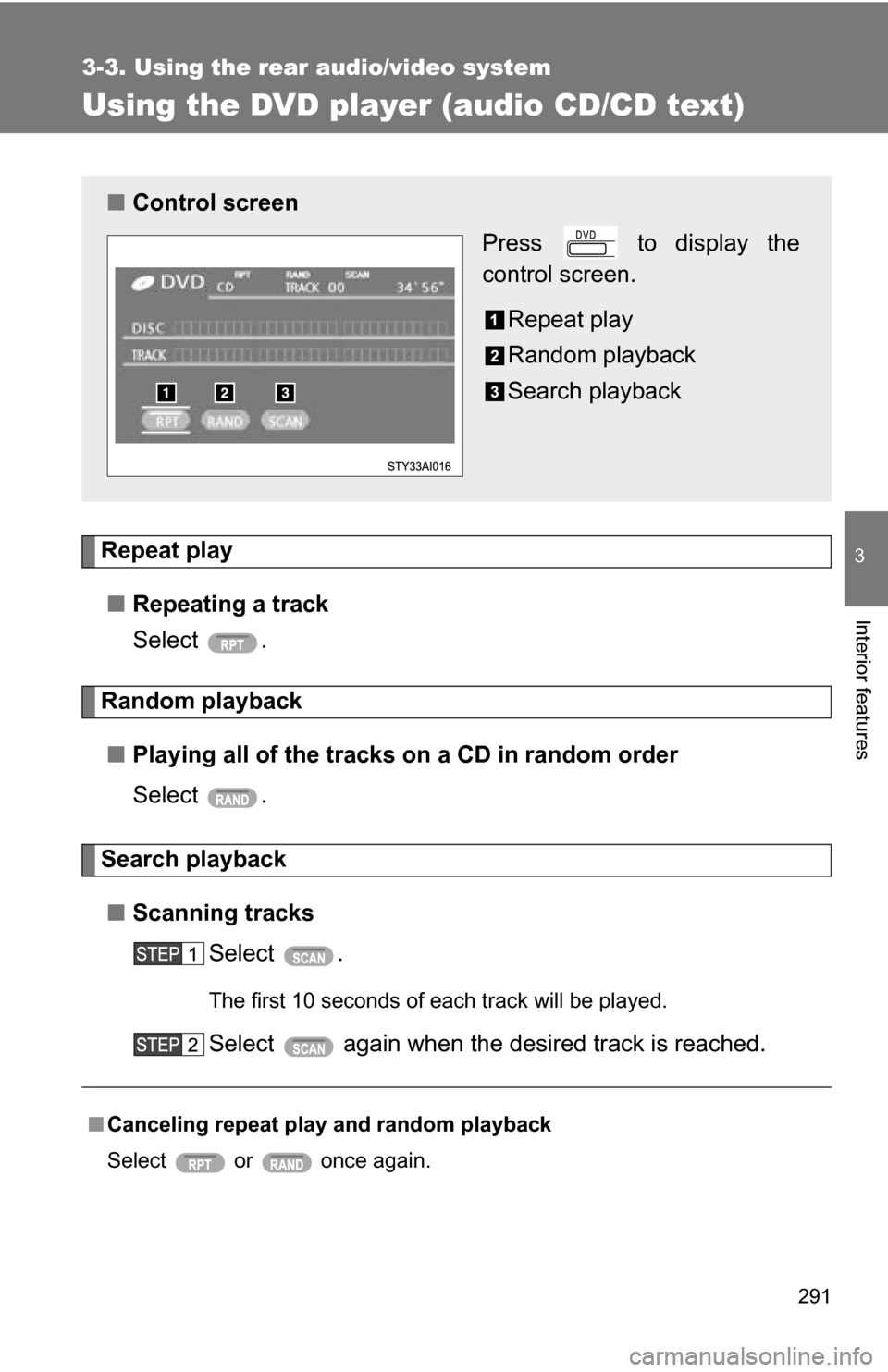
■ Control screen
Press to display the
control screen.
Repeat play
Random playback
Search playback
Page 292 of 520
292
3-3. Using the rear audio/video system
Using the DVD player (MP3 discs)
Repeat play■ Repeating a file
Select .
■ Repeating all of the files in the folder
Select , and press and hold .
Random playback
■ Playing files from a particular folder in random order
Select .
■ Playing all of the files on a disc in random order
Select , and press and hold .
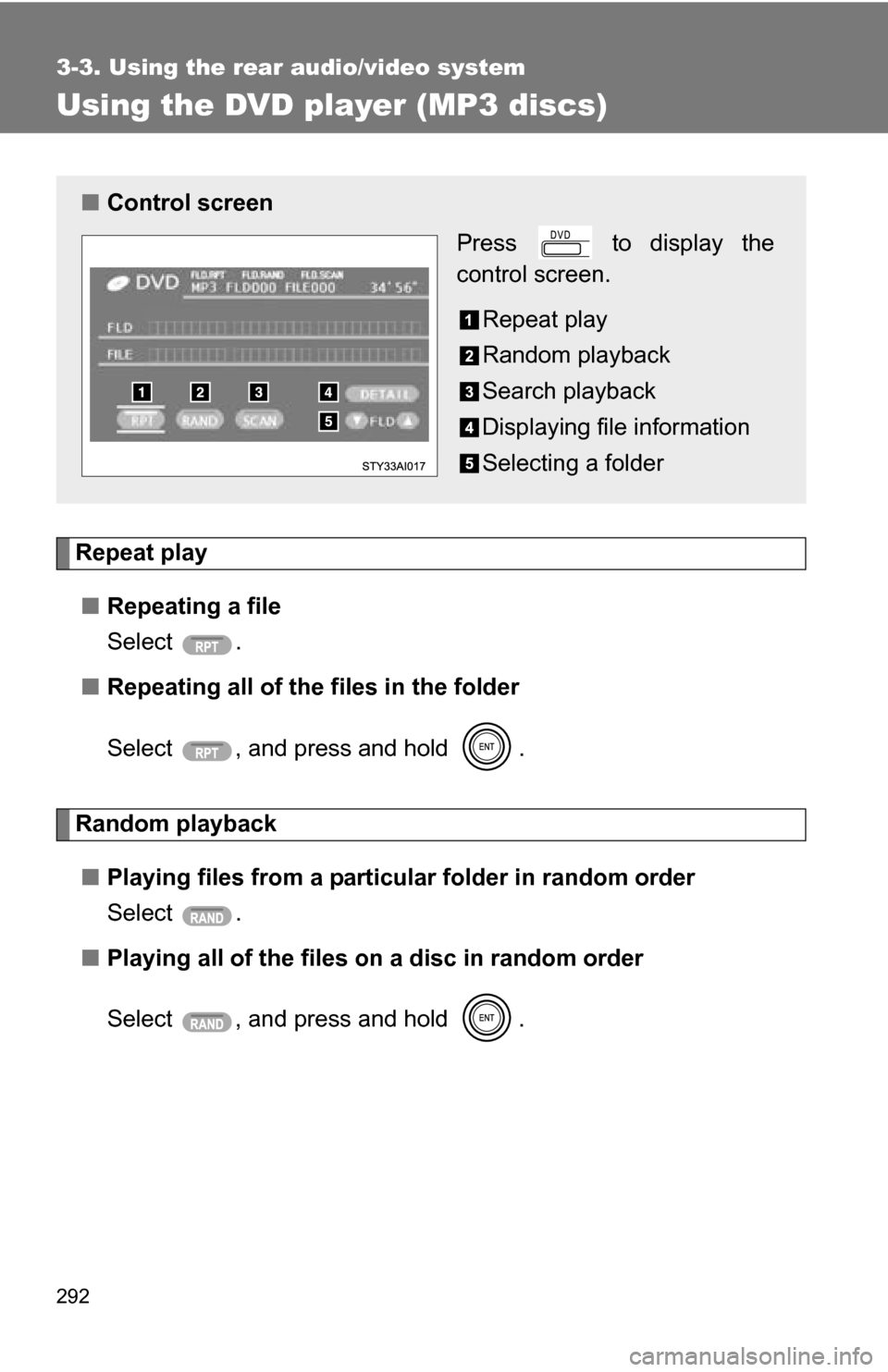
■Control screen
Press to display the
control screen.
Repeat play
Random playback
Search playback
Displaying file information
Selecting a folder
Page 293 of 520
293
3-3. Using the rear audio/video system
3
Interior features
Selecting and scanning folders
■ Selecting folders one at a time
To select the desired folder, select or .
■ Scanning the desired folder by cueing the first file of each
folder
Select , and press and hold .
The first 10 seconds of the first file in the each folder will be
played.
When the desired folder is reached, select once
again.
Scanning files■ Scanning the desired file by cueing the files in the folder
Select .
The first 10 seconds of all files in the folder will be played.
When the desired file is reached, select once again.
Displaying file information.
Select .
■ Canceling repeat play and random playback
Select or once again.
Page 297 of 520
297
3-3. Using the rear audio/video system
3
Interior features
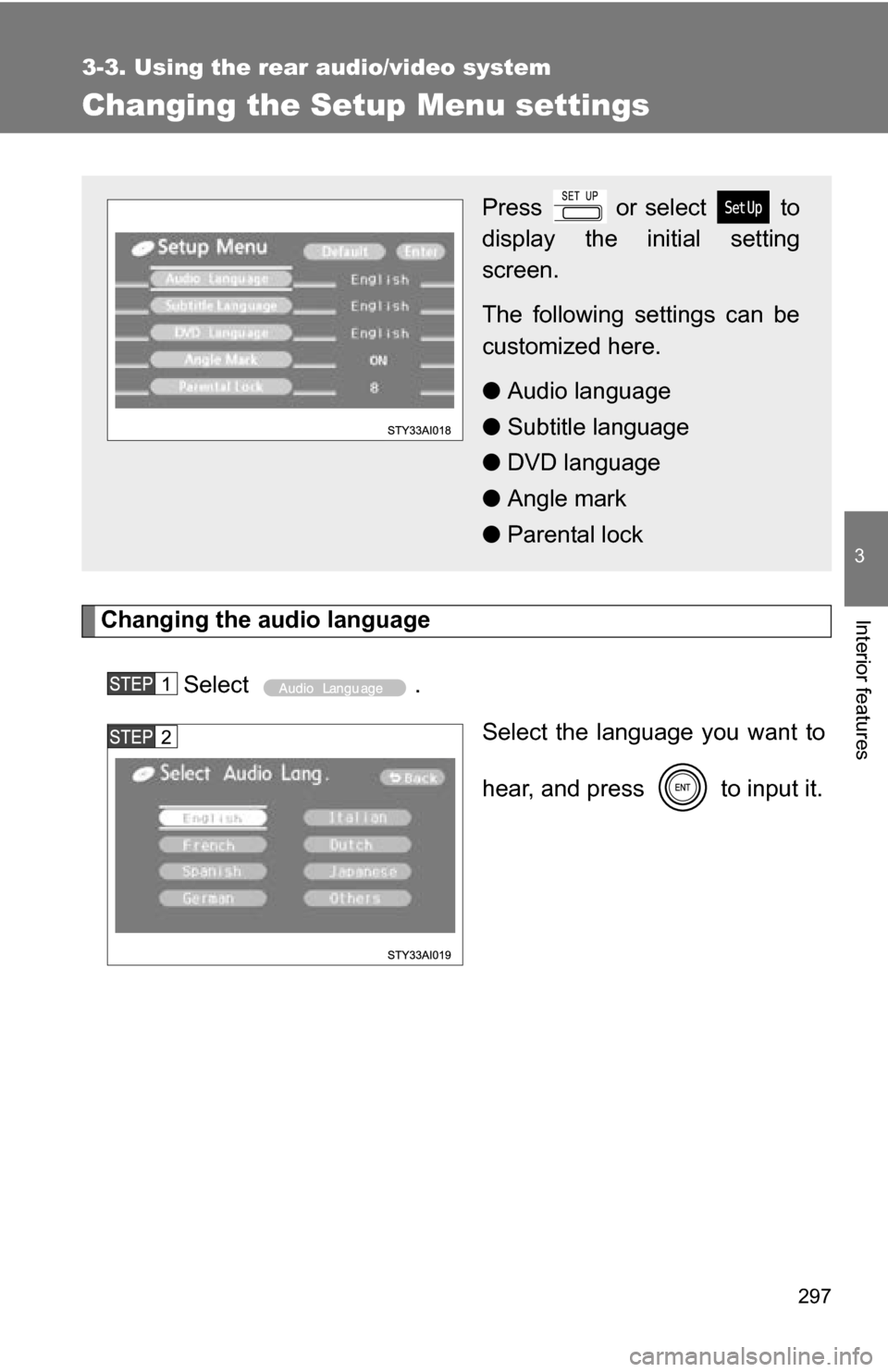
Changing the Setup Menu settings
Changing the audio languageSelect . Select the language you want to
hear, and press to input it.
Press or select to
display the initial setting
screen.
The following settings can be
customized here.
●Audio language
● Subtitle language
● DVD language
● Angle mark
● Parental lock
Page 301 of 520
301
3-3. Using the rear audio/video system
3
Interior features
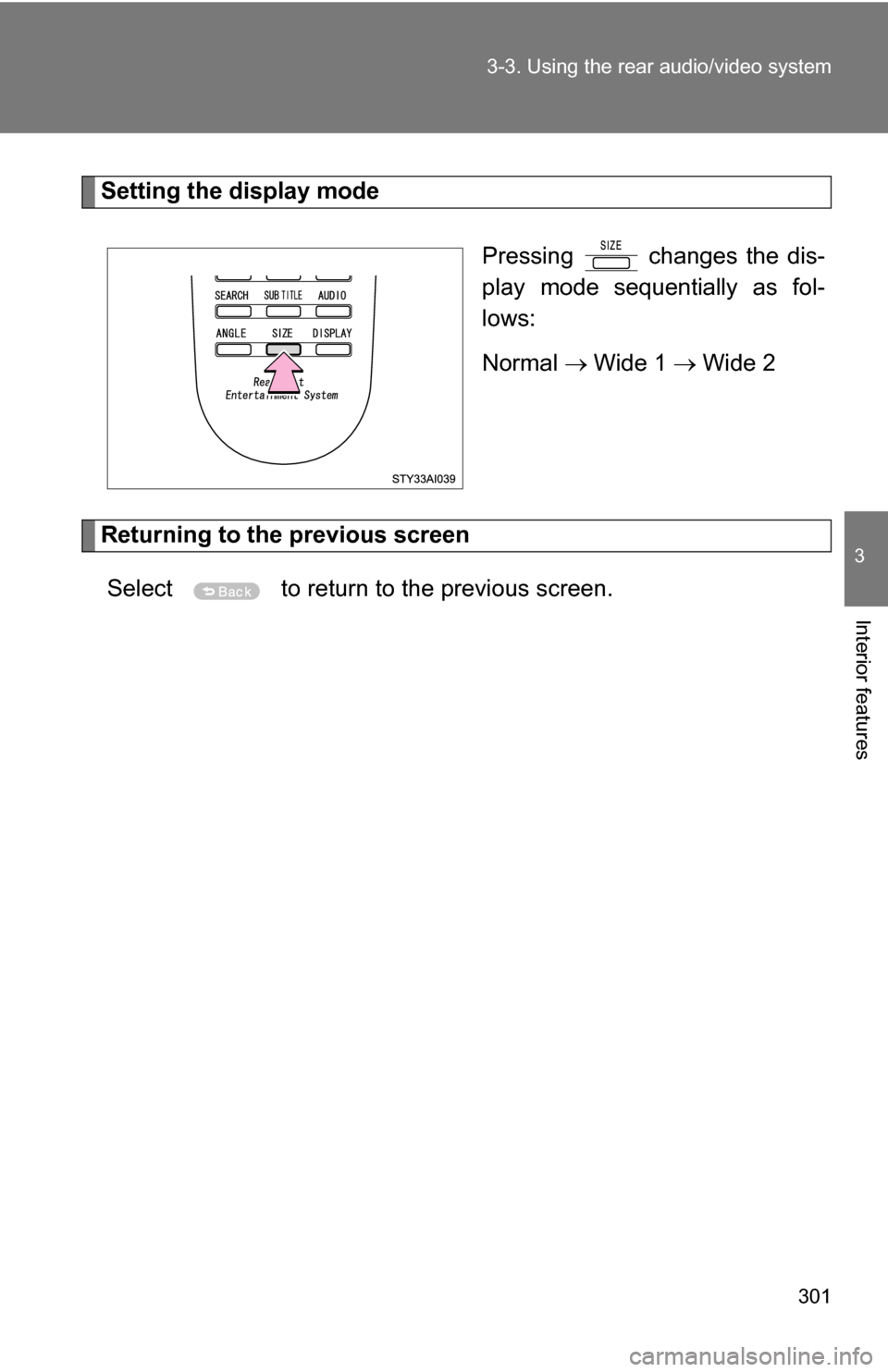
Setting the display mode
Pressing changes the dis-
play mode sequentially as fol-
lows:
Normal Wide 1 Wide 2
Returning to the previous screen
Select to return to the previous screen.