light TOYOTA 4RUNNER 2009 N280 / 5.G User Guide
[x] Cancel search | Manufacturer: TOYOTA, Model Year: 2009, Model line: 4RUNNER, Model: TOYOTA 4RUNNER 2009 N280 / 5.GPages: 520, PDF Size: 10.74 MB
Page 28 of 520
28
1-1. Key information
Keys
■When required to leave a key to the vehicle with a parking attendant
Lock the glove box as circumstances demand. ( P. 310)
Carry the master key for your own use and leave the valet key only with the
attendant.
■ Key number plate
Keep the plate in a safe place such as your wallet, not in the vehicle. In the
event that a key is lost, a new key can be made by your Toyota dealer using
the key number plate. ( P. 458)
NOTICE
■To prevent key damage
●Do not subject the keys to strong shocks, expose them to high tempera-
tures by placing them in direct sunlight, or get them wet.
● Do not expose the keys to electromagnetic materials or attach any mate-
rial that blocks electromagnetic waves to the key surface.
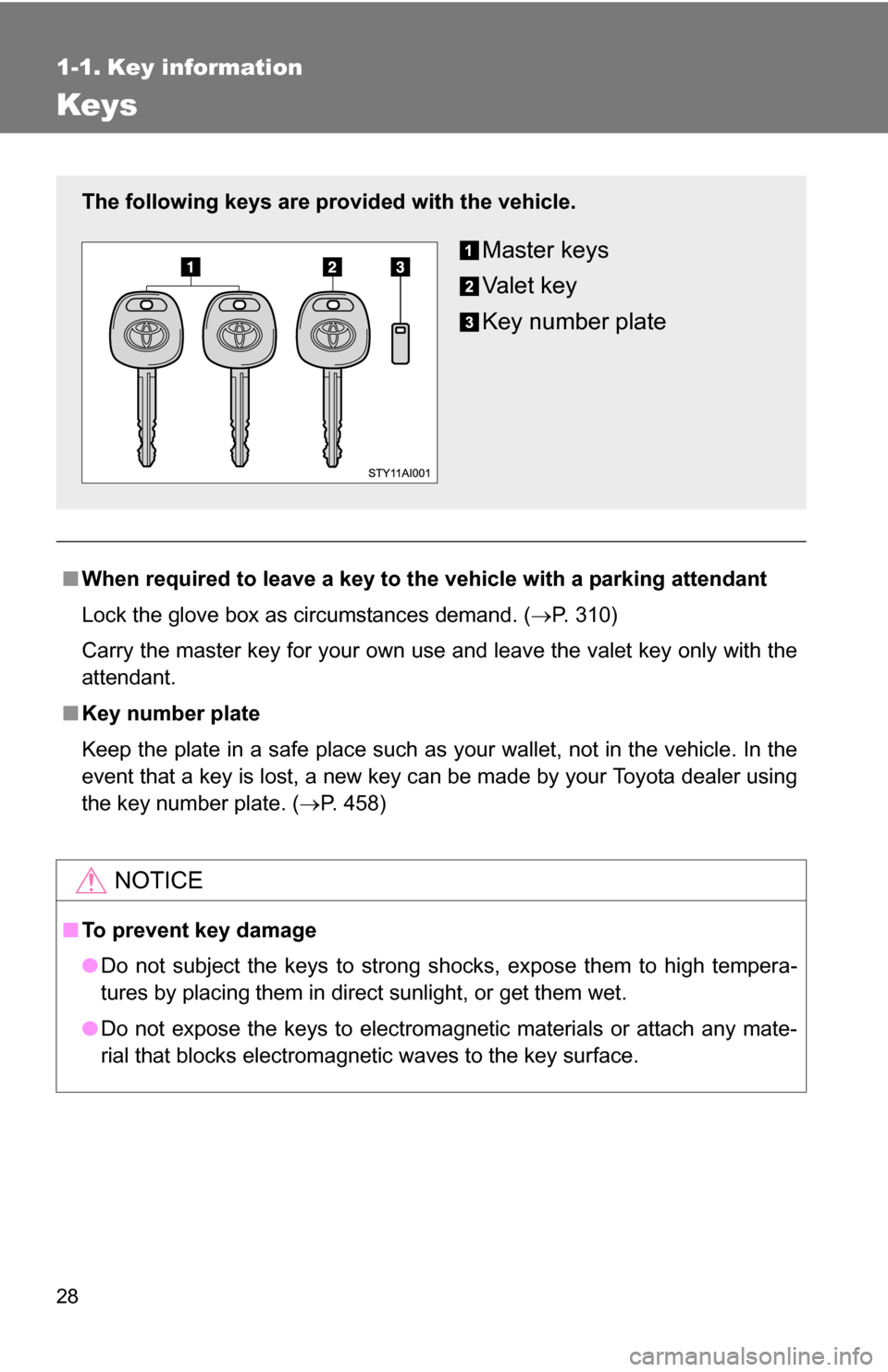
The following keys are provid ed with the vehicle.
Master keys
Va l e t k e y
Key number plate
Page 29 of 520
29
1
Before driving
1-2. Opening, closing and locking the doors
Wireless remote control
■Operation signals
Doors: A buzzer sounds and the emergency flashers flash to indicate that
the doors have been locked/unlocked. (Locked: Once; Unlocked:
Twice)
Back window: A buzzer sounds to indicate that the back window has been opened.
■ Panic mode
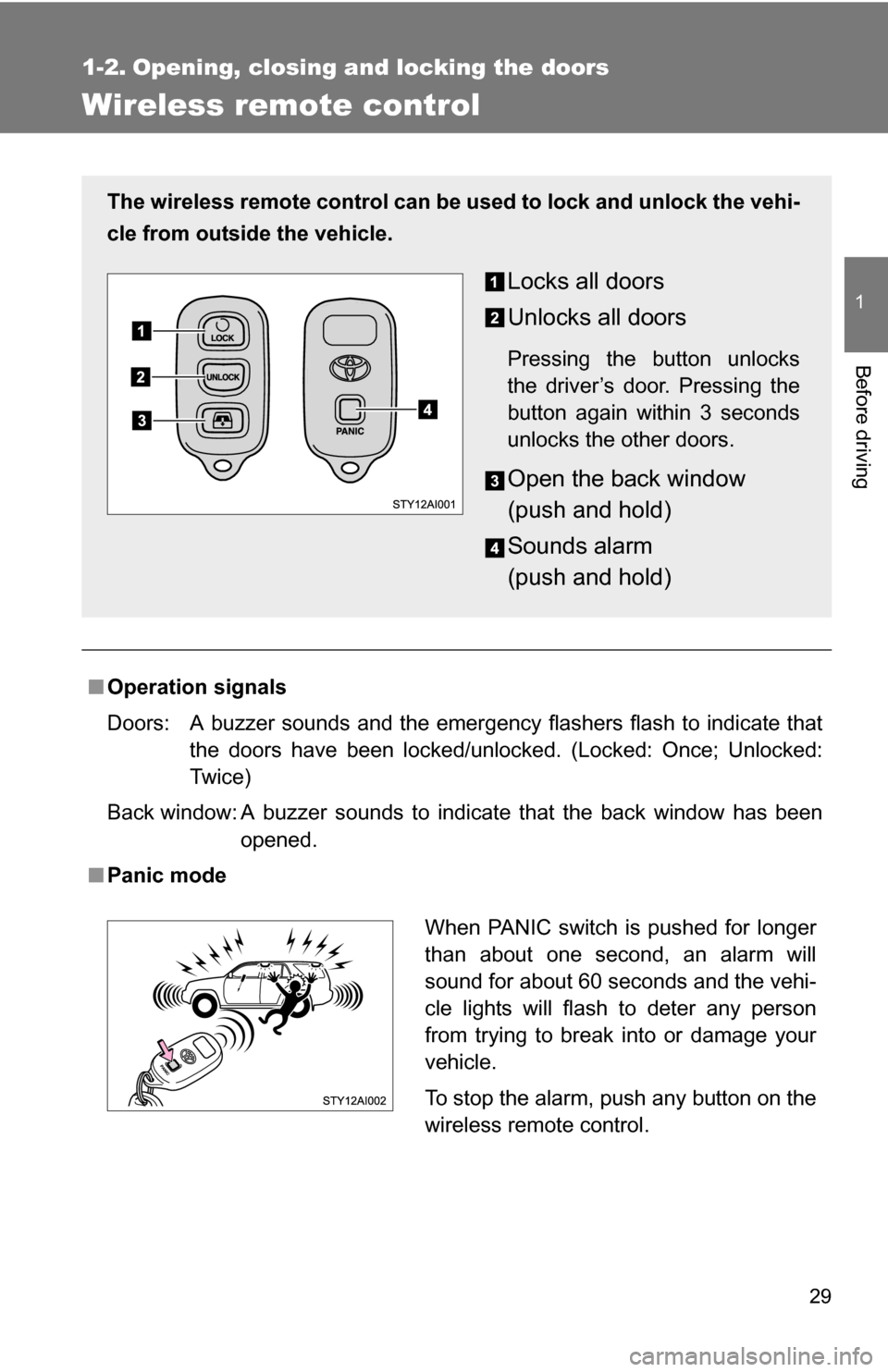
The wireless remote control can be used to lock and unlock the vehi-
cle from outside the vehicle.
Locks all doors
Unlocks all doors
Pressing the button unlocks
the driver’s door. Pressing the
button again within 3 seconds
unlocks the other doors.
Open the back window
(push and hold)
Sounds alarm
(push and hold)
When PANIC switch is pushed for longer
than about one second, an alarm will
sound for about 60 seconds and the vehi-
cle lights will flash to deter any person
from trying to break into or damage your
vehicle.
To stop the alarm, push any button on the
wireless remote control.
Page 39 of 520
39
1-2. Opening, closing and locking the doors
1
Before driving
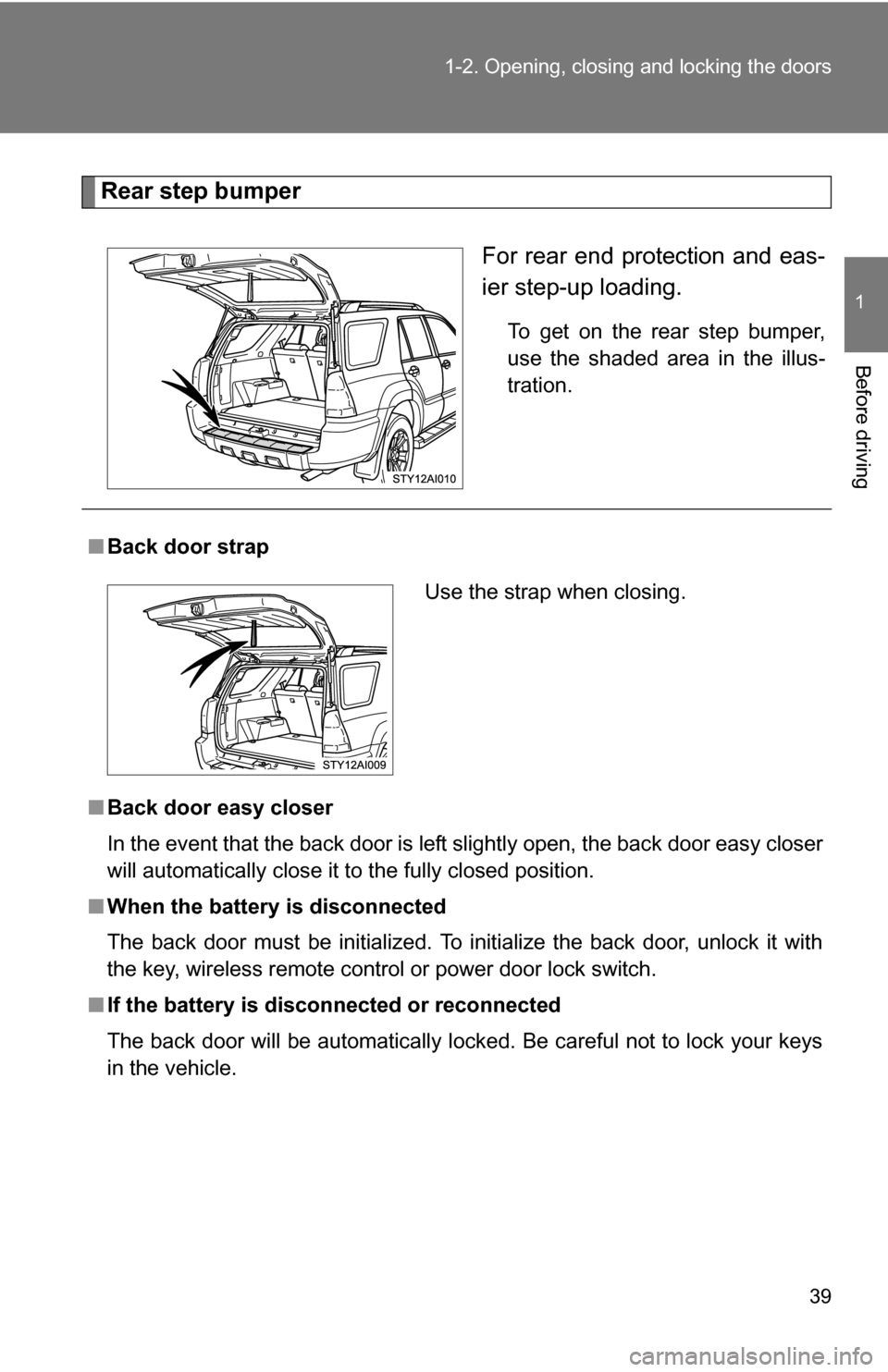
Rear step bumper
For rear end protection and eas-
ier step-up loading.
To get on the rear step bumper,
use the shaded area in the illus-
tration.
■Back door strap
■ Back door easy closer
In the event that the back door is left slightly open, the back door easy closer
will automatically close it to the fully closed position.
■ When the battery is disconnected
The back door must be initialized. To initialize the back door, unlock it with
the key, wireless remote control or power door lock switch.
■ If the battery is disconnected or reconnected
The back door will be automatically locked. Be careful not to lock your keys
in the vehicle.
Use the strap when closing.
Page 65 of 520
65
1-3. Adjustable components (s
eats, mirrors, steering wheel)
1
Before driving
■Emergency locking retractor (ELR)
The retractor will lock the belt during a sudden stop or on impact. It may also
lock if you lean forward too quickly. A slow, easy motion will allow the belt to
extend so that you can move around fully.
■ Automatic locking retractor (ALR)
When a passenger’s shoulder belt is completely extended and then
retracted even slightly, the belt is locked in that position and cannot be
extended. This feature is used to hold the child restraint system (CRS) firmly.
To free the belt again, fully retract the belt and then pull the belt out once
more. ( P. 117)
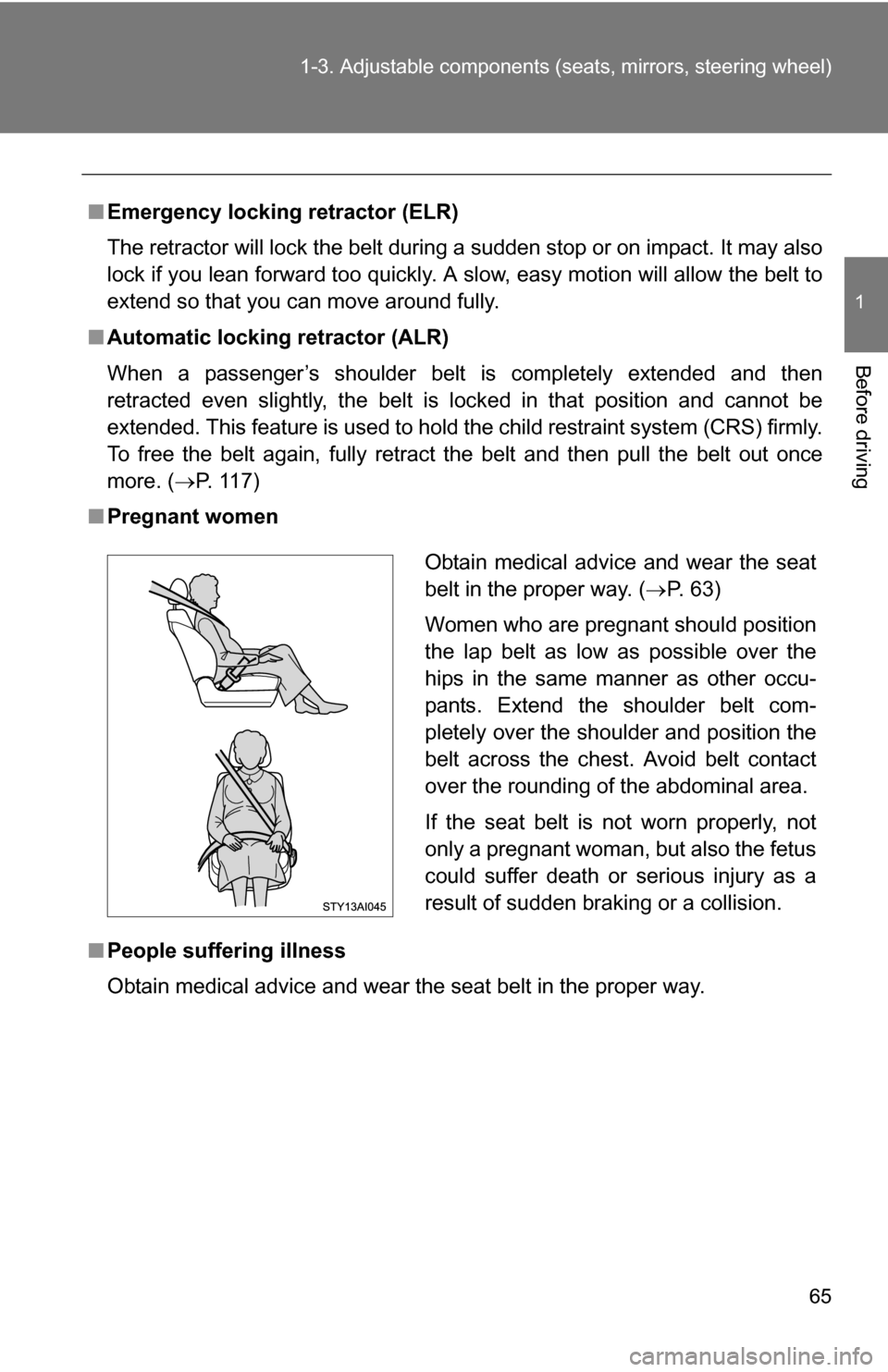
■ Pregnant women
■ People suffering illness
Obtain medical advice and wear the seat belt in the proper way.
Obtain medical advice and wear the seat
belt in the proper way. ( P. 63)
Women who are pregnant should position
the lap belt as low as possible over the
hips in the same manner as other occu-
pants. Extend the shoulder belt com-
pletely over the shoulder and position the
belt across the chest. Avoid belt contact
over the rounding of the abdominal area.
If the seat belt is not worn properly, not
only a pregnant woman, but also the fetus
could suffer death or serious injury as a
result of sudden braking or a collision.
Page 70 of 520
70
1-3. Adjustable components (seats, mirrors, steering wheel)
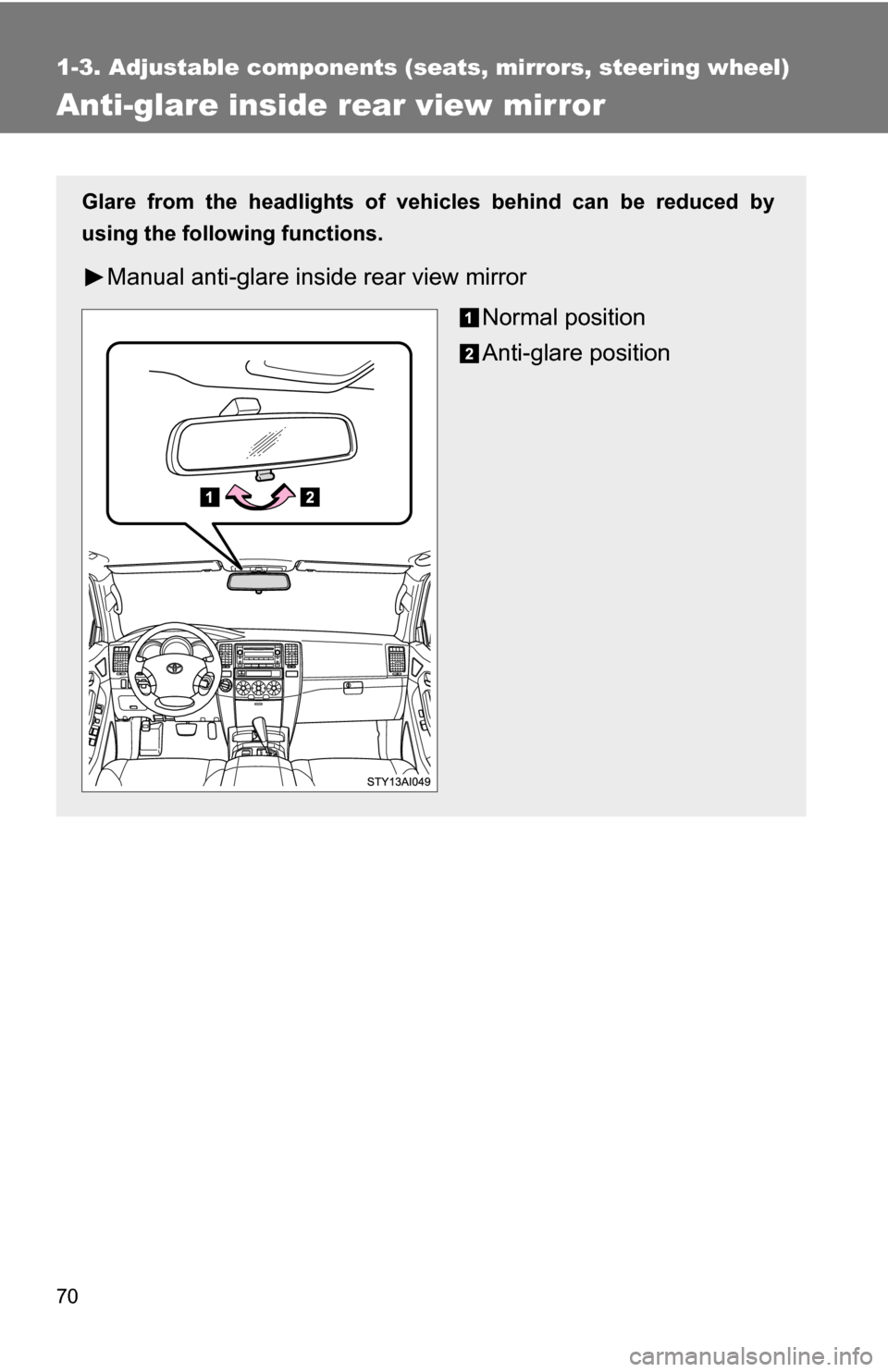
Anti-glare inside rear view mirror
Glare from the headlights of vehicles behind can be reduced by
using the following functions.
Manual anti-glare inside rear view mirrorNormal position
Anti-glare position
Page 71 of 520
71
1-3. Adjustable components (s
eats, mirrors, steering wheel)
1
Before driving
■To prevent sensor error (vehicles with auto anti-glare inside rear view
mirror)
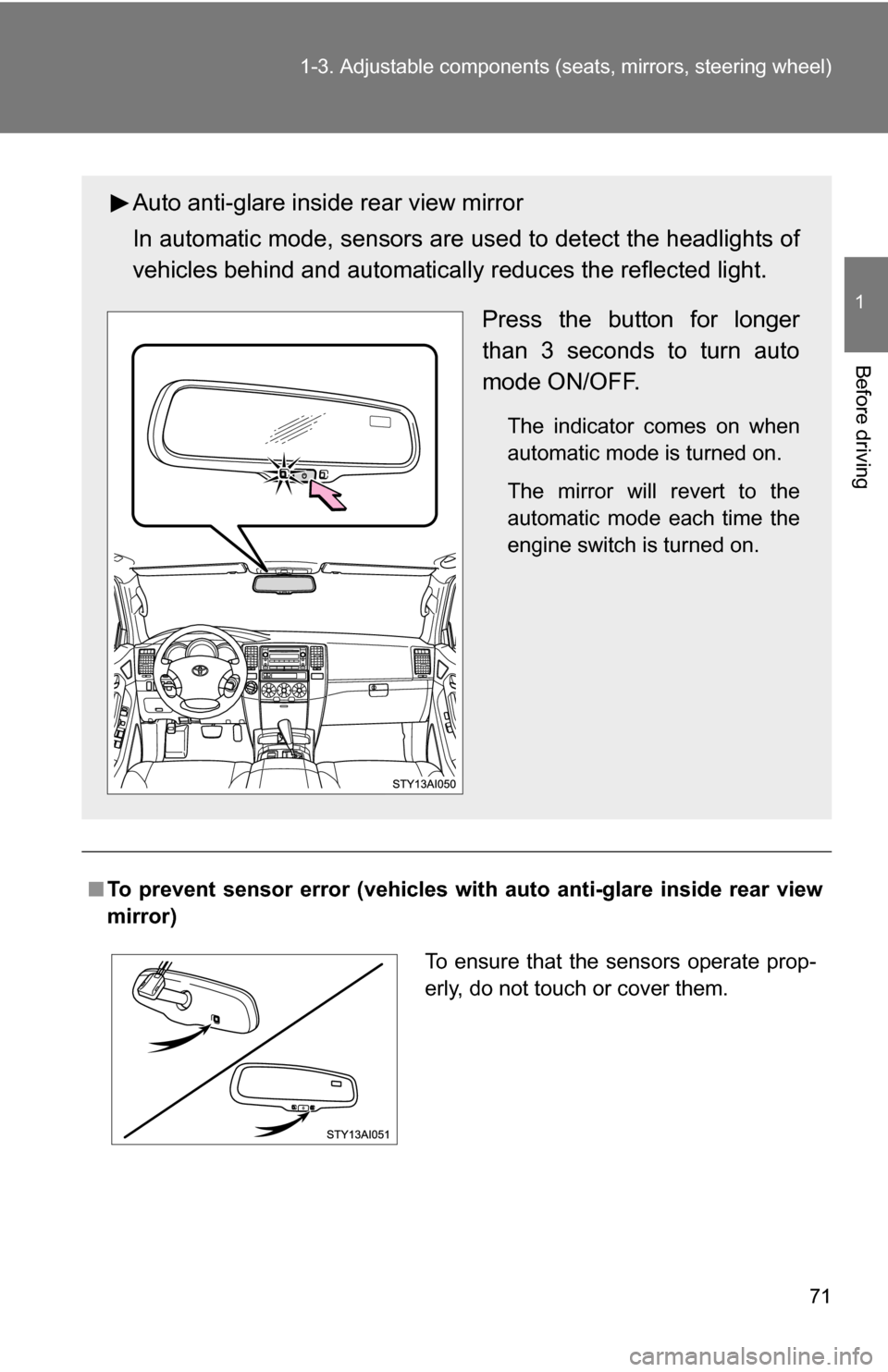
Auto anti-glare inside rear view mirror
In automatic mode, sensors are used to detect the headlights of
vehicles behind and automatical ly reduces the reflected light.
Press the button for longer
than 3 seconds to turn auto
mode ON/OFF.
The indicator comes on when
automatic mode is turned on.
The mirror will revert to the
automatic mode each time the
engine switch is turned on.
To ensure that the sensors operate prop-
erly, do not touch or cover them.
Page 74 of 520
74 1-3. Adjustable components (seats, mirrors, steering wheel)
■Mirror operating conditions
The engine switch is in the ACC or ON position.
■ When the mirrors are fogged up (veh icles with outside rear view mirror
defoggers)
Turn on the mirror defoggers to defog the mirrors. ( P. 240)
■ Rain clearing mirrors
The rain clearing mirrors have been coated to spread the raindrops evenly
into a thin film (hydrophilic effect) when they adhere to the mirror surface,
clearing the driver’s rear view.
■ In the following cases, the rain clear ing effect will be reduced tempo-
rarily, but will recover by exposing the mirrors to bright direct sunlight
for 1 or 2 days
● After wiping dirt off the mirrors
● When the mirrors fog up
● After waxing your vehicle in an automatic car wash
● After your vehicle has been parked for a long period in a place with no
direct sunlight, such as under ground parking lots
CAUTION
■When driving the vehicle
Observe the following precautions while driving.
Failing to do so may result in loss of control of the vehicle and cause an acci-
dent, resulting in death or serious injury.
●Do not adjust the mirrors while driving.
● Do not drive with the mirrors folded back.
● Both the driver and passenger side mirrors must be extended and properly
adjusted before driving.
■ When a mirror is moving
To avoid personal injury and mirror malfunction, be careful not to get your
hand caught by the moving mirror.
Page 77 of 520
77
1-4. Opening and closing the windows and moon roof
1
Before driving
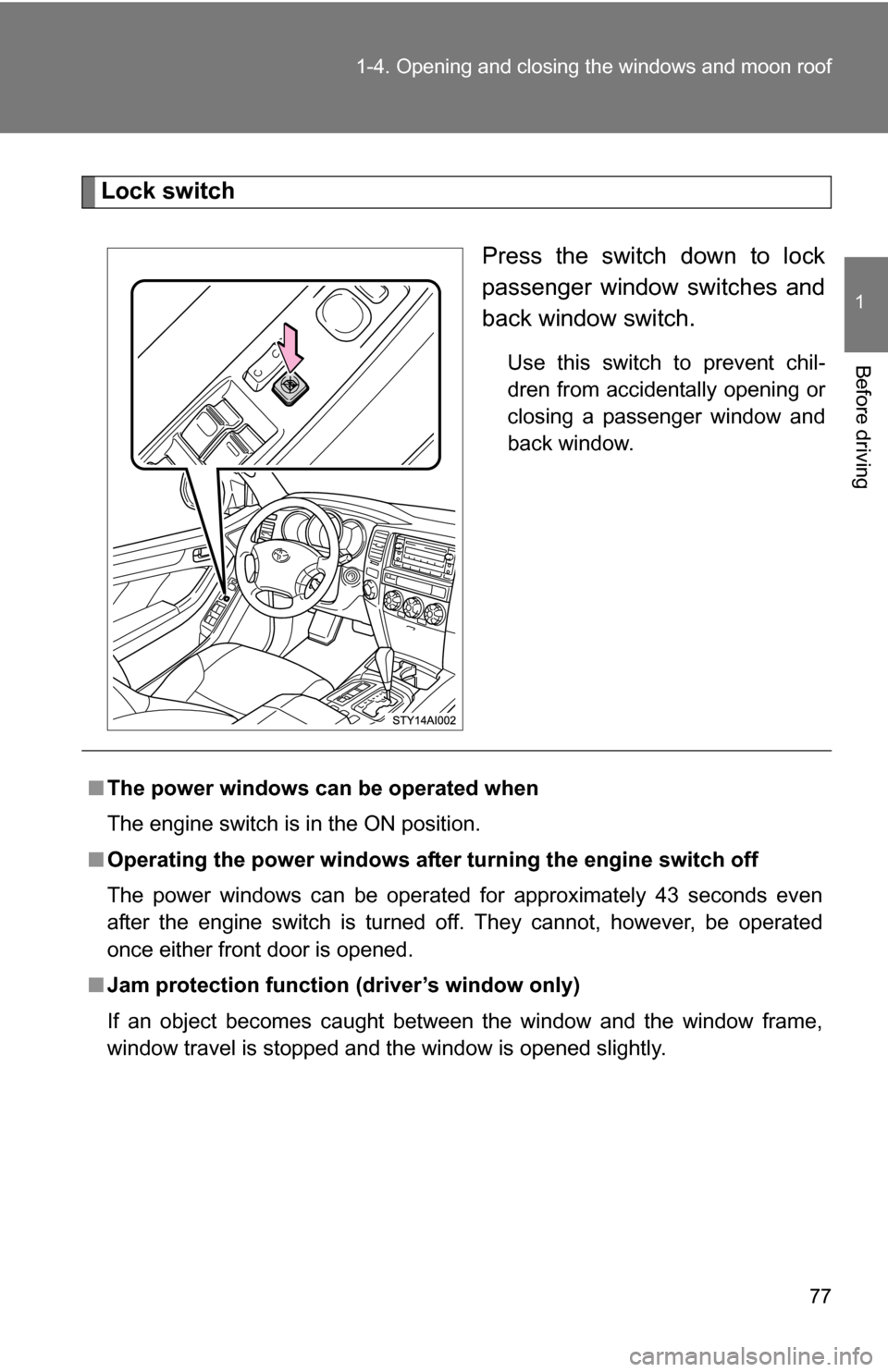
Lock switch
Press the switch down to lock
passenger window switches and
back window switch.
Use this switch to prevent chil-
dren from accidentally opening or
closing a passenger window and
back window.
■The power windows can be operated when
The engine switch is in the ON position.
■ Operating the power windows after turning the engine switch off
The power windows can be operated for approximately 43 seconds even
after the engine switch is turned off. They cannot, however, be operated
once either front door is opened.
■ Jam protection function (driver’s window only)
If an object becomes caught between the window and the window frame,
window travel is stopped and the window is opened slightly.
Page 80 of 520
80 1-4. Opening and closing the windows and moon roof
■The power back window can be operated when
●The engine switch is in the ON position.
● The power back window can be opened when the rear window wiper is
working. At that time, the wiper stops working until the window is closed
again.
If the rear window is not fully closed, the rear window wiper, washer, and
defogger will not work.
■ Operating the power back window after turning th e engine switch off
The power back window can be operated for approximately 43 seconds
even after the engine switch is turned off. It cannot, however, be operated
once either front door is opened.
■ Jam protection function
If an object becomes caught between the window and the window frame,
window travel is stopped and the window is opened slightly.
■ When the battery is disconnected
The power windows must be initializ ed in order to ensure proper operation.
Open the window halfway.
Fully close the window by pulling the switch up and continue hold-
ing the switch for 1 second.
■ Customization that can be co nfigured at Toyota dealer
Settings (e.g. wireless remote control linked operation) can be changed.
(Customizable features P. 495)
Page 82 of 520
82
1-4. Opening and closing the windows and moon roof
Moon roof (if equipped)
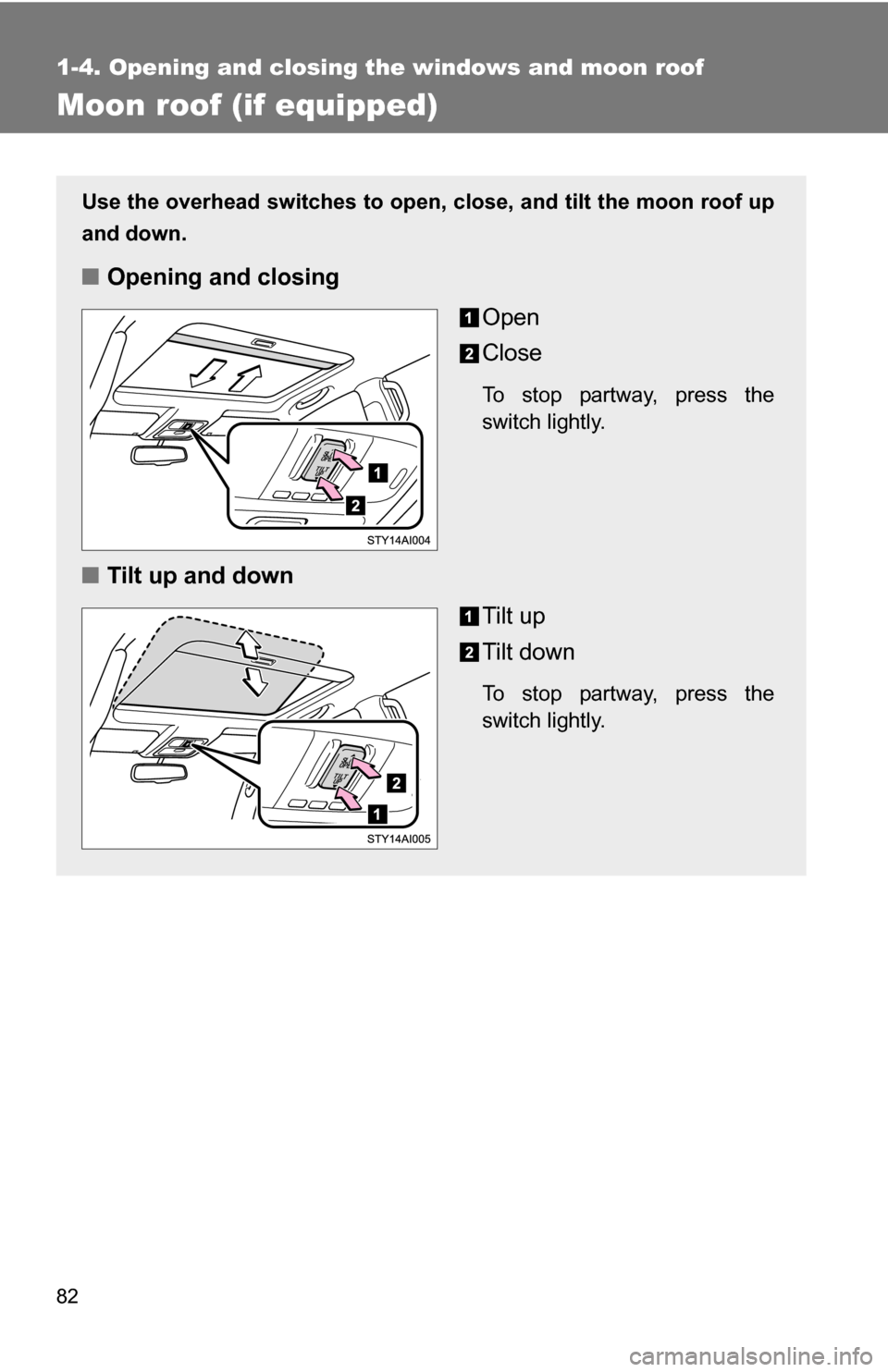
Use the overhead switches to open, close, and tilt the moon roof up
and down.
■Opening and closing
Open
Close
To stop partway, press the
switch lightly.
■Tilt up and down
Tilt up
Tilt down
To stop partway, press the
switch lightly.