light TOYOTA 4RUNNER 2009 N280 / 5.G Workshop Manual
[x] Cancel search | Manufacturer: TOYOTA, Model Year: 2009, Model line: 4RUNNER, Model: TOYOTA 4RUNNER 2009 N280 / 5.GPages: 520, PDF Size: 10.74 MB
Page 160 of 520
160 2-3. Operating the lights and wipers
■Daytime running light system (if equipped)
To make your vehicle more visible to other drivers, the headlights turn on
automatically (at a reduced intensity) whenever the engine is started and the
parking brake is released. Daytime running lights are not designed for use at
night.
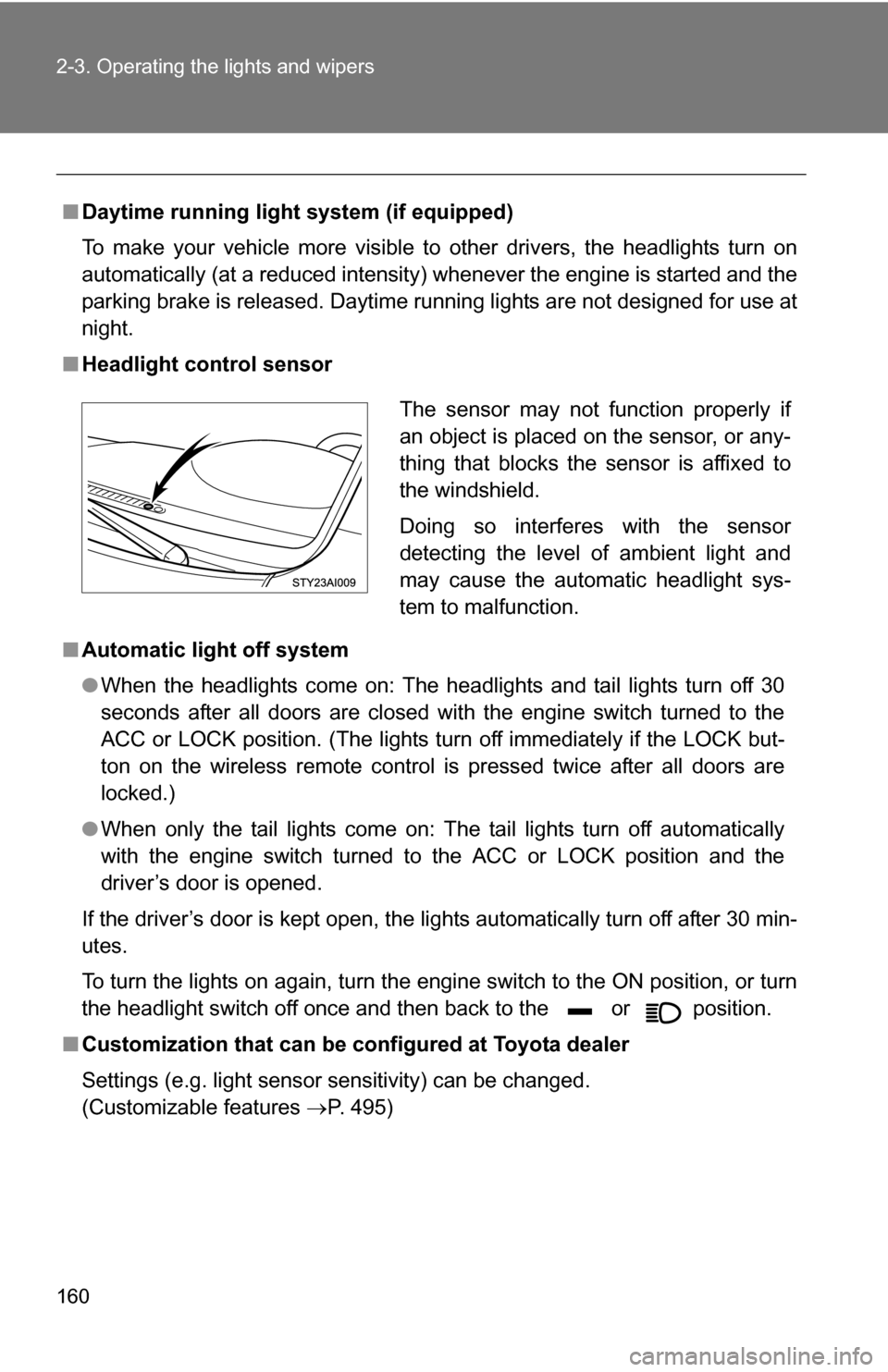
■ Headlight control sensor
■ Automatic light off system
●When the headlights come on: The headlights and tail lights turn off 30
seconds after all doors are closed with the engine switch turned to the
ACC or LOCK position. (The lights turn off immediately if the LOCK but-
ton on the wireless remote control is pressed twice after all doors are
locked.)
● When only the tail lights come on: The tail lights turn off automatically
with the engine switch turned to the ACC or LOCK position and the
driver’s door is opened.
If the driver’s door is kept open, the lights automatically turn off after 30 min-
utes.
To turn the lights on again, turn the engine switch to the ON position, or turn
the headlight switch off once and then back to the or position.
■ Customization that can be co nfigured at Toyota dealer
Settings (e.g. light sensor sensitivity) can be changed.
(Customizable features P. 495)
The sensor may not function properly if
an object is placed on the sensor, or any-
thing that blocks the sensor is affixed to
the windshield.
Doing so interferes with the sensor
detecting the level of ambient light and
may cause the automatic headlight sys-
tem to malfunction.
Page 161 of 520
161
2-3. Operating the lights and wipers
2
When driving
NOTICE
■
To prevent battery discharge
Do not leave the lights on longer than necessary when the engine is not run-
ning.
Page 162 of 520
162
2-3. Operating the lights and wipers
Fog light switch (if equipped)
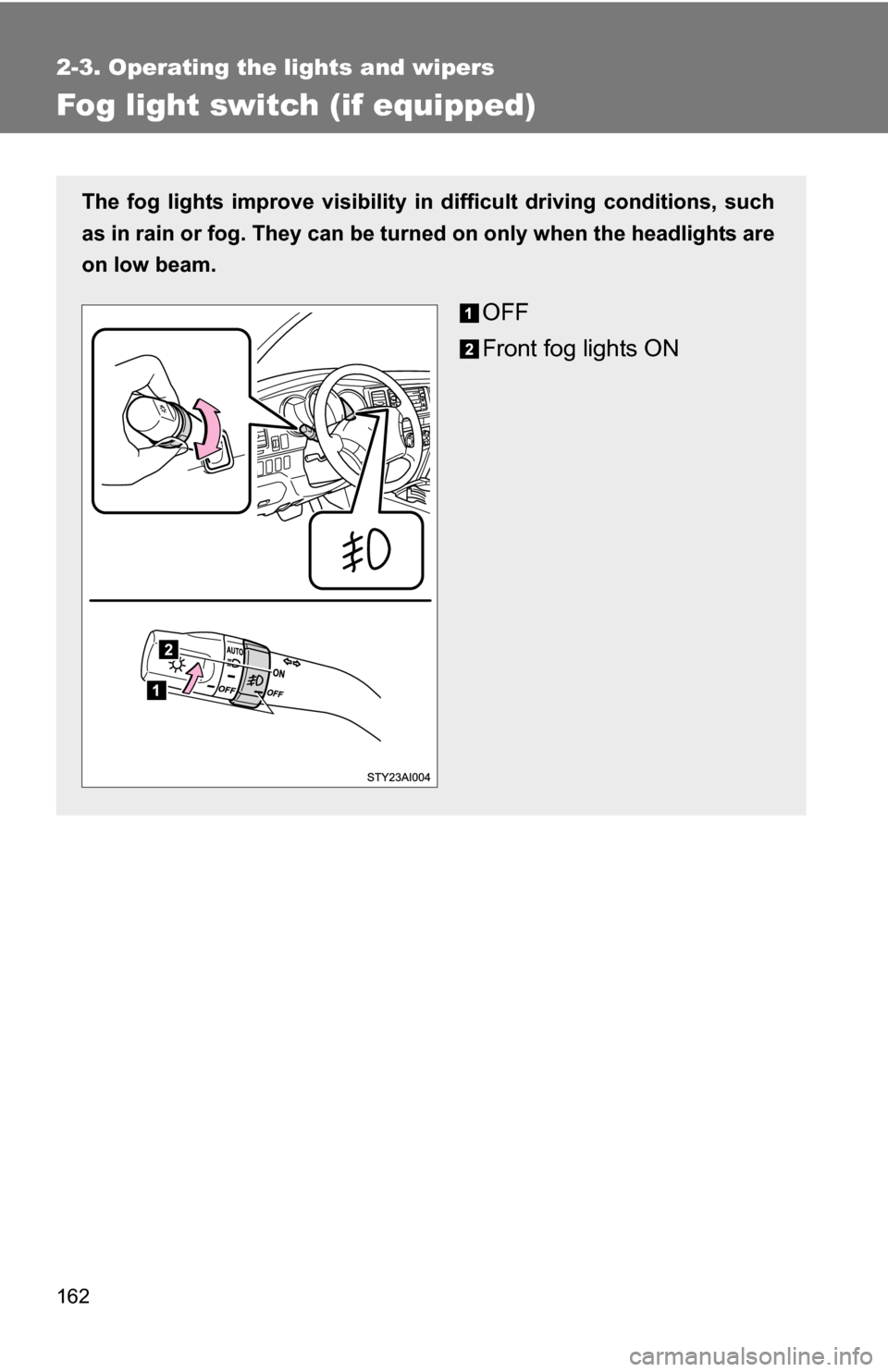
The fog lights improve visibility in difficult driving conditions, such
as in rain or fog. They can be turned on only when the headlights are
on low beam.
OFF
Front fog lights ON
Page 163 of 520
163
2-3. Operating the lights and wipers
2
When driving
Windshield wipers and washer
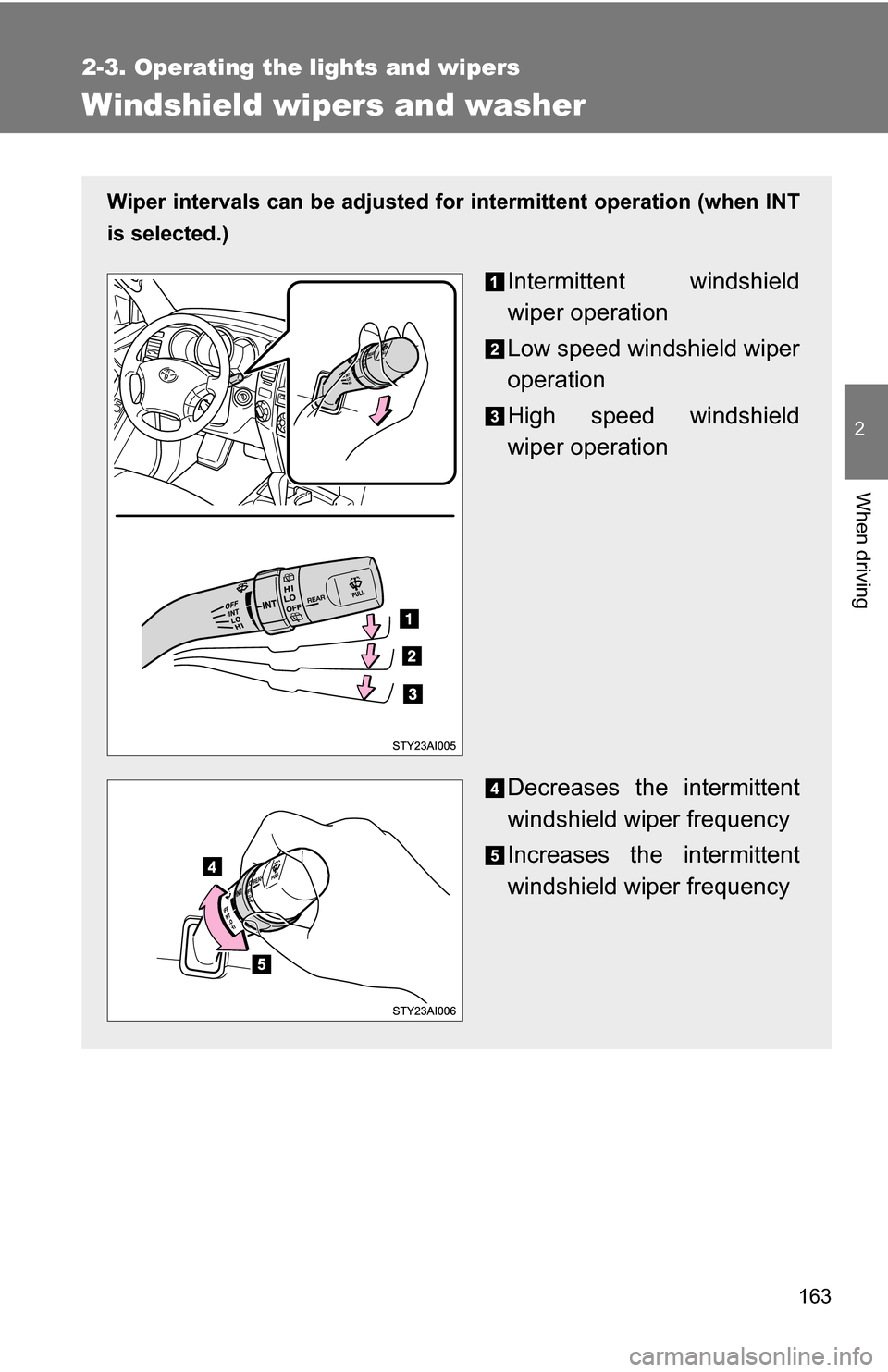
Wiper intervals can be adjusted for intermittent operation (when INT
is selected.)
Intermittent windshield
wiper operation
Low speed windshield wiper
operation
High speed windshield
wiper operation
Decreases the intermittent
windshield wiper frequency
Increases the intermittent
windshield wiper frequency
Page 164 of 520
164 2-3. Operating the lights and wipers
■The windshield wiper and washer can be operated when
The engine switch must be in the ON position.
■ If no windshield washer fluid sprays
Check that the washer nozzles are not blocked and if there is washer fluid in
the windshield washer fluid reservoir.
NOTICE
■When the windshield is dry
Do not use the wipers, as they may damage the windshield.
■ When there is no washer fluid spray from the nozzle
Damage to the washer fluid pump may be caused if the lever is pulled
toward you and held continually.
■ When a nozzle becomes block
Do not try to clear it with a pin or other object. The nozzle will be damaged.
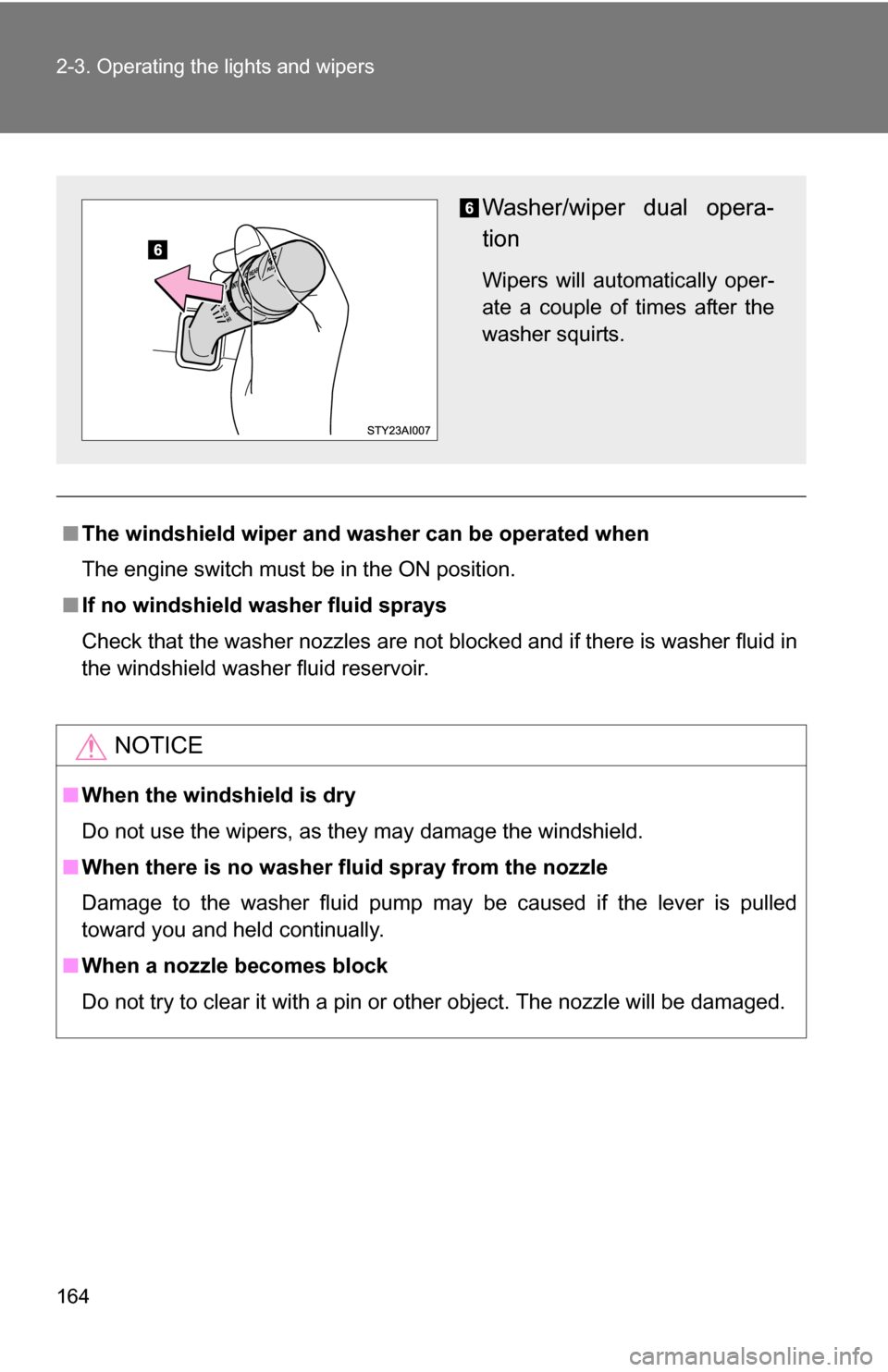
Washer/wiper dual opera-
tion
Wipers will automatically oper-
ate a couple of times after the
washer squirts.
Page 165 of 520
165
2-3. Operating the lights and wipers
2
When driving
Rear window wiper and washer
■The rear window wiper and washer can be operated when
●The engine switch must be in the ON position.
● The back window is fully closed.
NOTICE
■When the rear window is dry
Do not use the wipers, as they may damage the rear window.
■ When there is no washer fluid spray from the nozzle
Damage to the washer fluid pump may be caused if the knob is continuously
twisted upward or downward as far as it will go.
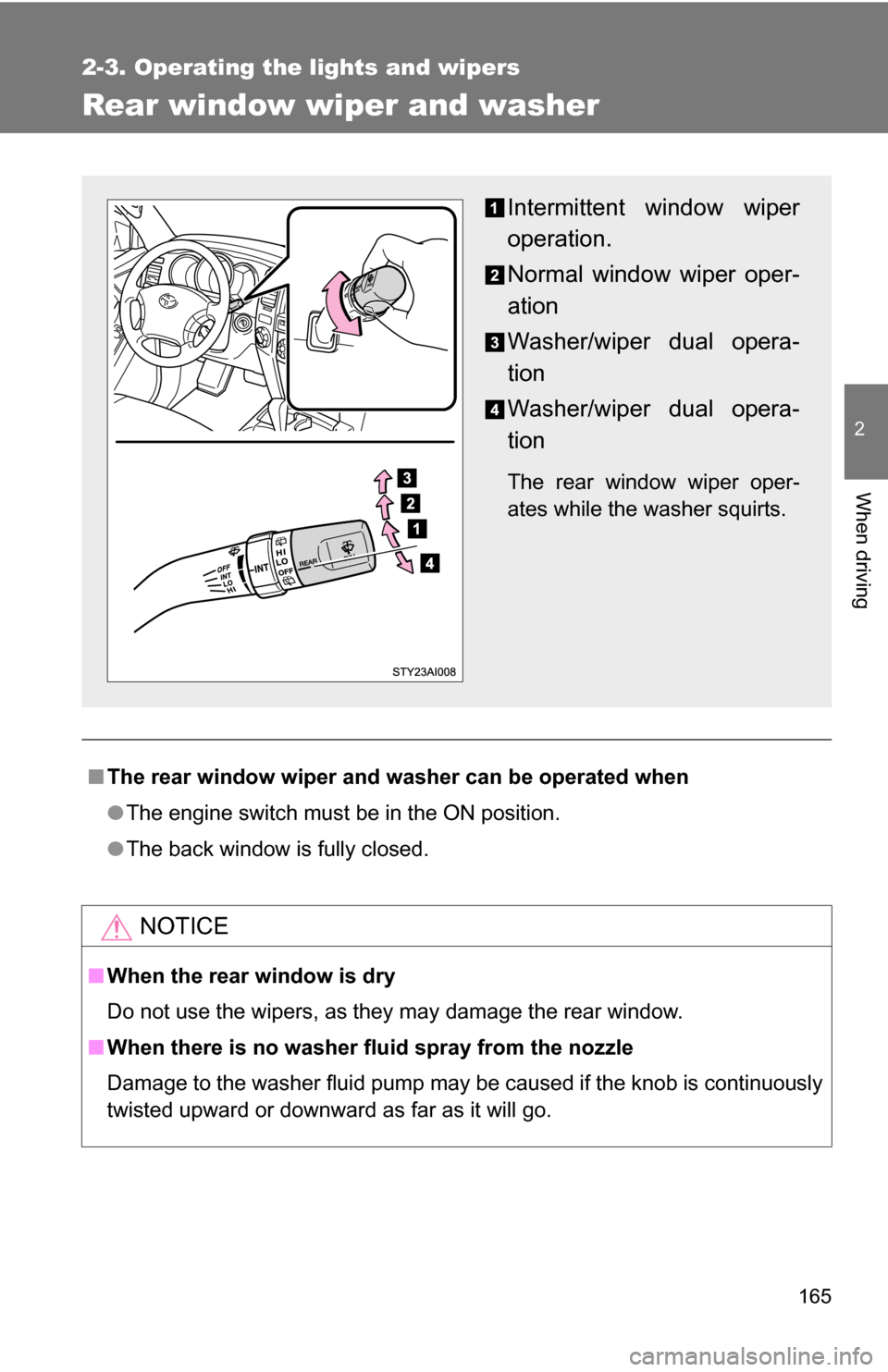
Intermittent window wiper
operation.
Normal window wiper oper-
ation
Washer/wiper dual opera-
tion
Washer/wiper dual opera-
tion
The rear window wiper oper-
ates while the washer squirts.
Page 167 of 520
167
2-4. Using other
driving systems
2
When driving
■Cruise control can be set when
●The shift lever is in D or 4.
● Vehicle speed is more than approximately 25 mph (40 km/h).
■ Accelerating
The vehicle can be accelerated normally.
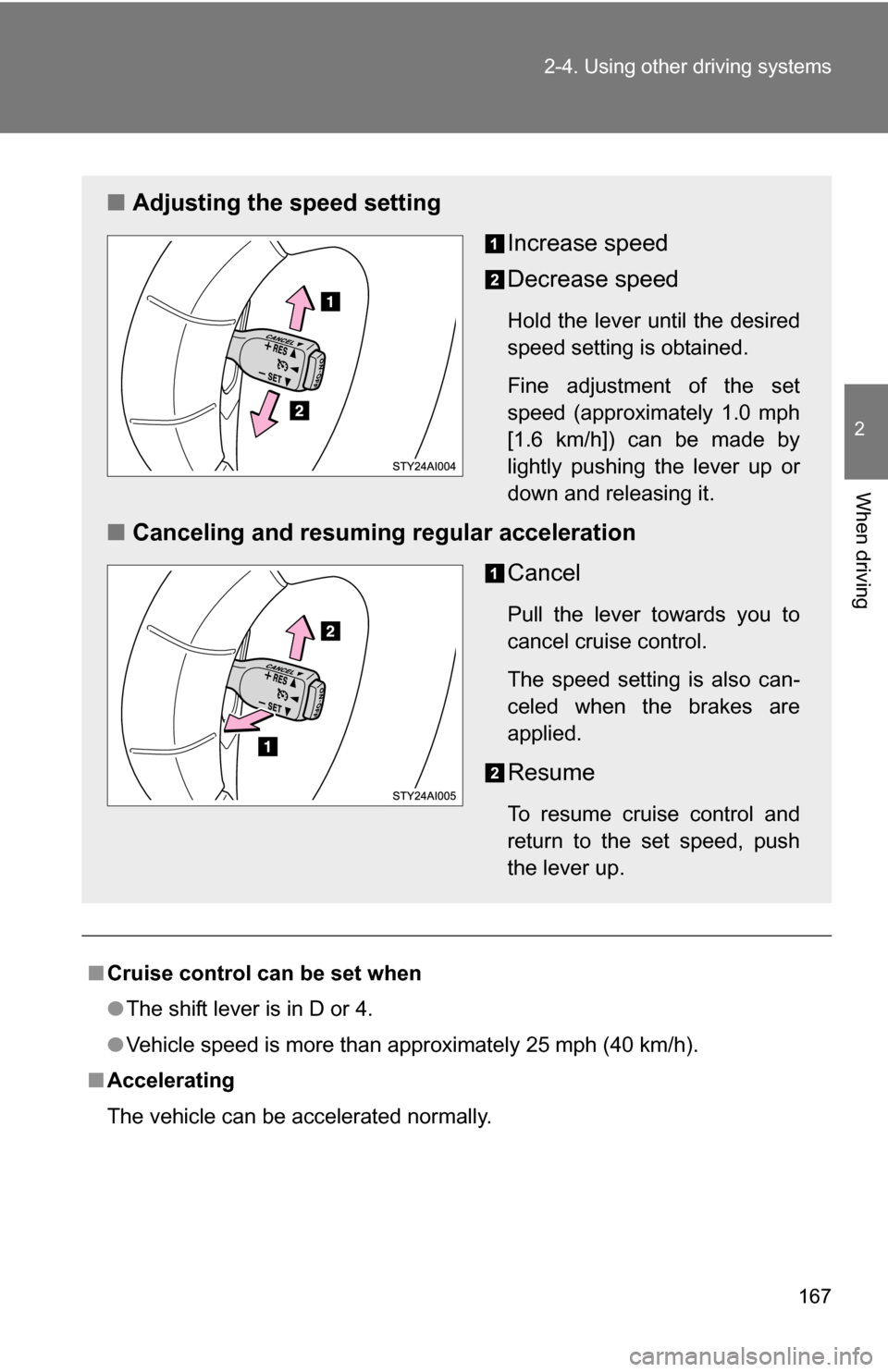
■ Adjusting the speed setting
Increase speed
Decrease speed
Hold the lever until the desired
speed setting is obtained.
Fine adjustment of the set
speed (approximately 1.0 mph
[1.6 km/h]) can be made by
lightly pushing the lever up or
down and releasing it.
■Canceling and resuming regular acceleration
Cancel
Pull the lever towards you to
cancel cruise control.
The speed setting is also can-
celed when the brakes are
applied.
Resume
To resume cruise control and
return to the set speed, push
the lever up.
Page 185 of 520
185
2-4. Using other
driving systems
2
When driving
Gently depress the accelerator pedal.
Unlock the rear differential as soon as the vehicle moves out.
To unlock the rear differential, push the switch again.
■Locking the rear differential
●When the rear differential is locked, VSC is automatically turned off.
(The rear differential lock and VSC OFF indicators come on.)
● The following systems do not operate when the rear differential is locked.
It is normal operation for the ABS warning light, VSC OFF indicator and
slip indicator to be on at this time.
•ABS
• Brake assist system
•VSC
•TRAC
■ The rear differential lock is disengaged when
●Turn the four-wheel drive control switch to the H2 or H4 position.
Never forget to turn off the switch after using this feature.
■ After unlocking the rear differential
Check that the indicator goes off.
CAUTION
■To avoid an accident
●Do not use the rear differential lock system except when wheel spinning
occurs in a ditch or on a slippery or ragged surface. Large steering effort
and careful cornering control will be required.
● Do not lock the rear differential until the wheels have stopped spinning.
Otherwise, the vehicle may move in an unexpected direction when the dif-
ferential lock is engaged, resulting in an accident. This may also lead to
possible damage to rear differential lock component parts.
● Do not drive over 5 mph (8 km/h) when the rear differential is locked.
● Do not keep driving with the RR DIFF LOCK switch on.
Page 186 of 520
186
2-4. Using other driving systems
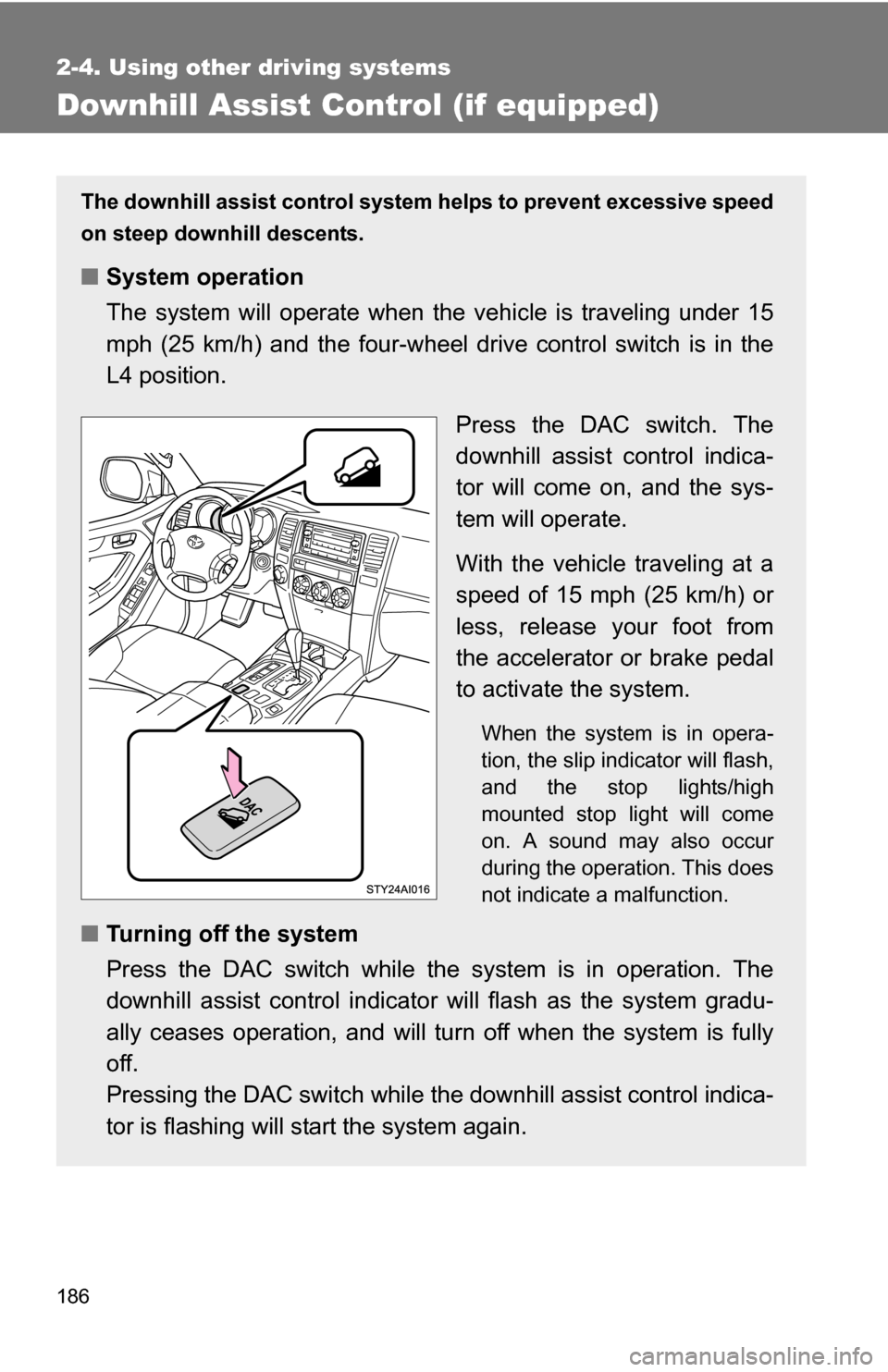
Downhill Assist Control (if equipped)
The downhill assist control system helps to prevent excessive speed
on steep downhill descents.
■System operation
The system will operate when the vehicle is traveling under 15
mph (25 km/h) and the four-wheel drive control switch is in the
L4 position.
Press the DAC switch. The
downhill assist control indica-
tor will come on, and the sys-
tem will operate.
With the vehicle traveling at a
speed of 15 mph (25 km/h) or
less, release your foot from
the accelerator or brake pedal
to activate the system.
When the system is in opera-
tion, the slip indicator will flash,
and the stop lights/high
mounted stop light will come
on. A sound may also occur
during the operation. This does
not indicate a malfunction.
■Turning off the system
Press the DAC switch while the system is in operation. The
downhill assist control indicator will flash as the system gradu-
ally ceases operation, and will tu rn off when the system is fully
off.
Pressing the DAC switch while t he downhill assist control indica-
tor is flashing will st art the system again.
Page 189 of 520
189
2-4. Using other
driving systems
2
When driving
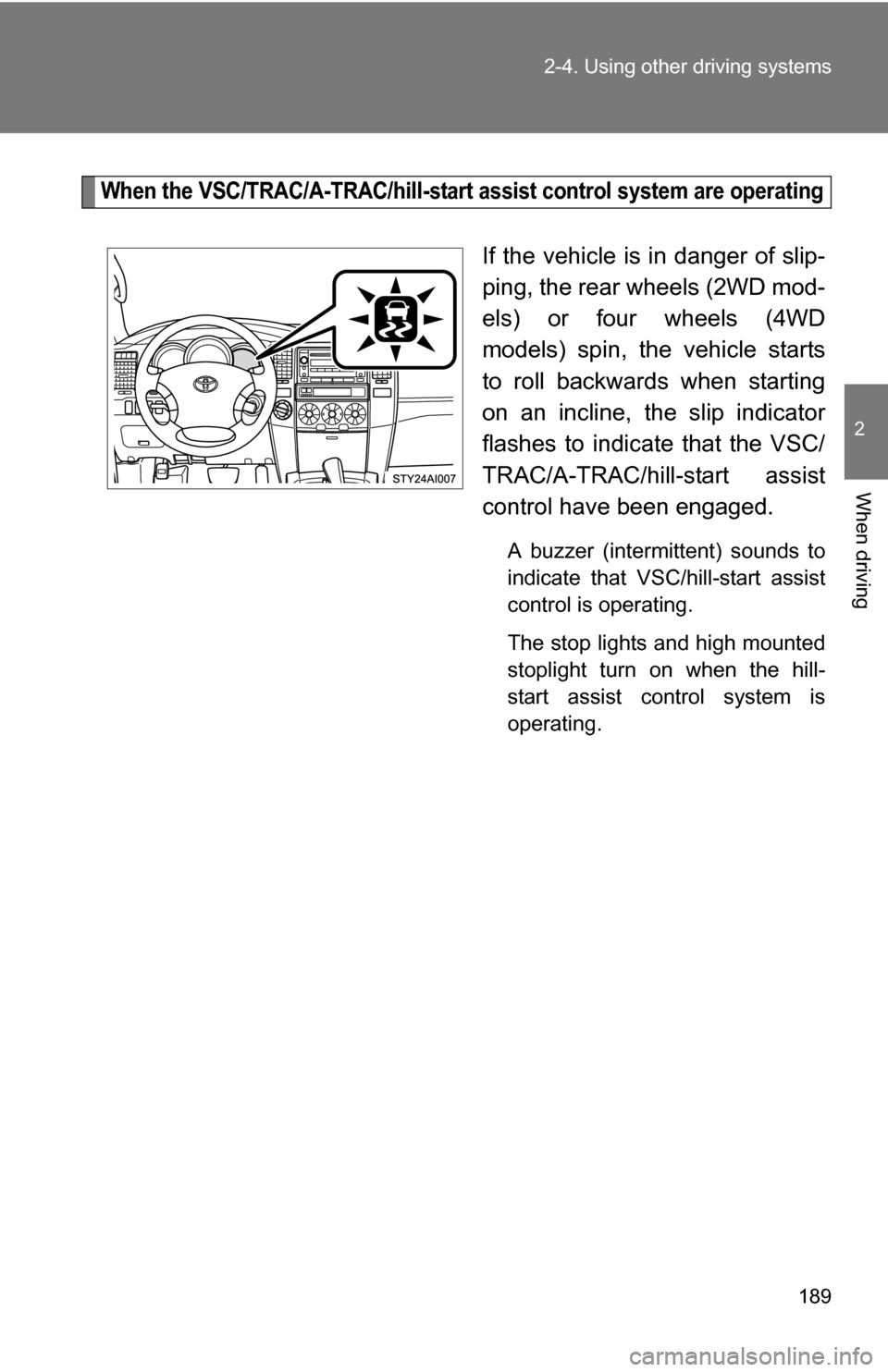
When the VSC/TRAC/A-TRAC/hill-start assist control system are operating
If the vehicle is in danger of slip-
ping, the rear wheels (2WD mod-
els) or four wheels (4WD
models) spin, the vehicle starts
to roll backwards when starting
on an incline, the slip indicator
flashes to indicate that the VSC/
TRAC/A-TRAC/hill-start assist
control have been engaged.
A buzzer (intermittent) sounds to
indicate that VSC/hill-start assist
control is operating.
The stop lights and high mounted
stoplight turn on when the hill-
start assist control system is
operating.