engine TOYOTA 4RUNNER 2009 N280 / 5.G Owners Manual
[x] Cancel search | Manufacturer: TOYOTA, Model Year: 2009, Model line: 4RUNNER, Model: TOYOTA 4RUNNER 2009 N280 / 5.GPages: 520, PDF Size: 10.74 MB
Page 2 of 520
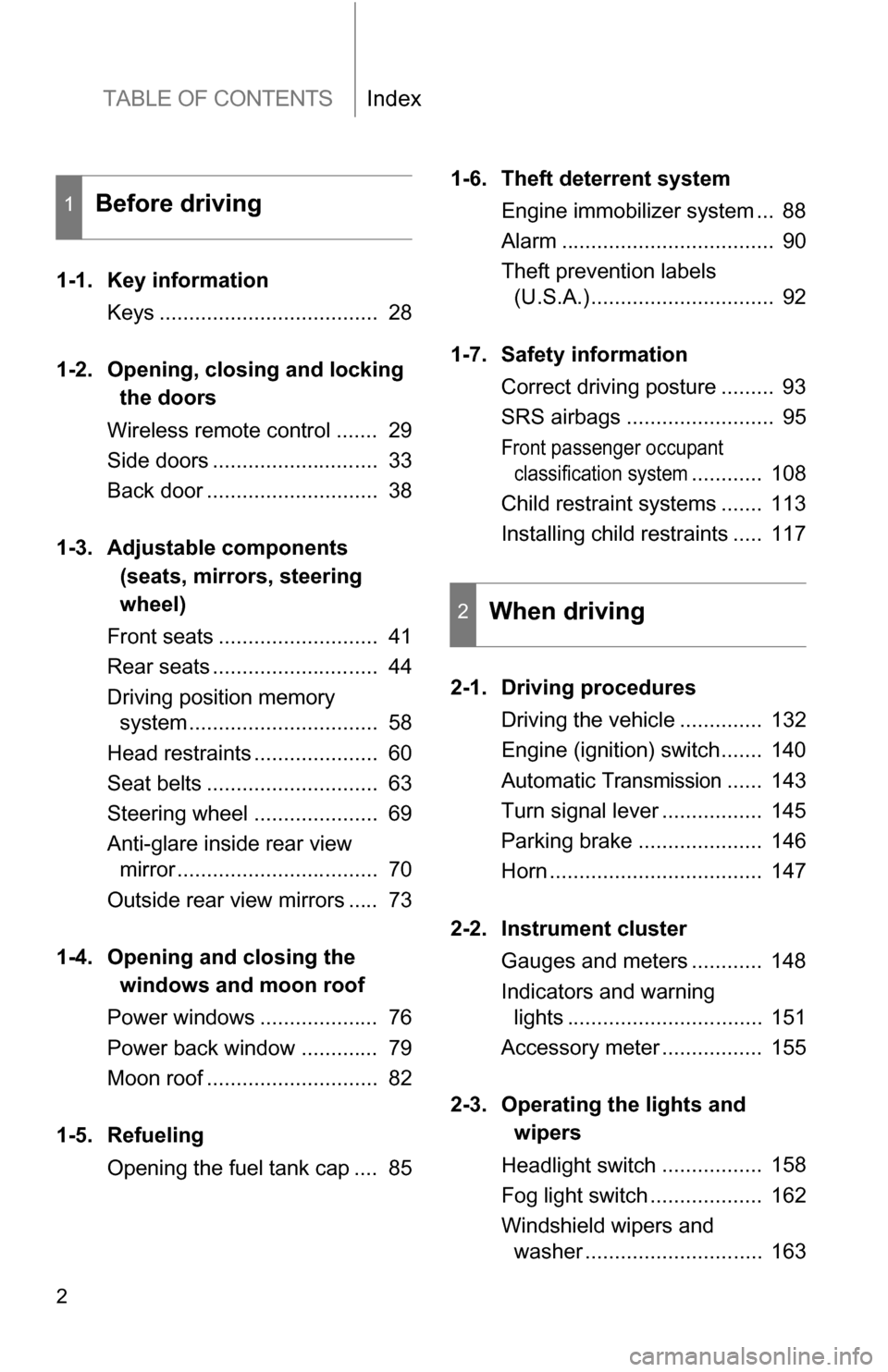
TABLE OF CONTENTSIndex
2
1-1. Key informationKeys ..................................... 28
1-2. Opening, closing and locking
the doors
Wireless remote control ....... 29
Side doors ............................ 33
Back door ............................. 38
1-3. Adjustable components
(seats, mirrors, steering
wheel)
Front seats ........................... 41
Rear seats ............................ 44
Driving position memory system ................................ 58
Head restraints ..................... 60
Seat belts ............................. 63
Steering wheel ..................... 69
Anti-glare inside rear view mirror .................................. 70
Outside rear view mirrors ..... 73
1-4. Opening a nd closing the
windo ws and moon roof
Power windows .................... 76
Power back window ............. 79
Moon roof ............................. 82
1-5. Refueling Opening the fuel tank cap .... 85 1-6. Theft deterrent system
Engine immobilizer system ... 88
Alarm .................................... 90
Theft prevention labels (U.S.A.)............................... 92
1-7. Safety information Correct driving posture ......... 93
SRS airbags ......................... 95
Front passenger occupant classification system
............ 108
Child restraint systems ....... 113
Installing child restraints ..... 117
2-1. Driving procedures Driving the vehicle .............. 132
Engine (ignition) switch....... 140
Automatic
Transmission...... 143
Turn signal lever ................. 145
Parking brake ..................... 146
Horn .................................... 147
2-2. Instrument cluster Gauges and meters ............ 148
Indicators and warning lights ................................. 151
Accessory meter ................. 155
2-3. Operating the li ghts and
wipers
Headlight switch ................. 158
Fog light switch ................... 162
Windshield wipers and washer .............................. 163
1Before driving
2When driving
Page 4 of 520
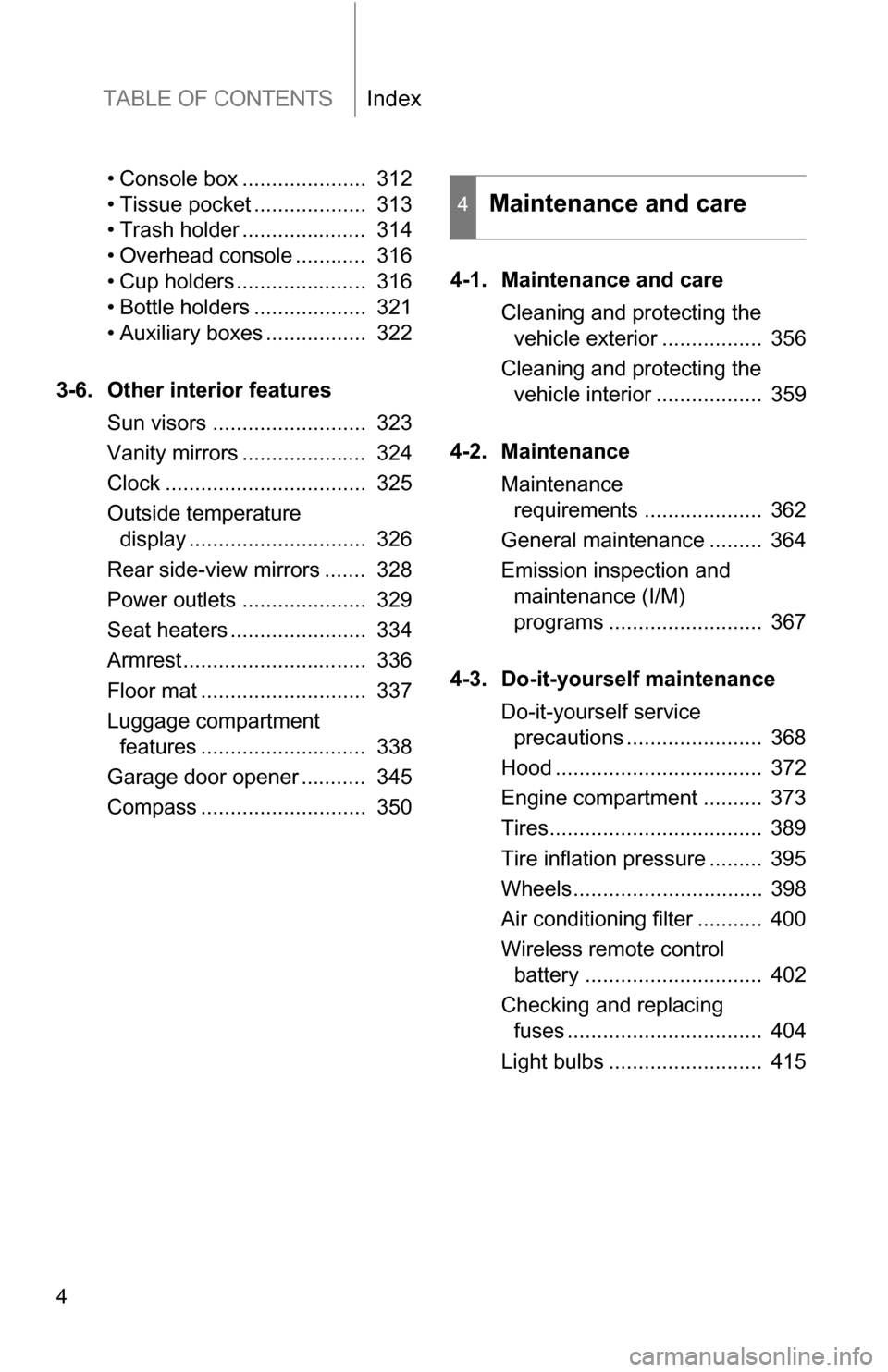
TABLE OF CONTENTSIndex
4
• Console box ..................... 312
• Tissue pocket ................... 313
• Trash holder ..................... 314
• Overhead console ............ 316
• Cup holders ...................... 316
• Bottle holders ................... 321
• Auxiliary boxes ................. 322
3-6. Other interior features Sun visors .......................... 323
Vanity mirrors ..................... 324
Clock .................................. 325
Outside temperature display .............................. 326
Rear side-view mirrors ....... 328
Power outlets ..................... 329
Seat heaters ....................... 334
Armrest............................... 336
Floor mat ............................ 337
Luggage compartment features ............................ 338
Garage door opener ........... 345
Compass ............................ 350 4-1. Maintenance and care
Cleaning and protecting the vehicle exterior ................. 356
Cleaning and protecting the vehicle interior .................. 359
4-2. Maintenance Maintenance requirements .................... 362
General maintenance ......... 364
Emission inspection and maintenance (I/M)
programs .......................... 367
4-3. Do-it-yourself maintenance Do-it-yourself service precautions ....................... 368
Hood ................................... 372
Engine compartment .......... 373
Tires.................................... 389
Tire inflation pressure ......... 395
Wheels................................ 398
Air conditioning filter ........... 400
Wireless remote control battery .............................. 402
Checking and replacing fuses ................................. 404
Light bulbs .......................... 415
4Maintenance and care
Page 5 of 520
1
2
3
4
5
6
7
5
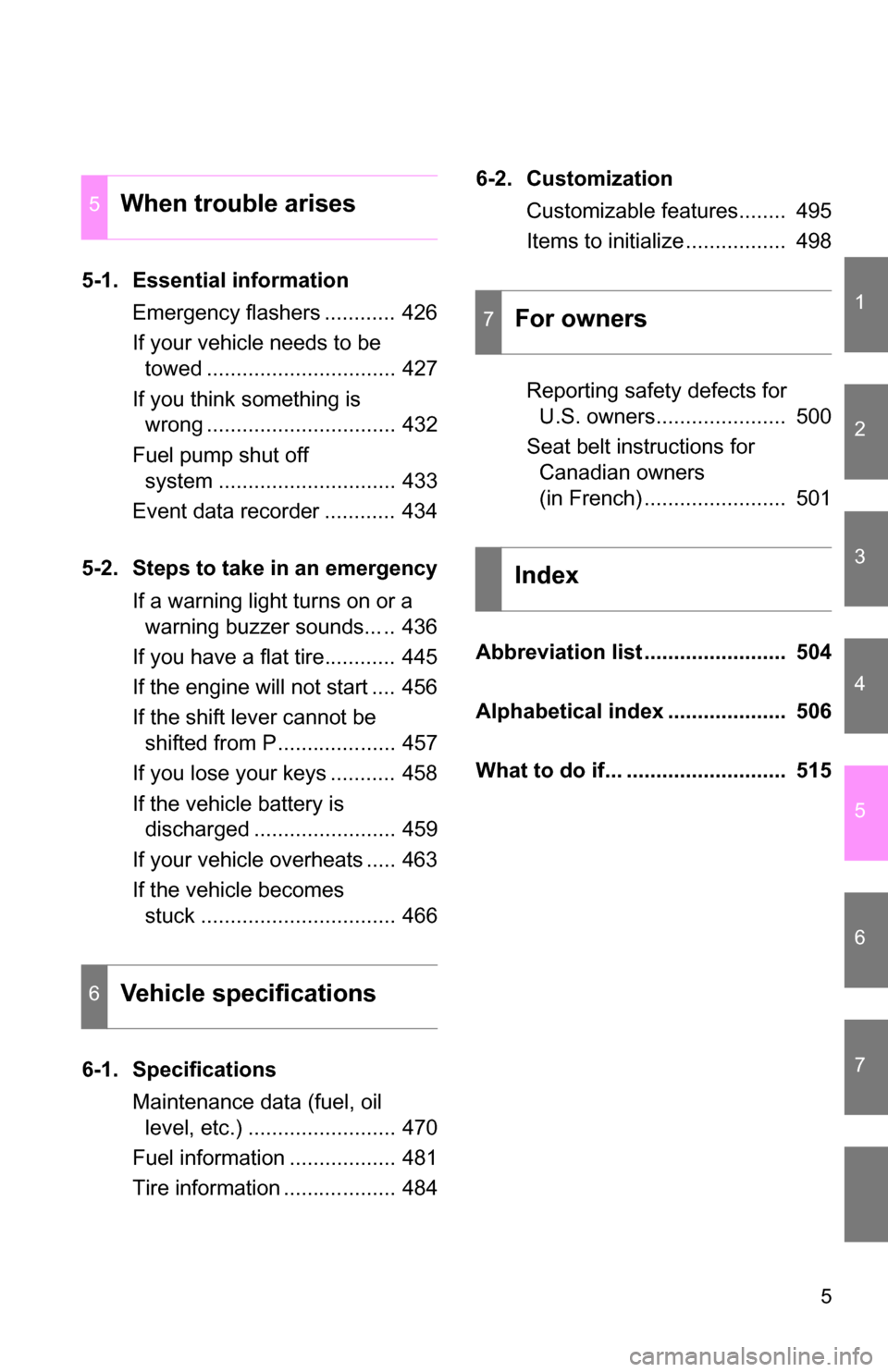
5-1. Essential informationEmergency flashers ............ 426
If your vehicle needs to be towed ................................ 427
If you think something is wrong ................................ 432
Fuel pump shut off system .............................. 433
Event data recorder ............ 434
5-2. Steps to take in an emergency If a warning light turns on or a warning buzzer sounds... .. 436
If you have a flat tire............ 445
If the engine will not start .... 456
If the shift lever cannot be shifted from P.................... 457
If you lose your keys ........... 458
If the vehicle battery is discharged ........................ 459
If your vehicle overheats ..... 463
If the vehicle becomes stuck ................................. 466
6-1. Specifications Maintenance data (fuel, oil level, etc.) ......................... 470
Fuel information .................. 481
Tire information ................... 484 6-2. Customization
Customizable features........ 495
Items to initialize ................. 498
Reporting safety defects for U.S. owners...................... 500
Seat belt instructions for Canadian owners
(in French) ........................ 501
Abbreviation list ........................ 504
Alphabetical index .................... 506
What to do if... ........................... 515
5When trouble arises
6Vehicle specifications
7For owners
Index
Page 16 of 520
16
Pictorial indexInstrument panel
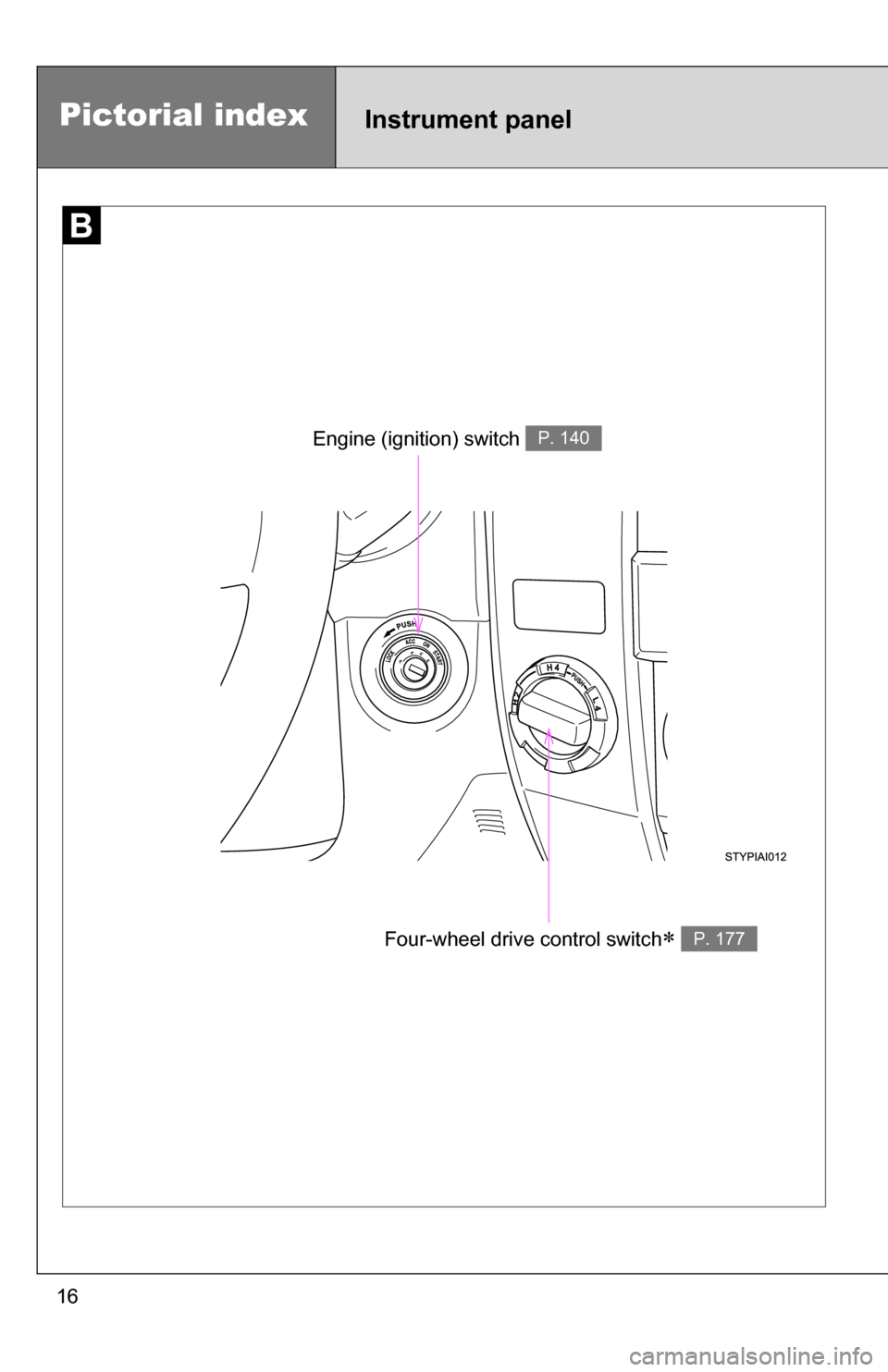
Engine (ignition) switch P. 140
Four-wheel drive control switch P. 177
Page 27 of 520
Before driving1
27
1-1. Key informationKeys ................................... 28
1-2. Opening, closing and
locking the doors
Wireless remote control ..... 29
Side doors .......................... 33
Back door ........................... 38
1-3. Adjustable components
(seats, mirrors,
steering wheel)
Front seats ......................... 41
Rear seats.......................... 44
Driving position memory system ............................. 58
Head restraints................... 60
Seat belts ........................... 63
Steering wheel ................... 69
Anti-glare inside rear view mirror ............................... 70
Outside rear view mirrors ... 73
1-4. Opening and clos ing
the windows and
moo n roof
Power windows .................. 76
Power back window ........... 79
Moon roof ........................... 82
1-5. Refueling Opening the fuel tank cap ........................... 85 1-6. Theft deterrent system
Engine immobilizer system ............................. 88
Alarm.................................. 90
Theft prevention labels (U.S.A.) ............................ 92
1-7. Safety information Correct driving posture....... 93
SRS airbags ....................... 95
Front passenger occupant classification system ...... 108
Child restraint systems..... 113
Installing child restraints... 117
Page 34 of 520
34 1-2. Opening, closing and locking the doors
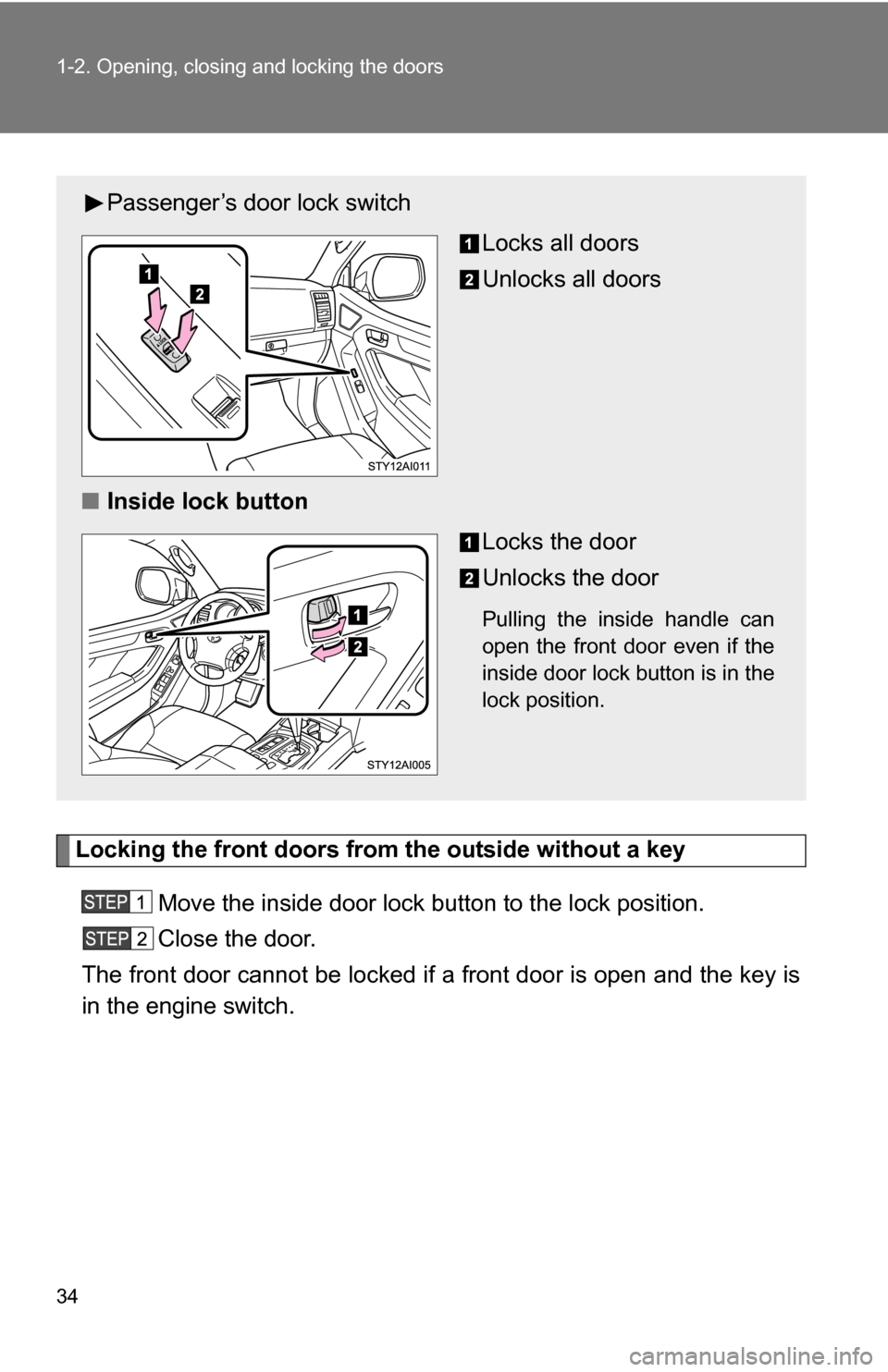
Locking the front doors from the outside without a keyMove the inside door lock button to the lock position.
Close the door.
The front door cannot be locked if a front door is open and the key is
in the engine switch.
Passenger’s door lock switch
Locks all doors
Unlocks all doors
■ Inside lock button
Locks the door
Unlocks the door
Pulling the inside handle can
open the front door even if the
inside door lock button is in the
lock position.
Page 35 of 520
35
1-2. Opening, closing and locking the doors
1
Before driving
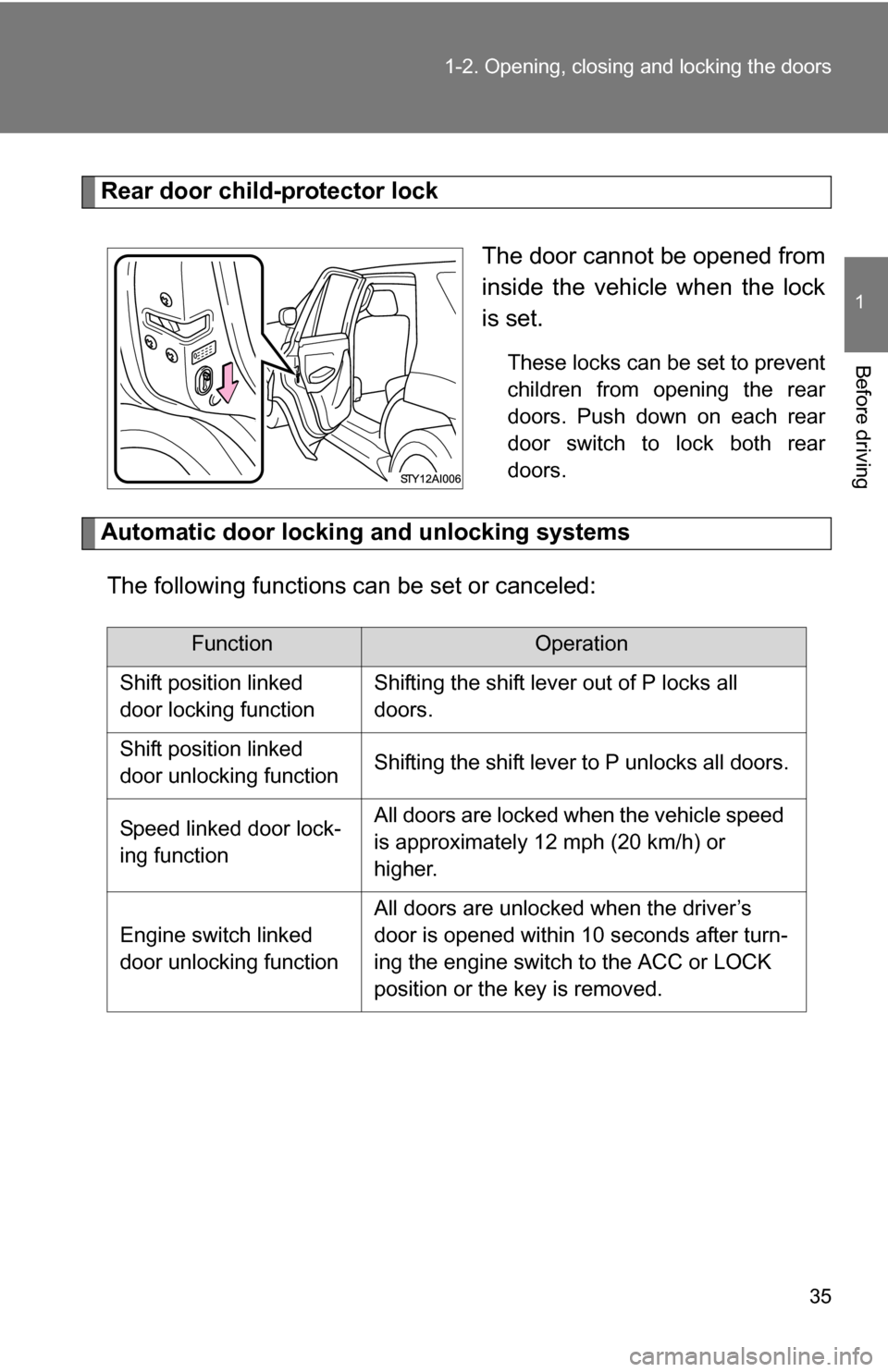
Rear door child-protector lock
The door cannot be opened from
inside the vehicle when the lock
is set.
These locks can be set to prevent
children from opening the rear
doors. Push down on each rear
door switch to lock both rear
doors.
Automatic door locking and unlocking systemsThe following functions can be set or canceled:
FunctionOperation
Shift position linked
door locking functionShifting the shift lever out of P locks all
doors.
Shift position linked
door unlocking functionShifting the shift lever to P unlocks all doors.
Speed linked door lock-
ing functionAll doors are locked when the vehicle speed
is approximately 12 mph (20 km/h) or
higher.
Engine switch linked
door unlocking function
All doors are unlocked when the driver’s
door is opened within 10 seconds after turn-
ing the engine switch to the ACC or LOCK
position or the key is removed.
Page 36 of 520
36 1-2. Opening, closing and locking the doors
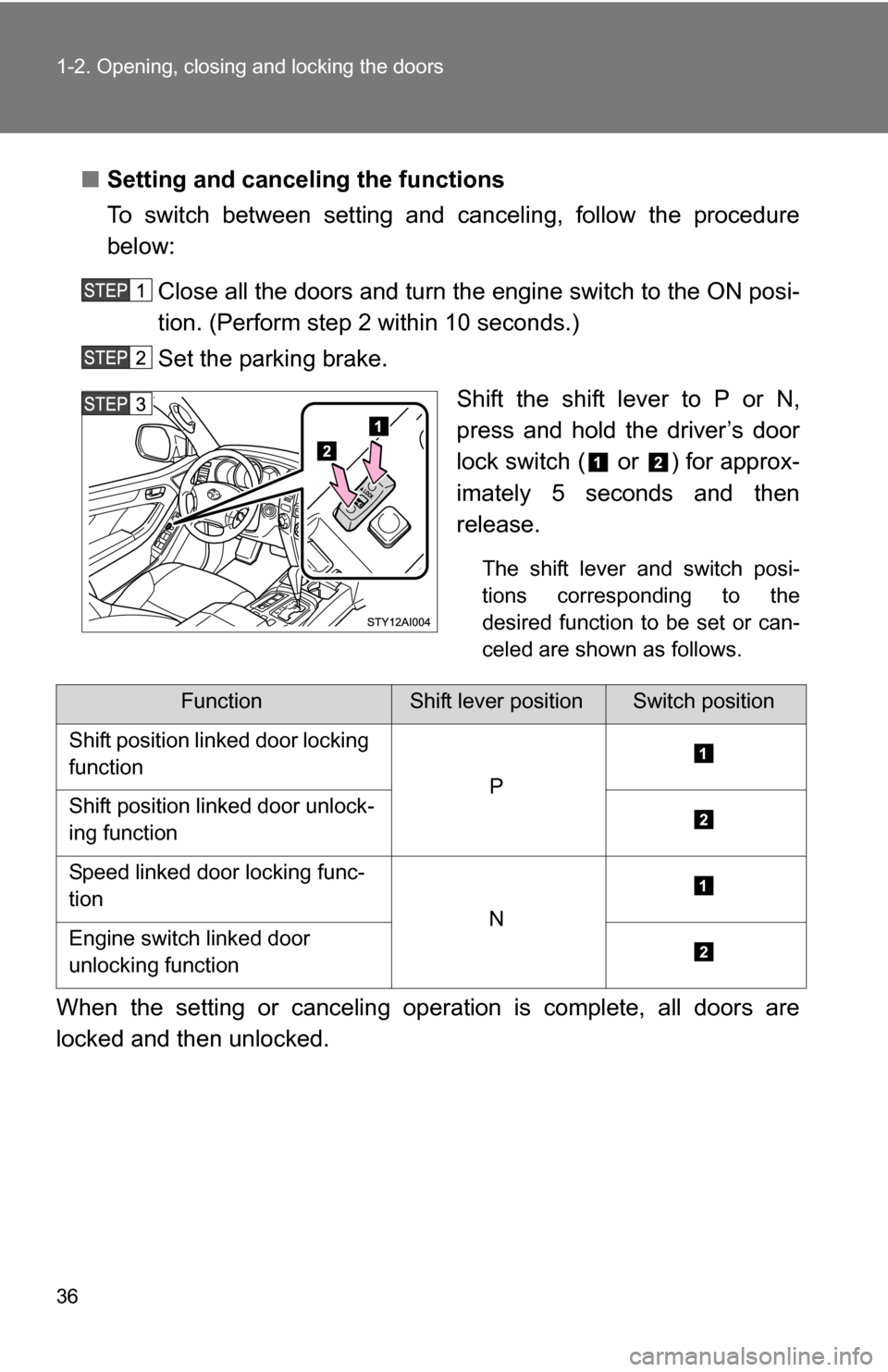
■Setting and canceling the functions
To switch between setting and canceling, follow the procedure
below:
Close all the doors and turn the engine switch to the ON posi-
tion. (Perform step 2 within 10 seconds.)
Set the parking brake. Shift the shift lever to P or N,
press and hold the driver’s door
lock switch ( or ) for approx-
imately 5 seconds and then
release.
The shift lever and switch posi-
tions corresponding to the
desired function to be set or can-
celed are shown as follows.
When the setting or canceling operation is complete, all doors are
locked and then unlocked.
FunctionShift lever positionSwitch position
Shift position linked door locking
function
PShift position linked door unlock-
ing function
Speed linked door locking func-
tion
NEngine switch linked door
unlocking function
Page 37 of 520
37
1-2. Opening, closing and locking the doors
1
Before driving
■
When locking the doors using the key
The door cannot be locked if the key is in the engine switch.
■ Key reminder buzzer
A buzzer sounds if the driver’s door is opened, while the engine switch is in
the ACC or LOCK position to remind you to remove the key.
■ Customization that can be co nfigured at Toyota dealer
Settings (e.g. unlocking function using a key) can be changed.
(Customizable features P. 495)
CAUTION
■To prevent an accident
Observe the following precautions while driving the vehicle.
Failing to do so may result in a door opening and an occupant falling out,
resulting in death or serious injury.
●Always use a seat belt.
● Always lock the doors.
● Ensure that all doors are properly closed.
● Do not pull the inside handle of the doors while driving.
The doors may be opened and the passengers are thrown out of the vehi-
cle and it may result in serious injury or death.
● Be especially careful for the front doors, the doors may be opened even if
the inside lock buttons are in locked position.
● Set the rear door child protector locks when children are seated in the rear
seats.
Page 58 of 520
58
1-3. Adjustable components (seats, mirrors, steering wheel)
Driving position memor y system (if equipped)
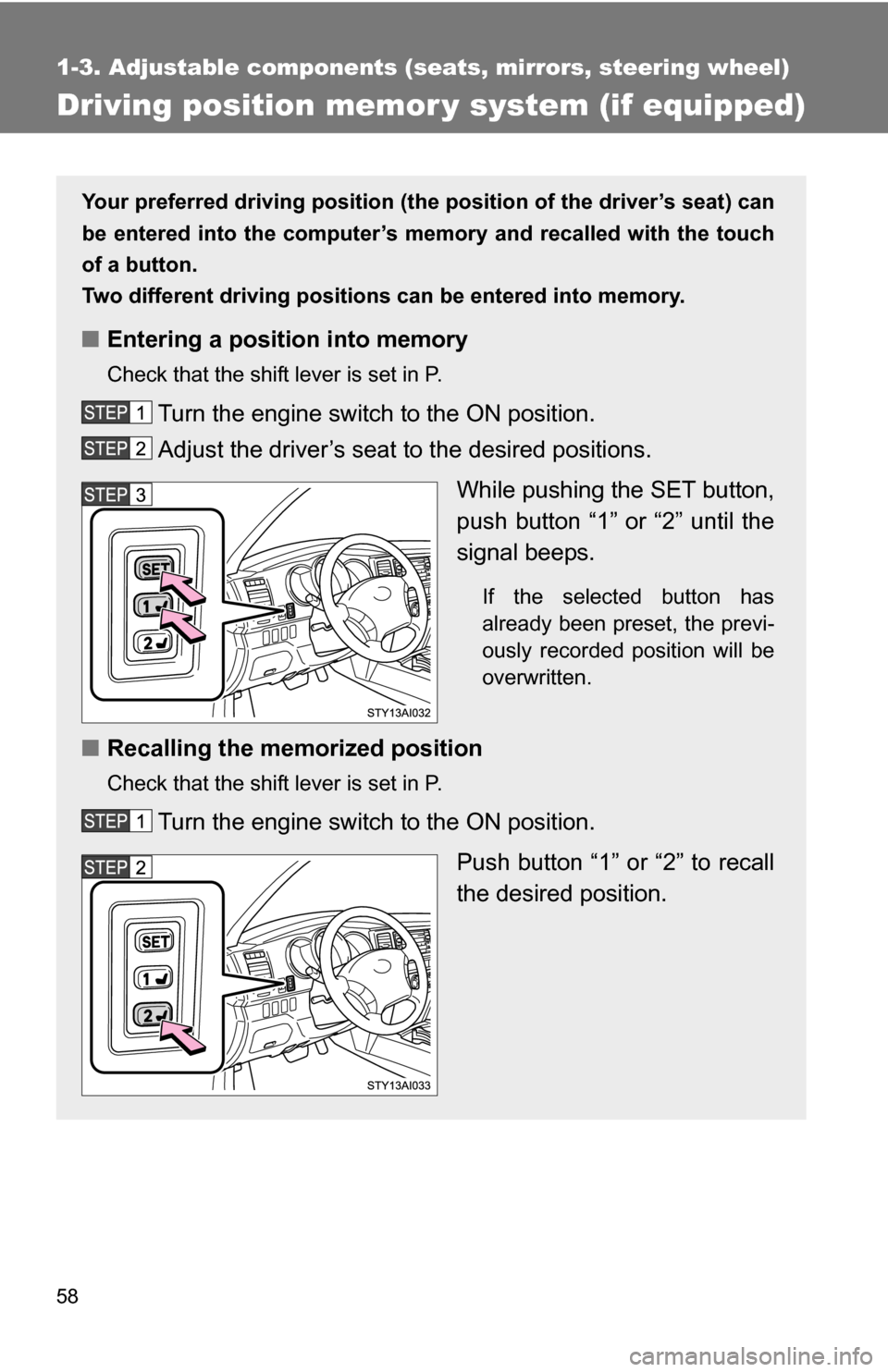
Your preferred driving position (the position of the driver’s seat) can
be entered into the computer’s me mory and recalled with the touch
of a button.
Two different driving positions can be entered into memory.
■ Entering a position into memory
Check that the shift lever is set in P.
Turn the engine switch to the ON position.
Adjust the driver’s seat to the desired positions.
While pushing the SET button,
push button “1” or “2” until the
signal beeps.
If the selected button has
already been preset, the previ-
ously recorded position will be
overwritten.
■Recalling the memorized position
Check that the shift lever is set in P.
Turn the engine switch to the ON position.
Push button “1” or “2” to recall
the desired position.