Time TOYOTA AURIS 2011 (in English) Owner's Manual
[x] Cancel search | Manufacturer: TOYOTA, Model Year: 2011, Model line: AURIS, Model: TOYOTA AURIS 2011Pages: 524, PDF Size: 25.6 MB
Page 203 of 524
203 2-2. Instrument cluster
2
When driving
UK_AURIS_HV_EE
When disconnecting and reconnecting 12-volt battery terminals
The following information data will be reset.
Date
Average fuel consumption
Driving range
Average vehicle speed
Elapsed time
Outside temperature display
In the following situations, the correct outside temperature may not be dis-
played, or the display may take longer than normal to change.
When stopped, or driving at low speeds (less than 25 km/h [16 mph])
When the outside temperature has changed suddenly (at the entrance/
exit of a garage, tunnel, etc.)
NOTICE
The multi-information display at low temperatures
Allow the interior of the vehicle to warm up before using the liquid crystal
information display. At extremely low temperatures, the information display
monitor may respond slowly, and display changes may be delayed.
Page 206 of 524
206 2-3. Operating the lights and wipers
UK_AURIS_HV_EE
Daytime running light system
To make your vehicle more visible to other drivers, the daytime run-
ning lights turn on automatically whenever the hybrid system is
started. (However, the daytime running light system will be canceled
when the headlight switch is operated manually or the automatic
headlight system turns on the tail lights.) Daytime running lights are
not designed for use at night.
Deactivating/reactivating the daytime running light system
Follow the procedure below.
Turn the “POWER” switch, headlights, tail lights and auto-
matic headlight system off and set the parking brake.
Start the hybrid system.
You must perform step 3 within 5 seconds of starting the hybrid sys-
tem.
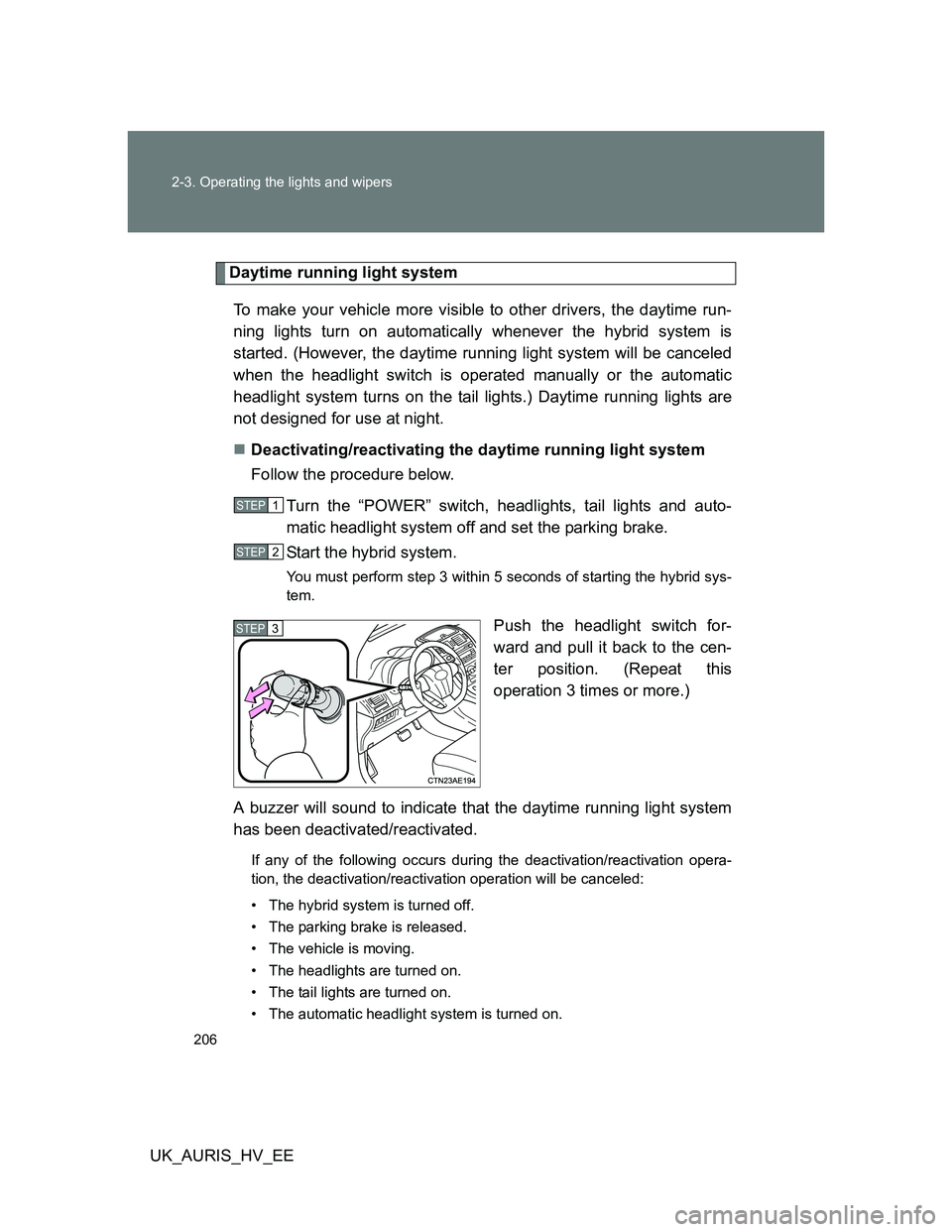
Push the headlight switch for-
ward and pull it back to the cen-
ter position. (Repeat this
operation 3 times or more.)
A buzzer will sound to indicate that the daytime running light system
has been deactivated/reactivated.
If any of the following occurs during the deactivation/reactivation opera-
tion, the deactivation/reactivation operation will be canceled:
• The hybrid system is turned off.
• The parking brake is released.
• The vehicle is moving.
• The headlights are turned on.
• The tail lights are turned on.
• The automatic headlight system is turned on.
STEP1
STEP2
STEP3
Page 212 of 524
212 2-3. Operating the lights and wipers
UK_AURIS_HV_EE
The windshield wipers and washer can be operated when
The “POWER” switch is in ON mode.
Effects of vehicle speed on wiper operation (vehicles with rain-sensing
windshield wipers)
Even when the wipers are not in “AUTO” mode, wiper operation varies
depending on vehicle speed when the washer is being used (delay until drip
prevention wiper sweep occurs).
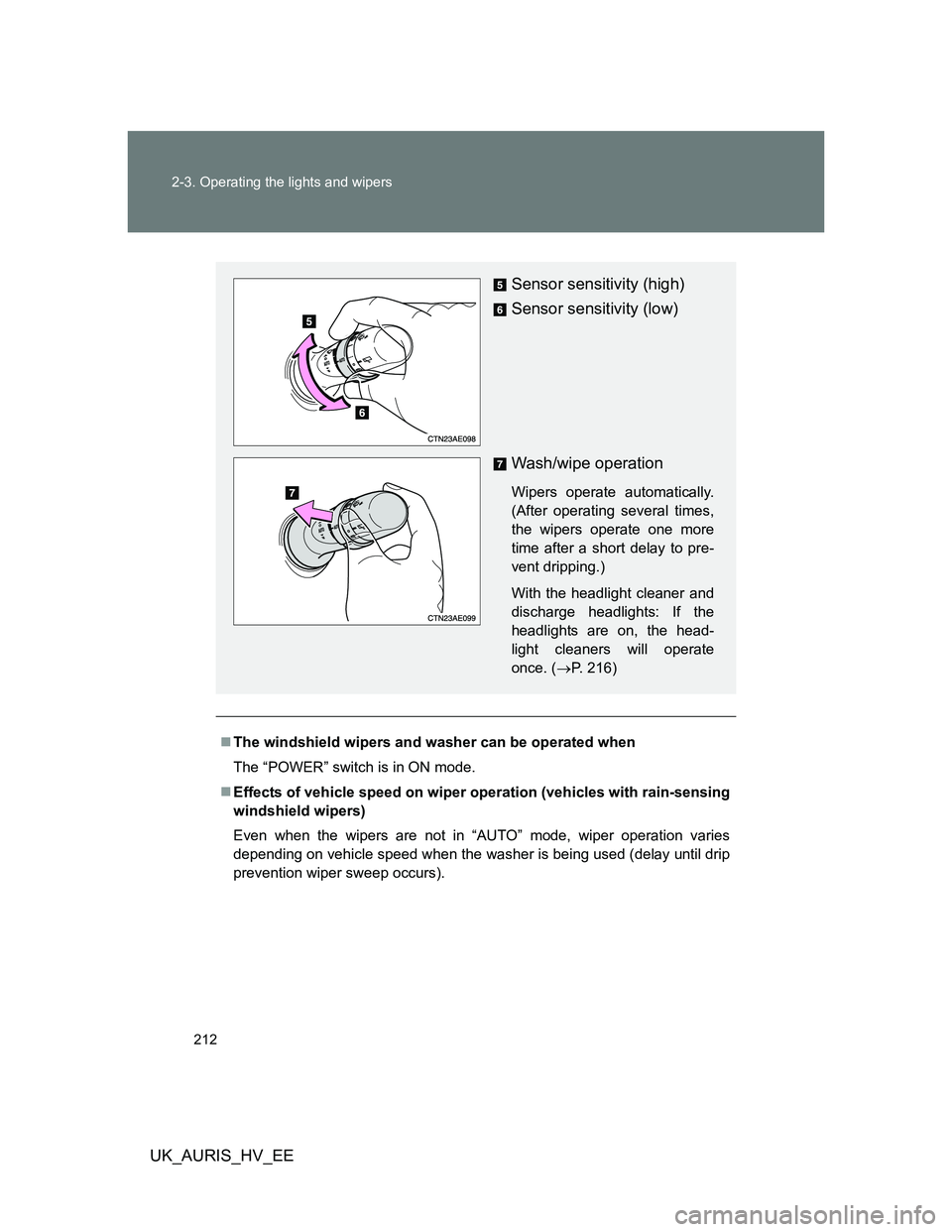
Sensor sensitivity (high)
Sensor sensitivity (low)
Wash/wipe operation
Wipers operate automatically.
(After operating several times,
the wipers operate one more
time after a short delay to pre-
vent dripping.)
With the headlight cleaner and
discharge headlights: If the
headlights are on, the head-
light cleaners will operate
once. (P. 216)
Page 219 of 524
219 2-4. Using other driving systems
2
When driving
UK_AURIS_HV_EE
Cruise control can be set when
The shift position is in D.
Vehicle speed is above approximately 40 km/h (25 mph).
Accelerating
The vehicle can be accelerated normally. After acceleration, the set speed
resumes.
Automatic cruise control cancellation
Cruise control will stop maintaining the vehicle speed in any of the following
situations.
Actual vehicle speed falls more than approximately 16 km/h (10 mph)
below the preset vehicle speed.
At this time, the memorized set speed is not retained.
Actual vehicle speed is below approximately 40 km/h (25 mph).
VSC is activated.
If the cruise control indicator light flashes
Press the “ON-OFF” button once to deactivate the system, and then press
the button again to reactivate the system.
If the cruise control speed cannot be set or if the cruise control cancels
immediately after being activated, there may be a malfunction in the cruise
control system. Contact any authorized Toyota dealer or repairer, or another
duly qualified and equipped professional, and have the vehicle inspected by
your Toyota dealer.
Page 228 of 524
228 2-4. Using other driving systems
UK_AURIS_HV_EE
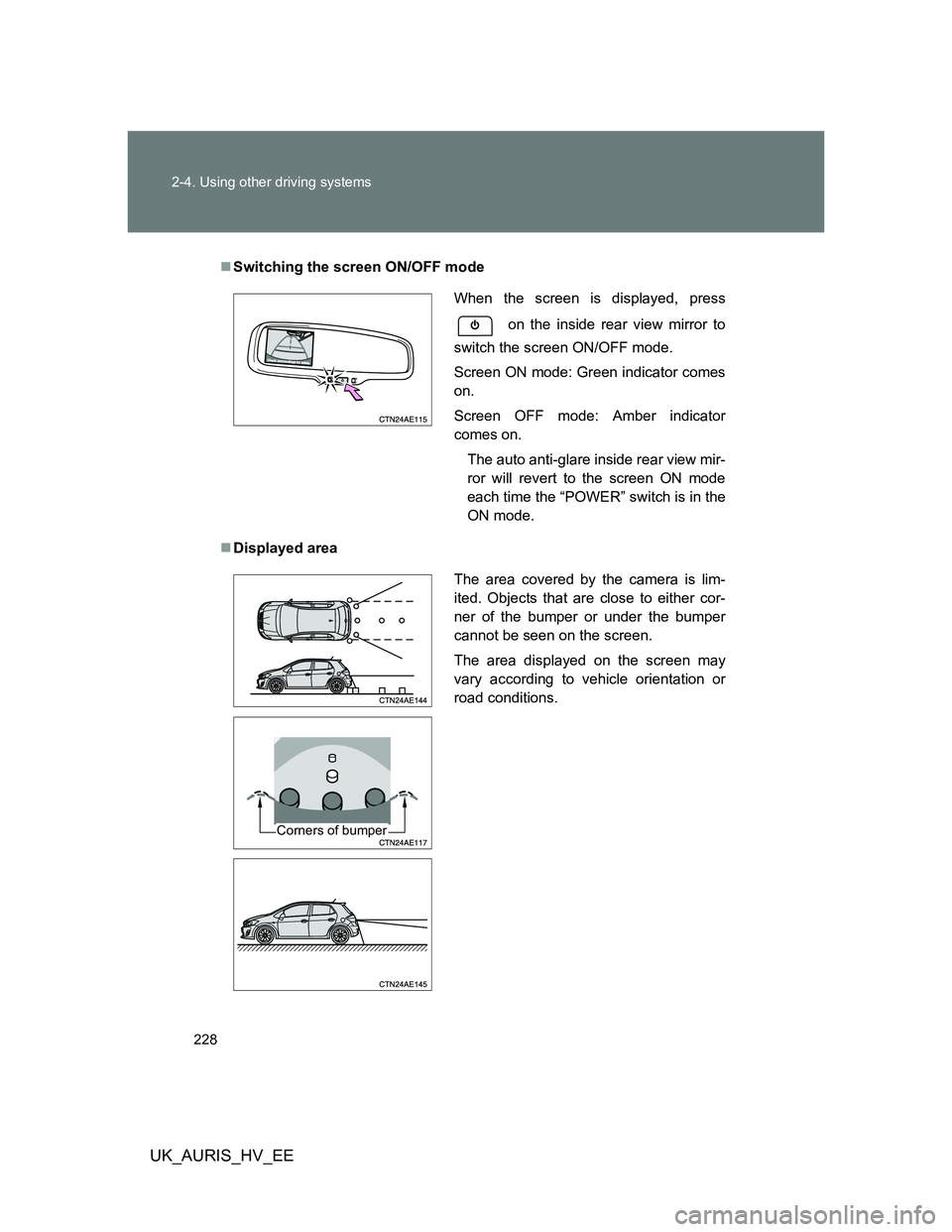
Switching the screen ON/OFF mode
Displayed area
When the screen is displayed, press
on the inside rear view mirror to
switch the screen ON/OFF mode.
Screen ON mode: Green indicator comes
on.
Screen OFF mode: Amber indicator
comes on.
The auto anti-glare inside rear view mir-
ror will revert to the screen ON mode
each time the “POWER” switch is in the
ON mode.
The area covered by the camera is lim-
ited. Objects that are close to either cor-
ner of the bumper or under the bumper
cannot be seen on the screen.
The area displayed on the screen may
vary according to vehicle orientation or
road conditions.
Corners of bumper
Page 234 of 524
234 2-4. Using other driving systems
UK_AURIS_HV_EE
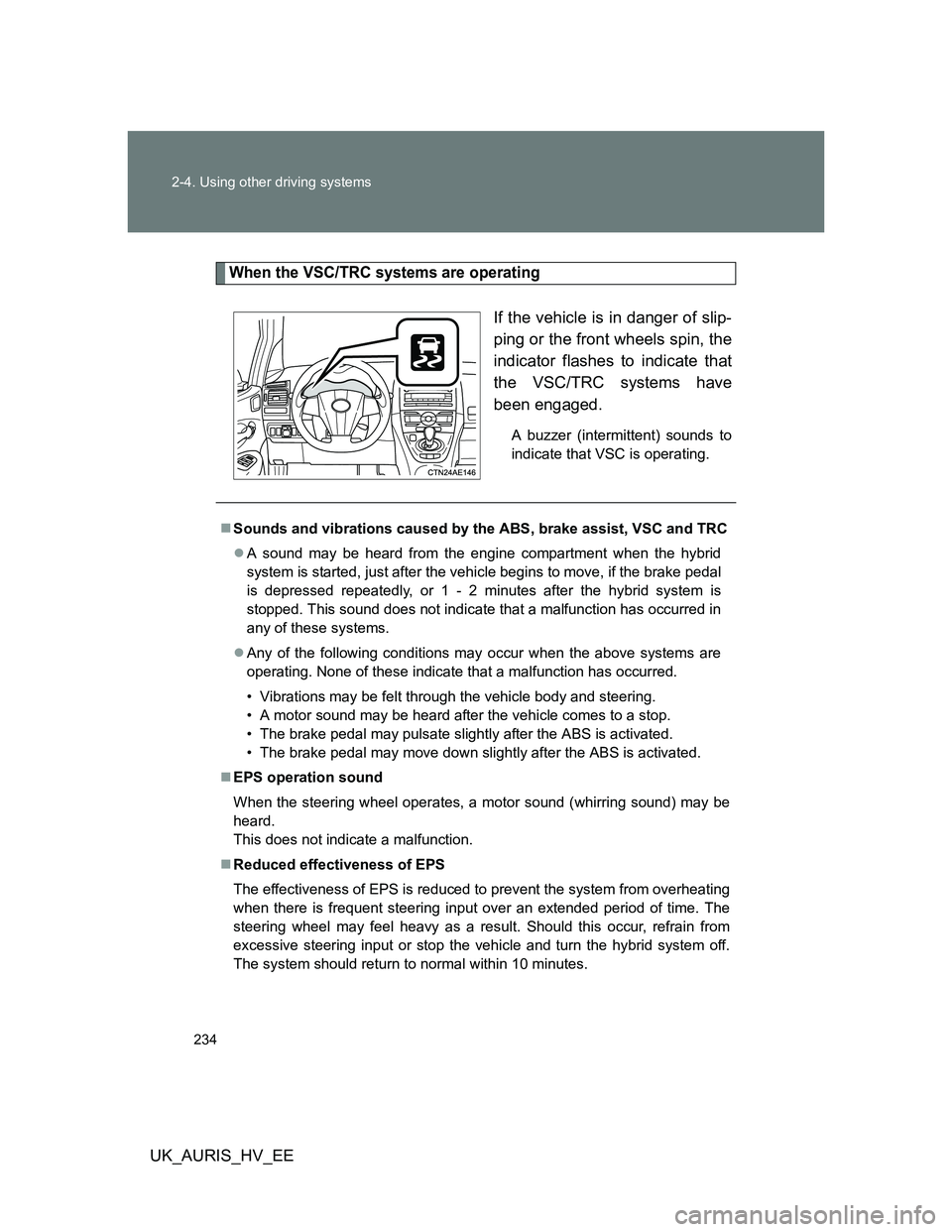
When the VSC/TRC systems are operating
If the vehicle is in danger of slip-
ping or the front wheels spin, the
indicator flashes to indicate that
the VSC/TRC systems have
been engaged.
A buzzer (intermittent) sounds to
indicate that VSC is operating.
Sounds and vibrations caused by the ABS, brake assist, VSC and TRC
A sound may be heard from the engine compartment when the hybrid
system is started, just after the vehicle begins to move, if the brake pedal
is depressed repeatedly, or 1 - 2 minutes after the hybrid system is
stopped. This sound does not indicate that a malfunction has occurred in
any of these systems.
Any of the following conditions may occur when the above systems are
operating. None of these indicate that a malfunction has occurred.
• Vibrations may be felt through the vehicle body and steering.
• A motor sound may be heard after the vehicle comes to a stop.
• The brake pedal may pulsate slightly after the ABS is activated.
• The brake pedal may move down slightly after the ABS is activated.
EPS operation sound
When the steering wheel operates, a motor sound (whirring sound) may be
heard.
This does not indicate a malfunction.
Reduced effectiveness of EPS
The effectiveness of EPS is reduced to prevent the system from overheating
when there is frequent steering input over an extended period of time. The
steering wheel may feel heavy as a result. Should this occur, refrain from
excessive steering input or stop the vehicle and turn the hybrid system off.
The system should return to normal within 10 minutes.
Page 238 of 524
238 2-4. Using other driving systems
UK_AURIS_HV_EE
Hill-start assist control buzzer
When hill-start assist control is activated, the buzzer will sound once.
In the following situations, hill-start assist control will be canceled and a
buzzer will sound twice.
• No attempt is made to drive the vehicle within approximately 2 seconds
of releasing the brake pedal.
• The P position switch is pushed.
• The parking brake is applied.
• The brake pedal is depressed again.
• The brake pedal has been depressed for more than approximately 3
minutes.
If the slip indicator stays on...
It may indicate a malfunction in the system. Contact any authorized Toyota
dealer or repairer, or another duly qualified and equipped professional.
CAUTION
Hill-start assist control
Do not overly rely on hill-start assist control. Hill-start assist control may
not operate effectively on extremely steep inclines or roads covered in ice.
Unlike the parking brake, hill-start assist control is not intended to hold the
vehicle stationary for an extended period of time. Do not attempt to use
hill-start assist control to hold the vehicle on an incline for an extended
period of time, as doing so may lead to an accident.
Page 249 of 524
249 3-1. Using the air conditioning system and defogger
3
Interior features
UK_AURIS_HV_EE
Adjusting the settings
Adjusting the temperature setting
Press “” to increase the temperature and “” to decrease the tem-
perature on .
Adjusting the fan speed
Press “” (increase) or “” (decrease) on .
The fan speed is shown on the display. (7 levels)
Press to turn the fan off.
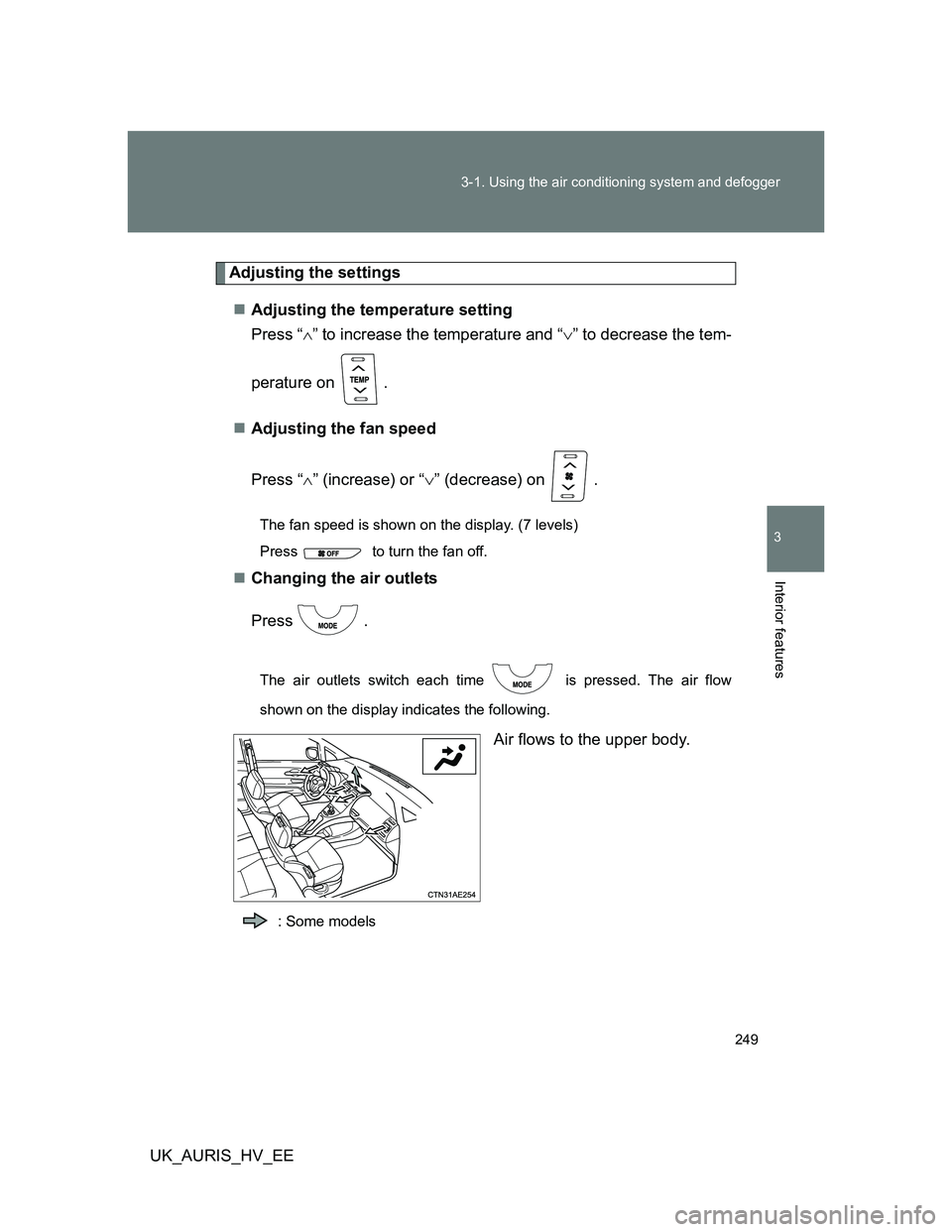
Changing the air outlets
Press .
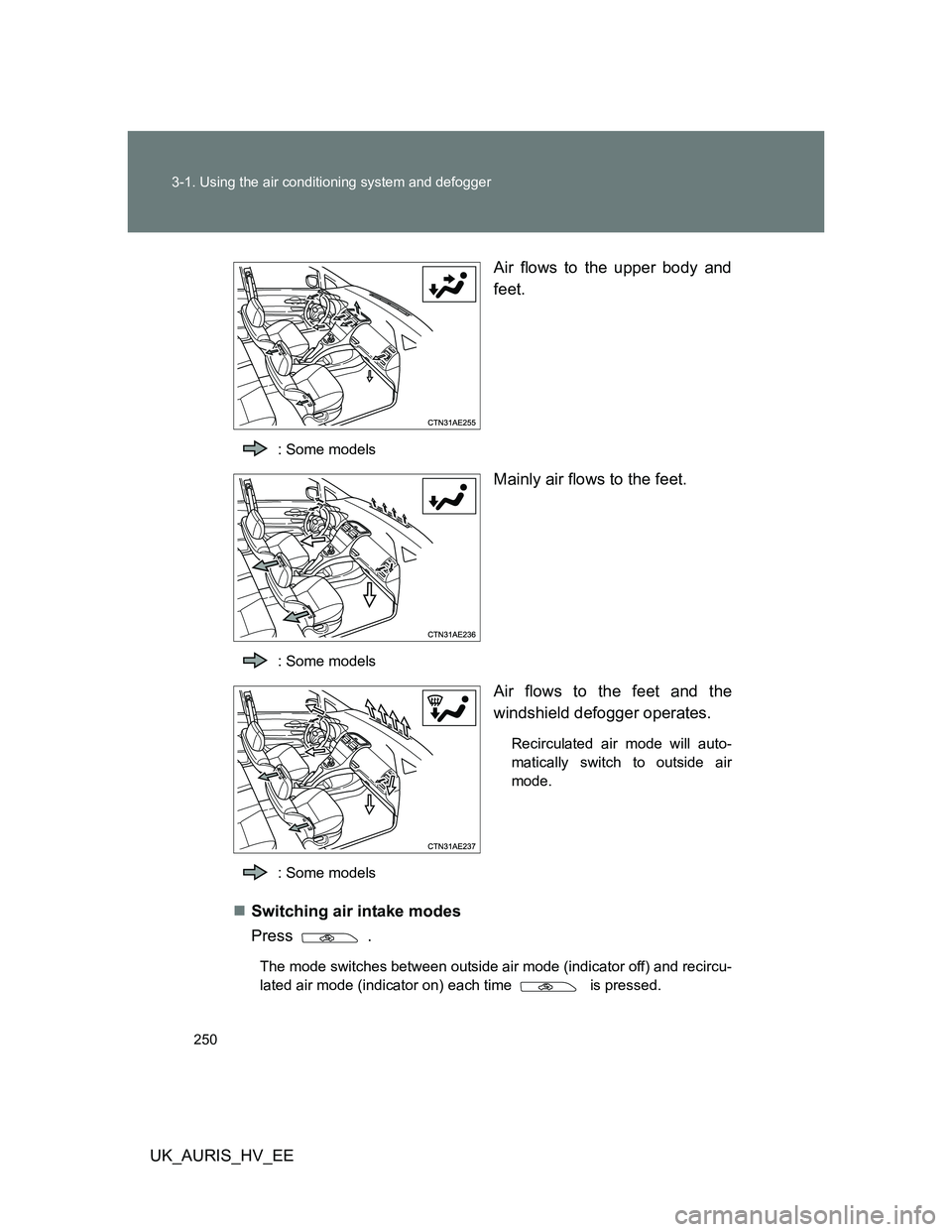
The air outlets switch each time is pressed. The air flow
shown on the display indicates the following.
Air flows to the upper body.
: Some models
Page 250 of 524
250 3-1. Using the air conditioning system and defogger
UK_AURIS_HV_EEAir flows to the upper body and
feet.
: Some models
Mainly air flows to the feet.
: Some models
Air flows to the feet and the
windshield defogger operates.
Recirculated air mode will auto-
matically switch to outside air
mode.
: Some models
Switching air intake modes
Press .
The mode switches between outside air mode (indicator off) and recircu-
lated air mode (indicator on) each time is pressed.
Page 258 of 524
258 3-2. Using the audio system
UK_AURIS_HV_EEAutomatically
Press and hold until you hear a beep.
Up to 6 stations are set in order of reception quality. When the settings
are finished, 2 beeps will be heard.
In the FM1 or FM2 mode, the stations automatically set by the audio sys-
tem will be set in the FM3 presets.
RDS (Radio Data System)
This feature allows your radio to receive station and program informa-
tion (classical, news, etc.) from radio stations that broadcast this
information.
Listening to stations of the same network
Press .
AF-ON, REG-OFF modes: The station among those of the same
network with strong reception is
selected.
AF-ON, REG-ON modes: The station among those of the same
network with strong reception and
broadcasting the same program is
selected.
Each time is pressed, the mode changes in the order of AF-ON,
REG-OFFAF-ON, REG-ONAF-OFF, REG-OFF.
Specifying program type
Press
.
Each time is pressed, the program type changes in the order of
“NEWS”“SPORTS”“TALK”“POP”“CLASSICS”.