display TOYOTA AVALON 2019 (in English) Repair Manual
[x] Cancel search | Manufacturer: TOYOTA, Model Year: 2019, Model line: AVALON, Model: TOYOTA AVALON 2019Pages: 536, PDF Size: 9.43 MB
Page 235 of 536
2354-5. Using the driving support systems
4
Driving
■Temporary cancellation of functions
When the operation conditions are no longer met, a function may be tempo-
rarily canceled. However, when the operation conditions are met again, oper-
ation of the function is automatically restored. ( P. 234)
■ Steering control function
Depending on the vehicle speed, lane departure situation, road conditions,
etc., the driver may not feel the function is operating or the function may not
operate at all.
■ Lane departure alert function
The warning buzzer may be difficult to hear due to external noi se, audio play-
back, etc.
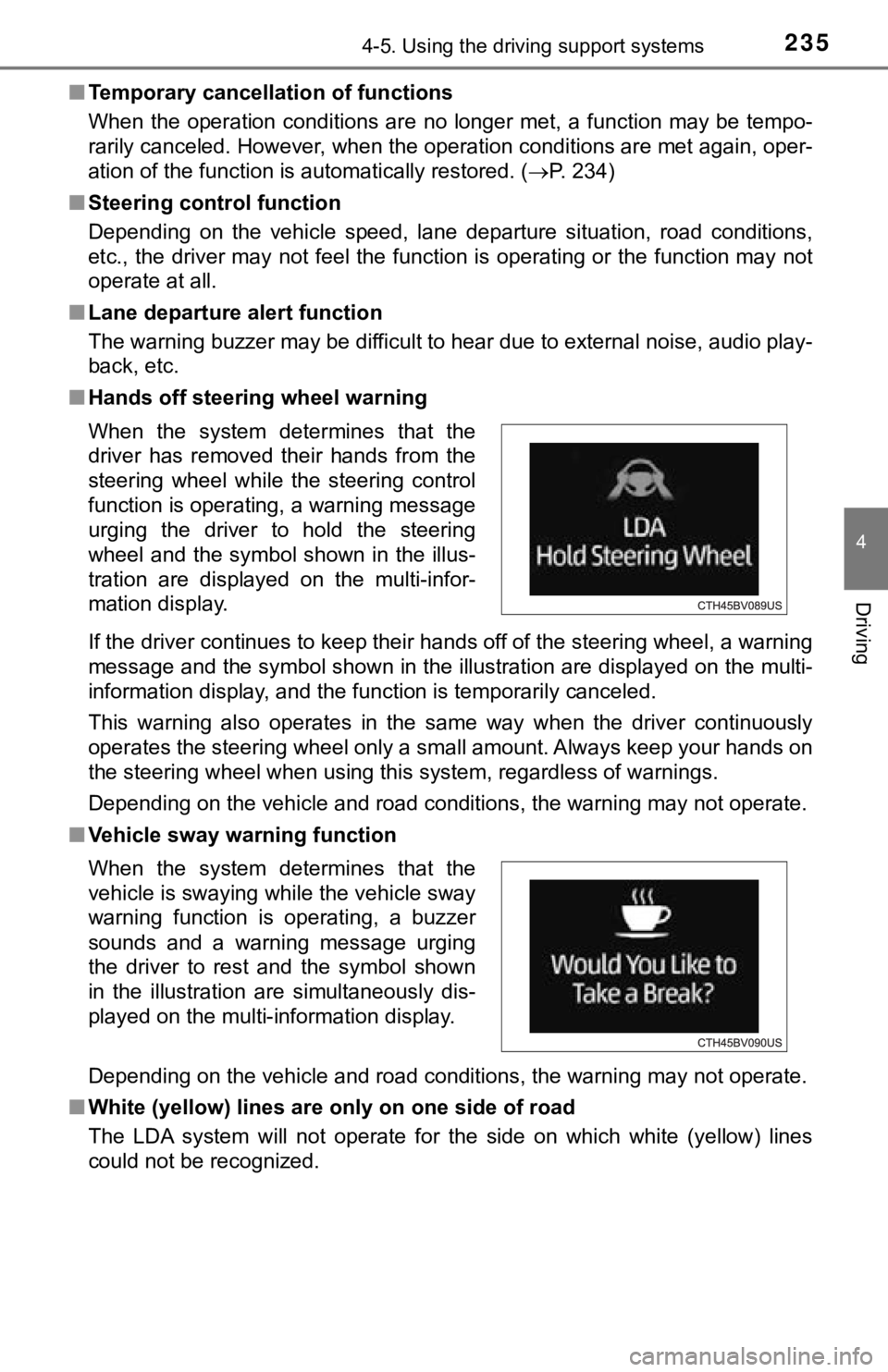
■ Hands off steering wheel warning
If the driver continues to keep their hands off of the steering wheel, a warning
message and the symbol shown in the illustration are displayed on the multi-
information display, and the function is temporarily canceled.
This warning also operates in the same way when the driver continuously
operates the steering wheel only a small amount. Always keep yo ur hands on
the steering wheel when using this system, regardless of warnings.
Depending on the vehicle and road conditions, the warning may n ot operate.
■ Vehicle sway warning function
Depending on the vehicle and road conditions, the warning may n ot operate.
■ White (yellow) lines are on ly on one side of road
The LDA system will not operate for the side on which white (ye llow) lines
could not be recognized. When the system determines that the
driver has removed their hands from the
steering wheel while the steering control
function is operating, a warning message
urging the driver to hold the steering
wheel and the symbol shown in the illus-
tration are displayed on the multi-infor-
mation display.
When the system determines that the
vehicle is swaying while the vehicle sway
warning function is operating, a buzzer
sounds and a warning message urging
the driver to rest and the symbol shown
in the illustration are simultaneously dis-
played on the multi-information display.
Page 237 of 536
2374-5. Using the driving support systems
4
Driving
■Warning message
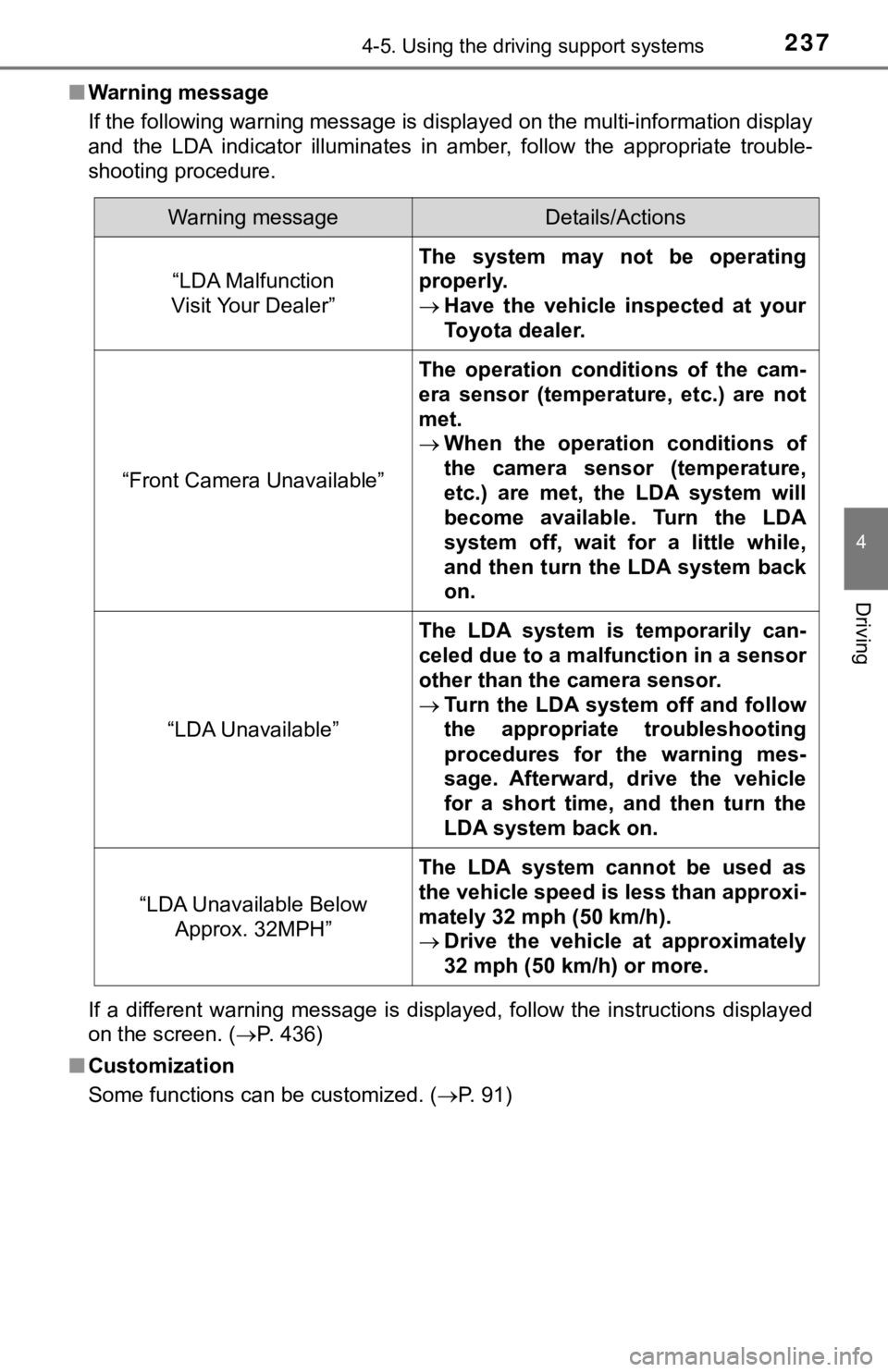
If the following warning message is displayed on the multi-info rmation display
and the LDA indicator illuminates in amber, follow the appropri ate trouble-
shooting procedure.
If a different warning message is displayed, follow the instructions displayed
on the screen. ( P. 436)
■ Customization
Some functions can be customized. ( P. 91)
Warning messageDetails/Actions
“LDA Malfunction
Visit Your Dealer”
The system may not be operating
properly.
Have the vehicle inspected at your
Toyota dealer.
“Front Camera Unavailable”
The operation conditions of the cam-
era sensor (temperature, etc.) are not
met.
When the operation conditions of
the camera sensor (temperature,
etc.) are met, the LDA system will
become available. Turn the LDA
system off, wait for a little while,
and then turn the LDA system back
on.
“LDA Unavailable”
The LDA system is temporarily can-
celed due to a malfunction in a sensor
other than the camera sensor.
Turn the LDA system off and follow
the appropriate troubleshooting
procedures for the warning mes-
sage. Afterward, drive the vehicle
for a short time, and then turn the
LDA system back on.
“LDA Unavailable Below
Approx. 32MPH”
The LDA system cannot be used as
the vehicle speed is less than approxi-
mately 32 mph (50 km/h).
Drive the vehicle at approximately
32 mph (50 km/h) or more.
Page 238 of 536
2384-5. Using the driving support systems
In vehicle-to-vehicle distance control mode, the vehicle automa tically
accelerates, decelerates and st ops to match the speed changes o f the
preceding vehicle even if the acc elerator pedal is not depressed. In
constant speed control mode, t he vehicle runs at a fixed speed.
Use the dynamic radar cruise control with full-speed range on f ree-
ways and highways.
● Vehicle-to-vehicle distance control mode ( P. 241)
● Constant speed c ontrol mode (P. 247)
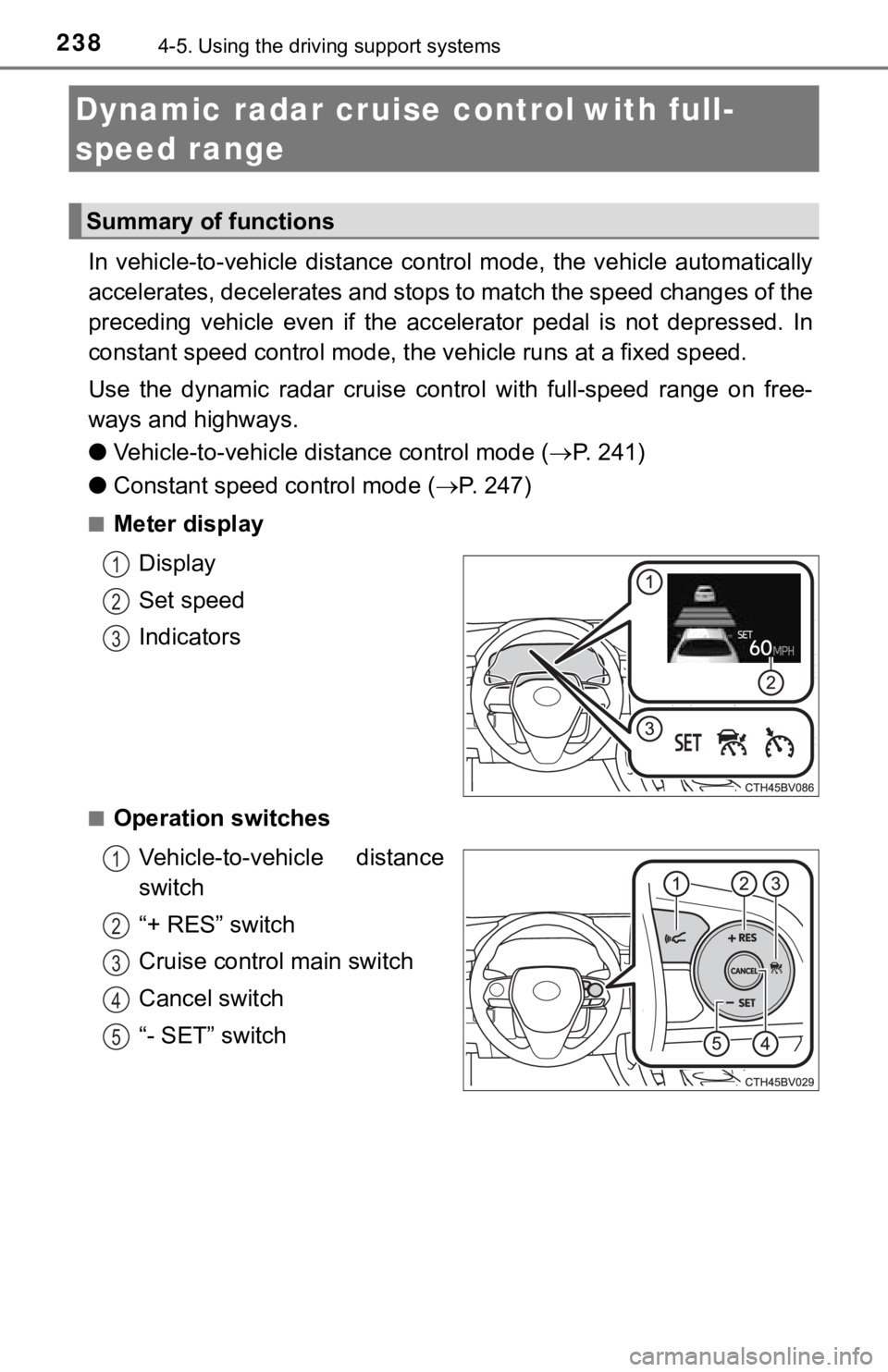
■Meter display
Display
Set speed
Indicators
■Operation switchesVehicle-to-vehicle distance
switch
“+ RES” switch
Cruise control main switch
Cancel switch
“- SET” switch
Dynamic radar cruise control with full-
speed range
Summary of functions
1
2
3
1
2
3
4
5
Page 242 of 536
2424-5. Using the driving support systems
Example of acceleration
When there are no longer any preceding vehicles driving slower
than the set speed
The system accelerates until the set speed is reached. The syst em then
returns to constant speed cruising.
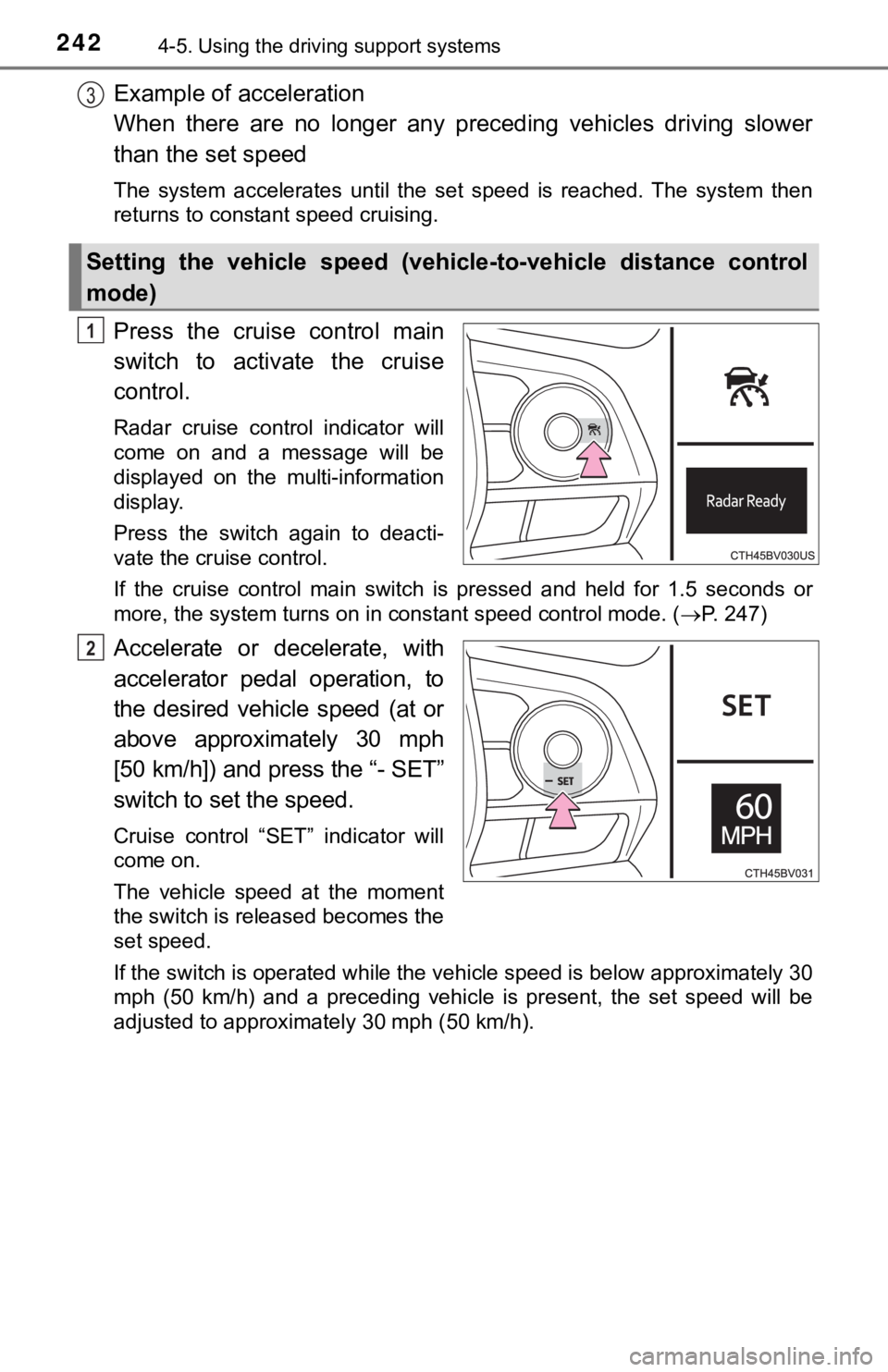
Press the cruise control main
switch to activate the cruise
control.
Radar cruise control indicator will
come on and a message will be
displayed on the multi-information
display.
Press the switch again to deacti-
vate the cruise control.
If the cruise control main switch is pressed and held for 1.5 seconds or
more, the system turns on in constant speed control mode. ( P. 247)
Accelerate or decelerate, with
accelerator pedal operation, to
the desired vehicle speed (at or
above approximately 30 mph
[50 km/h]) and press the “- SET”
switch to set the speed.
Cruise control “SET” indicator will
come on.
The vehicle speed at the moment
the switch is released becomes the
set speed.
If the switch is operated while the vehicle speed is below appr oximately 30
mph (50 km/h) and a preceding vehicle is present, the set speed will be
adjusted to approximately 30 mph (50 km/h).
Setting the vehicle speed (vehicle-to-vehicle distance control
mode)
3
1
2
Page 243 of 536
2434-5. Using the driving support systems
4
Driving
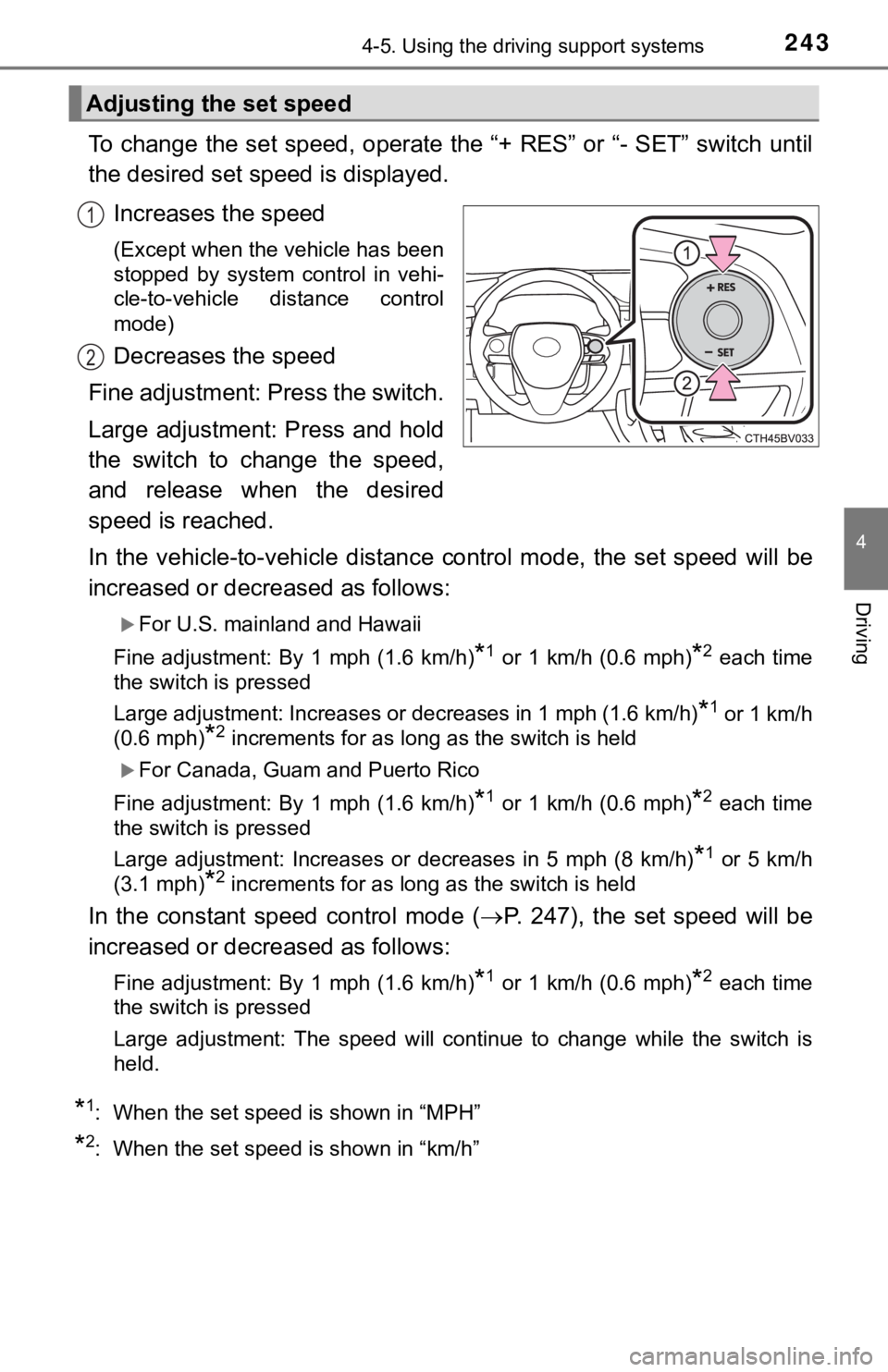
To change the set speed, operate the “+ RES” or “- SET” switch until
the desired set speed is displayed.
Increases the speed
(Except when the vehicle has been
stopped by system control in vehi-
cle-to-vehicle distance control
mode)
Decreases the speed
Fine adjustment: Press the switch.
Large adjustment: Press and hold
the switch to change the speed,
and release when the desired
speed is reached.
In the vehicle-to-vehicle distance control mode, the set speed will be
increased or decreased as follows:
For U.S. mainland and Hawaii
Fine adjustment: By 1 mph (1.6 km/h)
*1 or 1 km/h (0.6 mph)*2 each time
the switch is pressed
Large adjustment: Increases or decreases in 1 mph (1.6 km/h)
*1 or 1 km/h
(0.6 mph)
*2 increments for as long as the switch is held
For Canada, Guam and Puerto Rico
Fine adjustment: By 1 mph (1.6 km/h)
*1 or 1 km/h (0.6 mph)*2 each time
the switch is pressed
Large adjustment: Increases or decreases in 5 mph (8 km/h)
*1 or 5 km/h
(3.1 mph)
*2 increments for as long as the switch is held
In the constant speed control mode ( P. 247), the set speed will be
increased or decreased as follows:
Fine adjustment: By 1 mph (1.6 km/h)*1 or 1 km/h (0.6 mph)*2 each time
the switch is pressed
Large adjustment: The speed will continue to change while the switch is
held.
*1: When the set speed is shown in “MPH”
*2: When the set speed is shown in “km/h”
Adjusting the set speed
1
2
Page 244 of 536
2444-5. Using the driving support systems
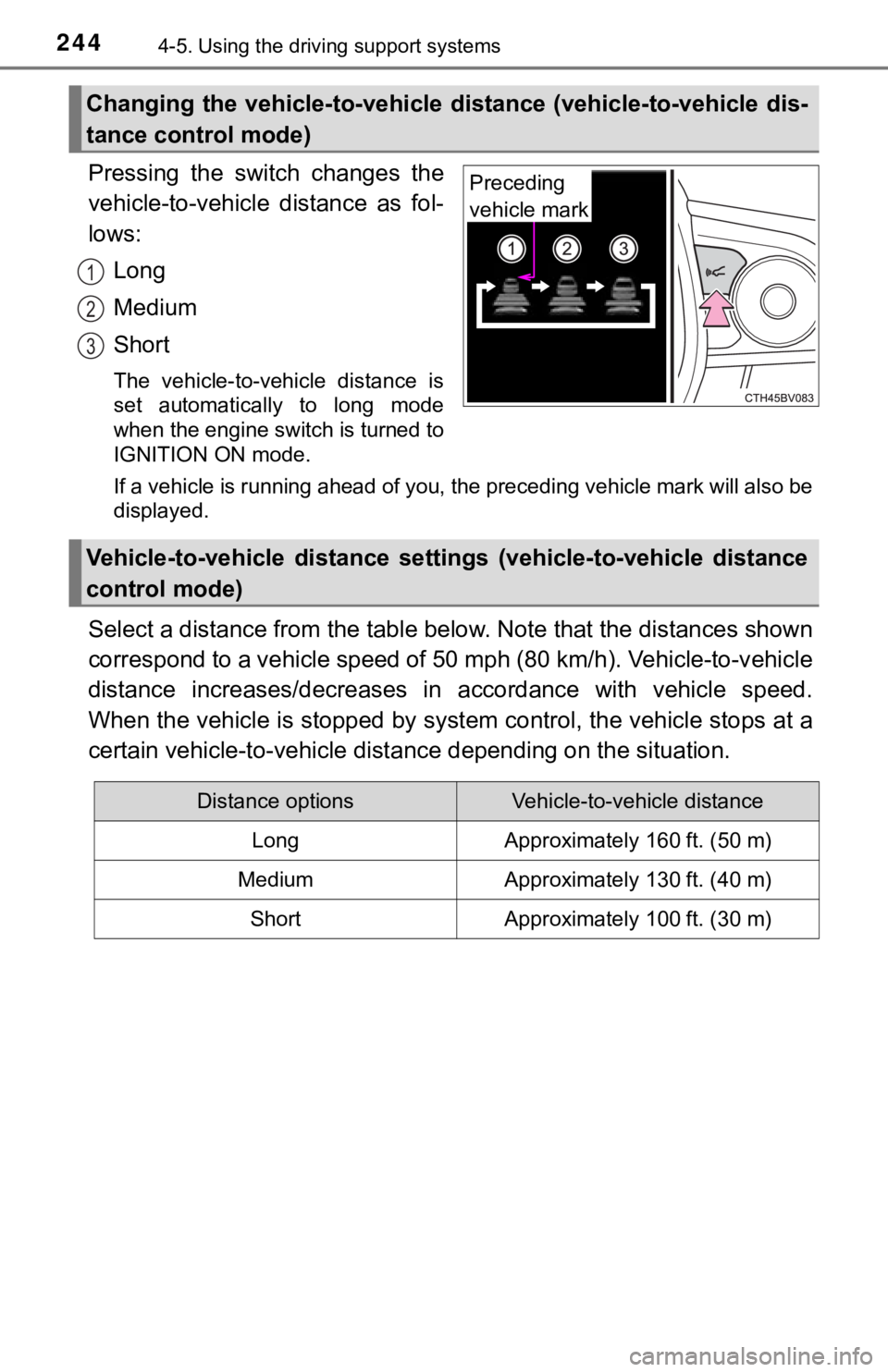
Pressing the switch changes the
vehicle-to-vehicle distance as fol-
lows:
Long
Medium
Short
The vehicle-to-vehicle distance is
set automatically to long mode
when the engine switch is turned to
IGNITION ON mode.
If a vehicle is running ahead of you, the preceding vehicle mar k will also be
displayed.
Select a distance from the tabl e below. Note that the distances shown
correspond to a vehicle speed of 50 mph (80 km/h). Vehicle-to-v ehicle
distance increases/decreases in accordance with vehicle speed.
When the vehicle is stopped by system control, the vehicle stop s at a
certain vehicle-to-vehicle dista nce depending on the situation.
Changing the vehicle-to-vehicle d istance (vehicle-to-vehicle dis-
tance control mode)
Preceding
vehicle mark
1
2
3
Vehicle-to-vehicle distance settings (vehicle-to-vehicle distan ce
control mode)
Distance optionsVehicle-to-vehicle distance
LongApproximately 160 ft. (50 m)
MediumApproximately 130 ft. (40 m)
ShortApproximately 100 ft. (30 m)
Page 246 of 536
2464-5. Using the driving support systems
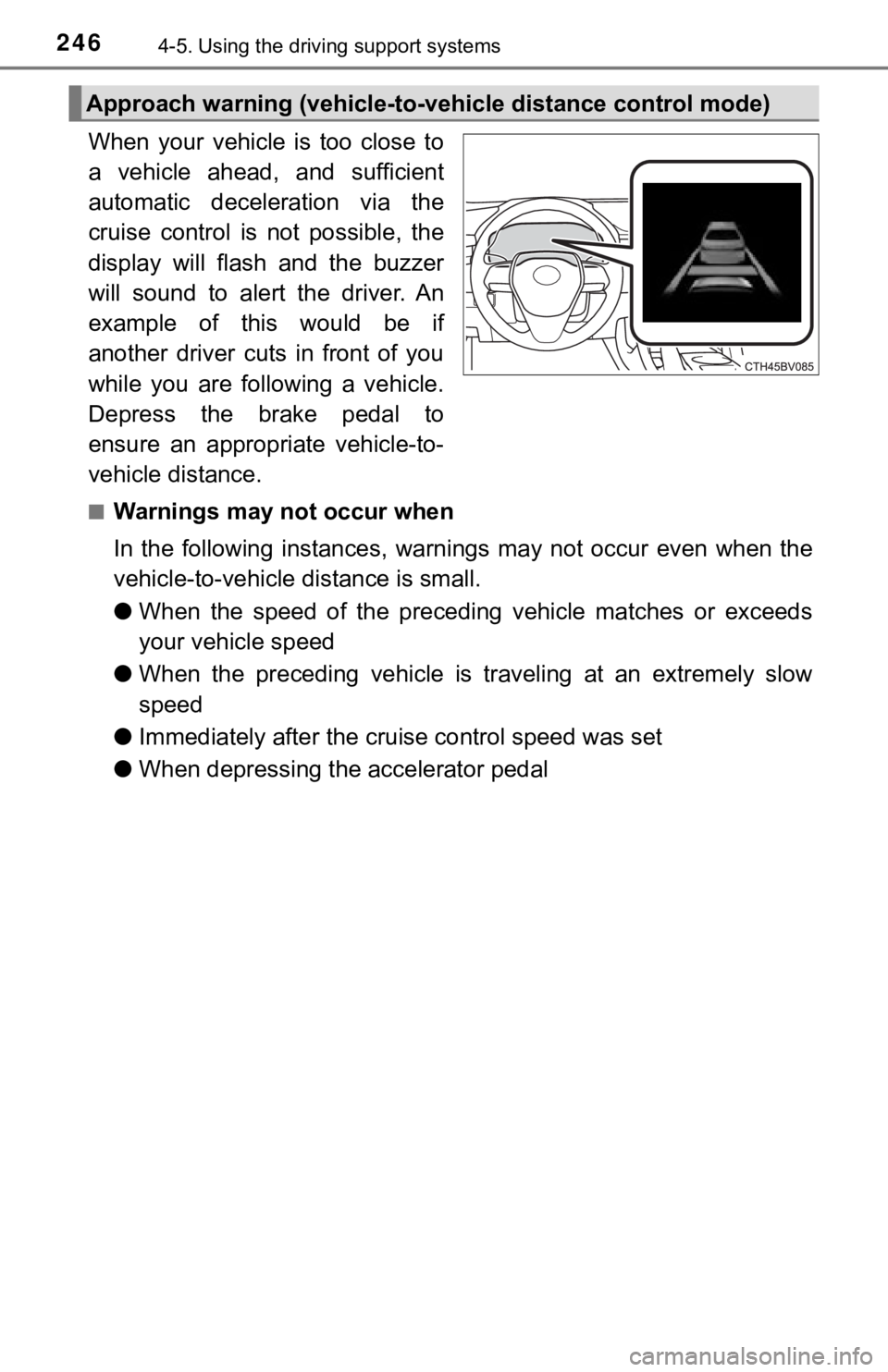
When your vehicle is too close to
a vehicle ahead, and sufficient
automatic deceleration via the
cruise control is not possible, the
display will flash and the buzzer
will sound to alert the driver. An
example of this would be if
another driver cuts in front of you
while you are following a vehicle.
Depress the brake pedal to
ensure an appropriate vehicle-to-
vehicle distance.
■Warnings may not occur when
In the following instances, war nings may not occur even when th e
vehicle-to-vehicle distance is small.
● When the speed of the preceding vehicle matches or exceeds
your vehicle speed
● When the preceding vehicle is traveling at an extremely slow
speed
● Immediately after the cruise control speed was set
● When depressing the accelerator pedal
Approach warning (vehicle-to-v ehicle distance control mode)
Page 248 of 536
2484-5. Using the driving support systems
■Dynamic radar cruise control wi th full-speed range can be set when
● The shift lever is in D or range 4 or higher of S has been sele cted.
● Range 4 or higher of D has been selected by using the paddle sh ift switch.
(vehicles with paddle shift switches)
● Vehicle speed is at or above approximately 30 mph (50 km/h). Ho wever,
when a preceding vehicle is detected, the dynamic radar cruise control with
full-speed range can be set even if the vehicle speed is below approximately
30 mph (50 km/h).
■ Accelerating after setting the vehicle speed
The vehicle can accelerate by operating the accelerator pedal. After acceler-
ating, the set speed resumes. However, during vehicle-to-vehicl e distance
control mode, the vehicle speed may decrease below the set spee d in order
to maintain the distance to the preceding vehicle.
■ When the vehicle stops while follow-up cruising
●Pressing the “+ RES” switch while the vehicle ahead stops will resume fol-
low-up cruising if the vehicle ahead starts off within approxim ately 3 sec-
onds after the switch is pressed.
● If the vehicle ahead starts off within 3 seconds after your vehicle stops, fol-
low-up cruising will be resumed.
■ Automatic cancelation of vehicle-to-vehicle distance control mo de
Vehicle-to-vehicle distance control mode is automatically cance led in the fol-
lowing situations.
● Actual vehicle speed falls at or below approximately 25 mph (40 km/h) when
there are no vehicles ahead.
● The preceding vehicle leaves the lane when your vehicle is following at a
vehicle speed at or below approximately 25 mph (40 km/h). Other wise, the
sensor can not properly detect the vehicle. (“Radar Cruise Control Unavail-
able” is displayed on the multi-information display)
● VSC is activated.
● TRAC is activated for a period of time.
● When the VSC or TRAC system is turned off.
● The sensor cannot detect correctly because it is covered in some way.
● Pre-collision braking is activated.
● The parking brake is operated.
● The vehicle is stopped by system control on a steep incline.
● The following are detected when the vehicle has been stopped by system
control:
• The driver is not wearing a seat belt.
• The driver’s door is opened.
• The vehicle has been stopped for about 3 minutes
If vehicle-to-vehicle distance control mode is automatically ca nceled for any
other reason, there may be a malfunction in the system. Contact your Toyota
dealer.
Page 249 of 536
2494-5. Using the driving support systems
4
Driving
■Automatic cancelation of c onstant speed control mode
Constant speed control mode is automatically canceled in the following situa-
tions:
● Actual vehicle speed is more than approximately 10 mph (16 km/h ) below
the set vehicle speed.
● Actual vehicle speed falls below approximately 25 mph (40 km/h) .
● VSC is activated.
● TRAC is activated for a period of time.
● When the VSC or TRAC system is turned off.
● Pre-collision braking is activated.
If constant speed control mode is automatically canceled for an y other rea-
son, there may be a malfunction in the system. Contact your Toyota dealer.
■ Brake system operation sound
If the brakes are applied automatically while the vehicle is in vehicle-to-vehi-
cle distance control mode, a brake system operation sound may b e heard.
This does not indicate a malfunction.
■ Warning messages and buzzers for d ynamic radar cruise control with
full-speed range
Warning messages and buzzers are used to indicate a system malfunction or
to inform the driver of the need for caution while driving. If a warning message
is shown on the multi-information display, read the message and follow the
instructions.
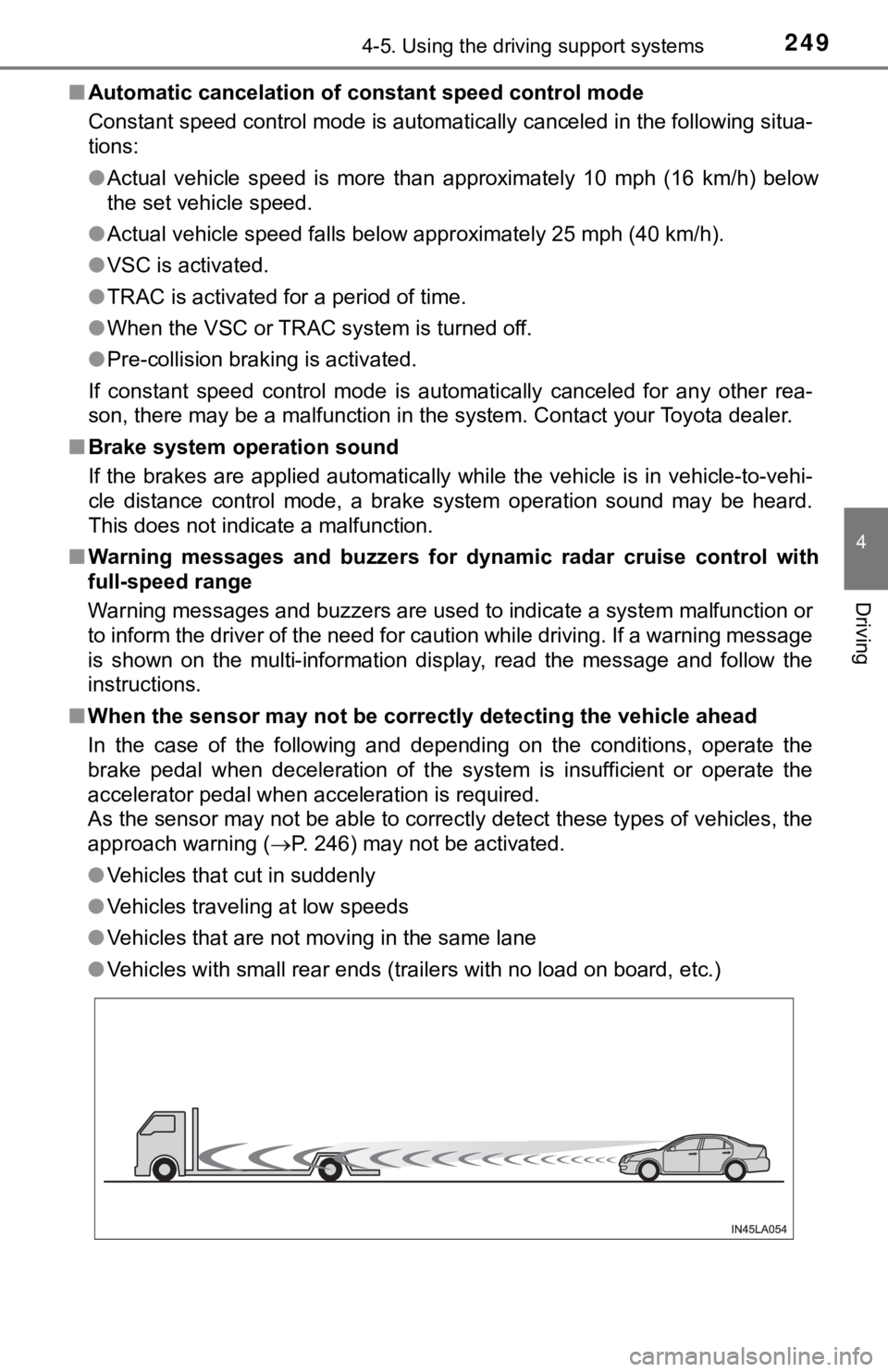
■ When the sensor may not be correctly detect ing the vehicle ahead
In the case of the following and depending on the conditions, o perate the
brake pedal when deceleration of the system is insufficient or operate the
accelerator pedal when acceleration is required.
As the sensor may not be able to correctly detect these types o f vehicles, the
approach warning ( P. 246) may not be activated.
● Vehicles that cut in suddenly
● Vehicles traveling at low speeds
● Vehicles that are not moving in the same lane
● Vehicles with small rear ends (trailers with no load on board, etc.)
Page 251 of 536
2514-5. Using the driving support systems
4
Driving
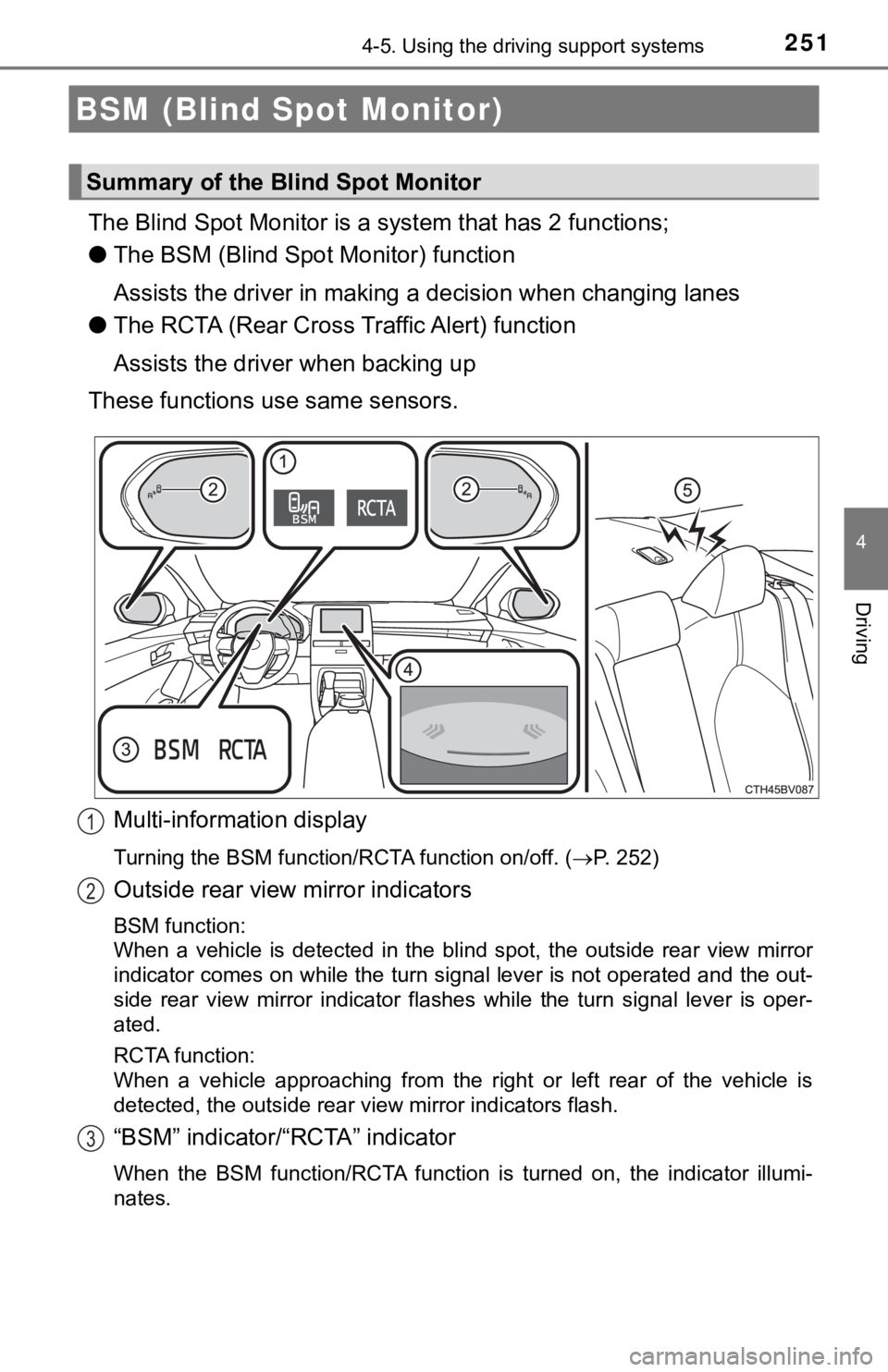
The Blind Spot Monitor is a system that has 2 functions;
● The BSM (Blind Spot Monitor) function
Assists the driver in making a decision when changing lanes
● The RCTA (Rear Cross T raffic Alert) function
Assists the driver when backing up
These functions use same sensors.
Multi-information display
Turning the BSM function/RCTA function on/off. ( P. 252)
Outside rear view mirror indicators
BSM function:
When a vehicle is detected in the blind spot, the outside rear view mirror
indicator comes on while the turn signal lever is not operated and the out-
side rear view mirror indicator flashes while the turn signal l ever is oper-
ated.
RCTA function:
When a vehicle approaching from the right or left rear of the v ehicle is
detected, the outside rear view mirror indicators flash.
“BSM” indicator/“RCTA” indicator
When the BSM function/RCTA function is turned on, the indicator illumi-
nates.
BSM (Blind Spot Monitor)
Summary of the Blind Spot Monitor
1
2
3