warning TOYOTA AVENSIS 2015 Owners Manual
[x] Cancel search | Manufacturer: TOYOTA, Model Year: 2015, Model line: AVENSIS, Model: TOYOTA AVENSIS 2015Pages: 648, PDF Size: 39.64 MB
Page 267 of 648
2674-5. Toyota Safety Sense
4
Driving
AVENSIS_OM_OM20C20E_(EE)■
When changing the tires
Depending on the tires used, sufficient performance may not be maintainable.
■ Warning messages for the LDA system
Warning messages are used to indicate a system malfunction or to inform the
driver of the need for caution while driving.
■ Customization
The LDA system sensor sensitivity can be changed.
(Customizable features: →P. 619)
WARNING
■ Before using the LDA
Do not rely solely on the LDA system. The LDA system does not drive the
vehicle automatically, nor does it reduce the amount of care you need to
take. As such, the driver must always assume full responsibility for under-
standing his/her surroundings, for operat ing the steering wheel to correct
the driving line, and for driving safely.
Inappropriate or negligent driving could lead to an accident.
■ To avoid operating the LDA by mistake
Switch the LDA system off using the LDA switch when not in use.
AVENSIS_OM_OM20C20E_(EE).book Page 267 Thursday, January 29, 2015 1:47 PM
Page 268 of 648
2684-5. Toyota Safety Sense
AVENSIS_OM_OM20C20E_(EE)
WARNING
■ Situations unsuitable for LDA system
Do not use the LDA system in any of the following situations.
Otherwise, the system may not function correctly and could result in an
accident.
●When driving with tire chains, a spare tire, or similar equipment
● When there are objects or structures along the roadside that might be mis-
interpreted as lane markers (such as guardrails, a curb, reflector posts,
etc.)
● When driving on snowy roads
● When pavement lane markers are difficult to see due to rain, snow, fog,
sand, dirt, etc.
● When there are visible lines on the pave ment from road repairs, or if the
remains of old lane markers are still visible on the road
● When driving on a road with lane closures due to maintenance, or when
driving in a temporary lane
NOTICE
■ To prevent damage to or incorrect operation of the LDA system
●Do not modify the headlights or attach stickers to the surface of the lights.
● Do not modify the suspension. If your suspension needs repairs, contact
any authorized Toyota dealer or repa irer, or another duly qualified and
equipped professional.
● Do not install or place anything on the hood or the grille. Also, do not install
a grille guard (bull bars, kangaroo bar, etc.).
AVENSIS_OM_OM20C20E_(EE).book Page 268 Thursday, January 29, 2015 1:47 PM
Page 274 of 648
2744-5. Toyota Safety Sense
AVENSIS_OM_OM20C20E_(EE)■
If a warning message of the Automatic High Beam is displayed...
It may indicate a malfunction in the system. Contact any authorized Toyota
dealer or repairer, or another duly qualified and equipped professional.
WARNING
■ Limitations of the Automatic High Beam
Do not rely on the Automatic High Beam. Always drive safely, taking care to
observe your surroundings and turning high beam on or off manually if nec-
essary.
NOTICE
■Notes when using the Automatic High Beam system
Observe the following to ensure that the Automatic High Beam functions
correctly.
●Do not overload the vehicle.
● Do not modify the vehicle.
AVENSIS_OM_OM20C20E_(EE).book Page 274 Thursday, January 29, 2015 1:47 PM
Page 275 of 648
275
4
4-5. Toyota Safety Sense
Driving
AVENSIS_OM_OM20C20E_(EE)
RSA (Road Sign Assist)
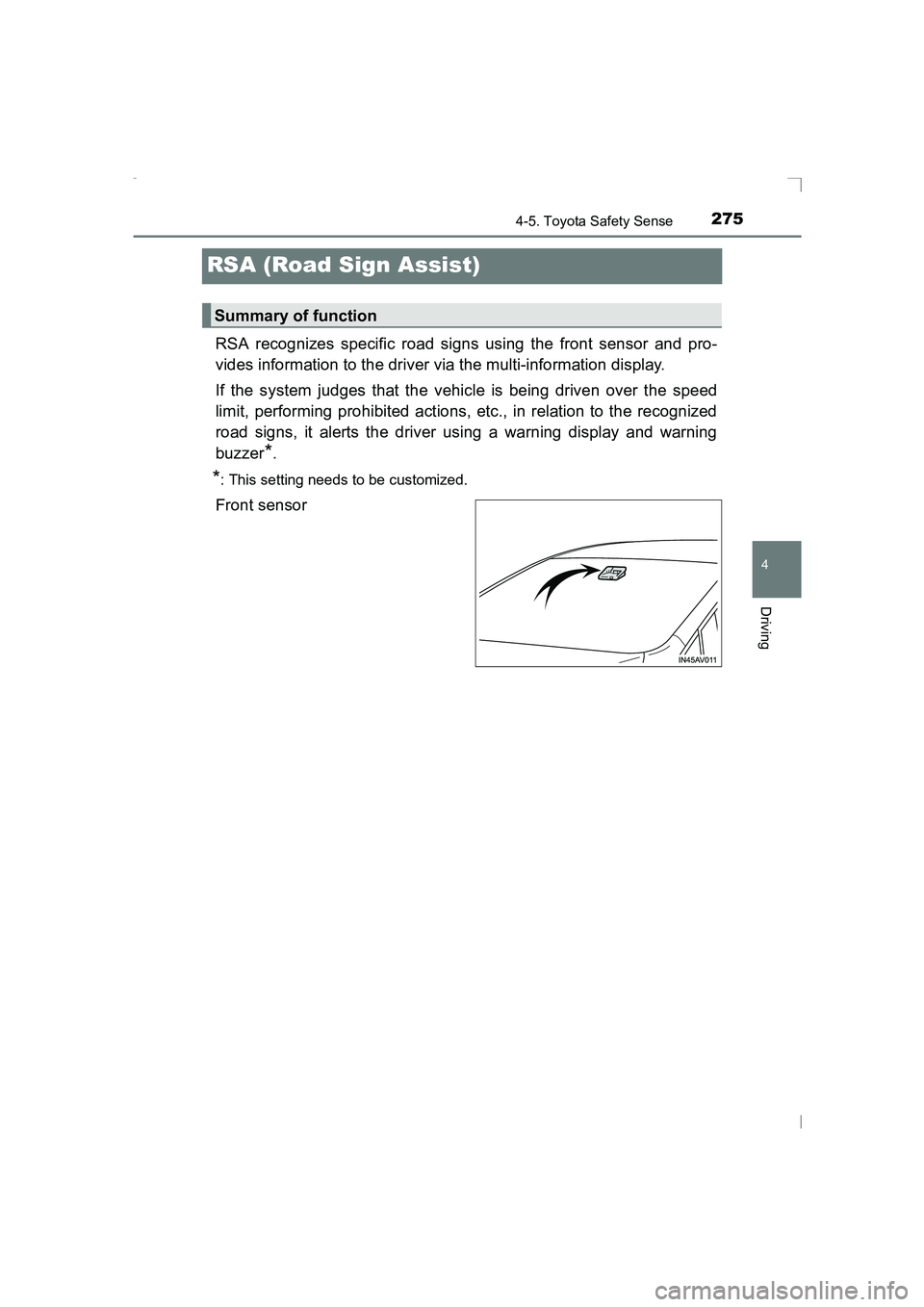
RSA recognizes specific road signs using the front sensor and pro-
vides information to the driver via the multi-information display.
If the system judges that the vehicle is being driven over the speed
limit, performing prohibited actions, etc., in relation to the recognized
road signs, it alerts the driver using a warning display and warning
buzzer
*.
*: This setting needs to be customized.
Front sensor
Summary of function
AVENSIS_OM_OM20C20E_(EE).book Page 275 Thursday, January 29, 2015 1:47 PM
Page 278 of 648
2784-5. Toyota Safety Sense
AVENSIS_OM_OM20C20E_(EE)
In the following situations, the RSA system alerts the driver using a
warning display.
●When the vehicle speed exceeds the speed warning threshold
applied to the speed limit of the sign displayed on the multi-informa-
tion display, the sign color becomes inverted.
● If it is detected that your vehicle is overtaking when a no overtaking
sign is displayed on the multi-information display, the sign flashes.
■Automatic turn-off of RSA sign display
One or more signs automatically turn off in the following situations.
●A new sign is not recognized for a certain distance.
● The road changes due to a left or right turn, etc.
■ Conditions in which the function may not operate or detect correctly
In the following situations, RSA does not operate normally and may not rec-
ognize signs, display the incorrect sign, etc. However, this does not indicate a
malfunction.
● The front sensor is misaligned due to a strong impact being applied to the
sensor, etc.
● Dirt, snow, stickers, etc., are on the front windshield near the front sensor.
● In inclement weather such as heavy rain, fog, snow or sand storms
● Light from an oncoming vehicle, the sun, etc., enters the front sensor.
● The sign is small, dirty, faded, tilted or bent, and if an electronic sign, the
contrast is poor.
● All or part of the sign is hidden by the leaves of a tree, a pole, etc.
● The sign is only visible to the front sensor for a short amount of time.
● The driving scene (turning, lane change, etc.) is judged incorrectly.
● Even if it is a sign not appropriate for the currently traveled lane, such a sign
exists directly after a freeway branches, or in an adjacent lane just before
merging.
● Stickers are attached to the rear of the preceding vehicle.
● A sign resembling a system compatible sign is recognized.
● The vehicle is driven in a country with a different direction of traffic.
● Side road speed signs may be detected and displayed (if positioned in sight
of the front sensor) while the vehicle is traveling on the main road.
● Roundabout exit road speed signs may be detected and displayed (if posi-
tioned in sight of the front sensor) while traveling on a roundabout.
● The speed information displayed on the meter and that displayed on the
Navigation system (if equipped) may be different due to the Navigation sys-
tem using map data.
Warning display
AVENSIS_OM_OM20C20E_(EE).book Page 278 Thursday, January 29, 2015 1:47 PM
Page 279 of 648
2794-5. Toyota Safety Sense
4
Driving
AVENSIS_OM_OM20C20E_(EE)■
When driving vehicle in country with different speed unit
Since RSA recognizes signs based on the set unit of the meter, it is neces-
sary to change the set unit of the meter. Adjust the set unit of the meter to the
speed unit of signs in the current location. ( →P. 619)
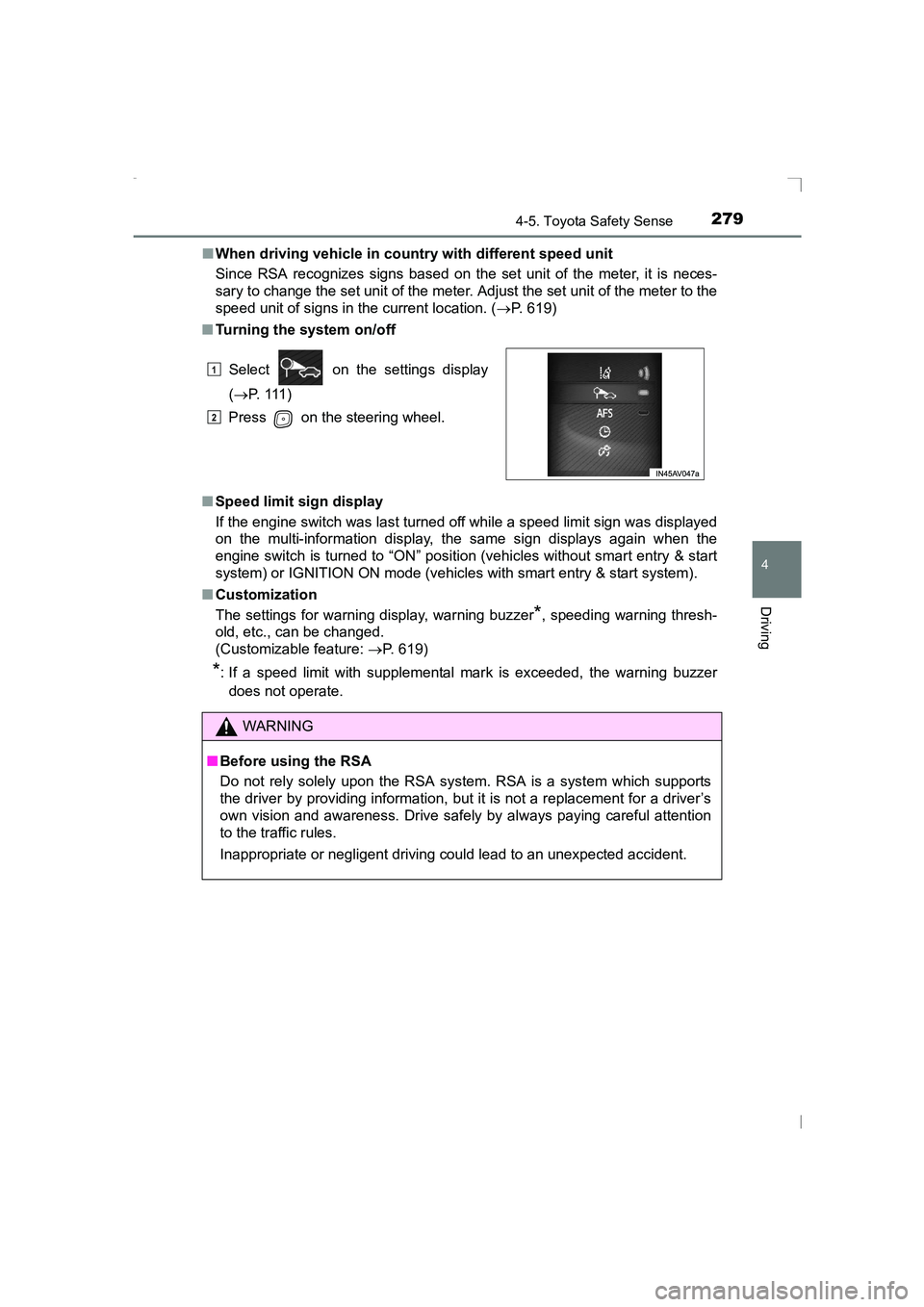
■ Turning the system on/off
■ Speed limit sign display
If the engine switch was last turned off while a speed limit sign was displayed
on the multi-information display, the same sign displays again when the
engine switch is turned to “ON” position (vehicles without smart entry & start
system) or IGNITION ON mode (vehicles with smart entry & start system).
■ Customization
The settings for warning display, warning buzzer
*, speeding warning thresh-
old, etc., can be changed.
(Customizable feature: →P. 619)
*: If a speed limit with supplemental mark is exceeded, the warning buzzer
does not operate. Select on the settings display
(→ P. 111 )
Press on the steering wheel.
WARNING
■ Before using the RSA
Do not rely solely upon the RSA system. RSA is a system which supports
the driver by providing information, but it is not a replacement for a driver’s
own vision and awareness. Drive safely by always paying careful attention
to the traffic rules.
Inappropriate or negligent driving could lead to an unexpected accident.
1
2
AVENSIS_OM_OM20C20E_(EE).book Page 279 Thursday, January 29, 2015 1:47 PM
Page 282 of 648
2824-6. Using the driving support systems
AVENSIS_OM_OM20C20E_(EE)■
Accelerating after setting the vehicle speed
●The vehicle can be accelerated normally. After acceleration, the set speed
resumes.
● Even without canceling the cruise control, the set speed can be increased
by first accelerating the vehicle to the desired speed and then pushing the
lever down to set the new speed.
■ Automatic cruise control cancelation
Cruise control will stop maintaining the vehicle speed in any of the following
situations.
●Actual vehicle speed falls more than approximately 16 km/h (10 mph) below
the preset vehicle speed.
At this time, the memorized set speed is not retained.
● Actual vehicle speed is below approximately 40 km/h (25 mph).
● VSC+ is activated.
● Speed limiter is activated (if equipped).
■ If the warning message for the crui se control is shown on the multi-
information display
Press the “ON-OFF” button once to deactivate the system, and then press
the button again to reactivate the system.
If the cruise control speed cannot be set or if the cruise control cancels imme-
diately after being activated, there may be a malfunction in the cruise control
system. Have the vehicle inspected by any authorized Toyota dealer or
repairer, or another duly qualified and equipped professional.
WARNING
■ To avoid operating the cruise control by mistake
Switch the cruise control off using the “ON-OFF” button when not in use.
■ Situations unsuitable for cruise control
Do not use cruise control in any of the following situations.
Doing so may result in loss of control and could cause an accident resulting
in death or serious injury.
●In heavy traffic
● On roads with sharp bends
● On winding roads
● On slippery roads, such as those covered with rain, ice or snow
● On steep hills
Vehicle speed may exceed the set speed when driving down a steep hill.
● When your vehicle is towing a trailer or during emergency towing
AVENSIS_OM_OM20C20E_(EE).book Page 282 Thursday, January 29, 2015 1:47 PM
Page 285 of 648
2854-6. Using the driving support systems
4
Driving
AVENSIS_OM_OM20C20E_(EE)
WARNING
■ To avoid operating the speed limiter by mistake
Keep the speed limiter switch off when not in use.
■ Situations unsuitable for speed limiter
Do not use the speed limiter in either of the following situations.
Doing so may result in control of the vehicle being lost and could cause a
serious or fatal accident.
●On slippery roads, such as those covered with rain, ice or snow
● On steep hills
● When towing a trailer or emergency towing
AVENSIS_OM_OM20C20E_(EE).book Page 285 Thursday, January 29, 2015 1:47 PM
Page 290 of 648
2904-6. Using the driving support systems
AVENSIS_OM_OM20C20E_(EE)■
When to use the Stop & Start system
●If the engine is stopped by the Stop & Start system and the shift lever is
shifted into a position other than N with the clutch pedal released, a buzzer
will sound and Stop & Start indicator will flash. This indicates that the engine
is only stopped by the Stop & Start system, not that the engine has been
turned off completely.
● Use the Stop & Start system when stopping the vehicle temporarily at red
lights, intersections, etc. When stopping the vehicle for a longer period of
time, turn off the engine completely.
● When the system cannot operate, is canceled, or is malfunctioning, warning
messages and the warning buzzer are used to inform the driver. ( →P. 529)
● Vehicles with smart entry and start system: Even if the engine switch is
pressed during an engine stop, the engine does not restart. Start the engine
by shifting the shift lever to N and performing a normal engine start opera-
tion.
● When the engine restarts after having been stopped by the Stop & Start sys-
tem, the power outlet may be temporar ily unusable, but this does not indi-
cate a malfunction.
● Installation and removal of electrical components and wireless devices may
affect the Stop & Start system, contact any authorized Toyota dealer or
repairer, or another duly qualified and equipped professional.
■ If the windshield is fogged up while the engine is stopped by the Stop &
Start system
Turn the windshield defogger on. (The engine will start due to the automatic
engine start function.) ( →P. 384, 391)
If the windshield fogs up frequently, press the Stop & Start cancel switch to
deactivate the system.
■ Air conditioning system while the engine is stopped by the Stop & Start
system (vehicles with an air conditioning system)
While the engine is stopped by the Stop & Start system, the air conditioning
system (cooling, heating and dehumidifying functions) is cancelled and it only
blows air or stops blowing air. In order to prevent the air conditioning system
from being cancelled, deactivate the Stop & Start system by pressing the Stop
& Start cancel switch.
AVENSIS_OM_OM20C20E_(EE).book Page 290 Thursday, January 29, 2015 1:47 PM
Page 296 of 648
2964-6. Using the driving support systems
AVENSIS_OM_OM20C20E_(EE)■
If the Stop & Start cancel indicator continues to flash
The Stop & Start system may be malfunctioning. Contact any authorized
Toyota dealer or repairer, or another duly qualified and equipped professional.
WARNING
■ When the Stop & Start system is operating
●Keep the shift lever in N and apply the brake pedal or parking brake for
safety while the engine is stopped due to the Stop & Start system (while
the Stop & Start indicator is on).
Unexpected accidents may occur due to the automatic engine start func-
tion.
● Do not leave the vehicle while the engine is stopped due to the Stop &
Start system (while the Stop & Start indicator is on).
Unexpected accidents may occur due to the automatic engine start func-
tion.
● Ensure that the engine is not stopped by the Stop & Start system while the
vehicle is in a poorly ventilated area. The engine may restart due to the
automatic engine start function, causing exhaust gases to collect and
enter the vehicle and resulting in death or a serious health hazard.
NOTICE
■ To ensure the system operates correctly
If any one of the following situations occurs, the Stop & Start system may
not operate correctly, thus, please have your vehicle checked by any autho-
rized Toyota dealer or repairer, or another duly qualified and equipped pro-
fessional.
● While the driver’s seat belt is fastened, the seat belt reminder light flashes.
● Even when the driver’s seat belt is not fastened, the seat belt reminder
light remains off.
● Even when the driver’s door is closed, the open door warning is displayed
on the multi-information display, or the interior light comes on when the
interior light switch is in the door position.
● Even when the driver’s door is opened, the open door warning is not dis-
played on the multi-information display, or the interior light does not come
on when the interior light switch is in the door position.
AVENSIS_OM_OM20C20E_(EE).book Page 296 Thursday, January 29, 2015 1:47 PM